
Digital signage software has evolved dramatically as organizations worldwide transition from static displays to dynamic, interactive recognition systems. The best platforms in 2026 offer far more than basic slideshow capabilities—they provide comprehensive content management, touchscreen interactivity, cloud-based updates, and specialized features for recognition displays, wayfinding systems, and institutional communication.
Yet selecting the right digital signage solution remains challenging. Organizations face dozens of platforms with varying capabilities, pricing structures ranging from free to enterprise-level, technical requirements that impact implementation, and feature sets that may or may not align with specific use cases. A system perfect for retail advertising may lack the recognition-focused features needed for donor walls, while enterprise-grade platforms may overwhelm smaller organizations with complexity.
This comprehensive guide examines the best digital signage software options for 2026, with particular focus on interactive touchscreen solutions for recognition displays, donor appreciation, institutional communication, and permanent installations where reliability and engagement matter most.
When evaluating digital signage software, organizations must look beyond basic display capabilities to understand content management workflows, touchscreen interactivity, cloud versus on-premise architecture, customization options, and total cost of ownership. Solutions like Rocket Alumni Solutions specialize in interactive recognition displays that celebrate achievements, honor donors, and create lasting engagement in educational institutions, nonprofits, healthcare facilities, and community organizations.

Interactive digital signage creates engaging experiences that static displays cannot match
Understanding Digital Signage Software: Key Features and Capabilities
Modern digital signage platforms serve diverse purposes across retail, corporate, educational, healthcare, and institutional environments. Understanding core capabilities helps organizations select solutions aligned with their specific needs.
Essential Digital Signage Software Components
Effective digital signage systems integrate multiple technical components:
Content Management Systems (CMS)
The CMS represents the control center for all digital signage operations:
- Cloud-based or on-premise administrative interfaces
- Media library management for images, videos, and documents
- Content scheduling and playlist creation
- Multi-display management from single dashboards
- User role permissions and workflow controls
- Template libraries for consistent branding
Display Player Software
Player software runs on hardware connected to screens:
- Operating system compatibility (Windows, Android, Linux, proprietary)
- Resource efficiency ensuring smooth performance
- Offline capability maintaining displays during network interruptions
- Screen resolution and aspect ratio support
- Multi-zone layouts dividing screens into regions
- Interactive touch input processing for touchscreen applications
Content Creation Tools
Built-in design capabilities streamline content development:
- Drag-and-drop visual editors requiring no coding
- Template libraries providing starting points
- Dynamic data integration from external sources
- Media format support (images, videos, HTML5, web pages)
- Brand asset management and style guides
- Preview functionality showing content before publishing
Network and Device Management
Enterprise-grade platforms provide comprehensive device monitoring:
- Remote device status monitoring and alerts
- Automated software updates and patches
- Bandwidth usage tracking and optimization
- Display health monitoring and diagnostics
- Centralized configuration management
- Security protocols and access controls

Cloud-based content management enables remote updates from anywhere
Specialized Features for Recognition and Institutional Displays
Organizations implementing donor walls, halls of fame, and recognition displays require capabilities beyond standard digital signage:
Interactive Touchscreen Functionality
Recognition displays benefit enormously from visitor interaction:
- Touch gesture support (tap, swipe, pinch, zoom)
- Search and filtering interfaces for large databases
- Profile pages with detailed information and multimedia
- Navigation menus and breadcrumb trails
- Accessibility features including adjustable text size
- Idle state attractions drawing attention when not in use
Solutions like Rocket Alumni Solutions specialize in interactive touchscreen software designed specifically for recognition displays where visitors explore donor contributions, athletic achievements, and institutional history.
Database Integration and Dynamic Content
Recognition systems require seamless data management:
- Import tools for existing databases and spreadsheets
- Real-time synchronization with external systems
- Automated content generation from structured data
- Search indexing for instant query results
- Hierarchical organization (giving levels, years, categories)
- Bulk update capabilities for efficient administration
Multimedia Storytelling Capabilities
Effective recognition extends beyond names to tell stories:
- Video testimonials and impact documentation
- Photo galleries and historical archives
- Audio narration and ambient soundtracks
- Document viewers for letters and artifacts
- Social media feed integration
- Campaign progress tracking and thermometers
Learn about storytelling approaches in digital recognition displays that create emotional connections.
Web Integration and Mobile Access
Modern recognition systems extend beyond physical displays:
- Responsive web interfaces matching physical kiosks
- Mobile apps providing remote access
- Social sharing functionality
- QR code generation linking physical and digital experiences
- Analytics tracking engagement across platforms
- Cloud synchronization ensuring consistency

Purpose-built recognition software creates engaging donor and achievement displays
Top Digital Signage Software Platforms for 2026
The digital signage market offers platforms ranging from basic free solutions to enterprise-grade systems costing thousands monthly. Understanding the landscape helps organizations make informed decisions.
Enterprise and General-Purpose Digital Signage Solutions
Several established platforms serve broad digital signage needs across multiple industries:
Yodeck
Yodeck has emerged as a popular choice for organizations seeking affordable, user-friendly digital signage:
- Cloud-based platform with intuitive interface
- Free tier for single displays with limited features
- Paid plans starting around $8-10 monthly per screen
- Raspberry Pi compatibility reducing hardware costs
- Template library with hundreds of designs
- Third-party app integrations (weather, social media, calendars)
Yodeck works well for straightforward content display but lacks specialized features for interactive recognition applications requiring database-driven content and advanced touch interfaces.
ScreenCloud
ScreenCloud focuses on simplicity and quick deployment:
- Minimal setup time with plug-and-play approach
- App marketplace extending functionality
- Team collaboration features
- Chrome OS, Windows, and dedicated player support
- Mid-range pricing around $20 monthly per screen
- Good for corporate communications and retail
Rise Vision
Rise Vision targets education and nonprofit sectors:
- Free for qualifying educational institutions
- Google Workspace integration
- Template gallery optimized for schools
- Chromebox and Chrome browser support
- Community-contributed content
- Pricing scales for larger implementations
NoviSign
NoviSign provides feature-rich digital signage with strong support:
- Windows, Android, and web-based players
- Extensive widget library
- Multi-user collaboration tools
- Content approval workflows
- Pricing starts around $20-25 monthly per screen
- 30-day free trial available
Specialized Solutions for Recognition and Interactive Displays
Organizations implementing donor recognition, halls of fame, and achievement displays need platforms designed specifically for these applications:
Rocket Alumni Solutions
Rocket Alumni Solutions specializes in interactive recognition displays for educational institutions, nonprofits, healthcare facilities, and community organizations:
Recognition-Focused Features
- Purpose-built touchscreen software for interactive exploration
- Unlimited capacity supporting thousands of honorees without physical space constraints
- Database-driven architecture enabling advanced search and filtering
- Customizable profile templates for consistent presentation
- Multimedia support including photos, videos, and documents
- Giving level hierarchies and achievement categorization
Content Management Advantages
- Cloud-based administration accessible from anywhere
- Bulk import tools for existing recognition data
- Scheduled updates for campaigns and events
- Role-based permissions for multiple administrators
- Professional templates aligned with institutional branding
- Drag-and-drop interfaces requiring no technical expertise
Installation and Support
- Comprehensive implementation services
- Hardware recommendations and coordination
- Custom design matching institutional aesthetics
- Training and onboarding for staff
- Ongoing technical support and maintenance
- Content strategy guidance
Organizations implementing digital donor walls, athletic halls of fame, and academic recognition displays find Rocket Alumni Solutions provides capabilities standard digital signage platforms lack. The system balances powerful features with user-friendly administration, making it accessible for advancement teams, athletic departments, and development offices without dedicated IT staff.
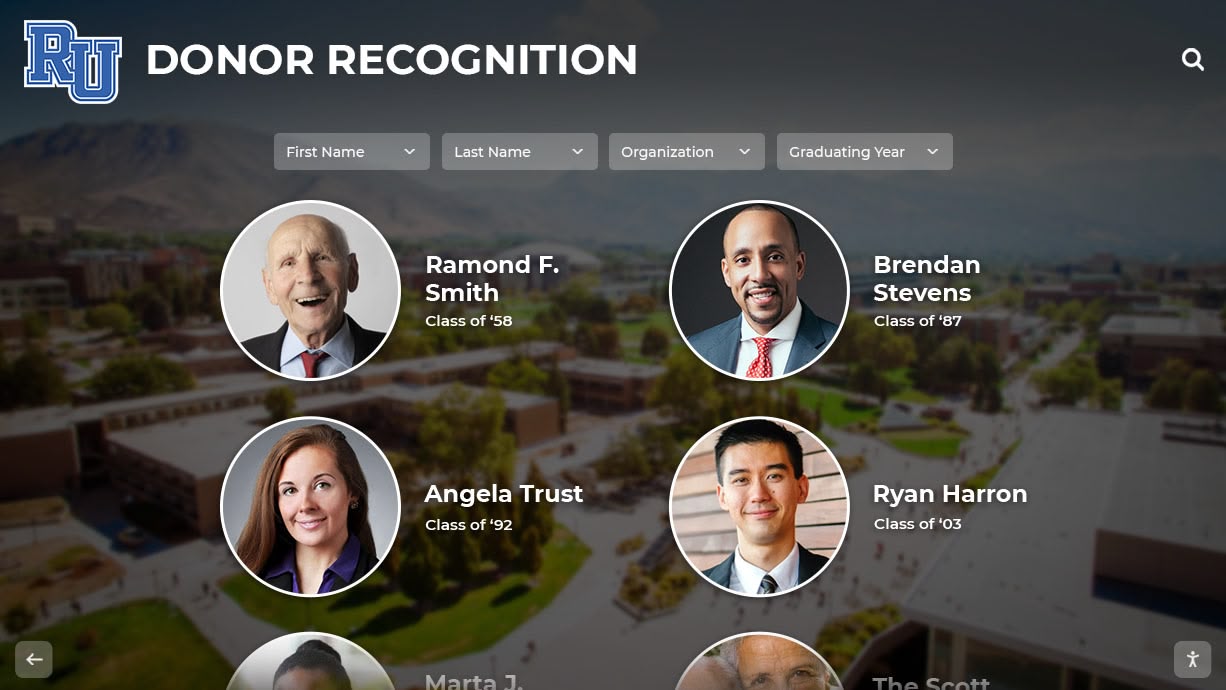
Specialized recognition software creates professional donor and achievement displays
22Miles Publisher
22Miles focuses on enterprise wayfinding and campus navigation:
- Interactive mapping and directory capabilities
- Touchscreen kiosk interfaces
- Wayfinding integration with building systems
- Enterprise-level pricing and complexity
- Best suited for large campus environments
- Less focused on recognition-specific features
Carousel Digital Signage
Carousel targets retail and corporate environments:
- Strong playlist and scheduling tools
- Video wall capabilities
- Mobile content creation apps
- Retail-focused templates and layouts
- Limited interactive touchscreen capabilities
- Pricing in mid-to-high range
Learn about alternatives to Carousel for recognition-focused applications.
Open-Source and Self-Hosted Options
Organizations with technical resources may consider open-source platforms:
Xibo
Xibo provides open-source digital signage with commercial support options:
- Free software with self-hosting capability
- Commercial cloud hosting available
- Large user community and plugin ecosystem
- Windows and Android player support
- Requires more technical expertise than commercial solutions
- Full control over system and data
Screenly OSE
Screenly Open Source Edition runs on Raspberry Pi:
- Completely free open-source software
- Minimal hardware costs using Raspberry Pi
- Web-based content management
- Limited to basic content display
- Requires Linux and networking knowledge
- Good for simple, budget-conscious deployments
Key Evaluation Criteria for Digital Signage Software Selection
Selecting the right digital signage platform requires systematic evaluation across multiple dimensions:
Content Management and Usability
User experience directly impacts how effectively staff maintain displays:
Administrative Interface Quality
- Intuitive navigation and clear workflows
- Responsive design working on desktop and mobile
- Consistent terminology and visual design
- Help documentation and tutorials
- Search functionality finding content quickly
- Keyboard shortcuts for power users
Content Creation Workflow
- Template libraries providing starting points
- Drag-and-drop editors with visual feedback
- Media upload with batch processing
- Preview capability before publishing
- Version history and content recovery
- Approval workflows for multi-person teams
Learning Curve and Training Organizations should honestly assess staff technical comfort:
- Does the platform require specialized training?
- Can non-technical staff manage daily updates?
- Is onboarding documentation clear and complete?
- Does the vendor provide training services?
- Are there video tutorials and knowledge bases?
- What level of ongoing support is available?
Platforms like Rocket Alumni Solutions prioritize user-friendly interfaces that development directors and advancement staff can manage without IT department involvement, recognizing that digital recognition systems succeed only when content remains current and engaging.
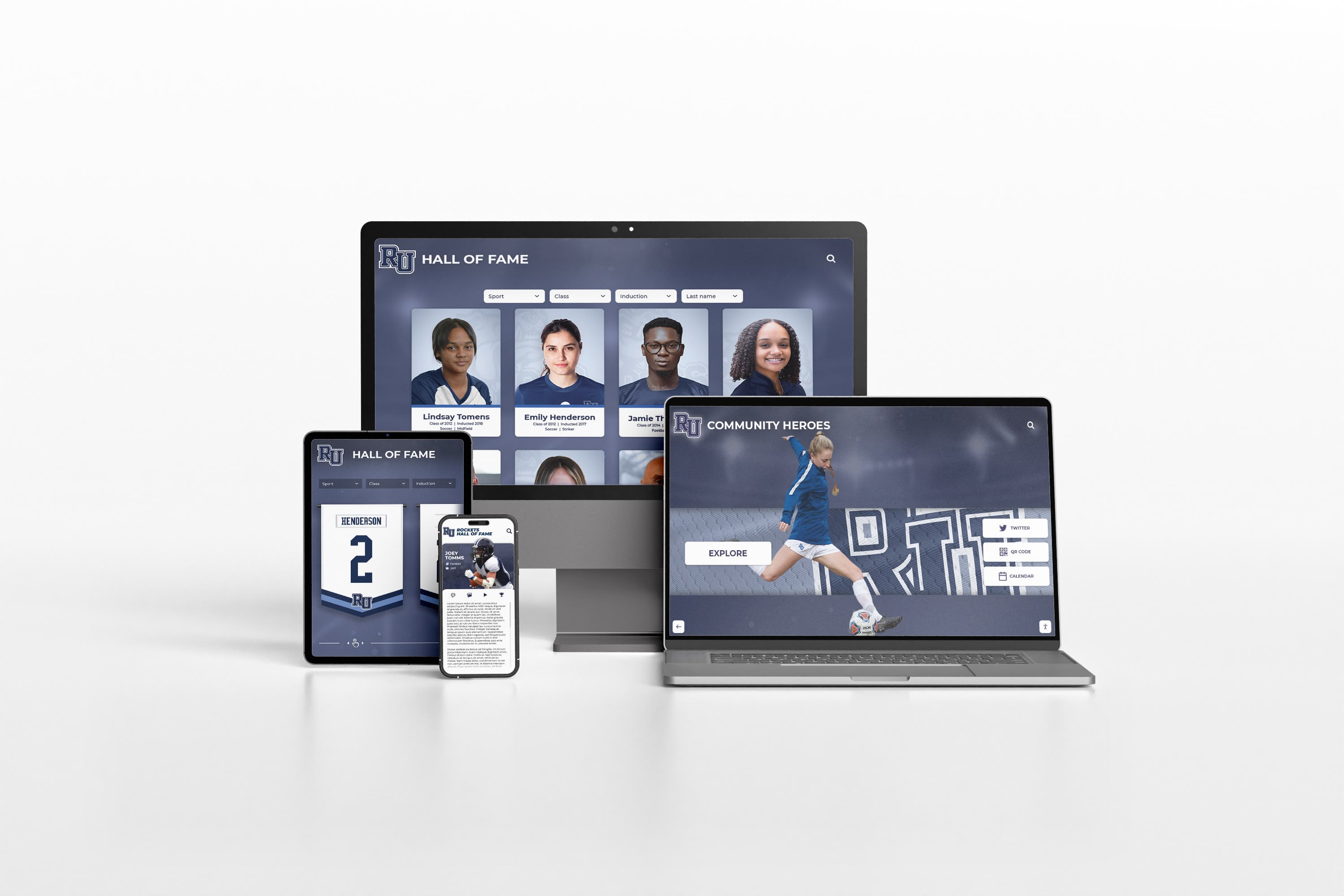
Cloud-based platforms enable content management from desktop, tablet, or mobile devices
Hardware Compatibility and Requirements
Digital signage software must align with intended hardware:
Player Device Options
- Dedicated media players (BrightSign, Raspberry Pi, Android boxes)
- Computer-based systems (Windows PCs, Mac Minis, Chromebox)
- Smart TV built-in systems (Samsung Tizen, LG webOS)
- System-on-chip displays with integrated players
- Cost implications of each approach
- Reliability and performance considerations
Touchscreen Support For interactive applications, verify:
- Touch input processing quality and responsiveness
- Gesture support (multi-touch, gestures, pen input)
- Calibration tools and accuracy
- Touch controller compatibility
- On-screen keyboard functionality
- Accessibility features for diverse users
Display Specifications
- Resolution support (1080p, 4K, 8K)
- Orientation options (landscape, portrait, rotated)
- Multi-display configurations and video walls
- Color calibration and brightness control
- Aspect ratio flexibility
- Power management and scheduling
Network Requirements
- Bandwidth consumption for content updates
- Offline functionality during network outages
- Content caching strategies
- Remote management protocols
- Security and firewall considerations
- WiFi versus wired ethernet recommendations
Pricing Models and Total Cost of Ownership
Understanding complete costs prevents budget surprises:
Subscription and Licensing Structures
- Per-screen monthly or annual pricing
- Tiered feature access at different price points
- Setup fees and onboarding charges
- Minimum subscription commitments
- Volume discounts for multiple displays
- Educational or nonprofit pricing programs
Hardware and Installation Costs
- Media player or computer requirements
- Touchscreen display expenses
- Mounting hardware and installation labor
- Network infrastructure upgrades
- Cabling and power requirements
- Professional design and content creation services
Ongoing Operational Expenses
- Subscription renewal costs
- Support and maintenance contracts
- Software update fees
- Content refresh and design services
- Staff time for content management
- Bandwidth and hosting fees
Total Cost of Ownership Comparison
Budget-conscious organizations often gravitate toward free or low-cost platforms without considering complete implementation costs. A $10 monthly subscription may require expensive hardware, technical expertise, and ongoing maintenance totaling thousands annually. Conversely, seemingly expensive turnkey solutions may include hardware, installation, training, and support that reduce overall costs while ensuring professional results.
Calculate five-year total cost including all expenses to make accurate comparisons. Recognition-focused platforms like Rocket Alumni Solutions provide comprehensive packages where upfront investment delivers long-term value through reduced administration time, professional design, and reliable operation.
Support, Training, and Implementation Services
Vendor support quality significantly impacts success:
Technical Support Availability
- Support hours and timezone coverage
- Response time commitments
- Support channels (phone, email, chat, tickets)
- Remote assistance capabilities
- Emergency support for critical issues
- Community forums and peer support
Training and Onboarding
- Initial training included in purchase
- Administrator certification programs
- Video tutorial libraries
- Documentation quality and completeness
- Webinar schedules for new features
- On-site training options
Implementation Services
- Needs assessment and consultation
- Custom design and development
- Hardware specification and procurement
- Installation coordination
- Data migration and content creation
- Go-live support and quality assurance
Organizations implementing digital recognition systems benefit enormously from comprehensive implementation support ensuring displays launch successfully and staff feel confident managing content.
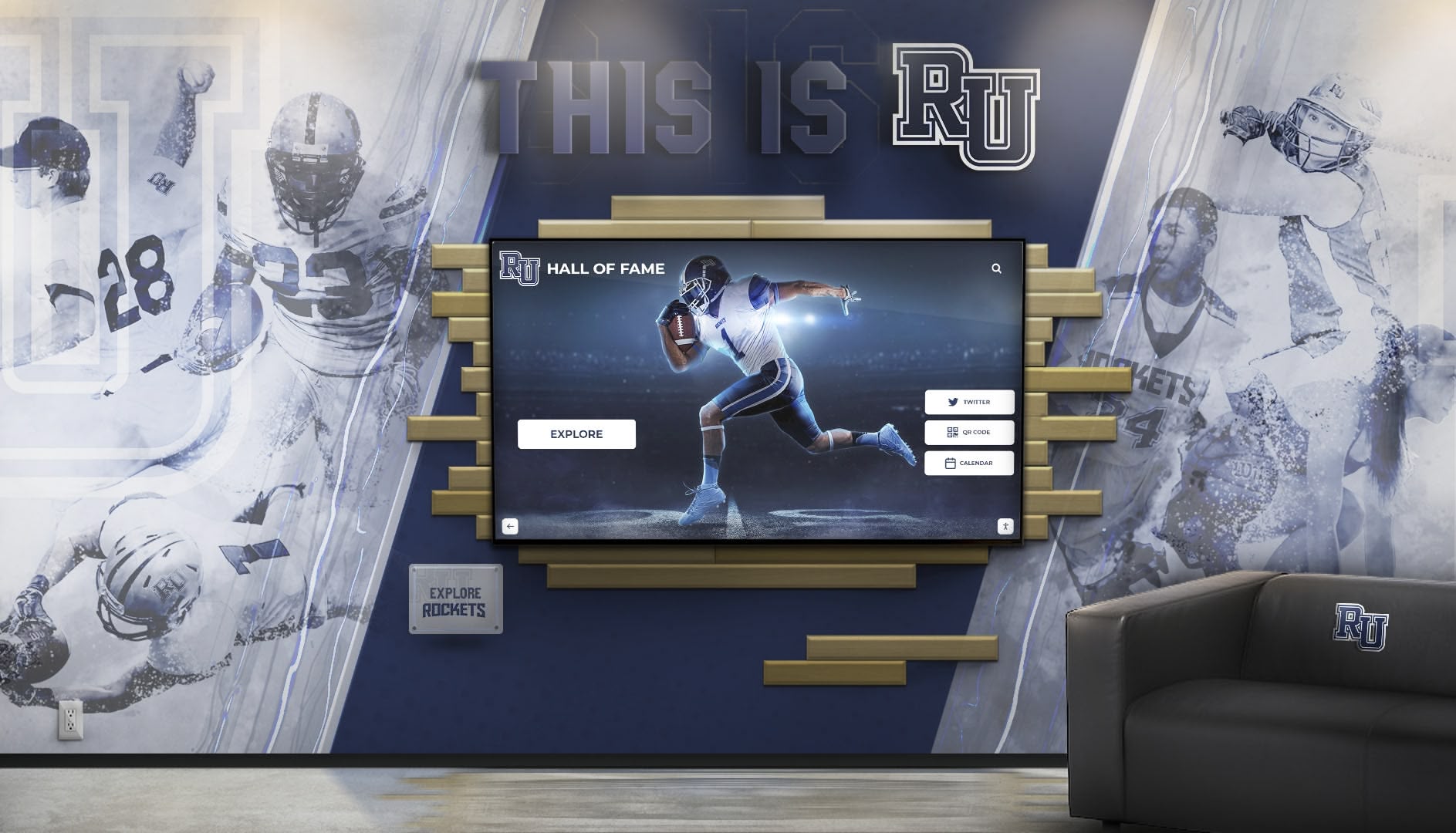
Professional installation ensures digital signage integrates seamlessly with institutional spaces
Specialized Applications: Digital Signage for Recognition and Engagement
While general-purpose digital signage serves many needs, certain applications require specialized capabilities and content strategies:
Donor Recognition and Fundraising Display Systems
Nonprofit organizations, educational institutions, and healthcare facilities implement digital donor walls that overcome traditional plaque limitations:
Unlimited Recognition Capacity
Physical donor walls accommodate 50-200 names before exhausting space. Digital systems recognize unlimited supporters through searchable databases enabling:
- Comprehensive recognition across all giving levels
- Historical preservation of past campaigns
- Flexible organization by campaign, fund, or purpose
- Easy updates as donors increase support
- No difficult decisions about whose recognition to remove
Enhanced Engagement Through Interactivity
Touchscreen interfaces transform passive name reading into active exploration:
- Search functionality finding specific donors instantly
- Giving level filters highlighting leadership supporters
- Donor profiles including photos and biographical information
- Impact stories connecting contributions to outcomes
- Video testimonials from donors and beneficiaries
- Campaign progress visualization building momentum
Stewardship and Relationship Building
Digital recognition serves broader advancement goals:
- Timely updates acknowledging new gifts promptly
- Special recognition for anniversaries and milestones
- Content rotation maintaining freshness and interest
- Social proof effects inspiring prospective donors
- Integration with capital campaign materials
- Mobile and web access extending reach beyond physical location
Explore comprehensive approaches in digital donor wall implementation that strengthen fundraising programs.
Athletic and Academic Achievement Recognition
Schools, colleges, and universities celebrate student accomplishments through digital halls of fame:
Comprehensive Achievement Celebration
- Athletic records and championship teams
- Individual honors and awards
- Academic excellence and scholarships
- Arts and performance achievements
- Community service recognition
- Historical context and timeline presentation
Multimedia Storytelling Digital platforms enable rich content traditional plaques cannot match:
- Game highlights and performance videos
- Photo galleries from events and seasons
- Athlete interviews and reflections
- Historical artifacts and memorabilia
- Comparison to program history
- Social media integration
Recruitment and School Pride Recognition displays serve multiple audiences:
- Prospective students and families touring facilities
- Current students seeing aspirational examples
- Alumni reconnecting with their achievements
- Community members celebrating local success
- Donors understanding program impact
- Media researching program history
Learn about athletic recognition systems that energize school communities.
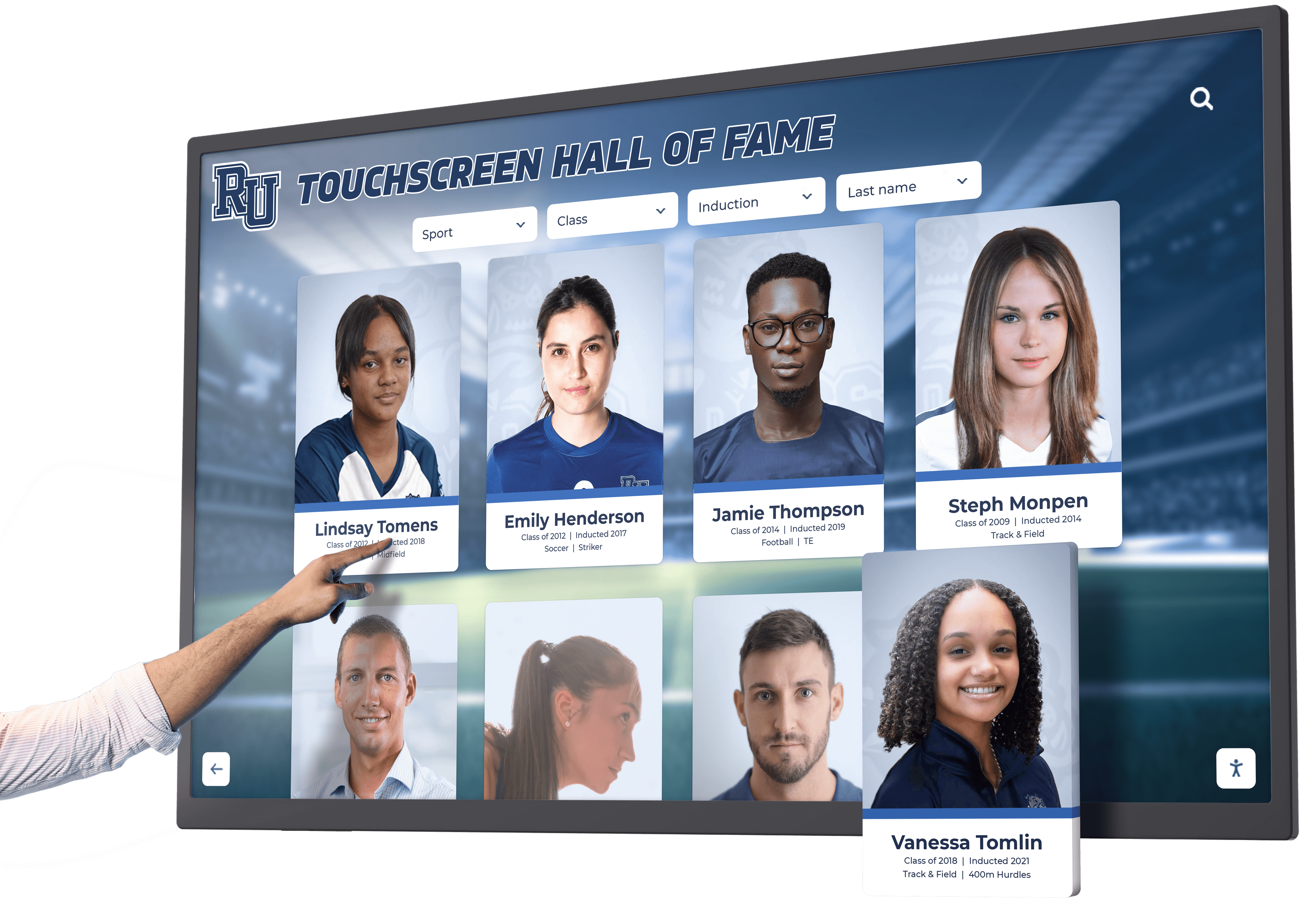
Athletic recognition displays inspire students while celebrating achievements
Corporate and Community Recognition Displays
Businesses and organizations use digital signage to recognize employees, partners, and community members:
Employee Recognition Programs
- Top performer spotlights
- Service milestone celebrations
- Team achievement recognition
- Values-based award programs
- Retirement and transition honors
- New hire welcomes
Community Engagement
- Local hero and volunteer recognition
- Partnership and sponsor acknowledgment
- Historical preservation and storytelling
- Event promotion and recaps
- Public art and cultural displays
- Wayfinding and information services
Brand Building and Culture Recognition displays reinforce organizational values:
- Visible celebration of desired behaviors
- Storytelling connecting individuals to mission
- Social proof demonstrating community support
- Cultural artifacts and history
- Visual interest in lobbies and common areas
- Content that educates and inspires
Implementation Best Practices for Digital Signage Success
Successful digital signage deployments follow systematic planning and implementation processes:
Needs Assessment and Planning
Begin with clear understanding of objectives:
Define Primary Purposes
- What problems will digital signage solve?
- Who are the primary audiences?
- What content will displays show?
- How frequently will content change?
- What interactive features are needed?
- What success looks like and how to measure it
Assess Current State
- Inventory existing recognition and communication approaches
- Identify gaps and pain points
- Evaluate available budget and resources
- Review technical infrastructure and capabilities
- Survey stakeholder needs and preferences
- Benchmark against peer organizations
Develop Requirements
- Hardware specifications (size, resolution, touch capability)
- Software features and functionality
- Installation locations and viewing environments
- Network and power availability
- Administrative workflows and permissions
- Integration with existing systems
- Support and training needs
Vendor Selection and Evaluation
Choosing the right partner impacts long-term success:
Request for Information Process
- Document requirements clearly
- Identify potential vendors through research
- Request product demonstrations
- Review case studies and references
- Evaluate pricing and contract terms
- Assess vendor stability and longevity
- Test customer support responsiveness
Proof of Concept Testing When possible, pilot platforms before full commitment:
- Test administrative interfaces with actual staff
- Evaluate content creation workflows
- Assess performance with real content
- Verify integration with existing systems
- Gather stakeholder feedback
- Validate total cost of ownership assumptions
Reference Checking Contact existing customers to understand real-world experience:
- How long have they used the platform?
- What challenges have they encountered?
- How responsive is vendor support?
- Would they select the same platform again?
- What lessons learned can they share?
- What features do they wish existed?
Organizations implementing institutional digital signage benefit from selecting vendors with relevant experience and proven implementations.
Installation and Content Development
Professional implementation ensures successful launches:
Site Preparation
- Electrical infrastructure for power requirements
- Network connectivity verification
- Mounting surface preparation
- ADA compliance and accessibility review
- Lighting assessment and adjustment
- Physical security considerations
Hardware Installation
- Professional mounting at optimal heights and angles
- Display calibration and adjustment
- Touch controller configuration and testing
- Cable management and concealment
- Network connection and verification
- Quality assurance and inspection
Content Strategy and Creation Thoughtful content planning determines effectiveness:
- Information architecture and organization
- Visual design aligned with branding
- Content hierarchy and navigation
- Initial content development
- Asset gathering and preparation
- Testing and refinement before launch
Ongoing Management and Optimization
Sustained success requires continuous attention:
Content Governance
- Update schedules and responsibility assignment
- Approval workflows for content changes
- Quality standards and brand guidelines
- Content calendar planning
- Performance monitoring and analytics
- Regular audits ensuring accuracy
Technical Maintenance
- Software updates and patches
- Hardware monitoring and troubleshooting
- Network performance optimization
- Security updates and compliance
- Backup and disaster recovery procedures
- Vendor relationship management
Continuous Improvement
- Gather user feedback and observations
- Analyze engagement analytics
- Test new content approaches
- Refresh designs maintaining interest
- Expand features and capabilities over time
- Share successes and celebrate milestones
Learn about sustainable management in digital recognition programs that remain effective long-term.
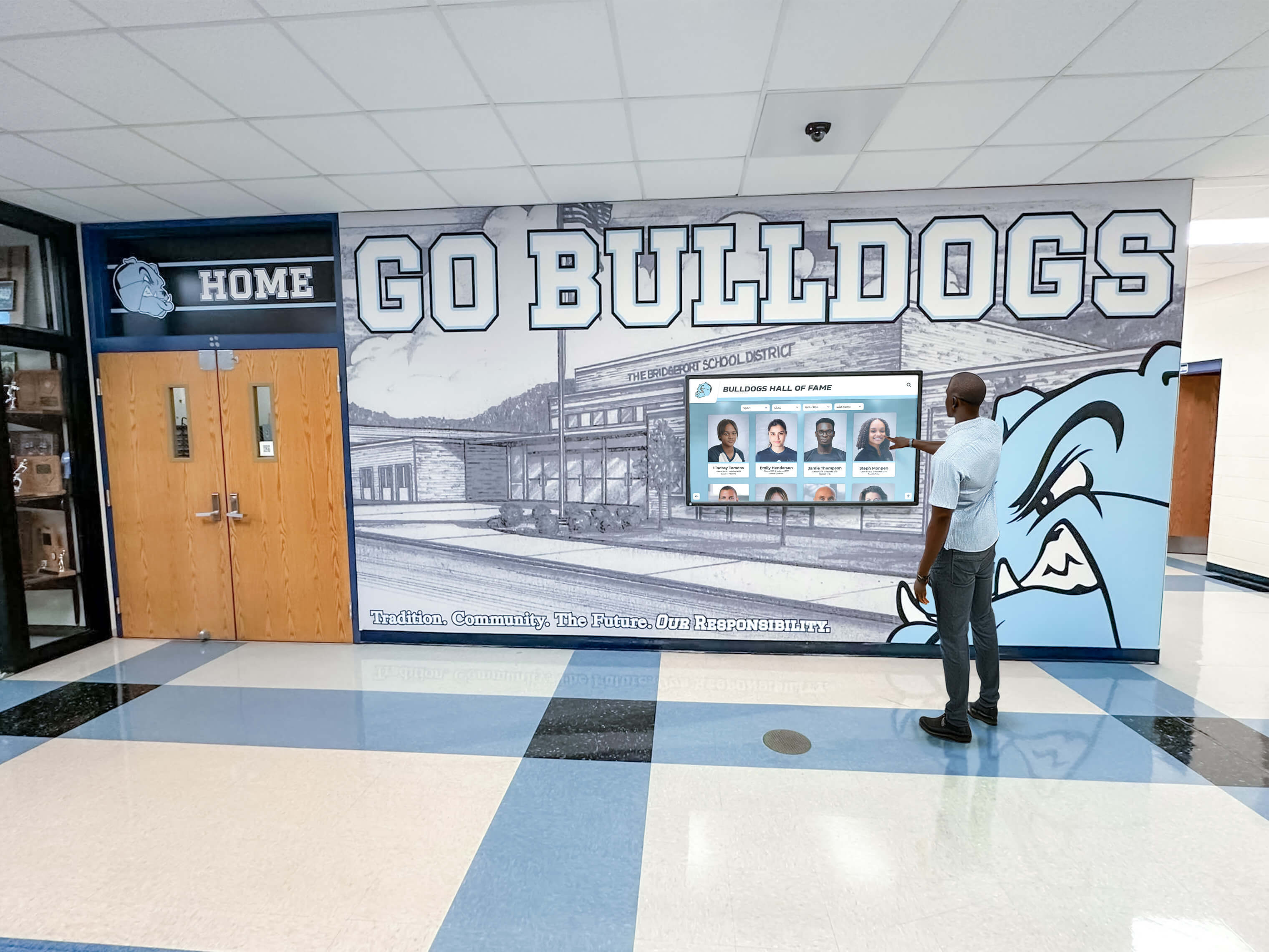
Well-managed digital signage remains current, accurate, and engaging over time
Future Trends in Digital Signage Technology
Understanding emerging developments helps organizations plan for evolving capabilities:
Artificial Intelligence and Personalization
AI technologies are beginning to influence digital signage:
Content Recommendations
- Audience detection customizing content to viewers
- Time-of-day optimization based on traffic patterns
- Performance analytics identifying most effective content
- Automated content generation from data sources
- Natural language search interfaces
- Predictive maintenance alerting to issues
Ethical Considerations Organizations must thoughtfully evaluate:
- Privacy implications of viewer tracking
- Appropriate versus manipulative personalization
- Data collection and retention policies
- Transparency about AI usage
- Human oversight maintaining quality
- Accessibility ensuring inclusive experiences
Enhanced Interactivity and Engagement
Digital signage continues evolving toward greater audience participation:
Augmented Reality Integration
- Smartphone AR experiences enhancing physical displays
- Virtual content overlays on real environments
- Interactive wayfinding with visual guidance
- Historical visualization showing past states
- Educational layers providing additional context
Social and Community Features
- User-generated content submission
- Social media integration and live feeds
- Community voting and polling
- Gamification encouraging engagement
- Shared experiences connecting visitors
- Mobile companion apps extending interaction
Cloud Innovation and Connectivity
Network-connected systems enable increasingly sophisticated capabilities:
Real-Time Data Integration
- Live feeds from external data sources
- API connections to institutional systems
- Automated content updates
- IoT sensor data visualization
- Emergency notification systems
- Dynamic scheduling based on events
Edge Computing and Performance
- Local processing reducing latency
- Offline resilience ensuring reliability
- Bandwidth optimization
- Enhanced security through distributed architecture
- Faster response for interactive applications
Conclusion: Selecting the Best Digital Signage Software for Your Needs
Digital signage software selection represents strategic decisions impacting communication effectiveness, operational efficiency, and organizational culture for years. The best platform for any organization depends on specific needs, technical requirements, budget constraints, and long-term goals rather than universal “best” solutions fitting everyone.
Organizations implementing straightforward content display for retail, corporate communications, or general information may find success with general-purpose platforms like Yodeck, ScreenCloud, or Rise Vision offering user-friendly interfaces, reasonable pricing, and broad feature sets serving diverse needs.
Institutions prioritizing interactive recognition—donor walls, halls of fame, achievement displays, and community celebration—benefit from specialized solutions designed specifically for these applications. Platforms like Rocket Alumni Solutions provide purpose-built features including database-driven content, advanced search and filtering, multimedia storytelling, and touchscreen interfaces that create engagement impossible with general digital signage.
Explore Interactive Recognition Display Solutions
Discover how specialized digital signage software can transform donor recognition, achievement celebration, and institutional communication with engaging interactive displays.
Request a DonorsWall WalkthroughKey Selection Considerations
Successful platform selection requires systematic evaluation:
- Define primary use cases and required features clearly
- Assess staff technical capabilities and support needs
- Calculate total cost of ownership beyond subscription fees
- Verify hardware compatibility with intended devices
- Evaluate vendor experience with similar implementations
- Test platforms through demonstrations and pilots when possible
- Check references from similar organizations
- Consider long-term scalability and evolution
Implementation Success Factors
Technology alone does not guarantee successful digital signage—thoughtful planning, professional implementation, quality content, and sustained management determine outcomes. Organizations should invest in:
- Comprehensive needs assessment before vendor selection
- Professional installation ensuring optimal functionality
- Initial content strategy and development
- Staff training and change management
- Ongoing content governance and updates
- Regular evaluation and continuous improvement
The Recognition Opportunity
For organizations implementing digital donor recognition, halls of fame, and achievement displays, specialized platforms provide capabilities general digital signage lacks. These systems balance powerful features enabling sophisticated recognition with user-friendly administration accessible to advancement teams, development offices, and athletic departments without dedicated technical staff.
When recognition displays succeed—when donors feel genuinely appreciated, students see inspiring examples, community members celebrate shared history—digital signage transcends technology to become cultural infrastructure strengthening relationships, inspiring generosity, and building pride. The right software makes this transformation possible.
Ready to explore digital signage solutions for recognition and engagement? Learn more about interactive donor recognition systems or discover how touchscreen software creates compelling recognition experiences across diverse organizational settings.































