




Intent: Decide which touchscreen software architecture best serves your interactive display needs—web-based platforms or native applications.
Choosing between web-based and native touchscreen software represents one of the most consequential decisions organizations make when implementing interactive displays for donor recognition, visitor kiosks, or institutional showcases. This choice affects everything from deployment complexity and maintenance burden to user experience quality and long-term scalability.
Web-based solutions run entirely through browsers, requiring no local installation beyond configuring a kiosk mode browser. Native applications install directly on devices, utilizing operating system features for potentially enhanced performance and offline capabilities. Each approach brings distinct advantages and limitations that align differently with organizational technical capabilities, budget constraints, and use case requirements.
For development teams, advancement professionals, and institutional leaders evaluating touchscreen software for donor walls, recognition displays, or public information kiosks, understanding these architectural differences ensures selections matching both immediate needs and long-term strategic goals. This comprehensive guide examines both approaches through the lens of real-world deployment scenarios, helping you make informed decisions that optimize investment and user experience.
Interactive touchscreen displays have become essential tools for donor recognition in nonprofit organizations, universities, schools, cultural institutions, and community centers. Whether celebrating supporters through digital donor walls, preserving institutional history through searchable archives, or providing visitors with self-guided exploration capabilities, the software architecture powering these experiences significantly impacts both implementation success and ongoing operational sustainability.

Modern touchscreen installations leverage both web-based and native software approaches to deliver engaging donor recognition experiences
Understanding Touchscreen Software Architecture Options
Before comparing specific advantages and limitations, understanding what distinguishes web-based from native applications clarifies why these architectural differences matter for interactive display deployments.
What Is Web-Based Touchscreen Software?
Web-based touchscreen software operates entirely through web browsers, with all application logic, data processing, and user interface rendering handled through standard web technologies including HTML5, CSS3, and JavaScript. Users interact with these applications by pointing browsers to specific URLs, with no separate software installation required beyond the browser itself.
For touchscreen kiosk deployments, web-based software typically combines specialized content management platforms accessible through standard browsers with kiosk mode browsers that lock down devices for public use. The content lives in the cloud, accessed via internet connection, with displays functioning as thin clients presenting remotely hosted experiences.
Common Web-Based Touchscreen Applications:
- Cloud-hosted donor recognition platforms like Rocket Alumni Solutions
- Browser-based digital signage content management systems
- Web-accessible directory and wayfinding applications
- Online museum exhibit and educational content platforms
- SaaS kiosk applications delivered through browsers
This architecture separates content management from display presentation—administrators update recognition databases or donor information through web dashboards, while physical displays simply present that content through locked-down browsers configured for public interaction.
Organizations implementing interactive touchscreen software increasingly leverage web-based architectures for their flexibility and reduced maintenance overhead.
What Is Native Touchscreen Software?
Native touchscreen applications are programs specifically developed for particular operating systems—Windows, macOS, iOS, Android, or Linux—that install directly on devices and execute locally. These applications access operating system features, device hardware, and local storage directly without requiring web browsers as intermediaries.
Native touchscreen software packages application logic, user interface elements, media assets, and data (or data access capabilities) into executable programs distributed through app stores, direct downloads, or institutional deployment tools. Once installed, these applications run independently, though they may connect to internet services for content updates or data synchronization.
Common Native Touchscreen Applications:
- Custom-developed institutional showcase applications
- Specialized museum exhibit software
- Industrial control panel applications
- Point-of-sale and transaction systems
- Offline-first archival exploration tools
Native applications install on display hardware much like traditional desktop software, with administrators configuring kiosk lockdown separately through operating system features or third-party kiosk management tools that prevent unauthorized access.
Hybrid Approaches: Progressive Web Apps
Progressive Web Apps (PWAs) blur the boundary between web-based and native applications, offering web technologies packaged to function more like installed applications. PWAs provide capabilities including offline functionality through service workers, home screen installation creating app-like experiences, push notification support, and background synchronization.
For touchscreen displays, PWAs enable web-based content to function reliably even during network disruptions while maintaining the deployment simplicity and cross-platform compatibility of browser-based solutions.

Intuitive interfaces work effectively whether delivered through web browsers or native applications
Organizations evaluating digital hall of fame displays benefit from understanding how software architecture impacts both implementation and ongoing operation.
Key Decision Factors: What Matters for Your Deployment
Several critical factors determine which software architecture best serves specific use cases, organizational capabilities, and institutional environments.
Deployment Complexity and Technical Requirements
Web-Based Deployment Advantages: Web-based touchscreen software dramatically simplifies initial deployment since organizations merely configure browsers to display specific URLs in kiosk mode. No software installation, version management, or compatibility testing beyond browser setup is required. A single URL works identically across Windows PCs, Mac computers, Linux machines, iPads, and Android tablets, providing true cross-platform compatibility from day one.
This architecture proves particularly valuable for organizations with limited IT resources, multi-platform hardware environments, or distributed installations across multiple locations where standardization and remote management matter.
Native Application Deployment Considerations: Native applications require platform-specific installation on every display device, with separate versions for different operating systems. Deployment involves downloading installers, configuring application settings, managing licenses, and potentially coordinating with operating system updates that might affect application compatibility.
For single-platform environments with dedicated IT support, this complexity may be manageable. However, mixed hardware environments or institutions without technical staff often find native deployment burdens unsustainable, especially across dozens of displays.
Real-World Scenario: A university foundation deploying donor recognition displays across ten campus buildings with mixed Windows and Mac computers finds web-based solutions install in minutes per location—simply configure a kiosk browser and navigate to the recognition platform URL. The equivalent native application would require separate Windows and Mac versions, individual installations on each device, and ongoing updates coordinated across both platforms.
Content Management and Updates
The ease with which organizations can update displayed content significantly impacts long-term sustainability and whether recognition systems remain current or become outdated.
Web-Based Content Management: Cloud-hosted web platforms centralize content management through web dashboards accessible from any internet-connected device. Staff log into content management systems from office computers or even smartphones to add new donors, update recognition levels, upload photos, or modify displayed information. Changes publish immediately to all connected displays without requiring physical access to any touchscreen installation.
This architecture ensures recognition remains current—new donors appear on displays within minutes of database updates, campaign progress updates in real-time, and outdated information disappears instantly when removed from the central database. Multiple staff members can share update responsibilities through role-based permissions, with all changes automatically synchronized across unlimited displays.
Solutions like Rocket Alumni Solutions exemplify this approach, providing institutions with centralized donor databases that automatically populate recognition displays, with no technical expertise required for content updates.
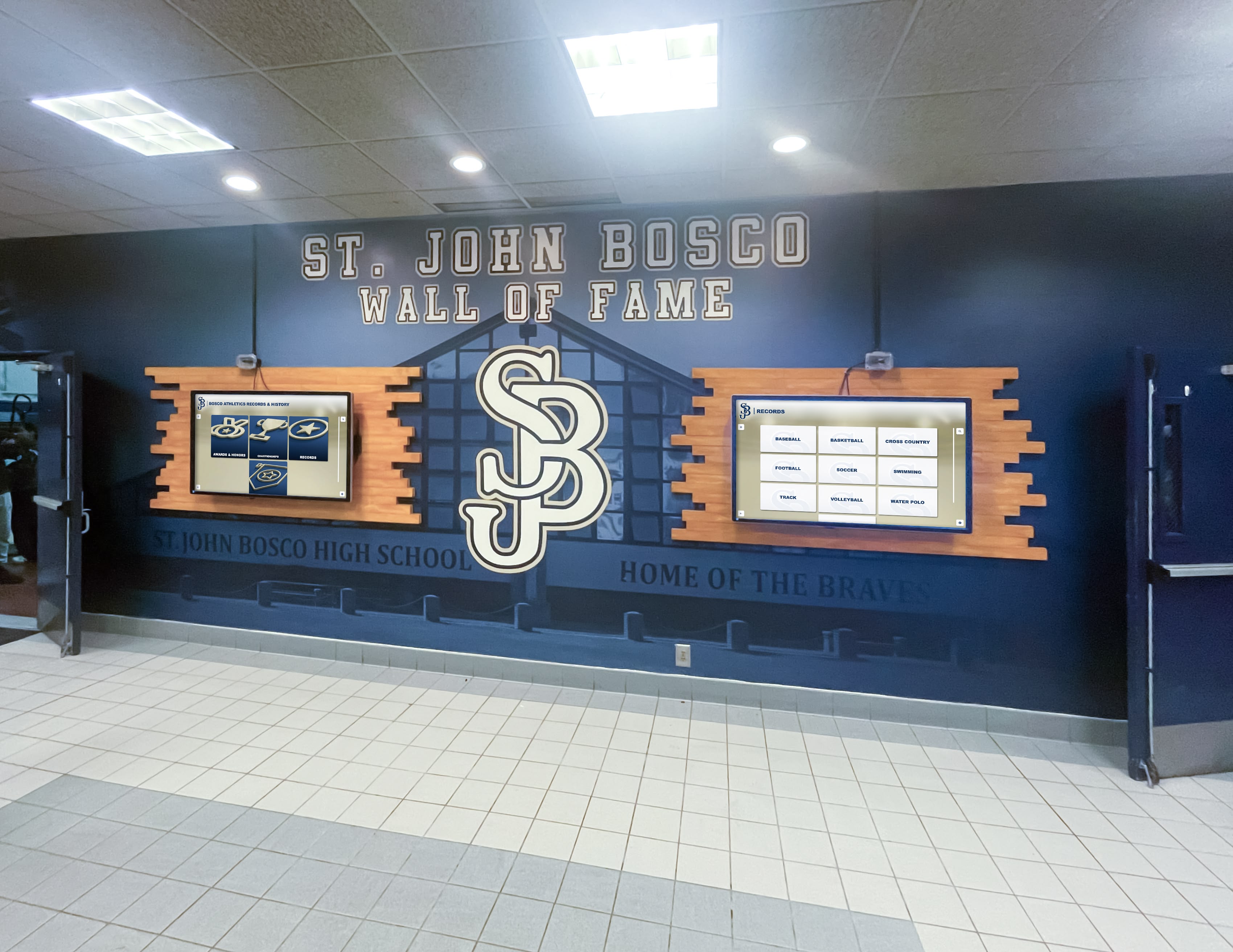
Web-based architecture enables centralized management of content across multiple displays simultaneously
Native Application Content Updates: Native applications typically require more complex update processes. Content changes might necessitate rebuilding application packages, distributing updates to individual devices, and potentially restarting applications or rebooting displays. Some native applications support networked content feeds that simplify updates, but this requires the native application to include sophisticated synchronization logic that web-based solutions provide inherently.
Organizations considering church interactive donor boards should prioritize update frequency and ease when evaluating software architectures.
Internet Connectivity Requirements
Network dependency represents a key differentiator between web-based and native approaches, with implications for installation flexibility and reliability.
Web-Based Connectivity Needs: Pure web-based touchscreen software requires continuous internet connectivity to function. Displays experiencing network interruptions cannot present content until connectivity restores. For most institutional settings with reliable network infrastructure, this presents minimal concern—schools, universities, museums, and businesses maintain robust WiFi or wired networks ensuring consistent access.
However, remote locations with unreliable connectivity or installations in network-challenged environments may find web-based solutions impractical. Organizations should assess their specific network reliability before committing to cloud-dependent platforms.
Native Application Offline Capabilities: Native applications can bundle all content locally, enabling complete offline operation. Once installed with current content, displays function indefinitely without network access. This proves valuable for remote installations, disaster recovery scenarios where network infrastructure fails, traveling exhibits requiring self-contained displays, or organizations prioritizing absolute independence from internet infrastructure.
The trade-off for offline capability is significantly more complex content updates—organizations must physically access displays or implement sophisticated remote deployment systems to refresh content stored locally.
Hybrid Solutions: Progressive Web Apps and caching strategies enable web-based software to provide limited offline functionality. Service workers cache recently viewed content, allowing displays to continue presenting previously loaded information during temporary network disruptions. While not providing complete offline independence, this approach addresses brief connectivity interruptions without the full complexity of native applications.
Maintenance Burden and Long-Term Sustainability
The ongoing effort required to keep touchscreen systems functioning reliably significantly affects whether installations remain valuable tools or become abandoned liabilities.
Web-Based Maintenance Advantages: Browser-based systems minimize long-term maintenance. Content management platforms handle security updates, feature enhancements, and bug fixes centrally without requiring any action from deploying organizations. Displays continue working as platforms evolve, with improvements appearing automatically to all users simultaneously.
Organizations configure browsers once during initial deployment, then rarely need to revisit technical configuration. The separation between content platform (maintained by software vendor) and display device (simply running a browser) means platform improvements benefit all installations without coordination or downtime.
Native Application Maintenance Requirements: Native software requires version management across device fleets. When developers release updates, organizations must test new versions, schedule deployment, and roll out installations to individual displays. Operating system updates may break application compatibility, requiring coordination between system and application updates.
For single-display deployments or organizations with dedicated IT departments managing dozens of applications, this maintenance integrates into existing workflows. However, institutions deploying touchscreen recognition displays as supplementary tools—not primary systems—often find native maintenance burden exceeds available technical capacity, resulting in outdated software and security vulnerabilities.
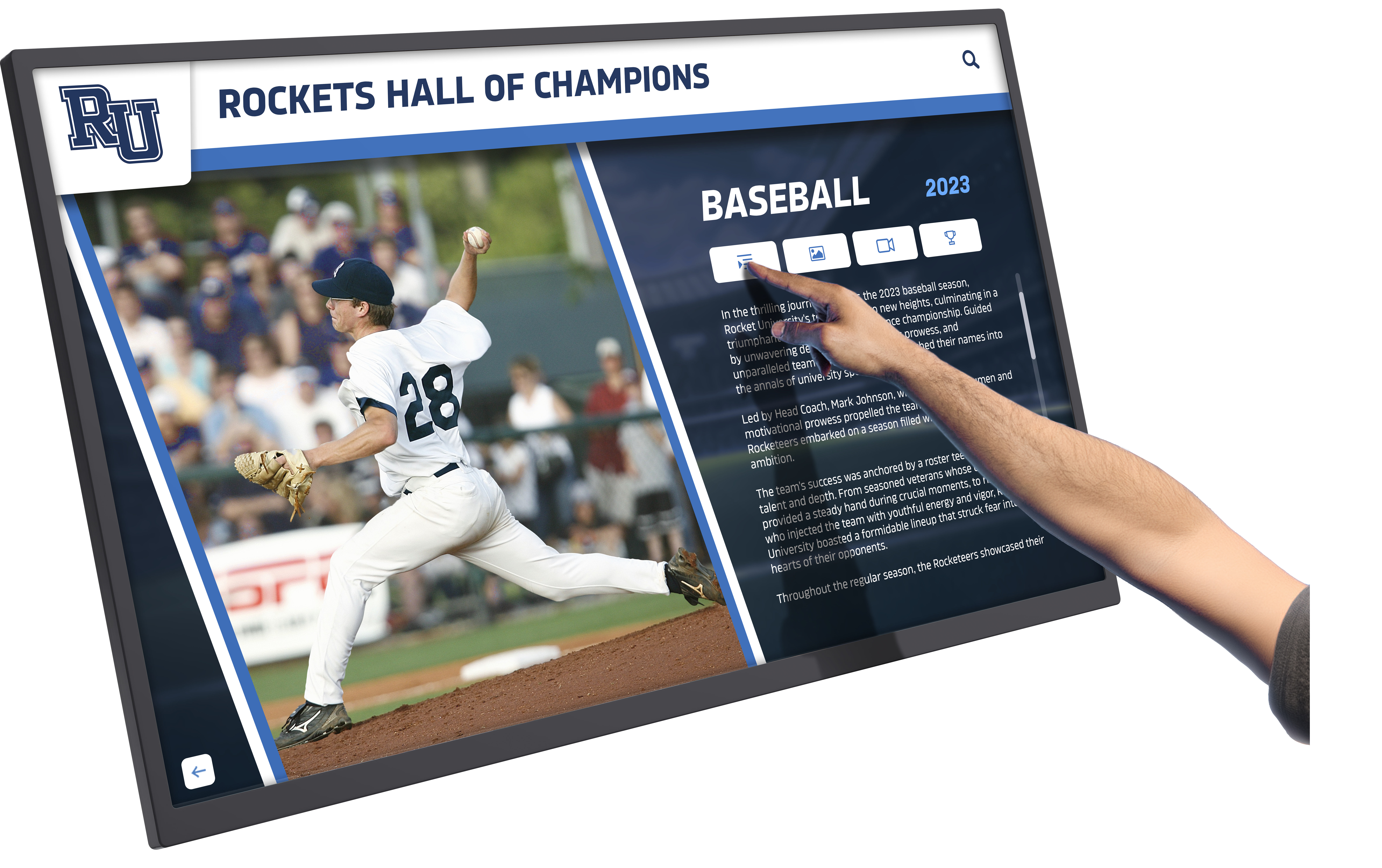
Responsive touch experiences depend on software architecture optimized for institutional maintenance capabilities
Organizations implementing donor recognition complete solutions benefit from evaluating total cost of ownership including ongoing maintenance effort.
Comparing User Experience Characteristics
Beyond technical deployment considerations, software architecture affects user-facing performance and interaction quality that determine whether displays engage visitors or frustrate them.
Performance and Responsiveness
Web-Based Performance Factors: Browser-based applications depend on network latency, server response times, and browser rendering capabilities. Modern web technologies enable highly responsive experiences, but performance relies on adequate bandwidth, optimized code, and capable display hardware. Well-designed web applications using efficient frameworks, content delivery networks, and performance optimization techniques provide experiences indistinguishable from native applications for typical interactive display use cases.
However, complex visualizations, high-resolution media libraries, or sophisticated animations may tax browser capabilities, particularly on lower-specification hardware or when network conditions degrade.
Native Application Performance: Native code executing directly on device hardware typically provides maximum performance potential, particularly for computationally intensive tasks, complex graphics, or large local datasets. Applications bypass browser overhead, accessing device resources directly for potentially faster rendering and more fluid animations.
For most donor recognition, directory, or informational display use cases, the performance advantage of native applications proves negligible on modern hardware. The difference becomes meaningful primarily for specialized applications with extreme performance requirements beyond typical interactive display needs.
Touch Interaction Quality
Both web-based and native applications support sophisticated touch interactions, though implementation approaches differ.
Web-Based Touch Handling: Modern browsers provide comprehensive touch APIs supporting multi-touch gestures, precise coordinate tracking, and responsive feedback. HTML5 standards enable swipe navigation, pinch-to-zoom, long-press actions, and multi-finger gestures identical to native application experiences.
Touch responsiveness in web applications depends on efficient event handling and optimized rendering. Well-architected web platforms deliver imperceptibly fast touch response, while poorly optimized applications may exhibit noticeable delay between touch input and visual feedback.
Native Touch Implementation: Native applications access operating system touch APIs directly, potentially reducing latency between physical touch and application response. Native UI frameworks provide platform-standard gesture recognition and touch feedback patterns users expect from their device ecosystem.
For public kiosk applications where users have no prior experience with specific interfaces, the difference between optimized web and native touch implementations rarely impacts usability. Both approaches support the straightforward tap, swipe, and scroll interactions typical of donor recognition displays, directories, and informational kiosks.
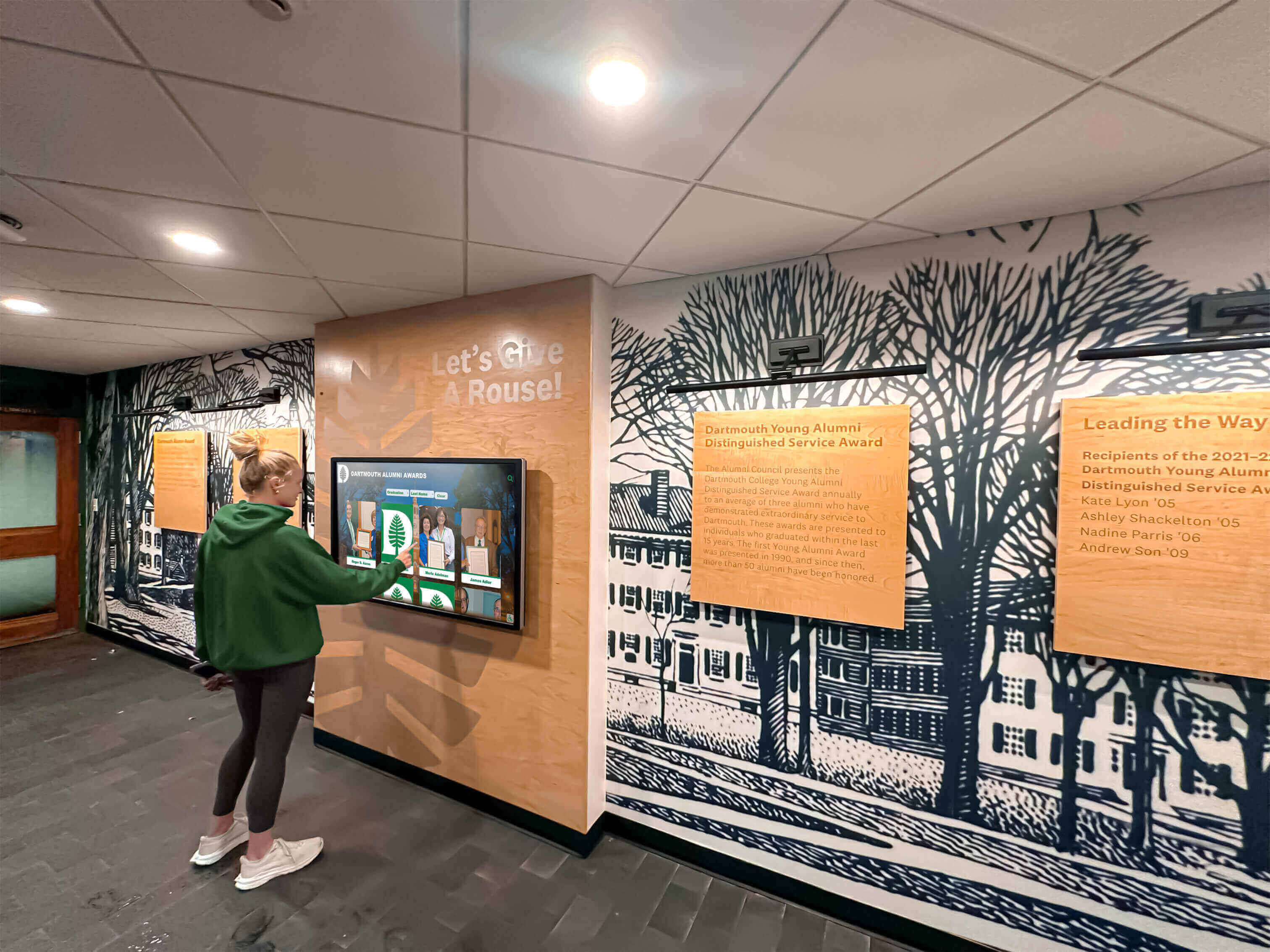
Intuitive touch interfaces engage users effectively regardless of underlying software architecture
Visual Design and Customization
Both architectural approaches support attractive, branded user interfaces, though customization processes differ.
Web-Based Design Flexibility: Web technologies provide exceptional design flexibility through CSS styling, modern layout systems (Flexbox, CSS Grid), and extensive component libraries. Organizations can customize colors, typography, layouts, and interactive elements to match institutional branding without requiring programming expertise—many platforms provide visual customization tools accessible to non-technical staff.
Web design benefits from massive ecosystem of frameworks, templates, and resources developed for general web applications. This abundance enables cost-effective professional designs without custom development.
Native Design Capabilities: Native applications leverage platform-specific design systems (Material Design for Android, Human Interface Guidelines for iOS, platform conventions for Windows/Mac) that ensure familiar user experiences within each ecosystem. Custom designs require developer expertise and potentially separate implementation for each supported platform.
Native applications can create distinctive visual experiences optimized for specific hardware, but customization typically requires more specialized development skills compared to web-based styling modifications.
Cost Comparison: Total Cost of Ownership Analysis
Understanding complete cost implications over display lifecycle informs value-based decision making beyond initial purchase price.
Initial Implementation Costs
Web-Based Implementation Investment: Organizations deploying web-based touchscreen software typically incur costs including display hardware (touchscreen monitors or kiosk enclosures), computer hardware (mini PCs, Chromebox, Mac mini), platform subscription fees, initial content development and database setup, and installation and configuration services.
The software component often follows subscription pricing ($50-500 monthly depending on features and scale) with minimal or no initial licensing fees. Because browsers are free and cross-platform, software costs remain consistent regardless of hardware choices or the number of displays deployed.
Native Application Implementation Costs: Native deployment involves display hardware, computer hardware (often platform-specific), native application purchase or development costs, platform-specific licenses, content development, and installation services.
Custom native application development can range from $10,000 to $100,000+ depending on complexity, with separate versions required for multi-platform support. Commercial native applications typically charge per-device licensing ($100-1,000+ per installation) rather than subscription fees.
Organizations requiring donor recognition wall solutions should evaluate both immediate and long-term cost structures.
Ongoing Operational Costs
Web-Based Ongoing Expenses: Subscription fees represent the primary recurring cost for web-based platforms, typically including hosting, maintenance, security updates, feature development, technical support, and content management tools. Organizations pay predictable monthly or annual fees covering all platform aspects without surprise upgrade costs or version migration projects.
Content updates require only staff time to maintain databases—no technical services or developer engagement necessary for routine recognition additions or information updates.
Native Application Recurring Costs: Native software may involve annual maintenance agreements, periodic upgrade purchases, developer services for content updates, version migration projects, and per-device fees for management tools.
Organizations without internal development capabilities often engage external developers for content updates, with costs varying based on change complexity and developer rates. This variable cost structure can make budgeting challenging and may result in delayed updates when budgets constrain professional services.
Five-Year Total Cost Comparison
Web-Based Five-Year Projection:
- Hardware: $3,000
- Platform subscription: $3,000-15,000
- Content management: Internal staff time
- Updates and support: Included in subscription
- Total: $6,000-18,000
Native Application Five-Year Projection:
- Hardware: $3,000
- Application license: $1,000-5,000
- Ongoing maintenance: $500-2,000 annually
- Content update services: $1,000-10,000
- Total: $7,500-30,000+
These projections illustrate how native applications’ higher customization potential often comes with increased long-term costs, while web-based platforms provide predictable expenses through subscription models.
Use Case Analysis: Which Architecture Fits Your Needs?
Specific deployment scenarios align naturally with particular software architectures based on technical requirements and organizational constraints.
Donor Recognition Displays in Educational Institutions
Scenario: A high school wants to recognize donors supporting their athletic programs through an interactive display in the main lobby showcasing contributor names, giving levels, photos, and impact stories.
Recommended Approach: Web-Based
Educational institutions benefit from web-based donor recognition platforms because advancement teams can update donor information without technical expertise, multiple staff members access content management remotely, subscription costs fit educational budgets better than development projects, displays work identically whether deployed on existing computers or new hardware, and the platform scales effortlessly if the school later adds displays in other buildings.
Solutions like Rocket Alumni Solutions provide schools with comprehensive donor recognition capabilities through web-based platforms requiring zero technical expertise for content management, enabling advancement staff to maintain current recognition without IT department involvement.
Schools implementing digital recognition displays find web-based architectures particularly compatible with educational technology environments and staff capabilities.
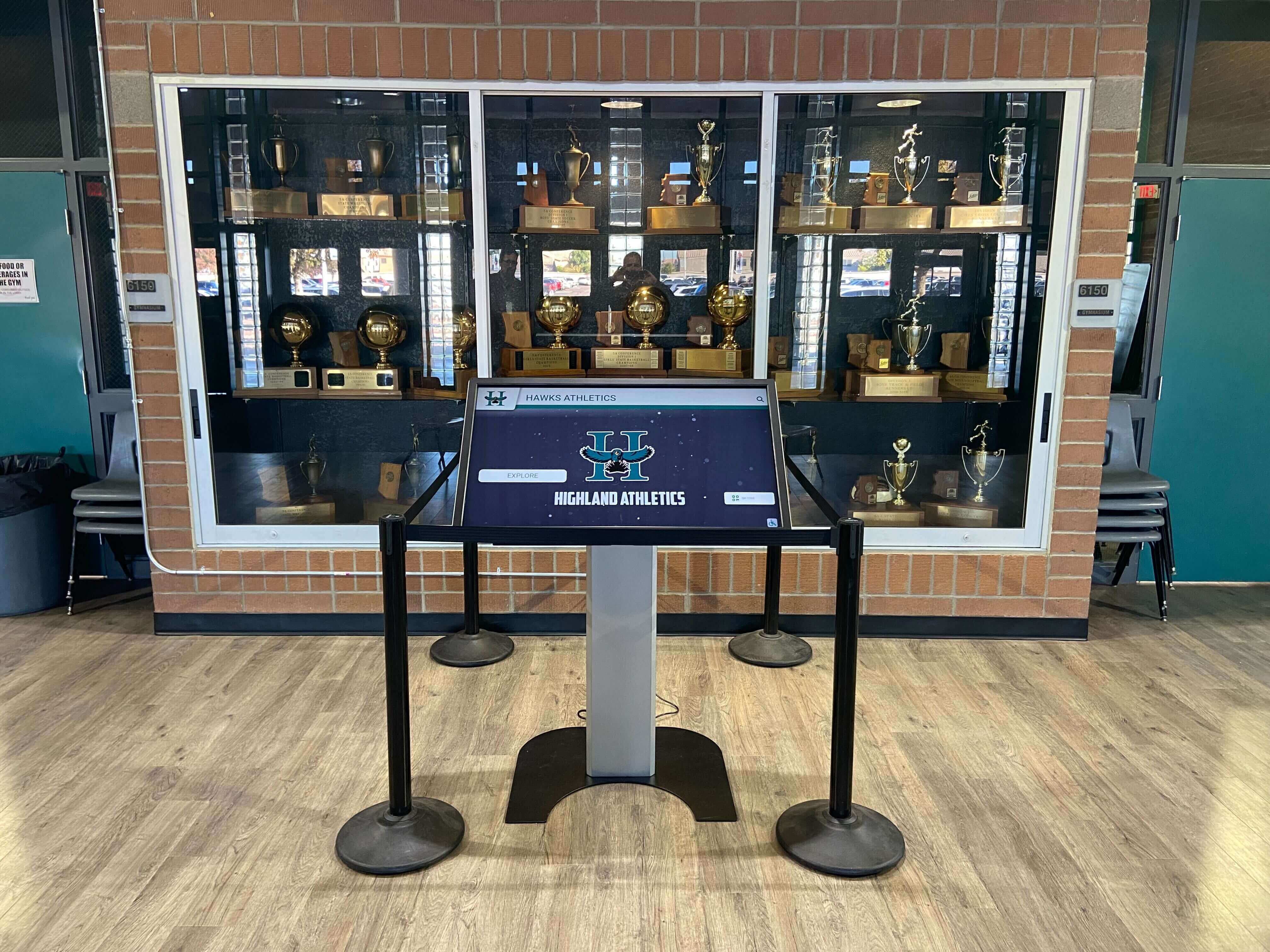
Educational institutions leverage web-based platforms for easily maintainable donor recognition displays
Museum Interactive Exhibits with Complex Media
Scenario: A museum creates an immersive historical exhibit featuring high-resolution artifact photography, extensive video content, complex timeline visualizations, and interactive exploration of 10,000+ archival items.
Recommended Approach: Hybrid or Native
Museums with complex content requirements and professional technical staff may benefit from native applications that bundle entire exhibitions locally for maximum performance, work independently of network infrastructure, provide sophisticated offline capabilities, and deliver optimized experiences for large media libraries.
However, Progressive Web Apps increasingly enable web-based delivery of complex museum experiences with adequate performance, especially when combined with content delivery networks and efficient caching strategies. The choice depends on specific performance requirements, exhibition longevity, and available technical support.
Multi-Location Corporate Directory Systems
Scenario: A corporate headquarters deploys interactive directory kiosks across twenty locations nationwide, requiring consistent branding, centralized management, and regular updates as employees relocate or organizational structure changes.
Recommended Approach: Web-Based
Corporate multi-location deployments benefit dramatically from web-based architectures enabling IT teams to update all displays simultaneously from central dashboards, deploy identical experiences across diverse hardware, integrate with corporate identity management systems, and maintain security compliance through centralized platform management.
The administrative efficiency of updating twenty locations through a single web dashboard versus deploying application updates to twenty individual native installations justifies web-based approaches for distributed deployments.
Organizations implementing interactive announcements feeds across multiple locations realize similar centralized management benefits.
Offline-Required Recognition in Remote Locations
Scenario: A national park visitor center in a remote location with unreliable internet connectivity wants to display interactive natural history content, trail information, and donor recognition.
Recommended Approach: Native or Hybrid
Remote installations without reliable connectivity require offline-capable solutions. Native applications bundling complete content locally ensure visitor experiences remain available regardless of network status. Alternatively, Progressive Web Apps with comprehensive offline caching provide simplified deployment while maintaining functionality during connectivity disruptions.
The key consideration is whether occasional content updates justify native complexity, or if hybrid approaches provide adequate offline capabilities with simpler long-term maintenance.
Platform-Specific Considerations
Different operating systems and hardware platforms interact differently with web-based and native software architectures.
Windows Touchscreen Deployments
Windows Web-Based: Windows computers run all major browsers (Chrome, Edge, Firefox) capable of kiosk mode operation, making web-based deployments straightforward. Microsoft Edge kiosk mode and Chrome kiosk mode provide robust lockdown capabilities for public displays. Windows’ ubiquity and extensive browser support make it the most compatible platform for web-based touchscreen applications.
Windows Native: Windows offers the largest ecosystem of native touchscreen applications, with extensive development tools and libraries supporting custom application creation. Organizations with Windows-standardized infrastructure and internal development capabilities can leverage this rich ecosystem for specialized applications.
iPad and iOS Touchscreen Solutions
iOS Web-Based: iPads run Safari with Guided Access mode providing kiosk lockdown for web-based applications. The combination of responsive web design, iOS touch optimization, and iPad’s premium hardware creates excellent web-based touchscreen experiences. Content management platforms optimized for mobile devices work exceptionally well on iPad installations.
iOS Native: Native iOS applications access Apple’s sophisticated touch APIs and design frameworks, providing platform-standard user experiences. iPad’s App Store distribution simplifies installation, while built-in kiosk modes (Guided Access, Single App Mode) enable public deployment. However, custom native development requires macOS computers, Xcode, and iOS programming expertise.
Android Touchscreen Displays
Android Web-Based: Android tablets and displays run Chrome and other browsers supporting web-based touchscreen applications. Chrome’s kiosk capabilities and Android’s flexible platform make web deployments viable across diverse Android hardware from multiple manufacturers. The platform’s openness enables extensive customization of browser-based kiosk experiences.
Android Native: Android’s open architecture makes it popular for custom kiosk hardware and purpose-built touchscreen devices. Native Android development enables tight hardware integration and sophisticated offline capabilities. However, Android’s device fragmentation requires testing across multiple hardware configurations and OS versions.
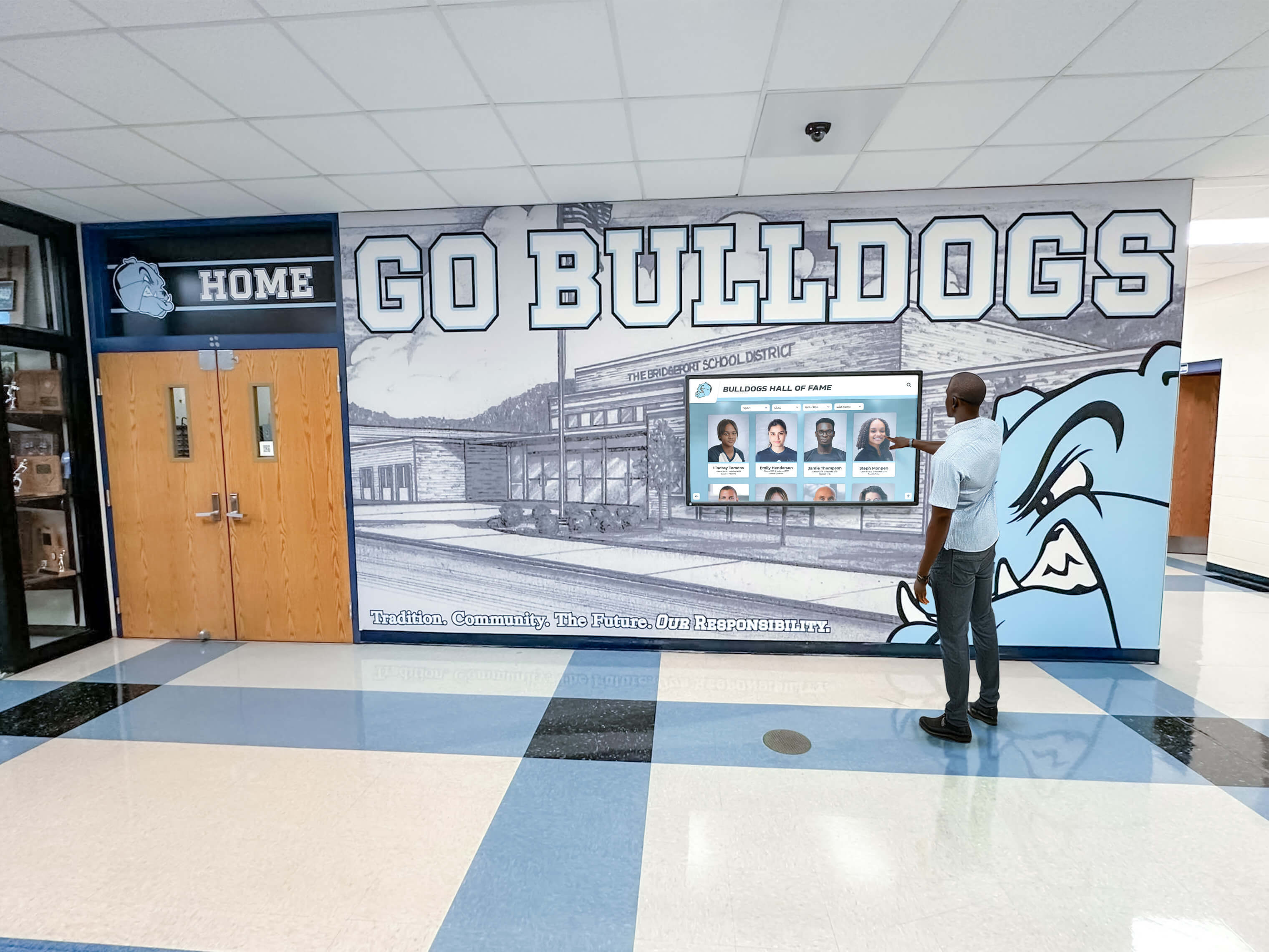
Cross-platform compatibility enables organizations to leverage existing hardware regardless of operating system
Organizations deploying touchscreen displays in various settings benefit from understanding platform-specific software compatibility.
macOS Touchscreen Implementations
macOS Web-Based: While macOS doesn’t natively support touchscreens, Mac computers paired with external touchscreen displays and appropriate drivers can run web-based touchscreen applications through kiosk mode browsers. Solutions like Rocket Touchscreen provide Mac-specific kiosk browsers optimized for touchscreen operation, enabling institutions standardized on Apple hardware to deploy web-based recognition displays.
macOS Native: Native Mac touchscreen applications are rare since Apple doesn’t support touchscreens on Mac computers. Organizations requiring Mac deployment typically rely on web-based solutions accessed through specialized kiosk browsers rather than native applications.
Institutions exploring Mac touchscreen software find web-based architectures particularly appropriate given macOS limitations around native touch support.
Security and Data Protection Considerations
Both web-based and native architectures address security through different mechanisms with distinct implications for data protection and system security.
Web-Based Security Characteristics
Network Security Dependence: Web-based applications transmit data between displays and cloud servers over network connections, requiring proper encryption (HTTPS/TLS) to protect information in transit. Reputable platforms implement comprehensive security measures including encrypted connections, secure authentication, regular security audits, and compliance with data protection regulations.
For donor recognition applications, sensitive information typically remains minimal on public displays—names, giving levels, and optional photos generally constitute displayed content. Detailed donor contact information, gift amounts, and other sensitive data remain secured in backend databases accessible only to authorized staff through authenticated sessions.
Centralized Security Management: Platform providers manage security updates centrally, applying patches and fixes to all customer instances simultaneously without requiring action from deploying organizations. This centralized approach ensures all installations benefit from security improvements immediately and consistently.
Kiosk Lockdown Requirements: Web-based displays require proper kiosk mode configuration preventing users from exiting browsers, accessing system settings, or browsing beyond approved URLs. Kiosk mode browsers and operating system lockdown features provide these capabilities when properly configured.
Native Application Security Considerations
Local Data Security: Native applications storing content locally must implement appropriate encryption for sensitive information and secure authentication for administrative access. The responsibility for security implementation falls entirely on application developers and deploying organizations rather than being provided centrally by platform vendors.
Update Management Burden: Organizations must actively deploy security updates to installed native applications, requiring processes to monitor security advisories, test updates, and roll out patches across device fleets. Delayed updates leave installations vulnerable to discovered security issues until administrators complete update deployment.
Physical Security Implications: Native applications with local data storage require physical security measures preventing unauthorized device access. Organizations must consider hardware tampering risks and implement appropriate protections.
Implementation Best Practices for Each Approach
Successful deployments follow proven practices that maximize reliability and user experience regardless of chosen architecture.
Web-Based Implementation Recommendations
Network Infrastructure Preparation: Ensure adequate bandwidth for simultaneous display operation, implement redundant network paths for reliability, prioritize display traffic for consistent performance, configure firewalls allowing necessary cloud platform access, and establish monitoring alerting teams to connectivity issues.
Testing displays under realistic network conditions before public deployment identifies potential performance issues requiring infrastructure improvements.
Browser and Kiosk Mode Configuration: Select appropriate kiosk mode browsers for your operating system (Chrome kiosk mode, Edge kiosk mode, specialized solutions like Rocket Touchscreen for Mac), configure automatic startup launching browsers on boot, implement URL restrictions preventing unauthorized navigation, disable browser update notifications during public use, and configure automatic page refresh recovering from temporary issues.
Proper kiosk configuration transforms general-purpose computers into secure public displays preventing unauthorized access.
Content Management Training: Train staff responsible for content updates on platform usage, establish clear workflows for adding donors or updating information, create documentation covering common tasks, implement approval processes ensuring accuracy, and schedule regular content reviews maintaining currency.
Web-based platforms enable non-technical staff to manage content independently when provided with appropriate training and clear procedures.
Organizations implementing digital donor wall systems benefit from systematic implementation approaches ensuring long-term success.
Native Application Deployment Best Practices
Comprehensive Testing: Test applications across all target hardware configurations, verify offline functionality and content accessibility, validate touch responsiveness and gesture support, stress test with realistic content volumes, and confirm security lockdown preventing unauthorized access.
Native applications’ platform-specific nature requires thorough testing ensuring functionality across deployment environments.
Deployment and Update Procedures: Establish standardized installation procedures, create rollback plans for problematic updates, implement staged deployment testing updates before full rollout, document configuration settings for consistency, and maintain inventory of installed versions and deployment locations.
Systematic deployment procedures minimize disruption and ensure consistent configuration across installations.
Content Update Workflows: Define processes for content changes requiring application updates, establish timelines balancing update frequency with deployment burden, create version control for content and application packages, implement testing protocols validating updates before deployment, and communicate update schedules to stakeholders.
Clear content update procedures ensure recognition remains current despite more complex native update processes.
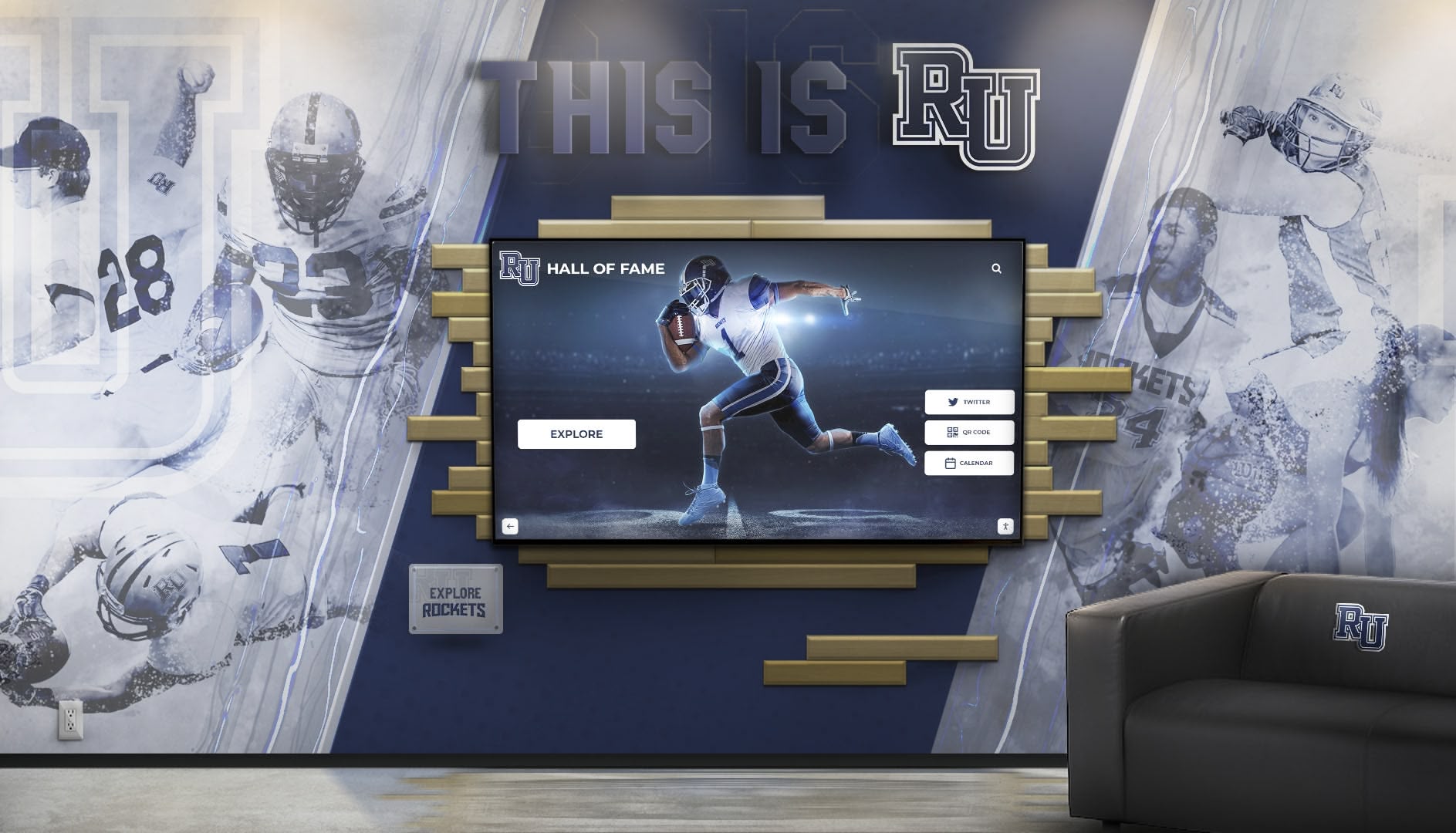
Professional implementations integrate software capabilities with institutional branding and design requirements
Making Your Decision: Evaluation Framework
Systematic evaluation ensures software architecture choices align with organizational capabilities and project requirements.
Assessment Questions for Your Organization
Technical Capability Evaluation:
- Does your organization have dedicated IT staff or developers?
- What is your comfort level with ongoing technical maintenance?
- Do you manage other native applications successfully?
- Are your staff members comfortable with web-based administration?
- What technical support resources are available for troubleshooting?
Infrastructure Assessment:
- What is the reliability of network connectivity at display locations?
- Are displays deployed across multiple locations or centralized?
- What computer hardware and operating systems do you currently use?
- Can you standardize on single platforms or must you support mixed environments?
- What bandwidth is available for content delivery?
Use Case Requirements:
- How frequently will content require updates?
- Who will be responsible for maintaining displayed information?
- Do you need offline capabilities or is internet dependency acceptable?
- What performance characteristics are essential for your content?
- Does your application have unique requirements not served by standard platforms?
Budget and Cost Considerations:
- What is your available budget for initial implementation?
- Can you accommodate ongoing subscription fees or prefer one-time purchases?
- What total cost of ownership over five years is acceptable?
- Do you have budget flexibility for content update services?
- What internal staff time can you dedicate to system administration?
Decision Matrix: Choosing Your Architecture
Web-Based Architecture Is Likely Best When:
- You need simple, fast deployment across multiple locations
- Content requires frequent updates by non-technical staff
- You have reliable internet connectivity at display locations
- You want predictable subscription-based costs
- You deploy across mixed hardware platforms
- You have limited IT resources for ongoing maintenance
- Centralized management of multiple displays matters
- You want automatic platform updates and improvements
Native Applications May Be Preferable When:
- You require guaranteed offline operation
- You have unique requirements not addressed by existing web platforms
- You have internal development capabilities
- You deploy on single platform with technical support
- Performance requirements exceed web capabilities
- You need deep hardware integration
- You have specific security requirements requiring local data
- Upfront development investment is preferable to ongoing subscriptions
Either Approach Can Work When:
- Content is relatively static after initial deployment
- You have single-display installations
- Your team has strong technical capabilities
- Budget accommodates either cost model
- Network reliability falls in moderate range
Organizations should prioritize factors most critical to their specific circumstances rather than seeking universally “best” solutions that don’t exist.
Real-World Application: Digital Donor Recognition Platforms
Examining proven platforms illustrates how architectural decisions manifest in actual products serving institutions.
Rocket Alumni Solutions: Web-Based Recognition Platform
Rocket Alumni Solutions exemplifies comprehensive web-based touchscreen software designed specifically for donor recognition, alumni engagement, and institutional history preservation in educational and nonprofit settings.
Platform Architecture: Entirely web-based, the platform provides cloud-hosted content management accessible through any browser. Organizations maintain donor databases, upload photos and biographical information, organize recognition by campaigns or giving levels, and publish content through intuitive web interfaces requiring zero technical expertise.
Physical touchscreen displays run kiosk mode browsers configured to present the institution’s recognition URL. The separation between content management (through standard web interfaces) and content presentation (through locked-down browser displays) enables advancement teams to update donor recognition independently without IT involvement.
Key Advantages of Web-Based Approach: Deployment simplicity enables institutions to implement recognition displays in days rather than months. Cross-platform compatibility works identically on Windows, Mac, iPad, or Android displays. Centralized updates allow staff to refresh content from anywhere with internet access. Automatic synchronization ensures all displays reflect current information immediately. Scalability allows adding displays without additional software costs. Predictable subscription pricing includes hosting, maintenance, and support.
This architecture proves particularly effective for educational institutions where advancement staff manage donor recognition but may lack technical expertise, multiple displays across campus require consistent content, donor databases require frequent updates as campaigns progress, and IT departments have limited capacity for custom application maintenance.
Organizations exploring comprehensive donor recognition solutions benefit from evaluating web-based platforms designed specifically for institutional needs.
When Custom Native Applications Make Sense
Despite web-based advantages for standard donor recognition, certain scenarios justify native application development including museums requiring complex offline exhibits with extensive media libraries, corporations needing deep integration with proprietary systems, institutions with highly specialized requirements not addressed by existing platforms, or organizations with internal development teams capable of long-term maintenance.
Custom development enables complete control over features, user experience, and integration points, but requires substantially higher investment and ongoing technical commitment.
Future Trends in Touchscreen Software Architecture
Understanding emerging technology trends helps organizations make forward-looking decisions that remain relevant as technology evolves.
Progressive Web Apps Closing the Gap
Progressive Web App technologies increasingly provide capabilities previously exclusive to native applications including offline functionality through service workers, installable experiences that feel like native apps, push notifications and background sync, and near-native performance through modern web APIs.
As PWA adoption grows, the boundary between web-based and native applications continues blurring, with web technologies providing expanding capabilities that reduce native advantages.
Cloud and Edge Computing Evolution
Emerging cloud architectures improve web-based application performance through edge computing reducing latency by processing closer to users, content delivery networks optimizing media delivery, serverless architectures improving scalability, and real-time synchronization enabling instant updates.
These advances enhance web-based platform capabilities while reducing performance gaps compared to native applications.
WebAssembly Performance Improvements
WebAssembly enables near-native performance for computationally intensive web applications, potentially eliminating remaining performance advantages of native code for demanding interactive display applications. As WebAssembly adoption grows, web-based applications gain capabilities previously requiring native development.
Integration and Ecosystem Maturity
Both web and native ecosystems continue maturing, with standardized APIs improving cross-platform compatibility, authentication and security frameworks strengthening both approaches, content management systems becoming more sophisticated, and integration capabilities expanding with external systems.
Continuous improvement across both architectural approaches means organizations selecting appropriate platforms today can expect expanding capabilities over deployment lifespans.
Conclusion: Matching Architecture to Your Needs
The question “which is better—web-based or native touchscreen software?” has no universal answer because optimal architecture depends entirely on specific organizational circumstances, technical capabilities, use case requirements, and strategic priorities. Both approaches successfully power engaging interactive displays when properly matched to deployment contexts.
Explore Web-Based Donor Recognition Solutions
Discover how modern web-based platforms like Rocket Alumni Solutions eliminate deployment complexity while providing comprehensive donor recognition capabilities designed specifically for educational institutions, nonprofits, and organizations celebrating supporters and preserving institutional history.
Request Recognition Platform WalkthroughFor most donor recognition, institutional showcase, and public kiosk applications, web-based architectures deliver compelling advantages including deployment simplicity enabling rapid implementation without specialized technical skills, maintenance efficiency through centralized platform updates requiring minimal organizational effort, cost predictability via subscription models with no surprise upgrade expenses, scalability supporting growth from single displays to institution-wide networks, and cross-platform compatibility eliminating hardware constraints.
Organizations with limited IT resources, need for frequent content updates by non-technical staff, multi-location deployments, or mixed hardware environments particularly benefit from web-based approaches that minimize technical complexity while maximizing content management flexibility.
Native applications remain appropriate for specialized scenarios including offline-required installations without reliable connectivity, unique requirements beyond standard platform capabilities, institutions with internal development resources, or performance-critical applications with demands exceeding web platform capabilities.
The most successful implementations share common characteristics regardless of chosen architecture: clear understanding of specific use case requirements, realistic assessment of organizational technical capabilities, systematic evaluation of total cost of ownership, appropriate user experience design optimized for public interaction, professional implementation following platform best practices, ongoing commitment to content currency and system maintenance, and continuous improvement based on usage analytics and stakeholder feedback.
Your decision ultimately rests on matching technological capabilities to institutional realities. Organizations seeking donor recognition solutions that advancement teams can manage independently, deploy rapidly across multiple locations, and maintain without ongoing technical expertise find web-based platforms like Rocket Alumni Solutions provide comprehensive capabilities without architectural complexity. Institutions with specialized needs, technical resources, or offline requirements may find native development justified despite higher investment and maintenance demands.
Start by honestly assessing your technical capabilities, clearly defining your requirements, evaluating platforms aligned with your needs, and implementing systematically with proper training and support. With thoughtful planning and appropriate architecture selection, touchscreen software—whether web-based or native—delivers engaging experiences that celebrate donors, preserve institutional history, and create lasting connections between organizations and their communities.
Ready to explore touchscreen solutions for your institution? Learn more about comprehensive donor recognition platforms or discover how interactive touchscreen displays transform institutional engagement across diverse applications and environments.































