
College residence hall informational interactive displays are revolutionizing how universities communicate with students living on campus, transforming static bulletin boards and paper flyers into dynamic, engaging digital hubs that deliver real-time information, emergency alerts, community announcements, and interactive wayfinding exactly when and where students need them. These intelligent communication systems create connected residential communities while reducing administrative burden and significantly improving message visibility and retention.
Yet many universities still struggle with ineffective residence hall communication. Crowded physical bulletin boards where flyers overlap and become illegible, paper notices torn down or ignored within hours, critical safety information buried among social event promotions, time-consuming manual posting processes requiring staff to visit every floor, and frustrated students who miss important deadlines because information never reached them. Meanwhile, housing administrators invest countless hours creating communications that ultimately fail to reach their intended audiences.
This comprehensive guide explores how interactive displays solve these persistent challenges while creating residence hall environments where students feel informed, connected, and engaged with their campus communities through technology that meets them where they already are—interacting digitally with information throughout their daily lives.
Effective residence hall communication in 2026 requires more than simply digitizing outdated bulletin board approaches. Universities that excel at student engagement deploy intelligent display systems that deliver personalized, timely information through intuitive interfaces students actually want to use. Solutions like Rocket Alumni Solutions transform residence hall lobbies into interactive information hubs that strengthen community while significantly improving operational efficiency.

Modern interactive displays create engaging information hubs that students naturally gravitate toward in residence hall common areas
Understanding the Evolution of Residence Hall Communication
Before exploring implementation strategies, understanding how student communication needs have evolved helps universities select appropriate technology solutions that genuinely improve residential experiences.
The Limitations of Traditional Communication Methods
Traditional residence hall communication approaches struggle to meet contemporary student expectations and operational requirements:
Physical Bulletin Board Challenges
- Limited space creating difficult prioritization decisions about what information gets displayed
- Rapid deterioration as posters overlap, tear, or become outdated without removal
- Time-intensive manual posting requiring staff to physically visit every floor and building
- No analytics measuring which messages students actually see or engage with
- Accessibility barriers for students with visual impairments unable to read posted materials
- Inconsistent messaging when different staff members post information independently
According to recent research on campus communication, traditional promotional methods like table tents and paper flyers result in poor sustainability practices and minimal message retention among today’s digitally-native students.
Email Communication Overload
While email remains important for official communications, students receive overwhelming volumes of messages daily. Housing-related emails often get lost among academic, social, and commercial communications. Critical time-sensitive information—maintenance shutdowns, emergency procedures, community meetings—competes for attention with hundreds of other messages, resulting in poor open rates and missed information.
The Digital Communication Gap
Today’s college students, predominantly Generation Z, have spent their entire lives navigating digital information spaces. According to research on student housing communication, these students feel at home with digital communication formats and expect information delivered through modern, interactive interfaces rather than paper-based systems.
This creates fundamental misalignment when universities rely primarily on analog communication methods that feel outdated and inefficient to students accustomed to instant digital information access.
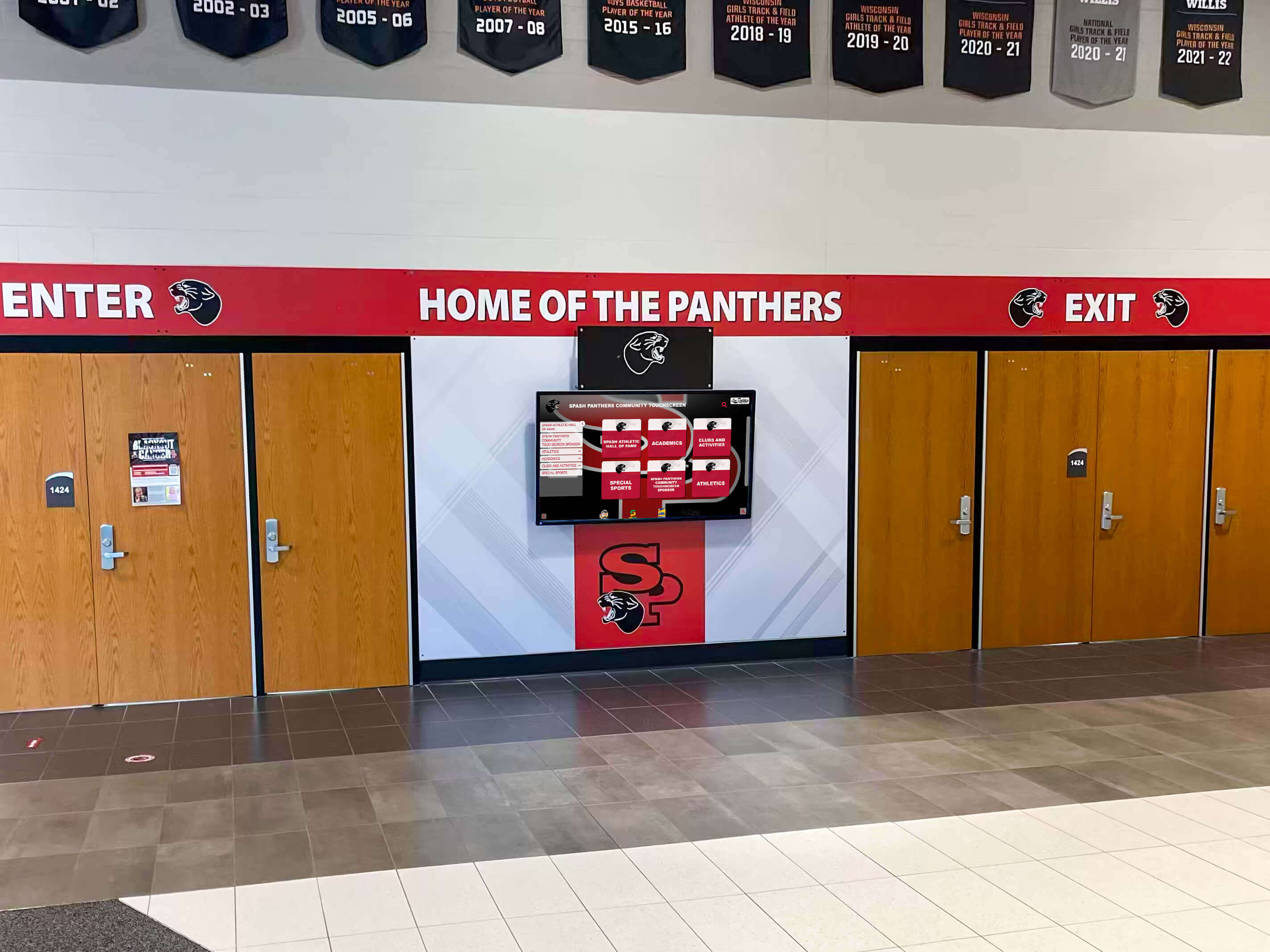
Digital displays positioned at high-traffic entrance points ensure students encounter important information naturally throughout their daily routines
Why Interactive Displays Transform Student Housing Communication
Modern interactive display systems address traditional communication limitations while creating entirely new engagement possibilities:
Always Current, Never Outdated
Cloud-based content management enables instant updates across all displays from any location. When emergency maintenance requires building water shutdowns, housing staff update displays immediately rather than rushing to print and post paper notices. When event details change, updates appear instantly. This real-time capability ensures students always access current, accurate information.
Strategic Visibility in High-Traffic Locations
According to University of Illinois Housing research, displays strategically positioned in high-traffic areas including elevator lobbies, mailbox areas, and laundry rooms ensure students naturally encounter important information during daily activities. Bright, appealing digital content commands attention in ways faded paper notices cannot.
Rich Multimedia Engagement
Interactive displays communicate through diverse content formats including video announcements from residence directors, photo galleries showcasing community events, animated graphics highlighting deadlines, interactive maps providing wayfinding assistance, real-time feeds from social media or news sources, and emergency alert capabilities with attention-commanding visuals.
This multimedia capability creates dramatically higher engagement than text-only paper communications.
Measurable Communication Effectiveness
Unlike bulletin boards with no usage tracking, digital systems provide detailed analytics showing which content students view, when engagement peaks occur, how long students interact with specific messages, and which display locations generate highest traffic. These insights enable continuous communication improvement based on actual student behavior rather than assumptions.
Accessibility and Inclusion
Modern displays accommodate diverse student needs through adjustable text sizing for visual accessibility, high-contrast viewing modes, multilingual content supporting international students, audio capabilities for screen reader compatibility, and intuitive touch interfaces requiring minimal technical proficiency.
Operational Efficiency
Housing administrators report significant time savings when transitioning from manual bulletin board management to centralized digital systems. Single staff members can update hundreds of displays across multiple buildings in minutes rather than hours of physical posting.
Essential Features of Effective Residence Hall Interactive Displays
Understanding core capabilities helps housing administrators select systems that meet current needs while remaining flexible for future expansion.
Intuitive User Interface and Navigation
Student-facing interfaces must feel immediately familiar without requiring instructions:
Touchscreen Interaction Design
Effective systems enable effortless navigation through simple touch gestures familiar from smartphones, clear visual hierarchy guiding attention to priority information, consistent navigation patterns reducing learning curves, prominent search functionality helping students find specific information quickly, and logical content organization reflecting how students think about information categories.
Research on touchscreen software design demonstrates that intuitive interfaces significantly increase voluntary student engagement versus complex systems requiring technical proficiency.
Attract Mode and Featured Content
When no one actively interacts with displays, attract mode showcases featured content through rotating announcements, upcoming event highlights, community celebrations and achievements, emergency preparedness information, and weather and campus news updates.
This passive information delivery ensures students benefit from displays even during casual passing rather than requiring deliberate interaction for all content access.
Quick Access to Common Information
Prominent navigation buttons provide instant access to frequently needed information including building-specific announcements, dining hours and menus, campus event calendars, maintenance request submission, campus maps and wayfinding, emergency contacts and procedures, and laundry room availability status.
Minimizing navigation depth for common tasks increases usage and satisfaction.

Self-service kiosks with intuitive interfaces enable students to access information independently without staff assistance
Comprehensive Content Management System
Backend administrative platforms should empower housing staff without requiring technical expertise:
Cloud-Based Administration
Modern systems enable content management from anywhere through secure web-based dashboards requiring only internet connectivity, role-based permissions allowing appropriate staff access levels, scheduled content publication coordinating with event timing, content approval workflows ensuring quality control, and automatic backups protecting against data loss.
Flexible Content Organization
Effective platforms accommodate diverse information structures including building-specific content appearing only on relevant displays, floor-level targeting for location-specific information, community-wide announcements reaching all residents, emergency alerts with priority display interrupting regular content, and time-scheduled content appearing during relevant periods.
Template-Based Content Creation
Pre-designed templates enable professional-looking content without graphic design expertise through branded layouts maintaining visual consistency, form-based content entry requiring no coding, image and video upload capabilities, dynamic content fields pulling real-time data, and mobile-friendly creation tools enabling updates from smartphones.
According to campus kiosk implementation research, template-based systems dramatically reduce content creation time while maintaining professional quality standards.
Multi-Building Management
For universities managing numerous residence halls, centralized systems enable simultaneous updates across all buildings, building-specific customization within consistent frameworks, centralized analytics across entire residential portfolio, and efficient collaboration among distributed housing staff.
Integration Capabilities with Campus Systems
Maximizing display value requires connectivity with existing university infrastructure:
Emergency Alert System Integration
Interactive displays should automatically receive and prominently display emergency notifications from campus-wide alert systems including severe weather warnings, security incidents and campus lockdowns, building-specific emergencies requiring evacuation, utility outages and service disruptions, and public health alerts.
This integration ensures students receive critical safety information through multiple channels simultaneously.
Calendar and Event Management Connections
Automatic synchronization with campus event calendars eliminates manual content duplication while ensuring current information including university-wide event listings, residence hall programming schedules, academic deadlines and important dates, and athletic competition schedules.
Facility Management System Links
Integration with building management systems enables real-time information display including laundry machine availability and status, maintenance request tracking and updates, room temperature and environmental monitoring, and facility hour modifications.
Student Information System Connections
Where appropriate privacy permissions exist, displays can show personalized content including resident move-in dates and check-in information, package delivery notifications, meal plan balance information, and reservation confirmations for shared spaces.
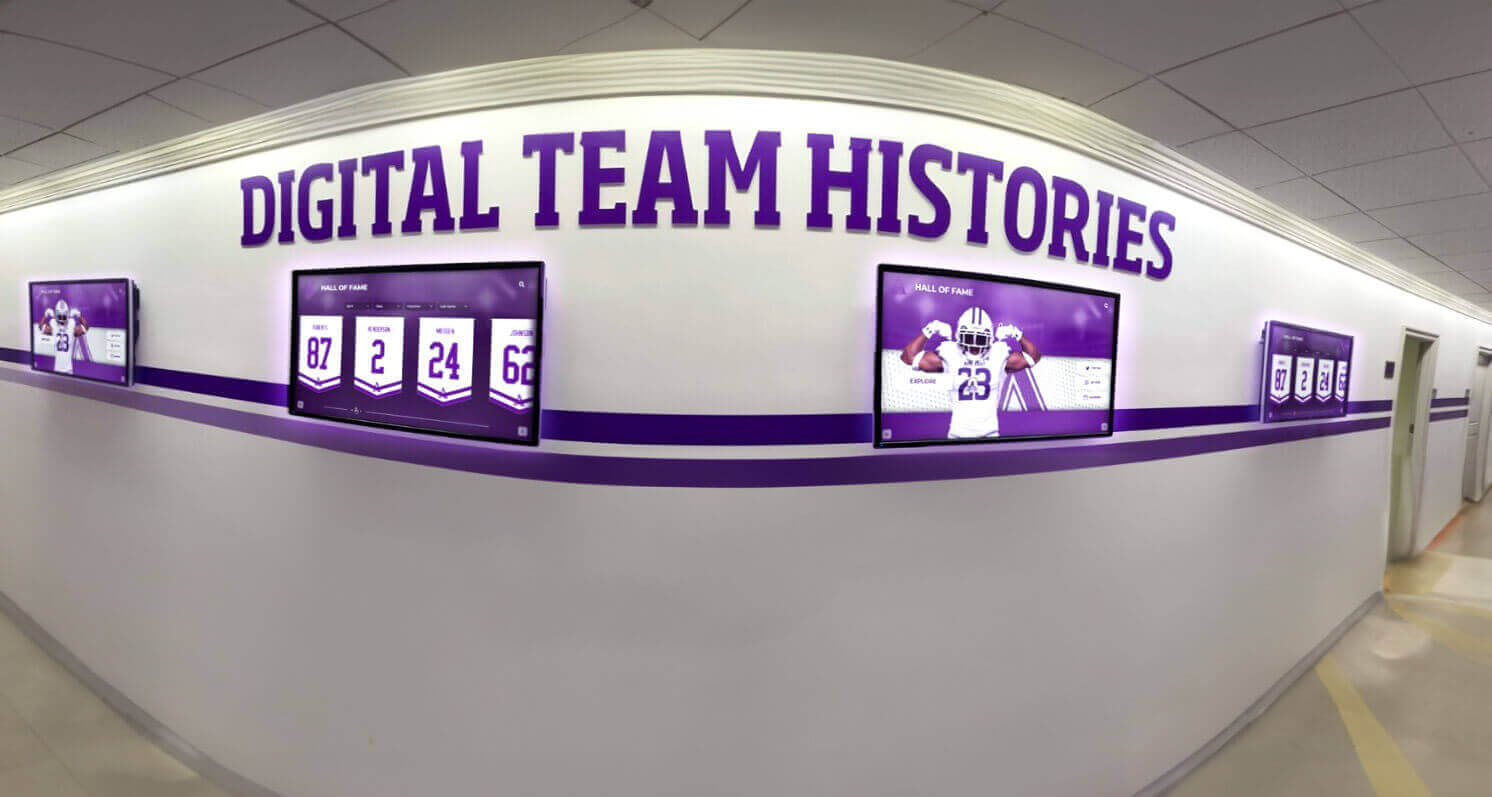
Networked display systems enable coordinated messaging across entire residence hall portfolios while maintaining building-specific customization
Mobile Integration and Extended Access
Modern communication extends beyond physical displays to mobile accessibility:
QR Code Connectivity
Displays can present QR codes enabling instant mobile access to detailed event information and registration, maintenance request submission forms, feedback surveys and suggestion tools, extended content not fitting on physical displays, and social media communities and engagement platforms.
Web-Based Content Mirrors
Information displayed on physical screens should also be accessible through mobile-responsive websites enabling students to review residence hall announcements from anywhere, receive push notifications about important updates, bookmark frequently referenced information, and share relevant content with roommates or parents.
Social Media Integration
Displays can showcase curated social media feeds featuring residence hall community hashtags, student-generated content celebrating community, campus news from official university accounts, and user-submitted photos from residential events.
This bidirectional communication transforms displays from one-way announcement systems to interactive community platforms.
Strategic Implementation: Planning and Installing Residence Hall Displays
Successful deployment requires thoughtful planning and systematic execution ensuring systems meet diverse stakeholder needs effectively.
Needs Assessment and Stakeholder Engagement
Begin with comprehensive evaluation establishing clear requirements:
Current Communication Audit
- Document existing communication methods and their effectiveness
- Identify information gaps where students miss important messages
- Assess staff time consumed by manual communication processes
- Evaluate student satisfaction with current information access
- Analyze emergency communication capabilities and response times
- Review accessibility compliance with current communication approaches
Stakeholder Input Gathering
Engage diverse perspectives during planning including housing administrators defining operational requirements, residence life staff identifying day-to-day communication needs, facilities personnel addressing technical infrastructure considerations, emergency management officials ensuring alert system compatibility, student representatives providing user experience insights, and IT departments managing network security and connectivity.
Comprehensive stakeholder engagement prevents overlooked requirements that might necessitate costly modifications post-installation.
Use Case Documentation
Define specific scenarios displays must support including emergency alert distribution, routine community announcements, event promotion and registration, wayfinding for visitors and new residents, maintenance communication and request submission, community building and social engagement, and sustainability initiative promotion.
Clear use case documentation helps evaluate vendor solutions against actual requirements rather than generic feature lists.
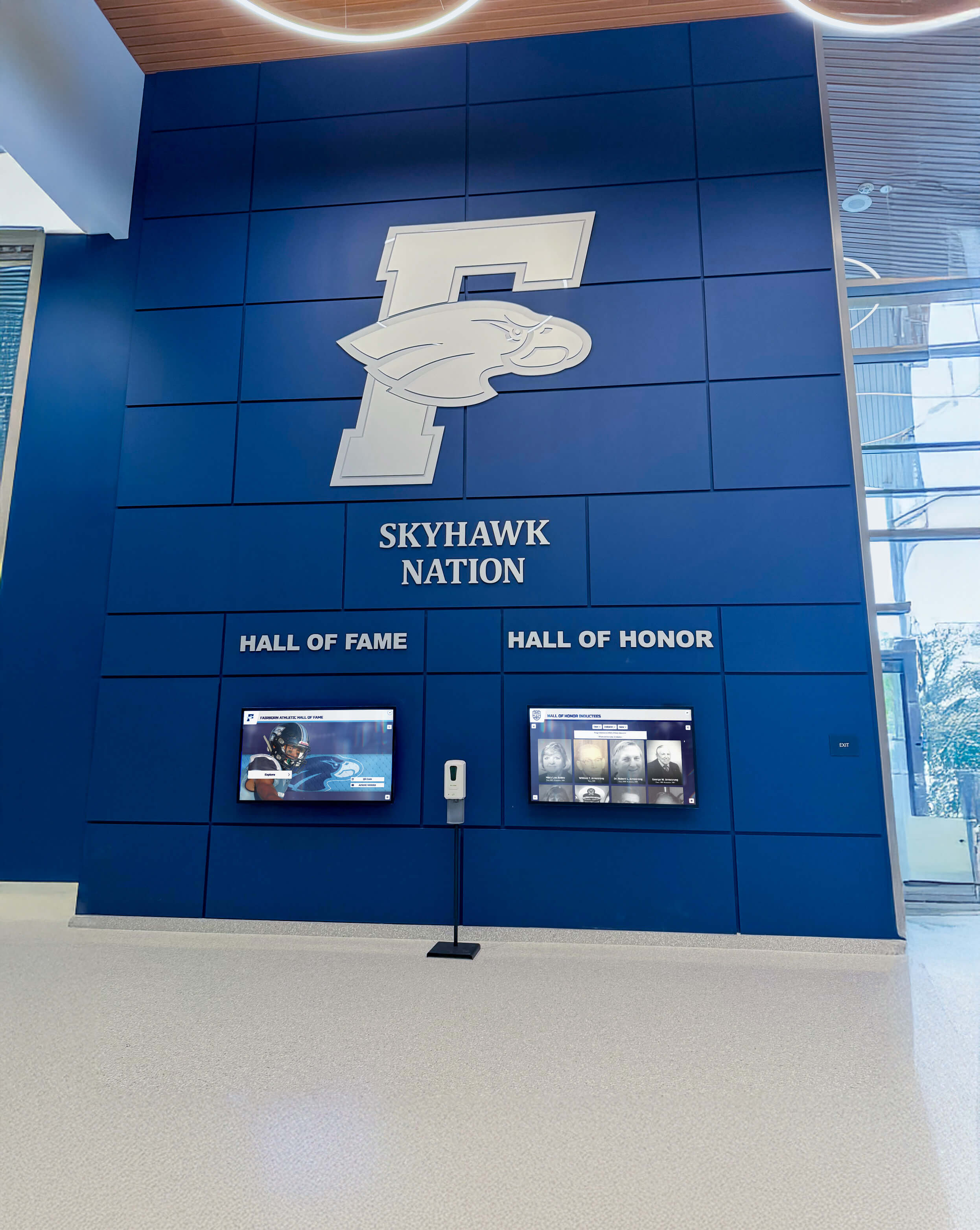
Thoughtful planning ensures displays integrate seamlessly with existing architectural elements and campus branding
Technology Selection and Vendor Evaluation
Choosing appropriate solutions requires careful consideration of options and capabilities:
Display Hardware Specifications
Evaluate hardware requirements including commercial-grade displays designed for continuous operation versus consumer television screens, appropriate screen sizes for viewing distances and lobby dimensions, touchscreen technology quality and responsiveness, environmental durability for various installation locations, connectivity options including WiFi, ethernet, and cellular backup, and energy efficiency ratings impacting operational costs.
According to research on digital signage hardware, commercial-grade components specifically designed for continuous operation provide significantly better reliability and longevity than consumer devices, reducing long-term replacement costs despite higher initial investment.
Software Platform Requirements
Assess content management capabilities including intuitive administrative interfaces requiring minimal training, robust content scheduling and playlist management, multimedia support for diverse content formats, template libraries accelerating content creation, role-based permissions enabling appropriate access, analytics and reporting capabilities, and mobile administration enabling updates from anywhere.
Mounting and Installation Considerations
Plan physical installation carefully considering wall-mounted displays versus freestanding kiosks, ADA-compliant positioning ensuring accessibility, sight lines and viewing angles from natural traffic patterns, lighting conditions affecting screen visibility, physical security preventing theft or vandalism, cable management and power access, and architectural aesthetics maintaining design integrity.
Vendor Assessment Criteria
Select providers with relevant experience including portfolio of higher education implementations, technical support availability and responsiveness, training resources for staff administrators, content creation assistance during implementation, long-term viability and platform development roadmap, system integration capabilities with campus infrastructure, and client references from comparable institutions.
Solutions like Rocket Alumni Solutions specialize in comprehensive interactive display platforms for educational institutions, offering systems designed specifically for campus environments with proven implementation processes and ongoing support.
Installation Process and Best Practices
Professional installation ensures optimal functionality and longevity:
Site Preparation
Prepare installation locations through electrical infrastructure assessment and upgrades if needed, network connectivity verification through hardwired ethernet or robust WiFi, mounting surface evaluation and reinforcement for display weight, environmental considerations including temperature and humidity control, physical security assessment addressing vandalism risks, and lighting adjustments ensuring optimal display visibility.
Phased Deployment Strategy
Rather than installing displays across all buildings simultaneously, phased approaches enable learning and refinement including pilot implementation in 2-3 representative buildings, feedback gathering from students and staff, process refinement based on pilot experience, and systematic expansion across remaining facilities.
Staff Training and Change Management
Successful implementation requires comprehensive training covering content management platform operation, emergency alert procedures and protocols, content creation best practices and brand standards, troubleshooting common technical issues, and student engagement strategies maximizing display value.
Change management communication should help staff transition from familiar bulletin board processes to new digital workflows while understanding advantages justifying the learning investment.
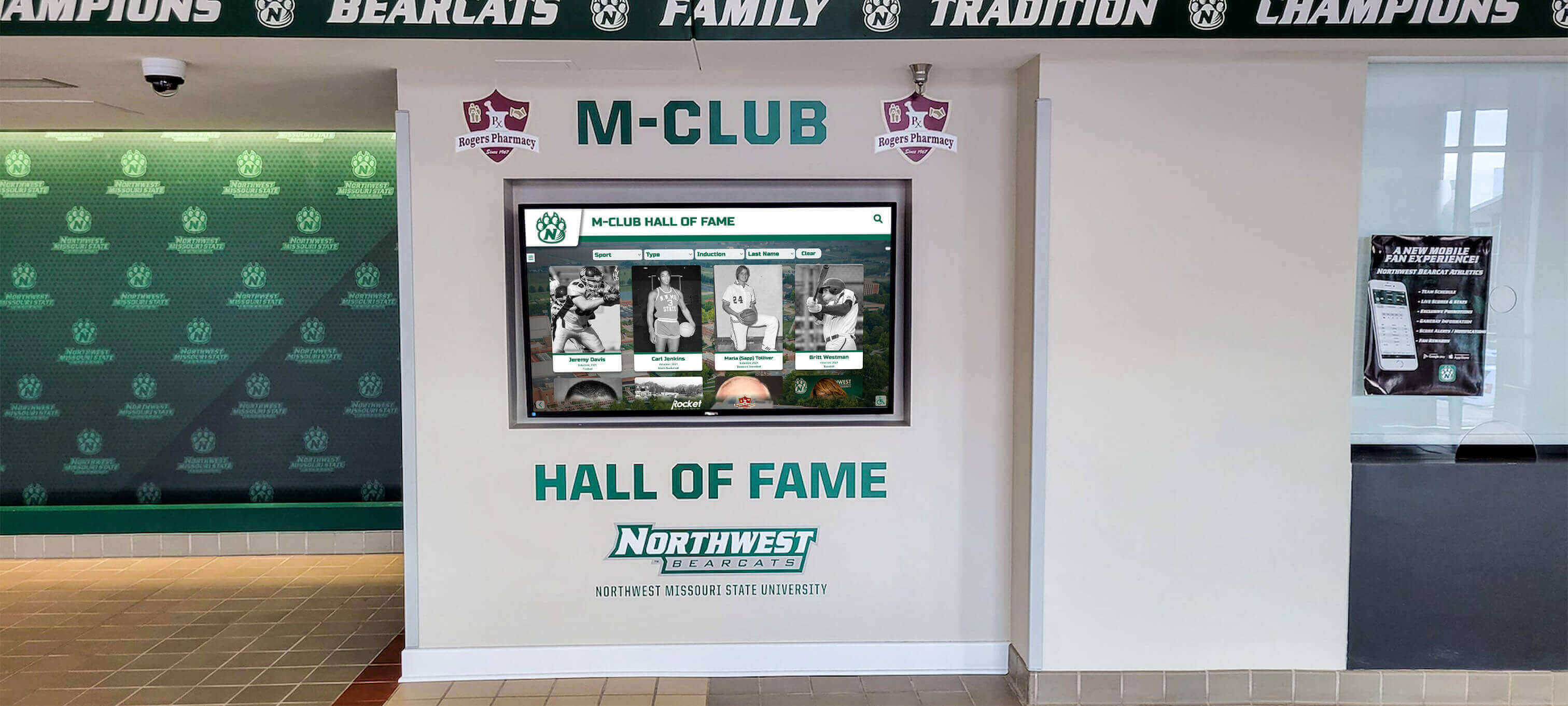
Professional installation ensures displays complement existing architecture while maintaining brand consistency
Content Strategy: Creating Engaging Residence Hall Communications
Effective displays require thoughtful content strategy beyond simply digitizing paper notices:
Information Architecture and Content Categories
Organize content logically reflecting how students think about information:
Essential Student Services
- Building-specific announcements and community updates
- Dining hours, menus, and dietary accommodation information
- Facility hours including gyms, study rooms, and laundry facilities
- Maintenance schedules and service disruption notifications
- Package delivery notifications and mailroom hours
- Guest and visitor policies and registration procedures
Community Building and Engagement
- Upcoming residence hall events and programming
- Community service opportunities and volunteer projects
- Intramural sports teams and recreational activities
- Resident council information and meeting schedules
- Community achievements and resident spotlights
- Floor competition results and community challenges
Campus Resources and Wayfinding
- Interactive campus maps with building directories
- Transportation schedules and parking information
- Academic support services and tutoring resources
- Health and wellness center information
- Career services and employment opportunities
- Campus safety escorts and security contacts
Explore comprehensive strategies for digital information displays that organize content intuitively for user exploration.
Emergency and Safety Information
- Emergency contact numbers and procedures
- Severe weather protocols and shelter locations
- Fire safety information and evacuation routes
- Personal safety tips and campus security resources
- Mental health crisis resources and counseling services
- Substance abuse support and harm reduction information
Design Principles for Maximum Impact
Visual design significantly influences whether students notice and engage with content:
Brand Consistency and Visual Identity
Maintain university visual standards through official color palettes and typography, consistent logo placement and usage, professional photography reflecting diverse student population, and template designs aligning with broader campus communications.
Consistent branding builds trust and professionalism while reinforcing institutional identity.
Attention-Grabbing Yet Respectful Design
Balance visibility with appropriate tone through bold headlines communicating key messages instantly, high-contrast color combinations ensuring readability, strategic animation drawing attention without distraction, appropriate imagery resonating with student audiences, and white space preventing visual overcrowding.
Hierarchy and Scannable Content
Enable quick information processing through clear visual hierarchy emphasizing important information, concise text optimized for brief viewing duration, bullet points and numbered lists improving scannability, prominent calls-to-action guiding next steps, and appropriate font sizes for viewing distances.
According to research on digital display design, effective visual hierarchy enables viewers to extract key information within seconds while supporting deeper exploration for interested students.
Accessibility Design Standards
Ensure inclusive access through sufficient color contrast ratios meeting WCAG standards, readable font sizes and sans-serif typefaces, alternative text for images supporting screen readers, closed captions for video content, and simple language avoiding unnecessary jargon.
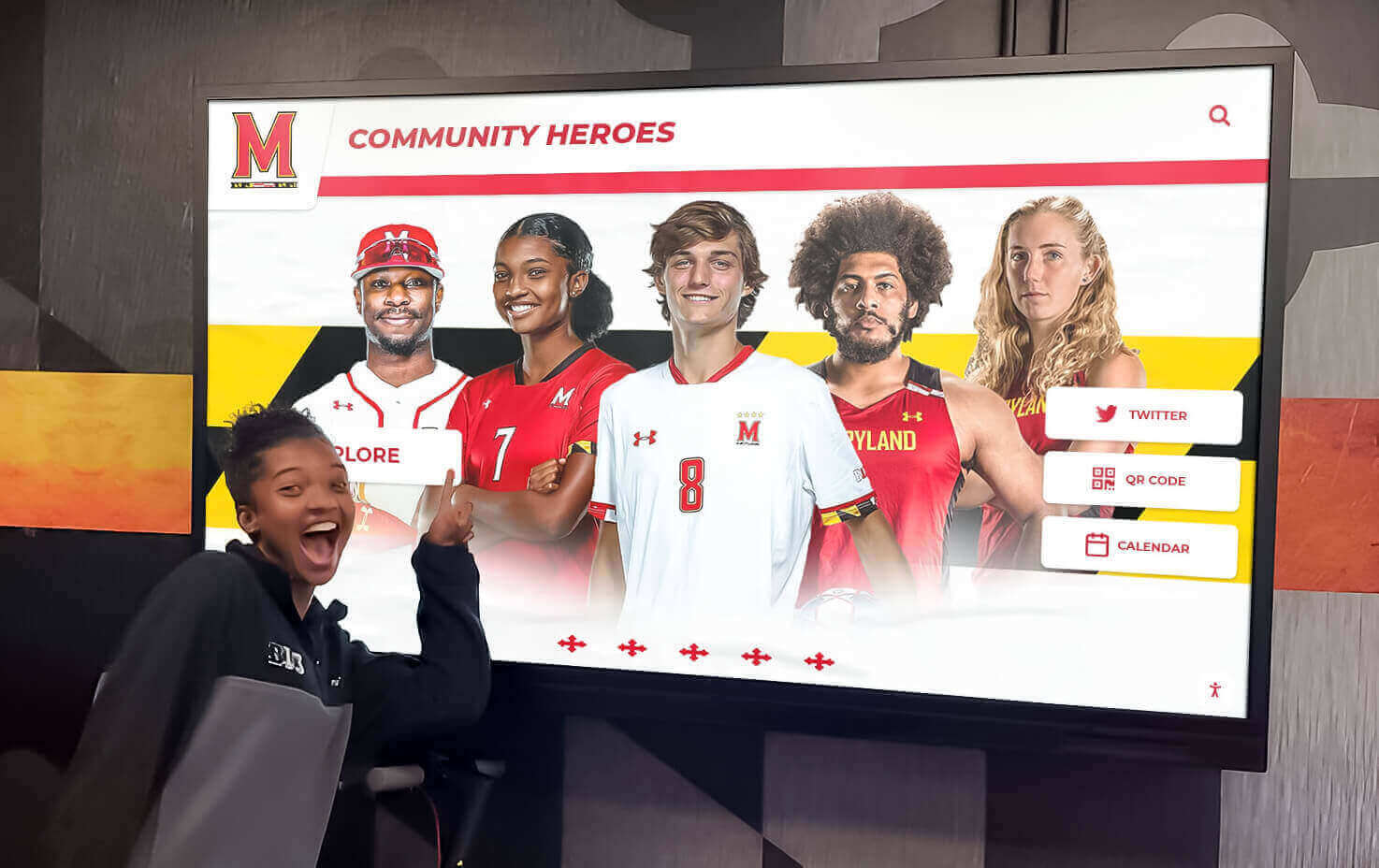
Compelling visual design with clear hierarchy and engaging imagery encourages active student interaction with display content
Content Calendar and Update Frequency
Maintain student engagement through regular content refreshment:
Daily Updates
Refresh time-sensitive content including daily event schedules and programming, dining menus and special offerings, weather forecasts and alerts, campus news and announcements, and facility availability and wait times.
Weekly Rotation
Update regularly changing content including upcoming weekend events and activities, featured student or community spotlights, wellness tips and student success strategies, sustainability initiatives and campus updates, and rotating emergency preparedness information.
Monthly Refresh
Review and update longer-term content including semester event calendars and academic deadlines, seasonal safety information and reminders, policy updates and procedural changes, campus resource highlights and service spotlights, and community achievement celebrations.
Seasonal Campaigns
Align content with academic calendar rhythms including welcome messaging during move-in periods, exam week stress reduction resources, break period building closures and procedures, spring housing selection information, and end-of-year checkout procedures.
Consistent update schedules keep content fresh while establishing student expectations about discovering new information during repeated display interactions.
Advanced Applications: Innovative Uses Beyond Basic Announcements
Forward-thinking universities leverage interactive displays for sophisticated applications beyond routine communication:
Community Building and Social Connection
Transform displays into platforms strengthening residential community:
Student-Generated Content Showcases
Enable residents to contribute content including photo submissions from hall events with community hashtags, video testimonials about residence life experiences, creative projects from student artists and musicians, community milestone celebrations and achievements, and peer advice and campus life tips.
This participatory approach creates ownership and investment in display content while celebrating student voices.
Interactive Social Features
Implement engagement tools encouraging interaction including digital suggestion boxes collecting feedback, polling and voting on community decisions, shout-outs and birthday recognition, roommate matching profiles and compatibility surveys, and community challenges with leaderboards.
Learn about interactive engagement strategies that build community through digital platforms.
Alumni Connection and Legacy Building
Create continuity across generations through profiles of notable alumni from residence halls, historical photographs showing building evolution, traditions and stories passed through decades, anniversary celebrations and milestone recognition, and messages from alumni reflecting on residential experiences.
This historical perspective helps current residents appreciate their place in ongoing institutional stories.
Academic Success Support Integration
Position displays as academic resource portals:
Study Resources and Academic Support
- Library hours and research appointment booking
- Writing center and tutoring service information
- Academic workshop and skill-building session schedules
- Professor office hours and academic advisor contacts
- Study room reservations and quiet hour reminders
- Exam preparation resources and stress management tips
Career Development and Professional Preparation
- Career fair and networking event announcements
- Internship and job opportunity postings
- Resume review and interview preparation workshops
- Professional development seminar schedules
- Alumni mentor connection opportunities
- Industry-specific career pathway information
Learning Community Integration
For residence halls housing specific learning communities or academic programs, displays can showcase discipline-specific content including major-specific events and guest speakers, research opportunities and lab positions, professional organization meetings and conferences, field experience and study abroad programs, and faculty office hours and departmental news.
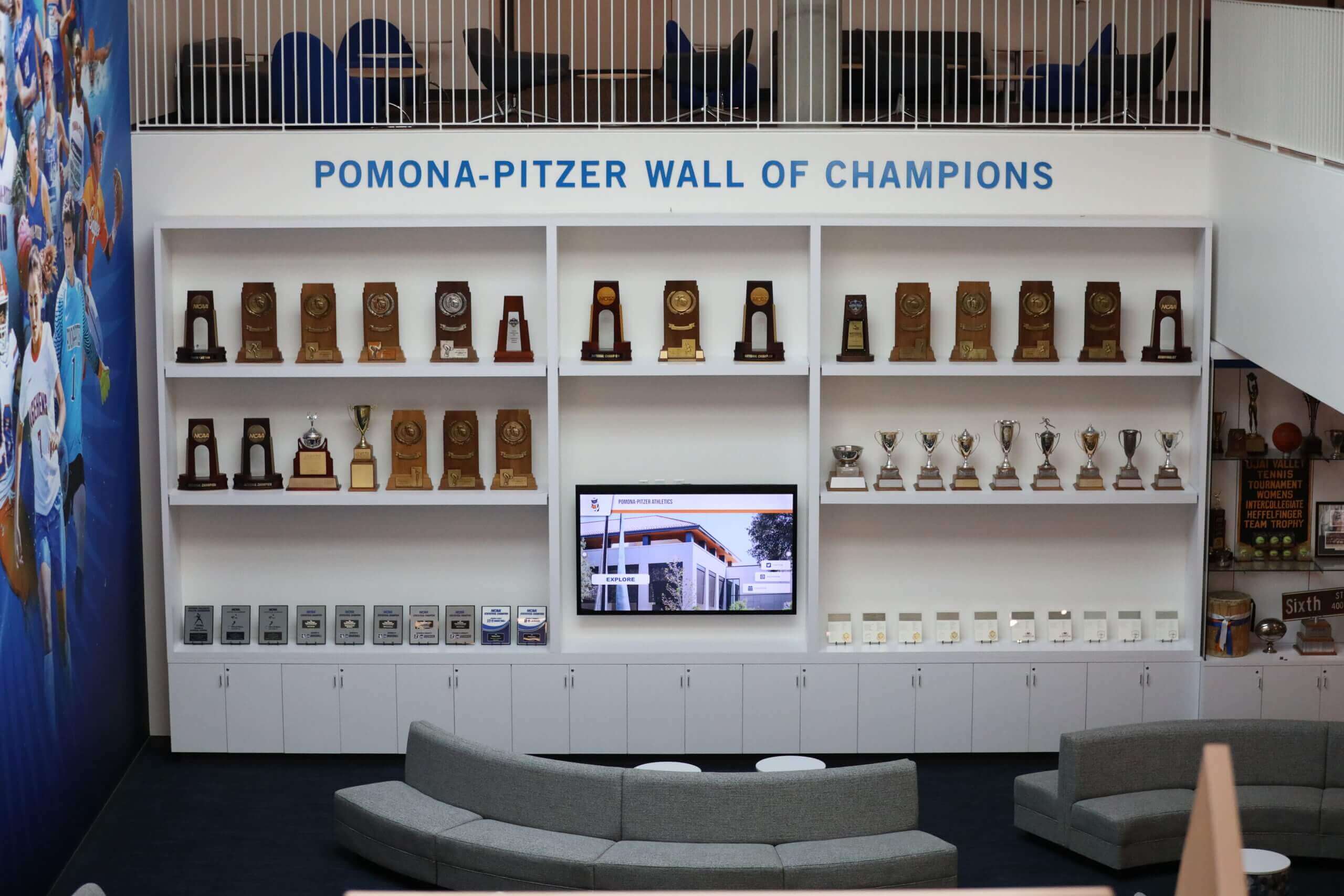
Multi-purpose residential spaces integrate information displays with academic support resources creating comprehensive student success environments
Health, Wellness, and Safety Applications
Support comprehensive student wellbeing through targeted content:
Mental Health Resource Accessibility
- Counseling center contact information and crisis hotlines
- Stress management and resilience building techniques
- Meditation and mindfulness resources
- Peer support group meeting information
- Mental health awareness campaign content
- Self-care tips and wellness challenges
Physical Health and Fitness Promotion
- Campus recreation center hours and class schedules
- Intramural sports registration and team information
- Fitness challenges and wellness competitions
- Nutritional information and healthy eating resources
- Sleep hygiene tips and healthy habit formation
- Health center services and appointment booking
Safety and Security Information
- Campus security escort service information
- Self-defense workshop schedules and registration
- Bike safety and theft prevention tips
- Personal safety apps and emergency notification systems
- Bystander intervention training opportunities
- Title IX resources and reporting procedures
Comprehensive wellness content positions residence halls as supportive environments prioritizing holistic student health beyond just housing provision.
Sustainability and Campus Initiatives
Advance institutional sustainability goals through targeted communications:
Environmental Education and Action
- Recycling guidelines and proper waste sorting
- Energy conservation tips and competition results
- Water usage reduction strategies
- Sustainable transportation options and bike sharing
- Campus garden and composting program information
- Sustainability event calendars and volunteer opportunities
Social Responsibility Programs
- Community service project announcements
- Social justice education programming
- Diversity and inclusion event calendars
- Campus activism and advocacy opportunities
- Philanthropy initiatives and fundraising campaigns
- Food security resources and campus food pantry information
Positioning displays as platforms for values-driven content reinforces institutional mission while connecting students to purpose-driven engagement opportunities.
Measuring Success: Analytics and Continuous Improvement
Demonstrate display value through comprehensive assessment and data-driven refinement:
Key Performance Indicators
Track metrics demonstrating communication effectiveness and student engagement:
Usage and Engagement Metrics
- Unique daily interactions per display location
- Average session duration indicating content engagement depth
- Peak usage times informing optimal posting schedules
- Popular content categories revealing student interests
- Return user rates showing ongoing engagement
- Touch interaction patterns showing navigation effectiveness
Communication Effectiveness Measures
- Event attendance correlation with display promotion
- Maintenance request submission rates via display interfaces
- Student awareness of important deadlines and policies
- Emergency alert acknowledgment and response times
- Information accuracy perception in student surveys
- Comparison to previous bulletin board communication outcomes
Operational Efficiency Gains
- Staff time savings versus manual bulletin board management
- Content creation time from planning to publication
- Number of buildings updated simultaneously
- Error rates and correction turnaround times
- Cost per impression compared to alternative communication methods
- Maintenance and technical support incident frequency
Student Feedback and Satisfaction Assessment
Supplement quantitative analytics with qualitative insights:
Structured Feedback Collection
- Annual housing satisfaction surveys including display-specific questions
- Focus groups exploring communication preferences and effectiveness
- Digital suggestion tools embedded in display interfaces
- Exit surveys during checkout capturing graduating student perspectives
- Comparison groups assessing satisfaction in buildings with versus without displays
Observational Research
Conduct periodic observational studies documenting actual student usage patterns including dwell time and attention patterns, peak traffic periods and usage correlation, group versus individual interaction behaviors, smartphone usage after display interaction, and physical traffic flow around display locations.
These observations reveal authentic behavior versus self-reported preferences that may not reflect actual usage.
Continuous Improvement Processes
Use assessment data to systematically enhance display effectiveness:
Content Optimization Based on Analytics
- Prioritize high-engagement content categories
- Adjust posting schedules aligning with peak usage periods
- Refine messaging based on interaction patterns
- Eliminate low-performing content freeing space for effective communications
- Test design variations measuring impact on engagement
Technical Enhancement and Expansion
- Add displays in high-traffic locations showing strong ROI
- Upgrade hardware in aging installations
- Implement new features based on student requests
- Enhance integration with additional campus systems
- Improve mobile connectivity and extended access
Stakeholder Communication
Share success metrics demonstrating value including regular reports to housing leadership showing engagement trends, case studies documenting communication success stories, comparative analysis versus previous communication methods, student testimonials about improved information access, and return on investment calculations justifying continued investment.
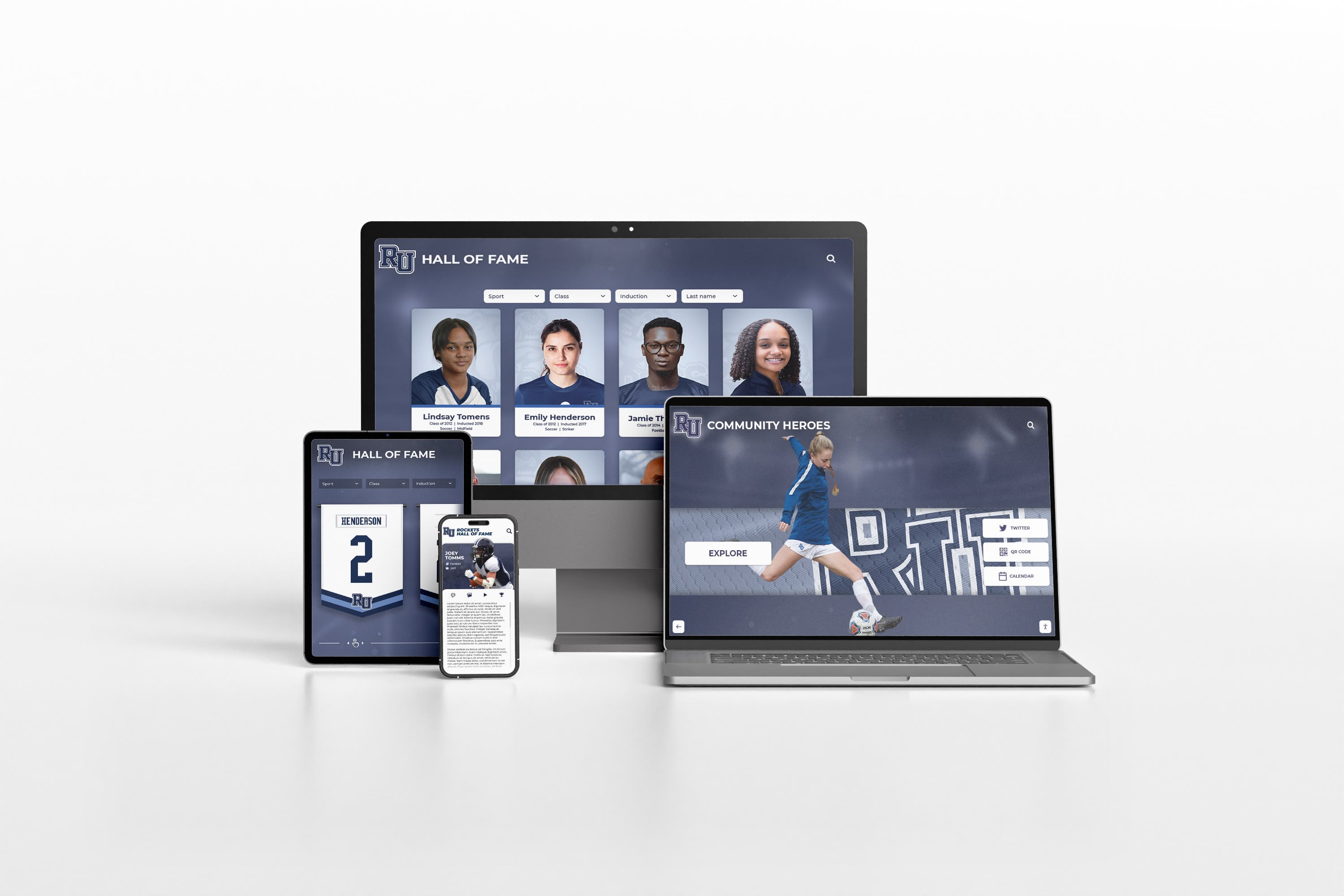
Comprehensive analytics across displays and mobile platforms enable data-driven communication optimization
Implementation Considerations: Budgeting and Funding Strategies
Understanding comprehensive costs helps universities plan sustainable implementations:
Investment Requirements
Display system costs vary based on scope and sophistication:
Hardware Expenses
- Commercial-grade touchscreen displays: $2,500-$8,000 per unit depending on size
- Mounting hardware and installation materials: $300-$1,500 per display
- Media players or computers: $400-$1,200 per display
- Freestanding kiosks if applicable: $3,000-$10,000 additional
- Network infrastructure upgrades: $500-$3,000 per building if required
- Backup power supplies: $200-$800 per display
Software and Platform Costs
- Content management platform licensing: $2,000-$8,000 annual subscription for enterprise systems
- Initial setup and configuration: $1,500-$5,000
- Template design and branding customization: $2,000-$6,000
- Integration with campus systems: $3,000-$15,000 depending on complexity
- Training and implementation support: $1,000-$4,000
Ongoing Operational Costs
- Annual platform subscription or licensing: $2,000-$8,000+ depending on number of displays
- Content creation and management staff time: 5-15 hours weekly depending on scale
- Technical support and maintenance contracts: $500-$2,000 annually per display
- Hardware replacement and refresh: budget 15-20% of hardware costs annually for lifecycle replacement
- Connectivity and data charges: typically included in campus network infrastructure
Total Investment Range
For typical residence hall implementation with 2-4 displays per building:
- Single building pilot: $15,000-$40,000 initial investment
- Mid-size deployment (5-10 buildings): $75,000-$200,000
- Comprehensive campus implementation (20+ buildings): $250,000-$600,000+
These ranges reflect complete professional installation including all hardware, software, integration, training, and first-year support.
Funding Strategies and Financial Justification
Most universities fund residence hall displays through combination approaches:
Housing Department Operating Budgets
Position displays as essential communication infrastructure improving operational efficiency and student satisfaction. Document cost savings from reduced bulletin board management, fewer emergency communication challenges, and improved staff productivity.
Technology or Capital Improvement Funds
Present displays as technology infrastructure upgrades falling under IT modernization or capital improvement budgets. Emphasize multi-year lifecycle and alignment with campus-wide digital transformation initiatives.
Student Fee Allocations
Where appropriate, propose modest student technology fee increases specifically dedicated to residential communication improvements. Student government support strengthens when implementations demonstrably improve residential experiences.
Donor-Funded Opportunities
Identify alumni or corporate partners interested in funding technology enhancements in residence halls where they lived or worked. Building-naming opportunities for comprehensive renovations might include display systems as components of larger improvement projects.
Phased Implementation Approaches
When comprehensive funding exceeds immediate budget availability, phase implementations including Year 1 pilot in highest-priority buildings, Year 2 expansion to additional high-traffic locations, and Year 3 completion of remaining buildings based on demonstrated ROI.
Phased approaches enable budget spreading while building evidence supporting continued investment.
Return on Investment Considerations
Quantify display value through multiple benefit categories:
Staff Time Savings
Housing administrators report significant productivity improvements when transitioning from manual bulletin board management to centralized digital systems. If staff previously spent 10-15 hours weekly on bulletin board management across multiple buildings, digital systems might reduce this to 2-3 hours for content updates—saving 350-600 staff hours annually.
Reduced Material Costs
Digital systems eliminate ongoing expenses for paper, printing, laminating, bulletin board supplies, and physical posting materials. Universities with large residential populations may spend $5,000-$15,000 annually on these materials.
Communication Effectiveness Value
Improved communication reduces missed deadlines, decreases duplicative student inquiries to housing offices, improves event attendance and participation, and enhances emergency response effectiveness—benefits difficult to quantify precisely but providing substantial value.
Student Satisfaction and Retention
According to research on enhancing university campuses with digital signage, improved communication and community building contributes to overall residential satisfaction, which correlates with student retention—where even modest retention improvements dramatically impact institutional revenue.
Future Trends: Emerging Technologies in Residence Hall Communication
Understanding developing capabilities helps universities plan for long-term evolution:
Artificial Intelligence and Personalization
Emerging technologies enable increasingly sophisticated communication:
Intelligent Content Recommendations
AI-powered systems can analyze student interaction patterns suggesting optimal content types, posting times, and message formatting based on engagement data. Machine learning identifies which communication approaches resonate most effectively with specific student populations.
Personalized Information Delivery
Future systems may offer customized content based on individual student profiles including academic year and graduation timeline, specific interests and involvement areas, language preferences for international students, and accessibility requirements.
Natural Language Interfaces
Voice-activated displays enabling spoken queries provide accessibility advantages while supporting quick information lookup without requiring touch interaction.
Enhanced Mobile Integration
Continued smartphone advancement creates new connectivity opportunities:
Augmented Reality Wayfinding
Mobile AR applications triggered by display QR codes can overlay directional arrows on smartphone camera views guiding students to specific campus locations, offices, or classrooms through intuitive visual navigation.
Proximity-Based Notifications
Bluetooth beacon technology can deliver relevant information to student smartphones when passing near displays, extending communication reach beyond students actively engaging with screens.
Seamless Device Handoff
Students might begin exploring content on physical displays then seamlessly transfer sessions to personal devices for continued mobile browsing, bookmarking, or sharing.
Advanced Interactive Capabilities
Next-generation displays may incorporate sophisticated interaction methods:
Gesture-Based Interfaces
Touchless gesture controls enable interaction without physical contact—relevant for hygiene concerns while providing novelty encouraging engagement.
Multiplayer Interactive Experiences
Collaborative games or community challenges displayed on screens could enable simultaneous participation by multiple students, creating social experiences around display technology.
Biometric Integration
Where privacy considerations allow, optional facial recognition or student ID card tapping might enable personalized dashboard access showing individual package notifications, reservation confirmations, or schedule information.
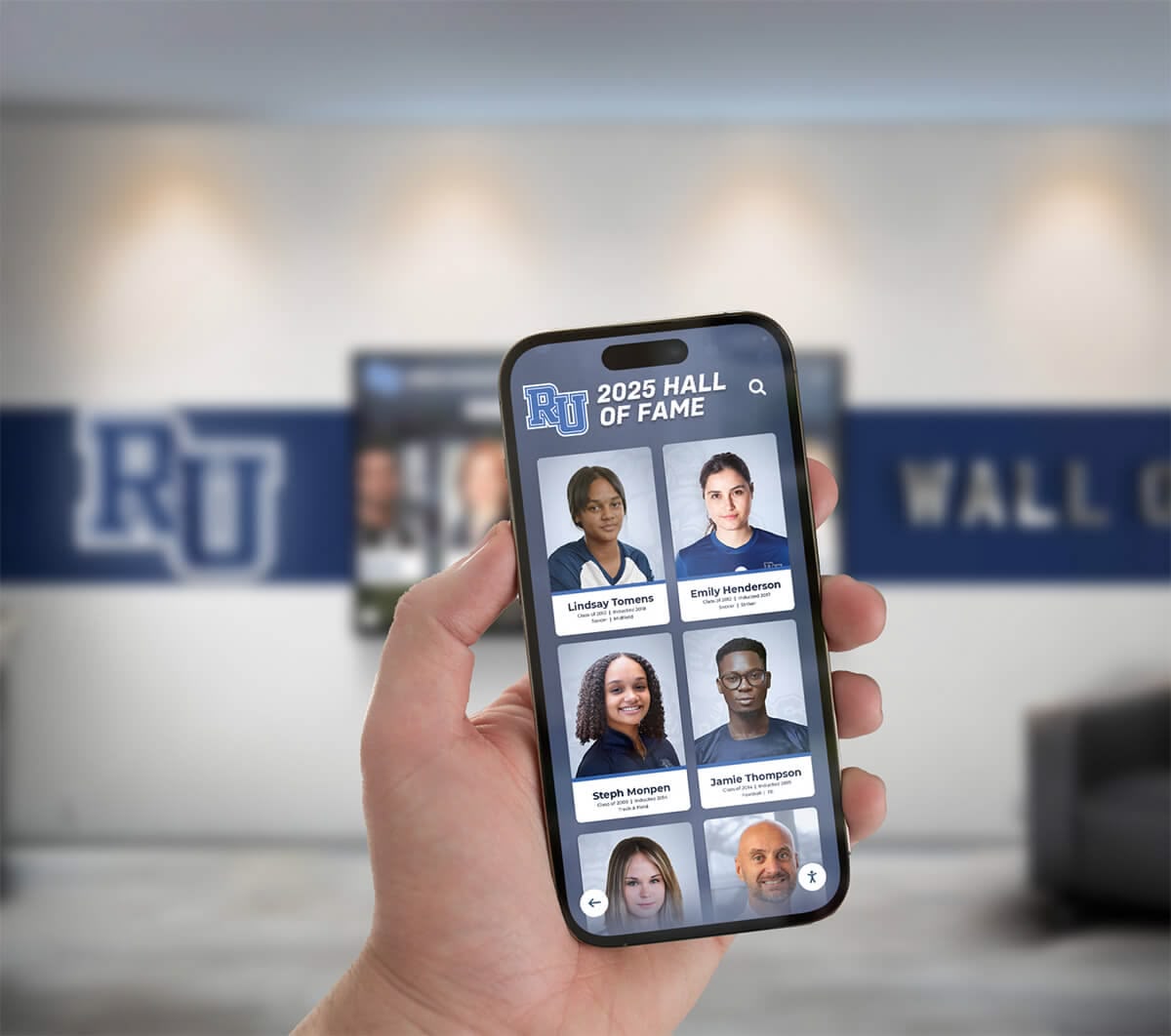
Mobile integration extends display functionality beyond physical screens enabling anywhere access to residential information
Conclusion: Transforming Residence Halls Through Intelligent Communication
College residence hall informational interactive displays represent far more than digital bulletin boards—they enable fundamental transformation in how universities communicate with residential students, build vibrant housing communities, support student success, and demonstrate institutional commitment to meeting students in the digital environments where they naturally live. When implemented thoughtfully and managed strategically, these systems create residence halls where students feel informed, connected, and supported throughout their university experiences.
The strategies explored in this guide provide comprehensive frameworks for interactive display implementation that balances multiple objectives including delivering essential operational information efficiently, building residential community through shared experiences, supporting student success through resource accessibility, ensuring emergency communication effectiveness, demonstrating responsible technology stewardship, and creating sustainable systems serving institutions for years.
Transform Your Residence Hall Communication
Discover how Rocket Alumni Solutions can help you create engaging interactive display systems that inform students, build community, and significantly improve operational efficiency through intuitive platforms designed specifically for higher education environments.
Explore Communication SolutionsStrategic Implementation Pathway
Universities considering interactive display deployment should begin with comprehensive needs assessment involving housing staff and student input, pilot implementation in representative buildings enabling learning and refinement, phased expansion based on demonstrated success and available funding, integration with campus systems maximizing functionality and efficiency, and commitment to ongoing content optimization ensuring sustained student engagement.
This systematic approach prevents common implementation problems while ensuring displays achieve intended goals of enhanced communication effectiveness and strengthened residential community.
Meeting Students Where They Are
Today’s college students have spent their entire lives navigating digital information ecosystems. They expect immediate access to current information through intuitive interfaces on devices they already carry or encounter throughout daily activities. Universities continuing to rely primarily on paper bulletin boards are fundamentally misaligned with student communication preferences and expectations.
Interactive display platforms designed specifically for educational environments like those offered by Rocket Alumni Solutions provide purpose-built systems combining powerful capabilities with user-friendly administration. These platforms enable housing administrators to focus on community building and student support rather than technical system management.
Beyond Technology: Community and Connection
The most successful residence hall display implementations position technology as tool serving broader community-building and student success goals rather than ends in themselves. Effective systems strengthen relationships among residents, connect students to campus resources and opportunities, support academic achievement and personal development, enhance safety through accessible emergency information, and demonstrate institutional commitment to student-centered communication.
Your residential students deserve communication systems that respect their time, meet their expectations for digital information access, provide genuinely useful information when they need it, and contribute to residential communities where they feel informed and connected. With thoughtful planning, appropriate technology selection, and sustained commitment to content quality, you can transform residence hall lobbies from underutilized passthrough spaces into engaging information hubs that significantly enhance residential experiences.
Ready to explore interactive display solutions for your residence halls? Learn about digital signage for schools that applies effectively to university housing environments, discover interactive display board strategies for maximizing student engagement, or explore digital recognition approaches that celebrate residential community achievements and build lasting connections among students.
Sources:
- Digital Signage in the Residence Halls | Residential Education and Housing
- Digital Signage for Education: K-12, College and Universities
- Digital Signage for Colleges & Universities | Boost Student Engagement
- Campus Kiosks for Student Messaging & Wayfinding | HootBoard
- Digital Signage | University Housing | Illinois
- Transforming Student Housing Communication | Captivate
- Digital Signs the Future of Residence Hall & Dining Hall Promos | Student Affairs
- Tips to Enhance University Campus Using Digital Signage































