




College campuses in 2025 face a common challenge: helping thousands of prospective students, families, new students, and visitors navigate increasingly complex facilities while creating memorable first impressions that influence enrollment decisions. Traditional paper maps and static signage no longer meet the expectations of digitally-native students who expect intuitive, interactive experiences in every environment they encounter.
Interactive touchscreen directory displays have emerged as powerful solutions that combine wayfinding functionality with engagement opportunities, transforming how colleges and universities welcome visitors and support campus navigation. These sophisticated systems do far more than provide directions—they create personalized experiences, showcase campus culture, integrate with mobile devices, and provide real-time information that keeps pace with dynamic campus environments.
This comprehensive guide explores how colleges and universities can implement effective touchscreen directory systems that enhance campus tours, improve visitor experiences, support wayfinding needs, and contribute to successful recruitment and retention efforts.
The shift toward interactive campus directories reflects broader trends in higher education technology adoption. According to industry research, the global interactive display market is expected to grow from $9.7 billion in 2020 to $13.8 billion by 2025, with educational institutions representing major adopters of these technologies. Universities implementing comprehensive wayfinding solutions report measurable improvements in visitor satisfaction, reduced confusion during peak tour seasons, and enhanced campus accessibility for students with disabilities.

Interactive touchscreen directories provide intuitive campus navigation and information access for prospective students and visitors
Understanding College Campus Wayfinding Challenges
Before exploring solutions, it’s essential to understand the specific wayfinding challenges that make college campuses particularly complex navigation environments.
Campus Complexity and Scale
Modern university campuses often span hundreds of acres with dozens or even hundreds of buildings, each potentially housing multiple departments, classrooms, laboratories, and administrative offices. Unlike corporate campuses with centralized facilities, colleges typically evolved organically over decades or centuries, resulting in:
Irregular Layouts and Street Patterns
- Buildings added across different eras with varying architectural styles and naming conventions
- Inconsistent address systems where building names may not correlate with campus addresses
- Pedestrian pathways that don’t follow logical grid patterns
- Multiple entry points creating confusion about “where campus begins”
- Underground tunnels and elevated walkways connecting buildings in non-obvious ways
Diverse Building Functions
- Academic buildings housing multiple departments with classrooms scattered across floors
- Administrative offices for admissions, financial aid, registrar, and student services in different locations
- Athletic facilities including stadiums, recreation centers, and practice facilities
- Student life buildings with dining halls, student unions, and residence halls
- Specialized facilities like libraries, performing arts centers, and research laboratories
This complexity overwhelms first-time visitors who typically have limited time to reach specific destinations during campus tours or admissions appointments.
High-Volume Visitor Traffic
College campuses host thousands of visitors annually, each with different wayfinding needs and varying levels of campus familiarity:
Prospective Students and Families During peak admissions seasons, universities conduct multiple daily campus tours with families visiting for the first time. These visitors need to find admissions offices, tour meeting points, financial aid departments, and specific academic buildings while on tight schedules. First impressions formed during these visits significantly influence enrollment decisions, making efficient wayfinding essential to recruitment success.
New Students and Parents Orientation periods bring hundreds or thousands of new students and families to campus simultaneously, all attempting to navigate unfamiliar environments while attending multiple sessions across different locations. Poor wayfinding during orientation creates anxiety and negative initial experiences that can impact retention.
Conference Attendees and Event Visitors Universities host academic conferences, athletic events, performances, and community programs that bring outside visitors who need temporary access to specific buildings or facilities. These short-term visitors require intuitive wayfinding without the benefit of orientation programs or tour guides.
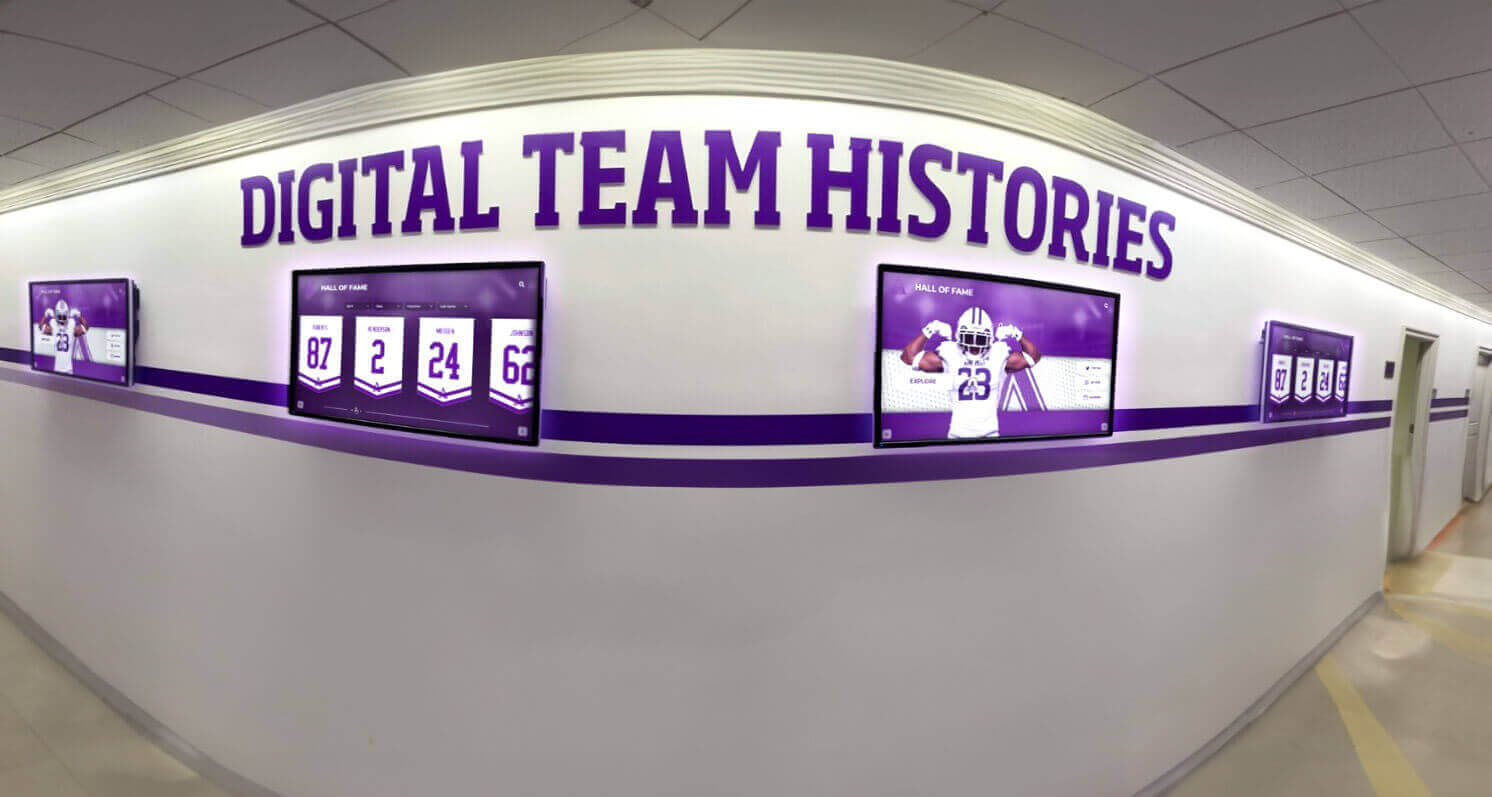
Strategic placement of digital directories at decision points throughout campus provides wayfinding assistance where visitors need it most
Accessibility Requirements
Federal accessibility regulations and institutional commitments to inclusive environments require wayfinding solutions that serve all users regardless of physical abilities or disabilities:
Physical Accessibility Needs Students and visitors using wheelchairs or mobility devices require routes that avoid stairs, steep inclines, or obstacles. Traditional maps cannot easily communicate accessible pathways or indicate where elevators and ramps provide building access. Interactive systems can calculate and display accessible routes that may differ significantly from standard walking directions.
Visual and Auditory Accommodations Visitors with visual impairments benefit from text-to-speech features, high-contrast display modes, and integration with screen readers. Those with hearing impairments may struggle with verbal directions provided by tour guides but can easily access written information through interactive displays.
Language Diversity International students, visiting scholars, and families from non-English speaking backgrounds represent significant portions of university visitors. Multilingual support through interactive directories ensures these populations can navigate campus independently and access essential services.
Solutions like interactive touchscreen software specifically designed for educational environments address these diverse accessibility requirements through customizable features and adaptive interfaces.
The Evolution of Campus Wayfinding Technology
Understanding how campus wayfinding has evolved provides context for current interactive touchscreen solutions and their advantages over previous approaches.
Traditional Wayfinding Limitations
Static Physical Signage For decades, universities relied primarily on permanent signs, building plaques, and posted maps throughout campus. While these serve basic wayfinding functions, they suffer from significant limitations:
- Information becomes outdated when buildings are renamed, departments relocate, or construction changes pathways
- Updates require physical replacement of signs, creating time lags between changes and signage corrections
- Limited space constrains the amount of information each sign can display
- Difficult to provide context-specific information relevant to different visitor types
- No ability to provide directions or calculate routes from current location to destination
- Weather and vandalism degrade physical signs requiring ongoing maintenance
Paper Maps and Directories Printed campus maps distributed at admissions offices and information desks address some limitations of static signage but introduce their own challenges:
- Quickly become outdated as campus changes occur throughout academic years
- Printing costs and environmental considerations limit distribution
- Visitors struggle to orient themselves and identify current location on two-dimensional paper maps
- Cannot provide turn-by-turn directions or calculate optimal routes
- Additional barrier for visitors with visual impairments or reading difficulties
- Often misplaced or unavailable when visitors need them most
Website-Based Information University websites provide detailed campus information but don’t effectively support real-time wayfinding:
- Visitors may lack internet access or data plans while touring campus
- Small mobile screens make it difficult to view maps while walking
- Website navigation requires multiple clicks to find specific building locations or directions
- Difficult to update location-specific information for visitors already on campus
- Does not create opportunities for spontaneous exploration or discovery
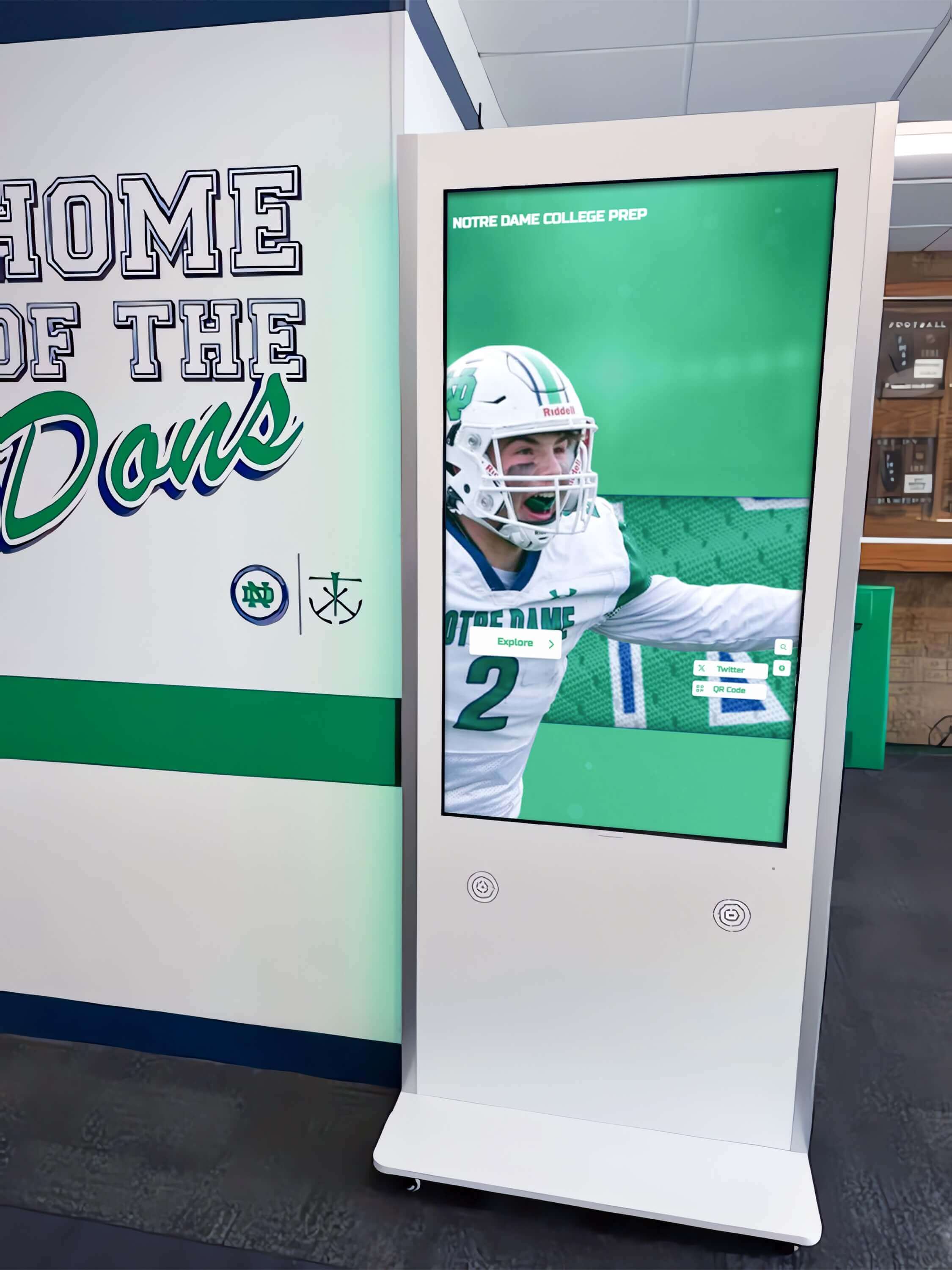
Modern interactive kiosks integrate seamlessly into campus architecture while providing advanced wayfinding and information access
Digital Signage Revolution
The introduction of digital signage represented a significant advancement over static physical signs:
Dynamic Content Capabilities Digital displays enabled universities to update information centrally and instantly across all screens, ensuring current information about events, building locations, and campus services. Content could change based on time of day, current events, or seasonal needs.
Enhanced Visual Communication Video content, animations, and high-quality graphics made information more engaging and easier to comprehend than text-heavy static signs. Wayfinding information could include photographs of building exteriors helping visitors identify destinations.
However, first-generation digital signage remained essentially passive—visitors could view displayed information but couldn’t interact, search, or request specific directions. These systems represented one-way communication rather than responsive wayfinding tools.
Interactive Touchscreen Integration
Modern touchscreen directories combine the advantages of digital signage with interactive capabilities that transform campus wayfinding:
User-Controlled Navigation Visitors actively search for specific buildings, departments, or services rather than passively viewing cycling content. This self-service approach accommodates individual needs and schedules without requiring staff assistance.
Personalized Route Calculation Systems calculate optimal routes from kiosk location to desired destination, accounting for factors like distance, accessibility requirements, and current conditions (construction, weather, events). Turn-by-turn directions adapt to each user’s starting point and destination.
Mobile Integration Advanced systems send directions to visitors’ smartphones, enabling them to navigate while walking without repeatedly returning to stationary kiosks. This seamless transition between physical displays and mobile devices matches how modern users expect technology to function.
Rich Information Layering Interactive interfaces provide overview information with ability to drill down into detailed content based on user interest. Prospective students can explore academic programs, view facilities, and access contact information without leaving the directory interface.
Universities implementing comprehensive digital hall of fame touchscreen systems for athletic and academic recognition have extended these same interactive capabilities to wayfinding applications, creating integrated campus information networks.
Core Features of Effective College Directory Touchscreens
Successful campus wayfinding systems share essential features that distinguish effective implementations from basic solutions.
Intuitive User Interface Design
The most sophisticated wayfinding technology fails if visitors can’t quickly understand how to use it. Effective directory interfaces prioritize intuitive design that requires minimal instruction:
Prominent Search Functionality Large, clearly labeled search boxes should dominate the home screen, inviting visitors to simply type what they’re looking for. Auto-complete features anticipate entries, displaying suggestions as users type the first few letters of building names, departments, or services.
Category-Based Navigation For visitors unsure of specific names or unsure where to search, clear categories organize information logically—“Academic Buildings,” “Student Services,” “Dining and Housing,” “Athletics and Recreation,” “Parking and Transportation.” Icon-based navigation with minimal text accommodates diverse language backgrounds.
Visual Campus Maps High-quality, clearly labeled campus maps should display prominently with ability to zoom, pan, and tap buildings for information. Current location indicators help visitors orient themselves, and highlighting shows the route from current position to selected destination.
Large Touch Targets and Clear Typography Interface elements must be sized for easy selection even by users wearing gloves or with limited fine motor control. Text must be legible from several feet away, allowing multiple people to view screens simultaneously during group tours.
Advanced Wayfinding Capabilities
Beyond basic building location, sophisticated directory systems provide comprehensive navigation support:
Multi-Building Route Planning Some visitors need to reach multiple destinations during campus visits. Advanced systems allow building a route that efficiently sequences multiple stops, particularly valuable during orientation sessions or prospective student visit days.
Accessible Route Options Systems should identify and preferentially display accessible routes for visitors with mobility devices, clearly indicating where ramps, elevators, and automatic doors provide building access. Visual indicators show when routes include stairs or steep grades.
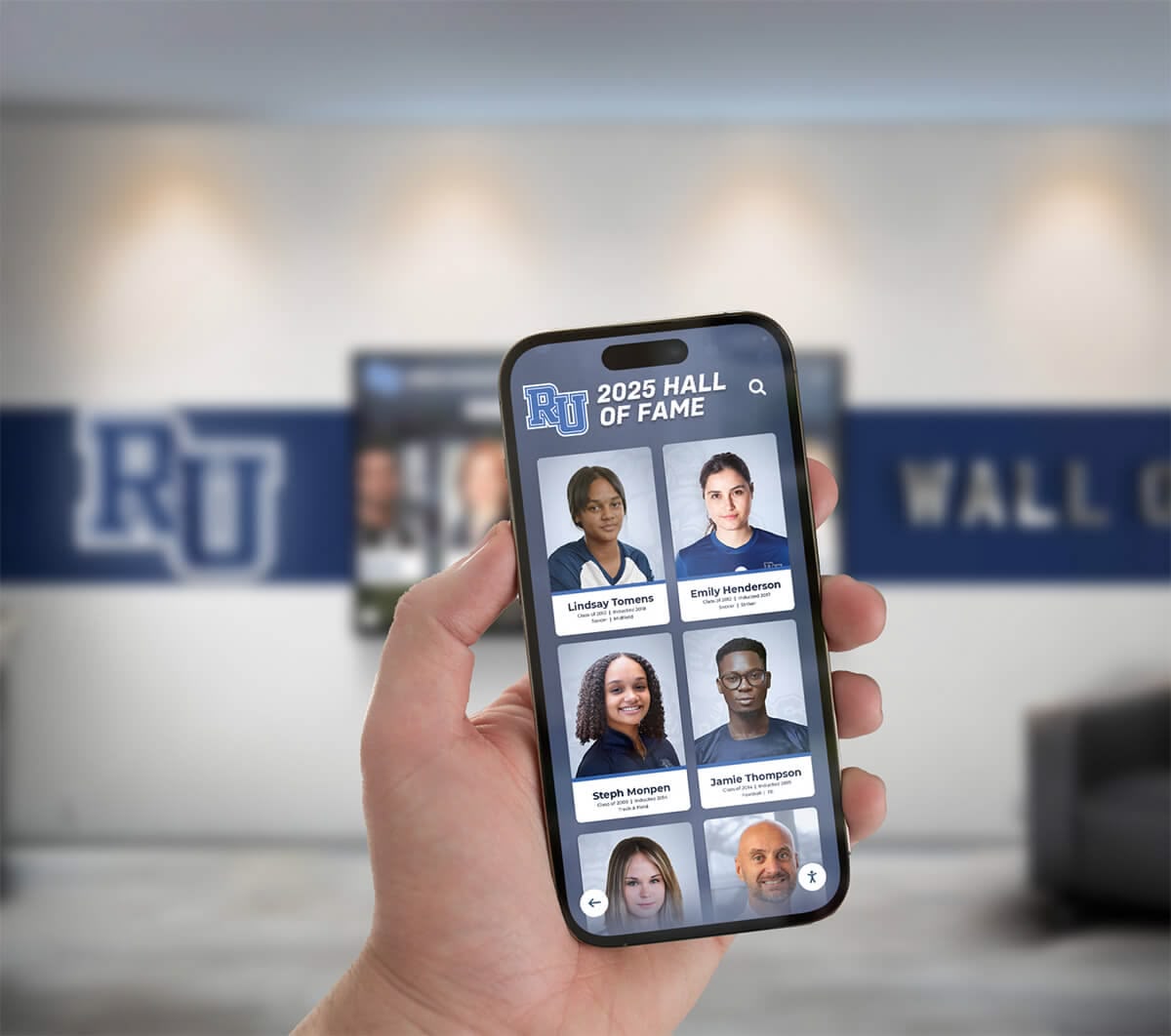
Mobile integration allows visitors to send directions from touchscreen kiosks directly to their smartphones for navigation while walking
Real-Time Condition Updates Integration with campus systems enables directories to display current information about building closures, construction detours, event-related pathway modifications, or weather-related entrance changes. During inclement weather, systems can recommend covered routes between buildings.
Estimated Travel Times Providing realistic time estimates helps visitors plan schedules, particularly important during admissions tours with multiple appointments or orientation sessions across campus. Systems can adjust estimates based on route characteristics and accessibility needs.
Parking Integration Many campus visitors arrive by car and need to understand parking options near their destinations. Directory systems that integrate parking information, including permit requirements, visitor designations, and available spaces, eliminate a major source of visitor frustration.
Multilingual and Accessibility Support
Inclusive design ensures all visitors can access wayfinding assistance regardless of language background or disabilities:
Language Selection Prominent language selection buttons on home screens enable instant switching to preferred languages. Universities with significant international populations typically offer information in languages reflecting their student demographics—commonly English, Spanish, Chinese, and additional languages based on enrollment patterns.
Text-to-Speech Functionality Visitors with visual impairments benefit from audio output that reads displayed information and provides verbal navigation instructions. Volume controls and headphone jacks enable private listening without disturbing others in shared spaces.
High-Contrast Modes Visual accessibility features include high-contrast display modes with adjustable text sizes, color schemes optimized for users with color vision deficiencies, and simplified layouts that reduce visual complexity for users with cognitive disabilities.
Screen Reader Compatibility For visitors who use personal screen reading devices, directory software should follow accessibility standards ensuring compatibility with common assistive technologies. This enables visitors to access directory information using familiar tools rather than adapting to new interfaces.
Learn more about creating accessible interactive announcements systems that incorporate similar accessibility features for diverse campus populations.
Strategic Placement of Directory Touchscreens
Location determines whether directory systems effectively support campus wayfinding or remain underutilized technology investments.
Primary Decision Points
The most critical kiosk placements address locations where visitors must make navigation decisions or frequently become disoriented:
Campus Entrance and Gateway Locations Kiosks positioned at primary vehicle and pedestrian entrances serve as orientation points for first-time visitors. These high-visibility locations establish that interactive wayfinding assistance is available and demonstrate institutional commitment to supporting visitor navigation.
Strategic entrance kiosks should provide comprehensive campus overviews, highlight common initial destinations like admissions offices and visitor parking, and offer quick access to emergency contact information. During peak seasons, these gateways experience highest traffic volumes making them essential placement priorities.
Building Lobby and Entrance Areas Once visitors reach their initial destination building, internal directories help navigate multi-floor facilities. Academic buildings often house numerous departments across several floors, and visitors may need to find specific offices, classrooms, or laboratories.
Interior building directories complement campus-wide wayfinding systems by providing floor-by-floor directories, elevator and stairwell locations, and department contact information. These support not just visitors but also students attending classes in unfamiliar buildings at semester start.
Interior building directories extend campus wayfinding systems by providing floor-specific navigation in multi-story academic facilities
Pathway Intersections and Decision Points Place kiosks where pathways converge or where visitors must choose between multiple route options. These decision points benefit from wayfinding reinforcement that confirms correct direction or provides course corrections for those who took wrong turns.
Particularly valuable placements include locations between parking areas and central campus, junctions where academic quads meet residential areas, and points where campus pathways intersect with public streets or transit stops.
High-Traffic Visitor Areas
Beyond critical decision points, strategic placement in high-volume areas maximizes directory system utilization:
Admissions and Visitor Centers Admissions buildings host hundreds or thousands of prospective students and families annually. Interactive directories in waiting areas serve multiple purposes—provide productive activity during appointment wait times, supplement tour information with self-guided exploration, and showcase campus technology infrastructure.
These installations should highlight academic programs, campus life, athletic and extracurricular activities, and facilities tours. Integration with academic recognition displays creates comprehensive presentations of institutional excellence that influence enrollment decisions.
Student Union and Campus Center Locations Central gathering spaces where students congregate between classes serve both student and visitor populations. New students benefit from wayfinding assistance during their first weeks on campus, while visiting families attending events or performances use these centrally-located resources.
Directory content in student life spaces should emphasize dining options, bookstore locations, student organization information, and upcoming campus events alongside traditional wayfinding functionality.
Athletic and Recreation Facilities Sports venues host thousands of visitors for games, tournaments, and special events—many unfamiliar with campus layout. Directory kiosks near athletic facilities should provide parking information, directions to other campus buildings for visitors exploring between events, and information about dining and restroom locations.
Library and Academic Commons Modern libraries serve as central academic hubs where students study, collaborate, and access research resources. Directory systems help students navigate large library complexes with multiple floors and specialized collections while providing information about study spaces, computer labs, and academic support services.
Accessibility-Focused Placements
Inclusive wayfinding requires strategic placement that serves users with disabilities:
Accessible Entrance Locations Kiosks positioned at accessible building entrances serve visitors with mobility devices who may use different entry points than general populations. These directories should specifically highlight accessible routes, elevator locations, and disability services contacts.
Transportation Hub Connections Universities increasingly serve students who rely on public transportation, campus shuttles, or paratransit services. Directory kiosks at bus stops, transit centers, and accessible parking areas support these populations by providing clear connections between transportation arrival points and campus destinations.
Disability Services Office Proximity Placement near offices serving students with disabilities ensures visitors seeking accessibility information or accommodations can easily access comprehensive campus navigation resources designed to support their specific needs.
Similar placement strategies used in hospital wayfinding directories address comparable accessibility requirements in complex institutional environments.
Content and Information Architecture
What information directories provide and how it’s organized determines system effectiveness beyond hardware specifications and software features.
Essential Directory Content
Comprehensive campus directories should include these core information categories:
Building and Location Information
- Complete building directory with names, addresses, and primary functions
- Department and office locations within buildings including floor and room numbers
- Classroom and lecture hall locations for students attending classes
- Common destination shortcuts (“Admissions Office,” “Financial Aid,” “Campus Bookstore”)
- Construction and closure notifications for temporarily unavailable buildings
Academic Program Information
- Department locations with contact information
- Academic college and school organization
- Laboratory and research facility locations
- Academic support services like tutoring centers and writing labs
- Career pathways programs and academic advising locations
Student Services and Support
- Registrar, financial aid, and student accounts office locations
- Health services, counseling centers, and disability services
- Campus safety and police department locations with emergency contact information
- Technology support and computer lab locations
- Academic advising and career services centers
Dining and Residential Life
- Dining hall locations with current operating hours
- Campus café and food service options
- Residential hall locations and housing office information
- Mail and package services
- Laundry and other residential support facilities
Athletic and Recreation Facilities
- Stadium, arena, and competition venue locations
- Recreation and fitness center information with operating hours
- Practice facilities and athletic department offices
- Ticket office locations for athletic events
- Intramural sports facilities
Transportation and Parking
- Visitor parking locations with permit requirements
- Campus shuttle routes and stop locations
- Public transportation connections
- Bike parking and bike-sharing program information
- Electric vehicle charging station locations

Freestanding touchscreen kiosks provide flexible placement options for wayfinding and information access throughout campus environments
Dynamic and Event-Based Content
Beyond static directory information, effective systems incorporate timely, event-driven content:
Campus Events Calendar Integration with campus event management systems enables directories to display current and upcoming events with locations, times, and directions. Prospective students visiting during homecoming, admitted student days, or academic showcases benefit from event awareness and location information.
Real-Time Updates Weather alerts, building closures, emergency notifications, and special announcements relevant to current campus conditions appear prominently on directory home screens. This real-time information layer ensures visitors receive critical updates during their campus visits.
Seasonal Content Adaptation Directory emphasis shifts based on academic calendar timing. During fall admissions season, prominent content highlights admissions tours and information sessions. During welcome weeks, new student orientation information and campus resources receive emphasis. End-of-semester periods emphasize library hours, exam locations, and academic support services.
Special Program Showcases Universities hosting conferences, athletic championships, performances, or special academic events can temporarily adjust directory content to support these occasions. Featured content guides event attendees while maintaining standard wayfinding functionality for regular campus users.
Personalization and User-Specific Content
Advanced directory systems adapt content based on user characteristics and stated interests:
Visitor Type Selection Home screens offering visitor category selection (“Prospective Student,” “Current Student,” “Parent/Family,” “Alumni,” “Conference Attendee”) enable content customization reflecting different information needs. Prospective students receive emphasis on academic programs and campus life, while conference attendees prioritize event venues and dining options.
Interest-Based Filtering Prospective students exploring specific academic interests benefit from filtered content highlighting relevant departments, facilities, and programs. A student interested in engineering sees prominent information about engineering buildings, laboratories, and program features without navigating through unrelated content.
Saved Searches and Favorites For returning visitors or those planning multiple campus visits, ability to save favorite locations or planned routes streamlines subsequent navigation. Integration with mobile apps enables continuity across physical kiosk interactions and personal device usage.
Systems offering library touchscreen experiences demonstrate how similar personalization features enhance user engagement in educational technology environments.
Integration with Campus Tours and Admissions
Interactive directory systems play crucial roles in recruitment and admissions processes when thoughtfully integrated with campus tour programs.
Enhancing Guided Tour Experiences
Rather than replacing human tour guides, directory touchscreens complement guided experiences by providing multimedia support:
Pre-Tour Engagement Prospective students and families arriving early for scheduled tours can productively explore campus information while waiting. Directory kiosks in admissions waiting areas allow self-directed discovery that generates questions and interests tour guides can address during walking tours.
Tour Route Planning and Optimization Tour guides use directory systems to access current campus information, confirm building accessibility, verify event schedules that might affect tour routes, and provide directions to restrooms or dining locations when needed. This real-time information access enables guides to respond flexibly to tour group needs.
Multimedia Content Supplements During tour stops, guides can reference directory displays showing interior photographs, videos, or virtual tours of spaces unavailable for entry. Science laboratory tours might include safety restrictions, but directory videos showcase research facilities and equipment students will access.
Post-Tour Follow-Up Resources At tour conclusions, guides direct families to directory kiosks for additional self-guided exploration, detailed academic program information, or directions to specific departments for follow-up conversations. This extends engagement beyond scheduled tour times and accommodates individual family interests.
Supporting Self-Guided Exploration
Many prospective students prefer or require flexibility beyond scheduled group tours:
Structured Self-Tour Routes Directory systems can provide suggested self-guided tour routes with marked waypoints, estimated walking times, and location-specific information delivered at each stop. Mobile integration enables visitors to follow these routes independently using smartphones.
Safety and Supervision Considerations Self-guided tours during regular campus operations require clear communication about which buildings welcome visitors and which require authorization. Directory systems indicate publicly accessible spaces versus restricted areas, promoting positive experiences while respecting campus security.
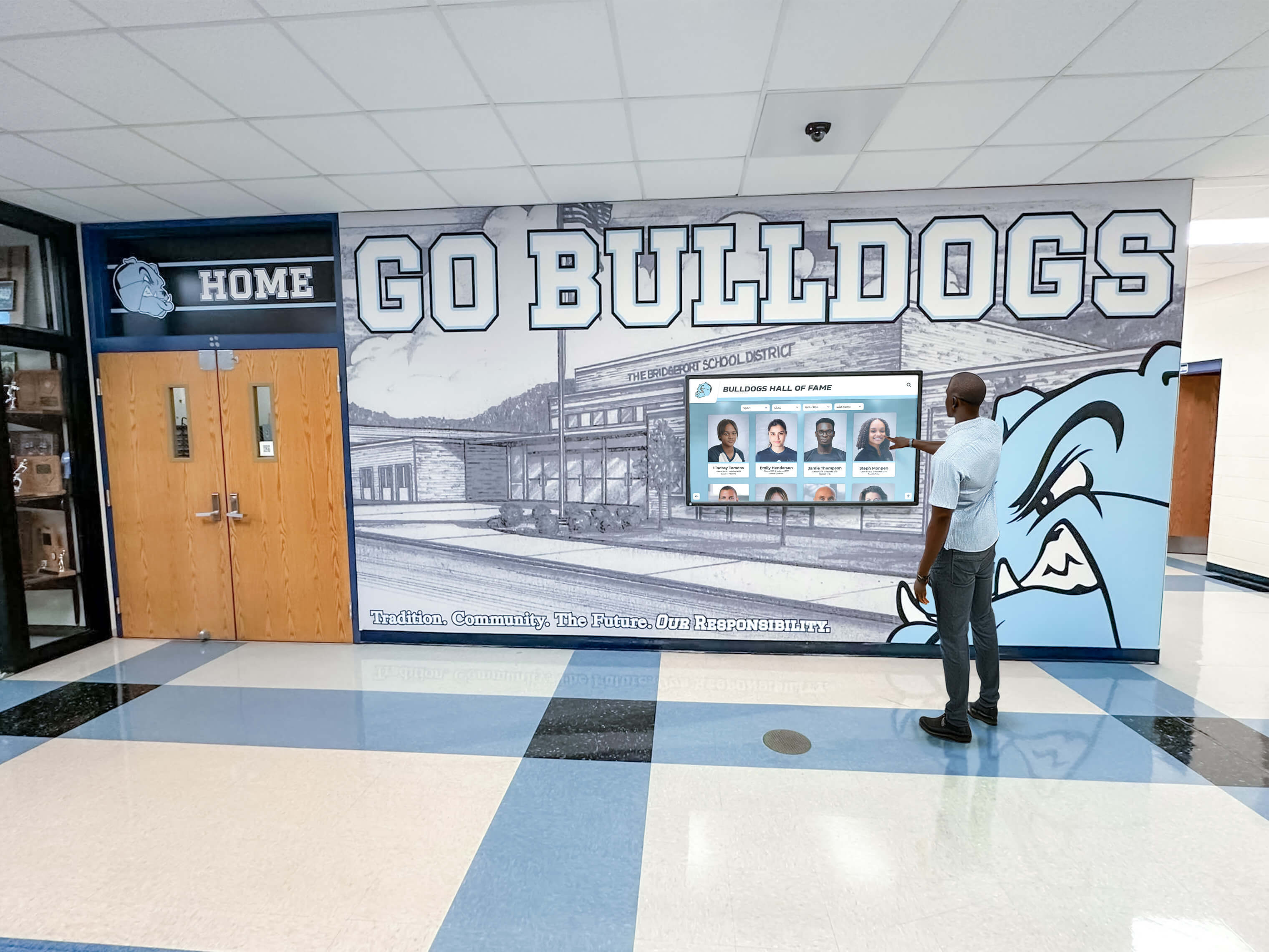
Interactive displays positioned throughout campus support self-guided exploration for prospective students and visiting families
Virtual Tour Integration For families unable to visit campus in person, directory content can integrate with virtual tour platforms. The same information architecture and visual presentation used in physical kiosks extends to online experiences, creating consistency across in-person and remote exploration.
Time-Shifted Access Self-guided options accommodate families whose schedules don’t align with standard tour times, increasing accessibility for working parents, students traveling significant distances, or international families visiting during breaks from their home institutions.
Recruitment Measurement and Analytics
Interactive systems provide valuable data supporting admissions assessment and strategy:
Engagement Metrics Usage analytics reveal which information prospective students explore most frequently, how long families engage with different content types, and which campus features generate greatest interest. This data informs admissions messaging and tour content refinement.
Geographic and Demographic Patterns When directories collect minimal visitor information (zip codes, intended majors), aggregate data reveals recruitment patterns, identifies underrepresented geographic markets, and highlights academic program interest trends valuable for enrollment planning.
Conversion Correlation Universities tracking which prospective students engaged with directory systems during campus visits can analyze whether interaction correlates with application submission and enrollment decisions. Strong correlations justify continued technology investment and expansion.
Similar analytics approaches used in high school admissions touchscreen systems demonstrate measurable recruitment impacts of interactive wayfinding technology.
Technical Implementation Considerations
Successfully deploying campus directory systems requires addressing hardware, software, and infrastructure requirements.
Hardware Selection and Specifications
Display Technology and Sizing Outdoor and high-ambient-light locations require high-brightness displays (typically 2,500+ nits) maintaining visibility in direct sunlight. Indoor locations function well with standard 400-700 nit commercial displays. Screen sizes typically range from 32-inch displays for building interiors to 55+ inch outdoor kiosks providing visibility from greater distances.
Touchscreen Technology Capacitive touchscreens provide responsive, smartphone-like user experiences that meet modern expectations. These systems support multi-touch gestures, work with light touches, and maintain responsiveness across temperature ranges. Industrial-grade touch panels withstand heavy use and outdoor conditions.
Enclosure and Mounting Options Outdoor kiosks require weather-resistant enclosures protecting electronics from rain, snow, extreme temperatures, and direct sunlight. Vandal-resistant designs with tempered glass or polycarbonate shields protect against intentional damage. Secure mounting prevents theft while maintaining aesthetic integration with campus architecture.
Environmental Considerations Heating and cooling systems maintain operational temperature ranges in extreme climates. Outdoor displays in northern climates require heating elements preventing condensation and freezing. Southern installations need efficient cooling managing heat generated by high-brightness displays and direct sun exposure.
Power and Connectivity Kiosk locations require electrical power and network connectivity, either through wired Ethernet connections or robust WiFi coverage. Power requirements vary by display size and features but typically need standard 110-120V outlets with 5-15 amp circuits.
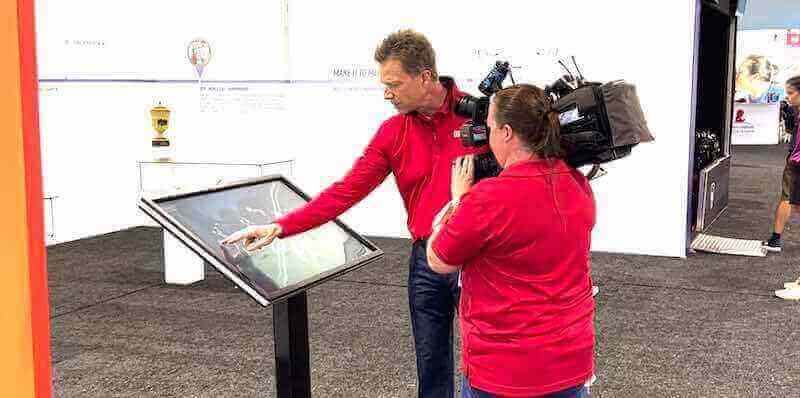
Professional-grade interactive kiosks provide reliable operation in high-traffic institutional environments with intuitive user experiences
Software Platforms and Features
Content Management Systems Cloud-based CMS platforms enable centralized control of all directory displays across campus. Administrators update content from any internet-connected device without visiting individual kiosks. User-friendly interfaces allow non-technical admissions and facilities staff to manage content without IT department involvement for routine updates.
Mapping and Wayfinding Engines Specialized wayfinding software calculates routes, generates turn-by-turn directions, and adapts to campus-specific geography. The best systems accommodate complex campus topologies including multi-level pathways, building tunnels, and accessibility routing requirements.
Integration Capabilities Modern directory platforms integrate with existing campus systems through APIs and data feeds. Common integrations include:
- Student information systems for course locations and academic calendars
- Event management platforms for campus activities and programs
- Facility management systems for building closures and maintenance updates
- Parking management systems for space availability
- Emergency notification systems for alerts and campus safety information
- Mobile campus apps for consistent cross-platform experiences
Analytics and Reporting Built-in analytics track usage patterns, popular searches, most-accessed information, and interaction durations. Reporting dashboards visualize trends helping administrators understand visitor behavior and optimize content based on actual usage data.
Security and Privacy Considerations
Campus directory systems must protect institutional and user information:
Data Collection Limitations Systems should collect minimal personal information, typically limited to usage statistics that don’t identify individual users. If collecting any visitor data (email for maps, survey responses), clear privacy notices and data handling policies must comply with institutional policies and applicable regulations.
Network Security Directory kiosks connected to campus networks require security measures preventing unauthorized access to campus systems. Network segmentation, firewalls, and regular security updates protect against exploitation of kiosk systems as network entry points.
Content Management Access Control Role-based permissions ensure only authorized personnel can modify directory content. Approval workflows prevent unauthorized information publication while maintaining efficient update processes.
Physical Security Vandalism protection through durable enclosures, secure mounting, and monitoring (cameras or security patrol routes) protects hardware investments while deterring malicious tampering with information displays.
Universities implementing types of screens for digital signage should consider similar security and durability requirements across campus display networks.
Measuring Success and Return on Investment
Justifying directory system investment requires demonstrating measurable benefits beyond intuitive wayfinding improvements.
Quantitative Metrics
Usage and Engagement Statistics
- Total interactions and unique sessions over time periods
- Average session duration indicating content value
- Search query analysis revealing visitor information needs
- Peak usage times and seasonal patterns
- Most-accessed content and popular destinations
- Mobile integration adoption rates
Operational Efficiency Improvements
- Reduced calls to information desks and operator services
- Decreased staff time providing directions to visitors
- Fewer reports of lost or disoriented visitors
- Improved on-time arrival rates for admissions appointments
- Reduced late arrivals to new student orientation sessions
Admissions and Recruitment Impacts
- Prospective student satisfaction survey scores
- Campus visit experience ratings and feedback
- Application submission rates among tour participants
- Enrollment conversion rates for students who visited campus
- Geographic diversity improvements in prospective student visits
Accessibility and Inclusion Metrics
- Usage of accessibility features (text-to-speech, high-contrast modes)
- Multilingual content access patterns
- Feedback from visitors with disabilities
- ADA compliance audit results
- Complaints or accommodation requests related to wayfinding
Qualitative Assessment
Stakeholder Feedback Collection Regular surveys and interviews with prospective students, families, current students, faculty, staff, and campus visitors provide qualitative insights about directory system effectiveness. Open-ended feedback reveals unexpected use cases and improvement opportunities quantitative metrics may not capture.
Comparative Analysis Before-and-after studies comparing visitor experiences prior to directory installation with post-implementation experiences demonstrate impact. Controlled comparisons between campus areas with and without interactive directories reveal their specific contributions to navigation success.
External Recognition Campus technology awards, admissions innovation recognition, and accessibility commendations validate directory implementations and provide reputational benefits supporting recruitment and institutional prestige.
Best Practices from Leading Universities
Institutions with successful directory implementations share common strategies worth emulating:
Phased Implementation Approach
Rather than attempting simultaneous campus-wide deployment, successful universities implement directory systems in phases:
Phase 1: High-Priority Locations Initial kiosks at admissions offices, main campus entrances, and central gathering spaces demonstrate value and build momentum for expansion. Early successes generate institutional support for subsequent phases.
Phase 2: Secondary Placement After establishing core directory network, expansion to academic buildings, athletic facilities, and residential areas extends coverage while refinement of content and features continues based on initial usage data.
Phase 3: Comprehensive Coverage Final phases address lower-traffic locations ensuring complete campus coverage and eliminating navigation gaps between primary kiosks.
Continuous Improvement Rather than viewing implementation as complete after hardware installation, leading universities treat directory systems as evolving platforms requiring ongoing content refinement, feature additions, and technology upgrades as capabilities advance.
Cross-Department Collaboration
Effective directory programs involve multiple campus stakeholders:
Admissions and Enrollment Management Drives prospective student content, tour integration, recruitment analytics, and visitor experience priorities.
Facilities and Campus Planning Provides building information, construction updates, accessibility route data, and physical kiosk placement approval.
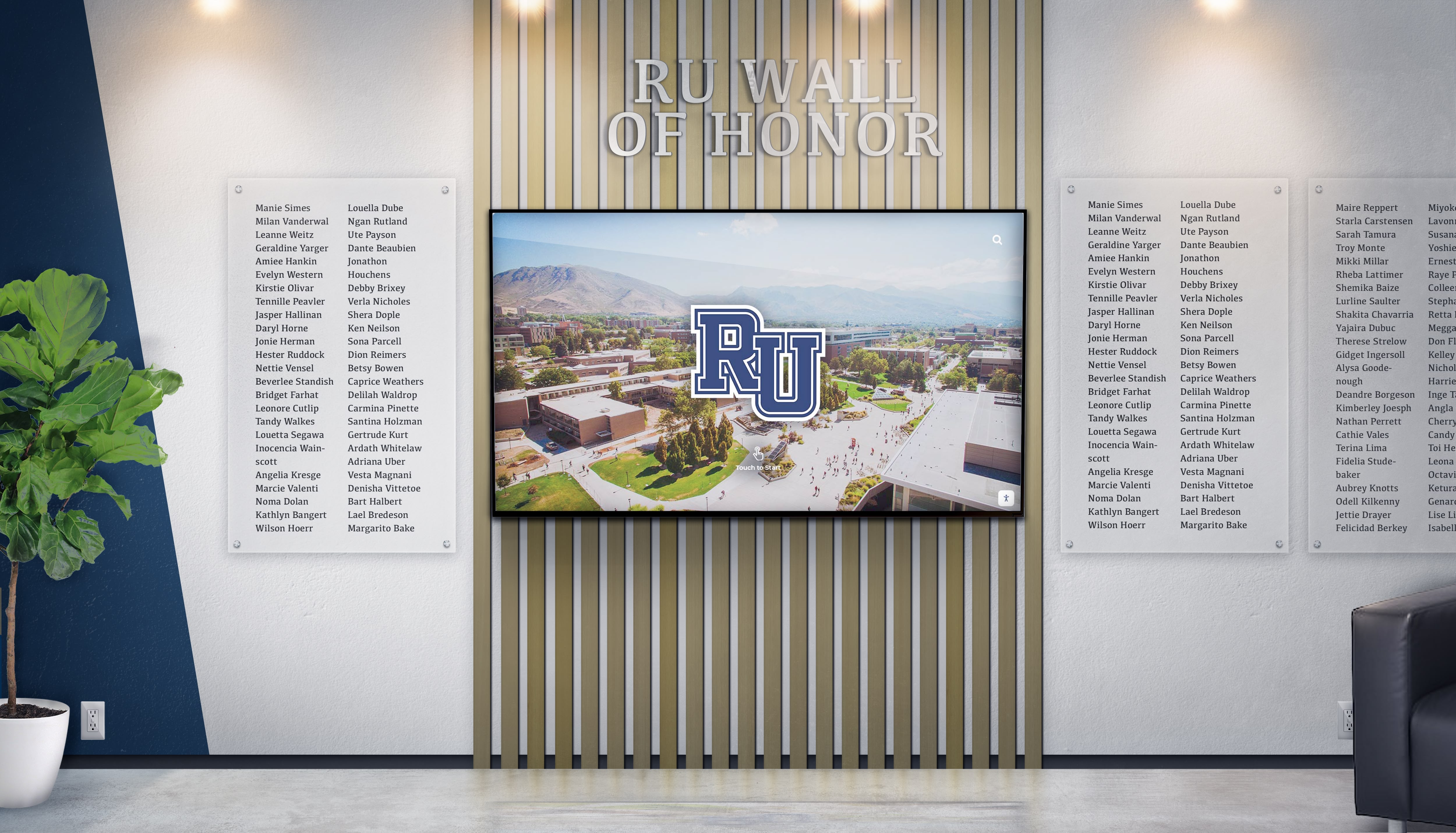
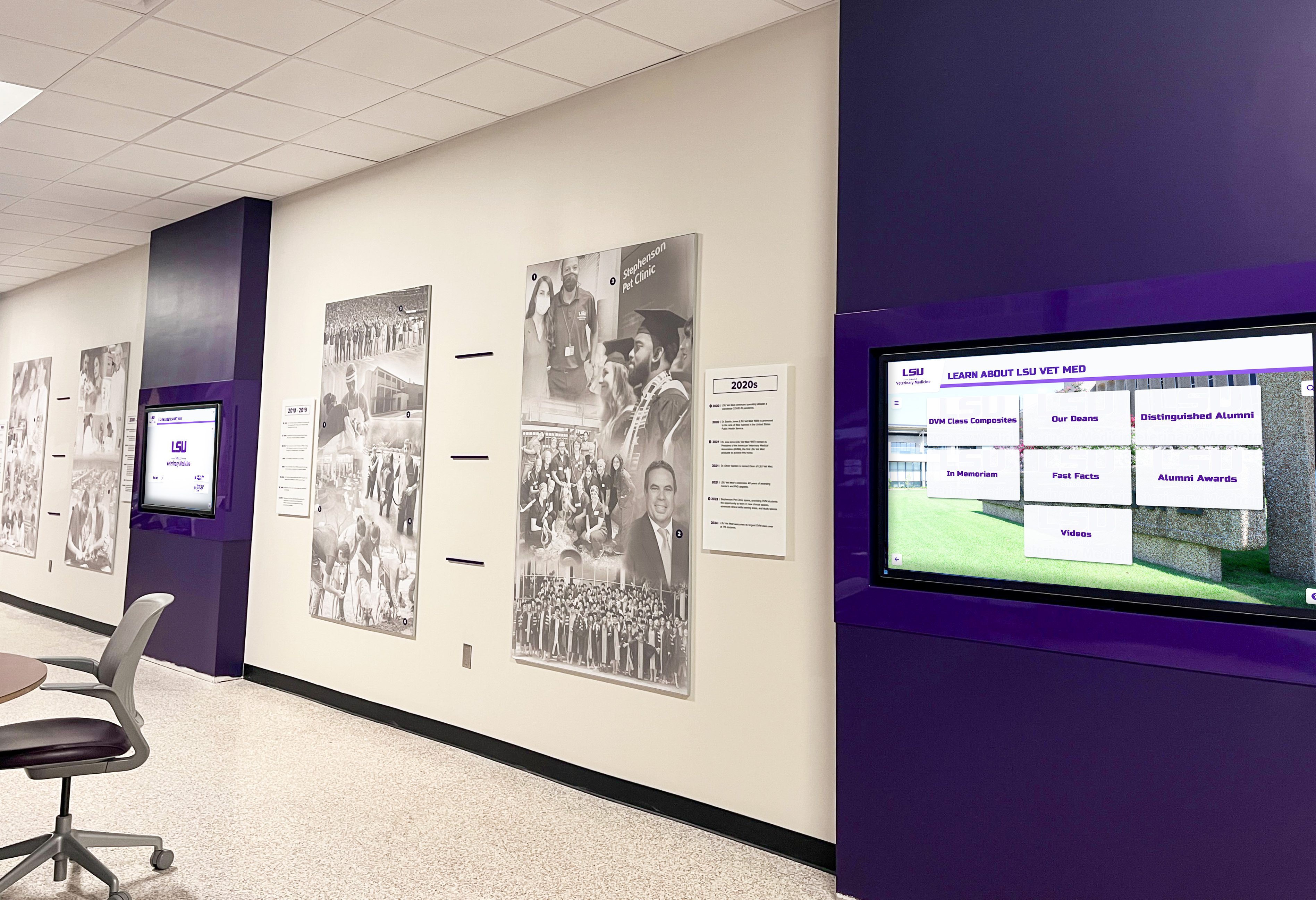
Integrated campus display systems combine wayfinding functionality with recognition programs and institutional storytelling
Information Technology Manages network infrastructure, system security, integrations with campus platforms, and technical support.
Student Affairs and Campus Life Contributes student service information, event content, residential life details, and new student orientation integration.
Marketing and Communications Ensures brand consistency, provides multimedia content, coordinates messaging across channels, and leverages directory analytics for institutional storytelling.
Accessibility Services Advises on accessibility features, tests accommodations, provides feedback from students with disabilities, and ensures compliance with regulations.
This collaborative approach ensures directory systems serve diverse campus needs while maintaining consistent content quality and strategic alignment.
Maintenance and Update Protocols
Successful directories remain valuable through systematic maintenance:
Regular Content Reviews Monthly audits verify information accuracy, identify outdated content, and ensure construction changes or department relocations are reflected promptly. Scheduled reviews prevent gradual drift toward outdated information that erodes user trust.
Seasonal Content Updates Academic calendar transitions trigger content emphasis shifts. Fall admissions season, new student orientation, homecoming and family weekends, and end-of-semester periods each warrant content adjustments reflecting current campus priorities.
User Feedback Integration Comment features, survey links, and reported issue mechanisms enable users to identify problems or suggest improvements. Regular review of feedback ensures continuous enhancement based on actual user experiences.
Technology Refresh Planning Hardware and software eventually become outdated. Successful universities budget for technology refresh cycles (typically 5-7 years for hardware, more frequent software updates) ensuring directory systems maintain modern functionality and user expectations.
Future Trends in Campus Wayfinding Technology
Emerging technologies will continue enhancing interactive directory capabilities:
Artificial Intelligence Integration
AI-powered features provide increasingly sophisticated user experiences:
Natural Language Processing Voice-activated searches enable hands-free interaction particularly valuable for accessibility. Conversational interfaces understand questions like “Where can I get lunch?” or “How do I get to the engineering building?” without requiring specific search term knowledge.
Intelligent Recommendations Machine learning algorithms suggest relevant information based on user behavior patterns. A prospective student searching for chemistry department information might receive automatic suggestions for related laboratory facilities, faculty research areas, and chemistry club information.
Predictive Routing AI systems learn traffic patterns, construction impacts, and event-related congestion to optimize route recommendations based on current campus conditions beyond static mapping data.
Augmented Reality Applications
AR capabilities overlay digital wayfinding information onto real-world camera views:
Real-Time Navigation Overlays Smartphone cameras display directional arrows and destination markers overlaid on live video feed as users walk, creating intuitive visual guidance eliminating need to interpret traditional maps.
Building and Landmark Recognition AR systems identify buildings and landmarks captured in camera views, automatically displaying relevant information without requiring manual searches or selections.
Virtual Program Previews Prospective students point devices at academic buildings to access augmented content showing classroom interiors, faculty introductions, and program highlights without entering buildings during after-hours visits.
Advanced Personalization
Future directory systems will offer unprecedented customization:
Individual User Profiles Visitors create profiles storing preferences, favorite locations, accessibility needs, and interests. Returning to campus triggers automatic personalization based on previous visits and saved information.
Contextual Adaptation Systems recognize user location, time of day, weather conditions, and current campus events to proactively surface relevant information and route recommendations without requiring explicit searches.
Cross-Platform Continuity Seamless experiences across physical kiosks, mobile apps, web interfaces, and virtual reality campus tours maintain consistent information architecture and user preferences regardless of access method.
Solutions like those offering best touchscreen software for Mac and other platforms demonstrate the expanding ecosystem of interactive technologies supporting campus information needs.
Getting Started: Implementation Roadmap
Universities considering interactive directory systems should follow structured implementation approaches:
Phase 1: Needs Assessment and Planning (1-2 months)
Stakeholder Engagement Form cross-departmental committee including representatives from admissions, facilities, IT, student affairs, accessibility services, and campus planning. Document each group’s priorities and requirements for directory functionality.
Campus Analysis Conduct wayfinding audit identifying high-traffic areas, common visitor confusion points, current signage gaps, and priority locations for initial kiosk placement. Survey prospective students, new students, and visitors about navigation challenges.
Requirements Documentation Define essential features, content needs, accessibility requirements, integration priorities, and success metrics that will guide vendor selection and system design.
Budget Development Establish realistic budget including hardware, software licensing, installation, content development, training, and ongoing maintenance costs. Identify funding sources and approval processes.
Phase 2: Vendor Selection and System Design (2-3 months)
RFP Development and Vendor Evaluation Issue detailed request for proposals specifying requirements, evaluate vendor responses against documented needs, and check references from similar institutions. Prioritize vendors with educational institution experience and comprehensive support offerings.
System Architecture Planning Work with selected vendor to design content architecture, user interface mockups, integration approaches, and implementation timeline. Ensure designs address documented needs and incorporate stakeholder feedback.
Pilot Location Selection Identify 1-3 pilot locations for initial deployment enabling testing and refinement before campus-wide expansion. Typical pilot sites include main admissions office, primary campus entrance, and largest academic building.
Phase 3: Development and Installation (3-4 months)
Content Creation Develop comprehensive content including building directory, campus maps, photography, video content, department information, and all categories required for full functionality. Establish content update workflows and assign ongoing management responsibilities.
Hardware Procurement and Installation Order kiosks and displays, complete site preparation including electrical and network infrastructure, and install hardware. Conduct thorough testing of all features and integrations before public launch.
Staff Training Train admissions staff, facilities personnel, IT support teams, and content administrators on system operation, content management, troubleshooting, and visitor assistance.
Phase 4: Launch and Optimization (Ongoing)
Soft Launch and Testing Enable systems with select user groups (campus tour guides, student orientation leaders) for testing and feedback collection before general public access.
Public Launch Announce directory availability through admissions communications, website updates, campus signage, and orientation materials. Monitor usage closely during initial weeks identifying technical issues or content gaps.
Continuous Assessment Review analytics monthly, collect user feedback regularly, and make iterative improvements to content, features, and functionality. Plan expansion to additional locations based on pilot success.
Long-Term Evolution Stay current with technology advances, plan hardware refresh cycles, explore emerging features like AR and AI, and maintain alignment with evolving campus needs and visitor expectations.
Transform Your Campus Wayfinding Experience
Discover how Rocket Alumni Solutions creates intuitive interactive touchscreen directory systems specifically designed for colleges and universities. Our cloud-based platforms streamline campus navigation, enhance prospective student experiences, and provide comprehensive information access that supports recruitment and supports all visitors.
Explore Campus Directory SolutionsConclusion: Creating Welcoming, Navigable Campuses
Interactive touchscreen directory displays represent far more than technological amenities—they’re strategic investments in visitor experience, accessibility, and institutional reputation that yield measurable returns through improved recruitment, reduced operational costs, and enhanced campus community support.
As college campuses continue growing in complexity and prospective students increasingly expect sophisticated digital experiences, comprehensive wayfinding solutions transition from competitive advantages to baseline expectations. Universities implementing thoughtful, user-centered directory systems demonstrate commitment to supporting all visitors regardless of familiarity with campus, physical abilities, or language backgrounds.
The most successful implementations view directories not as isolated technology projects but as integrated components of comprehensive campus experience strategies. They connect physical wayfinding with mobile access, link navigation functionality with campus storytelling, and evolve continuously based on user feedback and advancing capabilities.
Whether your institution is beginning to explore interactive directory options or ready to expand existing systems, prioritizing intuitive design, comprehensive content, strategic placement, and inclusive accessibility ensures investments deliver lasting value. The strategies explored in this guide provide frameworks for creating wayfinding solutions that welcome every visitor, support successful navigation, and contribute to positive campus experiences that influence enrollment decisions and institutional reputation.
Your campus community—prospective students discovering your institution for the first time, new students finding their way during orientation, visiting families attending performances and athletic events, conference attendees navigating during major gatherings—all deserve navigation support that reflects institutional excellence. Interactive touchscreen directory systems make that sophisticated wayfinding assistance achievable, sustainable, and continuously improvable.
Ready to enhance campus wayfinding at your institution? Start by assessing current navigation challenges, engaging stakeholders across departments, and exploring proven interactive touchscreen solutions adapted for higher education environments. With thoughtful planning, appropriate technology selection, and commitment to continuous improvement, your campus can provide exceptional wayfinding experiences that welcome every visitor and showcase institutional innovation.































