Schools face unprecedented communication challenges in 2026. Between managing daily announcements, celebrating student achievements, guiding campus visitors, sharing emergency alerts, recognizing donors, and maintaining connection with diverse stakeholder groups, educational institutions need communication tools that deliver the right message to the right audience at the right time. Traditional bulletin boards, paper flyers, and static posters no longer meet these complex demands.
Digital signage displays have emerged as transformative solutions for educational environments. These dynamic communication systems replace outdated analog methods with interactive touchscreen technology, cloud-based content management, and real-time information delivery that keeps school communities informed, engaged, and connected. When implemented strategically, digital signage becomes far more than electronic bulletin boards—it creates comprehensive communication ecosystems supporting educational missions across academics, athletics, development, and community engagement.
This comprehensive guide explores how schools are leveraging digital signage displays to revolutionize campus communication, what makes effective educational signage implementations successful, and how institutions of all sizes can deploy these powerful tools to strengthen school culture while streamlining information delivery.

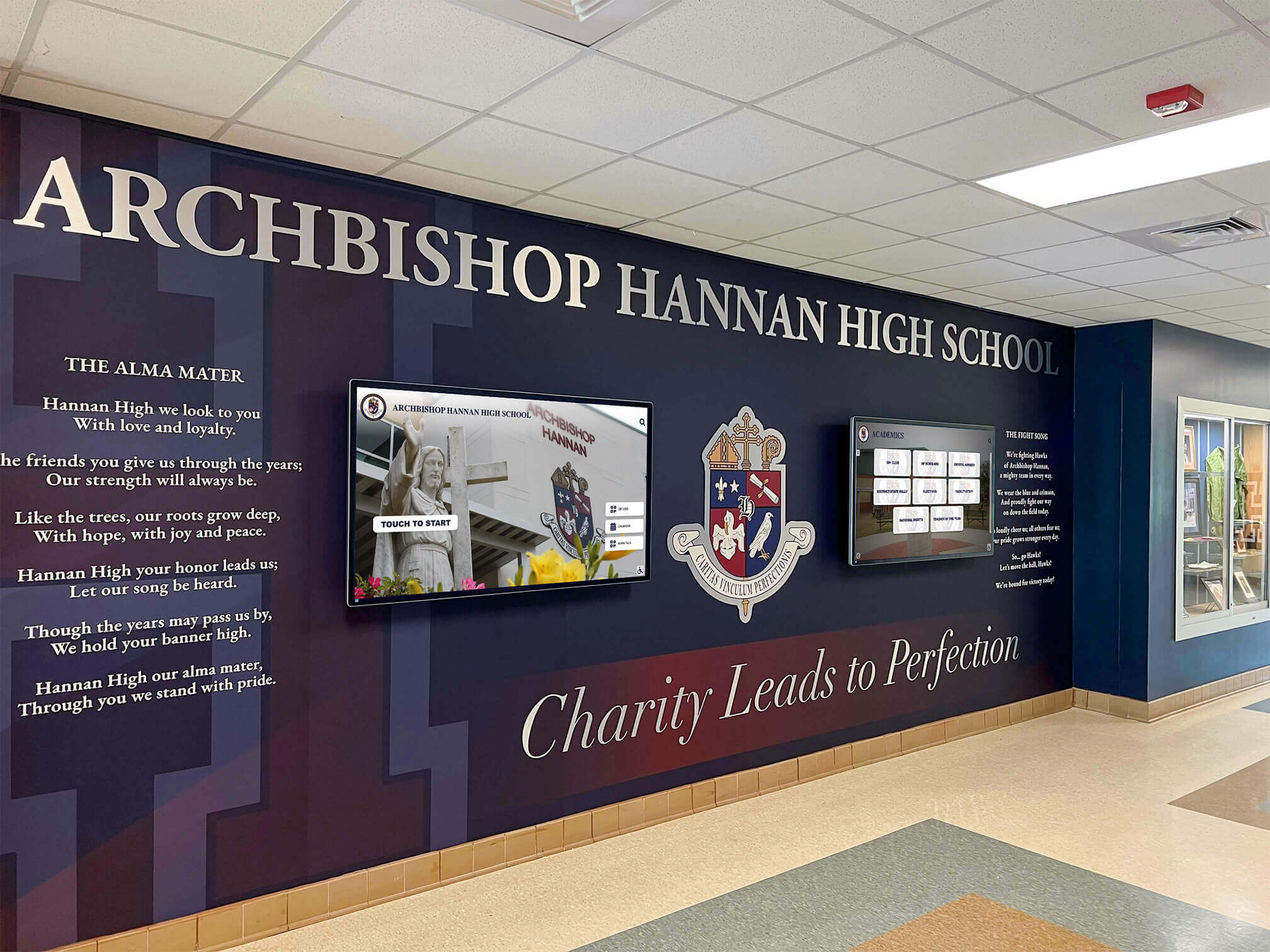
Modern school lobbies integrate digital displays seamlessly with architectural design, creating welcoming communication hubs
Understanding Digital Signage Displays in Educational Contexts
Before exploring implementation strategies, understanding what distinguishes effective educational digital signage from generic commercial displays helps schools make informed technology decisions.
What Makes Educational Digital Signage Different
Educational institutions have unique communication requirements that differentiate their needs from corporate or retail environments:
Multiple Stakeholder Audiences
Schools communicate simultaneously with diverse groups requiring different information:
- Students needing daily schedules, announcements, and event details
- Faculty requiring professional development updates and administrative notices
- Parents seeking student achievement recognition and school news
- Visitors needing wayfinding assistance and campus information
- Alumni maintaining connection with institutional progress
- Donors receiving acknowledgment and impact communication
- Community members engaging with school events and facilities
Generic digital signage struggles to serve these varied audiences effectively without purpose-built features enabling targeted content delivery.
Educational Mission Alignment
School communication infrastructure must reinforce educational values through recognition programs celebrating student achievement, transparency sharing institutional decisions and policies, inclusivity ensuring all community members feel represented, safety delivering critical information during emergencies, and cultural building strengthening school identity and tradition.
Effective digital signage displays become extensions of educational mission rather than simply information delivery mechanisms.
Budget Consciousness with Long-Term Value
Educational budgets demand careful spending justification. Schools need solutions offering reasonable initial investment aligning with institutional budgets, minimal ongoing costs avoiding recurring expenses that strain operations, longevity supporting 7-10 year lifecycles typical of capital investments, and scalability enabling phased implementation as funding becomes available.
Understanding these unique requirements helps schools evaluate digital signage solutions aligned with educational contexts rather than forcing commercial products into educational environments where they fit poorly.
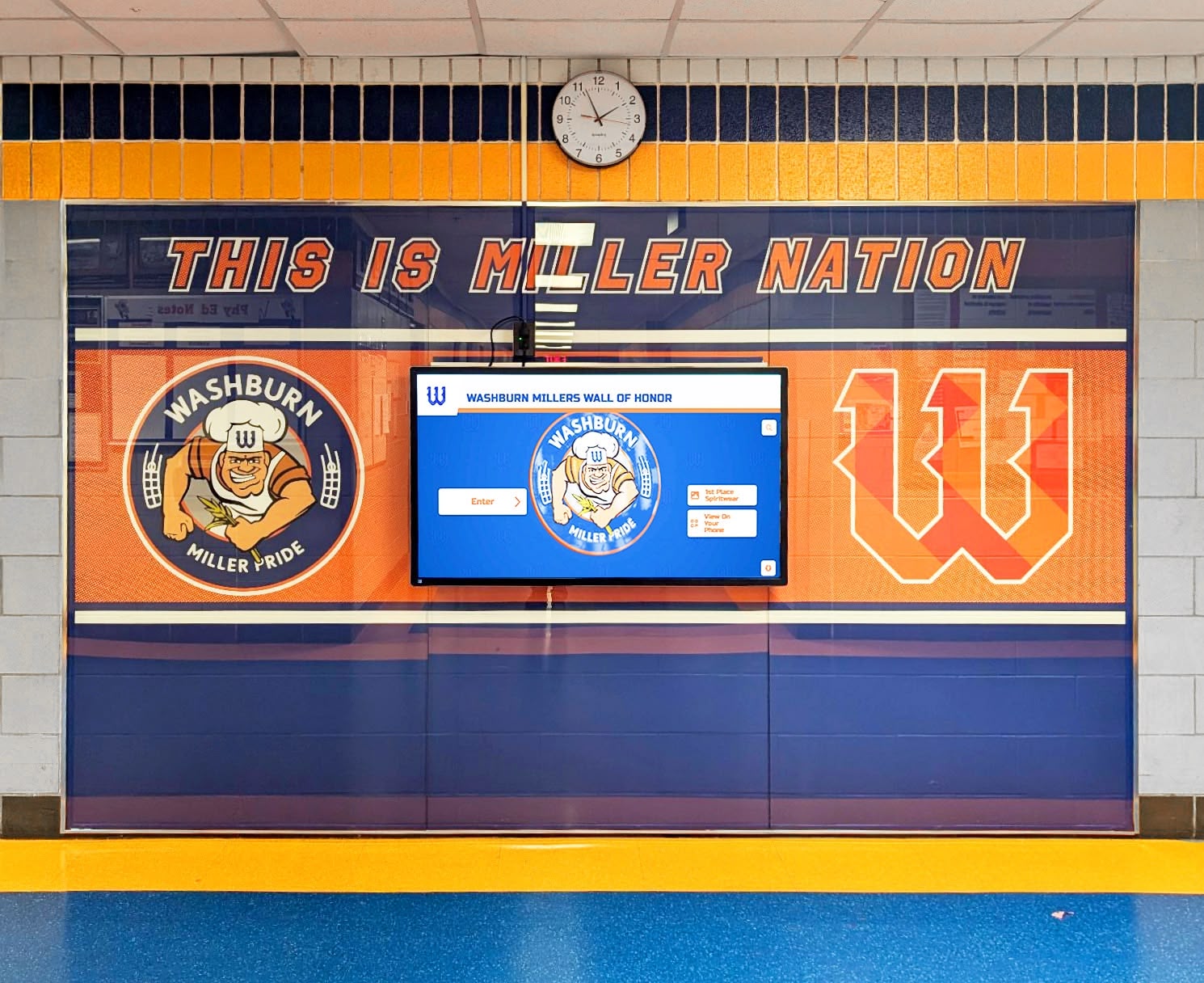
Strategically placed displays in high-traffic hallways maximize visibility while providing interactive information access
Core Components of School Digital Signage Systems
Comprehensive educational signage systems integrate several elements working together seamlessly:
Display Hardware
Physical screens represent the most visible system component:
- Commercial-grade displays rated for continuous operation in high-traffic environments
- Screen sizes ranging from 43 inches for focused applications to 75+ inches for large spaces
- Touchscreen capabilities enabling interactive applications like wayfinding and recognition displays
- Mounting options including wall-mounted, freestanding kiosks, or ceiling-suspended configurations
- Weatherproof enclosures for outdoor installations at athletic facilities or campus entrances
- Energy-efficient LED technology reducing operational costs
Quality hardware selection ensures reliable performance throughout expected 7-10 year lifecycles typical of educational capital investments.
Content Management Platform
Behind-the-scenes software enables the dynamic content that makes digital signage valuable:
- Cloud-based administration accessible from any internet-connected device
- Intuitive interfaces requiring no technical expertise for daily operations
- Template libraries enabling rapid professional content creation
- Scheduling capabilities automating content rotation by time, date, or event
- Multi-user access with role-based permissions appropriate for educational hierarchies
- Media libraries organizing images, videos, and graphics for reuse
- Preview functionality ensuring content appears correctly before publication
Schools exploring comprehensive digital signage services should prioritize platforms specifically designed for educational environments rather than generic commercial solutions.
Network Infrastructure
Reliable connectivity underpins effective digital signage:
- Wired ethernet connections providing stable, high-bandwidth delivery
- WiFi capabilities enabling flexible display placement when wiring proves challenging
- Content caching ensuring displays continue operating during network disruptions
- Bandwidth management preventing signage from affecting instructional technology
- Security protocols protecting systems from unauthorized access
- Remote management enabling troubleshooting without physical access
Media Players and Controllers
Computing devices drive display content:
- Dedicated media players like Raspberry Pi or commercial signage players
- System-on-chip displays with built-in computing eliminating separate player needs
- Processing power appropriate for content complexity and interactivity requirements
- Storage capacity for cached content ensuring offline operation
- Automatic recovery rebooting systems after power disruptions
- Remote update capabilities enabling centralized maintenance
Strategic Applications: Where Digital Signage Creates Greatest Impact
Educational digital signage serves diverse functions across campus locations. Understanding strategic applications helps schools prioritize implementations delivering maximum value.
Student Recognition and Achievement Celebration
Digital displays excel at honoring student accomplishments across all domains:
Academic Excellence Recognition
- Honor roll displays updating automatically each marking period
- National Merit Scholars and AP achievement recognition
- Perfect attendance acknowledgment celebrating consistency
- Academic competition success from quiz bowl to debate tournaments
- Scholarship winners highlighting post-secondary opportunities
- Graduation recognition celebrating senior class achievements
Unlike traditional trophy cases limited by physical space, digital recognition displays accommodate unlimited students through searchable databases and rotating presentations ensuring every achievement receives appropriate visibility.
Schools implementing digital displays for student recognition report significant improvements in student motivation and school culture.
Athletic Achievement Celebration
- Team championship recognition with photos and season highlights
- Individual record-breakers and milestone achievements
- All-conference, all-state, and all-American selections
- State tournament qualifiers and competitors
- Athlete of the week/month features rotating regularly
- Historical records connecting current athletes with school traditions
Digital systems ensure all sports receive equal recognition visibility, addressing common concerns that high-profile programs overshadow smaller sports in traditional physical displays.
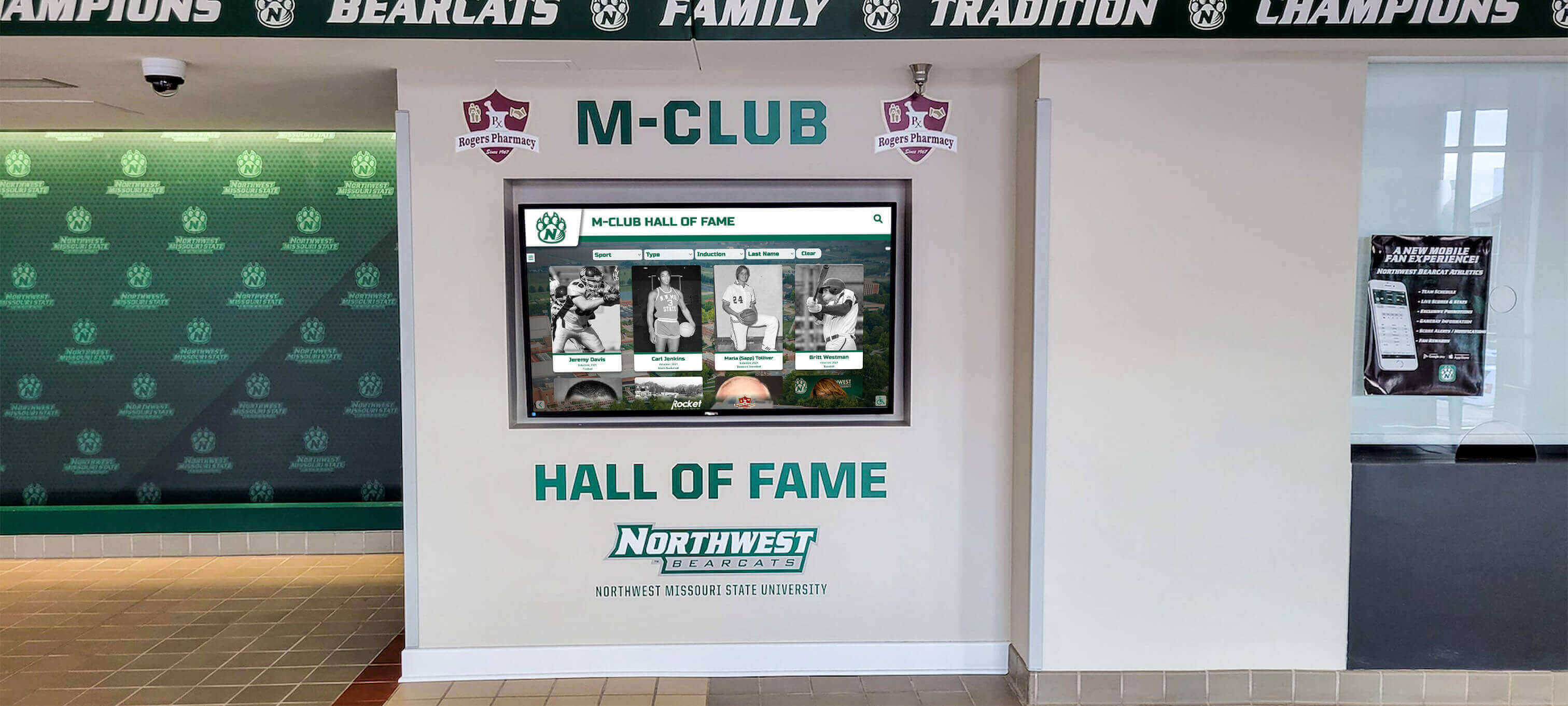
Comprehensive athletic displays celebrate team achievements, individual records, and program history in engaging formats
Performing Arts and Co-Curricular Honors
- All-state music selections and competition achievements
- Theater production cast and crew recognition
- Visual arts exhibition and competition success
- Robotics, debate, and academic competition team achievements
- Student leadership and service hour milestones
- Club accomplishments across diverse interest areas
Comprehensive recognition ensures all valuable contributions receive visibility, not just traditional academic and athletic achievements.
Daily Communication and Announcements
Real-time information delivery keeps school communities informed and connected:
Morning Announcements and Daily Information
- Daily schedules including special events, assemblies, and early dismissals
- Lunch menus and nutritional information
- Upcoming deadlines for assignments, applications, or permission forms
- Weather updates and outdoor activity decisions
- Transportation changes and bus route modifications
- After-school activity schedules and meeting locations
Digital displays distributed throughout buildings ensure information reaches students regardless of whether they hear traditional PA announcements.
Event Promotion and Calendar Management
- Athletic game schedules with opponent information and start times
- Performing arts events from concerts to theater productions
- Parent-teacher conference scheduling and registration
- College visits and admissions representative meetings
- Testing schedules for SAT, ACT, and state assessments
- Community events utilizing school facilities
Calendar integration with digital signage content management systems enables automatic event promotion without manual content creation for each item.
Emergency Alerts and Safety Communication
- Lockdown procedures and safety protocol instructions
- Severe weather warnings and shelter-in-place directions
- Evacuation routes and assembly point guidance
- Emergency contact information for security personnel
- All-clear notifications resuming normal operations
- Practice drill schedules and safety training reminders
Integration with emergency notification systems enables instant communication during critical situations when every second matters.
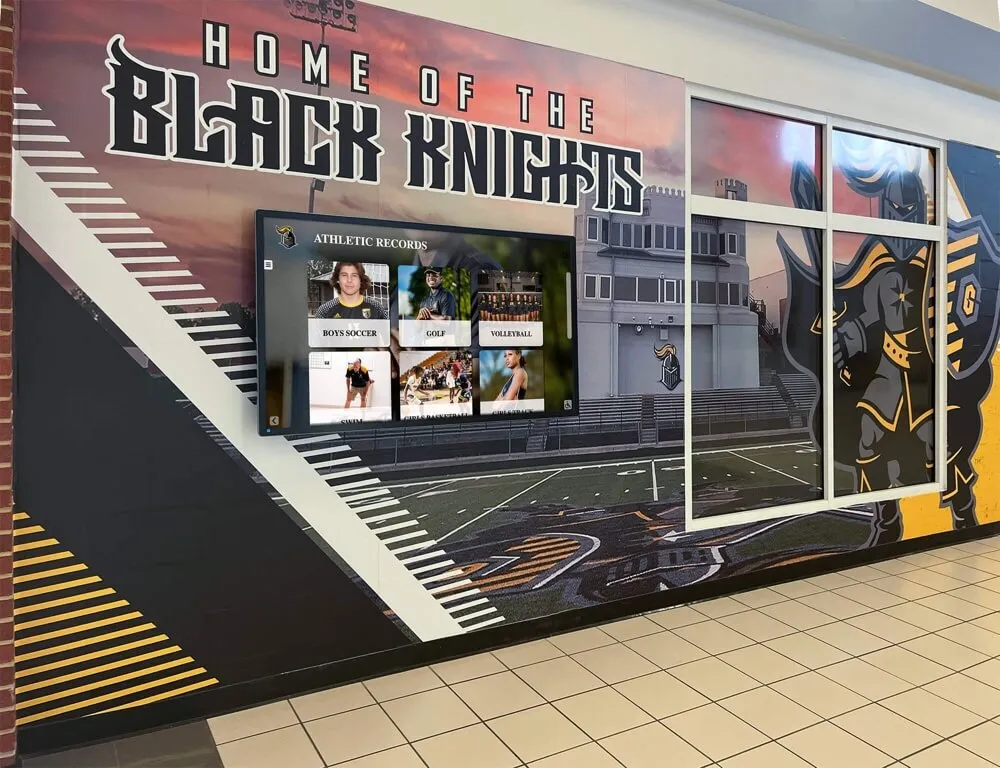
Hallway displays combine announcements, recognition, and wayfinding in high-visibility locations
Wayfinding and Campus Navigation
Interactive displays help visitors navigate complex campus environments:
Visitor Wayfinding Assistance
- Interactive campus maps with searchable locations
- Department directories helping visitors find specific offices
- Event location guides directing attendees to activities
- Parking information and facility access instructions
- Public transportation connections and pick-up locations
- Accessibility route guidance for mobility-impaired visitors
Touchscreen wayfinding significantly improves visitor experience while reducing office staff time spent providing directions.
Student Navigation Support
- Class schedule displays near common gathering areas
- Bell schedule reminders preventing tardy arrivals
- Lunch period rotation information for multi-period lunch schedules
- Room locator assistance helping new students find classrooms
- Activity location guidance for clubs and organizations
- Facility reservation information showing space availability
Digital wayfinding particularly benefits large campuses where new students, substitute teachers, and visitors frequently become disoriented.
Donor Recognition and Advancement Communication
Educational development departments leverage digital displays for donor stewardship:
Comprehensive Donor Recognition
- Giving level categories organizing recognition by contribution tiers
- Campaign progress displays showing fundraising momentum
- Named endowment fund acknowledgment
- Capital project donor walls for building campaigns
- Annual fund contributor listings updating throughout fiscal years
- Legacy society recognition honoring planned giving commitments
Understanding digital donor wall implementation helps development offices create compelling recognition appropriate for educational contexts.
Impact Storytelling and Mission Communication
- Scholarship recipient profiles demonstrating donor investment impact
- Program enhancement descriptions showing how gifts improve education
- Student testimonials thanking supporters for opportunities created
- Photo galleries documenting facility improvements and program expansion
- Historical giving trends celebrating long-term community support
- Future vision presentations inspiring continued philanthropy
Digital displays transform donor recognition from static name lists into compelling storytelling that deepens emotional connection with institutional mission.
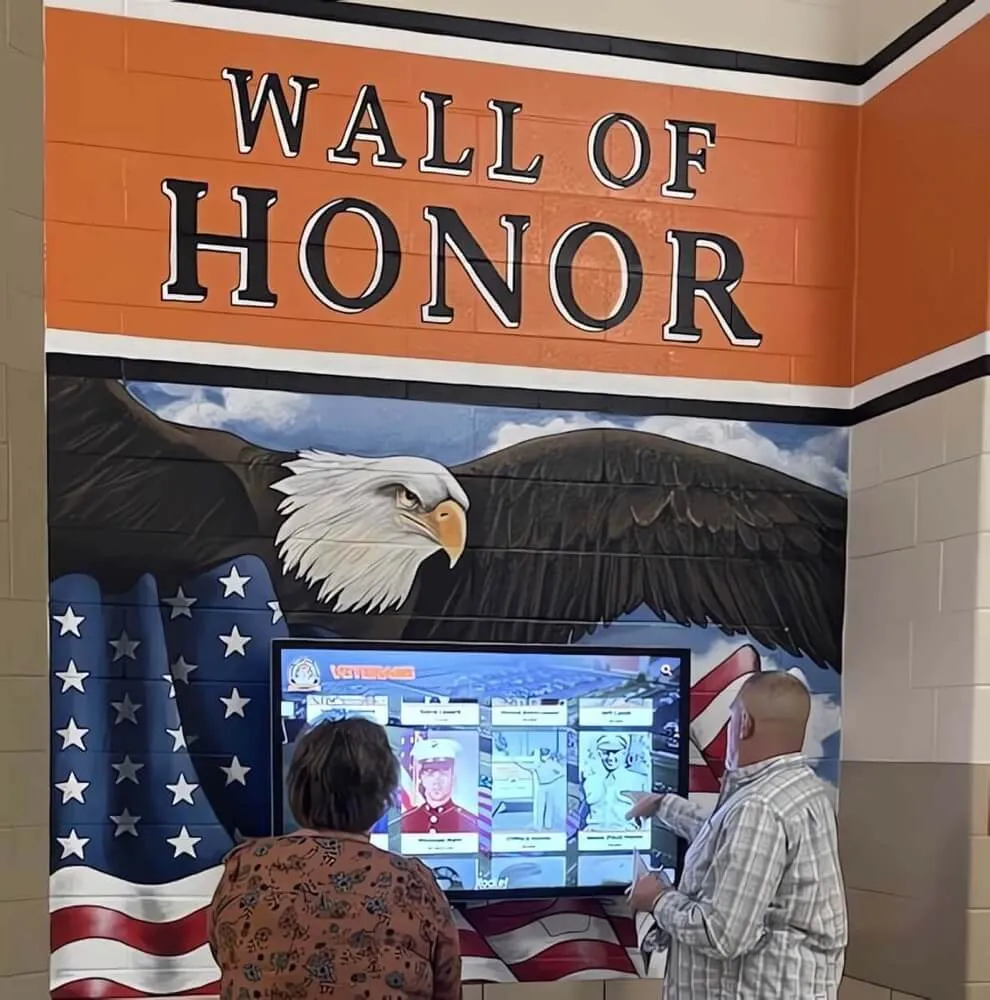
Interactive donor recognition displays enable exploration of giving history and impact stories
Implementation Planning: Building Successful Digital Signage Programs
Strategic planning distinguishes successful implementations from underutilized technology investments. Systematic approaches ensure digital signage delivers intended value.
Needs Assessment and Goal Definition
Begin with comprehensive evaluation of communication challenges and opportunities:
Current Communication Audit
Analyze existing approaches identifying strengths and limitations:
- Inventory all current communication methods and their effectiveness
- Identify information that fails to reach intended audiences consistently
- Evaluate time staff spends on manual communication tasks
- Assess stakeholder satisfaction with current information access
- Document physical spaces available for display installations
- Review technology infrastructure supporting digital communication
Strategic Goal Establishment
Define specific objectives digital signage should accomplish:
- Communication efficiency improvements reducing manual effort
- Information reach expansion ensuring messages reach all stakeholders
- Student recognition enhancement celebrating more achievements comprehensively
- Visitor experience improvement through wayfinding and information access
- School culture strengthening through values communication and tradition preservation
- Revenue generation support through donor recognition and event promotion
Clear goals enable evaluation of whether implementations succeed and provide ROI justification for initial investments.
Stakeholder Engagement Process
Involve key constituencies ensuring broad support and addressing diverse needs:
- Administrative leadership input on institutional priorities and messaging
- Faculty perspectives on classroom disruption concerns and information needs
- Student feedback on content preferences and engagement expectations
- Parent representatives ensuring family communication preferences consideration
- Technology staff assessment of infrastructure requirements and support capacity
- Facilities management input on installation logistics and maintenance
Comprehensive stakeholder engagement prevents implementations that serve only narrow constituencies while missing important needs or creating unforeseen problems.
Location Strategy and Display Placement
Strategic placement maximizes visibility and functional value:
High-Traffic Location Identification
Position displays where they’ll receive maximum exposure:
- Main entrance lobbies reaching all visitors and daily arrivals
- Cafeteria and commons areas where students gather during breaks
- Main hallway intersections ensuring passage during class transitions
- Athletic facility entrances serving game attendees and daily practices
- Administrative office waiting areas reaching parents during visits
- Library and student services areas supporting student information needs
Schools implementing comprehensive digital recognition display networks typically begin with 3-5 strategic locations before expanding based on initial success.
Purpose-Specific Display Applications
Match display types to functional requirements:
- Large non-interactive displays for passive viewing of announcements and recognition
- Interactive touchscreen kiosks for wayfinding, detailed recognition exploration, and directory information
- Outdoor displays at athletic facilities and campus entrances withstanding weather exposure
- Narrow digital bulletin boards replacing traditional cork boards in hallways
- Video walls creating dramatic impact in large gathering spaces
Different locations and purposes require different hardware specifications and content approaches.
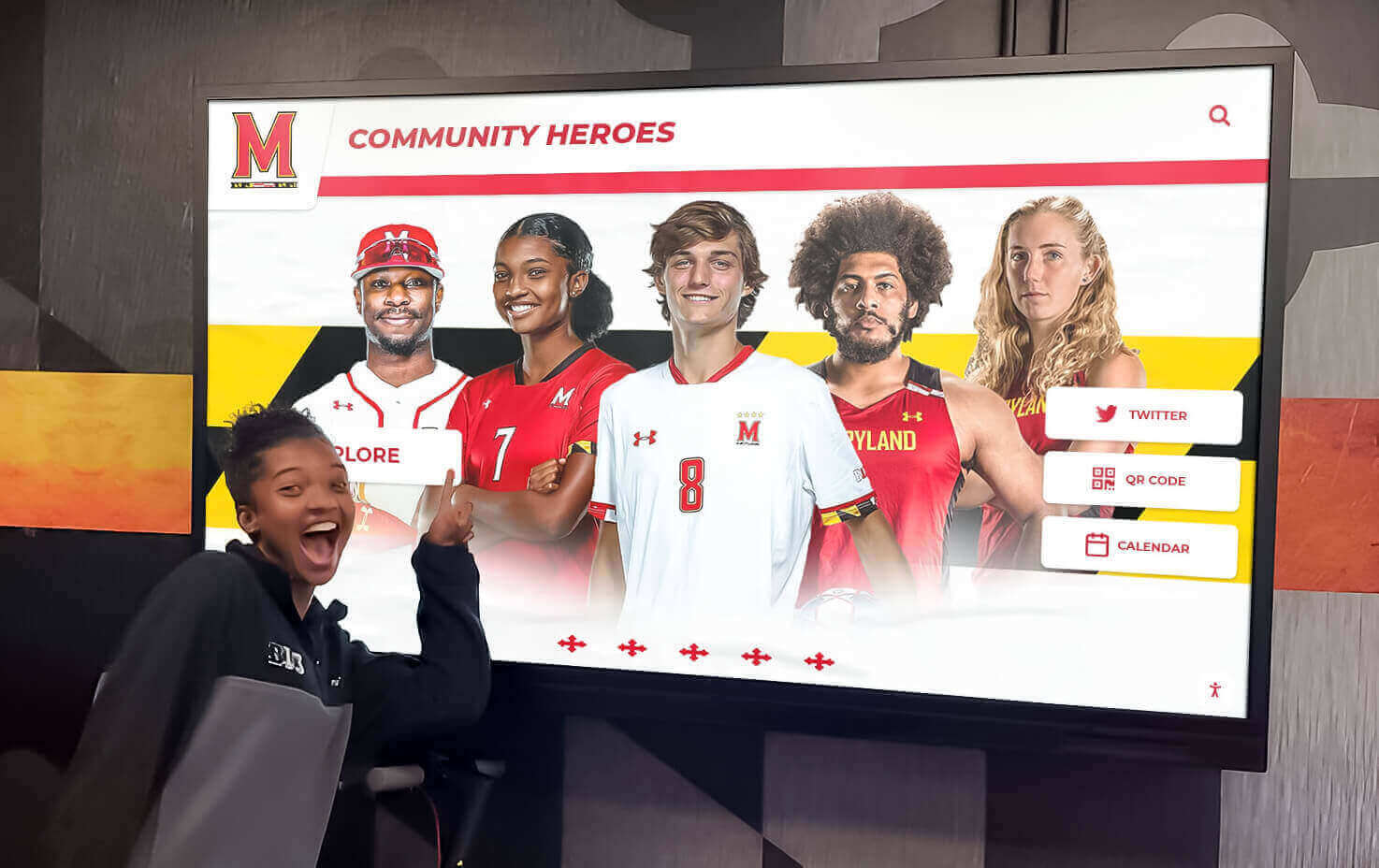
Well-placed recognition displays become destinations where students explore achievements and celebrate peers
Technical Infrastructure Requirements
Ensure locations support display operations:
- Electrical power access or installation feasibility
- Network connectivity via ethernet or reliable WiFi
- Ambient lighting conditions affecting screen visibility
- Viewing distances determining appropriate screen sizes
- Physical mounting surfaces providing secure installation
- Accessibility compliance with ADA height and approach requirements
- Security considerations in locations with limited supervision
Infrastructure assessment prevents selecting locations that create expensive installation complications or operational problems.
Content Strategy and Management Planning
Sustainable programs require thoughtful content approaches:
Content Categories and Ownership
Define what displays will show and who manages each content type:
- Daily announcements managed by administrative offices or student government
- Academic recognition coordinated by counseling or academic departments
- Athletic achievements managed by athletic directors and coaches
- Performing arts recognition coordinated by fine arts departments
- Donor acknowledgment maintained by development offices
- Emergency communications controlled by administration and security
Clear content ownership prevents displays from sitting unused because no one assumes responsibility for updates.
Update Frequency and Scheduling
Establish rhythms maintaining content freshness:
- Real-time announcements updating as events occur
- Daily information refreshing each morning before student arrival
- Weekly recognition additions acknowledging ongoing achievements
- Seasonal content rotating quarterly reflecting annual school calendar
- Historical archives remaining available for exploration indefinitely
Appropriate update frequencies balance currency with sustainable workload for content managers.
Design Standards and Branding Guidelines
Maintain visual consistency and professional appearance:
- Color schemes reflecting school branding and athletic colors
- Typography guidelines ensuring readability from viewing distances
- Logo usage standards maintaining brand integrity
- Template libraries enabling consistent content creation
- Image quality requirements ensuring professional presentation
- Accessibility standards supporting all users
Institutions exploring comprehensive digital showcase platforms should prioritize solutions offering robust design customization aligned with institutional branding.
Technology Selection and Vendor Evaluation
Choosing appropriate solutions requires systematic evaluation:
Hardware Specification Development
Define requirements based on applications and locations:
- Screen size appropriate for viewing distances (43-55" for typical hallways, 65-75" for large spaces)
- Touchscreen capability when interactive applications needed
- Commercial-grade durability for continuous operation and public environments
- Brightness levels suitable for ambient lighting conditions
- Outdoor-rated enclosures for exposed installations
- Mounting systems appropriate for wall types and installation contexts
Software Platform Evaluation
Assess content management systems against requirements:
- User-friendliness enabling non-technical staff to manage content independently
- Template systems accelerating professional content creation
- Multi-user support with role-based permissions appropriate for educational hierarchies
- Scheduling and automation reducing manual intervention
- Integration capabilities with student information systems and calendars
- Mobile responsiveness enabling smartphone and tablet administration
- Technical support quality and availability
Total Cost Analysis
Calculate comprehensive investment requirements:
- Hardware costs for displays, media players, mounting, and installation
- Software licensing for content management platforms
- Network infrastructure upgrades if existing systems prove inadequate
- Initial content development and design services
- Training for administrators and content managers
- Ongoing subscription fees for cloud platforms and support
- Long-term maintenance reserves for eventual hardware replacement
Comprehensive cost analysis prevents budget surprises while enabling informed ROI evaluation.

Hands-on demonstrations help stakeholders envision how interactive displays will enhance campus communication
Best Practices for Digital Signage Success in Schools
Effective implementations share common characteristics distinguishing successful programs from underutilized technology.
Content Excellence and Engagement
Quality content determines whether audiences engage with displays or ignore them:
Visual Design Principles
Create content that captures attention and communicates effectively:
- High-contrast color combinations ensuring readability in various lighting
- Large typography sized appropriately for viewing distances
- Brief text blocks respecting limited reading time during passage
- Professional photography representing school community respectfully
- Animation and motion used strategically to draw attention without distraction
- Consistent branding reinforcing institutional identity
Information Architecture
Organize content logically enabling quick comprehension:
- Priority hierarchy placing most important information prominently
- Logical grouping categorizing related content together
- Progressive disclosure showing overview before detailed information
- Rotation timing providing adequate viewing time for content complexity
- Navigation clarity helping users find desired information in interactive displays
Storytelling and Emotional Connection
Move beyond information transmission to create compelling narratives:
- Student voice incorporating quotes and perspectives from those recognized
- Progress documentation showing journeys not just outcomes
- Connection to values explaining why achievements matter
- Historical context linking current success to school tradition
- Impact demonstration showing how individual contributions serve larger missions
Schools implementing student engagement strategies through digital communication report that storytelling quality significantly affects student attention and motivation.
Operational Sustainability and Management
Long-term success requires sustainable content management workflows:
Clear Role Definition and Training
Establish who does what ensuring reliable execution:
- Primary content managers for each display location or content category
- Backup administrators maintaining coverage during absences
- Technical support contacts for hardware and network issues
- Approval workflows for sensitive content requiring review
- Training programs onboarding new content managers as roles change
Workflow Documentation and Standards
Create repeatable processes reducing reliance on individual knowledge:
- Step-by-step guides for common content tasks
- Content approval processes with clear decision criteria
- Publishing schedules establishing update rhythms
- Quality checklists preventing common errors before publication
- Troubleshooting procedures addressing typical technical issues
- Contact information for vendor support when needed
Performance Monitoring and Improvement
Assess effectiveness enabling continuous optimization:
- Usage analytics tracking engagement when available
- Stakeholder surveys gathering satisfaction feedback
- Content performance analysis identifying what resonates
- Technical uptime monitoring ensuring reliable operation
- Goal assessment measuring progress toward original objectives
- Regular reviews identifying improvement opportunities
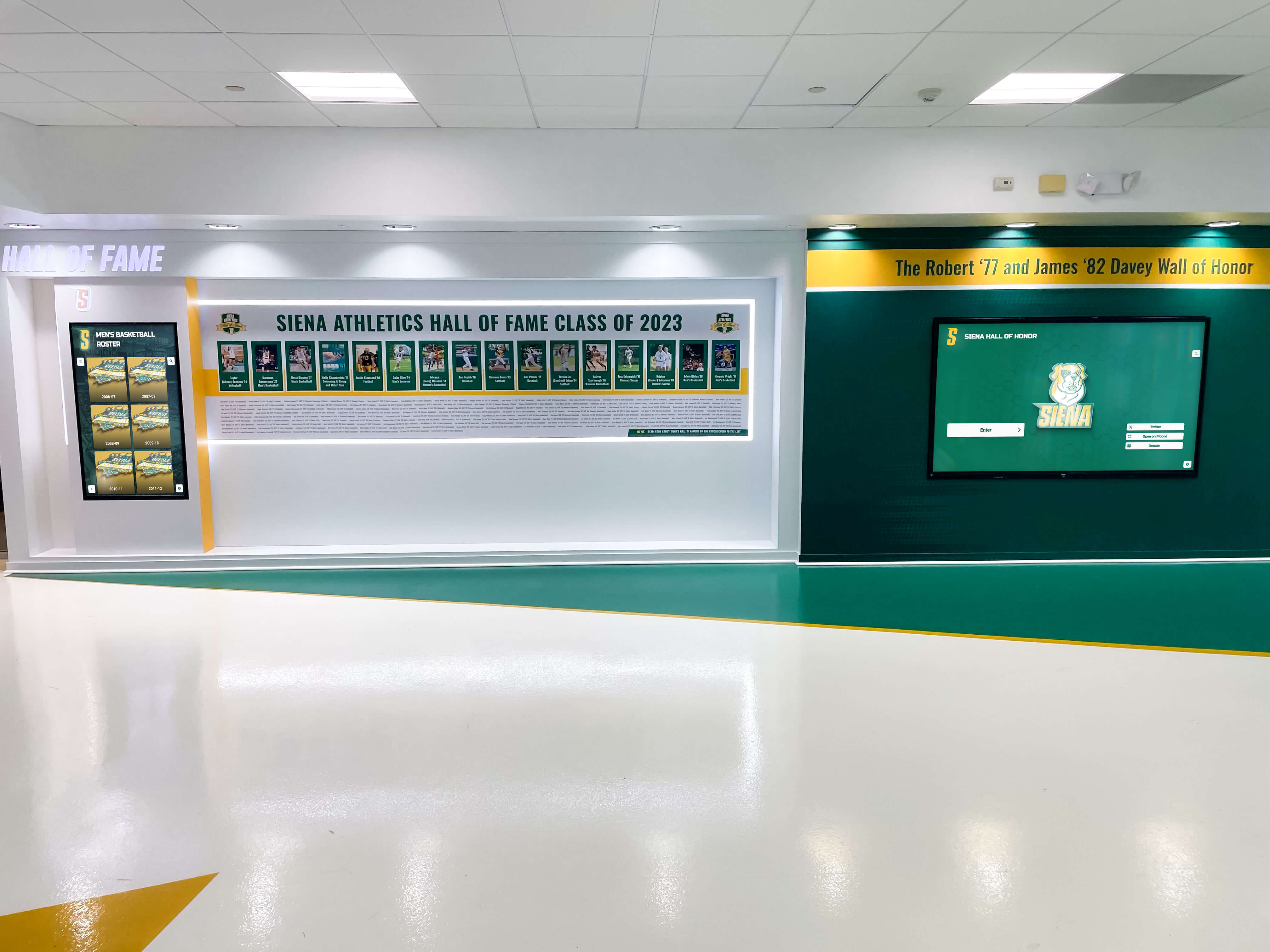
Consistent branding integration ensures digital displays feel like natural extensions of school identity
Integration with Broader Communication Ecosystem
Digital signage works best as part of comprehensive communication strategies:
Multi-Channel Coordination
Synchronize messaging across communication platforms:
- Website content mirroring information shown on displays
- Email announcements coordinating with display content schedules
- Social media posts amplifying recognition featured on screens
- Print materials maintaining visual consistency with digital content
- Mobile apps extending digital signage information access
Emergency Communication Integration
Ensure displays support critical safety functions:
- Compatibility with emergency notification systems enabling instant alerts
- Override capabilities suspending normal content during emergencies
- Clear visibility ensuring critical information reaches audiences
- Standardized templates making emergency messages instantly recognizable
- Regular testing verifying systems function correctly when needed
Data Integration and Automation
Connect displays with existing systems reducing manual effort:
- Student information system integration for academic recognition
- Athletic management software feeds for game schedules and results
- Event calendar connections automating promotion
- Donor database integration for recognition displays
- Attendance systems triggering recognition automatically
Organizations exploring digital signage integration strategies discover automation significantly reduces administrative burden while ensuring information currency.
Specialized Digital Signage Applications in Education
Beyond general communication, certain educational functions benefit from purpose-built digital signage solutions.
Interactive Recognition Displays
Recognition represents one of digital signage’s highest-value educational applications:
Unlimited Recognition Capacity
Unlike physical trophy cases constrained by space, digital recognition accommodates unlimited students:
- Searchable databases enabling instant access to thousands of profiles
- Filter functionality narrowing recognition by category, year, sport, or achievement type
- Detailed profiles including photos, accomplishment descriptions, and biographical information
- Historical archives preserving institutional recognition indefinitely
- Regular updates adding new achievements without space constraints
Enhanced Recognition Features
Purpose-built recognition platforms offer capabilities generic signage lacks:
- Multimedia profiles incorporating photos, videos, and documents
- Social sharing enabling students and families to amplify recognition
- Alumni access connecting graduates with current student success
- Campaign tracking showing fundraising progress for development purposes
- Mobile applications extending recognition beyond physical displays
Schools implementing digital hall of fame solutions discover specialized platforms deliver dramatically better results than attempting to adapt generic signage for recognition purposes.
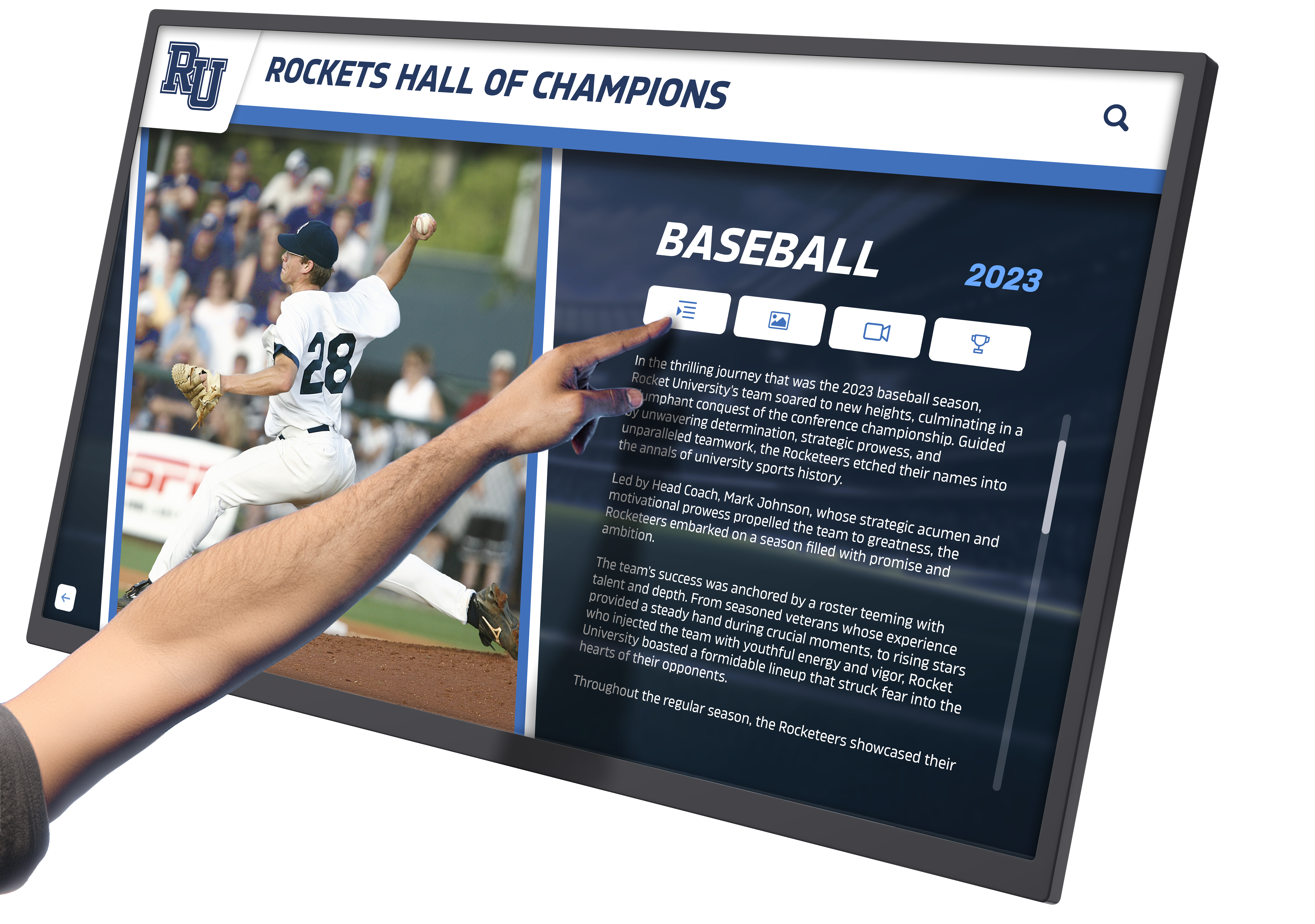
Interactive touchscreen recognition systems invite exploration while celebrating achievements with appropriate detail
Athletic Facility Digital Displays
Sports venues require specialized communication addressing unique audiences:
Pre-Game and Event Information
- Team rosters and starting lineups
- Season record and playoff positioning
- Historical rivalry information and series records
- Sponsor recognition and partner acknowledgment
- Concession and facility information for attendees
- Next game schedules and ticket information
In-Game Statistics and Scoring
- Live scoring updates integrated with scoring systems
- Player statistics and performance metrics
- Instant replay highlights from exceptional plays
- Crowd engagement prompts and participation opportunities
- Celebration graphics for touchdowns, goals, and achievements
Historical Recognition and Record Tracking
- All-time record holders and performance benchmarks
- Championship teams and tournament success
- Individual career milestones and achievements
- Alumni athlete success stories connecting past and present
- Team history timelines preserving program tradition
Athletic facilities implementing digital record boards combine motivation for current athletes with celebration of program legacy.
Development Office Donor Recognition
Educational advancement benefits significantly from digital donor displays:
Dynamic Campaign Progress Tracking
- Real-time fundraising thermometers showing campaign momentum
- Donor count displays celebrating participation breadth
- Impact metrics demonstrating gift utilization
- Deadline countdowns creating urgency for campaign completion
- Milestone celebrations acknowledging progress markers
Comprehensive Donor Stewardship
- Unlimited recognition capacity honoring all contributors
- Giving level hierarchies organizing recognition appropriately
- Historical giving displays showing sustained support
- Named fund descriptions explaining endowment purposes
- Scholarship recipient profiles connecting donors with impact
Event Integration and Volunteer Recognition
- Gala attendee acknowledgment during fundraising events
- Volunteer hour tracking and milestone celebration
- Board member and committee recognition
- Corporate partnership acknowledgment
- In-kind donation appreciation
Development professionals implementing digital donor walls report improved donor satisfaction, increased recognition visibility, and enhanced fundraising results.
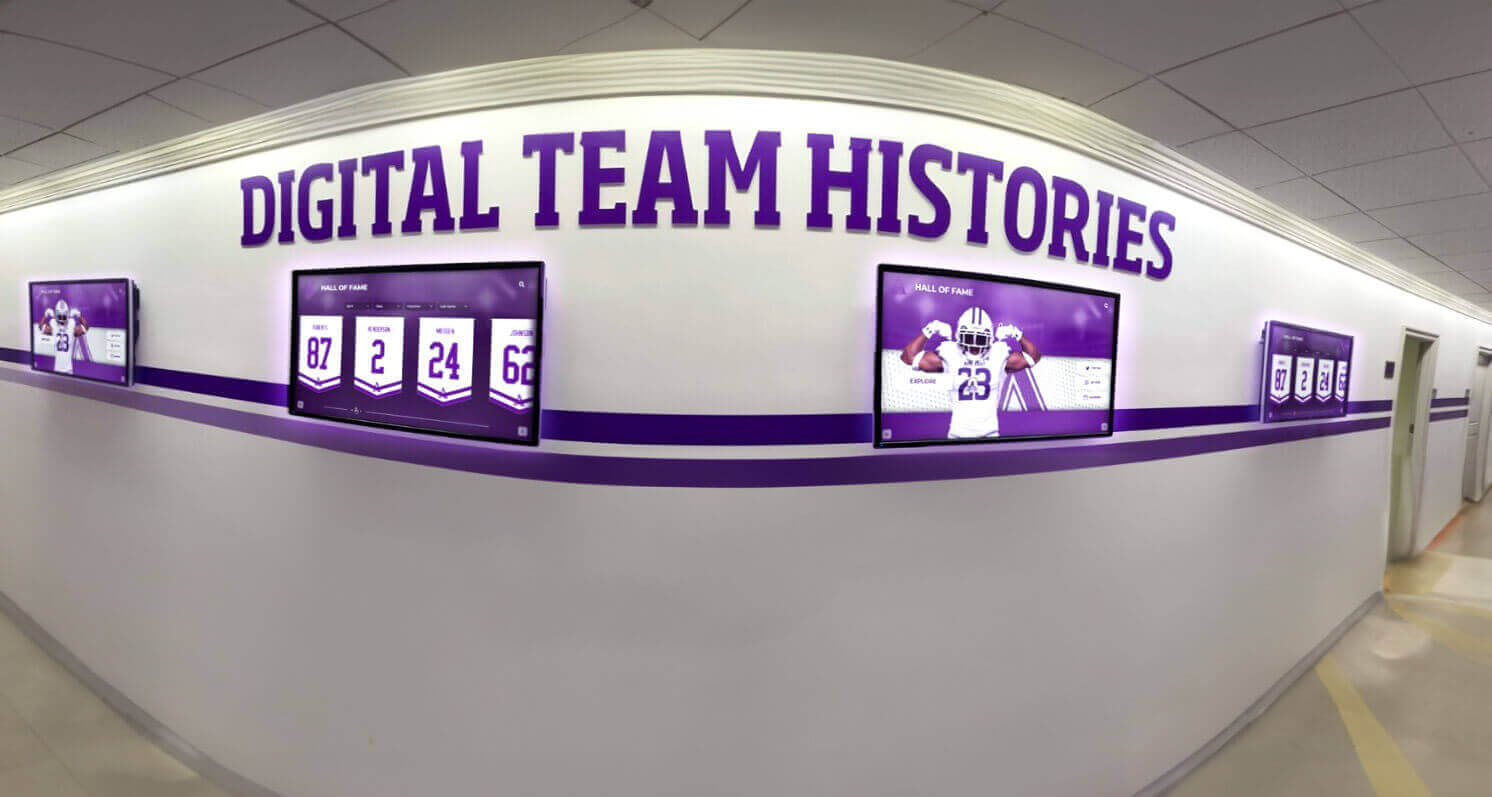
Coordinated display networks create visual continuity while serving different content purposes throughout buildings
Overcoming Common Implementation Challenges
Understanding typical obstacles enables proactive problem prevention:
Budget Constraints and Funding Strategies
Limited resources need not prevent digital signage implementation:
Phased Deployment Approaches
- Begin with single high-impact location demonstrating value
- Expand incrementally as benefits justify additional investment
- Prioritize locations serving multiple purposes maximizing ROI
- Coordinate implementations with renovation or construction projects
- Leverage existing equipment when upgrading from older systems
Alternative Funding Sources
- Technology grants from educational foundations
- Donor sponsorship treating displays as naming opportunities
- Alumni contributions specifically designated for recognition
- Booster club fundraising for athletic facility installations
- PTA or parent organization support for communication infrastructure
Cost Reduction Strategies
- Open-source software platforms reducing licensing expenses
- Commercial-grade displays rather than consumer TVs ensuring longevity
- WiFi connectivity avoiding expensive network cabling when feasible
- Internal content creation utilizing staff and student talent
- Negotiated multi-location pricing from vendors
Schools implementing cost-effective digital archives often discover creative funding approaches when stakeholders recognize communication value.
Content Management Capacity
Ensuring displays remain current requires addressing administrative bandwidth:
Student Involvement Models
- Journalism or media classes managing content as curriculum
- Student government responsibility for announcements and event promotion
- Technology clubs maintaining hardware and technical operations
- Individual students featured creating their own achievement profiles
- Service learning credit for digital signage management
Automated Content Strategies
- RSS feed integration pulling news automatically
- Calendar system connections eliminating manual event entry
- Social media aggregation displaying institutional accounts
- Weather widget integration requiring no maintenance
- Pre-built template libraries accelerating content creation
Simplified Workflows
- Mobile-friendly administration enabling updates from smartphones
- Approval shortcuts for time-sensitive announcements
- Template systems requiring only text and image substitution
- Scheduled content publishing eliminating manual timing
- Bulk operations handling multiple similar updates efficiently
Technical Support and Maintenance
Reliable operation requires addressing technical considerations:
Preventive Maintenance Programs
- Regular cleaning maintaining screen visibility and touch sensitivity
- Software update schedules ensuring security and performance
- Hardware inspection identifying issues before failures
- Network monitoring preventing connectivity problems
- Backup display configurations enabling quick recovery
Support Resource Development
- Vendor technical support contracts providing expert assistance
- Internal technology staff training for first-level troubleshooting
- Documented procedures handling common issues independently
- Remote management tools enabling off-site diagnosis
- Replacement hardware reserves minimizing downtime
System Reliability Design
- Redundant displays in critical communication locations
- Offline operation capability during network disruptions
- Automatic recovery from power interruptions
- Content caching ensuring displays function during server issues
- Error alerting notifying administrators of problems immediately
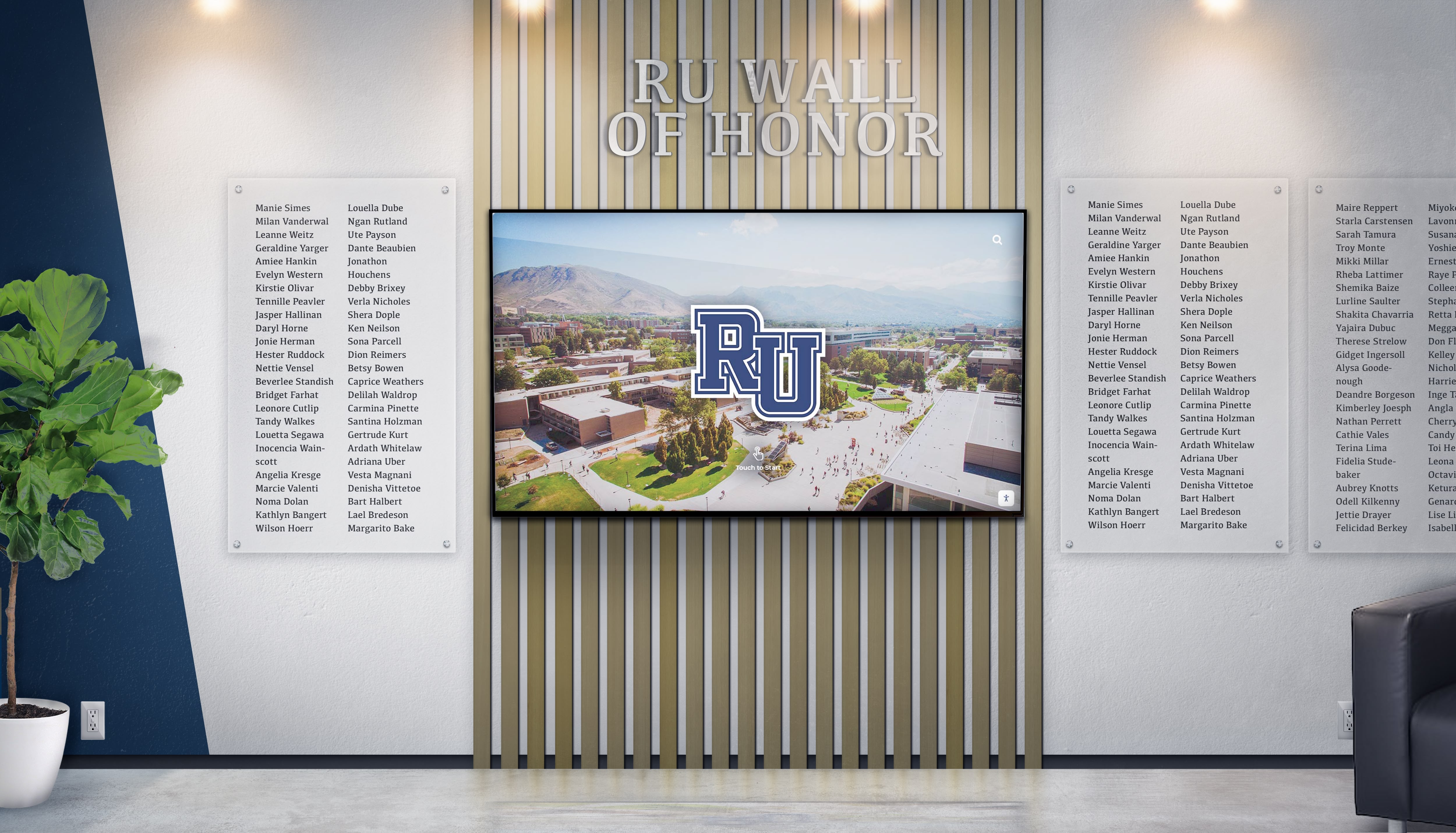
Combining digital displays with traditional elements creates recognition systems honoring past while embracing innovation
The Future of Educational Digital Signage
Emerging technologies promise enhanced capabilities for school communication:
Artificial Intelligence and Personalization
AI integration enables more sophisticated content delivery:
Intelligent Content Recommendations
- Audience detection adjusting content for viewers
- Time-of-day optimization showing relevant information by schedule
- Engagement analytics identifying high-performing content
- Automated content generation creating announcements from structured data
- Predictive scheduling optimizing message timing
Privacy-Conscious Personalization
- Anonymous demographic analysis without individual tracking
- Aggregated usage patterns informing content strategy
- Ethical AI implementation respecting student privacy
- Transparency about technology usage building community trust
Enhanced Interactivity and Immersion
Advanced interfaces create more engaging experiences:
Augmented Reality Integration
- Physical wayfinding enhanced by smartphone AR overlays
- Historical information layered over current environments
- Virtual trophy case exploration accessing detailed achievement information
- Interactive campus tours for prospective families
Gesture and Voice Control
- Touchless interaction addressing hygiene concerns
- Voice-activated search and navigation
- Accessibility improvements for students with mobility limitations
- Multi-modal interaction supporting diverse preferences
Integration with Learning Environments
Digital signage increasingly connects with educational technology:
Learning Management System Connections
- Assignment deadline displays helping students manage workload
- Class schedule integration showing daily variations
- Learning objective displays reinforcing curricular focus
- Resource links directing students to educational materials
Student Work Showcasing
- Digital art galleries displaying student creativity
- Project documentation celebrating learning accomplishments
- Research presentation highlights sharing student discovery
- Performance recordings from theater and music programs
Schools implementing digital tools for educational enhancement discover connections between communication infrastructure and learning outcomes.
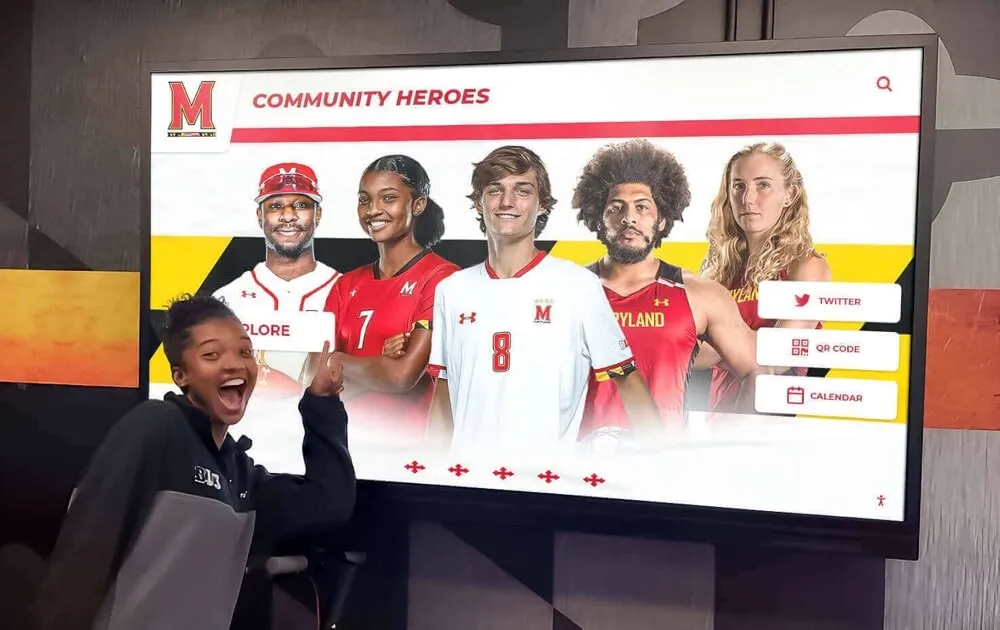
Next-generation displays will offer even more engaging ways to explore achievements and connect with school community
Conclusion: Transforming School Communication Through Digital Signage
Digital signage displays represent far more than electronic bulletin boards—they create comprehensive communication ecosystems supporting educational missions across student recognition, daily announcements, emergency alerts, wayfinding, donor stewardship, and community engagement. When schools implement digital signage strategically, they transform how information flows through buildings, how achievements receive celebration, how visitors navigate campuses, and how communities stay connected with institutional progress.
The strategies explored throughout this guide provide frameworks for successful implementation balancing technological capabilities with educational values, initial investment with long-term sustainability, administrative convenience with content quality, and innovation with accessibility. Effective digital signage serves diverse stakeholders simultaneously—students seeking daily information and peer recognition, families staying connected with school activities, donors receiving appropriate acknowledgment, visitors needing campus navigation assistance, and administrators communicating efficiently across complex organizations.
As educational technology continues evolving, digital signage will become increasingly sophisticated through artificial intelligence personalization, enhanced interactivity, seamless integration with learning systems, and immersive experiences impossible with current technology. Schools beginning digital signage journeys today position themselves to leverage these advancements while establishing communication infrastructure serving institutions for decades.
Transform Your School Communication with Digital Signage
Discover how comprehensive digital display solutions can revolutionize campus communication, celebrate student achievements, strengthen school culture, and engage your entire community. Explore interactive touchscreen systems designed specifically for educational environments.
Explore Digital Signage SolutionsImplementation Success Factors
Schools achieving greatest success with digital signage share common characteristics: clear strategic goals guiding technology selection and deployment, comprehensive stakeholder engagement ensuring broad support and addressing diverse needs, sustainable content management workflows preventing displays from becoming stale, professional design standards maintaining visual quality and institutional branding, and commitment to continuous improvement refining approaches based on feedback and analytics.
Strategic Investment Perspective
Digital signage represents strategic infrastructure investment comparable to facility improvements or learning technology deployments. While initial costs require careful budgeting, long-term value—through enhanced communication efficiency, improved school culture, strengthened recognition programs, increased donor engagement, and better visitor experiences—typically far exceeds financial investment. Schools should evaluate digital signage not as discretionary technology but as essential communication infrastructure supporting educational missions comprehensively.
The Recognition Opportunity
Among digital signage’s many applications, student and donor recognition deserves special attention. Solutions like Rocket Alumni Solutions provide purpose-built recognition platforms combining powerful database capabilities, engaging interactive interfaces, unlimited honoree capacity, and educational-specific features that generic digital signage platforms cannot match. When schools prioritize recognition excellence through specialized solutions, they create lasting positive impacts on student motivation, donor satisfaction, and institutional culture that generic communication tools never achieve.
Your school community deserves communication infrastructure matching the quality of education you provide. With thoughtful planning, appropriate technology selection, sustainable management approaches, and commitment to excellence, digital signage displays can transform how your institution communicates, recognizes achievement, welcomes visitors, and builds the connected, informed community every educational environment needs to thrive.
Ready to explore how digital signage can transform communication at your school? Discover comprehensive solutions designed specifically for educational environments that celebrate achievement while strengthening community connections.































