
Many nonprofits seek cost-effective ways to showcase community partnerships, honor veterans, and promote upcoming events without investing in large-scale digital infrastructure. A mounted TV-style digital display offers an accessible entry point for organizations ready to modernize recognition and communication while keeping budgets manageable.
Traditional bulletin boards and printed posters require constant manual updates, struggle to capture attention in busy spaces, and offer no flexibility for dynamic content changes. Meanwhile, community partners, veteran supporters, and event attendees deserve recognition that feels current, professional, and aligned with how people consume information in 2026.
This guide explores practical digital wall mount display solutions specifically sized for nonprofit budgets and spaces, covering realistic pricing ranges, essential features, content management approaches, and implementation strategies that transform static recognition into engaging community storytelling.
For local nonprofits exploring digital displays for the first time, the good news is that technology has become significantly more accessible. What once required five-figure investments and IT departments can now be accomplished with modest budgets, user-friendly platforms, and displays comparable to mounting a TV in your lobby or community room.

Modern digital displays create professional recognition experiences that community members can explore interactively
Understanding Digital Wall Mount Displays for Small-Scale Nonprofit Applications
Before diving into pricing specifics, understanding what digital wall mount displays can accomplish helps nonprofits make informed decisions about whether this technology fits organizational needs.
What Exactly Is a Digital Wall Mount Display?
In simplest terms, a digital wall mount display for nonprofits typically consists of a commercial-grade screen (similar to a TV) mounted on a wall, connected to a media player or computer running content management software that controls what appears on screen. Unlike consumer televisions, these displays are designed for continuous operation, offer enhanced brightness for well-lit spaces, and include features supporting public display applications.
Core Components
- Commercial display panel (32"-65" typical for small nonprofits)
- Media player or small computer managing content
- Content management software (cloud-based or local)
- Wall mounting hardware
- Network connectivity (WiFi or ethernet)
- Optional: touchscreen capability for interactive exploration
The key distinction from simply mounting a TV and showing slides is the content management system enabling easy updates, scheduled content rotation, remote management, and professional templates designed for recognition and event promotion rather than entertainment.
Primary Nonprofit Applications
Organizations implement digital displays to solve specific communication and recognition challenges:
Community Partnership Recognition
Showcase local businesses, foundations, and organizations supporting your mission through logo displays, partnership descriptions, impact statements demonstrating collaborative outcomes, rotating highlights ensuring all partners receive visibility, and contact information connecting community members to partners.
This visible appreciation strengthens partner relationships while demonstrating community support to visitors, volunteers, and service recipients.
Veteran and Military Recognition
Honor service members and military families through photo galleries with names and service branches, biographical profiles sharing service stories, memorial tributes for fallen community members, upcoming veteran events and support programs, and partnership acknowledgments with veteran service organizations.
Many nonprofits specifically serve veteran populations or receive strong veteran community support, making this recognition both mission-aligned and relationship-building.
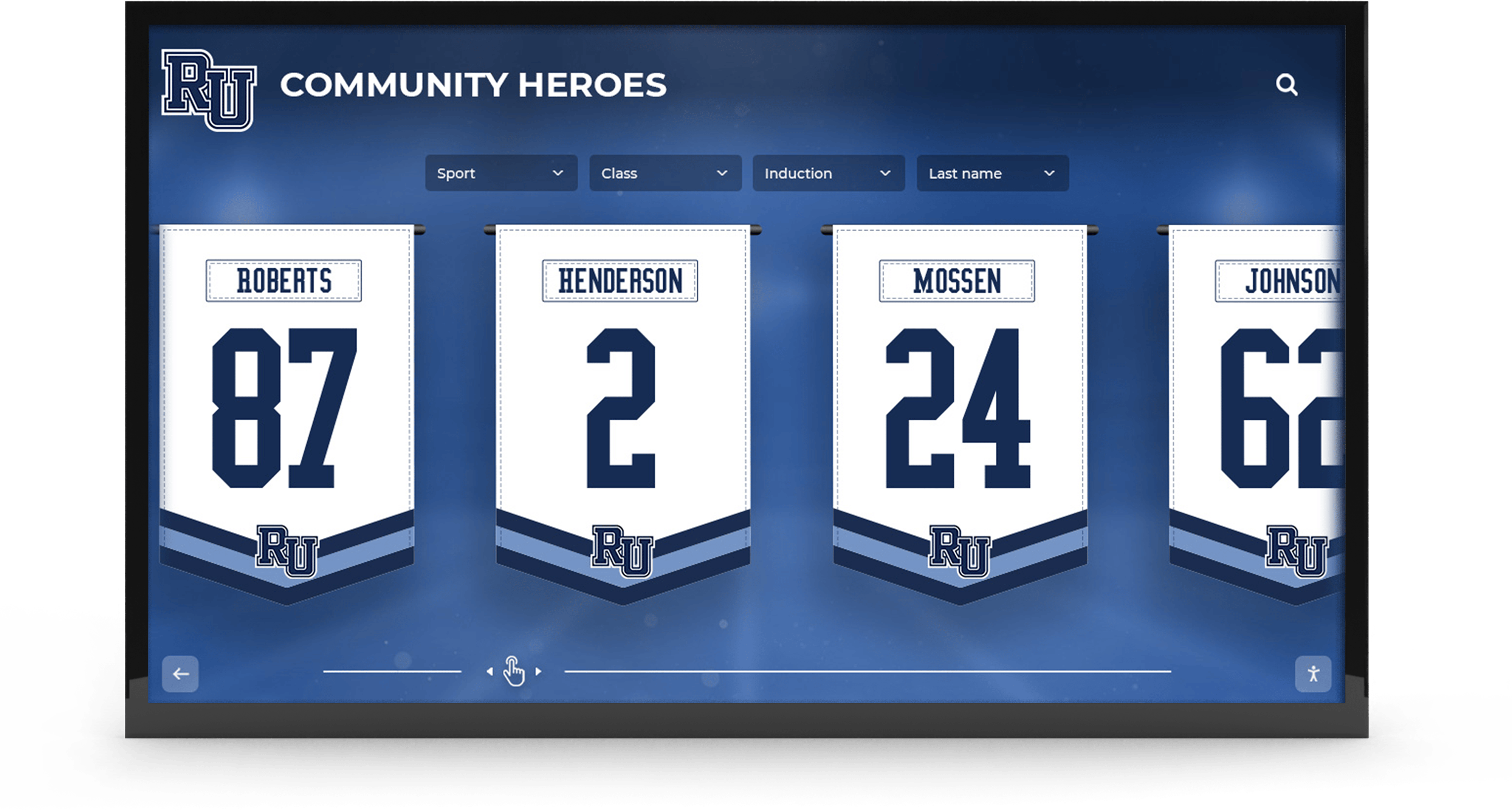
Digital displays effectively celebrate community contributions and partnership relationships
Event Promotion and Community Calendars
Communicate upcoming programs through event announcements for partnership openings and celebrations, registration information and deadlines, volunteer opportunity promotion, fundraising event details, community resource information, and program schedules and availability.
Unlike printed posters that become outdated immediately after events pass, digital displays enable instant updates ensuring information remains current and relevant.
Donor Recognition and Giving Programs
Acknowledge financial supporters through tiered recognition showcasing all giving levels, campaign progress visualization, impact stories connecting donations to outcomes, special recognition for memorial and honor gifts, and recurring giving program promotion.
Organizations implementing comprehensive donor recognition programs report improved donor retention and satisfaction compared to static approaches with limited capacity.
Comparing Traditional vs. Digital Recognition Approaches
Understanding the trade-offs helps organizations make appropriate technology decisions:
Traditional Recognition Limitations
- Printed materials require constant reprinting for updates
- Bulletin boards appear cluttered and unprofessional
- Physical plaques accommodate limited names before running out of space
- Static displays fail to capture attention in busy environments
- Manual updates require staff time and materials costs
- No ability to tell stories beyond basic information
Digital Display Advantages
- Instant content updates from any internet-connected device
- Professional, polished appearance enhancing organizational image
- Unlimited recognition capacity through searchable directories
- Motion and visual interest attracting visitor attention
- Automated content rotation ensuring comprehensive visibility
- Rich storytelling through photos, videos, and impact documentation
When Traditional Approaches Remain Appropriate
Digital displays don’t replace all traditional recognition. Permanent brass plaques for major donors, historical displays documenting organizational legacy, memorial gardens and physical spaces, and personal touches like handwritten thank-you notes continue offering value digital technology cannot replicate.
The most effective recognition strategies combine traditional elements for permanence and personal connection with digital components for flexibility, comprehensiveness, and dynamic storytelling. Solutions like Rocket Alumni Solutions provide platforms enabling this hybrid approach.
Digital Display Pricing: What Nonprofits Can Expect to Invest
Understanding realistic cost ranges helps organizations budget appropriately and evaluate vendor proposals effectively.
Hardware Investment Breakdown
Display Panel Costs
Commercial displays appropriate for nonprofit applications typically range as follows:
- 32"-43" displays: $400-$1,200
- 43"-55" displays: $800-$2,000
- 55"-65" displays: $1,200-$3,500
- 65"+ large format: $2,500-$6,000+
Commercial panels cost more than consumer TVs but offer essential features including extended operational ratings (16-24 hours daily vs. 4-6 hours for consumer TVs), enhanced brightness (350-700 cd/m² vs. 250-350 cd/m² for consumer displays), improved color consistency over thousands of hours, commercial warranties covering business use, and optional touchscreen capability for interactive exploration.
Media Player and Computer Equipment
Content display requires computing hardware:
- Basic media players (Raspberry Pi, Fire TV stick): $50-$150
- Commercial digital signage players: $200-$600
- Small form factor computers (Intel NUC, similar): $300-$800
- Integrated displays with built-in computers: $1,500-$4,000
The appropriate choice depends on content complexity, interactive requirements, and budget constraints. Basic slideshow content works fine with inexpensive media players, while interactive touchscreen applications benefit from more capable computers.

Complete kiosk solutions offer turnkey implementation for organizations preferring integrated systems
Installation and Mounting Hardware
Professional installation ensures safety and optimal viewing:
- Heavy-duty wall mounts: $50-$300
- Cable management and concealment: $50-$200
- Professional installation service: $200-$800
- Electrical work (if outlet needed): $150-$500
Many organizations save on installation costs by using volunteer expertise, though professional mounting is recommended for large displays or challenging installation locations.
Optional Touchscreen Upgrades
Interactive capability significantly enhances engagement:
- Touchscreen overlay for existing displays: $300-$1,000
- Integrated touchscreen displays: $800-$4,000 additional
- Specialized touch computers: $200-$500
Organizations highlighting extensive partnership directories, veteran biographical information, or donor databases benefit from touch functionality enabling visitor exploration beyond passive viewing.
Software and Content Management Costs
Platform Subscription Models
Most modern digital signage platforms operate on subscription basis:
- Basic digital signage platforms: $10-$50 monthly
- Nonprofit-focused solutions: $30-$100 monthly
- Comprehensive recognition platforms: $50-$200 monthly
- Custom institutional solutions: $200-$500+ monthly
Many vendors offer nonprofit discounts or tiered pricing based on organization size and display quantity. Annual prepayment often reduces costs by 10-20% compared to monthly billing.
Initial Setup and Customization
Getting started involves one-time investment:
- Template customization and branding: $200-$1,000
- Content migration and initial setup: $300-$1,500
- Training and onboarding: $200-$800
- Integration with existing systems: $500-$2,000 (if needed)
Organizations comfortable with technology can often handle setup independently using vendor tutorials and support, reducing these costs significantly.
Content Creation Services
Professional content development ranges widely:
- Photography services: $200-$1,000 per session
- Graphic design and templates: $300-$1,500
- Video production: $500-$5,000+ per video
- Copywriting and storytelling: $200-$1,000
- Ongoing content management: $200-$1,000 monthly
Most nonprofits create content using staff, volunteers, and smartphone cameras rather than hiring professionals, especially during initial implementation. As programs mature and budgets allow, professional content elevates quality significantly.
Learn about effective content strategies through digital signage content ideas applicable across industries.
Total Investment Scenarios for Different Nonprofit Budgets
Budget-Conscious Entry Point ($800-$2,000)
Organizations with limited budgets can implement basic digital recognition:
- 43" commercial display: $600-$900
- Basic media player: $100-$200
- Wall mount and cables: $100-$200
- Free or low-cost software: $0-$20/month
- DIY installation and content
- Total initial: $800-$1,300
- Annual ongoing: $0-$240 software subscription
This approach works well for simple content rotation but offers limited interactivity and basic content management.
Mid-Range Professional Implementation ($2,500-$6,000)
Most small-to-medium nonprofits find this range provides excellent value:
- 50"-55" commercial touchscreen display: $1,500-$2,500
- Quality media player or small computer: $300-$600
- Professional mounting and installation: $300-$600
- Recognition-focused software platform: $600-$1,200 annual subscription
- Initial setup and customization: $500-$1,000
- Basic content development: $300-$800
- Total initial: $3,500-$5,700
- Annual ongoing: $600-$1,200 software
This investment level delivers professional results with interactive capability, comprehensive content management, and support resources.
Comprehensive Recognition System ($6,000-$12,000)
Organizations prioritizing recognition as strategic investment:
- 55"-65" large format touchscreen display: $2,500-$4,000
- High-performance interactive computer: $600-$1,000
- Professional installation with custom mounting: $600-$1,200
- Comprehensive recognition platform: $1,200-$2,400 annual subscription
- Full customization and branding: $1,000-$2,000
- Professional content development: $1,500-$3,000
- Training and integration: $500-$1,000
- Total initial: $8,000-$13,000
- Annual ongoing: $1,200-$2,400 software + $1,000-$3,000 content updates
This level provides institutional-quality recognition comparable to larger organizations while maintaining flexibility for nonprofit needs.

Professional implementations create recognition experiences that community members genuinely engage with rather than simply walk past
Essential Features for Nonprofit Digital Displays
Understanding critical capabilities helps organizations evaluate solutions and avoid platforms lacking necessary functionality.
User-Friendly Content Management
No-Code Update Interfaces
Nonprofit staff typically lack technical backgrounds, making intuitive content management essential. Look for drag-and-drop content editors, visual preview before publishing, template libraries with recognition-focused layouts, bulk upload for multiple entries, and mobile-responsive administrative interfaces enabling updates from smartphones and tablets.
Platforms requiring HTML coding, command-line access, or technical expertise create barriers preventing regular content updates, causing displays to become outdated and ineffective.
Scheduled Content Rotation
Effective displays automatically rotate content ensuring comprehensive visibility:
- Time-based scheduling (different content morning vs. evening)
- Date-range displays (event promotion from announcement through event date)
- Automatic content expiration (removing outdated information)
- Playlist creation for content sequences
- Randomized display ensuring equal visibility
- Priority levels highlighting urgent information
Automation prevents displays from showing the same content constantly while reducing administrative burden compared to manual content changes.
Remote Management Capability
Cloud-based platforms enable content updates from anywhere rather than requiring physical access to display computers. Development directors can add new donors from home offices, event coordinators can update program information from the field, executive directors can review content during travel, and multiple staff members can collaborate on recognition with appropriate permissions.
Remote capability proves particularly valuable for organizations with satellite locations, distributed workforces, or limited on-site staffing.
Recognition-Specific Functionality
Donor and Partnership Directories
Comprehensive recognition requires searchable databases:
- Alphabetical directories with browse and search
- Giving level or partnership tier organization
- Filtering by campaign, program, or time period
- Individual profile pages with photos and descriptions
- Memorial and honor gift designations
- Corporate sponsorship and in-kind contribution categories
Directory functionality enables unlimited recognition capacity impossible with physical plaques constrained by wall space. Organizations can honor every contribution appropriately regardless of gift size.
Multi-Category Organization
Nonprofits typically recognize diverse constituencies requiring flexible categorization:
- Community business partners
- Individual donors at various giving levels
- Veteran service members and military families
- Volunteers and program supporters
- Board members and leadership
- Memorial tributes and dedications
Effective platforms accommodate all categories within unified systems rather than forcing organizations to choose between different recognition priorities.
Impact Storytelling Capability
Recognition extends beyond names to demonstrate outcomes:
- Photo galleries documenting programs and impact
- Video testimonials from service recipients
- Project outcome statistics and metrics
- Before-and-after documentation
- Partnership impact descriptions
- Event recaps and celebrations
Rich storytelling helps community partners and donors understand the tangible difference their support creates, strengthening relationships and inspiring continued engagement.
Explore storytelling approaches through nonprofit donor recognition examples demonstrating effective impact communication.
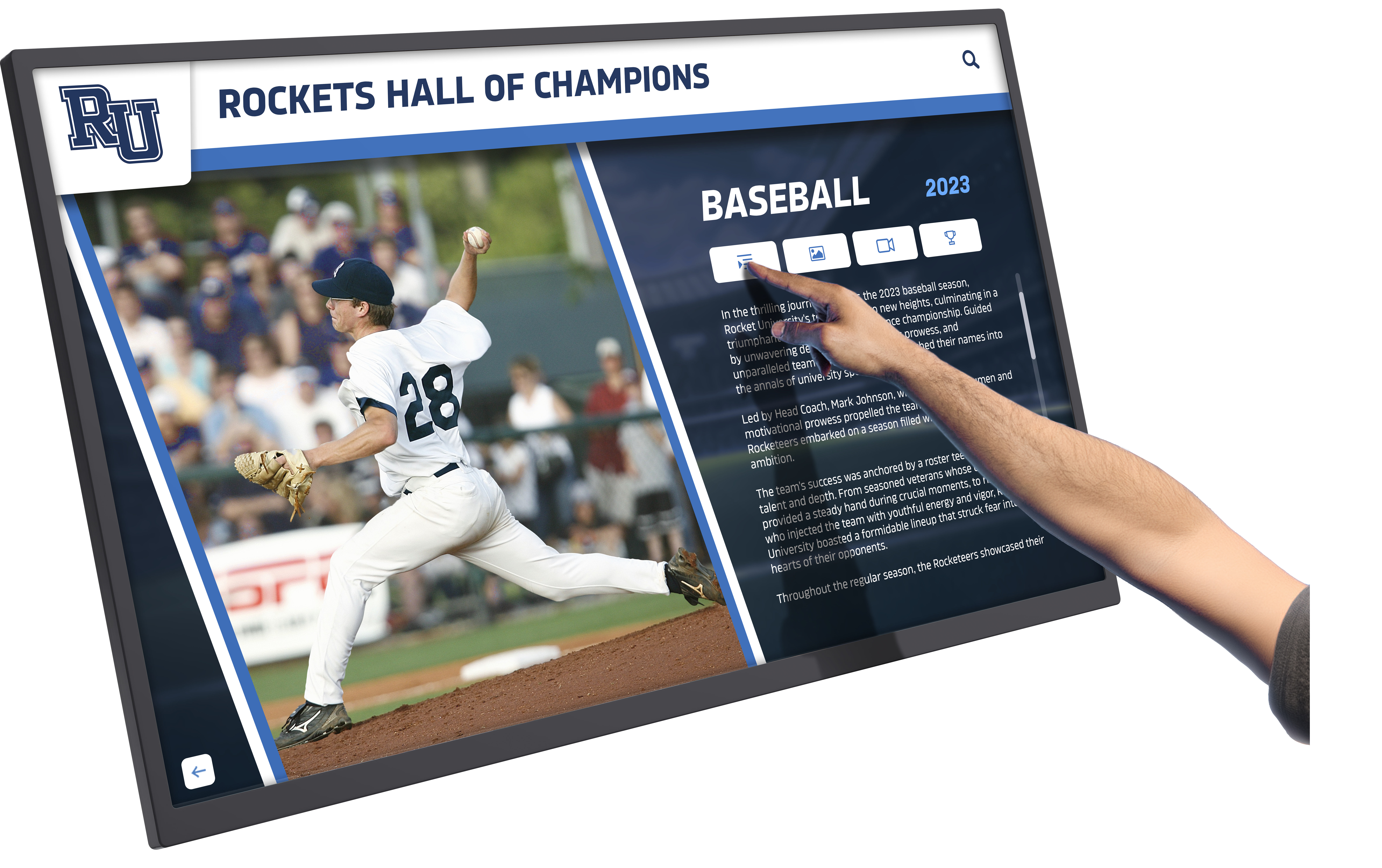
Interactive displays enable deeper exploration than passive viewing, creating memorable recognition experiences
Integration and Accessibility Features
Website and Social Media Integration
Modern recognition extends beyond physical displays:
- Embeddable web versions for organization websites
- Mobile-responsive design for smartphone access
- Social sharing enabling supporters to celebrate recognition
- QR codes linking physical displays to online content
- Integration with online giving platforms
- Analytics tracking engagement and usage
Web integration amplifies recognition reach to supporters unable to visit physical locations regularly while providing 24/7 accessibility beyond building hours.
Accessibility Considerations
Inclusive design ensures all community members can engage with recognition:
- High-contrast viewing modes for visual accessibility
- Appropriate text sizing and readability
- Touch targets sized for diverse dexterity levels
- Screen heights accommodating wheelchair users
- Multilingual support for diverse communities
- Simple navigation requiring minimal technical proficiency
Organizations serving diverse populations must prioritize accessibility ensuring recognition welcomes all community members rather than creating barriers for visitors with disabilities.
Data Security and Privacy Protection
Donor and partner information requires appropriate safeguards:
- Secure cloud storage with encryption
- Role-based access controlling who can edit content
- Backup and recovery protecting against data loss
- GDPR and privacy compliance for international supporters
- Opt-out capability for privacy-preferring donors
- Anonymous giving options when requested
Reputable platforms provide comprehensive security as standard features, but organizations should verify protection appropriate for sensitive constituent information.
Implementation Planning: From Decision to Launch
Successful deployment requires systematic planning and execution ensuring displays meet organizational needs effectively.
Needs Assessment and Goal Setting
Defining Recognition Priorities
Begin by clarifying what you want to accomplish:
- Who needs recognition? (donors, partners, volunteers, veterans, community members)
- What information should display? (names, photos, stories, events, impact metrics)
- How often will content update? (daily, weekly, monthly, quarterly)
- Where will displays be located? (lobby, community room, program spaces)
- Who will manage content? (development staff, communications team, volunteers)
- What budget is available? (initial investment and ongoing costs)
Clear priorities prevent scope creep while ensuring chosen solutions align with actual organizational needs rather than vendor-driven feature lists.
Stakeholder Input Gathering
Engage key constituencies in planning:
- Board members providing governance perspective and budget approval
- Development staff managing donor relationships and recognition expectations
- Program staff understanding community partner and participant needs
- Communications teams ensuring brand consistency and messaging alignment
- IT or facilities staff addressing technical infrastructure and installation
- Community partners and donors offering recipient perspective
Comprehensive stakeholder engagement creates broad support while surfacing requirements that might otherwise be overlooked until after implementation.
Space and Infrastructure Assessment
Evaluate physical and technical readiness:
- Available wall space with appropriate viewing distances and angles
- Lighting conditions affecting display visibility
- Electrical outlet access or requirements for new circuits
- Network connectivity through WiFi or ethernet
- ADA compliance for mounting heights and accessibility
- Security considerations for public spaces
Infrastructure limitations discovered early enable proactive solutions rather than expensive surprises during installation.
Learn about space planning through digital display implementation guides applicable to nonprofit environments.
Vendor Selection and Evaluation
Nonprofit-Focused Solution Providers
Choose vendors understanding nonprofit constraints and priorities:
- Portfolio demonstrating nonprofit and community organization work
- Recognition-specific features vs. generic digital signage
- Nonprofit pricing or discounting programs
- Training and support appropriate for non-technical users
- Responsive technical support when issues arise
- Long-term viability and platform development commitment
Generic digital signage platforms designed for retail or corporate applications often lack features nonprofits need for recognition while including irrelevant capabilities increasing complexity and cost.
Solutions like Rocket Alumni Solutions specialize in recognition displays for mission-driven organizations, offering platforms designed specifically for donor, volunteer, and community partner appreciation with implementation processes and support tailored to nonprofit contexts.
Evaluation Criteria and Questions
Assess vendors systematically through structured evaluation:
- Can you show examples of similar nonprofit implementations?
- What training and ongoing support is included?
- How easy is it for non-technical staff to update content?
- What happens if hardware fails? (warranty and support terms)
- Can the system grow as our needs expand?
- What integrations are available with donor management platforms?
- What is the total cost over three years including all fees?
- Can we try the platform before committing?
Request demonstrations and trial periods when possible, ensuring platforms genuinely meet advertised capabilities and work intuitively for your specific team members who will manage content.
Contract and Terms Considerations
Understand commitment requirements before signing:
- Initial contract length and renewal terms
- Price increase caps or guarantees
- Ownership of content and data
- Cancellation policies and data export options
- Service level agreements for uptime and support
- Hardware warranty coverage and replacement processes
Favorable terms provide flexibility as organizational needs evolve while protecting against vendor lock-in or unexpected cost increases.
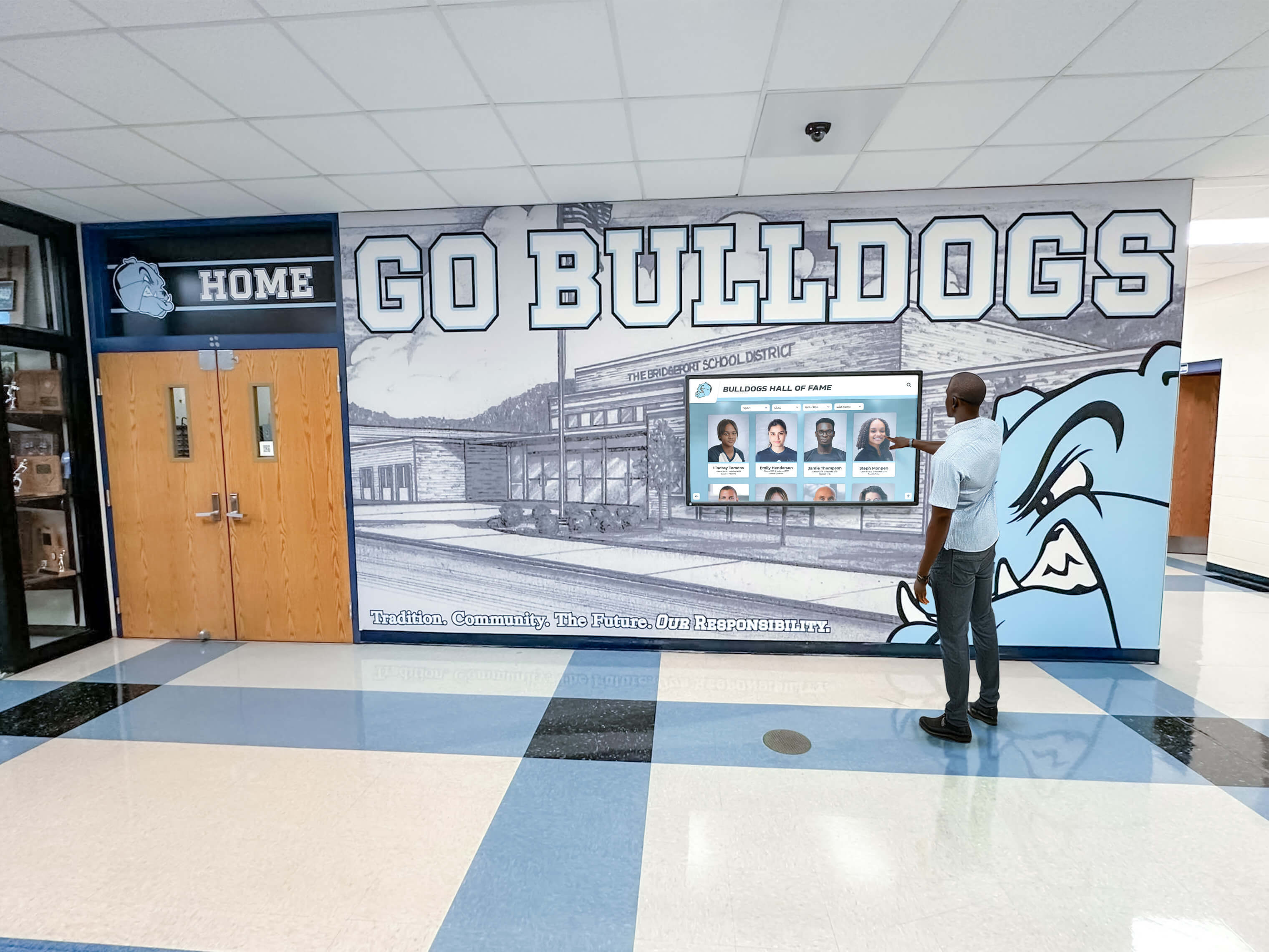
Choosing the right vendor and platform ensures recognition displays remain useful and well-supported for years
Content Development and Launch Preparation
Initial Content Creation
Prepare recognition information before installation:
- Donor and partner data cleanup ensuring accuracy
- Photo gathering from organizational archives and partners
- Impact story development with program staff
- Event calendar compilation from various sources
- Brand asset organization (logos, color schemes, fonts)
- Content approval workflow establishment
Comprehensive content preparation prevents displays from sitting blank or showing placeholder information after expensive installation, creating poor first impressions with community members and supporters.
Staff Training and Change Management
Ensure team members can manage displays effectively:
- Administrative training for content management staff
- Basic troubleshooting for front-line employees
- Communication protocols when issues arise
- Content development workshops for storytelling
- Schedule establishment for regular updates
- Documentation of processes and procedures
Change management proves especially important when displays replace established recognition approaches, requiring communication about why changes are being made and how new systems provide advantages.
Soft Launch and Testing
Before official dedication, conduct thorough testing:
- Display content accuracy verification
- Touchscreen functionality testing if applicable
- Network connectivity reliability confirmation
- Viewing from various angles and distances
- Staff and leadership preview feedback gathering
- Content refinement based on testing
Soft launches enable issue identification and resolution before public announcement, preventing embarrassing failures during celebrations or when key stakeholders view displays for the first time.
Official Launch and Ongoing Management
Celebration and Promotion
Maximize awareness and appreciation through formal launches:
- Dedication event with partners and donors
- Facility tours highlighting new recognition
- Media outreach to local news
- Social media promotion across organizational channels
- Newsletter announcements to email lists
- Integration into organization tours and orientations
Launch celebrations demonstrate organizational commitment to recognition while creating opportunities for supporter engagement and community relationship building.
Sustainable Content Management
Establish ongoing processes ensuring displays remain current:
- Weekly or monthly update schedules
- Clear role assignment for different content types
- Quality assurance reviews before publishing
- Community partner and donor communication about recognition timelines
- Regular content refreshment maintaining engagement
- Analytics review understanding what content resonates
Systematic management prevents displays from becoming stale or outdated, which would undermine the investment rationale of dynamic digital technology versus static traditional approaches.
Explore management strategies through digital recognition systems guides ensuring long-term effectiveness.
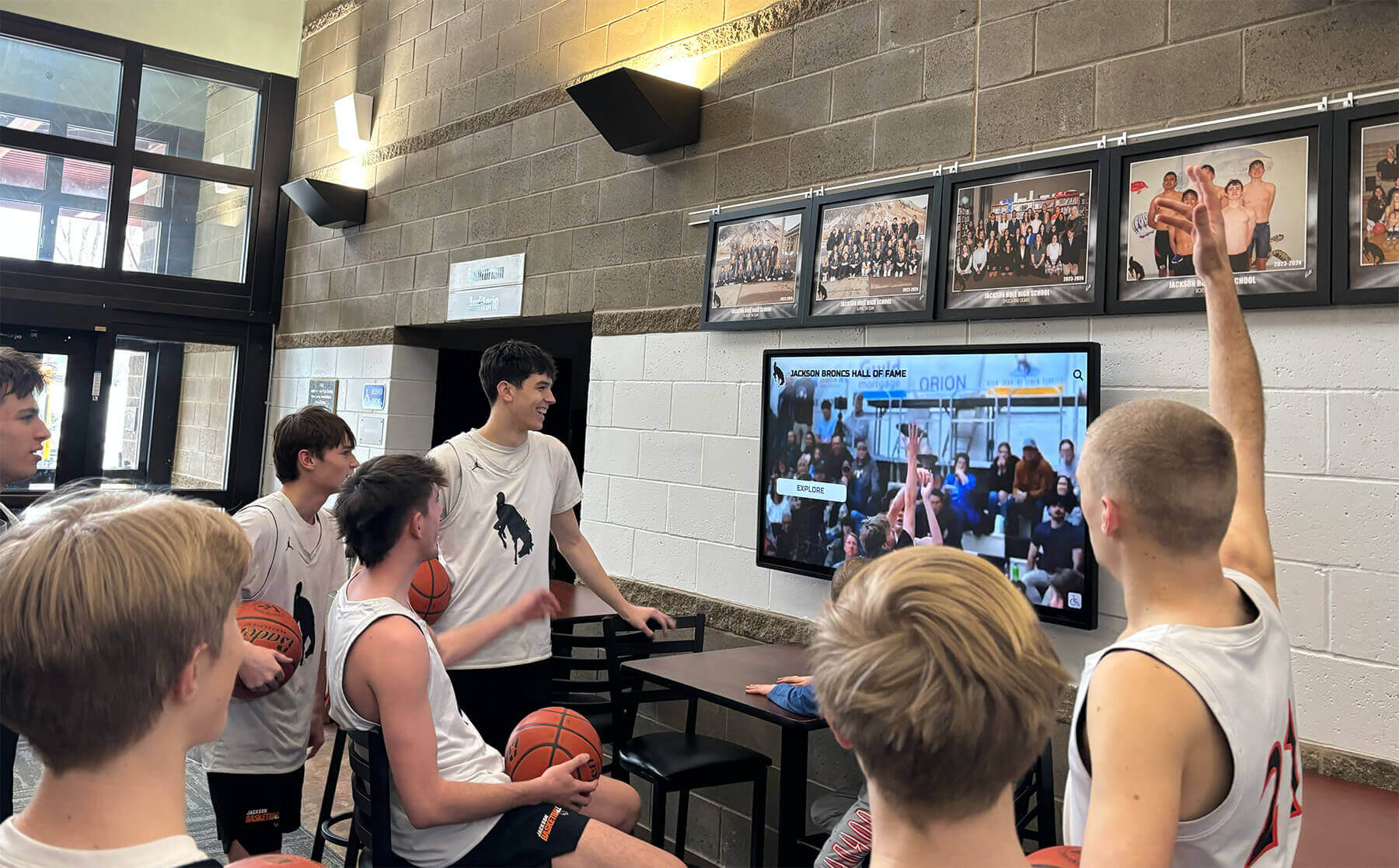
Regular content updates keep displays engaging and relevant long after initial implementation excitement fades
Content Strategy: What to Display and How Often to Update
Effective digital displays balance comprehensive recognition with engaging variety preventing content from feeling repetitive or stale.
Content Categories and Organization
Core Recognition Content
Essential displays that should remain consistently accessible:
Community Partner Directory: Alphabetical listing with logos, contact information, partnership descriptions, and contribution acknowledgments. Update quarterly or as partnerships change.
Donor Recognition: Giving level organization with names, optional photos, years of support, and campaign designations. Update monthly as new gifts are received.
Veteran Honor Roll: Service member names with photos when available, military branches and service eras, deployment information when appropriate, and memorial designations. Update biannually during Memorial Day and Veterans Day seasons.
Board and Leadership: Current organizational leadership with roles, optional biographical information, and terms of service. Update annually after elections or appointments.
Rotating Feature Content
Dynamic displays maintaining visitor interest:
Partner Spotlight of the Month: Detailed profile of one community partner monthly including origin story, mission alignment, specific contributions, impact testimonials, and contact information for community members interested in their services.
Impact Stories: Before-and-after program documentation, beneficiary testimonials (with permission), statistical outcomes and metrics, photo galleries from events and programs, and volunteer contribution highlights.
Event Promotion: Upcoming programs with dates, times, and locations, registration information and deadlines, volunteer opportunity announcements, fundraising event details, and partnership community openings.
Organizational Updates: Campaign progress toward fundraising goals, new programs and services launching, facility improvements and expansions, staff and leadership announcements, and recognition of organizational milestones.
Seasonal and Themed Content
Time-relevant recognition creating freshness:
- Memorial Day and Veterans Day military recognition emphasis
- Giving Tuesday and year-end fundraising campaigns
- National Volunteer Week and volunteer appreciation
- Black History Month, Women’s History Month, and other observances relevant to mission
- Summer program promotion and fall season launches
- Holiday events and community celebrations
Content Update Frequency Guidelines
Minimum Update Cadence
To justify digital technology investment versus static displays:
- Major recognition content (donors, partners, veterans): Monthly minimum as new supporters are added
- Event promotions: Weekly as programs approach and complete
- Impact stories and featured content: Weekly to monthly rotation
- Organizational updates: As significant news occurs, at least monthly
Displays showing identical content for weeks at a time waste the digital platform’s primary advantage of flexibility and currency while creating impressions that organizations aren’t actively engaged with displays.
Ideal Update Rhythm
Organizations with adequate staff capacity should aim for:
- Recognition additions: Within one week of gifts or new partnerships
- Event calendar: Continuously updated as programs are scheduled
- Featured content rotation: Multiple times weekly ensuring variety
- Impact stories: New content added weekly or biweekly
- Seasonal themes: Refreshed monthly or aligned with calendar events
Frequent updates create living, dynamic recognition that community members engage with regularly rather than ignoring as static background noise.
Balancing Freshness with Stability
While frequent updates maintain engagement, excessive changes can frustrate visitors trying to find specific information. Strategies for appropriate balance include maintaining consistent navigation and core directory locations while rotating featured content, scheduling rotation timing so similar content appears at predictable intervals, providing “recently added” sections highlighting new recognition, and ensuring all supporters receive regular visibility through automated rotation rather than always showing the same featured content.
Learn content planning through digital display content strategies applicable across organizational types.
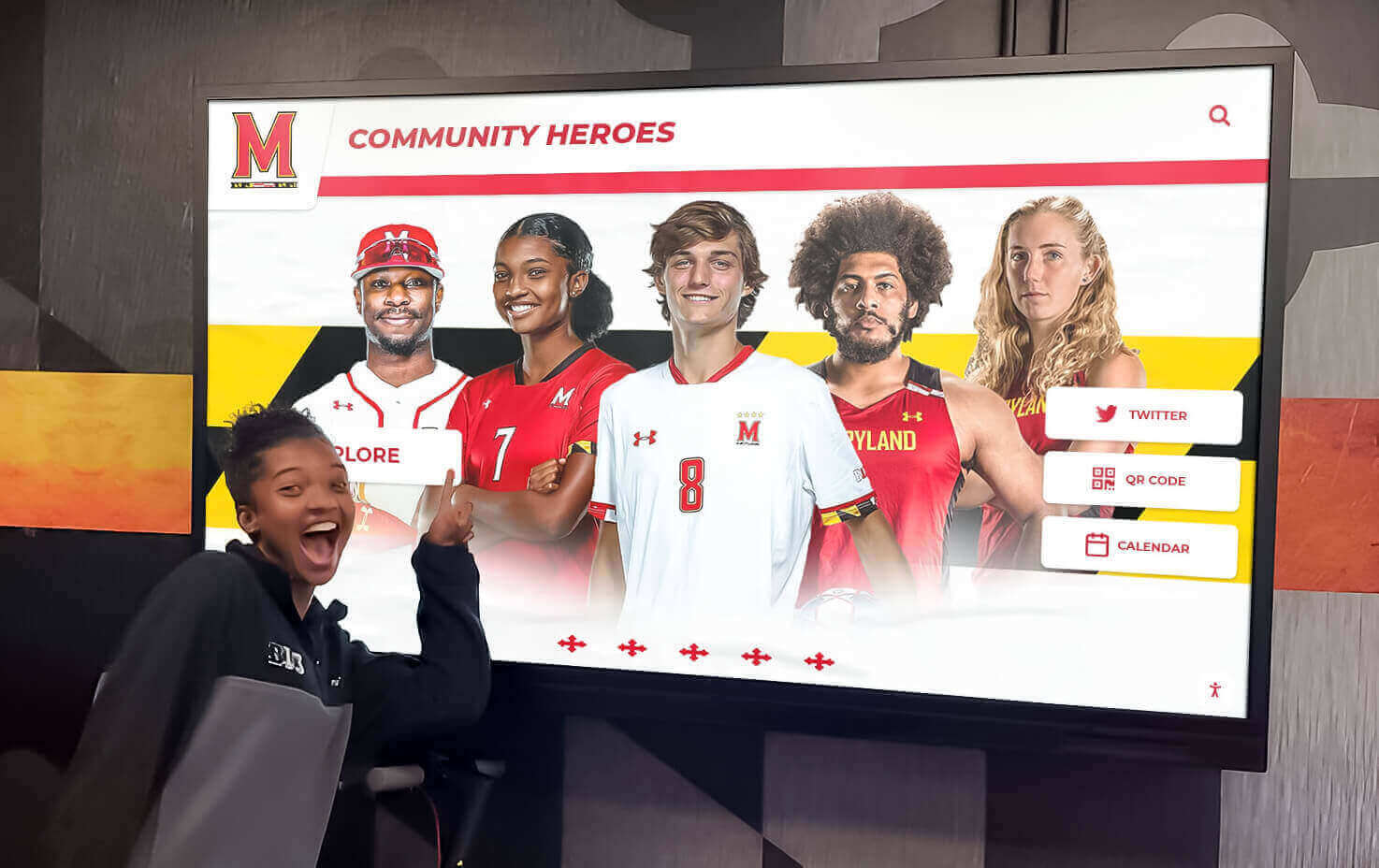
Well-planned content strategies ensure all supporters receive appropriate visibility and recognition
Maximizing Recognition Impact and Community Engagement
Technology alone doesn’t guarantee effective recognition—strategic implementation creates meaningful community connections.
Storytelling Best Practices
Moving Beyond Names to Narratives
The most compelling recognition connects supporters to mission impact:
Why They Give: Personal statements from donors and partners explaining their motivations and connections to organizational mission (obtained through brief interviews or written questionnaires)
What They Enable: Specific program examples, facility improvements, or service expansions made possible by particular contributions, helping supporters see tangible outcomes
Who Benefits: Testimonials from program participants, community members served, or beneficiaries whose lives changed because of partner and donor support (with appropriate permissions and privacy protections)
Collective Impact: Community-level outcomes demonstrating how combined support from all partners and donors creates change no single contributor could achieve alone
Visual Storytelling Approaches
Photos and videos significantly enhance engagement compared to text-only displays:
- Before-and-after project documentation showing facility improvements or program expansions
- Event photography capturing program activities, celebrations, and community participation
- Service recipient portraits (with permission) humanizing impact statistics
- Partner and volunteer action shots showing community members engaged in organizational mission
- Historical imagery connecting current recognition to organizational legacy
Organizations need not hire professional photographers—smartphone cameras produce adequate quality for most nonprofit display applications, though attention to lighting, composition, and image resolution improves results.
Promoting Display Awareness and Usage
Ensuring Community Members Know About Recognition
Displays hidden in little-visited spaces waste investment. Strategies for maximizing awareness include prominent lobby placement where visitors naturally congregate, directional signage guiding people to recognition areas, tour integration for new volunteers, donors, and partners, newsletter and social media announcements about new recognition additions, and QR codes near displays linking to online versions for later exploration.
Creating Reasons for Repeated Engagement
Displays serving single purposes (like static donor lists) get glanced at once then ignored. Encourage regular engagement through weekly content updates creating reasons to check back, interactive search enabling visitors to find friends and colleagues, event calendars communicating upcoming programs, impact story rotation showcasing different programs and outcomes, and seasonal themes maintaining fresh, relevant displays.
Facilitating Social Sharing
Recognition appreciation extends when supporters can share acknowledgment:
- QR codes linking to individual donor or partner profile pages online
- Social media integration enabling “share my recognition” functionality
- Printable certificates or screenshots visitors can capture
- Photo opportunities near displays for recognition celebrations
- Email notifications when new recognition content is added
Supporters who can easily share recognition with family, colleagues, and social networks amplify organizational visibility while deepening personal connections to missions.
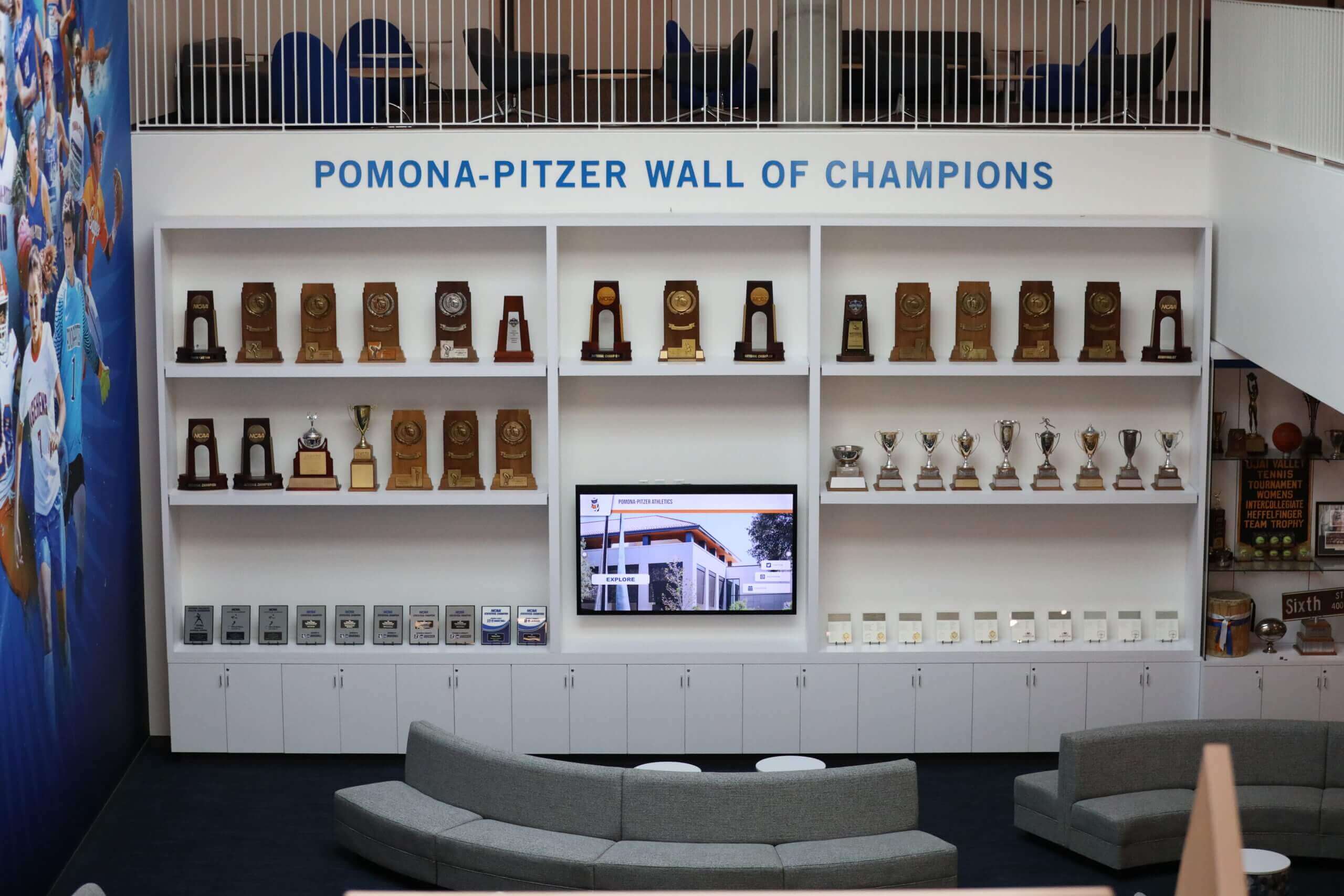
Creating inviting recognition environments encourages community members to spend time engaging with displays rather than walking past
Measuring Recognition Effectiveness
Quantitative Engagement Metrics
Technology enables measurement impossible with static recognition:
- Display interaction frequency and duration (through touchscreen analytics)
- Most-viewed content and recognition categories
- Search terms revealing what visitors seek
- Peak usage times informing content scheduling
- Geographic data showing local vs. distant web access
- Social sharing frequency and reach
These metrics help organizations understand what recognition resonates while justifying continued investment in displays and content development.
Qualitative Feedback Gathering
Numbers tell partial stories—direct feedback provides essential context:
- Brief surveys near displays asking about recognition experiences
- Partner and donor feedback during relationship cultivation
- Comment cards or email addresses for recognition suggestions
- Focus groups with community members and volunteers
- Board member and leadership observations
- Staff reports on visitor questions and comments
Combining quantitative analytics with qualitative feedback creates comprehensive understanding of recognition effectiveness while identifying improvement opportunities.
Demonstrating ROI to Leadership and Funders
Recognition investment requires ongoing justification:
- Donor retention rate changes after recognition implementation
- Partner engagement and renewal patterns
- Volunteer recruitment and retention correlation with recognition
- Event attendance increases when displays promote programs
- Anecdotal impact stories from community members
- Cost comparisons versus traditional recognition approaches
Organizations demonstrating recognition impact through data and stories find continued budget support for platform subscriptions, content development, and expansion to additional displays.
Common Challenges and Practical Solutions
Understanding typical difficulties helps nonprofits avoid problems or address them quickly when they arise.
Budget and Funding Constraints
Challenge: Limited Implementation Budget
Many nonprofits struggle to allocate thousands of dollars for recognition technology when program funding remains insufficient.
Solutions:
- Phased Implementation: Start with single display in highest-traffic location, adding additional displays as budgets allow
- Donor-Funded Recognition: Seek supporters interested in funding recognition systems as specific gifts
- Partner Contributions: Approach community business partners about sponsoring displays that will feature their recognition
- Equipment Donations: Request in-kind contributions of displays or computers from technology companies
- Grant Funding: Research technology grants from foundations supporting nonprofit capacity building
Challenge: Ongoing Software Subscription Costs
Annual platform fees strain operating budgets.
Solutions:
- Budget Line Integration: Include subscription costs in annual budgets alongside utilities and other essential operational expenses
- Bundled Funding: Include technology costs in grant applications for programs displays will promote
- Nonprofit Pricing: Negotiate discounts or volunteer rates with vendors
- Cost Sharing: Split expenses with partner organizations if displays serve multiple missions
Technical and Administrative Challenges
Challenge: Staff Lack Technical Skills
Organizations with limited technology capacity worry about managing digital displays.
Solutions:
- User-Friendly Platforms: Select systems designed for non-technical users with intuitive interfaces
- Volunteer Expertise: Recruit technology volunteers for initial setup and occasional troubleshooting
- Comprehensive Training: Invest in thorough onboarding ensuring staff confidence
- Vendor Support: Choose platforms offering responsive support when issues arise
- Documentation: Maintain written guides for common tasks and troubleshooting
Challenge: Content Creation Capacity
Nonprofit staff wear many hats, leaving limited time for content development.
Solutions:
- Template Libraries: Use vendor-provided templates reducing design requirements
- Volunteer Writers/Photographers: Engage communications volunteers for content creation
- User-Generated Content: Request photos and stories from partners and program participants
- Scheduled Content Blocks: Dedicate specific weekly time to recognition updates preventing indefinite delay
- Modest Update Frequency: Recognize that monthly updates provide adequate value even if weekly would be ideal
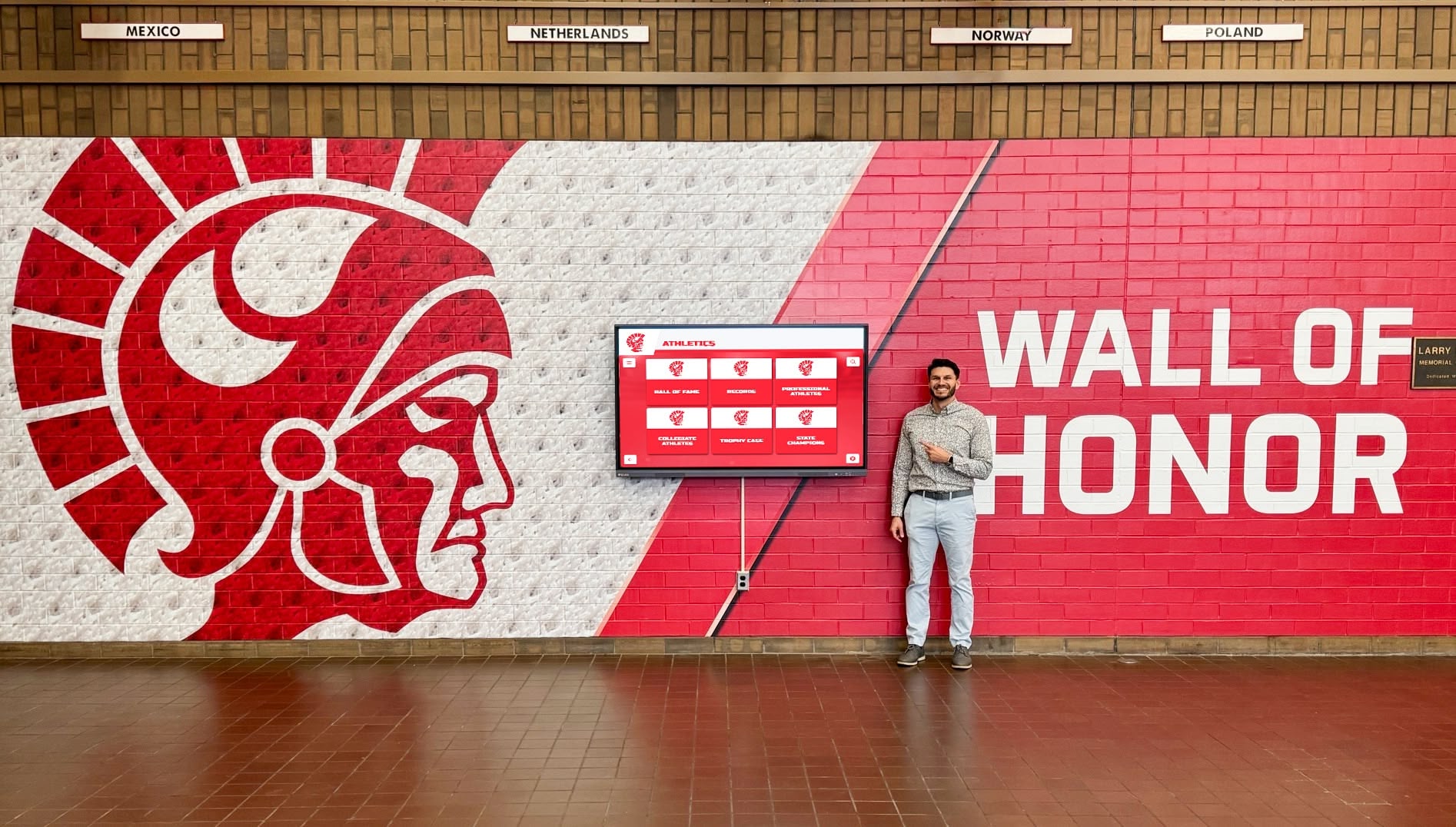
Strategic planning and realistic expectations enable successful implementations despite typical nonprofit resource constraints
Recognition Policy and Relationship Challenges
Challenge: Managing Recognition Expectations
Supporters may have strong opinions about how their contributions should be acknowledged.
Solutions:
- Clear Policies: Establish written recognition guidelines before implementing displays
- Flexible Options: Offer privacy controls for supporters preferring anonymity
- Communication: Discuss recognition approaches during gift conversations rather than surprising donors
- Professional Presentation: Ensure all recognition appears polished and appropriate
- Consistency: Apply recognition standards equitably across all supporters
Challenge: Historical Donor Migration
Organizations with decades of supporters face massive data entry undertakings.
Solutions:
- Prioritization: Begin with current and recent donors, adding historical recognition progressively
- Volunteer Data Entry: Engage detail-oriented volunteers for historical record digitization
- Phased Migration: Set realistic timelines recognizing data entry spans months or years
- Quality Standards: Establish minimum information requirements preventing incomplete records
Learn about recognition policy development through donor recognition planning guides addressing common challenges.
Future-Proofing Your Digital Recognition Investment
Technology evolves rapidly—strategic decisions today position nonprofits for long-term success.
Platform Scalability and Growth
Starting Small While Planning for Expansion
Organizations beginning with single displays should consider future growth:
- Multi-Display Capability: Choose platforms accommodating additional displays without platform migration
- Location Management: Verify systems can handle satellite facilities if expansion occurs
- Content Differentiation: Ensure platforms can show different content on different displays when appropriate
- User Permissions: Confirm multi-user support with role-based access for growing teams
Starting with the right platform prevents expensive migrations when organizational needs expand.
Integration with Organizational Systems
Recognition effectiveness increases when connected to other databases:
- Donor Management Integration: Automatic recognition updates when gifts are processed
- Event Management Connection: Attendance tracking feeding volunteer and participation recognition
- Website Integration: Recognition visibility on organizational websites extending reach
- Email Platform Connection: Automated notifications when supporters are recognized
While integration often exceeds initial implementation scope and budget, choosing platforms offering integration capability enables future enhancement.
Emerging Technology Considerations
Mobile and Remote Access
Recognition increasingly extends beyond physical displays:
- Web-accessible versions enabling worldwide visibility
- Mobile-responsive design for smartphone browsing
- QR code connections from printed materials to digital recognition
- Virtual event integration for remote celebrations
- Social media sharing and embeddable widgets
Platforms offering comprehensive digital presence beyond physical displays maximize recognition investment while serving increasingly distributed constituencies.
Accessibility and Universal Design
Regulatory requirements and ethical imperatives demand inclusive technology:
- ADA compliance ensuring accessibility for visitors with disabilities
- Multiple language support for diverse communities
- Voice-controlled navigation for hands-free operation
- High-contrast modes and adjustable text sizing
- Closed captioning for video content
Forward-thinking organizations prioritize accessibility from initial implementation rather than retrofitting later at greater expense.
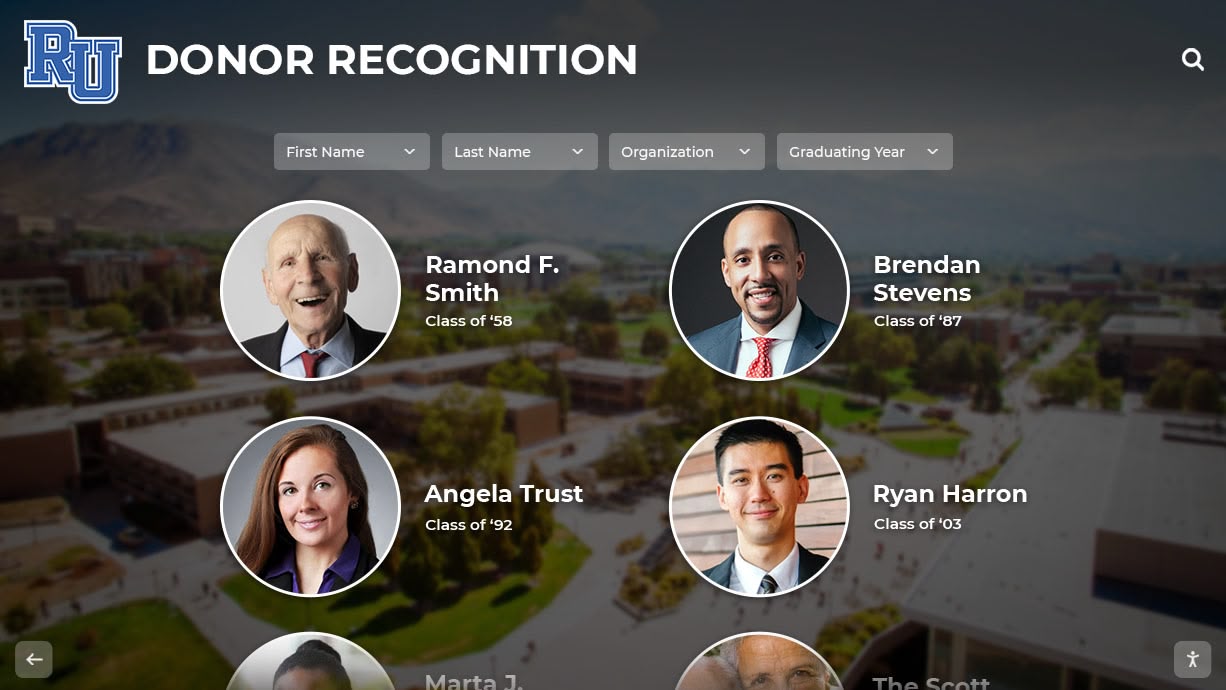
Strategic technology choices enable long-term recognition effectiveness while accommodating organizational growth and changing needs
Conclusion: Making Digital Recognition Work for Your Nonprofit
Digital wall mount displays offer nonprofits practical solutions for recognizing community partnerships, honoring veterans, promoting events, and celebrating donors with flexibility and professionalism impossible through traditional static approaches. With hardware costs declining, software becoming more user-friendly, and implementation processes maturing, recognition technology that once required enterprise budgets and IT departments now fits small nonprofit contexts.
The strategies explored in this guide provide frameworks for successful implementation balancing organizational priorities including honoring supporters appropriately, communicating impact effectively, maintaining budget discipline, managing technology confidently, and creating sustainable processes ensuring long-term effectiveness.
Strategic Decision Framework
Nonprofits considering digital displays should evaluate readiness across key dimensions:
- Mission Alignment: Does enhanced recognition serve strategic priorities or simply chase technology trends?
- Budget Reality: Can initial and ongoing costs be sustained without compromising program funding?
- Content Capacity: Who will create and manage recognition content with adequate frequency?
- Stakeholder Support: Do leadership, board, and staff support recognition investment?
- Implementation Timeline: What schedule aligns with campaigns, facility improvements, or organizational milestones?
Organizations answering these questions honestly make appropriate decisions about timing and scope rather than implementing displays that exceed capacity or fail to meet needs.
Explore Digital Recognition Solutions for Your Nonprofit
Discover how recognition displays can help you celebrate community partners, honor veterans, promote events, and strengthen supporter relationships while fitting nonprofit budgets and capacity.
Talk to our teamThe Recognition Investment Imperative
With nonprofit donor retention averaging below 50% across the sector and community partner relationships requiring constant cultivation, recognition represents strategic investment in the relationships sustaining missions. Organizations that appropriately acknowledge supporters—making recognition visible, current, and meaningful—build cultures where generosity is celebrated and encouraged, creating advantage in increasingly competitive fundraising and partnership landscapes.
Digital displays enable comprehensive, engaging recognition previously impossible with space-constrained plaques or labor-intensive manual bulletin boards. When every contribution receives appropriate acknowledgment and compelling stories demonstrate impact, organizations build inclusive cultures where all support is valued and community members feel genuinely connected to missions.
Technology as Mission Enabler
The most effective recognition implementations position technology as tool serving relationships rather than end in itself. Solutions like Rocket Alumni Solutions provide comprehensive platforms combining powerful capabilities with nonprofit-appropriate administration, enabling organizations to focus on supporter stewardship rather than technical management.
Your community partners, veteran supporters, and donors make your mission possible. They deserve recognition that honors their contributions appropriately, demonstrates the impact they create, strengthens their connection to your cause, and inspires continued engagement. With thoughtful planning, appropriate technology selection, and sustained commitment, you can create digital recognition that transforms appreciation from obligatory acknowledgment into strategic relationship building essential for long-term organizational success.
For additional guidance, explore nonprofit recognition best practices or discover how community organizations implement recognition displays that celebrate supporters and inspire engagement.































