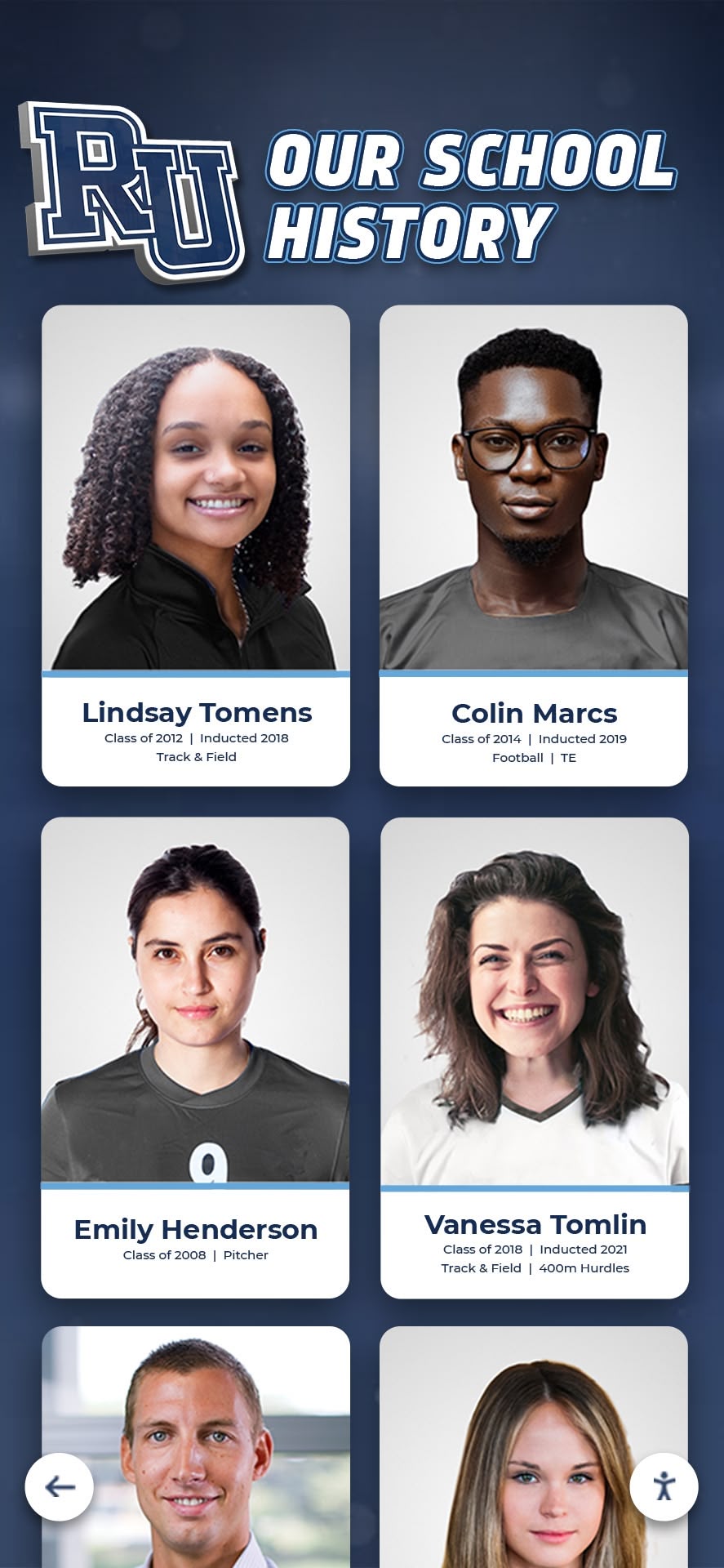
Intent: Demonstrate how schools, universities, and alumni associations can safely digitize vintage yearbooks and transform historical photographs into engaging hall of fame displays while preserving irreplaceable print volumes for future generations.
Old yearbooks represent invaluable institutional memory—decades of student portraits, team photos, candid moments, and historical documentation that connect current communities to their heritage. Yet these fragile volumes deteriorate with each handling, bindings crack from repeated opening, and photographs fade from light exposure. Meanwhile, advancement teams and athletic directors need these exact images to populate recognition displays, honor distinguished alumni, and celebrate institutional milestones.
The challenge: How do you extract photographs and biographical information from aging yearbooks without causing further damage, while simultaneously creating accessible digital archives that power interactive recognition displays? This guide provides preservation-focused digitization workflows, non-destructive scanning techniques, and implementation strategies that honor both historical artifacts and modern recognition needs.
Understanding Yearbook Preservation Challenges
Before digitizing vintage yearbooks, assess the preservation challenges these volumes face and why careful handling matters for long-term institutional memory.
Common Yearbook Deterioration Issues
Yearbooks suffer predictable damage patterns that accelerate without proper preservation:
Binding deterioration represents the most common issue. Adhesive bindings from the 1960s-1980s become brittle, causing pages to separate from spines. Perfect-bound yearbooks particularly suffer this fate, with pages literally falling out when opened. Thread-sewn bindings from earlier decades fare better but still weaken over time.
Page brittleness affects yearbooks printed on acidic paper, which yellows and becomes fragile. Yearbooks from approximately 1850-1990 contain high acid content that causes paper to deteriorate from within. This chemical breakdown continues regardless of handling, though environmental factors accelerate the process.
Photograph fading impacts pages with direct photographic prints, especially color photos from the 1970s-1990s. Chromogenic color prints fade when exposed to light and heat. Black and white halftone images printed with ink typically survive better than actual photographic prints bound into yearbooks.
Environmental damage from improper storage compounds these issues. Yearbooks stored in humid basements develop mold, water stains, and warped pages. Those kept in hot attics experience accelerated acid deterioration. Light exposure fades covers and photographs on frequently viewed pages.
Why Traditional Display Methods Damage Yearbooks
Well-intentioned recognition efforts often accelerate yearbook damage:
Opening yearbooks to specific pages and displaying them in glass cases stresses bindings at unnatural angles. The spine breaks under prolonged positioning at 90-degree or 180-degree angles. Light exposure—even from LED sources—gradually fades the displayed pages while the rest of the book remains protected in darkness, creating uneven deterioration.
Photocopying yearbook pages to extract photographs subjects books to intense light and physical pressure from scanning platens. Pressing aged bindings flat against copy glass can crack spines and separate pages. Repeated photocopying for multiple individuals throughout the year multiplies this damage.
Taking yearbooks out of archival storage for every alumni inquiry or recognition project exposes volumes to handling risks. Each circulation increases the chance of spills, tears, misplacement, or improper storage. Yearbooks pulled for scanning projects often end up on circulation desks, in storage closets, or even staff members’ homes rather than returning to climate-controlled archives.
Professional Digitization Methods That Protect Yearbooks
Implement preservation-focused scanning techniques that capture high-quality images while minimizing physical stress on vintage volumes.
Non-Destructive Scanning Equipment Options
Several technologies enable yearbook digitization without damaging bindings or pages:
Overhead book scanners provide the gentlest digitization method. These V-shaped cradles support books at their natural opening angle—typically 100-120 degrees rather than forcing them flat. Cameras mounted above capture facing pages simultaneously. Models like Atiz BookDrive, i2S CopiBook, and Zeutschel book scanners specifically accommodate fragile bindings. Many academic libraries and archives own these systems and offer digitization services to educational institutions.
Document cameras offer an affordable alternative for smaller projects. High-resolution document cameras (12+ megapixels) can photograph yearbook pages when books rest on supporting cradles. Position the book so its spine never opens beyond its natural resting angle. This method requires more manual processing but costs significantly less than professional book scanners.
Flatbed scanners work only for volumes that can safely open flat without binding stress. Never force aged bindings. If a yearbook naturally opens flat without resistance, flatbed scanning becomes viable. Use the scanner lid’s weight only—never press down to flatten pages, as this stresses bindings and can crack spines.
Professional digitization services specialize in fragile materials. Companies like Internet Archive Scanning Centers, Backstage Library Works, and university preservation departments offer book digitization using professional equipment. They handle valuable or extremely fragile yearbooks you cannot safely scan in-house. Costs typically range from $50-150 per volume depending on page count and condition.
Scanning Resolution and File Format Specifications
Capture yearbook images at specifications that support both digital displays and long-term preservation:
Scan at 400-600 DPI for yearbook pages containing photographs you will extract. This resolution captures sufficient detail for recognition displays while creating manageable file sizes. For archival masters, consider 600 DPI scans stored as preservation files, with lower-resolution access copies for everyday use.
Save files as TIFF format for archival masters and JPEG for access copies. TIFF preserves maximum image information without compression artifacts, making it ideal for preservation storage. Convert to JPEG (quality 85-95%) for display on digital recognition systems, where file size matters for loading performance.
Photograph yearbook covers and spines separately at high resolution. These images provide important contextual information and can create engaging visuals for digital history archive displays.
Use color scanning even for black-and-white yearbooks. Aging paper develops yellow or brown tones, and color scans preserve this historical context. You can always convert to grayscale in editing software, but you cannot add color information after grayscale scanning.
Safe Handling Protocols During Digitization
Protect yearbooks throughout the scanning process:
Prepare clean workspaces free from food, drinks, and clutter. Designate a digitization station away from high-traffic areas where yearbooks might be bumped or damaged. Cover surfaces with clean butcher paper or acid-free tissue.
Use cotton gloves when handling extremely fragile or rare yearbooks, though clean, dry hands often work better for turning pages. Gloves reduce finger oils but can reduce tactile sensitivity, making page-turning clumsier. Whatever you choose, ensure hands are clean and dry.
Support book structures throughout scanning. Never let yearbooks hang unsupported with pages drooping. Use foam supports, book cradles, or rolled towels to maintain the spine’s natural curve. When photographing with overhead cameras, adjust cradle angles so books rest comfortably without forcing bindings.
Turn pages carefully by grasping top corners and lifting slowly. Never lick fingers to turn pages, as saliva introduces moisture and enzymes that accelerate deterioration. Use bone folders or microspatulas for extremely delicate pages that might tear when fingered directly.
Limit scanning sessions to prevent prolonged exposure and handling fatigue. Extended scanning sessions lead to rushing and mistakes. Plan for 30-45 minute working periods with breaks, returning yearbooks to archival storage between sessions.
Extracting Individual Photographs from Digitized Yearbooks
Once you have scanned yearbook pages, extract individual portraits and photographs for recognition displays.
Photo Extraction Workflow
Transform full-page scans into individual image files ready for hall of fame displays:
Import page scans into photo editing software. Adobe Photoshop, GIMP (free), or Photoshop Elements work well. Organize folders by yearbook year and section (seniors, juniors, sports teams, clubs) for easier navigation.
Crop individual portraits using rectangular selection tools. Include the photograph and caption with name/biographical information but exclude surrounding portraits and page elements. Maintain consistent aspect ratios across portraits from the same yearbook for visual uniformity in displays.
Adjust image quality to compensate for yellowed paper, faded ink, or scanning artifacts. Increase contrast to restore definition lost to aging. Adjust levels to restore black points and white points. For color photos, color-correct to remove yellow or magenta shifts from fading. Many editing programs offer “auto levels” features that handle basic corrections automatically.
Save individual files with systematic naming conventions. Use formats like 1985_Smith_John.jpg or Yearbook_1975_Football_Team.jpg. Consistent naming enables easy searching and sorting when uploading to recognition systems. Include year and full name at minimum.
Create metadata records documenting each photograph’s source. Note yearbook title, year, and page number for reference. Record graduation class, sports teams, academic honors, or other relevant biographical information. This metadata populates searchable fields in digital hall of fame displays.
Automated Photo Extraction Tools
Several software options accelerate the extraction process for yearbooks with consistent layouts:
Adobe Acrobat Pro includes tools for selecting and exporting regions from PDFs. If you create PDFs from yearbook scans, use the “Export All Images” function to extract photos, then manually organize and rename the results.
AI-powered photo detection tools identify faces and portraits within larger images. Tools like Google Photos, Adobe Lightroom, and specialized face-detection software can locate portraits automatically, though you will still manually review results for accuracy.
Optical Character Recognition (OCR) extracts text from yearbook pages, including photo captions with names and information. This dramatically reduces manual data entry. Tesseract OCR (open-source) and Adobe Acrobat’s OCR feature convert scanned text into editable, searchable content.
Image Enhancement for Display Quality
Improve extracted photographs so they appear professional in digital recognition systems:
Restore faded photographs using photo editing tools. For color images, increase saturation moderately—typically 10-20%—to restore vibrancy lost to fading. Avoid over-saturation that creates unrealistic colors. Black-and-white photos benefit from contrast increases that restore definition.
Remove blemishes and stains carefully. Minor spots, yellowing, and aging artifacts can be retouched without compromising historical authenticity. However, maintain the photograph’s essential character—don’t edit to the point where someone appears different than they did historically. The goal is presenting the photograph as it appeared when new, not creating fictional representations.
Sharpen modestly to compensate for halftone printing or scanning softness. Apply unsharp masking or smart sharpening at low to moderate settings. Excessive sharpening creates halos and artifacts, especially around faces and text.
Standardize cropping and sizing across photographs from different years. Consistent presentation creates more professional recognition displays. Consider standard aspect ratios like 3:4 (portrait) or 1:1 (square) that work well in grid layouts on touchscreen displays.
Organizing Digital Archives for Easy Access
Structure your digitized yearbook collection so photos remain accessible for recognition projects, research, and preservation.
Digital Asset Management Systems
Store and organize digitized yearbooks using systems designed for institutional collections:
Institutional repositories like DSpace, Omeka, or CONTENTdm manage digital collections at universities and schools. These platforms provide metadata standards, long-term preservation features, search capabilities, and public access controls. Many colleges already use these systems for thesis archives and special collections, making yearbook additions straightforward.
Digital asset management (DAM) platforms offer robust organization for photo collections. ResourceSpace (open-source), Bynder, or Adobe Experience Manager provide tagging, facial recognition, rights management, and API access that supports integration with recognition displays. DAM systems work well for organizations managing multiple media types beyond yearbooks.
Cloud storage with folder organization provides simpler alternatives for smaller collections. Google Drive, Dropbox, or Microsoft OneDrive folders organized by year, person, or event enable basic access. Use clear naming conventions and folder structures since these platforms lack advanced search and metadata features of purpose-built DAM systems.
Backup strategies protect digital archives from loss. Follow the 3-2-1 backup rule: maintain three copies of files, on two different media types, with one copy off-site. Store yearbook scans on local servers, cloud storage, and external hard drives kept in separate locations. Verify backups periodically to catch corruption or degradation.
Metadata Standards for Searchability
Implement consistent metadata that powers searching and filtering in recognition displays:
Required fields for every digitized yearbook photograph should include year, full name, graduation class, and source yearbook. These basics enable filtering by decade, finding specific individuals, and citing original sources.
Enhanced metadata adds context and discovery options. Include sport or activity, position or role, awards or achievements, hometown, current city (for alumni tracking), and biographical notes. The more information you capture, the richer the recognition experience becomes.
Controlled vocabularies standardize terminology. Use consistent sport names (Track and Field, not Track & Field or Track-and-Field), award names (All-State vs All-state), and activity names throughout your collection. Consistent terminology ensures reliable filtering and searching across decades of yearbooks.
Alumni database integration connects yearbook photos with existing alumni records. Link digitized photographs to your advancement database through unique identifiers like student ID numbers or constituent IDs. This enables recognition displays to show not just yearbook photos but also alumni spotlights with current information about careers, achievements, and giving history.
Copyright and Usage Rights Documentation
Address legal considerations for displaying historical yearbook photographs:
Institutional ownership typically applies when schools commissioned and published yearbooks. Educational institutions usually retain copyright over yearbooks they produced, enabling use in recognition displays and archives. However, verify ownership with legal counsel, especially for older volumes where contracts and policies may be unclear.
Photograph rights separate from compilation copyrights. While schools may own yearbook copyrights, individual portrait photographs might have been taken by external studios under different agreements. For most educational uses—particularly non-commercial recognition displays within the institution—fair use principles typically apply. Consult legal advisors for commercial uses or public web displays.
Privacy considerations matter even when copyright permits use. Some alumni prefer their images not be displayed publicly. Establish opt-out policies allowing individuals to request photograph removal from public-facing displays. Track these requests in metadata systems to prevent accidental inclusion.
Student photographer credits should be preserved when known. Many yearbooks include photo credits for student photographers. Maintain this attribution information when extracting photographs for displays, honoring the student work that documented institutional history.
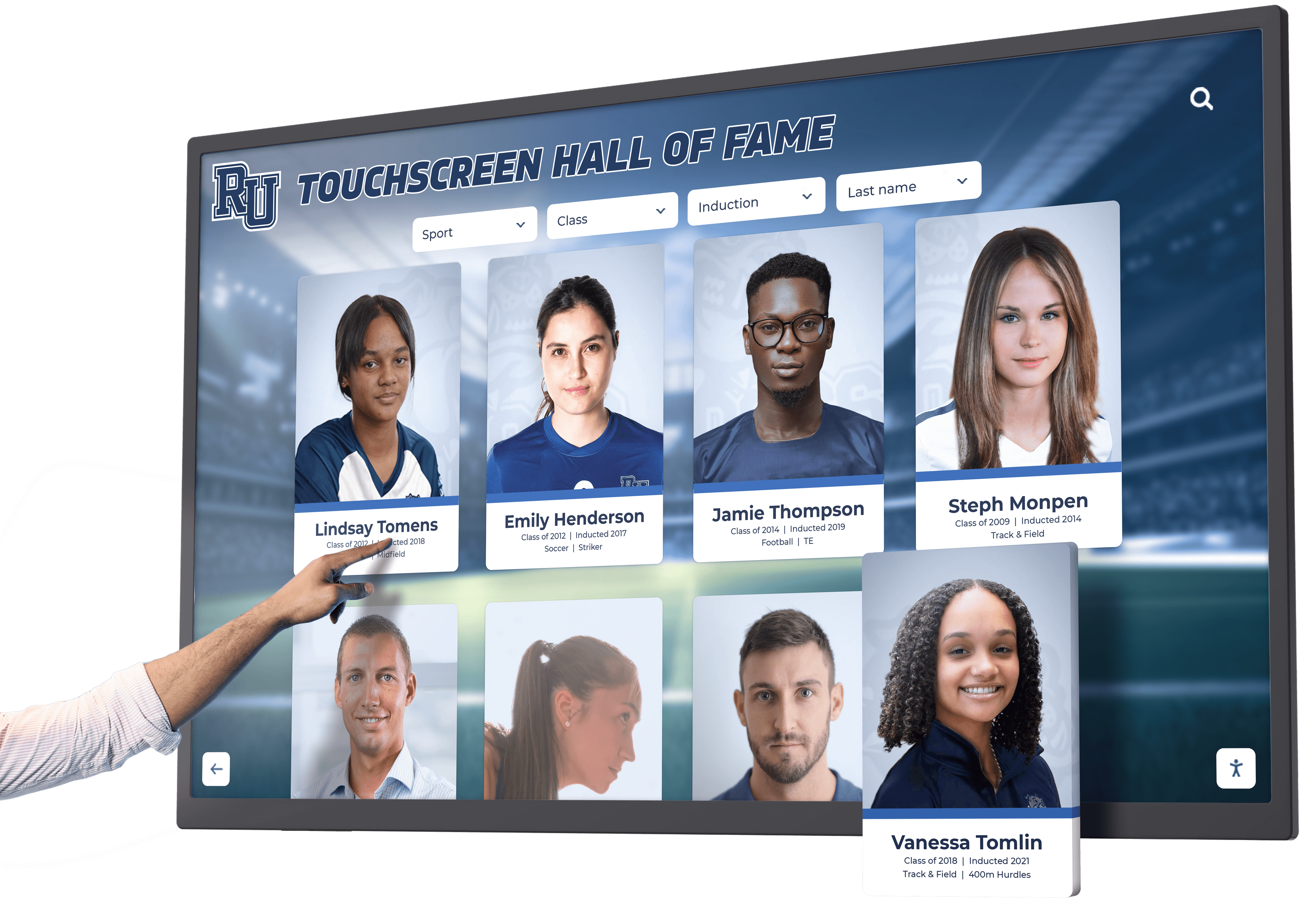
Creating Hall of Fame Displays from Digitized Yearbook Photos
Transform digitized yearbook photographs into engaging recognition experiences that honor alumni, athletes, and distinguished community members.
Digital Display Advantages Over Physical Yearbook Access
Modern recognition systems solve problems inherent in displaying physical yearbooks:
Unlimited capacity means never running out of space. Traditional trophy cases and wall plaques fill quickly, forcing difficult decisions about whom to include. Digital recognition displays accommodate decades of honorees without space constraints. Add new inductees annually without replacing existing recognition.
Easy updates eliminate expensive re-engraving. When honoree information changes—career updates, new achievements, or corrected biographical details—digital systems update instantly. No production delays, no replacement costs, just immediate corrections.
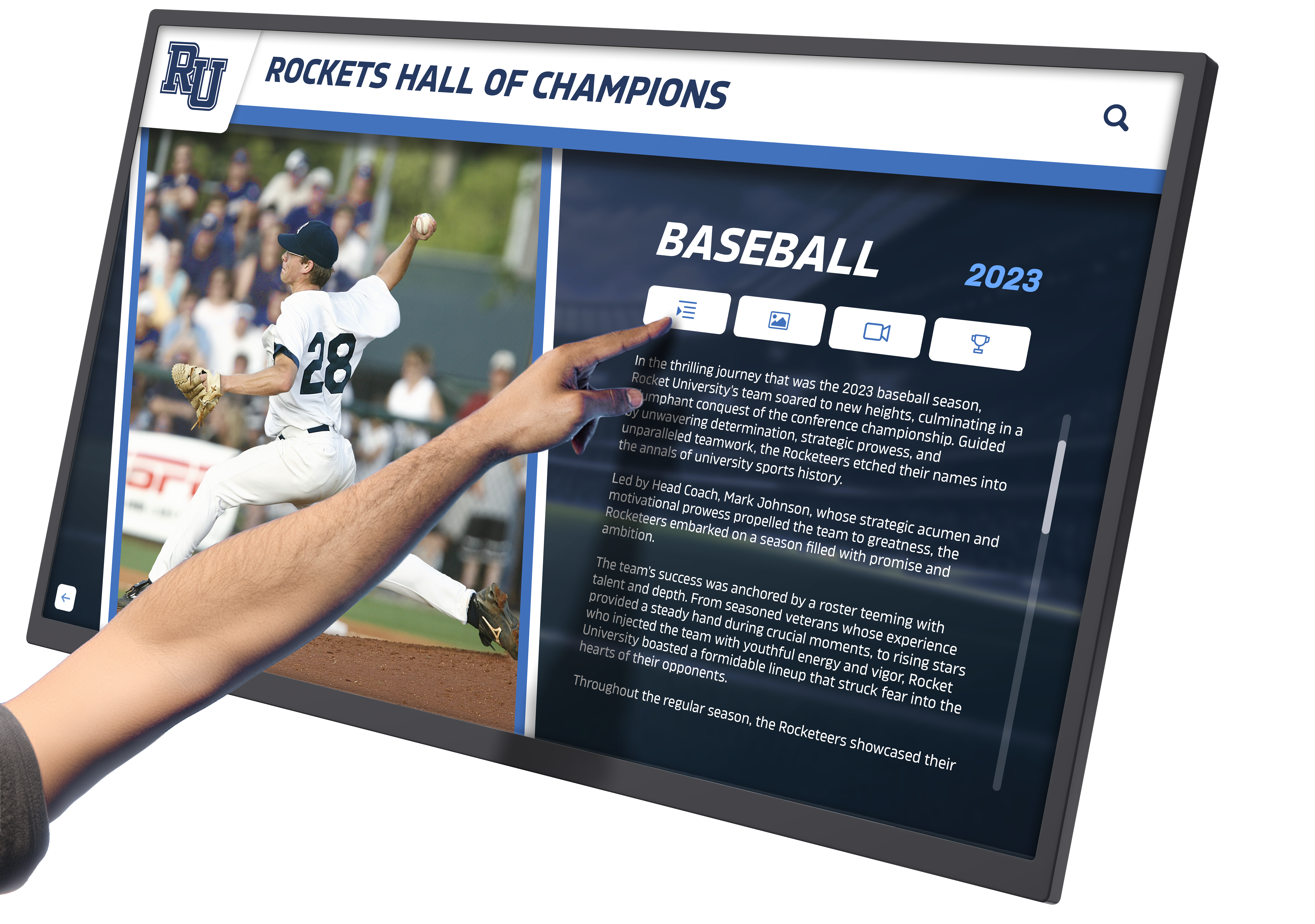
Rich multimedia content extends beyond static photographs. Digital displays combine yearbook photos with video interviews, career highlights, game footage, and donor impact stories. This multimedia approach creates emotional connections impossible with bronze plaques. Solutions like Rocket Alumni Solutions enable institutions to blend historical yearbook imagery with modern recognition content in accessible, ADA-compliant displays.
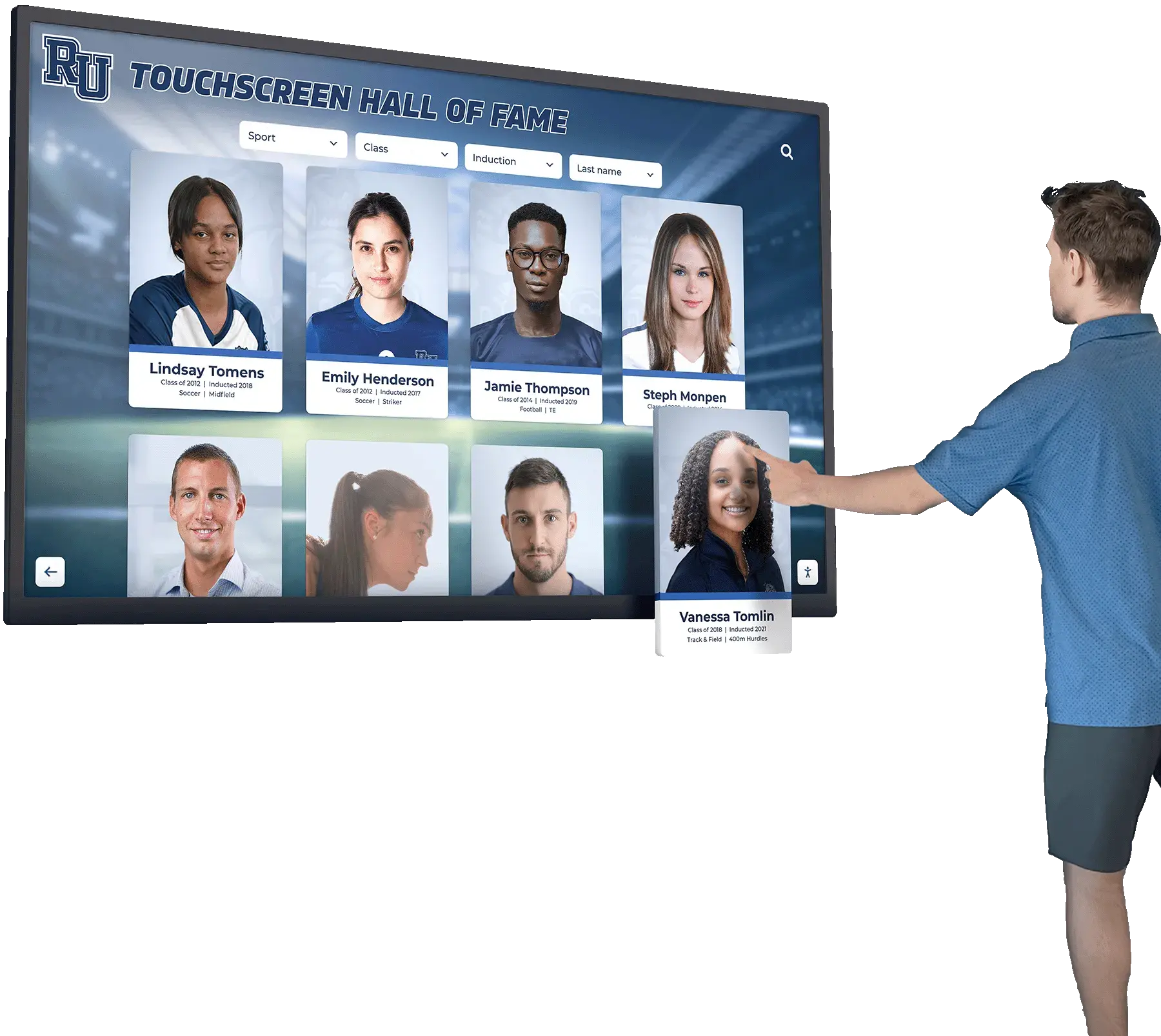
Interactive exploration engages visitors actively. Touchscreen interfaces let visitors search by name, year, sport, or achievement. Family members find their relatives, alumni discover former classmates, and students explore institutional history. This interactivity creates experiences people remember and share, extending recognition impact beyond passive viewing.
Protected originals remain safely archived. Once yearbooks are digitized, original volumes return to climate-controlled storage. Fragile bindings never open again unnecessarily. Historical photographs reach wider audiences while artifacts remain preserved for future generations.
Recognition Display Content Strategies
Structure hall of fame content so digitized yearbook photos tell compelling stories:
Biographical narratives provide context beyond photographs. Combine yearbook senior portraits with athletic action shots, career summaries, and achievement highlights. Biographical profiles for athletic recognition typically include statistics, championships, and post-graduation accomplishments alongside yearbook photographs.
Timeline presentations show institutional evolution through decades of yearbook images. Create chronological displays featuring yearbook covers, team photos, and milestone moments from each decade. This format works well for anniversary celebrations and historical exhibits.
Searchable databases accommodate large collections spanning many years. Enable filtering by graduation year, sport, academic department, or honor society. Visitors can locate specific individuals or explore categories of achievement. This approach suits comprehensive digital archives incorporating entire yearbook collections.
“Then and now” comparisons pair historical yearbook photos with contemporary images of distinguished alumni. These side-by-side presentations resonate emotionally, showing life journeys from student years to career achievements. They work particularly well for donor recognition, connecting current gifts to educational experiences that shaped philanthropic values.
Team and group displays honor collective achievements. Combine team photos from championship yearbooks with individual player profiles, season highlights, and legacy impact. This format celebrates both individual contributors and collaborative success.
Integrating Yearbook Archives with Modern Recognition Systems
Technical implementation connects historical photographs with interactive displays:
Content management platforms purpose-built for recognition displays simplify uploading and organizing digitized photos. Systems like Rocket Alumni Solutions provide intuitive interfaces for bulk uploading yearbook photos, adding metadata, creating biographies, and arranging content into recognition categories. These platforms handle technical details like image optimization, responsive sizing, and accessibility features automatically.
API integrations connect yearbook archives with existing systems. Pull photos from institutional repositories or DAM systems directly into recognition displays without duplicate storage. Automated synchronization keeps displays updated as new content enters archives.
Mobile accessibility extends yearbook access beyond physical locations. When integrated with web-based recognition platforms, digitized yearbooks become accessible from anywhere. Alumni explore archives from home, donors see recognition before events, and researchers access historical materials remotely.
Touchscreen kiosk placement positions recognition displays where they generate maximum engagement. Install in building lobbies, athletic facilities, advancement offices, and alumni centers. Visitors naturally gravitate to interactive displays, creating organic engagement opportunities that static yearbooks in locked cases cannot achieve.
Preserving Original Yearbooks After Digitization
Digitization does not eliminate the need for preserving physical yearbooks—it enables better preservation by reducing handling.
Archival Storage Best Practices
Store original yearbooks properly to extend their lifespan:
Climate-controlled environments prevent deterioration from temperature and humidity fluctuations. Store yearbooks at 65-70°F with 30-40% relative humidity. Avoid basements (too humid), attics (too hot), and exterior walls (temperature swings). Archival storage rooms or climate-controlled closets provide ideal conditions.
Archival containers protect yearbooks from dust, light, and physical damage. Store volumes in acid-free boxes sized appropriately for their dimensions. Hollinger Metal Edge, Gaylord Archival, and University Products sell preservation-quality containers. Alternatively, wrap yearbooks in acid-free tissue before boxing.
Proper shelving prevents spine and binding damage. Store yearbooks upright (vertical) like library books if they are structurally sound. Place similarly sized books together so taller volumes do not lean on shorter ones. For yearbooks with damaged bindings, store flat (horizontal) in archival boxes, stacking no more than 3-4 volumes high to prevent crushing bottom books.
Security measures prevent theft or loss. Rare yearbooks—especially early volumes or those with historical significance—should be stored in locked cabinets or secure archival rooms. Inventory yearbook collections annually to catch missing volumes quickly.
Deacidification and Restoration Options
Professional conservation extends yearbook lifespans:
Deacidification treatments neutralize acids in paper, slowing deterioration. Bookkeeper deacidification spray offers DIY options for modest collections, though application requires proper ventilation and safety equipment. Professional mass deacidification services treat entire volumes more thoroughly but cost hundreds of dollars per book.
Binding repairs restore usability to yearbooks with detached covers or loose pages. Professional book conservators can re-case volumes, re-sew signatures, or create protective enclosures. Repairs cost varies from $50-500+ depending on extent and volume size. Prioritize repairs for frequently consulted yearbooks or those with the most severe damage.
Encapsulation protects individual pages or loose photographs. Archival polyester film (Mylar) encapsulation sandwiches fragile pages between inert plastic layers using double-sided tape around edges. This stabilizes pages without adhesive contact with original materials. Suitable for extremely fragile pages that will be digitally scanned and then archived.
Disaster preparedness protects collections from catastrophic loss. Maintain off-site digital backups of all scanned yearbooks. Create disaster response plans identifying priority salvage items (typically earliest or rarest yearbooks). Store high-priority volumes on upper shelves above flood levels, away from water pipes.
Balancing Access and Preservation
Establish policies managing original yearbook use post-digitization:
Digital-first access policies direct most requests to online archives. Provide easy access to digitized yearbooks through institutional websites, intranets, or recognition display systems. Reserve physical yearbook access for specialized research needs that digital scans cannot address—like examining binding structures, paper quality, or undocumented alterations.
Supervised consultation for original volumes minimizes handling risks. When physical access is necessary, provide yearbooks only in supervised reading rooms where staff can monitor careful handling. Supply book cradles, page turners, and cotton gloves. Prohibit photography with flash, food, drinks, and ink pens near materials.
Condition assessments before and after consultations document any damage. Photograph yearbook conditions regularly to catch deterioration early. When high-value yearbooks are consulted, complete condition reports noting existing damage before allowing access.
Use restriction criteria identify yearbooks too fragile for physical consultation. Volumes with detached pages, extremely brittle paper, or active mold should not circulate. Provide digital access exclusively until conservation treatments restore handling safety.
Funding Yearbook Digitization and Recognition Display Projects
Digitization and display implementation require upfront investment—identify funding sources that align with institutional priorities.
Grant Opportunities for Preservation Projects
Multiple funding sources support yearbook digitization as educational preservation:
Library and archives grants from organizations like IMLS (Institute of Museum and Library Services), state library agencies, and regional preservation networks fund digitization projects. These grants typically require demonstration that materials have research value, access will improve, and preservation standards will be met.
Alumni association support often funds recognition projects that honor graduates and institutional history. Position yearbook digitization as enabling comprehensive alumni recognition displays that would be impossible with physical yearbooks. Alumni groups appreciate projects that make historical materials accessible to graduates wherever they live.
Development office partnerships emerge when yearbook digitization enables donor recognition. If historical yearbook photos will populate capital campaign recognition displays honoring major gifts, advancement teams may fund digitization as project infrastructure.
Athletic department budgets cover digitization when projects create hall of fame displays celebrating teams and athletes. Athletic hall of fame projects that rely on historical team photos from yearbooks justify digitization costs as display content development.
Cost-Benefit Analysis for Different Approaches
Evaluate digitization options against budget realities:
In-house digitization costs primarily time rather than cash. Student workers, library staff, or volunteers can scan yearbooks using existing equipment. Hourly labor costs multiply by estimated hours (typically 2-4 hours per yearbook depending on page count and extraction needs). Equipment costs range from $0 (using existing scanners) to $3,000-5,000 (purchasing document cameras) to $15,000-30,000 (professional book scanners).
Service bureau digitization costs approximately $50-150 per yearbook for basic page scanning, delivered as PDFs or TIFFs. Additional charges apply for photo extraction, metadata creation, or OCR processing—potentially adding $100-300 per volume. Total costs for 50 years of yearbooks might range from $2,500-20,000 depending on service level and yearbook sizes.
Phased approaches spread costs over multiple years. Prioritize recent yearbooks containing living alumni who will appreciate recognition most immediately. Add historical decades gradually as budget permits. This strategy delivers recognition display value quickly while building archives systematically.
Recognition display implementation costs vary by scope. Simple digital slideshow systems cost $1,000-3,000 including TV displays and media players. Professional interactive recognition platforms with touchscreens, custom software, and content management range from $8,000-25,000+ depending on display quantity, features, and ongoing support. Consider total cost models including hardware, software, installation, training, and content management when budgeting.
Conclusion: From Preservation to Celebration
Digitizing old yearbooks solves the dual challenge of protecting fragile historical artifacts while making institutional memory accessible for recognition and engagement. Through careful scanning, systematic organization, and integration with modern display technology, schools and organizations transform yellowing pages into dynamic recognition experiences that honor heritage while building community connections.
The process requires patience, attention to preservation standards, and investment in proper equipment and systems. However, the outcomes justify this effort: original yearbooks receive proper archival care extending their lifespan by decades, historical photographs become searchable and accessible regardless of physical location, and recognition displays gain rich content that would be impossible to showcase through traditional means.
Whether honoring distinguished alumni, celebrating athletic achievement, recognizing donor generosity, or simply preserving institutional memory, digitized yearbooks provide the foundation for recognition programs that connect past to present. Digital recognition displays powered by historical yearbook imagery create spaces where current students see themselves as part of ongoing traditions, alumni rediscover formative experiences, and donors understand the lasting impact of their support.
Ready to transform your yearbook archives into engaging recognition displays while preserving irreplaceable volumes for future generations? Talk to our team about creating interactive hall of fame systems that bring your institutional history to life.































