
Interactive displays have revolutionized how organizations communicate information in public spaces. Unlike static signs and bulletin boards that gather dust and quickly become outdated, interactive displays capture attention, encourage exploration, and transform passive viewers into engaged participants who actively discover information relevant to their interests.
Public spaces across educational institutions, corporate offices, museums, and community centers struggle with information overload. Traditional display methods bury important announcements under layers of paper flyers, fail to accommodate diverse audiences with varying interests, and provide no mechanism for visitors to explore topics at their own pace. Meanwhile, valuable stories, achievements, and organizational histories remain hidden in filing cabinets because physical display space is limited and expensive to update.
This comprehensive guide explores 30+ proven interactive display ideas that transform how organizations showcase information, celebrate achievements, preserve history, and engage audiences in lobbies, hallways, waiting areas, and public gathering spaces.
The most effective interactive displays don’t just present information—they create experiences that invite exploration, accommodate different learning styles, and make content accessible to diverse audiences. Organizations that implement thoughtful interactive solutions see increased visitor engagement, improved information retention, and stronger connections between their communities and institutional missions.

Modern interactive displays transform lobbies into engaging information hubs that visitors actively explore
Why Interactive Displays Outperform Static Signage
Understanding the psychology and practical advantages of interactive displays helps organizations design solutions that maximize engagement and information retention.
The Engagement Advantage
Interactive displays fundamentally change how people process information in public spaces:
Cognitive Engagement
- Touch interaction activates multiple sensory pathways, improving memory retention by 40-60%
- Self-directed exploration increases time spent with content by 3-5 times compared to static displays
- Interactive elements create memorable experiences that visitors discuss and share
- Choice and control over information flow increases perceived value and satisfaction
Practical Benefits
- Unlimited digital space eliminates physical constraints of walls and bulletin boards
- Real-time updates ensure information remains current without printing costs
- Content can be searched, filtered, and personalized to individual interests
- Analytics reveal which information resonates most with audiences
Accessibility and Inclusion
- Text sizing and contrast adjustments accommodate visual impairments
- Multilingual content serves diverse communities without separate physical displays
- Audio descriptions support visitors with different abilities
- Intuitive touch interfaces require no technical expertise
Research from digital communication studies shows that interactive content generates 2-3 times more engagement than equivalent static presentations, with visitors spending an average of 4-7 minutes exploring interactive displays versus 30-60 seconds glancing at traditional signage.
Common Display Challenges Interactive Solutions Solve
Organizations implementing interactive displays address persistent communication frustrations:
Space Limitations
- Physical walls fill up, forcing removal of older achievements to make room for new content
- Limited bulletin board space means only fraction of stories can be shared
- Trophy cases overflow, relegating older awards to storage where no one sees them
- Rotating physical displays requires staff time and creates visibility gaps
Maintenance and Currency
- Printed materials become outdated immediately upon posting
- Updating physical displays requires reprinting, remounting, and disposal costs
- Announcements get buried under newer postings or removed prematurely
- Seasonal or time-sensitive content can’t be automatically scheduled
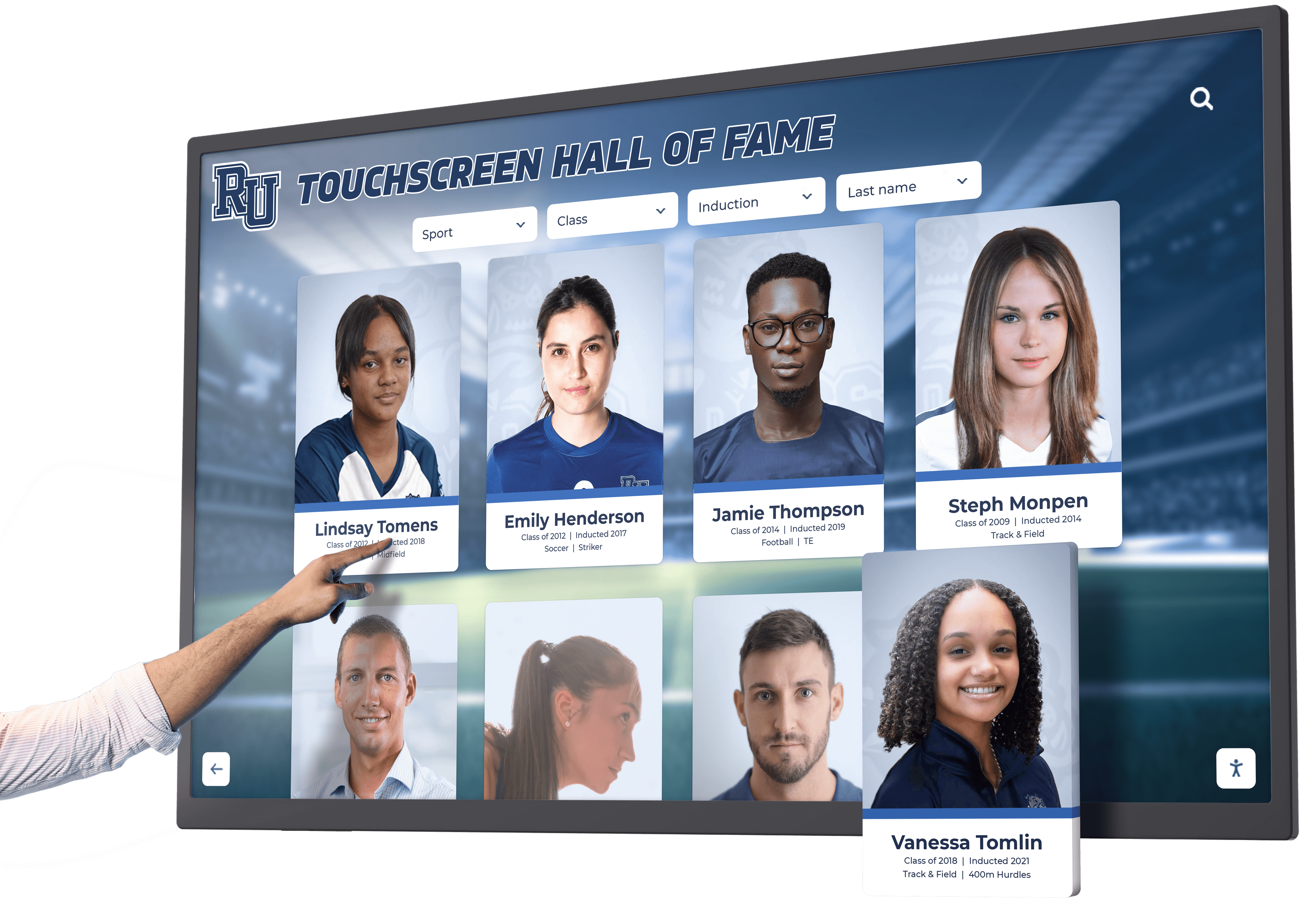
Touch interaction creates engaging experiences that encourage deeper exploration of content
Audience Relevance
- Static displays can’t personalize content for different visitor interests
- Everyone sees identical information regardless of relevance
- No mechanism for visitors to find specific people, events, or topics
- Limited content means many stories remain untold
Interactive displays eliminate these constraints while creating engaging experiences that serve diverse audiences simultaneously.
Interactive Display Ideas for Educational Institutions
Schools, colleges, and universities benefit tremendously from interactive displays that celebrate achievements, preserve history, and engage the campus community.
Student Recognition and Achievement Displays
1. Digital Academic Honor Roll Interactive displays showcasing academic excellence with searchable databases of honor students, achievement criteria, and historical trends. Families can find their students quickly while exploring the breadth of academic success across the institution.
Consider implementing student achievement recognition systems that highlight multiple achievement categories beyond traditional honor rolls.
2. Athletic Hall of Fame Touchscreen Comprehensive athlete recognition systems allowing visitors to explore sports history by team, year, achievement type, or individual athlete. Include photos, statistics, season highlights, and career summaries that bring athletic legacy to life.
Touchscreen kiosk solutions make it easy for alumni to find their own records while current students explore institutional athletic heritage.
3. Art Gallery Digital Displays Interactive showcases for student artwork with artist statements, creation processes, and exhibition histories. Visitors can filter by medium, grade level, or theme while learning about young artists’ creative journeys.
Learn more about creating art class gallery displays that celebrate creative achievement year-round.
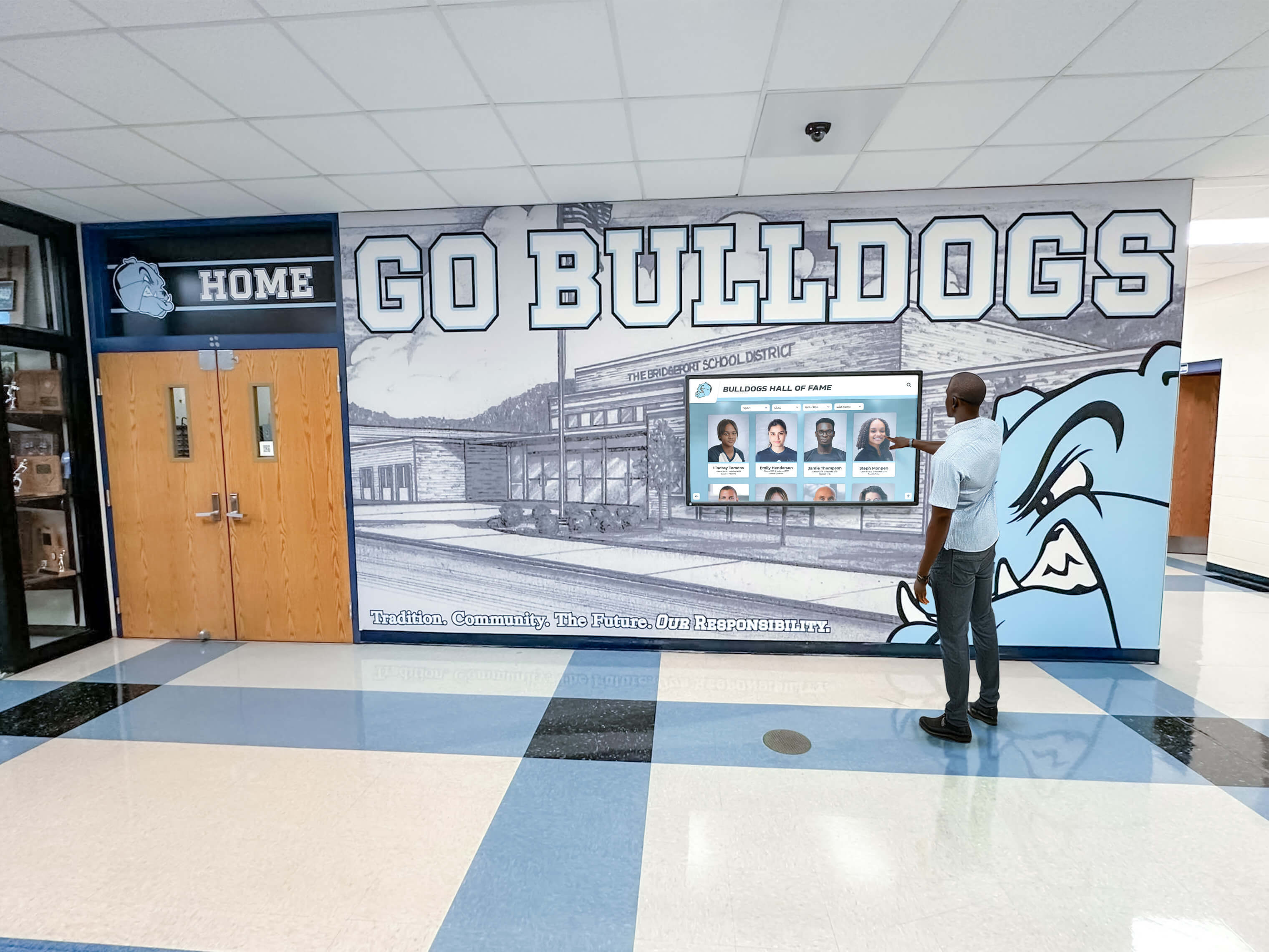
School hallways become destinations when interactive displays invite exploration of institutional history
4. Staff Recognition Programs Digital displays celebrating educator excellence, years of service, special achievements, and contributions beyond the classroom. Include biographical information, teaching philosophies, and student testimonials.
Explore comprehensive staff recognition program ideas that build appreciation and strengthen school culture.
5. Interactive School History Timeline Chronological displays allowing visitors to explore institutional history through decades, viewing historical photos, reading about significant events, and discovering how the school evolved. Include milestone celebrations, architectural changes, and community impact stories.
6. Alumni Achievement Showcases Searchable databases of notable alumni with career achievements, contributions to their fields, and connections back to their educational experiences. Current students find inspiration while alumni feel honored.
7. College Commitment and Signing Day Boards Interactive displays celebrating student-athletes committing to college programs with photos, statistics, chosen universities, and intended majors. Families can explore trends while highlighting individual achievements.
8. Academic Competition Results Displays showcasing debate tournaments, science olympiad results, math competition achievements, and other academic competitions. Include team photos, competition details, and historical comparisons.
Campus Information and Wayfinding
9. Interactive Campus Maps Touchscreen directories helping visitors navigate campus with building information, department locations, event spaces, and accessibility routes. Include virtual tours and points of interest.
10. Event Calendars and Schedules Real-time displays of upcoming events, athletic competitions, performances, and academic deadlines. Visitors can filter by category, date, or venue while accessing detailed information about events that interest them.
11. Daily Announcements and News Dynamic information boards presenting current news, schedule changes, menu updates, and time-sensitive announcements. Content updates automatically from centralized systems without manual intervention.
12. Department Showcases Interactive explorations of academic departments, programs, and extracurricular offerings. Prospective students and families can learn about opportunities while current community members discover new programs.
Interactive Display Ideas for Donor Recognition
Organizations with development initiatives benefit from interactive displays that honor philanthropic support while inspiring continued giving.
Donor Wall Innovations
13. Digital Donor Walls with Giving Levels Interactive recognition systems displaying donors by giving societies, campaign progress, and cumulative impact. Unlike static plaques that fill up and require expensive updates, digital systems accommodate unlimited donors with instant updates.
Solutions like Rocket Alumni Solutions’ digital donor walls offer elegant, ADA-compliant displays that honor donors while communicating campaign momentum and inspiring additional support.
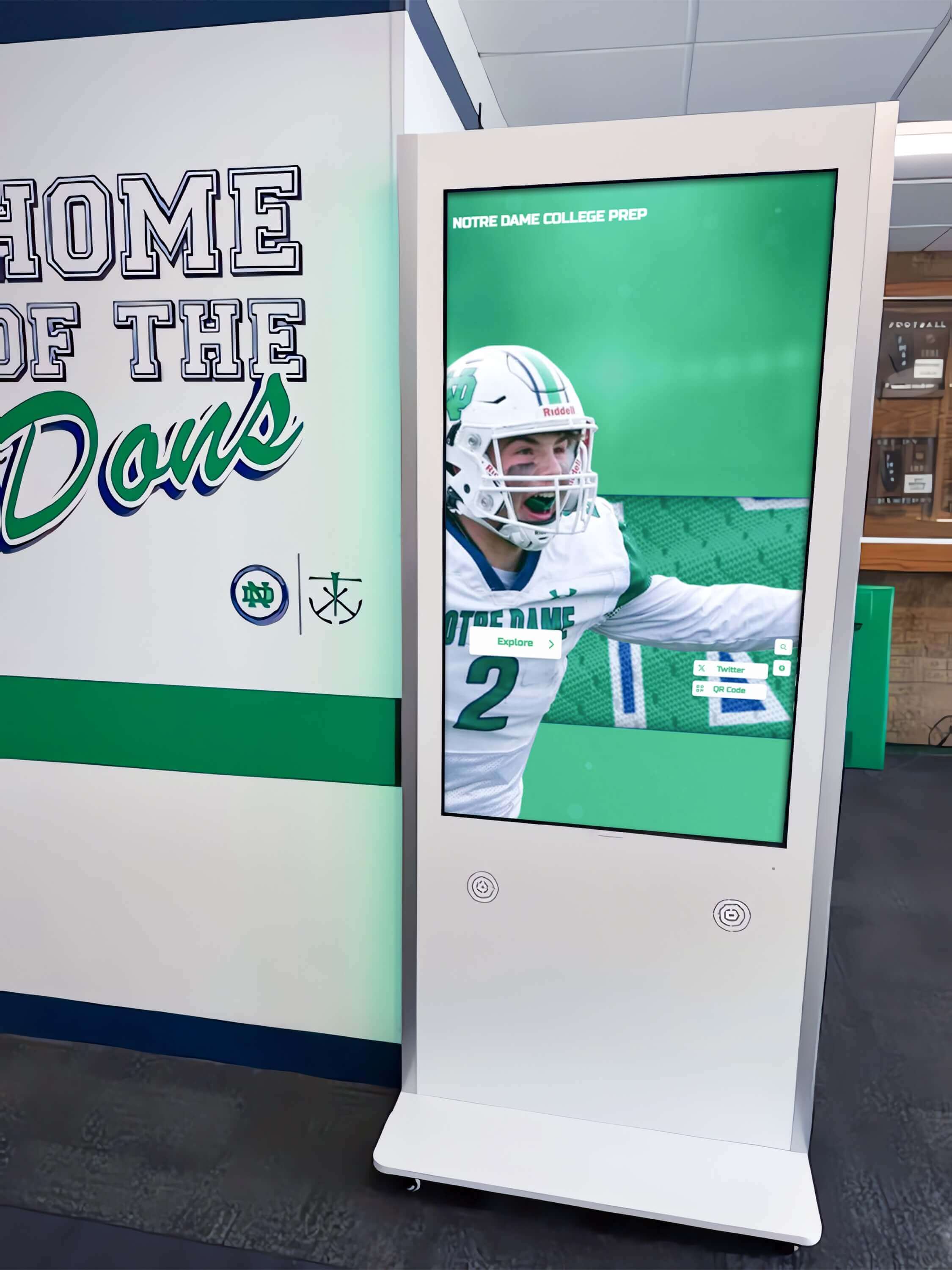
Hallway installations turn transitional spaces into engaging recognition experiences
14. Impact Story Galleries Multimedia presentations showing how donations create tangible outcomes. Include beneficiary testimonials, program photos, outcome metrics, and donor motivations that demonstrate philanthropic impact.
15. Campaign Progress Visualizations Real-time displays showing fundraising campaign progress toward goals with thermometer visuals, milestone celebrations, and donor recognition tiers. Updates automatically as new gifts arrive.
16. Legacy and Planned Giving Recognition Special recognition for donors who include organizations in estate planning, with biographical information, giving motivations, and legacy impact statements that inspire others to consider planned gifts.
17. Volunteer Appreciation Displays Interactive showcases celebrating volunteer contributions with service hour tracking, project highlights, and biographical information. Recognize different volunteer categories while inspiring community engagement.
Discover creative volunteer appreciation ideas that honor service and strengthen community connections.
18. Naming Opportunities Showcase Displays presenting available naming opportunities with detailed information about programs, spaces, and impact levels. Prospective donors can explore options while learning about philanthropic possibilities.
Explore donor recognition examples that effectively honor supporters while maintaining appropriate donor stewardship.
Interactive Display Ideas for Corporate and Professional Spaces
Businesses, professional offices, and corporate headquarters use interactive displays to communicate culture, celebrate achievements, and engage employees and visitors.
Employee Recognition and Culture
19. Employee of the Month/Quarter Showcases Professional recognition displays with employee photos, achievement descriptions, nomination processes, and biographical information. Include historical archives showing past honorees.
20. Company History and Milestone Timelines Interactive explorations of organizational evolution showing founding stories, growth milestones, product innovations, and community impact. Employees and visitors discover company heritage.
21. Values and Culture Displays Interactive presentations of organizational values with real examples of how employees embody principles. Include stories, testimonials, and practical demonstrations of culture in action.
22. Innovation and Patent Showcases Displays celebrating intellectual property, product innovations, and creative problem-solving. Include inventor information, development timelines, and market impact stories.
23. Safety Achievement Boards Recognition of safety milestones, accident-free days, safety champions, and best practices. Interactive elements can include safety training videos, tip libraries, and incident prevention resources.
24. Sales Achievement Leaderboards Recognition displays showing top performers, team achievements, and progress toward goals. Real-time updates from CRM systems maintain currency while celebrating success.
Visitor Information and Engagement
25. Lobby Directory and Wayfinding Professional interactive directories helping visitors find departments, meeting rooms, amenities, and contacts. Include building information, parking details, and accessibility features.
26. Product Showcase and Information Kiosks Interactive product catalogs allowing visitors to explore offerings, view specifications, watch demonstration videos, and access technical documentation without staff assistance.
27. Client Testimonial Galleries Professional presentations of client success stories with quotes, case study summaries, outcome metrics, and industry-specific applications. Prospective clients explore relevant examples.
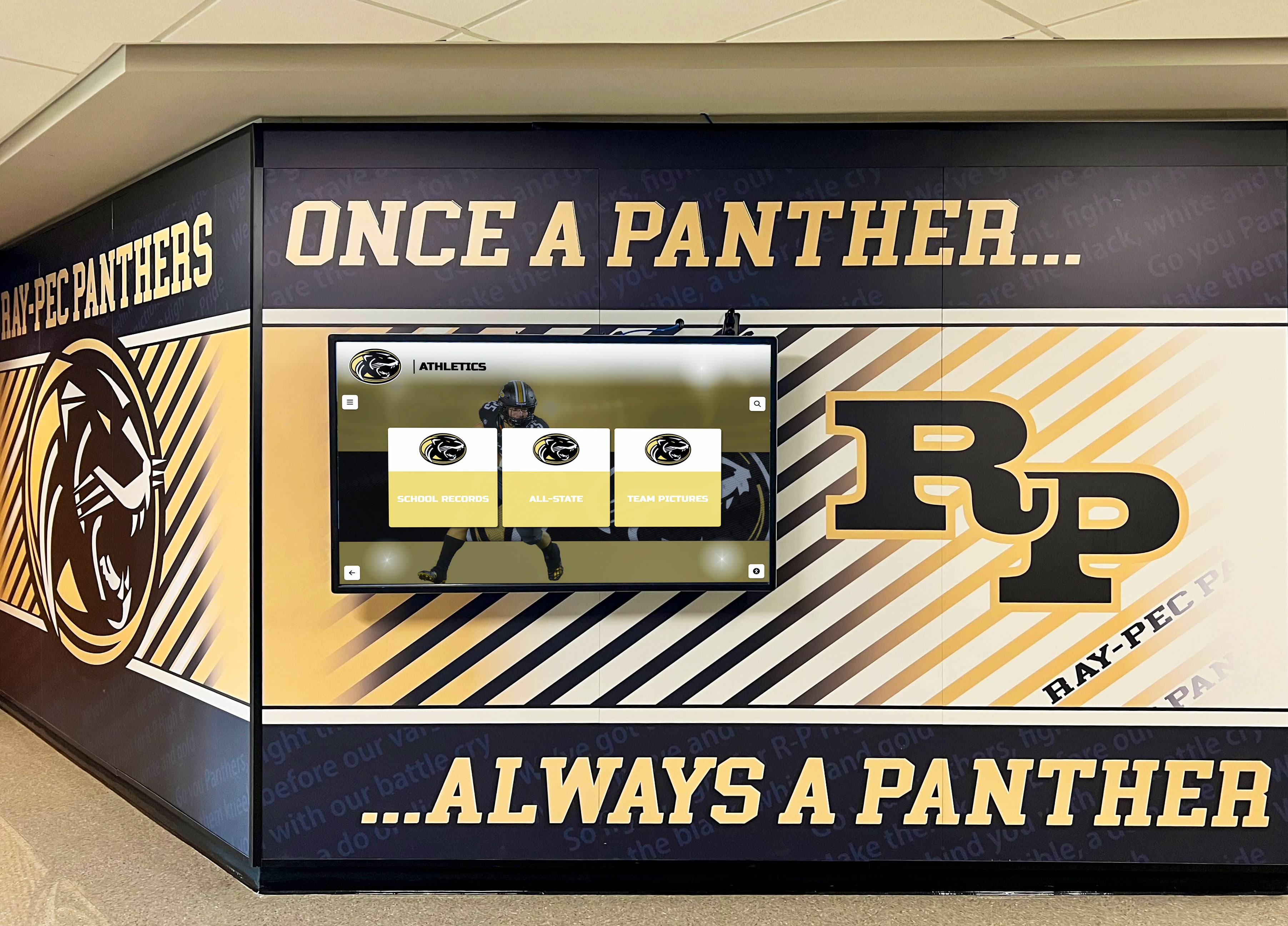
Integrated displays complement existing branding while adding digital engagement capabilities
Interactive Display Ideas for Museums, Libraries, and Cultural Institutions
Cultural organizations use interactive displays to make collections accessible, provide educational context, and create memorable visitor experiences.
Educational and Archival Displays
28. Digital Archive Access Points Interactive terminals allowing visitors to explore photograph collections, historical documents, oral histories, and archived materials. Include search capabilities, contextual information, and related resource suggestions.
Learn about digital archives for educational institutions that preserve and share institutional memory.
29. Exhibition Information Kiosks Supplementary displays providing deeper context about exhibitions, artifact backgrounds, artist biographies, and related collections. Visitors explore topics at their own pace without crowding physical labels.
30. Interactive Timeline Displays Chronological explorations of historical periods, artistic movements, or institutional development. Visitors can jump to specific dates, compare time periods, and discover connections across eras.
31. Oral History and Video Interview Stations Kiosks presenting recorded interviews with historical figures, community elders, artists, or other relevant voices. Include searchable transcripts and thematic organization.
32. Virtual Tour Stations Interactive displays offering virtual exploration of collections, buildings, or sites not currently accessible to visitors. Include 360-degree photography, annotated information, and guided tour options.
Interactive Display Ideas for Community and Public Spaces
Libraries, community centers, government buildings, and public spaces use interactive displays to serve diverse populations and communicate important information.
33. Community Calendar and Event Information Public displays showing local events, programs, services, and opportunities. Visitors filter by category, date, age group, or interest area while accessing registration information.
34. Local History and Heritage Showcases Interactive presentations of community history with historical photographs, biographical information about notable residents, and significant event documentation. Residents discover local heritage.
35. Public Service Information Kiosks Interactive access to government services, program applications, informational resources, and contact directories. Multilingual content serves diverse populations.
36. Community Recognition Displays Showcases celebrating local heroes, volunteer service, civic leadership, and community contributions. Residents nominate honorees while exploring how neighbors strengthen community.
Planning Your Interactive Display Implementation
Successful interactive display projects require thoughtful planning that aligns technology with organizational objectives and audience needs.
Defining Purpose and Audience
Start by clarifying what you want your interactive display to accomplish:
Primary Objectives
- Recognition of achievements, donors, or contributors
- Information dissemination and wayfinding
- Educational content and storytelling
- Community engagement and inspiration
- Historical preservation and access
Target Audiences
- Current community members (students, employees, members)
- Visitors and prospective community members
- Alumni, donors, or former affiliates
- General public or specific demographic groups
Clear objectives and audience understanding inform content strategy, interface design, and technology choices.
Content Strategy and Organization
Plan how information will be structured, updated, and maintained:
Content Architecture
- Hierarchical organization allowing visitors to start broad and drill into details
- Multiple navigation paths accommodating different search strategies
- Consistent information structure across similar content types
- Search and filter capabilities for large databases
Content Management
- Determine who creates, approves, and updates content
- Establish update frequency and content review processes
- Plan for seasonal or time-sensitive content scheduling
- Consider integration with existing data systems
Organizations implementing digital display services benefit from professional content management systems that simplify updates while maintaining consistent quality.
Location and Physical Installation
Display effectiveness depends heavily on placement and physical design:
Location Considerations
- High-traffic areas where people naturally pause or wait
- Appropriate lighting conditions without excessive glare
- Sufficient space for multiple simultaneous users when needed
- Accessibility compliance for all visitors including wheelchair users
- Power and network connectivity availability
Physical Design
- Screen size appropriate for viewing distance and content density
- Mounting height accommodating standing and seated users
- Durability for expected usage levels and environment
- Aesthetic integration with existing architecture and branding
Technology Decisions
Select technology platforms that support your objectives while fitting organizational capacity:
Hardware Choices
- Screen size and resolution for intended content and viewing distance
- Touchscreen sensitivity and durability for expected usage
- Mounting options (wall-mounted, freestanding kiosk, recessed)
- Environmental considerations for temperature, humidity, public access
Software Platform
- Content management system appropriate for staff technical skills
- Cloud-based or local hosting based on network infrastructure
- Integration capabilities with existing databases
- Analytics and usage tracking features
- ADA compliance and accessibility features
Solutions like Rocket Alumni Solutions provide turnkey platforms combining appropriate hardware with intuitive content management, eliminating technical complexity while ensuring professional results. Their systems accommodate everything from simple recognition displays to complex interactive experiences with photo galleries, video content, and searchable databases.
Budget and Timeline Planning
Realistic budgeting accounts for both initial implementation and ongoing operation:
Initial Investment
- Hardware costs (displays, mounting systems, computers)
- Software licensing or development
- Content creation and digitization
- Installation and configuration
- Staff training
Ongoing Costs
- Content updates and management
- Software maintenance and hosting
- Hardware replacement and repairs
- Analytics review and optimization
Plan implementation timelines that accommodate content preparation, which often requires more time than technology installation. Organizations typically need 3-6 months for comprehensive projects including planning, content development, installation, and launch.
Best Practices for Interactive Display Success
Learn from organizations that have successfully implemented engaging interactive displays:
Design Intuitive Interfaces
Simplicity Principles
- Obvious touch targets with clear labels
- Consistent navigation patterns throughout
- Maximum 3-4 menu levels before reaching content
- Return to home screen after period of inactivity
- Visual feedback confirming touch actions
Visual Hierarchy
- Large, readable fonts appropriate for viewing distance
- High contrast between text and backgrounds
- Strategic use of color to organize information
- Professional photography and consistent image quality
- White space preventing cluttered, overwhelming layouts
Create Compelling Content
Storytelling Approaches
- Lead with compelling images that attract attention
- Include personal narratives and human interest elements
- Provide context explaining significance
- Balance breadth of coverage with depth of detail
- Update content regularly to reward repeat visitors
Quality Standards
- Professional photography or high-quality archival scans
- Well-written, edited copy free of errors
- Consistent biographical information structure
- Verified facts and accurate historical information
- Appropriate content for public viewing
Explore how digital tools bring history to life through compelling presentation and thoughtful content design.
Maintain and Refresh Displays
Regular Maintenance
- Weekly check of hardware function and cleanliness
- Monthly content audits ensuring currency
- Quarterly analytics review informing content strategy
- Annual comprehensive system review
- Prompt response to user feedback and technical issues
Content Evolution
- Seasonal content highlighting timely topics
- Regular additions of new achievements and recognitions
- Feature rotation keeping displays fresh for repeat visitors
- Historical content expanding as archives are digitized
- User engagement features like QR codes linking to mobile experiences
Organizations that treat interactive displays as living systems requiring ongoing attention achieve significantly better results than those installing systems and abandoning them to static operation.
Measuring Interactive Display Impact
Evaluate display effectiveness through multiple metrics:
Engagement Analytics
Modern interactive display systems provide detailed usage data:
- Number of interactions per day/week/month
- Content sections accessed most frequently
- Search terms revealing visitor interests
- Session duration indicating engagement depth
- Return visitor patterns showing sustained interest
Qualitative Feedback
Supplement analytics with direct observation and feedback:
- Watch how visitors approach and use displays
- Collect user feedback through surveys or comment features
- Interview representative users about experience
- Monitor social media mentions and photo sharing
- Solicit staff observations about visitor reactions
Organizational Outcomes
Connect display usage to broader institutional goals:
- Increased donor engagement and giving
- Enhanced community pride and connection
- Improved information access and wayfinding
- Recognition of more achievements and individuals
- Preservation of institutional history and memory
Transform Your Space with Interactive Displays
Interactive displays represent powerful tools for engaging audiences, preserving history, celebrating achievements, and communicating information in public spaces. Unlike static signage that becomes invisible through familiarity, interactive systems invite exploration, accommodate diverse interests, and create memorable experiences that strengthen connections between organizations and their communities.
The most effective implementations balance thoughtful content strategy with intuitive technology, creating systems that serve organizational objectives while providing genuine value to visitors. Organizations that invest in planning, quality content creation, and ongoing maintenance realize significant returns through increased engagement, enhanced recognition programs, and strengthened community relationships.
Whether you’re honoring donors, celebrating student achievements, preserving institutional history, or improving information access in public spaces, interactive displays transform how audiences discover and connect with your organization’s stories, values, and missions.
Ready to explore how interactive displays can transform your organization’s public spaces? Discover Rocket Alumni Solutions’ comprehensive touchscreen display systems that combine elegant hardware with intuitive content management, making it easy to create engaging recognition displays, searchable archives, and dynamic information kiosks that captivate your community.































