




Law firm touchscreen displays have emerged as essential technology transforming how legal practices welcome clients, manage visitor experiences, communicate expertise, and differentiate themselves in competitive professional services markets. In 2025, forward-thinking firms recognize that the client experience begins the moment visitors enter the lobby—and interactive touchscreen technology provides powerful tools for creating memorable first impressions that communicate professionalism, innovation, and client-centered service values.
Traditional law firm lobbies relied on static reception desks, printed directories, paper brochures describing practice areas, and physical signage that quickly becomes outdated as the firm evolves. This conventional approach creates missed opportunities for engagement, limits information accessibility outside business hours, fails to communicate the firm’s depth of expertise effectively, and requires constant manual updates as attorneys and practice areas change.
This comprehensive guide explores how law firms of all sizes can leverage touchscreen display technology to enhance client experiences, improve operational efficiency, showcase legal expertise and achievements, and create sophisticated professional environments that reflect the quality of legal services provided while meeting modern client expectations for accessible, self-service information.
Modern law firm touchscreen displays extend far beyond simple digital signage—they represent comprehensive client engagement platforms integrating visitor management, attorney directories, case result showcases, practice area education, and brand storytelling that together transform how firms welcome clients and communicate their value proposition during critical first-impression moments.

Modern law firm lobbies leverage interactive touchscreen technology to create engaging client experiences
Understanding Touchscreen Technology in Law Firm Environments
Before exploring specific applications, understanding what makes touchscreen displays valuable for legal practices helps firms develop effective implementation strategies aligned with professional service requirements and client expectations.
The Evolution of Law Firm Client Experience Technology
Legal practices have traditionally maintained conservative approaches to office technology, prioritizing document management and case systems over client-facing innovations. However, client expectations have shifted dramatically as professionals experience sophisticated digital interactions across other service industries including banking, healthcare, and hospitality.
Limitations of Traditional Law Firm Lobbies
Conventional reception areas face significant constraints in meeting modern client expectations including reliance on reception staff for all visitor interactions and information, printed materials that quickly become outdated as the firm evolves, limited information accessibility outside standard business hours, inability to showcase the full depth of firm expertise and achievements, static environments that fail to communicate innovation and forward-thinking values, and missed opportunities for client education about practice areas and legal services.
According to research on professional services client experience, first impressions significantly influence client perceptions of professionalism and competence, with 46% of visitors reporting that digital displays positively impact their perception of a business’s professionalism.
The Touchscreen Display Solution
Interactive touchscreen systems address these limitations while expanding client engagement capabilities through intuitive self-service information access available 24/7, comprehensive attorney and staff directories with searchable profiles, practice area education helping clients understand specialized legal services, case results and client success story showcases, firm history and culture presentation building trust and connection, and visitor management integration streamlining check-in and security processes.
Solutions like Rocket Alumni Solutions provide professional touchscreen platforms specifically designed for institutional and professional service environments, offering intuitive interfaces combined with robust content management capabilities that legal practices need for maintaining current, accurate information.

Commercial-grade touchscreen systems deliver reliable performance in demanding professional service environments
Why Law Firms Are Adopting Interactive Display Technology
Multiple converging factors drive increasing law firm investment in touchscreen display technology during 2025.
Client Expectation Evolution
Modern clients—particularly younger business professionals and corporate clients—expect self-service information access similar to experiences in banking, healthcare, and retail environments. Firms lacking these capabilities increasingly appear outdated compared to competitors offering contemporary digital experiences. Research indicates that legal clients value firms demonstrating investment in modern technology as evidence of forward-thinking approaches that likely extend to legal service delivery.
Competitive Differentiation
In crowded legal markets where substantive expertise differences between firms can be subtle, client experience and professional presentation become important differentiators. Sophisticated lobby technology signals innovation, success, and client-centered values that influence prospective client decisions during critical evaluation phases.
Operational Efficiency Gains
Touchscreen systems reduce reception desk workload by handling routine information requests, visitor check-in processes, and directional inquiries independently, freeing staff to focus on complex client service needs requiring personalized attention. Firms report 30-40% reductions in routine reception inquiries after implementing comprehensive lobby display systems.
Marketing and Business Development Opportunities
Interactive displays provide powerful platforms for showcasing firm capabilities, highlighting notable case results, introducing attorney expertise, and educating visitors about practice areas—essentially functioning as always-available business development tools working even when attorneys are unavailable for personal conversations.
Core Applications of Law Firm Touchscreen Displays
Comprehensive touchscreen systems serve multiple essential functions transforming how legal practices welcome clients and communicate their value throughout visitor experiences.
Attorney and Staff Directories
The most fundamental touchscreen function provides searchable access to firm personnel information that helps visitors connect with appropriate legal professionals.
Comprehensive Profile Information
Modern attorney directories enable visitors to search by name, practice area, or legal specialty, view detailed attorney profiles including education, experience, and credentials, access biographical information and professional achievements, see current availability and contact information, and understand practice focus areas and case types handled.

Searchable attorney directories help clients quickly find appropriate legal expertise
This comprehensive information access empowers clients to understand attorney qualifications and expertise areas before initial consultations, building confidence and trust while helping ensure visitors connect with appropriate specialists for their legal needs.
Visual Presentation Enhancement
Unlike printed directories with small headshots and limited information, touchscreen systems enable professional photography showcasing attorneys in contemporary settings, detailed practice area descriptions explaining specialized legal services, attorney recognition and awards highlighting professional achievements, case result highlights demonstrating track records, and multimedia content including video introductions or client testimonial clips.
Similar approaches to professional recognition and directory systems appear across various institutional settings, including academic recognition programs that showcase faculty and student achievements.
Practice Area Education and Firm Capabilities
Beyond personnel directories, effective touchscreen systems educate visitors about legal services and firm capabilities that may not be immediately obvious.
Comprehensive Practice Area Information
Educational content helps prospective clients understand specialized legal services including detailed practice area descriptions explaining service focus and typical matters handled, common client questions and informative answers, recent developments in specific legal areas demonstrating current expertise, case types and scenarios where particular specializations prove valuable, and process overviews helping clients understand what to expect when engaging services.
This educational content serves particularly important functions in complex legal specializations where prospective clients may not fully understand the scope of services or when specialized expertise provides value.
Firm History and Culture Communication
Touchscreen displays provide excellent platforms for communicating firm values and heritage through founding history and evolution demonstrating longevity and experience, community involvement and pro bono service commitments, diversity and inclusion initiatives, firm culture and values presentation, office locations and geographic service capabilities, and professional affiliations and industry leadership roles.
This contextual information helps clients understand not just what services firms provide but who they are as organizations—building personal connections and trust that influence client relationship development.

Interactive displays transform passive waiting time into engaging firm discovery experiences
Visitor Management and Client Check-In
Integration with visitor management systems transforms touchscreen displays into functional operational tools beyond information presentation.
Self-Service Check-In Functionality
Modern systems enable visitors to check in independently upon arrival, notify attorneys automatically of client arrivals, provide visitor badges with professional branding, capture required compliance documentation like conflict checks or engagement letters, accommodate scheduled appointments and walk-in visitors, and maintain security by logging all building access.
According to professional services technology research, self-service check-in systems reduce average visitor processing time from 3-4 minutes to under one minute while providing better security documentation and compliance tracking.
Appointment and Meeting Room Information
Touchscreen systems can display daily meeting schedules showing conference room availability, provide directions to meeting locations within complex office layouts, notify clients if meetings are running behind schedule, allow meeting time adjustments or rescheduling requests, and confirm appointment details reducing confusion and scheduling errors.
This functional capability ensures touchscreen systems deliver operational value beyond aesthetic appeal or information presentation—they become integrated tools supporting daily firm operations and client service delivery.
Similar visitor management and wayfinding capabilities are implemented across professional environments, including college residence hall informational interactive displays that help visitors navigate complex facilities.
Case Results and Client Success Showcases
One of the most powerful law firm touchscreen applications involves showcasing legal achievements and client successes in compelling, searchable formats.
Notable Case Result Presentations
Interactive displays enable firms to highlight significant case outcomes including case result summaries demonstrating successful client representation, practice area filtering showing track records in specific legal specializations, verdict and settlement ranges providing outcome context, client testimonials and success stories when confidentiality permits, and recognition and awards received for legal work quality.
Searchable Achievement Archives
Unlike printed case result brochures limited to recent highlights, touchscreen systems can provide comprehensive searchable archives enabling visitors to explore results by practice area, case type, jurisdiction, date range, or outcome size—helping prospective clients understand depth of firm experience in areas relevant to their specific needs.
These searchable capabilities prove particularly valuable for firms handling specialized matters where demonstrating extensive track records in particular case types builds essential client confidence in firm capabilities.
The concept of showcasing achievements through interactive displays translates across professional contexts, as demonstrated by digital trophy walls in athletic and academic settings.
Benefits of Touchscreen Displays for Legal Practices
Understanding specific advantages helps law firms justify technology investments and measure success after implementation.
Enhanced Client Experience and Perception
Modern clients increasingly judge professional service providers by the quality of their entire experience—not just legal expertise but also how firms welcome visitors, communicate information, and demonstrate values.
Professional First Impression Creation
Sophisticated touchscreen displays communicate important messages to clients from initial entry including investment in modern technology suggesting forward-thinking legal approaches, attention to client experience demonstrating service-focused values, innovation and adaptability important in rapidly changing legal landscapes, success and professionalism through high-quality installations, and accessibility through self-service information reducing dependence on staff availability.
Research on professional services indicates that client perception of firm competence and professionalism begins forming immediately upon entering office environments—with lobby technology increasingly influential in these critical first impressions.
Information Accessibility and Client Empowerment
Self-service touchscreen systems provide clients control over information access including ability to research firm capabilities and attorney expertise independently, access to information outside standard business hours when reception desks are unstaffed, privacy for exploring sensitive legal topics without verbal conversations, time to review detailed information at comfortable paces without feeling rushed, and reduced intimidation compared to asking basic questions of reception staff.
This information accessibility particularly benefits prospective clients in initial evaluation phases who may feel uncomfortable asking detailed questions but need comprehensive information to make informed decisions about legal representation.
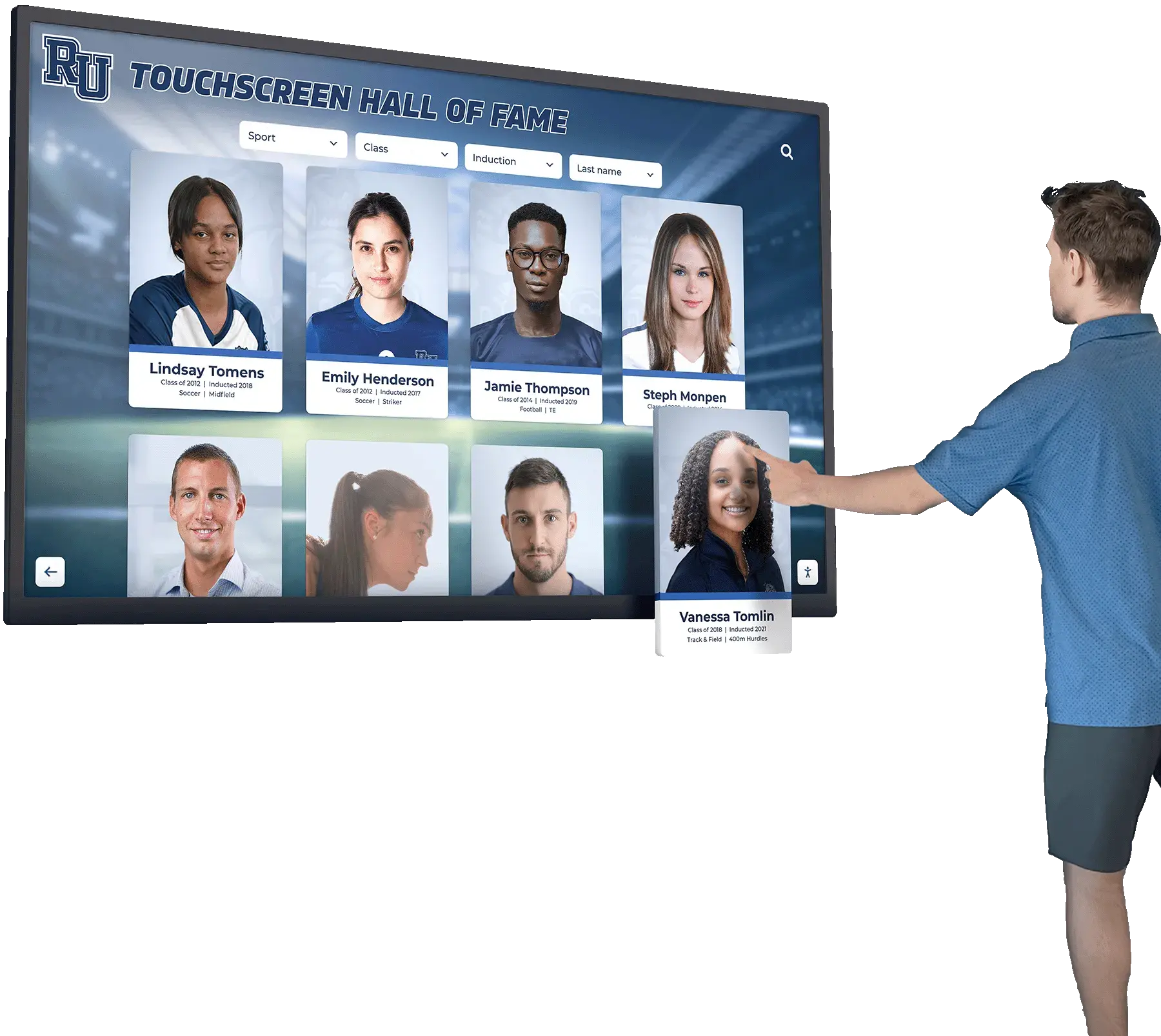
Intuitive interfaces ensure successful client interactions regardless of technical familiarity
Operational Efficiency and Resource Optimization
Beyond client-facing benefits, touchscreen displays deliver significant operational advantages improving efficiency while reducing costs.
Reception Desk Workload Reduction
Self-service information access dramatically reduces routine inquiries including directional questions about meeting room locations, attorney availability and contact information requests, practice area and service capability questions, appointment confirmation and check-in processes, and general firm information queries handled through interactive content.
Legal practices report 30-40% reductions in reception desk inquiries after implementing comprehensive touchscreen systems—freeing administrative staff to focus on complex service needs requiring personalized attention and professional judgment.
After-Hours Information Availability
Touchscreen systems function continuously regardless of staff schedules providing 24/7 access to firm directories and information, evening and weekend appointment check-in capabilities, early morning or late evening building visitor management, and information for clients with scheduling constraints outside typical business hours.
This continuous availability proves particularly valuable for firms serving business clients needing early morning or evening meetings, or practices with flexible scheduling accommodating client work schedules.
Marketing Collateral Reduction
Interactive displays significantly reduce or eliminate printed materials including practice area brochures requiring periodic updates as services evolve, attorney biographies and credentials requiring reprinting when staff changes occur, case result flyers highlighting recent successes, firm overview presentations for prospective clients, and event announcements or firm news communications.
Beyond reducing printing costs, digital content delivery ensures information remains current—avoiding outdated printed materials remaining in circulation long after information becomes inaccurate.
Similar operational benefits appear in educational environments implementing digital archives for schools, colleges, and universities that reduce physical storage requirements while improving information accessibility.
Marketing and Business Development Impact
Strategic touchscreen deployment creates powerful marketing and business development opportunities beyond core operational functions.
Always-Available Business Development Tool
Unlike attorneys who can only personally market capabilities during limited client interaction moments, touchscreen displays work continuously showcasing firm expertise and achievements to every lobby visitor, presenting consistent marketing messages regardless of staff availability, highlighting practice areas and services visitors may not know firm provides, educating prospective clients about legal services during natural discovery moments, and building credibility through case results and professional recognition.
This continuous marketing presence proves particularly valuable during prospective client office tours, referral source visits, and other business development situations where comprehensive capability communication matters but attorney time is limited.
Client Education and Service Expansion
Interactive content helps clients understand the full scope of firm services through cross-practice area awareness helping existing clients discover additional services, educational content explaining when specialized legal expertise provides value, process overviews reducing client anxiety about unfamiliar legal procedures, and preventive legal service promotion encouraging proactive rather than reactive client engagement.
Firms implementing touchscreen education systems report increased cross-selling of services to existing clients who discover firm capabilities they didn’t previously recognize—creating organic business development through improved client awareness.
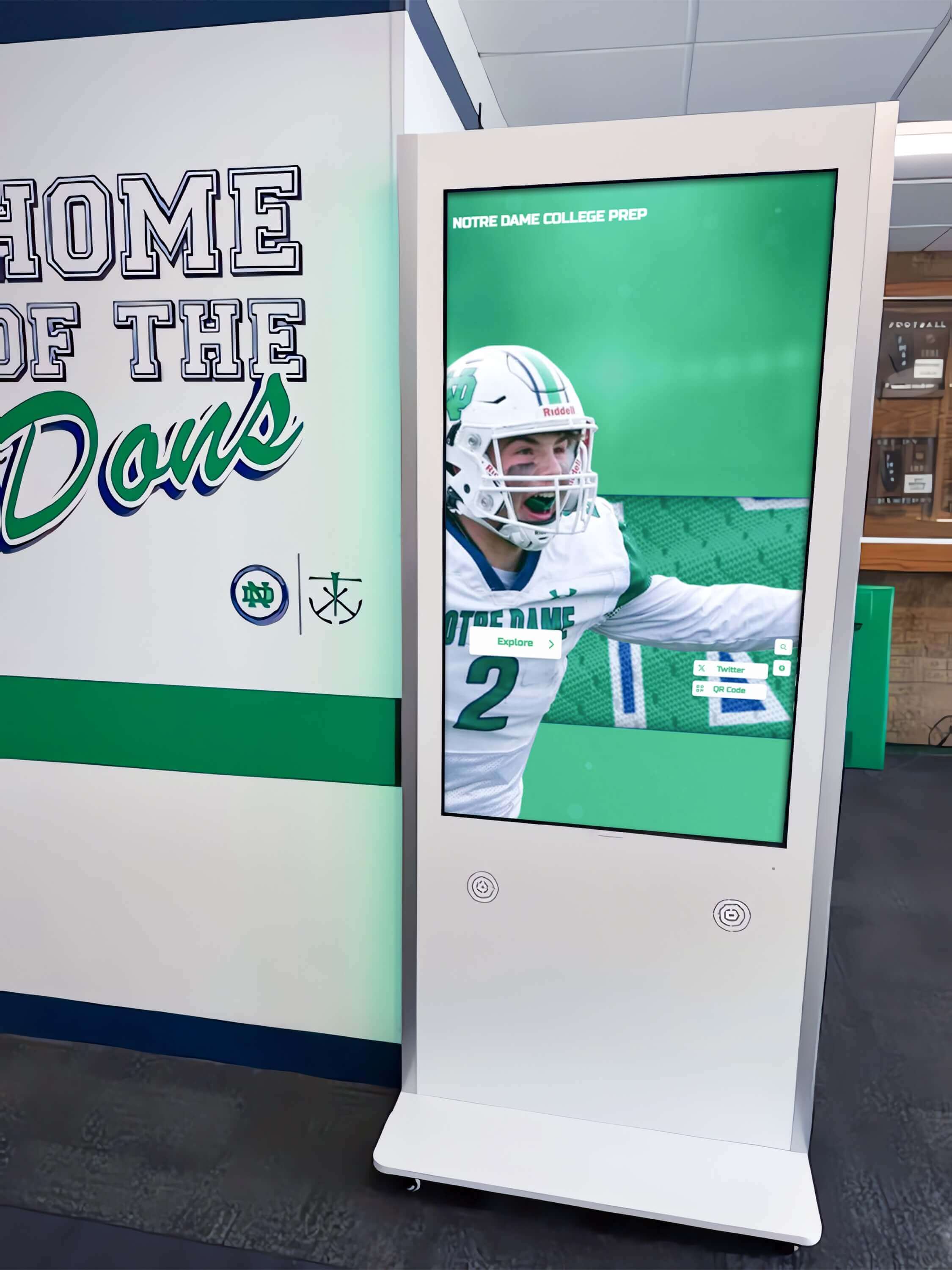
Strategic placement throughout firm offices ensures client access to information at multiple convenient touchpoints
Data Collection and Client Intelligence
Modern touchscreen systems generate valuable operational data and client insights informing practice management decisions.
Interaction Analytics and Pattern Recognition
Comprehensive platforms capture visitor interaction patterns including which practice areas receive most information requests, attorney profiles generating highest viewing interest, content types and topics clients explore most frequently, navigation paths revealing client priorities and decision processes, and peak lobby traffic periods informing reception desk staffing needs.
These analytics enable continuous content optimization while informing broader strategic decisions about practice area marketing emphasis, attorney capability highlighting, and firm positioning refinements.
Prospective Client Intelligence
When integrated with client relationship management systems, touchscreen interactions can provide valuable business development intelligence including what practice areas prospective clients researched before consultations, which attorneys or case results generated interest, how long visitors spent exploring firm information, what questions or concerns content helped address, and which clients researched multiple practice areas suggesting broader service opportunities.
This intelligence helps attorneys prepare for initial consultations with better understanding of prospective client interests, concerns, and firm knowledge—enabling more targeted and effective initial conversations that build relationships and increase engagement likelihood.
Implementation Strategies for Law Firm Touchscreen Displays
Moving from conceptual benefits to successful deployment requires systematic planning addressing technology selection, content development, integration requirements, and change management considerations.
Technology Selection and System Requirements
Evaluating available touchscreen solutions requires understanding essential capabilities and integration requirements distinguishing effective legal practice systems from generic alternatives.
Core Platform Capabilities
Effective law firm touchscreen systems must provide intuitive interfaces requiring minimal instruction for successful visitor interactions, content management platforms enabling easy updates by non-technical staff, professional design aesthetics matching firm branding and quality expectations, robust hardware quality ensuring reliable operation in professional environments, and security features protecting confidential firm information and client data.
Additional valuable features include visitor management system integration for client check-in functionality, mobile integration enabling clients to continue interactions on personal devices, analytics platforms providing operational insights and client engagement metrics, remote management capabilities enabling content updates across multiple office locations, and multilingual support for firms serving diverse client populations.
Hardware Considerations
Physical touchscreen hardware must meet professional service environment demands including commercial-grade displays providing reliable operation under continuous use, screen sizes appropriate for lobby spaces and viewing distances, mounting options including freestanding kiosks or wall-mounted installations, professional enclosures complementing office design aesthetics, and accessibility compliance meeting ADA requirements for reach ranges and visual access.
Display sizes typically range from 32-inch installations suitable for compact reception areas to impressive 55-65-inch displays commanding attention in large lobby spaces. Screen selection should balance visibility and impact with physical space constraints and design integration requirements.
Solutions like Rocket Alumni Solutions provide commercial-grade touchscreen platforms specifically designed for institutional and professional environments, combining reliable hardware with intuitive content management that legal practices need for maintaining current, accurate information without requiring dedicated IT staff support.

Professional installations integrate seamlessly with existing office architecture and design aesthetics
Content Development and Information Architecture
Successful touchscreen implementations require thoughtful content planning ensuring information meets client needs while communicating firm value effectively.
Essential Content Categories
Comprehensive law firm touchscreen systems should include attorney and staff directories with searchable profiles and expertise descriptions, practice area education explaining specialized legal services and when clients need them, firm overview content communicating history, values, and culture, case results and client success highlights demonstrating track records, office locations and contact information for multi-office practices, and current news including recent firm achievements, speaking engagements, or publications.
Content Organization and Navigation
Intuitive information architecture proves essential for visitor success including clear main menu categories reflecting how clients think about legal services, logical information hierarchies enabling easy navigation to desired content, search functionality helping visitors find specific attorneys or information quickly, visual design guiding attention and indicating interactive elements, and consistent navigation patterns reducing learning curves across different sections.
Poor information architecture undermines touchscreen value by creating frustrating visitor experiences where needed information remains hidden despite system availability—making content organization as important as content quality itself.
Writing Style and Tone Considerations
Touchscreen content should reflect firm communication style while remaining accessible including professional but approachable language avoiding excessive legal jargon, client-focused framing emphasizing how services solve problems rather than technical expertise, appropriate formality matching firm culture and client expectations, concise presentations respecting that visitors skim rather than read extensively, and confidence-building language emphasizing capability and experience.
Content tone should feel consistent with other firm communications—a mismatch between touchscreen presentation and other client materials creates confusion about firm positioning and values.
The principles of effective content organization apply across interactive display implementations, as demonstrated by touch screen kiosk software for interactive displays in various institutional settings.
Integration with Existing Firm Systems
Touchscreen displays deliver maximum value when integrated with existing legal practice management technology rather than functioning as isolated information kiosks.
Practice Management System Integration
Core functionality benefits from integration with attorney scheduling systems providing accurate availability information, client relationship management platforms enabling visitor check-in to trigger attorney notifications, document management systems allowing relevant firm publications or client materials display, and calendar systems showing real-time meeting room availability and schedule information.
While standalone touchscreen systems provide value, integrated implementations deliver operational functionality beyond information presentation—becoming tools supporting daily firm operations rather than merely marketing displays.
Visitor Management System Connection
When touchscreen displays integrate with dedicated visitor management platforms, firms gain security logging tracking all building access for compliance and safety, automated visitor badge printing with professional branding, host notification systems alerting attorneys of client arrivals, compliance documentation collection including conflict checks or NDA acknowledgments, and emergency management capabilities tracking who is present in facilities during incidents.
This integration transforms touchscreen systems from nice-to-have amenities into essential operational infrastructure supporting firm security, compliance, and client service processes.
Similar integration challenges appear in other professional environments, where touchscreen software solutions must connect with institutional databases and management platforms.
Physical Placement and Design Integration
Touchscreen effectiveness depends significantly on strategic placement within office spaces and thoughtful physical design integration.
Optimal Lobby Positioning
Primary touchscreen installations should be positioned near main reception desks providing easy discovery by arriving visitors, in well-lit areas with clear sightlines avoiding glare on screens, with adequate space for visitors to interact without blocking circulation paths, visible from entry points immediately upon building access, and considering traffic flow patterns through reception and lobby areas.
Secondary displays may benefit from placement in elevator lobbies serving multiple office floors, conference room corridors where clients wait before meetings, attorney floor reception areas for direct client service, and building directories near parking or secondary entrances.
Multiple installations provide redundancy ensuring system availability during maintenance while distributing visitor traffic preventing queue formation during busy periods.
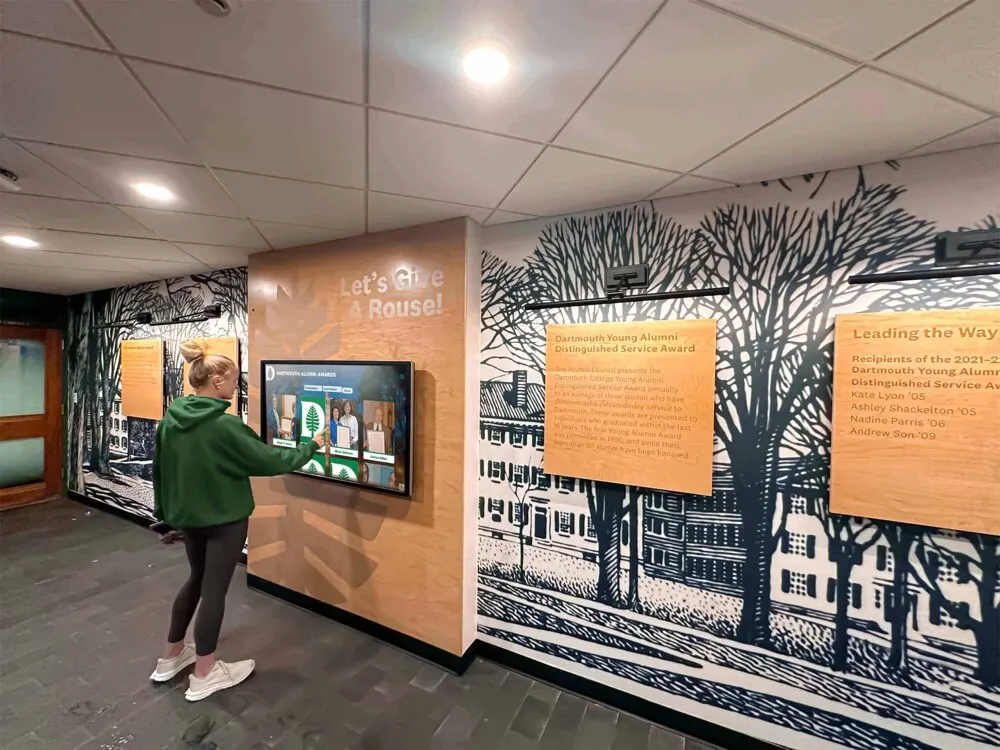
Thoughtful installations complement rather than clash with professional office design aesthetics
Physical Design Integration
Touchscreen installations should complement rather than clash with office design through custom enclosures matching lobby furniture finishes and architectural elements, branded elements incorporating firm colors, logos, and design language, lighting ensuring screen visibility without glare while highlighting installations, professional cable management concealing power and network connections, and accessibility compliance meeting reach ranges and viewing angles for wheelchair users.
Well-designed installations feel like intentional design elements enhancing lobby aesthetics rather than technology afterthoughts that detract from professional office presentation.
Staff Training and Change Management
Technology alone proves insufficient—successful implementations require staff preparation, clear communication, and effective change management.
Reception Staff Education
Front desk and administrative staff require training on touchscreen functionality enabling effective assistance when visitors need help, troubleshooting common issues and providing technical support, understanding when to intervene versus allowing visitor independence, maintaining positive attitudes toward technology complementing rather than replacing reception roles, and leveraging freed capacity for enhanced personalized service requiring professional judgment.
Firms should frame touchscreen implementation as staff enhancement rather than replacement—emphasizing how technology handles routine questions freeing reception staff for rewarding work requiring human empathy, discretion, and relationship building that technology cannot replicate.
Client Communication and Change Introduction
Effective rollout communication ensures visitors understand self-service options and feel confident using systems through clear signage near touchscreens with simple usage instructions, brief video demonstrations playing during idle periods, reception staff proactively offering touchscreen assistance to hesitant visitors, website updates mentioning lobby technology preparing clients before visits, and client newsletter features explaining new capabilities and benefits.
While intuitive design minimizes learning curves, proactive communication accelerates adoption by giving clients permission to try self-service while knowing staff assistance remains available if needed.
This approach to technology introduction parallels strategies used in educational contexts, where digital tools bring history to life through intuitive interactive experiences.
Specialized Applications for Different Legal Practice Types
While core touchscreen functionality benefits all law firms, specific practice types gain particular value from specialized content and features.
Large Corporate Law Firms
Major multi-practice firms serving corporate clients benefit from comprehensive capability showcases including complete practice group directories with specialized expertise descriptions, cross-practice collaboration examples demonstrating integrated service delivery, industry focus areas highlighting sector-specific experience, global office networks and international capability presentations, attorney credentials and recognition within legal industry, and client service team introductions showing depth of resources.
These comprehensive presentations help corporate clients understand the full scope of firm capabilities while building confidence in ability to handle complex, multi-faceted legal matters requiring diverse expertise.
Boutique and Specialized Practice Firms
Smaller firms focusing on specific practice areas gain value from depth over breadth including detailed practice specialization explanations positioning niche expertise, case result archives demonstrating extensive track records in focus areas, thought leadership content including publications and speaking engagements, referral network information for complementary services outside firm scope, and credential depth showcasing advanced training and specialized certifications.
For boutique firms, touchscreen displays help compete against larger competitors by demonstrating that specialized focus creates depth of expertise large generalist firms may not match in particular areas.
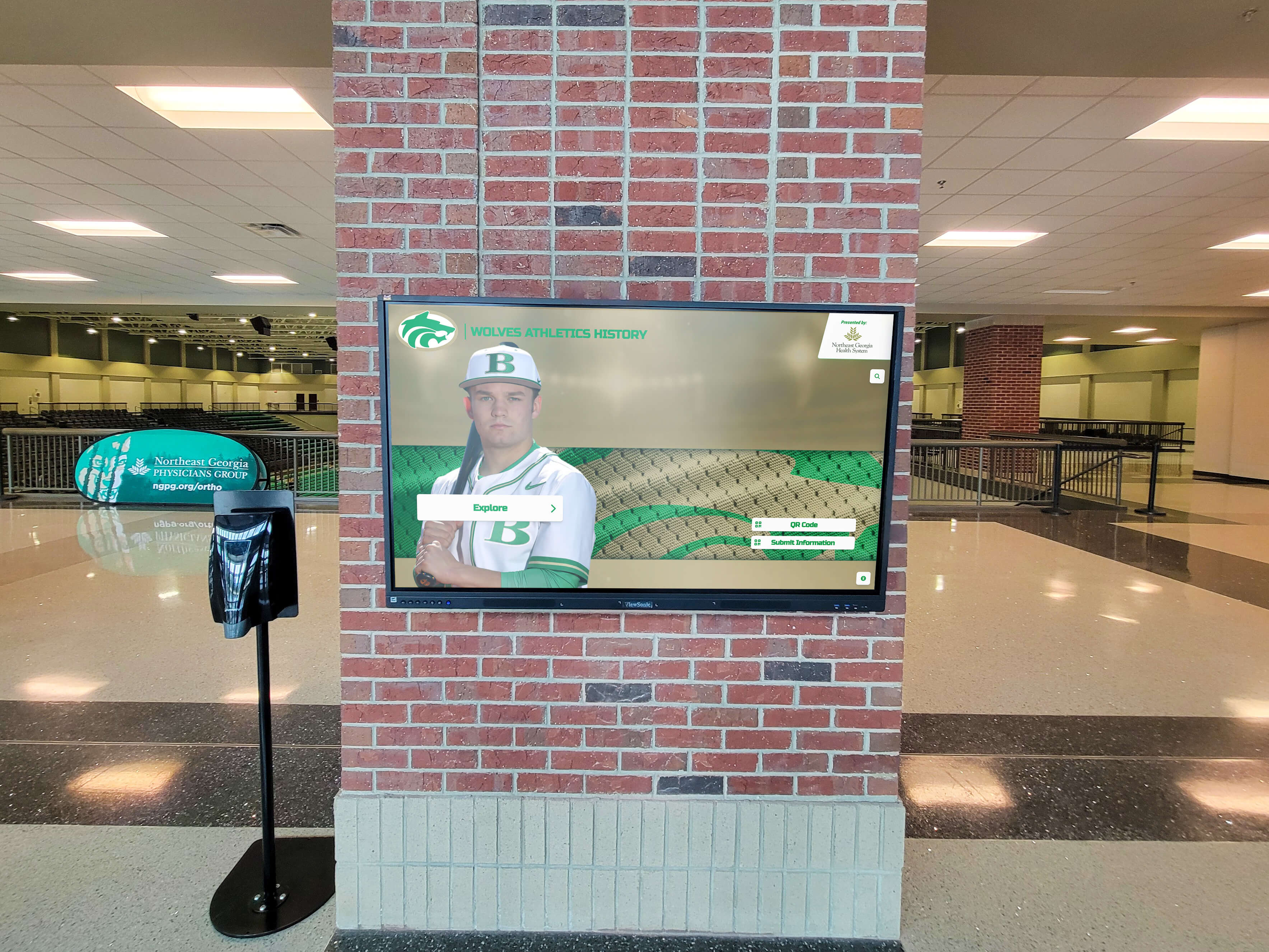
Strategic installations create visual impact while providing functional client service
Personal Injury and Plaintiff Litigation Firms
Consumer-facing practices benefit from client-accessible content including case result presentations demonstrating successful client representation, client testimonial videos when appropriately authorized, process overviews explaining litigation timelines and what clients should expect, frequently asked questions addressing common client concerns, and community involvement highlighting local connections and commitments.
These firms often find touchscreen systems particularly valuable for educating prospective clients during initial consultation visits—building confidence and trust while managing expectations about legal processes.
Similar approaches to client education and engagement appear in donor recognition walls that showcase community support and organizational impact.
Multi-Location Firms with Geographic Distribution
Practices operating across multiple cities or regions benefit from coordinated touchscreen deployments including unified content platforms ensuring consistent branding across all locations, local office customization highlighting regional attorneys and capabilities, inter-office referral facilitation helping clients connect with appropriate geographic locations, network strength demonstration showing breadth of firm reach, and centralized management enabling efficient updates across all locations simultaneously.
Coordinated implementations help multi-location firms maintain consistent client experiences while accommodating necessary local variations and attorney differences across offices.
Measuring Success and Optimizing Performance
Continuous assessment and refinement ensure touchscreen implementations deliver expected benefits while identifying enhancement opportunities.
Key Performance Indicators for Law Firm Touchscreens
Quantifiable metrics reveal system performance and business impact across multiple dimensions.
Utilization and Engagement Metrics
Core usage statistics include daily visitor interactions showing system adoption, average session duration indicating engagement quality, feature utilization revealing which content clients value most, navigation paths showing how visitors explore information, and abandonment rates identifying user experience friction points.
These metrics reveal whether systems achieve expected utilization levels while highlighting opportunities to improve interfaces, enhance content, or adjust information architecture.
Operational Impact Measurements
Business outcome indicators demonstrate tangible results including reception desk inquiry reductions quantifying workload decreases, visitor processing time improvements showing efficiency gains, after-hours system usage revealing 24/7 capability value, client satisfaction improvements in post-visit surveys, and staff time reallocation to higher-value activities.
Firms should establish baseline measurements before implementation enabling clear before-and-after comparisons demonstrating business case achievement.
Business Development Tracking
When feasible, firms should attempt measuring new client source attribution to understand touchscreen influence, consultation conversion rates among visitors who used systems, cross-selling success to existing clients discovering new practice areas, and referral source impressions during office visits and tours.
While attribution proves challenging in legal services contexts, qualitative feedback and directional metrics help assess business development impact beyond pure operational benefits.
Continuous Optimization Strategies
Regular refinement improves system performance over time as firms learn from usage patterns and client feedback.
Content and Interface Refinement
Analytics-driven improvements include updating frequently-accessed content ensuring currency and accuracy, enhancing or removing underutilized features based on usage statistics, streamlining navigation to frequently-sought information reducing clicks required, adding new content addressing client information needs revealed through analytics, and testing interface variations measuring impact on engagement and success rates.
Firms should establish quarterly review processes examining performance data and implementing incremental improvements rather than assuming initial configurations remain optimal indefinitely.
Seasonal and Timely Content Updates
Regular content refreshment maintains client engagement through new case result highlights as significant matters conclude, attorney credential updates reflecting recent achievements and recognitions, practice area developments explaining emerging legal issues and firm responses, firm news including recent publications, speaking engagements, or community involvement, and seasonal content appropriate to client service cycles and business rhythms.
Dynamic, timely content demonstrates that systems receive active management attention—encouraging client trust and engagement compared to static interfaces appearing neglected or outdated.
This approach to continuous optimization mirrors best practices in other professional recognition applications, such as historical timeline touchscreen displays requiring regular content updates.
Implementation Costs and Return on Investment Considerations
Understanding financial requirements and expected returns helps law firms make informed technology investment decisions.
Total Cost of Ownership Components
Comprehensive implementation budgeting should account for multiple cost categories beyond initial hardware purchase.
Hardware and Software Investment
Initial technology costs include commercial-grade touchscreen displays and enclosures ranging from $6,000-20,000 per unit depending on size and features, touchscreen software platforms with perpetual or subscription licensing models, network infrastructure supporting kiosk connectivity if needed, professional installation services including electrical, mounting, and network connection, and custom design elements matching firm branding and aesthetic requirements.
For reference, small law firms might invest $15,000-35,000 for single-location basic installations, while large firms could spend $100,000-250,000 for comprehensive multi-office deployments with advanced integration and custom development.
Content Development and Design
Beyond hardware, firms should budget for initial content creation including attorney profiles and photography, practice area descriptions and capability presentations, case result compilation and presentation design, firm overview and culture content development, and user interface design matching firm branding standards.
Content development represents significant but often underestimated implementation costs—particularly for firms without existing digital content that can be adapted for touchscreen presentation.
Ongoing Operational Costs
Sustained operation requires budgeting for software licenses and subscription fees for cloud-based platforms, maintenance contracts ensuring reliable hardware operation, content management labor updating information as firm evolves, technical support addressing issues and optimizing performance, and periodic hardware refresh as technology ages and capabilities evolve.
Firms should plan for 4-6 year useful hardware life with ongoing software costs typically 15-20% of initial implementation annually.
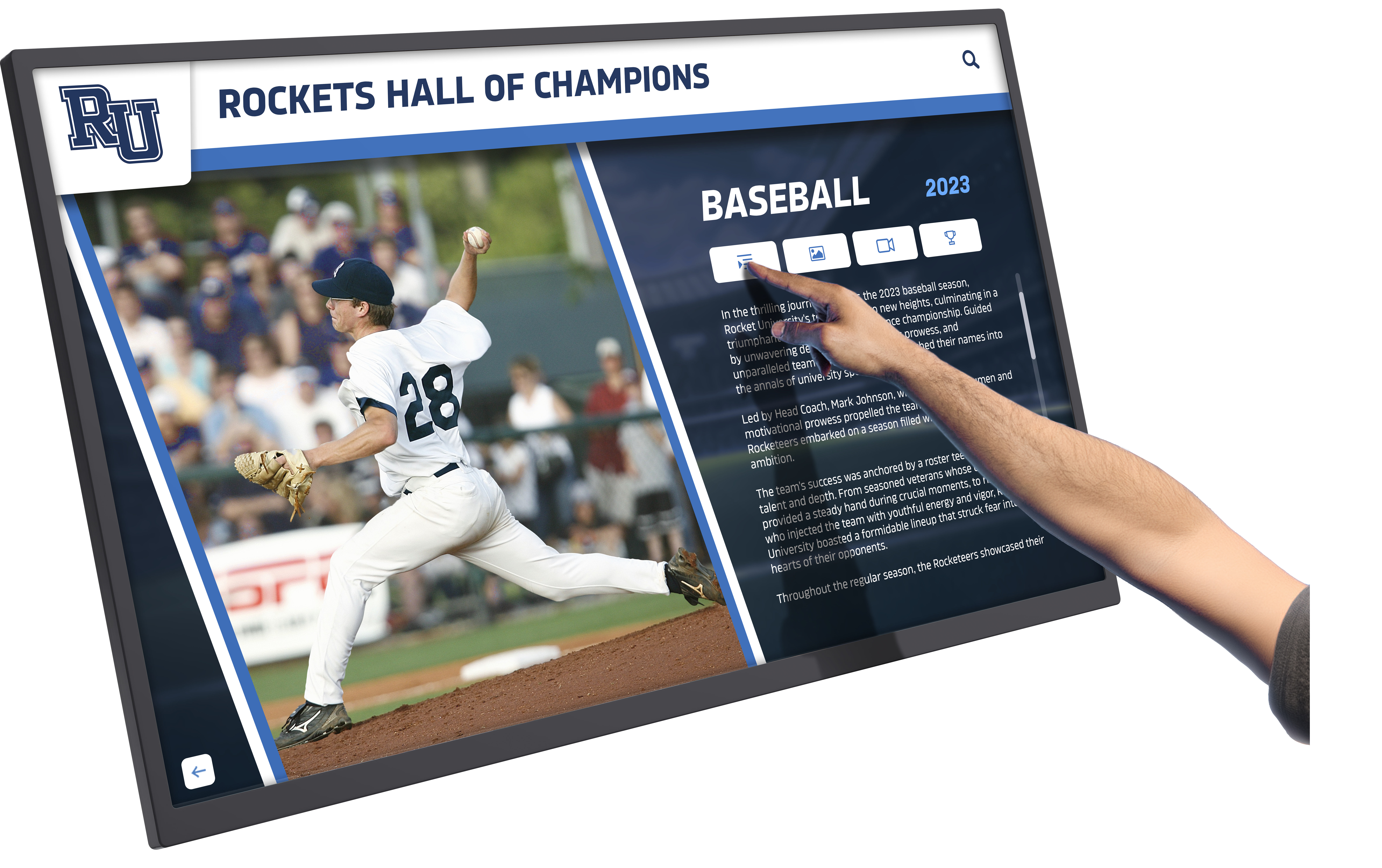
Intuitive interfaces enable successful interactions for clients of all technical abilities
Return on Investment Calculation
Justifying technology investment requires quantifying both cost savings and client experience value.
Direct Cost Reduction
Measurable savings come from reduced reception desk staffing needs during routine periods, decreased printed marketing collateral and brochure expenses, lower attorney time spent on basic firm information discussions, reduced physical directory and signage update costs, and improved reception desk efficiency enabling better service with existing staff.
While direct cost savings alone may not justify investments, they represent significant contributors to overall ROI calculation.
Client Experience and Business Development Value
Less quantifiable but potentially more significant benefits include enhanced professional image influencing prospective client decisions, improved client satisfaction driving positive word-of-mouth referrals, increased cross-selling through client awareness of additional services, competitive differentiation in crowded legal markets, and enhanced business development through improved office tour impressions.
For firms competing for sophisticated corporate clients or operating in competitive urban markets, client experience technology may represent essential competitive infrastructure rather than optional amenity.
Typical ROI Timelines
According to professional services technology providers and law firm implementations, practices typically achieve return on investment within 24-36 months through combined operational savings and business development contributions. Larger firms with multiple offices or high reception desk traffic realize returns more quickly, while smaller practices may require longer periods.
Beyond direct financial returns, improved client experience, competitive positioning, and operational efficiency provide meaningful but less quantifiable benefits influencing long-term practice success.
Special Considerations for Legal Practice Implementation
Beyond core technology and cost factors, several legal practice-specific considerations influence implementation success.
Confidentiality and Security Requirements
Law firms face unique information security obligations that must inform touchscreen system design and deployment.
Client Confidentiality Protection
Touchscreen content must never display confidential client information or matter details without explicit authorization, use generic descriptions in case result presentations avoiding client identification, require authentication for any sensitive information access, implement automatic screen timeout preventing unauthorized viewing, and maintain audit logging tracking information access for security monitoring.
Firms should conduct security reviews ensuring touchscreen implementations comply with professional responsibility obligations around client confidentiality and information protection.
Physical Security Considerations
Lobby placement requires balancing accessibility with security including positioning that doesn’t provide views into confidential office areas, integration with building access control systems, visitor tracking for security and emergency response purposes, and content appropriate for public display in unsecured lobby areas.
While most touchscreen content involves publicly-available firm information, deployment planning should consider physical security implications and ensure systems don’t inadvertently compromise office security.
These security considerations parallel those in other professional environments implementing digital wall of fame systems requiring careful information access controls.
Ethical Advertising and Marketing Compliance
Legal professional responsibility rules governing attorney advertising affect touchscreen content requirements.
Advertising Rule Compliance
Touchscreen presentations must comply with applicable bar rules including accurate information requirements prohibiting false or misleading content, case result disclaimers where jurisdictions require them, testimonial authorization and appropriate contextual framing, comparative claims compliance if benchmarking against other firms, and jurisdictional variations where firms operate across multiple states with different rules.
Firms should consult with professional responsibility counsel reviewing touchscreen content for advertising rule compliance—particularly case result presentations and capability claims that may trigger advertising regulation.
Client Communication Distinctions
Some jurisdictions distinguish between attorney advertising and client communications, with touchscreen systems potentially qualifying as the latter when deployed in office lobbies accessed only by clients and invited visitors. This distinction may affect disclosure requirements and content restrictions, though firms should seek specific guidance based on applicable jurisdiction rules.
Accessibility and Inclusive Design
Professional service providers have particular obligations ensuring technology accessibility for clients with disabilities.
ADA Compliance Requirements
Touchscreen installations must meet Americans with Disabilities Act requirements including appropriate mounting heights and reach ranges for wheelchair users, audio alternatives or text-to-speech for visually impaired visitors, high-contrast visual design supporting visual accessibility, simple operation requiring minimal fine motor skills, and clear floor space for mobility device maneuvering.
Beyond legal compliance, universal design principles create better experiences for all users through intuitive interfaces requiring minimal instruction, clear visual hierarchy and readable typography, error-tolerant design gracefully handling mistakes, and simple language avoiding unnecessary legal jargon.
These accessibility principles apply across all interactive display implementations, as demonstrated by comprehensive digital wall of fame accessibility guides addressing inclusive design.
Future Trends in Law Firm Interactive Technology
Understanding emerging capabilities helps firms plan forward-looking implementations remaining relevant as technology evolves.
Artificial Intelligence and Personalization
Machine learning capabilities enable increasingly sophisticated client interactions beyond static information presentation.
Intelligent Content Recommendations
Next-generation systems will leverage visitor behavior to suggest relevant practice areas based on initial navigation patterns, predict information needs based on visitor demographics and characteristics, customize interface presentation based on returning client recognition, answer natural language questions about firm capabilities and legal services, and learn from interactions continuously improving content organization and presentation.
These capabilities transition touchscreen systems from passive information displays to intelligent assistants providing genuinely helpful, personalized client guidance.
Natural Language Processing
Voice interfaces will complement touchscreen interaction enabling conversational questions rather than menu navigation, multilingual speech recognition serving diverse client populations, accessibility enhancements for clients with visual impairments or mobility limitations, and complex question answering about legal processes and firm capabilities.
As voice technology matures, law firm touchscreens may evolve into conversational agents providing more intuitive interfaces particularly valuable for complex inquiries and practice area explanations.
Integration with Mobile and Web Experiences
Boundaries between physical touchscreen systems, mobile applications, and web experiences continue blurring.
Seamless Cross-Channel Experiences
Emerging implementations will enable starting information exploration on firm websites and continuing at lobby touchscreens, transferring content from touchscreens to personal mobile devices for continued review, synchronizing client preferences and interests across all digital touchpoints, and using mobile devices for touchscreen authentication enabling personalized content access.
This seamless integration provides clients flexibility using whichever interaction channel suits immediate circumstances while maintaining consistent information and preferences across all firm touchpoints.
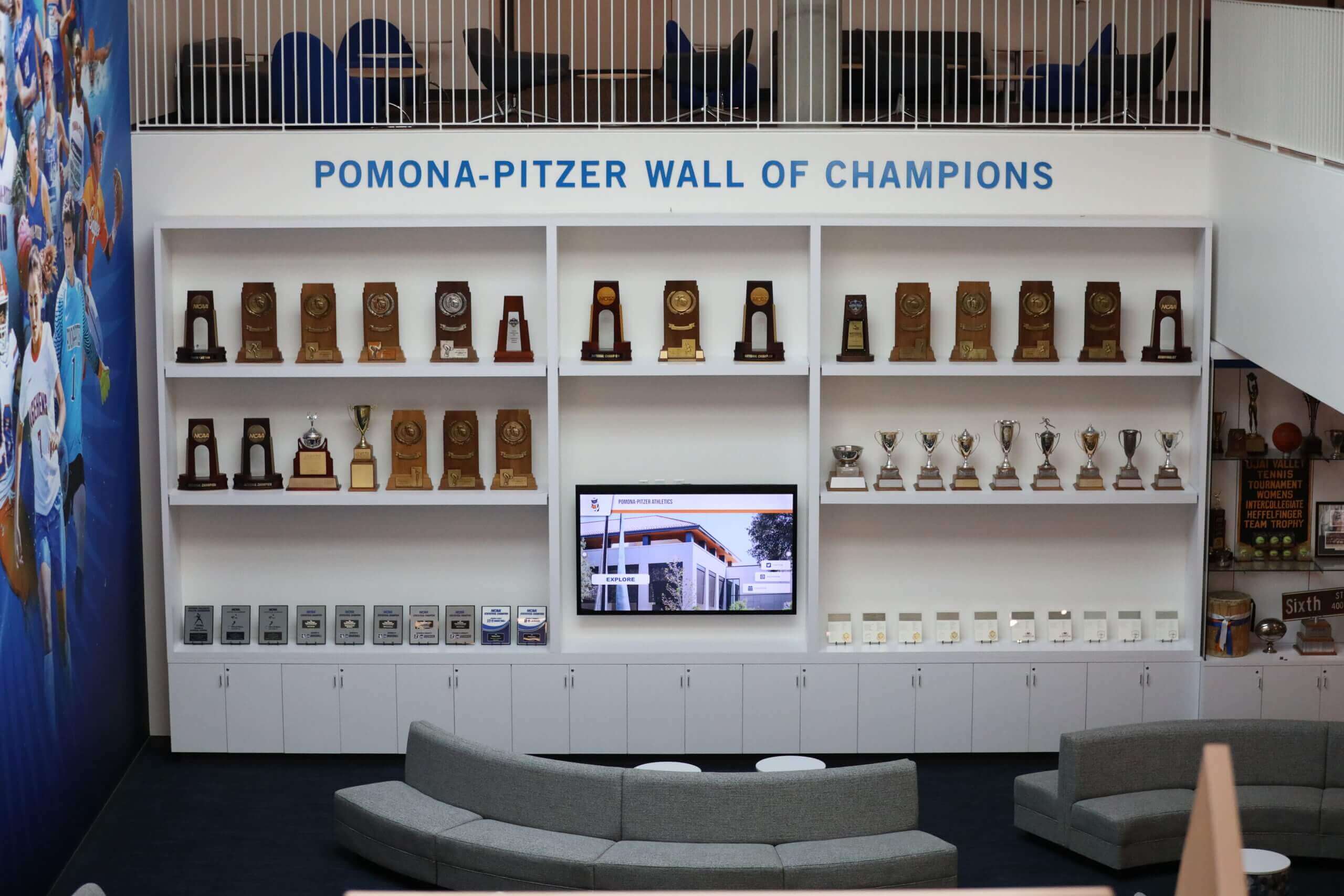
Future implementations will integrate touchscreen technology seamlessly with broader digital client experience strategies
Advanced Analytics and Client Intelligence
Increasingly sophisticated data collection and analysis will provide deeper insights informing practice management and business development.
Predictive Practice Management
Analytics platforms will identify emerging practice area demand through client information request patterns, reveal content gaps where clients seek information firms don’t provide, predict optimal content strategies based on engagement performance, correlate touchscreen interactions with client engagement and matter origination, and benchmark performance against other implementations and industry standards.
These insights transform touchscreen systems from operational tools into strategic intelligence sources informing practice development, marketing strategy, and client service enhancement.
Conclusion: Transforming Legal Practice Through Client-Centered Technology
Law firm touchscreen displays represent far more than lobby decoration or technology showpieces—they embody fundamental shifts in how legal practices welcome clients, communicate expertise, deliver information, and compete in professional services markets where client experience increasingly differentiates comparable legal capability. When firms implement interactive display technology thoughtfully, they create client experiences that communicate professionalism from first impressions, provide accessible information empowering informed decisions, showcase legal expertise and achievements effectively, and demonstrate innovation and client-centered values that influence relationship development.
Transform Your Law Firm's Client Experience
Whether you operate a large corporate practice, boutique specialized firm, or multi-office legal organization, modern touchscreen display technology can enhance client experiences, improve operational efficiency, and create sophisticated professional environments that reflect your legal service quality. Solutions like Rocket Alumni Solutions provide proven platforms supporting professional service applications with intuitive interfaces, comprehensive content management capabilities, and reliable performance in demanding environments.
Explore Professional Touchscreen SolutionsSuccessful implementation requires systematic planning addressing technology selection matching professional service requirements and aesthetic standards, content development communicating firm capabilities effectively and compliantly, integration with existing practice management systems maximizing operational value, strategic placement ensuring client discovery and convenient access, and continuous optimization refining content and interfaces based on usage analytics.
The legal technology landscape continues evolving rapidly with artificial intelligence enabling personalized client guidance, natural language processing supporting conversational interactions, mobile integration creating seamless cross-channel experiences, and advanced analytics providing strategic client intelligence. Firms implementing touchscreen displays today should select flexible platforms supporting these emerging capabilities rather than static systems requiring complete replacement as expectations evolve.
Beyond immediate operational benefits and client experience improvements, lobby touchscreen displays signal to clients and referral sources that firms embrace modern service delivery expectations while investing in client-centered innovation. First impressions profoundly influence professional service relationships—and contemporary clients increasingly judge legal practices by technological sophistication alongside traditional expertise indicators. Firms offering sophisticated, intuitive self-service information access position themselves as forward-thinking organizations understanding modern client priorities and service delivery expectations.
For law firms considering touchscreen display implementations, the strategic question has evolved from “should we invest in this technology?” to “how can we deploy it most effectively to enhance client experience and differentiate our practice?” Technology adoption becomes essential competitive infrastructure in professional services markets where client experience expectations continue rising and technological sophistication increasingly signals overall service quality.
Your clients enter your office forming immediate impressions about your firm’s professionalism, values, and approach to service delivery. Meeting elevated expectations requires thoughtful technology deployment that enhances rather than replaces human service—the combination of sophisticated self-service information systems handling routine needs alongside empowered staff addressing complex requirements requiring professional judgment creates superior client experiences impossible through either approach alone.
Whether you operate a large multi-practice firm managing complex corporate matters, a specialized boutique positioning deep expertise, a plaintiff practice serving individual clients, or any legal organization welcoming visitors who benefit from accessible information and efficient service, touchscreen display technology offers proven solutions delivering measurable benefits while elevating client experiences. The investment in client-centered technology represents strategic commitment to service excellence that influences client relationships, competitive positioning, and long-term practice success.
Ready to transform your law firm’s client experience? Explore modern touchscreen display solutions combining professional-grade hardware, intuitive client interfaces, comprehensive content management, and ongoing innovation ensuring your investment remains valuable as technology and client expectations continue evolving. The future of legal practice combines legal expertise with technological sophistication—touchscreen displays represent essential infrastructure making this combination achievable while differentiating your firm in competitive professional services markets.































