
Museum kiosks have evolved from simple information terminals into sophisticated interactive exhibits that engage visitors, enhance educational experiences, and bring collections to life through multimedia storytelling. In 2026, these touchscreen displays serve as essential tools for museums seeking to modernize visitor experiences, accommodate diverse learning styles, provide accessible information on demand, and create memorable interactions with exhibits and artifacts.
Museum professionals increasingly recognize that static signage and passive exhibits no longer meet visitor expectations shaped by smartphones, tablets, and interactive digital experiences. Modern audiences expect to explore content at their own pace, dive deeper into topics that interest them, access multiple languages, and interact with exhibits through intuitive touchscreen interfaces that make museum visits more engaging and personalized.
This comprehensive guide explores how museum kiosks enhance visitor engagement, the key features that make exhibits effective, implementation strategies for museums of all sizes, and emerging trends shaping interactive museum technology in 2026.
Effective museum kiosks in 2026 balance technological sophistication with intuitive usability, ensuring visitors of all ages and abilities can easily explore collections, discover stories behind artifacts, and engage with educational content that deepens their understanding and appreciation. Solutions like Rocket Alumni Solutions provide the interactive display technology and content management platforms museums need to create compelling digital experiences.

Modern museum kiosks provide intuitive touchscreen interfaces that enhance visitor engagement and education
What Are Museum Kiosks and Why Museums Need Them
Understanding the role and benefits of interactive kiosks helps museums make informed decisions about exhibit technology investments.
The Evolution of Museum Information Systems
Museum visitor engagement has transformed significantly over the past two decades:
Traditional Museum Information Challenges
- Static printed signage offering limited detail and no personalization
- Fixed audio tours providing one-size-fits-all narration
- Language barriers limiting accessibility for international visitors
- Limited space for comprehensive artifact information on wall labels
- No ability to show multimedia content like videos or animations
- Minimal engagement opportunities for younger, digitally-native visitors
- Accessibility challenges for visitors with diverse needs and abilities
Museums historically relied on docent-led tours, printed brochures, and wall labels to convey information. While these approaches remain valuable, they cannot accommodate the depth of content modern visitors seek or provide the interactive, self-directed exploration that enhances engagement and learning.
The Interactive Kiosk Solution
Museum kiosks overcome traditional limitations through:
- Touchscreen interfaces enabling intuitive self-directed exploration
- Unlimited content depth allowing visitors to explore as much detail as desired
- Multilingual support making exhibits accessible to international audiences
- Multimedia integration combining text, images, video, and audio
- Accessibility features accommodating visitors with disabilities
- Interactive elements creating engaging, memorable experiences
- Real-time content updates keeping information current without reprinting
Solutions like Rocket Alumni Solutions provide comprehensive interactive display platforms designed specifically for museums, cultural institutions, and exhibition spaces requiring professional-grade technology with user-friendly content management.

Museum kiosks enable self-directed exploration and deeper engagement with exhibit content
Core Benefits of Museum Interactive Kiosks
Museums implementing interactive kiosks report significant improvements in visitor satisfaction and engagement:
Enhanced Visitor Engagement
Interactive touchscreens capture attention and encourage active participation rather than passive observation. Visitors can explore topics that interest them, skip content that doesn’t resonate, zoom into artifact details, watch related videos, and spend as much or as little time as desired at each exhibit. This self-directed engagement creates more memorable museum experiences.
Research in museum education indicates that interactive exhibits increase visitor dwell time by 40-60% compared to traditional static displays, suggesting stronger engagement and deeper learning.
Multilingual Accessibility
Museums serving diverse communities benefit significantly from multilingual kiosk capabilities. Visitors can select their preferred language instantly, accessing exhibit information in Spanish, French, Chinese, Arabic, or any other language the museum chooses to support. This inclusive approach welcomes international visitors and serves non-English-speaking local communities.
Unlimited Content Depth
Physical wall labels typically limit artifact information to 50-100 words. Interactive kiosks remove this constraint, enabling museums to provide comprehensive context including detailed artifact histories, biographical information about artists or creators, related historical events and context, conservation and restoration stories, virtual 3D artifact exploration, curator commentary and expert insights, and connections to related collection items.
Visitors interested in brief overviews can quickly scan highlights, while those wanting deeper understanding can explore extensive content unavailable in traditional exhibit formats.
Multimedia Storytelling Capabilities
Digital kiosks bring artifacts to life through rich multimedia content:
- High-resolution artifact photography revealing fine details
- Video interviews with curators, conservators, and scholars
- Historical footage providing cultural and temporal context
- 3D object rotation enabling comprehensive artifact examination
- Animation showing artifact construction or historical use
- Audio narration offering expert interpretation
This multimedia approach accommodates diverse learning styles, making exhibits more effective for visual, auditory, and kinesthetic learners who benefit from varied content presentation formats.
Learn about effective multimedia integration in museum touchscreen exhibits that enhance visitor education.
Accessibility and Universal Design
Well-designed museum kiosks accommodate visitors with disabilities through:
- Screen readers for visually impaired visitors
- Adjustable text sizes improving readability
- High-contrast viewing modes for visual accessibility
- Closed captioning on video content
- Appropriate mounting heights for wheelchair users
- Touch targets sized appropriately for motor accessibility
- Simple, intuitive navigation requiring minimal technical proficiency
This universal design approach ensures all visitors can access exhibit information regardless of physical, sensory, or cognitive abilities.

Accessible kiosk design ensures all museum visitors can explore exhibits comfortably and independently
Data and Analytics for Museum Management
Interactive kiosks provide valuable visitor behavior data:
- Which exhibits generate the most engagement
- How long visitors spend with specific content
- Language preferences of museum audiences
- Content areas requiring improvement or expansion
- Peak usage times informing staffing decisions
- Visitor flow patterns throughout exhibitions
This analytics capability helps museums continuously improve exhibits based on actual visitor behavior rather than assumptions, creating more effective educational experiences over time.
Key Features of Effective Museum Kiosk Systems
Understanding essential capabilities helps museums select interactive solutions that meet current needs while remaining flexible for future growth.
Intuitive User Interface and Navigation
User-friendly interfaces make museum kiosks accessible to all visitors:
Simplified Navigation Design
- Clear visual hierarchy guiding attention appropriately
- Large touch targets easy to select accurately
- Consistent navigation patterns reducing learning curves
- Home button enabling quick return to starting point
- Breadcrumb trails showing location within content structure
- Search functionality for finding specific topics or artifacts
- Visual cues indicating touchable elements
Effective museum kiosk interfaces require no training or instructions—visitors should intuitively understand how to explore content within seconds of approaching the display.
Attract Loops and Idle States
When not in active use, museum kiosks should display engaging attract loops:
- Rotating featured artifacts and exhibits
- Beautiful collection photography
- Upcoming programs and special exhibitions
- Brief animated content inviting interaction
- Clear visual invitation to touch screen
Effective attract modes draw visitor attention while clearly communicating that the display is interactive and available for use.
Multi-User Considerations
Museum kiosks in high-traffic areas should accommodate multiple simultaneous users when possible through:
- Appropriate screen sizes visible to several people
- Content organized for quick exploration enabling turnover
- Automatic return to home screen after period of inactivity
- Easy session restart for next visitor
- Optional content bookmarking or sharing capabilities
Comprehensive Content Management
Cloud-based platforms simplify exhibit administration and content updates:
User-Friendly Administrative Interfaces
Museum staff should manage kiosk content without technical expertise through:
- Intuitive dashboards requiring no coding knowledge
- Drag-and-drop content organization
- Rich text editors for creating formatted descriptions
- Media libraries for organizing images, videos, and audio
- Preview functionality showing changes before publication
- Role-based permissions enabling appropriate staff access
- Automated backups protecting content and data
Flexible Content Organization
Digital systems should accommodate diverse museum needs including:
- Thematic exhibition organization
- Chronological historical timelines
- Artist or creator categorization
- Geographic or cultural groupings
- Object type or medium classification
- Curatorial narrative structures
- Cross-referencing connecting related artifacts
This organizational flexibility enables museums to present collections in ways that best serve educational objectives and visitor understanding.
Multilingual Content Management
Comprehensive systems provide:
- Easy translation workflows for creating multilingual content
- Language-specific media when appropriate
- Consistent content structure across all languages
- Translation status tracking for work in progress
- Professional translation service integration options
Robust multilingual support ensures international visitors receive the same quality experience as native speakers.

Cloud-based content management enables easy kiosk updates without technical expertise
Multimedia Integration Capabilities
Rich content capabilities distinguish effective museum kiosks:
High-Resolution Image Display
Detailed artifact photography reveals textures, techniques, and details invisible from display case viewing. Kiosks should support:
- Zoomable high-resolution images enabling close examination
- Multi-angle photography showing artifacts from all sides
- Detail close-ups highlighting specific features
- Comparison views showing related objects
- Historical photographs providing context
Video Content Integration
Video brings exhibits to life through:
- Curator and expert interviews providing scholarly context
- Historical footage showing artifacts in original use
- Conservation process documentation
- Artistic technique demonstrations
- Cultural context and ethnographic documentation
- Virtual reconstructions of damaged or incomplete artifacts
3D Object Exploration
Advanced kiosks may incorporate:
- Interactive 3D artifact models enabling rotation and examination
- X-ray or CT scan visualizations revealing internal structures
- Virtual reconstruction of fragmentary objects
- Scale comparisons showing actual artifact sizes
- Virtual handling of delicate items too fragile for physical interaction
Audio Integration
Sound enriches museum experiences through:
- Narrator voiceovers providing artifact interpretation
- Historical recordings offering primary source material
- Ambient soundscapes recreating historical environments
- Musical performances relevant to cultural exhibits
- Language and dialect samples for linguistic exhibits
Discover effective multimedia approaches in ballpark museum interactive displays that engage diverse audiences.
Hardware Specifications and Durability
Museum environments require robust, reliable equipment:
Commercial-Grade Display Components
- High-brightness screens remaining visible in varied lighting
- Anti-glare coatings reducing reflection in bright galleries
- Commercial touchscreen technology built for continuous use
- Vandal-resistant screens protecting against damage
- Wide viewing angles ensuring visibility from multiple positions
- Long-life LED backlighting minimizing maintenance
Environmental Considerations
- Temperature tolerance for climate-controlled galleries
- Humidity resistance protecting electronics
- Dust and particle protection in less-controlled environments
- Minimal heat generation avoiding artifact damage
- Low noise operation maintaining quiet gallery atmosphere
Mounting and Installation Options
- Freestanding kiosk enclosures for flexible placement
- Wall-mounted displays for space efficiency
- Pedestal mounts at appropriate viewing heights
- Custom enclosures matching museum aesthetics
- Secure mounting preventing theft or vandalism
- ADA-compliant positioning for accessibility
Connectivity and Power
- Ethernet connectivity for reliable network access
- WiFi capability when hardwired connection impractical
- Power over Ethernet options reducing cable runs
- Battery backup preventing content loss during power interruptions
- Remote monitoring and management capabilities
Planning and Implementing Museum Kiosk Systems
Successful implementation requires thoughtful planning ensuring technology serves educational objectives effectively.
Needs Assessment and Strategic Planning
Begin with comprehensive evaluation establishing clear requirements:
Current State Assessment
- Inventory existing exhibit interpretation approaches
- Identify visitor information gaps and pain points
- Evaluate physical spaces available for kiosk placement
- Review technology infrastructure and capabilities
- Assess staff technical capacity and training needs
- Analyze budget availability and constraints
Visitor Research and Input
Understanding audience needs ensures kiosks serve visitors effectively:
- Survey existing visitors about information preferences
- Conduct focus groups exploring desired features
- Observe visitor behavior in current exhibits
- Analyze demographic data informing content and language needs
- Research accessibility requirements for diverse audiences
- Review visitor feedback and comment cards
Educational Objectives Definition
Clear learning goals guide kiosk development:
- What knowledge should visitors gain from exhibits?
- Which artifacts or themes warrant deeper exploration?
- What stories best communicate museum mission?
- How can technology support curriculum standards for school groups?
- What content enhances but doesn’t replace object viewing?
Curatorial and Educational Staff Engagement
Involve subject matter experts early including:
- Curator input on artifact interpretation priorities
- Educator perspectives on age-appropriate content
- Conservation team guidance on artifact presentation
- Collections management data and documentation
- Research staff scholarly insights
Comprehensive stakeholder engagement ensures kiosks align with museum values while meeting diverse needs.
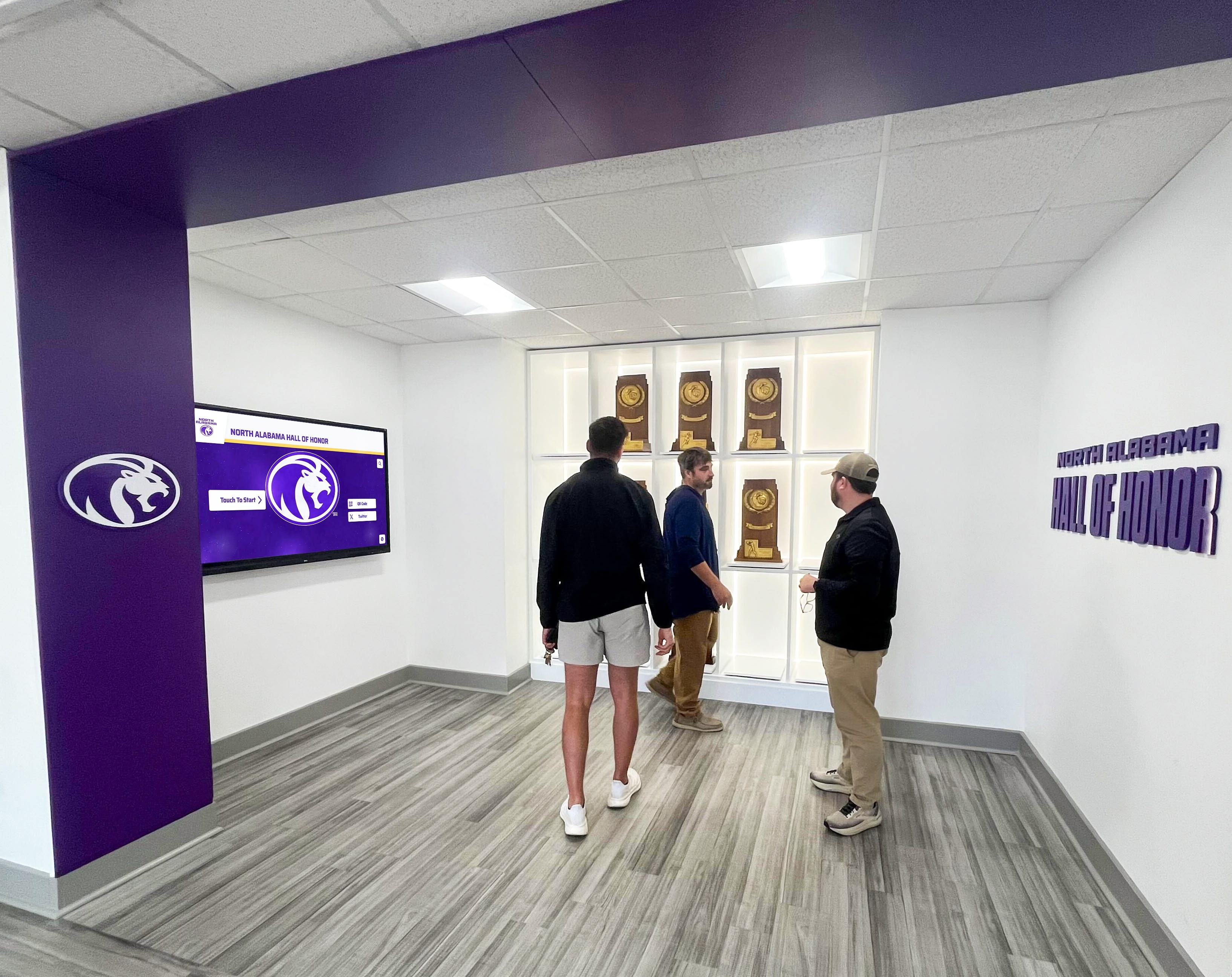
Strategic planning ensures museum kiosks effectively serve educational objectives and visitor needs
Technology Selection and Vendor Evaluation
Choosing appropriate solutions requires careful consideration:
Hardware Specifications
- Display size appropriate for viewing distance and space
- Screen resolution and pixel density for image quality
- Touchscreen technology type and responsiveness
- Processor and memory specifications for smooth performance
- Storage capacity for multimedia content
- Warranty coverage and expected equipment lifespan
Software Platform Requirements
Evaluate content management capabilities:
- Intuitive administrative interface requiring minimal technical expertise
- Robust multimedia support for diverse content types
- Multilingual content management capabilities
- Accessibility features and compliance
- Analytics and reporting functionality
- Security features protecting content and data
- Web integration if remote access desired
Vendor Assessment Criteria
Select providers with relevant experience:
- Portfolio of museum and cultural institution installations
- Technical support availability and responsiveness
- Training resources for staff and administrators
- Content creation assistance and design services
- Long-term viability and platform development roadmap
- Integration capabilities with existing museum systems
- References from comparable institutions
Solutions like Rocket Alumni Solutions specialize in interactive displays for educational and cultural institutions, offering platforms designed specifically for exhibits and collections with proven implementation processes.
Budget and Timeline Development
Establish realistic expectations:
- Initial hardware and software investment
- Installation and integration costs
- Content development and design services
- Staff training expenses
- Ongoing subscription and maintenance costs
- Phased implementation if budget requires
- Grant funding opportunities for museum technology
Content Development and Design
High-quality content determines kiosk effectiveness:
Content Strategy Development
Plan comprehensive exhibit narratives:
- Primary learning objectives for each exhibit area
- Content depth appropriate for general audiences
- Specialized content for different visitor types
- Balance between text, images, video, and audio
- Connections between related artifacts and themes
- Curatorial voice and institutional perspective
Writing and Editorial Guidelines
Effective museum content requires:
- Clear, accessible writing at appropriate reading levels
- Active voice and engaging narrative style
- Concise text blocks maintaining visitor attention
- Hierarchical information architecture
- Accurate, well-researched information
- Proper artifact attribution and dating
- Copyright compliance for all media
Multimedia Content Creation
Professional media development includes:
- High-resolution artifact photography
- Video interviews with curators and experts
- Historical footage licensing when appropriate
- Animation and motion graphics production
- Audio recording and editing
- 3D object scanning and modeling if applicable
- Professional translation services
Accessibility Compliance
Ensure universal access through:
- Alternative text descriptions for all images
- Closed captions for video content
- Audio descriptions when appropriate
- Screen reader compatibility testing
- Color contrast meeting WCAG standards
- Plain language options for complex content
Explore effective content strategies in digital tools that bring history to life applicable to museum exhibits.
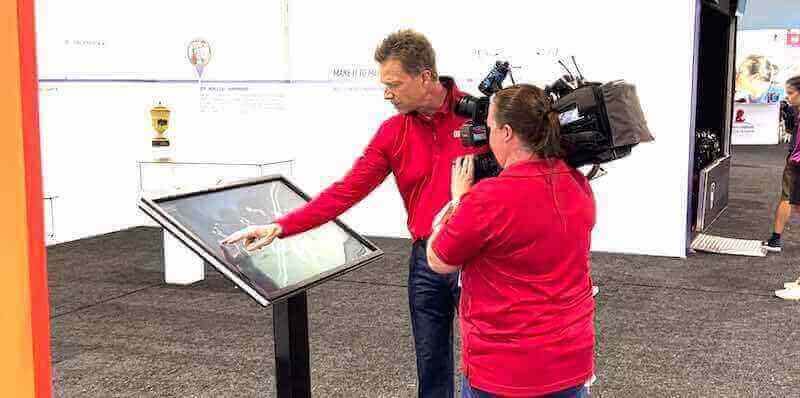
Professional content creation ensures museum kiosks provide engaging, educational experiences
Installation and Launch
Professional installation ensures optimal functionality:
Site Preparation
- Electrical infrastructure for display power
- Network connectivity through ethernet or robust WiFi
- Mounting surface preparation and reinforcement
- Cable management and concealment
- ADA compliance verification for accessibility
- Lighting assessment ensuring optimal screen visibility
Display Installation Process
- Professional mounting at appropriate heights
- Screen calibration and touch functionality testing
- Media player configuration and setup
- Network connection and security implementation
- Quality assurance testing before launch
- Staff training on operation and basic troubleshooting
Soft Launch and Testing
Before official opening:
- Staff and volunteer testing identifying issues
- Visitor testing with diverse users
- Content accuracy verification
- Technical performance monitoring
- Gather feedback and make refinements
- Create user documentation if needed
Official Launch and Promotion
Maximize kiosk impact through:
- Opening event showcasing new technology
- Media coverage highlighting innovation
- Signage directing visitors to interactive exhibits
- Staff orientation on encouraging kiosk use
- Visitor surveys measuring satisfaction
- Social media promotion
Museum Kiosk Applications Across Institution Types
Different museum types have unique interactive exhibit opportunities.
Art Museums and Galleries
Visual arts institutions benefit from kiosks that:
Enhance Artwork Appreciation
- High-resolution detail views revealing techniques
- Artist biographical information and context
- Art historical movement explanations
- Conservator insights on restoration work
- Preliminary sketches and studies
- Thematic connections across collection
Support Diverse Audiences
- Age-appropriate content for children and adults
- Specialized content for art students and scholars
- Multilingual support for international visitors
- Accessibility features for visitors with disabilities
Learn about visual display strategies in digital art galleries for schools applicable to museums.
History Museums and Historical Societies
Historical institutions use kiosks for:
Deep Historical Context
- Timeline visualization placing artifacts in chronological context
- Historical photographs and documents
- Oral history video interviews
- Map overlays showing historical changes
- Primary source document access
- Biographical information on historical figures
Local History Connections
- Community member stories and memories
- Historical photographs of local locations
- Genealogical connections for local families
- Historical newspaper archives
- Veterans’ service records and tributes
Explore historical presentation approaches in public library digital archives transferable to museums.
Science and Natural History Museums
STEM-focused museums leverage kiosks for:
Interactive Scientific Exploration
- Virtual dissections and anatomical exploration
- Geological timeline and earth science visualization
- Astronomical data and space exploration
- Climate and environmental data visualization
- Species identification and biodiversity information
- Scientific process and method explanation
Educational Game Integration
- Interactive quizzes testing visitor knowledge
- Scavenger hunt navigation through exhibits
- Discovery challenges encouraging exploration
- Citizen science data collection participation
- Virtual experiments and simulations
Children’s Museums and Discovery Centers
Youth-focused institutions benefit from:
Age-Appropriate Interactive Content
- Simple navigation for young children
- Audio narration for pre-readers
- Gamified learning experiences
- Hands-on virtual activities
- Colorful, engaging visual design
- Short content blocks matching attention spans
Multi-User Group Activities
- Collaborative challenges for families or school groups
- Large touchscreens accommodating multiple children
- Team-based interactive games
- Content supporting educator-led programs
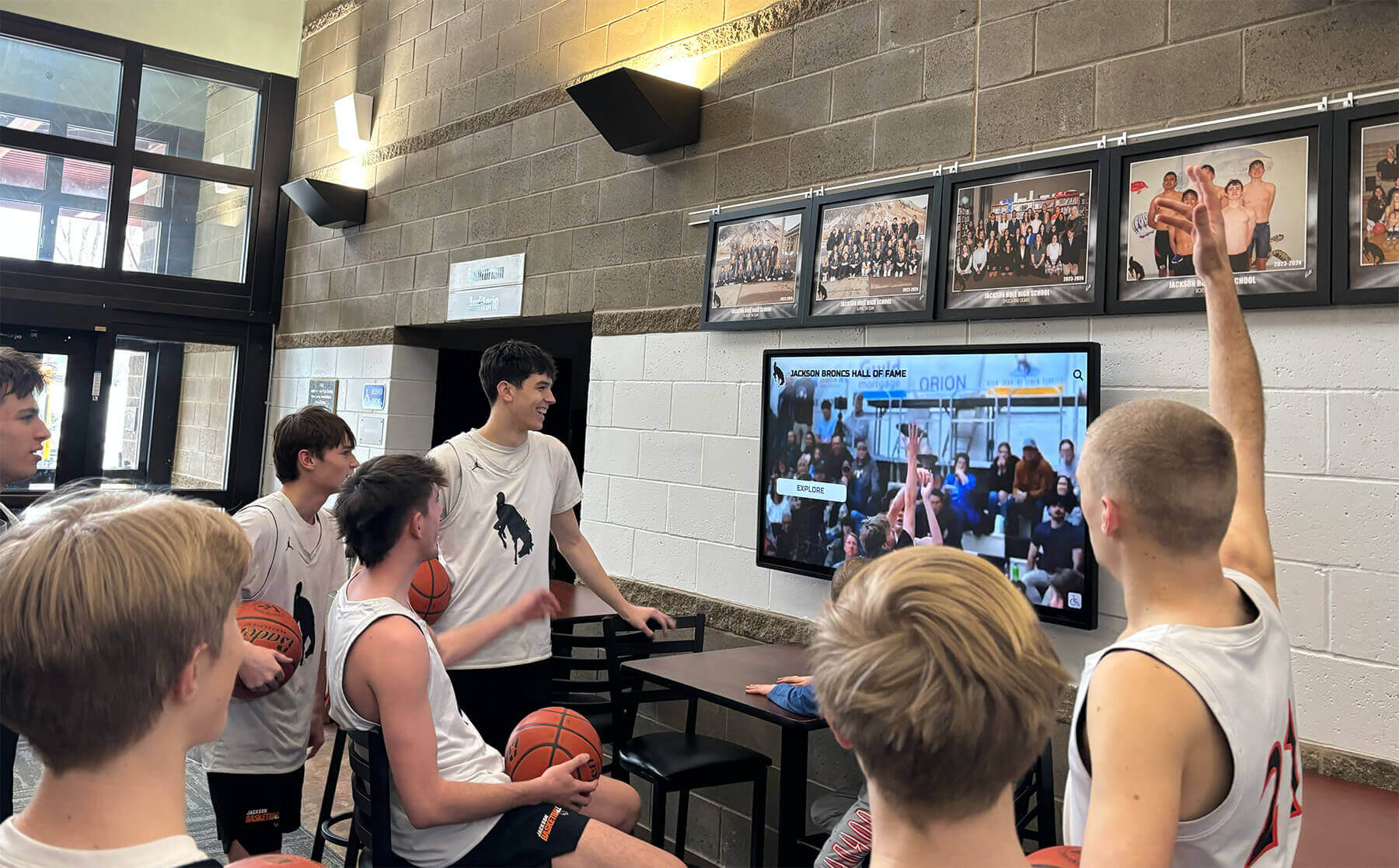
Museum kiosks engage young visitors through interactive, age-appropriate educational content
Cultural Heritage and Ethnographic Museums
Cultural institutions use kiosks for:
Respectful Cultural Representation
- Community member narratives in their own voices
- Traditional language preservation and documentation
- Cultural practice demonstrations and explanations
- Tribal or community-approved content
- Connections to living cultural traditions
- Context addressing historical injustices
Sensitive Content Presentation
- Content warnings for difficult historical material
- Age-appropriate filtering options
- Repatriation and provenance information
- Consultation documentation with source communities
Best Practices for Museum Kiosk Success
Strategic approaches maximize interactive exhibit effectiveness.
User Experience Design Principles
Effective kiosks prioritize visitor needs:
Intuitive First-Time Use
- No instructions or training required
- Clear visual affordances indicating interactivity
- Immediate response to touch confirming engagement
- Simple gestures familiar from smartphones
- Obvious navigation throughout experience
Appropriate Dwell Time Design
- Content length matching typical visitor engagement
- Clear hierarchies enabling quick browsing or deep exploration
- Natural stopping points allowing visitors to disengage gracefully
- Featured content highlighting must-see information
- Advanced content available but not required
Accessible Design Standards
- WCAG 2.1 AA compliance as minimum standard
- User testing with visitors having diverse abilities
- Adjustable text sizes and high-contrast modes
- Touch target sizes appropriate for motor accessibility
- Screen positioning serving wheelchair users
Content Strategy and Curation
Compelling content drives kiosk success:
Storytelling Over Information Dumps
- Narrative structures engaging visitor interest
- Human stories connecting to artifacts and themes
- Emotional resonance creating memorable experiences
- Questions inviting curiosity and exploration
- Connections to contemporary life and issues
Layered Information Architecture
- Brief overview level for quick scanning
- Intermediate detail for typical visitors
- In-depth scholarly content for motivated learners
- Cross-references connecting related topics
- Clear visual hierarchy indicating content depth
Regular Content Updates
- Rotating featured content maintaining repeat visitor interest
- Seasonal or thematic content variations
- New acquisitions and temporary exhibition integration
- Current events connections when appropriate
- Fresh multimedia keeping exhibits feeling contemporary
Authenticity and Accuracy
- Rigorous research and fact-checking
- Multiple perspectives on controversial topics
- Source citation for scholarly credibility
- Regular content review and updating
- Transparent acknowledgment of knowledge gaps
Technical Maintenance and Support
Reliable operation requires ongoing attention:
Preventive Maintenance Protocols
- Regular screen cleaning and hardware inspection
- Software updates and security patches
- Content backup verification
- Network connectivity monitoring
- Touch calibration verification
- Component replacement before failure
Rapid Problem Resolution
- Help desk or technical support contact information
- Basic troubleshooting documentation for staff
- Remote monitoring detecting issues proactively
- Vendor service level agreements for critical problems
- Backup displays or content access plans
Performance Monitoring and Optimization
- Analytics review identifying usage patterns
- Content engagement metrics guiding improvements
- Technical performance tracking
- User feedback collection and analysis
- A/B testing when appropriate for optimization
Discover comprehensive maintenance approaches in touchscreen kiosk software guides applicable to museums.
Emerging Trends in Museum Kiosk Technology
Understanding future developments helps museums plan for long-term effectiveness.
Artificial Intelligence and Personalization
AI-Powered Content Recommendations
Machine learning enables personalized museum experiences:
- Content suggestions based on visitor interests
- Adaptive difficulty levels matching visitor knowledge
- Language detection and automatic translation
- Natural language search and queries
- Voice interaction alternatives to touch
- Predictive analytics optimizing exhibit design
Ethical AI Considerations
Museums must thoughtfully evaluate:
- Privacy implications of personalization
- Bias in algorithm recommendations
- Appropriate versus manipulative personalization
- Transparent disclosure of AI usage
- Human oversight maintaining educational integrity
Augmented and Virtual Reality Integration
AR Overlays Enhancing Physical Exhibits
Emerging technology enables:
- Virtual reconstruction of damaged artifacts
- Historical scene recreation in situ
- Animated artifact usage demonstrations
- Hidden detail revelation through x-ray visualization
- Multi-period timeline comparisons
- Scale comparisons and contextual placement
Virtual Reality Experiences
Select museums incorporate:
- Immersive historical environment exploration
- Virtual field trips to inaccessible locations
- First-person historical perspectives
- Artifact handling simulations
- Virtual conservation lab visits
Enhanced Interactivity and Gesture Control
Touchless Interaction Options
Post-pandemic awareness drives:
- Gesture recognition reducing surface contact
- Voice command alternatives
- Motion sensing for hands-free operation
- Mobile device integration for personal control
- Hygiene-conscious interface design
Social and Sharing Integration
Digital Engagement Extension
Modern kiosks enable:
- Content bookmarking for later viewing
- Email or text content delivery
- Social media sharing of favorites
- Virtual visits from home continuing engagement
- Museum app integration for seamless experience
- Digital souvenir creation and collection
Cloud-Based and Mobile-First Architecture
Flexible Content Delivery
Advanced platforms provide:
- Responsive design serving kiosks and mobile devices
- Centralized content management across multiple locations
- Real-time updates without local intervention
- Lower hardware requirements through cloud processing
- Easier scaling across museum networks
- Integration with existing websites and digital properties
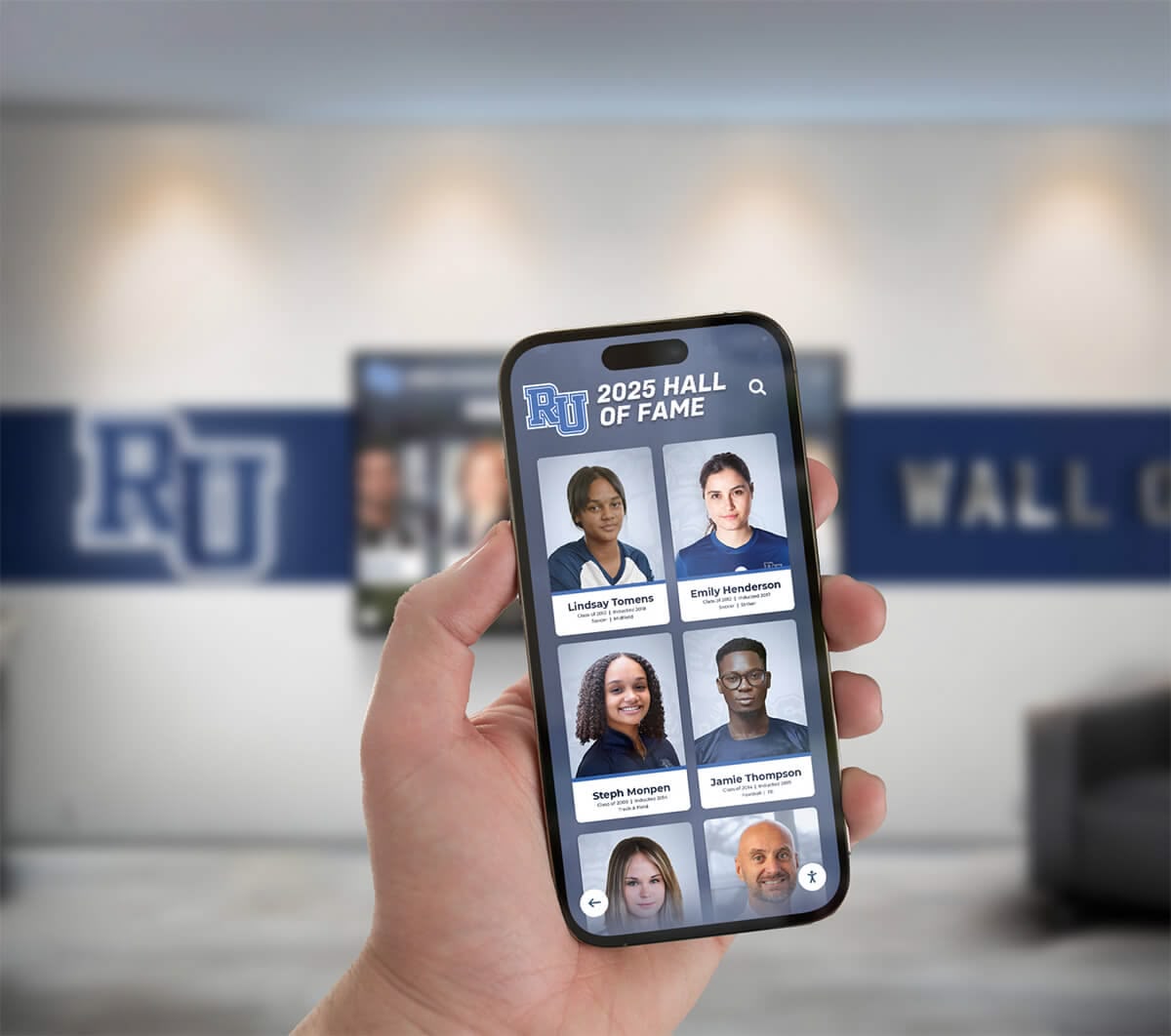
Mobile integration extends kiosk content beyond museum walls, maintaining visitor engagement
Cost Considerations and ROI
Understanding investment requirements enables informed planning.
Initial Investment Components
Museum kiosk costs vary based on scope:
Hardware Expenses
- Commercial touchscreen displays: $2,000-$8,000 per unit
- Media players or computers: $500-$2,000
- Mounting hardware and installation: $500-$2,000
- Freestanding kiosk enclosures: $3,000-$8,000 when applicable
- Network infrastructure upgrades: $500-$2,000 if needed
Software and Platform Costs
- Content management system setup: $1,000-$5,000
- Design and customization: $2,000-$8,000
- Initial content creation: $5,000-$20,000 depending on scope
- Multilingual translation services: $500-$3,000 per language
- Training and onboarding: $500-$2,000
- Integration with existing systems: $1,000-$5,000 if required
Professional Services
- Content strategy and planning: $2,000-$10,000
- Photography and videography: $2,000-$10,000
- Graphic design and multimedia production: $3,000-$15,000
- Accessibility compliance consulting: $1,000-$5,000
- Project management: $2,000-$8,000
Total Initial Investment Range
Most museums invest $15,000-$50,000 per major interactive kiosk installation when including content development, though costs vary significantly based on content complexity, multimedia production requirements, number of languages, custom features, and hardware specifications.
Ongoing Operational Costs
Annual expenses ensure continued effectiveness:
Subscription and Licensing
- Content management platform: $600-$3,000 annually per kiosk
- Software updates and support typically included
- Cloud hosting and data storage
- Analytics and reporting tools
Maintenance and Support
- Extended warranty or service contracts: $300-$1,000 annually
- Technical support beyond basic subscription
- Periodic professional servicing: $200-$500 annually
- Screen cleaning and physical maintenance
Content Updates and Enhancements
- Staff time for routine updates: 4-8 hours monthly
- Professional design for major refreshes: $1,000-$5,000 annually
- New multimedia production: $2,000-$10,000 annually
- Translation updates as content changes
Annual Ongoing Cost Range
Expect $2,000-$10,000 in annual operating costs per kiosk depending on content refresh frequency and level of ongoing multimedia production.
Return on Investment Considerations
Museum kiosks provide value beyond direct financial returns:
Visitor Satisfaction and Experience Quality
Enhanced experiences generate:
- Increased visitor satisfaction scores
- Positive word-of-mouth recommendations
- Higher membership renewal rates
- Stronger donor relationships through innovation
- Competitive advantage attracting visitors
Educational Effectiveness
Better learning outcomes include:
- Deeper engagement with collection and mission
- Accommodation of diverse learning styles
- Accessibility serving broader audiences
- School group educational value
- Teacher satisfaction and repeat visits
Operational Efficiency
Technology can reduce:
- Staff time answering repetitive questions
- Printed material production costs
- Multilingual staffing requirements
- Exhibit label reprinting for content updates
- Audio tour equipment management
Grant Funding and Donor Support
Technology investments may:
- Attract grant funding prioritizing innovation
- Appeal to tech-savvy donors
- Demonstrate institutional relevance and adaptation
- Generate media coverage raising institutional profile
Conclusion: Museum Kiosks as Educational Innovation
Museum kiosks represent significant opportunities for cultural institutions to enhance visitor engagement, improve educational effectiveness, increase accessibility, and demonstrate innovation that keeps museums relevant in increasingly digital world. When museums implement interactive exhibits strategically—balancing sophisticated technology with intuitive usability, comprehensive content with clear navigation, and institutional expertise with visitor needs—they create memorable experiences that deepen understanding, spark curiosity, and strengthen connections to collections and mission.
The strategies explored in this guide provide comprehensive frameworks for museum kiosk implementation that serves multiple objectives including engaging diverse visitors from children to scholars, making collections accessible to all regardless of language or ability, telling compelling stories that bring artifacts to life, providing learning experiences accommodating different styles and interests, maintaining flexibility as exhibitions and collections evolve, and building sustainable technology systems serving institutions for years.
Ready to explore how interactive display technology can transform visitor engagement at your museum? Talk to our team to discover solutions designed specifically for cultural institutions and exhibition spaces.
Strategic Implementation Pathway
Museums considering interactive kiosks should:
- Begin with comprehensive needs assessment and visitor research
- Engage curatorial and educational staff early in planning
- Define clear educational objectives guiding development
- Evaluate technology solutions aligning capabilities with needs
- Develop realistic budgets accounting for content creation
- Plan phased implementation coordinating with exhibit schedules
- Create sustainable content management protocols
- Commit to ongoing evaluation and improvement
This systematic approach prevents common implementation problems while ensuring interactive exhibits achieve intended goals of enhanced visitor engagement and educational effectiveness.
Technology Serving Educational Mission
The most effective museum technology implementations position kiosks as tools serving educational missions rather than technology for its own sake. Interactive exhibits should enhance rather than replace object viewing, deepen rather than distract from learning, complement rather than compete with human interpretation, and support rather than substitute for direct engagement with artifacts and collections.
Solutions like Rocket Alumni Solutions understand this balance, providing technology platforms powerful enough to create compelling interactive experiences while remaining simple enough for museum staff to manage confidently without technical expertise. When technology serves mission authentically, museums create digital experiences worthy of the collections they present and the audiences they serve.
Your collections contain extraordinary stories deserving sophisticated interpretation. Visitors arrive with curiosity and varied backgrounds deserving accessible, engaging content. With thoughtful planning, appropriate technology, quality content creation, and sustained commitment to excellence, museums can create interactive kiosks that transform passive viewing into active exploration, creating the memorable, educational experiences that fulfill institutional missions and serve diverse communities effectively.
Explore related approaches in best platforms for building virtual exhibitions or discover how campus directory touchscreens apply similar technology in educational settings.































