When planning a new gymnasium or school building, one question that frequently emerges is when to install touchscreen displays for recognition, wayfinding, or communications. Timing this installation correctly during construction can save thousands of dollars in retrofit costs while ensuring displays integrate seamlessly with building systems and aesthetics.
School administrators and construction planners face practical questions about this decision. Should displays be part of initial construction plans or added after building completion? What electrical and network infrastructure needs to be in place? How do construction timelines affect installation strategies? What coordination between contractors, technology vendors, and school staff ensures successful deployment?
This guide provides practical frameworks for planning touchscreen display installation in new school buildings, with specific focus on gymnasium applications. You’ll learn optimal timing strategies, infrastructure requirements, contractor coordination approaches, and implementation best practices that ensure displays become integral building features rather than awkward afterthoughts.
Building new educational facilities represents significant investment in community infrastructure. When schools include recognition technology in construction planning from the beginning, they create spaces where celebrating achievement becomes natural and integrated rather than forced or limited by retrofit constraints. Solutions like Rocket Alumni Solutions provide purpose-built platforms designed specifically for educational recognition needs.

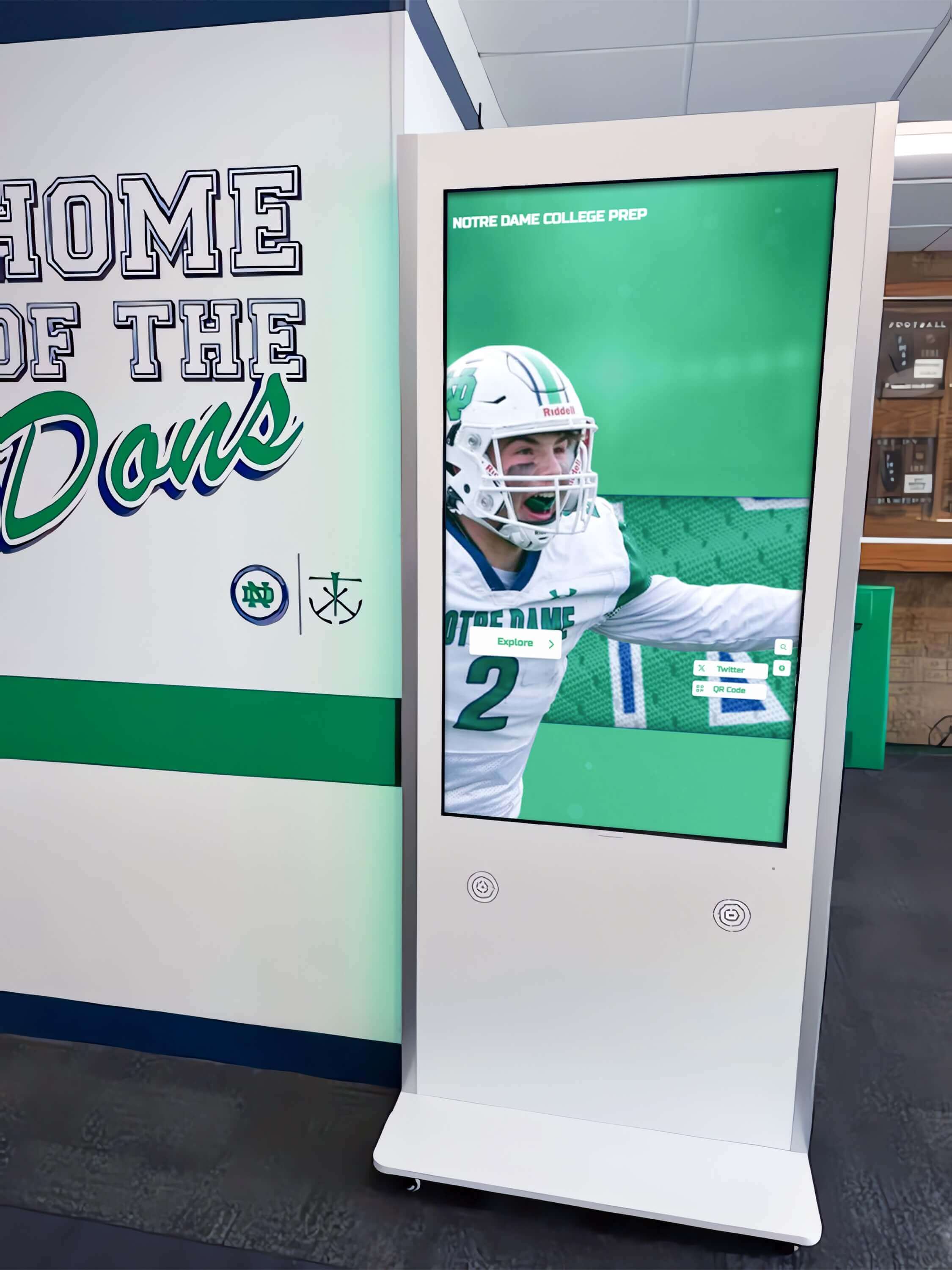
Strategic planning during construction ensures touchscreen displays integrate seamlessly with building design and infrastructure
Understanding Touchscreen Display Applications in New School Buildings
Before determining installation timing, clarify what functions displays will serve and how they support institutional objectives.
Common School Touchscreen Display Applications
Educational facilities use interactive displays across diverse applications, each with different infrastructure and planning requirements.
Athletic Recognition and Hall of Fame Displays
Gymnasiums and athletic facilities commonly incorporate touchscreen displays for athletic recognition, featuring hall of fame inductees, championship teams, record holders, and current season achievements. These displays serve multiple purposes including celebrating athletic excellence and program history, motivating current student-athletes through visible achievement standards, engaging alumni and community members during events, and preserving institutional athletic heritage in accessible formats.
For new gymnasium construction, athletic recognition displays typically locate in main lobbies, trophy areas, or high-traffic corridors connecting to competition spaces.
Donor Recognition and Capital Campaign Displays
Many new school buildings result from capital campaigns requiring donor recognition. Digital donor walls provide unlimited recognition capacity, real-time updates as campaigns progress, engaging multimedia highlighting project impact, and permanent acknowledgment honoring all contribution levels.
Unlike traditional plaques with fixed capacity, digital recognition grows as campaigns continue without requiring additional physical space or costly re-engraving.
Campus Wayfinding and Directory Systems
New buildings with complex layouts benefit from interactive wayfinding displays providing building maps and room directories, event schedules and facility usage information, visitor check-in and management functions, and accessibility information and building navigation assistance.
These applications require integration with scheduling systems and possible connection to visitor management platforms.
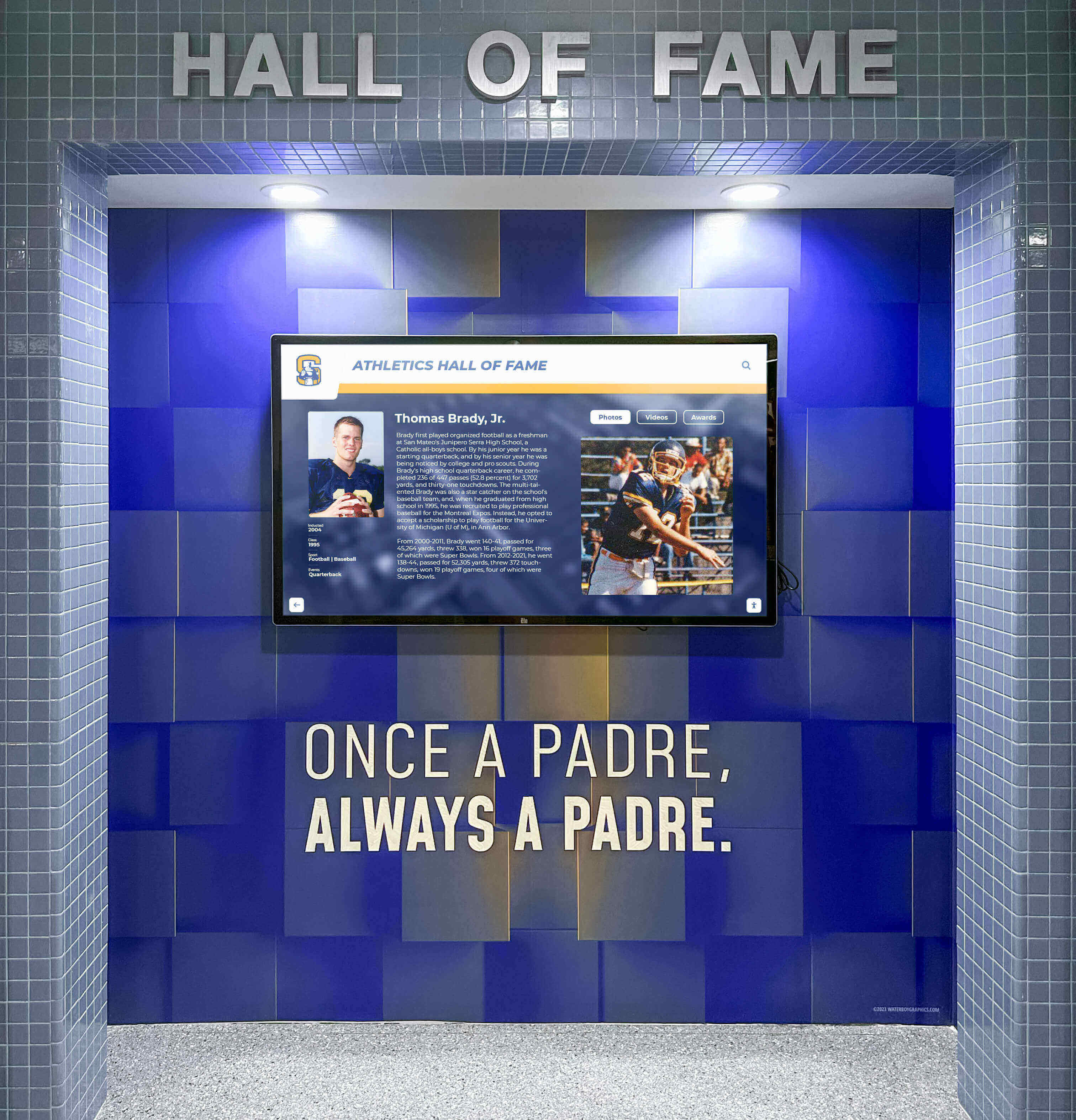
Gymnasium displays celebrate athletic achievement while preserving program history in engaging, accessible formats
Student Achievement and Academic Recognition
Beyond athletics, schools use touchscreen displays for honor roll and academic achievement showcases, student project galleries and STEM competition results, scholarship recipient recognition, perfect attendance and citizenship acknowledgment, and National Honor Society and academic society celebrations.
Academic recognition displays often locate in main building lobbies, library media centers, or academic wings rather than athletic facilities.
Multi-Purpose Communications and Announcements
Some schools deploy displays for broader communications including daily announcements and schedule information, lunch menus and cafeteria information, upcoming events and activity calendars, emergency communications and safety information, and school news and community updates.
These applications require different content management approaches and may need integration with student information systems or emergency notification platforms.
Defining Display Requirements and Specifications
Clear specifications early in planning ensure construction documents include all necessary infrastructure.
Display Size and Mounting Requirements
Typical school touchscreen displays range from 43" to 86" diagonal, with mounting requiring appropriate wall construction and reinforcement, adequate viewing distance in location selected, ADA-compliant height positioning, and consideration of vandal-resistant mounting when needed.
Large displays require structural support beyond typical drywall mounting, necessitating backing or reinforcement during construction.
Network and Power Infrastructure Needs
Displays require both power and data connectivity including dedicated electrical circuits to appropriate location, hardwired ethernet network connection preferred over WiFi, appropriate cable routing and management infrastructure, and proximity to network distribution equipment.
Planning these utilities during construction proves far more economical than retrofitting after walls are closed and finished.
Environmental Considerations
Installation location affects display longevity and functionality through lighting control minimizing screen glare, climate control maintaining appropriate operating temperatures, humidity management preventing condensation damage, dust and moisture protection in some environments, and security considerations based on location accessibility.
Gymnasiums present particular challenges including temperature variations, humidity from activities, and risk of impact requiring protective placement or vandal-resistant installation.
Construction Phase Planning: When to Install Touchscreen Displays
Optimal installation timing depends on construction sequence, display specifications, and coordination requirements with other building systems.
Early Planning Phase: Design Development and Construction Documents
The most critical decisions about touchscreen displays occur before construction begins.
Incorporating Displays in Building Design (12-18 months before construction start)
During design development, architects and school planners should identify specific display locations and purposes, confirm mounting requirements and structural support needs, plan electrical and network infrastructure routing, consider aesthetic integration with building design, and coordinate with audio-visual consultants on specifications.
Early planning prevents costly change orders during construction while ensuring displays integrate seamlessly with building architecture and systems.
Developing Detailed Specifications
Construction documents should specify exact display mounting locations and heights, electrical requirements including circuit capacity and outlet location, network infrastructure including connection points and capacity, specialized mounting or environmental protection needs, and coordination requirements between trades.
Detailed specifications prevent ambiguity that creates conflicts during construction or results in inadequate infrastructure requiring expensive corrections.
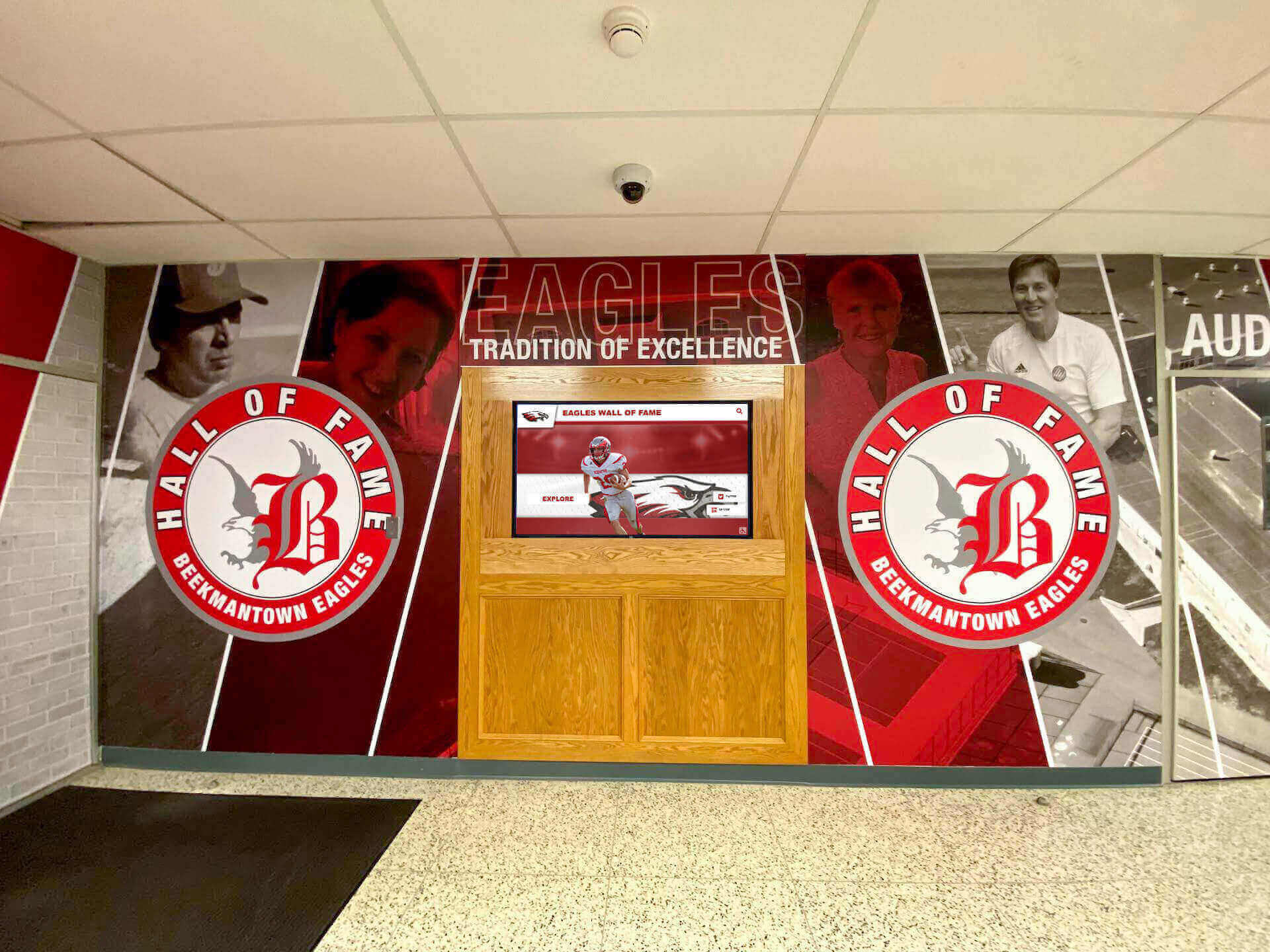
Coordinated design integrates displays with building branding, creating cohesive environments rather than disconnected technology installations
Budget Allocation and Value Engineering
Include display costs in construction budgets through hardware and mounting equipment costs, electrical and network infrastructure expenses, installation labor and coordination, content development and initial programming, and contingency for unforeseen conditions or changes.
Some schools budget displays as “owner-furnished, contractor-installed” equipment, providing flexibility in vendor selection while ensuring proper installation.
Contractor and Vendor Coordination Planning
Establish clear roles and responsibilities including which contractors handle infrastructure installation, whether display mounting is contractor or vendor responsibility, who manages display programming and content setup, how coordination and scheduling occurs, and what inspection and acceptance criteria apply.
Written coordination procedures prevent gaps where critical tasks fall between contractors and technology vendors without clear ownership.
During Construction: Infrastructure Installation and Preparation
As buildings take shape, certain display preparation occurs while other installation waits for appropriate construction milestones.
Rough-In Phase: Electrical and Network Infrastructure (early construction)
During building framing and before walls close, contractors should install electrical conduit to display locations with appropriate capacity, run network cabling to connection points, install mounting backing or reinforcement where displays will mount, verify clearances and avoid conflicts with other systems, and document as-built conditions for future reference.
This rough-in work must occur before walls close and finish surfaces are applied, making timing critical and changes expensive if displays weren’t properly planned.
Finish Phase Considerations (mid to late construction)
After interior finishes are substantially complete, consider display location protection during remaining construction, coordination with painting and final finishing, timing relative to flooring installation, security during construction when displays aren’t monitored, and logistics for receiving and storing display equipment.
Many schools prefer not to install actual display hardware until construction is essentially complete to prevent damage during remaining work and eliminate theft concerns with expensive equipment present in unsecured buildings.
Final Installation Timing Options
Schools typically choose one of several approaches for final display installation:
Option 1: Installation Before Building Occupancy - Displays are fully installed and tested as part of construction closeout, ensuring everything is operational when the building opens, but requiring careful protection during punch list work and final cleaning.
Option 2: Installation Immediately After Occupancy - Physical mounting infrastructure is complete during construction, but actual display equipment installs after building acceptance, protecting expensive technology but delaying availability for building opening events or initial use.
Option 3: Phased Installation During Soft Opening - Displays install during initial building occupancy but before full operations begin, allowing equipment protection while enabling staff training and content development before high-traffic use.
Each approach offers advantages depending on building timeline, display purpose, and school preferences about technology exposure during final construction phases.
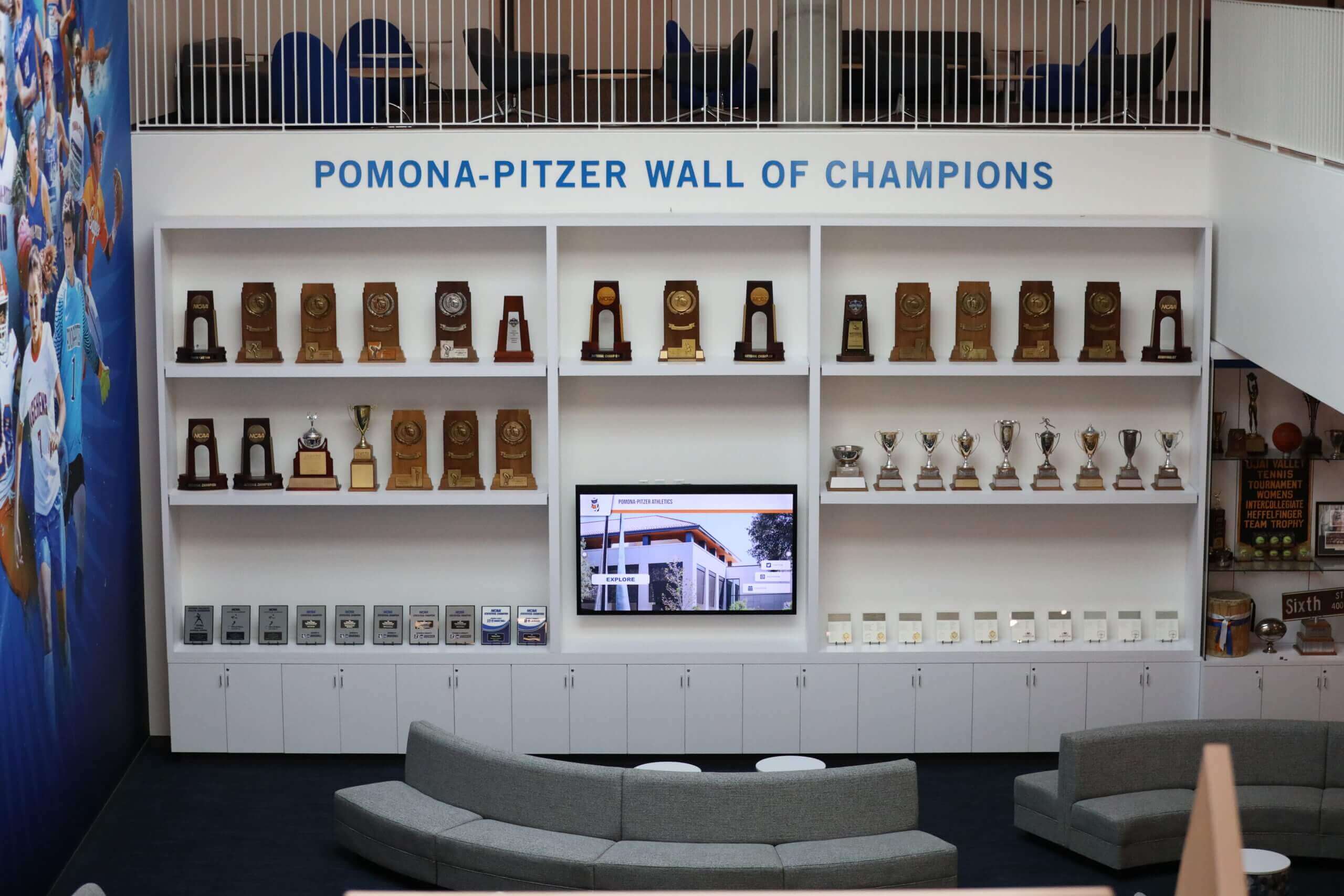
Recognition spaces combining traditional and digital elements create engaging destinations within new athletic facilities
Post-Construction Considerations: Optimal Installation Window
For displays not installed as part of construction, timing after building completion requires strategic planning.
Advantages of Post-Completion Installation
Installing displays after construction closeout offers several benefits including protection of expensive equipment from construction damage and theft, ability to verify all building systems are functioning properly, opportunity for content development without construction pressure, flexibility to adjust display specifications based on completed building, and staff availability to participate in installation and training without construction disruption.
These advantages explain why many schools prefer display installation as a separate project following building completion even when infrastructure was properly planned during construction.
Coordinating with Building Opening Events
Schools planning dedication ceremonies or community open houses may want displays operational for these events to showcase facility capabilities and recognition features, demonstrate technology investment to donors and community, provide engaging experiences during building tours, and begin capital campaign recognition if displays serve donor acknowledgment purposes.
This coordination requires careful scheduling ensuring display installation, content development, and testing occur before scheduled events.
Summer Installation for Educational Facilities
Many schools prefer summer installation when students aren’t present for safer installation work without student traffic concerns, flexibility in scheduling during lower-activity periods, time for staff training before academic year begins, and ability to address any issues before high-traffic school operations resume.
Summer installation works particularly well when displays weren’t included in original construction but infrastructure was properly planned.
Infrastructure Requirements: What New Construction Must Include
Regardless of when displays physically install, certain infrastructure must be part of original construction to enable cost-effective deployment.
Electrical System Requirements
Proper power infrastructure prevents costly retrofit work and ensures reliable display operation.
Dedicated Circuit and Outlet Placement
Each display location should include dedicated 20-amp electrical circuit preventing display shutdown when other loads trip breakers, conveniently located outlets within manufacturer-specified distance from display, conduit for concealed wiring when aesthetics require hidden cables, and surge protection safeguarding equipment investment.
Displays typically require standard 120V power, but large installations with multiple displays may need higher-capacity circuits or multiple dedicated circuits.
Load Considerations and Future Expansion
Plan electrical infrastructure with adequate capacity for initial displays plus expansion, appropriate circuit breaker sizing and panel capacity, emergency backup power if displays serve critical communications, and documentation for future maintenance and troubleshooting.
Electrical planning should consider not just initial installation but 20-30 year building lifespan and future technology changes requiring power upgrades.
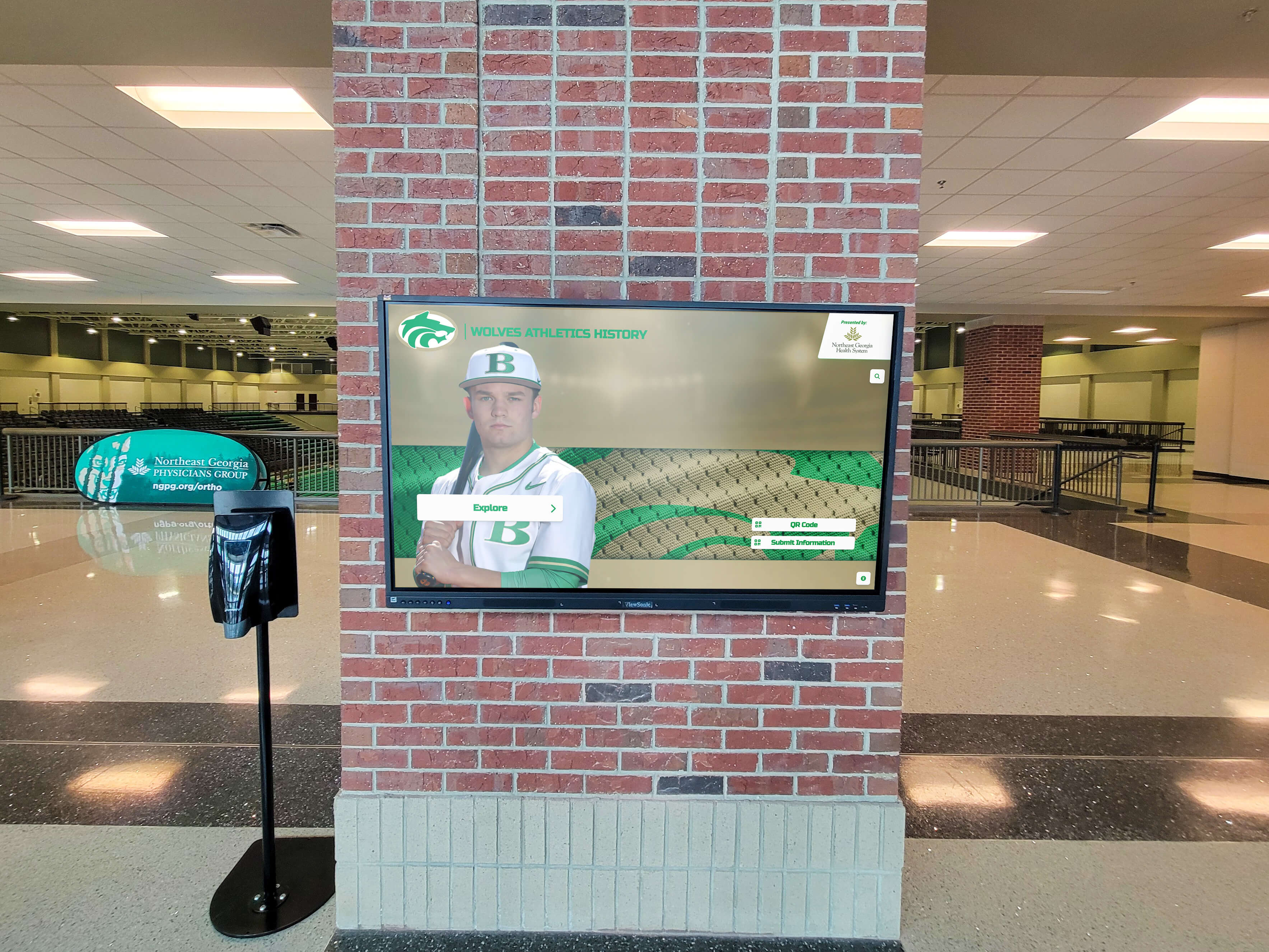
Prominent display installations require substantial infrastructure including power, network, and structural support planned during construction
Code Compliance and Accessibility
Electrical installation must meet all applicable codes including NEC (National Electrical Code) requirements, state and local electrical code amendments, ADA accessibility standards for outlet location, and fire and life safety code requirements for electrical installations.
Licensed electrical contractors should verify all installations meet applicable codes before final approval.
Network Infrastructure and Connectivity
Reliable network connectivity enables cloud-based content management and remote display updates.
Hardwired Ethernet Connection Requirements
Touchscreen displays function best with hardwired network connections including minimum Cat 6 ethernet cabling to each display location, connection to school network with adequate bandwidth, appropriate network switch capacity and configuration, and secure VLAN configuration isolating displays appropriately.
While displays can operate over WiFi in some cases, hardwired connections provide more reliable performance and eliminate wireless interference or capacity issues.
Network Architecture Considerations
Consider broader network implications including IP address allocation and management, firewall configuration enabling cloud platform access, content filtering policies affecting display content access, and remote management capabilities for off-hours maintenance.
Work with network administrators early in planning to ensure display requirements align with school network architecture and security policies.
Internet Connectivity and Bandwidth
Cloud-based display platforms require adequate internet bandwidth including sufficient capacity for content updates and streaming, QoS (Quality of Service) configuration prioritizing display traffic if needed, redundant internet connections if displays serve critical functions, and monitoring systems detecting connectivity problems.
Most display platforms require modest bandwidth, but multiple displays updating simultaneously or video content streaming may require capacity planning.
Structural Support and Mounting Infrastructure
Large touchscreen displays require substantial mounting support beyond typical drywall installation.
Wall Construction and Backing Requirements
Display mounting locations need appropriate structural support including plywood or similar backing spanning stud spacing, reinforcement adequate for display weight and mounting system, vertical and horizontal alignment surfaces for level mounting, and appropriate wall construction for selected mounting system.
Typical displays weigh 50-150 pounds depending on size, requiring substantial backing rather than simple drywall anchors.
Freestanding Kiosk Location Preparation
Freestanding interactive kiosk installations require floor mounting provisions including concrete floor appropriate for floor anchors or base plates, adequate clearance and viewing space around kiosk, accessibility compliance for kiosk positioning, and cable routing from floor or wall to kiosk connection points.
Freestanding installations offer flexibility in positioning but require appropriate floor preparation during construction.
Environmental Protection and Vandal Resistance
Some installations require additional protection including tamper-resistant mounting hardware, protective enclosures or shields for high-risk locations, reinforced or impact-resistant screens in vulnerable areas, and secure cable management preventing interference.
Gymnasium installations may need additional protection depending on proximity to active competition or practice areas where errant balls or equipment could strike displays.
Gymnasium-Specific Considerations for Touchscreen Displays
Athletic facilities present unique requirements affecting display planning and installation.
Ideal Gymnasium Display Locations
Strategic placement maximizes visibility while protecting displays from activity and environmental conditions.
Main Lobby and Entry Areas
Gymnasium lobbies serve as natural display locations with high visibility for visitors attending events, protection from direct athletic activity, climate-controlled environment, appropriate lighting control, and natural gathering space where visitors engage with content.
Lobby installations work well for athletic hall of fame recognition where families and alumni explore inductee profiles before or after games and events.

Gymnasium lobbies provide ideal locations for recognition displays where visitors naturally gather before and after athletic events
Concourse and Corridor Locations
Hallways connecting to competition spaces offer secondary display locations providing visibility during event traffic flow, opportunities for multiple displays showing different content, less prominent positioning appropriate for some content types, and protection from direct gymnasium environment.
Multiple corridor displays can showcase different content including current season information, historical records, team rosters, and upcoming events.
Trophy Display Integration
Many gymnasiums include trophy cases or recognition areas where touchscreen displays complement traditional recognition through combined digital and physical display approaches, technology bringing static trophies to life with video and stories, comprehensive capacity when trophy space is limited, and coordinated design creating unified recognition environment.
Integration planning should occur during building design ensuring displays and trophy cases work together rather than competing for space or attention.
Avoiding Problematic Locations
Certain gymnasium locations create display problems including competition floor sidelines exposed to balls and athletic equipment, areas with excessive sunlight creating screen glare, locations near pool decks or high-humidity spaces, narrow corridors with inadequate viewing distance, and areas without climate control or network access.
During planning, carefully evaluate proposed display locations with both athletics and facilities staff understanding operational considerations.
Environmental and Protection Considerations
Gymnasiums present unique environmental conditions affecting display longevity and performance.
Temperature and Humidity Management
Athletic facilities experience environmental conditions including temperature fluctuations when climate control reduces during vacant periods, humidity from activities and spectator occupancy, moisture from adjacent shower or pool facilities, and condensation when temperature transitions occur rapidly.
Most commercial displays operate reliably in typical gymnasium conditions, but extreme environments may require additional environmental protection or location selection minimizing exposure.
Impact Protection and Vandal Resistance
Consider physical protection in high-risk areas including protective enclosures or barriers when displays are vulnerable, vandal-resistant or shatter-resistant screens in accessible locations, secure mounting preventing removal or tampering, and strategic positioning away from likely impact paths.
Balance protection needs with accessibility for intended interaction—displays requiring frequent use shouldn’t have barriers preventing comfortable engagement.
Security and Access Control
Gymnasiums often operate during extended hours with varied supervision levels, affecting display security considerations including display positioning visible from supervised areas, building security systems monitoring display locations, theft-deterrent mounting and installation approaches, and user access controls limiting content management to authorized staff.
Theft concerns are particularly relevant during construction when buildings aren’t fully secured and expensive equipment could be vulnerable.
Coordination with Athletic Department Operations
Successful gymnasium display implementations require collaboration with athletics staff understanding their needs and workflows.
Content Management and Update Workflows
Athletic displays require regular content updates through current season information and upcoming events, game results and performance statistics, recognition of weekly or monthly achievements, playoff bracket progression, and schedule changes or facility information.
Plan for appropriate staff access to content management platforms and training ensuring athletics personnel can maintain current information without excessive technical barriers.
Event Day Functionality and Information
Some schools use displays for event-specific information including day-of-event schedule and facility information, visiting team information and game details, sponsor recognition during events, emergency or weather-related notifications, and crowd management information.
This functionality requires content management flexibility enabling rapid updates and scheduling coordination with event management.
Long-Term Content Strategy
Beyond immediate operational needs, plan for long-term content development including historical content creation for athletic hall of fame displays, regular feature updates celebrating program milestones, alumni engagement content connecting former athletes to current programs, and evolving recognition as programs grow and achieve.
Effective long-term content strategy ensures displays remain engaging and relevant rather than becoming static installations with outdated information.
Budget Planning and Cost Considerations
Understanding complete costs enables appropriate budget allocation during building planning.
Initial Investment Components
Total installation costs include hardware, installation, and content development expenses.
Display Hardware and Mounting Equipment
Primary hardware costs include commercial-grade touchscreen display: $3,000-$12,000 depending on size, mounting bracket or hardware: $200-$800, media player or computer: $500-$1,500, cables and connection hardware: $100-$300, and protective enclosure if needed: $500-$2,000 additional.
These costs vary substantially based on display size, with 55"-65" displays typical for recognition applications and larger 75"-86" displays used for prominent installations.
Installation and Infrastructure Costs
Professional installation expenses include electrical circuit and outlet installation: $300-$1,200, network cabling installation: $200-$800, mounting and display installation: $500-$1,500, programming and configuration: $300-$800, and project management and coordination: $500-$1,500.
When infrastructure is included in construction, these costs integrate into building construction rather than appearing as separate line items, often reducing total expense through contractor coordination and bulk purchasing.

Complete installations include not just display hardware but mounting systems, infrastructure, and content management platforms
Software Platform and Content Development
Beyond hardware, plan for content management platform setup: $1,000-$3,000, annual platform subscription: $600-$2,400 per year, custom design and branding: $1,000-$3,000, initial content development: $2,000-$8,000 depending on scope, and staff training on content management: $500-$1,500.
Content development represents substantial investment, particularly for recognition displays requiring historical research, data compilation, and profile creation.
Total Budget Range Expectations
Complete gymnasium touchscreen display implementations typically range from $8,000-$25,000 per display location, with variation based on display size and specifications, infrastructure complexity and requirements, content development scope, and installation complexity.
Multiple display installations may achieve economies of scale through shared infrastructure, bulk purchasing, and efficient installation coordination.
Ongoing Operational Costs
Beyond initial installation, budget for annual operating expenses.
Platform Subscription and Licensing
Most modern displays use cloud-based content management requiring annual subscriptions of $600-$2,400 per display depending on features, platform updates and enhancements typically included, technical support and troubleshooting access, and cloud hosting and data storage.
Subscription models provide predictable annual costs and eliminate concerns about software obsolescence or expensive upgrade cycles.
Maintenance and Technical Support
Plan for ongoing maintenance including extended warranty or service contracts: $300-$800 annually, periodic professional servicing and calibration: $200-$500 annually, replacement parts and repairs as needed, and technical support beyond basic subscription when needed.
Commercial displays in educational environments typically operate reliably for 7-10 years with appropriate maintenance before requiring replacement.
Content Updates and Enhancements
Budget for ongoing content work including staff time for regular content updates: 2-5 hours monthly, professional photography and videography: $1,000-$3,000 annually, major content refreshes or redesigns: $1,000-$3,000 every 2-3 years, and new feature additions or customizations as desired.
Active, engaging displays require ongoing content attention—budget adequate staff time or professional services ensuring displays don’t become stale with outdated information.
Cost Comparison: New Construction vs. Retrofit Installation
Understanding cost differences helps justify early planning.
New Construction Installation Advantages
Including displays in original construction typically reduces costs through coordinated infrastructure installation, bulk electrical and network work, avoidance of wall opening and patching, coordination with other trades, and contractor efficiency during active construction.
Schools consistently report 20-40% cost savings when display infrastructure is included in original construction compared to post-completion retrofit, primarily due to infrastructure installation efficiencies.
Retrofit Installation Cost Premiums
Post-construction display installations often encounter additional expenses including wall opening and patching for infrastructure, additional electrical work for new circuits, network cabling through completed spaces, construction coordination minimizing disruption, and premium rates for small retrofit projects.
These retrofit premiums make early planning valuable even when actual display hardware installs post-construction, since infrastructure can still be included in original building work.
Value Proposition and Return on Investment
While displays represent meaningful investment, schools report value through enhanced recognition and community engagement, cost avoidance versus traditional plaques requiring updates, operational efficiency with centralized content management, fundraising support demonstrating community recognition, and improved school pride and identity.
When displays serve capital campaign recognition, they may be funded through campaign contributions rather than operating budgets, eliminating cost concerns while providing donor-preferred permanent acknowledgment.
Contractor and Vendor Coordination Strategies
Successful installation requires clear roles and systematic coordination among multiple parties.
Establishing Roles and Responsibilities
Define who handles each installation aspect to prevent gaps and conflicts.
General Contractor Responsibilities
During construction, general contractors typically coordinate overall construction scheduling and milestones, rough-in electrical and network infrastructure installation, wall backing and mounting surface preparation, coordination among subcontractors and trades, and verification of infrastructure before close-in.
Clear contract documents should specify exactly what infrastructure the general contractor provides to support display installation.
Technology Vendor or AV Contractor Responsibilities
Display vendors or specialized AV contractors usually handle display hardware specification and procurement, final mounting hardware installation, display installation and connection to infrastructure, software configuration and content platform setup, and testing and system commissioning.
Some vendors offer turnkey installation managing all aspects, while others provide equipment only with installation handled by local contractors.
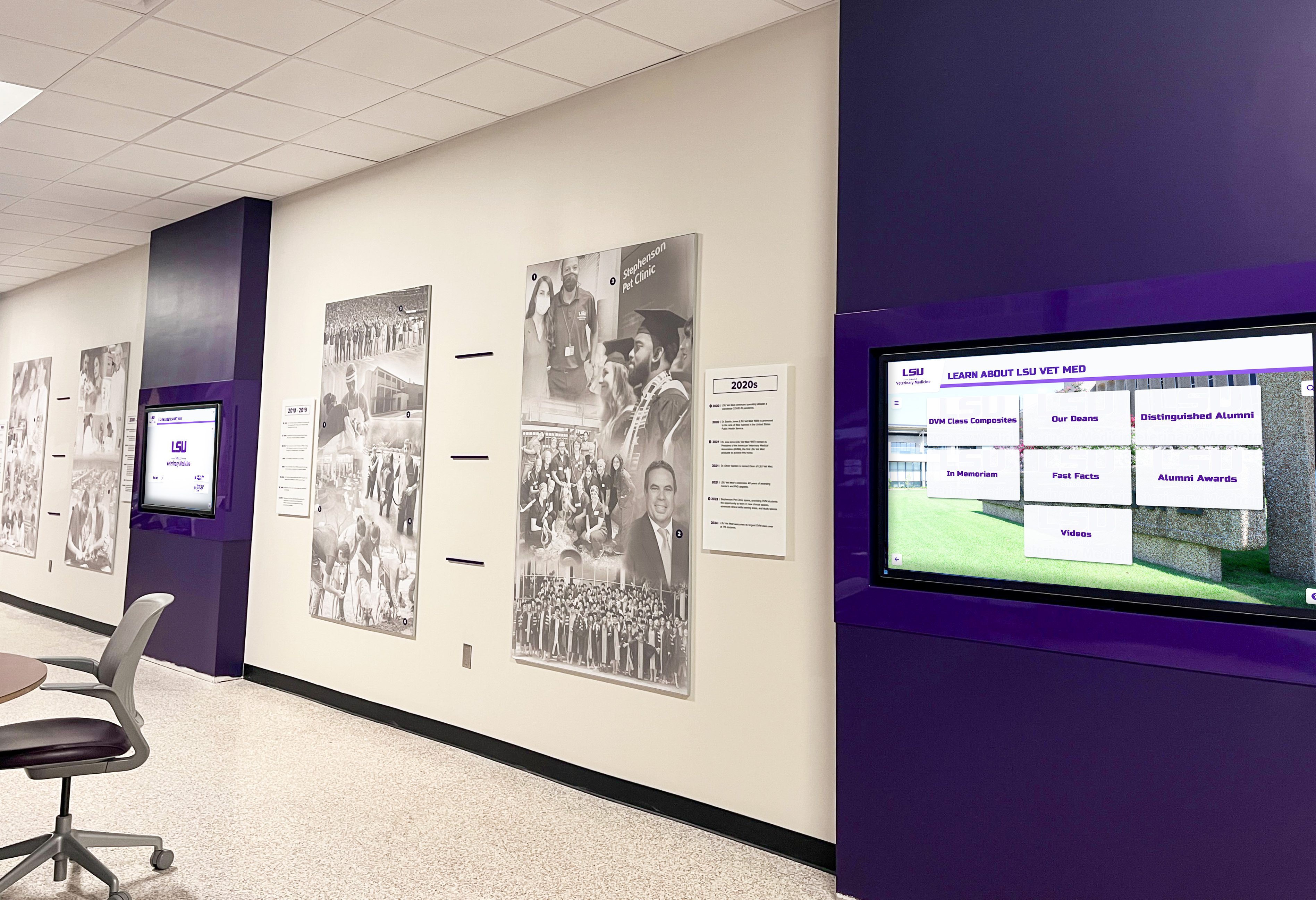
Multiple display installations require careful coordination among general contractors, electrical and network trades, and technology vendors
School Staff Responsibilities
School personnel coordinate between contractors and vendors, provide input on display locations and requirements, participate in content planning and development, approve installation work and final acceptance, and manage ongoing operations after installation.
Designating a single staff coordinator ensures consistent communication and decision-making throughout planning and installation.
Architect and Design Team Role
During planning and construction, architects create detailed specifications and installation drawings, coordinate display requirements with overall building design, review contractor and vendor submittals, observe installation during construction administration, and verify completed work meets design intent.
Early architect involvement ensures displays integrate aesthetically with building design rather than appearing as disconnected technology additions.
Communication and Coordination Protocols
Systematic communication prevents problems and ensures all parties remain informed.
Regular Coordination Meetings
Establish meeting schedules including during design: monthly coordination reviewing requirements, during construction: weekly or bi-weekly progress reviews, before display installation: pre-installation coordination meeting, and during installation: daily communication as needed.
Regular meetings identify issues early when solutions are simpler and less expensive than addressing problems after work is complete.
Documentation and Submittal Requirements
Require documentation throughout the project including shop drawings showing mounting details, product data sheets for all equipment, installation instructions and requirements, testing protocols and acceptance criteria, and as-built drawings documenting final installation.
Complete documentation supports troubleshooting, future maintenance, and technology upgrades over building lifespan.
Change Order and Issue Resolution Procedures
Establish processes for addressing unforeseen conditions or changes including change order request and approval procedures, issue escalation and decision-making authority, budget and schedule impact assessment, and documentation of decisions and rationale.
Clear procedures prevent delays when issues arise requiring quick decisions to maintain construction schedule.
Implementation Best Practices and Success Factors
Schools with successful display installations report common practices ensuring positive outcomes.
Planning Phase Best Practices
Comprehensive planning prevents problems and creates foundation for success.
Involve All Stakeholders Early
Engage key parties from project beginning including facilities and construction staff understanding building systems, athletics department staff for gymnasium displays, development and alumni staff for recognition displays, technology and network administrators, and administrative leadership providing direction and approval.
Early stakeholder involvement ensures displays meet actual needs rather than reflecting assumptions about requirements.
Create Detailed Specifications and Drawings
Develop comprehensive documentation including exact display locations with measurements and heights, electrical and network connection requirements, mounting details and structural requirements, equipment specifications and performance requirements, and coordination requirements among contractors.
Detailed specifications eliminate ambiguity causing conflicts or requiring expensive change orders during construction.
Develop Realistic Budget and Timeline
Establish achievable project parameters including complete budget covering all project components, contingency allocation for unforeseen conditions, schedule coordinated with construction milestones, and flexibility accommodating possible delays.
Realistic planning prevents disappointment and allows appropriate decision-making when issues arise.
Installation Phase Best Practices
Careful installation ensures quality results and prevents problems.
Conduct Pre-Installation Site Verification
Before final installation, verify infrastructure completion and testing, appropriate environmental conditions, adequate security for equipment protection, coordination with other construction or finishing work, and safety considerations for installation personnel.
Site verification prevents discovering problems during installation when resolution is difficult and delays expensive.
Follow Manufacturer Installation Guidelines
Adhere to all manufacturer requirements including mounting specifications and hardware, environmental conditions and operating parameters, connection methods and cable specifications, clearance requirements for ventilation, and warranty conditions and installation requirements.
Following manufacturer guidelines ensures equipment operates properly and maintains warranty coverage.
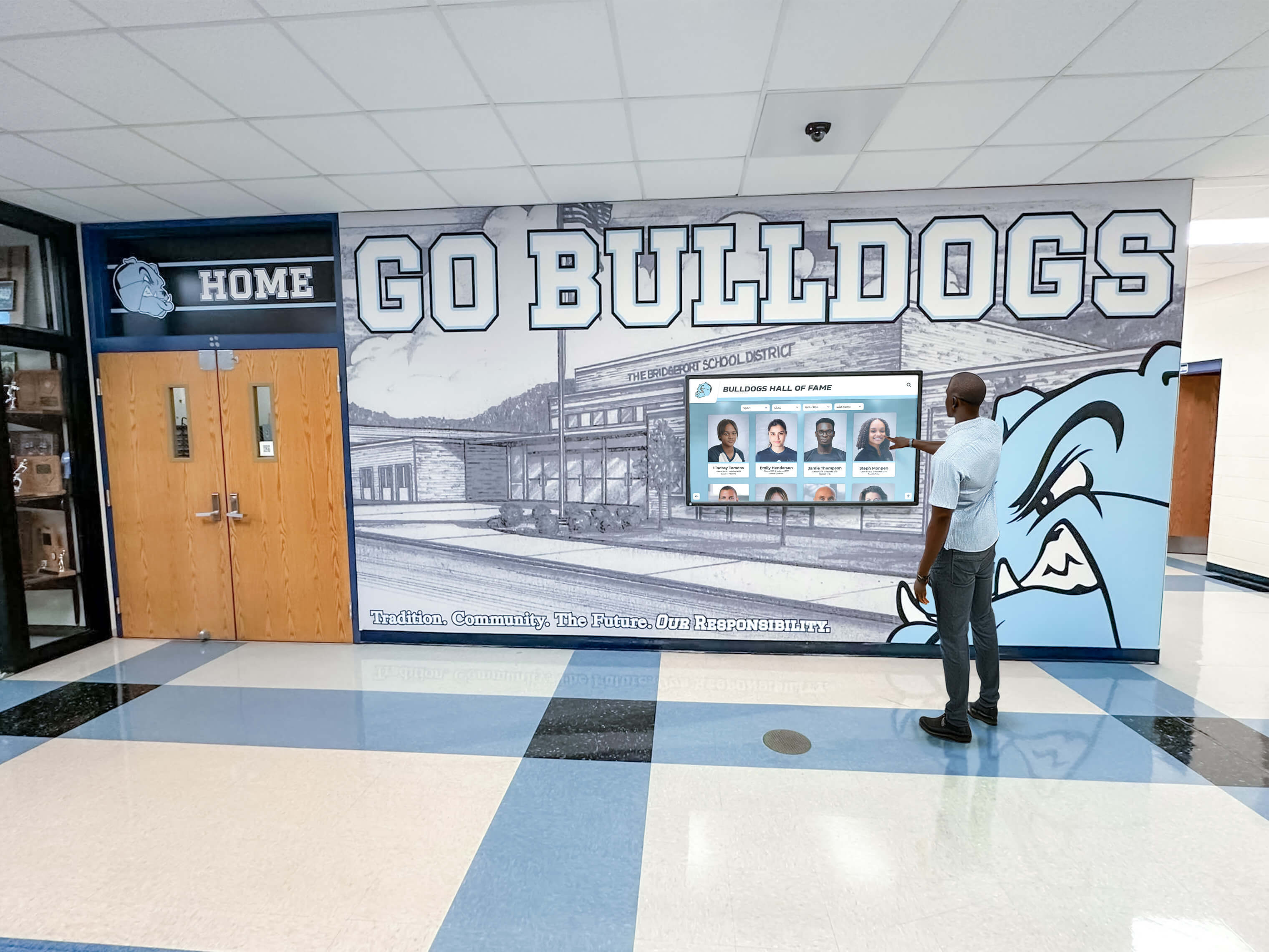
Professional installation following manufacturer specifications ensures displays operate reliably throughout expected equipment lifespan
Conduct Thorough Testing and Commissioning
Before final acceptance, complete comprehensive testing including display functionality and touch responsiveness, network connectivity and cloud platform access, content display and media playback, software configuration and user interface, and accessibility features and ADA compliance.
Systematic testing identifies issues requiring correction before contractors demobilize and correction becomes more difficult or expensive.
Post-Installation Best Practices
Work continues after physical installation to ensure ongoing success.
Provide Comprehensive Staff Training
Ensure appropriate personnel understand content management platform and administrative tools, routine maintenance and basic troubleshooting, content creation and publishing workflows, technical support resources and procedures, and planned update schedules and responsibilities.
Comprehensive training enables staff to manage displays effectively without constant vendor support.
Establish Content Development Workflows
Create systematic processes for ongoing content management including roles and responsibilities for content creation, quality assurance and approval procedures, publication schedules and content calendars, feedback collection and continuous improvement, and long-term content strategy and evolution.
Consistent workflows ensure displays remain current and engaging rather than becoming static with outdated content.
Plan for Regular Maintenance and Updates
Schedule ongoing maintenance activities including periodic cleaning and physical maintenance, software updates and platform enhancements, content refreshes and feature additions, hardware monitoring and performance tracking, and long-term replacement planning.
Proactive maintenance prevents problems while ensuring displays continue serving intended purposes throughout building lifespan.
Conclusion: Strategic Planning for Successful Touchscreen Display Integration
When planning new school buildings, particularly gymnasiums and athletic facilities, touchscreen displays represent strategic investments in recognition, communication, and community engagement. The critical factor determining success isn’t whether to include displays, but rather when to install them and how to plan infrastructure ensuring cost-effective, seamless integration with building design and systems.
Schools that succeed with display installations share common approaches including early planning during design development, comprehensive specifications in construction documents, coordinated infrastructure installation during construction, thoughtful display timing protecting equipment while ensuring availability, and systematic content development making displays engaging and valuable.
Planning Touchscreen Displays for Your New Building?
Discover how purpose-built recognition platforms can integrate seamlessly with your new gymnasium or school building, creating lasting impact while simplifying installation and ongoing management.
Explore Recognition SolutionsThe guidance in this article provides practical frameworks for schools navigating touchscreen display planning during new construction. Whether implementing digital athletic recognition, donor acknowledgment for capital campaigns, or multi-purpose communications, the timing principles and infrastructure requirements remain consistent. Early planning during design development, coordinated infrastructure installation during construction rough-in, and strategic timing of final display installation create foundations for successful deployment.
The modest incremental cost of including display infrastructure in original construction compared to post-completion retrofit consistently justifies early planning even when actual display hardware installs later. Schools investing in comprehensive planning during design development realize substantial cost savings while creating spaces where recognition technology integrates naturally rather than appearing as disconnected afterthoughts.
For schools currently planning new gymnasiums or educational facilities, begin with clear goal definition understanding what purposes displays will serve, comprehensive needs assessment evaluating location requirements, detailed specifications ensuring construction documents include necessary infrastructure, realistic budget development accounting for all costs, and vendor selection identifying appropriate technology partners.
When you approach display planning strategically—balancing construction timing, budget considerations, infrastructure requirements, and long-term operational needs—you create recognition systems that serve institutional missions while remaining manageable and sustainable throughout building lifespan. The result is technology that enhances facility function and school identity rather than creating ongoing frustration or requiring expensive remediation.
Ready to explore display options for your new building project? Learn more about school lobby design and digital integration or discover how digital recognition displays can celebrate your school community while supporting building fundraising recognition requirements.































