
Managing visual consistency across digital recognition displays presents a fundamental tension that frustrates development teams, advancement directors, and IT administrators alike. On one hand, organizations need creative flexibility to showcase unique identities, celebrate diverse achievements, and respond to evolving needs. On the other hand, they require design consistency to maintain professional appearance, ensure accessible experiences, and avoid the fragmented visual chaos that undermines credibility.
Traditional solutions force organizations into uncomfortable compromises. Rigid template systems eliminate fragmentation but throttle creativity, forcing every institution into identical visual straitjackets regardless of mission or identity. Fully custom development promises unlimited freedom but delivers fragmented experiences, inconsistent interactions, mounting technical debt, and maintenance nightmares that compound over years.
This guide explores how modern recognition display platforms balance these competing demands, delivering genuine creative freedom within systems that prevent fragmentation through design governance rather than creative limitation. Organizations using solutions like Rocket Alumni Solutions discover they can achieve unique, mission-aligned layouts without sacrificing the consistency, accessibility, and maintainability that sustainable digital systems require.
The challenge extends beyond aesthetics. Fragmented visual systems create real operational problems including user confusion from inconsistent interaction patterns, accessibility failures affecting visitors with disabilities, maintenance burdens as one-off customizations break during updates, brand dilution when inconsistent presentations undermine institutional identity, and scaling difficulties as ad hoc approaches prevent efficient expansion.

Professional digital recognition systems balance creative flexibility with design consistency
The False Choice Between Templates and Custom Development
Organizations evaluating digital recognition systems frequently encounter two unsatisfying options that fail to address real needs adequately.
The Template Trap: Consistency Without Creativity
Template-based systems promise simplicity through predetermined layouts that administrators populate with content:
Template System Advantages
- Fast initial deployment requiring minimal design decisions
- Consistent appearance across all installations
- Lower initial costs compared to custom development
- Simplified content management within predefined structures
- Standardized training applicable across users
Template System Limitations
The consistency comes at substantial creative cost. Template-driven platforms constrain organizations within rigid frameworks that ignore institutional uniqueness, force-fit diverse content into identical structures, prevent responsive design adjustments as needs evolve, create visual sameness diluting brand differentiation, and limit functionality to predetermined features regardless of specialized requirements.
When a university wants to showcase research impact alongside athletic achievements, a community foundation needs specialized campaign progress visualizations, or a school district requires district-wide consistency with building-level customization, template systems fail to accommodate these reasonable requirements. The result frustrates stakeholders who selected digital systems specifically to overcome the inflexibility of traditional physical installations.
Learn about limitations of rigid systems in digital display design approaches that constrain rather than enable.
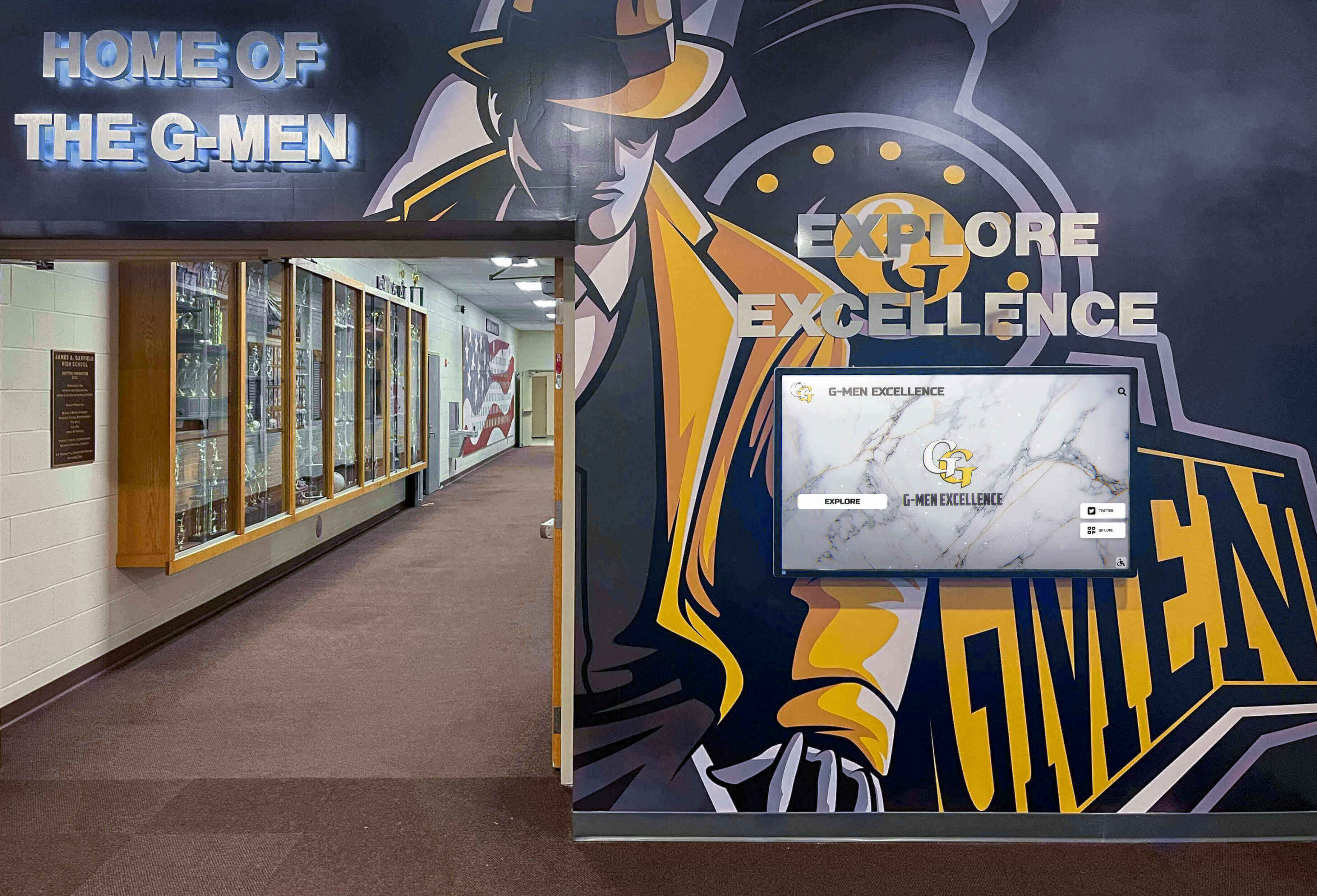
Effective displays integrate seamlessly with existing institutional identity and architecture
The Custom Development Dilemma: Freedom Without Guardrails
Fully bespoke development promises unlimited creative control but introduces substantial long-term liabilities:
Custom Development Challenges
Organizations building proprietary recognition systems assume responsibility for responsive design across devices and orientations, accessibility compliance meeting ADA and WCAG standards, cross-browser compatibility and testing, security vulnerability management and patching, platform updates and feature parity over time, documentation for internal knowledge transfer, quality assurance catching issues before deployment, and ongoing maintenance preventing degradation.
According to software development research, custom applications require 15-25% of initial development costs annually just for maintenance, security updates, and compatibility preservation. Organizations that built custom recognition systems five years ago now struggle with outdated frameworks, deprecated dependencies, security vulnerabilities, designers and developers who have moved on, and institutional knowledge loss.
The Fragmentation Problem
Without systematic design governance, custom development leads to fragmented experiences as different stakeholders make independent design decisions, content formats proliferate without standardization, interaction patterns diverge creating user confusion, accessibility becomes inconsistent across sections, visual hierarchy varies undermining information architecture, and maintenance complexity increases exponentially with each variation.
The result resembles design by committee where too many voices create incoherent systems that satisfy no one. Visitors encounter inconsistent experiences that feel unfinished or unprofessional, undermining the recognition program’s credibility and effectiveness.
Understanding maintenance burden appears in digital trophy case management that highlights long-term operational considerations.
How Rocket Expands Creative Freedom Without Fragmentation
Modern recognition platforms transcend the template-versus-custom dichotomy through systematic approaches that deliver genuine flexibility within governed frameworks.
Custom Layouts Built Into the Shared Library
Rocket Alumni Solutions employs a distinctive approach that eliminates the forced choice between rigid templates and expensive bespoke development:
The Library Expansion Model
When organizations need layouts that don’t exist in the current library, Rocket routinely accepts custom requests at no additional charge to customers, designs and builds new layouts quickly (typically within one week), tests new modules for responsiveness and accessibility, adds completed layouts to the shared library for all customers, and documents new components maintaining system integrity.
This approach delivers several strategic advantages. First, every customer gains access to growing layout libraries funded collectively rather than individually. When a university requests a specialized donor impact visualization, that module becomes available to every nonprofit and school using the platform. Second, custom doesn’t mean isolated one-off solutions. New layouts arrive as first-class platform components with the same quality guarantees, documentation, support, and maintenance as core modules.
Third, organizations access true creative freedom without paying ongoing costs of bespoke system ownership including annual maintenance contracts, security vulnerability management, compatibility updates across devices and browsers, feature enhancement as expectations evolve, and documentation for internal teams.
Real-World Custom Request Examples
Organizations have requested and received at no extra charge specialized timeline visualizations for institutional history, custom donor recognition tiers with unique visual treatments, integration of live social media feeds with specific filtering, scholarship recipient spotlights with video testimonials, athletic records with historical progression charts, and campaign thermometers with multi-fund breakdowns.
Each request expanded the library benefiting the entire customer community while delivering the requesting organization exactly what they needed without compromise or workaround.
Explore layout flexibility in athletic display systems that accommodate diverse recognition needs.

Custom layouts maintain intuitive interaction patterns across diverse content types
Platform Guarantees for Every Custom Layout
The distinction between Rocket’s custom layouts and typical bespoke development lies in systematic quality guarantees applied to every component.
Responsive Design Across All Contexts
Every layout functions properly across screen sizes from large 55-inch lobby displays to tablet interfaces, portrait and landscape orientations, touch and non-touch interaction modes, and varying pixel densities and resolutions. When organizations request custom layouts, they receive modules that work reliably everywhere without device-specific workarounds or compromises.
Traditional custom development often optimizes for primary use cases while accepting degraded experiences on other devices. Rocket’s systematic approach ensures that specialized donor wall layouts, complex timeline visualizations, and unique athletic record displays all maintain quality across the full range of deployment contexts.
Accessibility Alignment From Day One
Custom layouts inherit platform accessibility features including keyboard navigation for visitors unable to use touch interfaces, screen reader compatibility providing text alternatives, sufficient color contrast meeting WCAG AA standards, appropriate touch target sizes for diverse motor abilities, and logical tab order supporting assistive technologies.
Organizations don’t need to choose between unique design and accessible experience. Accessibility becomes a platform guarantee rather than a feature organizations must specify, test, and maintain independently. This matters because according to disability statistics, approximately 26% of adults have some type of disability that affects their interaction with digital interfaces.
Accessibility considerations appear in recognition display planning ensuring inclusive visitor experiences.
Consistent Interaction Patterns
Users develop mental models about how interfaces work through consistent interaction patterns. Rocket’s design system ensures that search functionality, filtering options, navigation elements, content cards and containers, modal dialogs and overlays, and animation timing and easing all behave consistently across custom and standard layouts.
This consistency reduces cognitive load. Visitors who learn to navigate an athletic hall of fame display can immediately apply that knowledge to donor recognition sections even when visual appearance differs significantly. The predictability creates confidence rather than confusion.
Feature Compatibility Across Platform
Custom layouts automatically support platform features including content search across all display sections, filtering by multiple criteria and dimensions, integration with analytics tracking, scheduled content publishing, role-based administrative permissions, and web accessibility extensions.
Organizations don’t sacrifice platform capabilities when requesting custom layouts. A specialized timeline view includes the same search, filter, and scheduling capabilities as standard gallery layouts, maintaining functional consistency even as visual presentation varies.
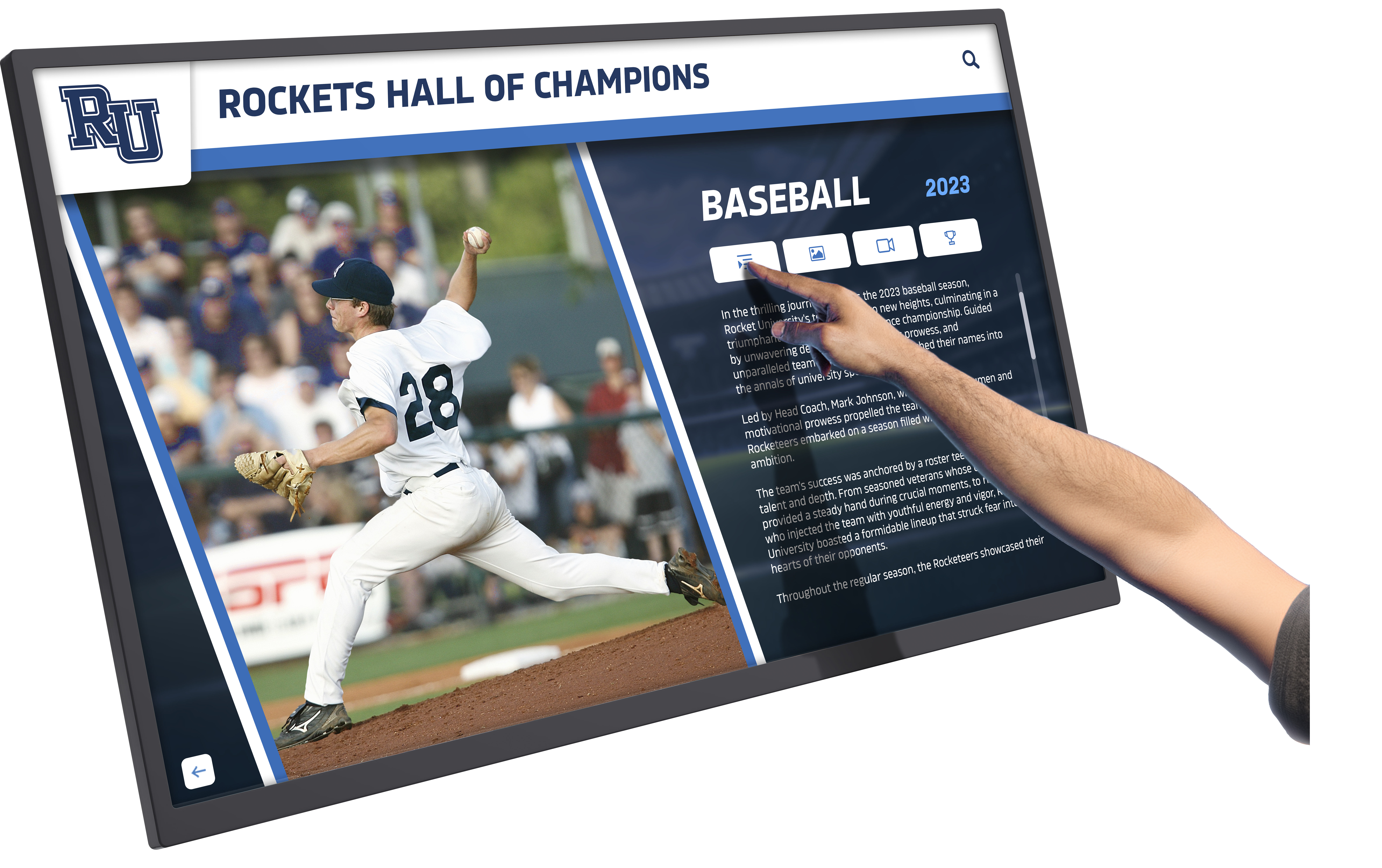
Consistent interaction patterns ensure intuitive navigation across diverse content layouts
Design System Governance Preventing Fragmentation
The technical foundation enabling creative freedom without fragmentation comes from systematic design governance rather than creative limitation.
Foundational Design Tokens
Rocket’s design system establishes shared foundations including typography hierarchy defining heading and body text scales, spacing system using consistent increments, color palettes with defined usage guidelines, component sizing with standard proportions, border radius and visual polish standards, and elevation patterns for layered interfaces.
These tokens don’t constrain creativity—they establish consistent visual language that makes custom layouts feel cohesive with the broader platform rather than disjointed additions. Custom layouts can emphasize different content types, reorganize information hierarchy, and introduce unique visual treatments while maintaining underlying design consistency.
Modular Component Architecture
Rather than building every custom layout from scratch, Rocket composes custom designs from reusable components including content cards with standard anatomy and behavior, navigation patterns proven across contexts, search and filter interfaces, modal and overlay patterns, form inputs and interactive elements, and loading states and feedback mechanisms.
This modular approach dramatically accelerates custom layout development (enabling the typical one-week turnaround) while ensuring new layouts inherit proven interaction patterns, accessibility features, responsive behavior, and performance optimization.
Clear Content Hierarchy Principles
The design system enforces information architecture principles across custom layouts including clear visual hierarchy guiding attention appropriately, consistent content density preventing overwhelming displays, appropriate white space improving comprehension, logical grouping of related information, and scannable content structures supporting diverse visitor goals.
Custom layouts can reorganize content, emphasize different information, and create unique navigation flows while maintaining these underlying structural principles that make interfaces comprehensible rather than chaotic.
Design governance principles appear in museum display systems balancing flexibility with systematic quality standards.
AI-Assisted Quality Control Making Excellence Accessible
Advanced platforms incorporate automated quality checks that catch common design degradation before it reaches visitors.
Proactive Design Agent Capabilities
Rocket’s built-in design quality agents monitor content and flag potential issues including inconsistent typography choices, poor color contrast affecting readability, misaligned spacing breaking visual rhythm, inappropriate image cropping losing important context, overly dense pages overwhelming visitors, and off-brand color or style variations.
These automated checks don’t prevent creative choices—they flag potential problems for administrator review. The system might warn “The selected text color has insufficient contrast on this background, affecting visitors with low vision” while allowing administrators to override the warning if they determine context makes the choice appropriate.
Common Failure Mode Prevention
Design quality degradation typically happens gradually as content administrators without design expertise make reasonable-seeming local decisions that collectively undermine visual coherence:
Using too many font sizes or weights inconsistently, selecting colors outside brand palette for “emphasis,” cropping images removing important context, creating overly dense layouts packing too much information, ignoring white space making content feel cluttered, mixing interaction patterns causing navigation confusion, and introducing visual hierarchy that conflicts with established patterns.
AI quality agents catch these issues before visitors encounter them, essentially providing every content administrator with design review that would typically require dedicated design staff.
Maintaining Museum Quality at Operational Speed
Organizations report that quality control automation enables rapid content updates without quality degradation. Development teams can update recognition displays weekly or daily with confidence that automated checks will catch potential issues, scheduled content can publish automatically without manual design review, multiple content administrators can contribute without creating visual inconsistency, and the system maintains professional polish even as urgency demands speed.
This capability proves particularly valuable for organizations with limited design resources or rapid content update cycles where traditional manual quality review becomes a bottleneck preventing timely recognition updates.
Quality management approaches appear in digital signage content strategy balancing operational efficiency with professional standards.
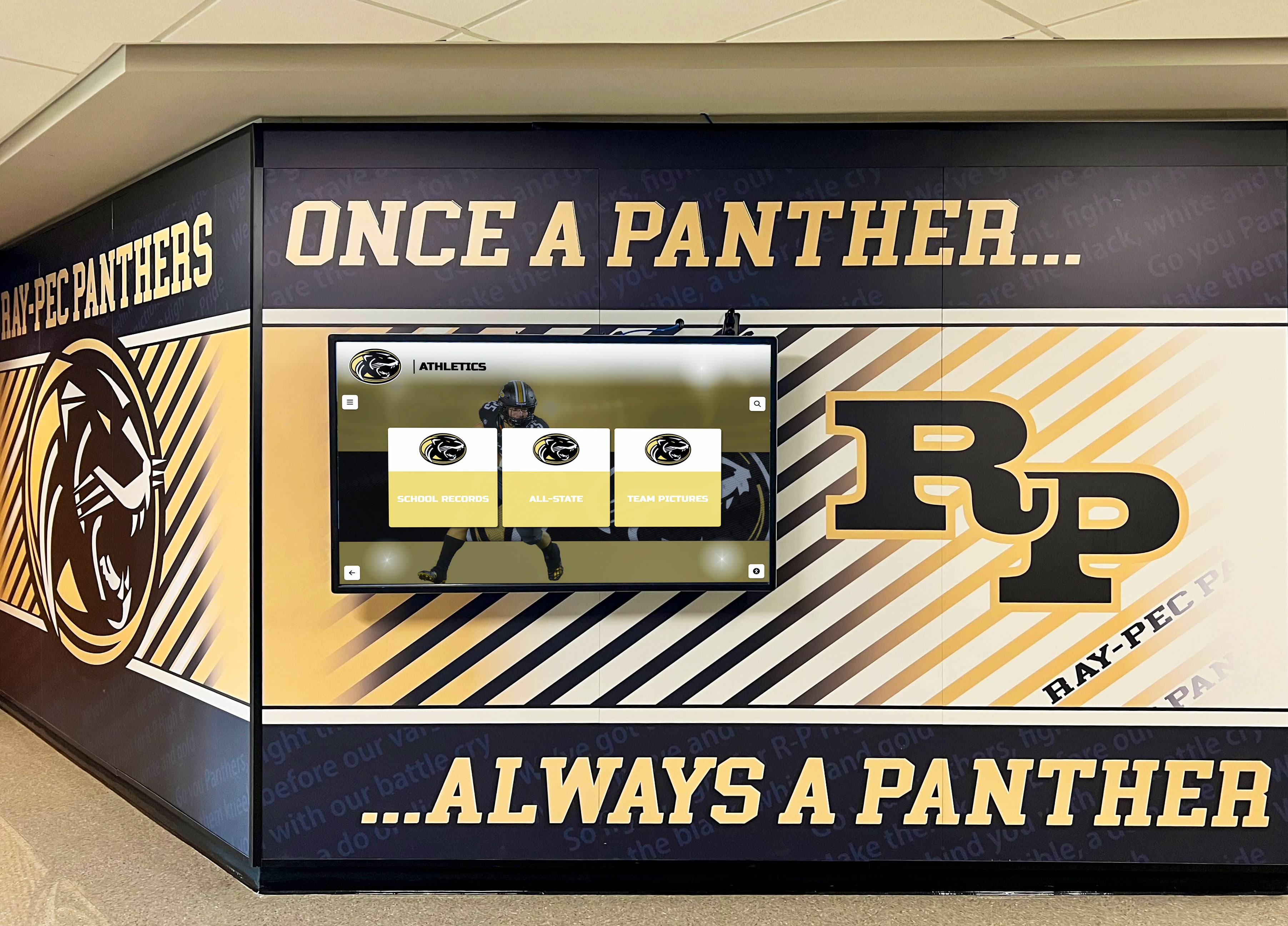
Quality control systems ensure professional polish across all content updates
Accessibility and Inclusive Design Monitoring
Automated quality systems extend beyond aesthetics to ensure inclusive experiences:
Continuous Accessibility Checks
The platform monitors content for color contrast ratios meeting WCAG standards, alternative text for images supporting screen readers, keyboard navigation functionality, touch target sizes for motor accessibility, video captions and transcripts, and heading structure supporting navigation.
Organizations don’t need accessibility expertise on staff to maintain inclusive displays. The platform prevents common accessibility failures that exclude visitors with disabilities while flagging issues requiring administrator attention or correction.
Responsive Behavior Validation
Quality systems verify that content displays properly across device sizes, images scale appropriately without distortion, text remains legible at various sizes, interactive elements remain accessible across contexts, and layouts reflow logically on different screens.
This automated validation prevents the common scenario where content looks perfect on the administrator’s desktop computer but breaks on the actual lobby display or becomes unusable on tablet interfaces used during tours.
The Real Tradeoff: Build Versus Borrow Freedom
Organizations face genuine strategic decisions about creative control and system ownership.
Owning 100% Custom Systems: The Full Responsibility Model
Building and maintaining proprietary digital recognition systems delivers absolute creative control with complete ownership of all design decisions, custom features built to exact specifications, no platform constraints or limitations, and independent evolution following institutional priorities.
The Comprehensive Ownership Burden
That freedom requires accepting ongoing responsibilities including responsive design implementation and testing across all devices and contexts, accessibility compliance requiring expert knowledge and continuous attention, feature parity as visitor expectations evolve with broader technology trends, comprehensive quality assurance catching issues before they reach visitors, security vulnerability management and timely patching, documentation for institutional knowledge preservation, and hosting infrastructure management and scaling.
According to enterprise software research, custom applications require ongoing investment of 15-25% of initial development costs annually just to maintain functionality, security, and compatibility without adding new features. Organizations that built custom recognition systems five years ago now face mounting technical debt, deprecated dependencies, incompatible browsers, security vulnerabilities, departed developers, and lost institutional knowledge.
The Off-Brand Risk
Without systematic design governance, custom systems risk fragmented experiences where different administrators make independent design choices, content formats proliferate without standardization, interaction patterns diverge creating user confusion, visual consistency degrades over time, and accessibility becomes inconsistent or absent.
The experience gradually drifts off-brand as urgent content updates bypass quality review, temporary workarounds become permanent, design shortcuts accumulate, and coordination between stakeholders breaks down.
Understanding long-term considerations appears in digital trophy case planning weighing control against operational sustainability.
Platform-Enabled Freedom: The Better Bargain
Modern recognition platforms offer a more sustainable approach delivering custom outcomes with platform reliability, unique layouts without technical debt burden, creative flexibility within quality guardrails, rapid implementation without long development cycles, and ongoing enhancement without internal resource demands.
Custom Outcomes Without Custom Maintenance
When organizations request custom layouts through platform providers like Rocket Alumni Solutions, they receive modules built to exact specifications, implemented with platform quality guarantees, maintained and updated by platform engineering, enhanced as platform capabilities evolve, and documented within platform knowledge base.
The organization gets exactly what they need without assuming ongoing maintenance responsibility. As browsers update, accessibility standards evolve, and device capabilities change, the platform engineering team ensures custom layouts continue functioning properly without requiring internal IT resources.
Collective Investment Advantage
Platform customers benefit from collective investment where everyone contributes to expanding layout libraries, new capabilities benefit entire customer community, development costs get amortized across customer base, specialized features justify investment through broader applicability, and continuous enhancement occurs without individual customer funding.
A custom timeline visualization requested by one university becomes available to every school, nonprofit, and institution on the platform. The requesting organization gets what they need while all customers gain additional creative options.

Platform-based systems deliver professional results without ongoing maintenance burdens
Practical Design Consistency Strategies
Organizations implementing digital recognition can apply several strategies ensuring visual coherence without sacrificing necessary flexibility.
Establish Clear Brand Guidelines
Core Visual Identity Standards
Document institutional brand elements including approved color palettes with specific hex values, typography hierarchy with font families and sizes, logo usage guidelines and spacing, photography style guidelines, iconography standards, and white space principles.
These guidelines don’t constrain creativity—they establish consistent vocabulary that makes diverse content feel cohesively branded rather than disjointed.
Content-Specific Design Patterns
Define standard approaches for common content types including donor recognition hierarchy and visual treatment, athletic achievement display patterns, academic honor formatting, historical timeline structures, campaign progress visualizations, and testimonial presentation standards.
Standardizing these common patterns reduces administrative cognitive load while ensuring consistency. Administrators don’t need to make design decisions for routine content updates—they follow established patterns that maintain quality automatically.
Create Content Templates Within Platform Flexibility
Structured Content Frameworks
Use platform layout libraries to create organizational standard templates for frequent content types including donor profiles with consistent structure, athletic highlights with standard presentation, academic achievements with defined hierarchy, historical milestones with uniform treatment, and event highlights with recognizable patterns.
These templates accelerate content creation while ensuring consistency. New content administrators can quickly learn standard approaches rather than inventing unique treatments for every update.
Variation Within Consistency
Templates should allow appropriate variation including different images reflecting content naturally, varying text length accommodating actual information, color accent choices within approved palette, emphasis variations highlighting different information, and layout adaptations for content types.
The goal balances consistency with flexibility—recognition should feel cohesive without becoming monotonous or formulaic.
Design implementation strategies appear in campus recognition systems that maintain brand identity across diverse content.
Implement Governance Without Bureaucracy
Clear Approval Workflows
Define who reviews content before publication including administrator self-approval for routine updates following standards, design review for significant layout changes, executive approval for major announcements or sensitive content, and accessibility checks for complex interactions.
Governance prevents quality problems without creating bottlenecks that delay timely recognition. Most routine updates shouldn’t require extensive approval processes—save review for genuinely exceptional cases.
Regular Quality Audits
Conduct periodic reviews of published content identifying consistency issues, accessibility problems, outdated information requiring updates, performance or technical issues, and opportunities for design improvement.
These audits catch gradual degradation before it becomes severe while identifying opportunities for systematic improvement benefiting all content rather than individual fixes.
Leverage Platform Quality Controls
Automated Validation
Use platform quality systems to catch common issues before publication including contrast ratio problems, responsive behavior failures, missing alternative text, inconsistent spacing, and off-brand variations.
Automation reduces administrator burden while preventing issues that would otherwise require manual review or visitor discovery.
Continuous Improvement Feedback
Monitor visitor engagement with content identifying sections with high engagement, areas visitors abandon quickly, search terms revealing unmet needs, common navigation patterns, and accessibility issues reflected in analytics.
This data informs design improvements ensuring recognition displays evolve based on actual visitor behavior rather than administrator assumptions.
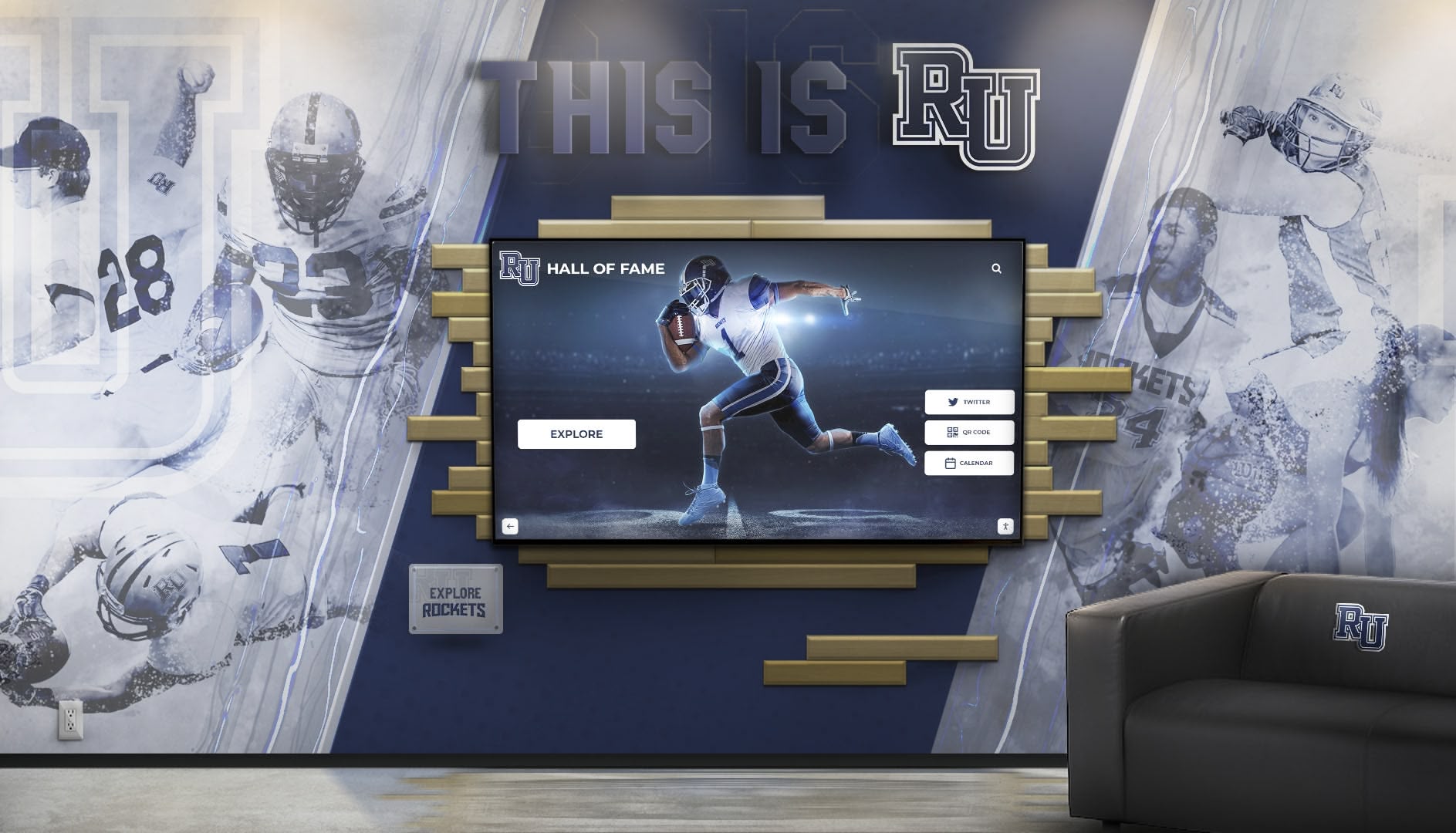
Well-governed systems maintain quality while enabling creative expression of institutional identity
Measuring Design System Success
Effective design systems deliver measurable outcomes justifying investment and guiding continuous improvement.
Quantitative Success Metrics
Operational Efficiency Indicators
Track design system impact through time required to publish content updates, number of design revisions required before approval, administrator training time to achieve competency, support tickets related to content management, and accessibility issues identified in audits.
Effective design systems should reduce operational friction. If content updates still require extensive design iteration, training remains difficult, or accessibility problems persist, the system needs refinement.
Technical Performance Measures
Monitor system health including page load times across devices, responsive behavior across screen sizes, accessibility compliance scores, cross-browser compatibility, and mobile performance metrics.
Design systems should maintain or improve technical performance. Custom layouts shouldn’t introduce performance degradation or compatibility problems.
User Engagement Analytics
Analyze visitor interaction with displays including session duration and depth, content search usage patterns, filter and navigation behavior, mobile versus touch interaction, and return visitor frequency.
Strong engagement suggests intuitive, valuable design systems. Declining engagement or navigation difficulty indicates design problems requiring attention.
Qualitative Assessment Approaches
Stakeholder Satisfaction Research
Gather feedback from content administrators evaluating ease of use, creative flexibility, training adequacy, and support responsiveness. Collect input from designers assessing system capabilities, brand consistency, creative constraints, and quality maintenance. Solicit feedback from visitors about experience quality, information findability, accessibility, and overall satisfaction.
Comprehensive stakeholder input reveals design system strengths and opportunities that metrics alone miss.
Visual Consistency Audits
Conduct systematic reviews comparing displays across locations, content types, and time periods identifying visual inconsistencies, brand alignment issues, accessibility problems, and design quality variations.
These audits ensure design systems achieve intended consistency goals without inadvertently constraining appropriate flexibility.
Competitive Benchmarking
Compare design system capabilities against peer organizations and industry standards evaluating creative flexibility available, design quality achieved, accessibility compliance, operational efficiency, and visitor engagement.
Benchmarking identifies areas where your design system leads or lags, informing strategic enhancement priorities.
Conclusion: Reframing the Creative Freedom Question
The tension between design consistency and creative freedom represents a false choice that limits organizational thinking. Modern digital recognition platforms demonstrate that systematic design governance enables rather than constrains creative expression when implemented thoughtfully.
Organizations don’t need to choose between rigid templates that stifle creativity and bespoke systems that introduce fragmentation and technical debt. Platform-based approaches like Rocket Alumni Solutions deliver genuine creative freedom through custom layouts built and maintained as first-class platform components, systematic quality guarantees preventing fragmentation, design governance enabling consistency without limitation, AI-assisted quality control catching common mistakes, and collective investment expanding capabilities continuously.
The result transforms creative freedom from expensive luxury requiring extensive custom development into sustainable capability available to all organizations regardless of design resources or technical expertise. When a school needs a specialized athletic records visualization, a nonprofit requires unique donor impact displays, or a university wants custom timeline presentations, they can request exactly what they need without assuming the ongoing burden of maintaining bespoke systems.
Design consistency stops being a creative constraint and becomes the foundation enabling confident exploration. Organizations know that custom layouts will function properly across devices, remain accessible to all visitors, integrate with platform features seamlessly, maintain performance and security, and enhance automatically as the platform evolves.
Strategic Recommendations for Organizations
When evaluating digital recognition systems, prioritize solutions offering both creative flexibility and systematic quality guarantees. Ask vendors how they handle custom requests, whether custom layouts receive the same quality guarantees as standard modules, what design governance prevents fragmentation, how accessibility compliance is maintained across custom content, what quality control systems catch common mistakes, and how custom work contributes to platform enhancement.
Organizations that select platforms balancing these considerations gain sustainable creative freedom without fragmentation risk. They can express unique institutional identity confidently, knowing that systematic design governance, automated quality control, and platform-grade implementation prevent the degradation that undermines custom development approaches.
The question shifts from “template consistency or custom freedom” to “which platform enables both” through systematic design governance that makes quality automatic rather than aspirational.
Ready to explore digital recognition that delivers creative freedom with design consistency? Book a demo to see how modern platforms balance flexibility with systematic quality guarantees, or learn about digital display implementation approaches that maintain brand integrity across diverse content types.































