Small schools face a common objection when evaluating modern digital recognition systems: “This seems like overkill for our needs. We only want to display a few photos and team schedules—why would we need a platform with donor tracking, analytics, and database features?”
This concern appears reasonable at first glance. Why invest in what seems like enterprise-level technology when simple slideshow software or basic digital signage might suffice? The assumption underlying this objection is that comprehensive platforms necessarily mean complex implementations requiring features small schools will never use.
However, this “overkill” narrative misses fundamental differences between playback utilities and content management systems. The question isn’t whether small schools need every feature on day one—it’s whether they benefit from structured approaches that reduce ongoing maintenance, prevent future rebuilds, and accommodate natural program growth without system migrations that restart everything from scratch.
This comprehensive guide examines why comprehensive platforms like Rocket Alumni Solutions often prove better investments for small schools than seemingly simpler alternatives, exploring how depth differs from required complexity, why maintenance burden matters more than feature count, how “simple” needs rarely stay simple, what actual cost comparisons reveal, and when lightweight alternatives genuinely make more sense than structured systems.

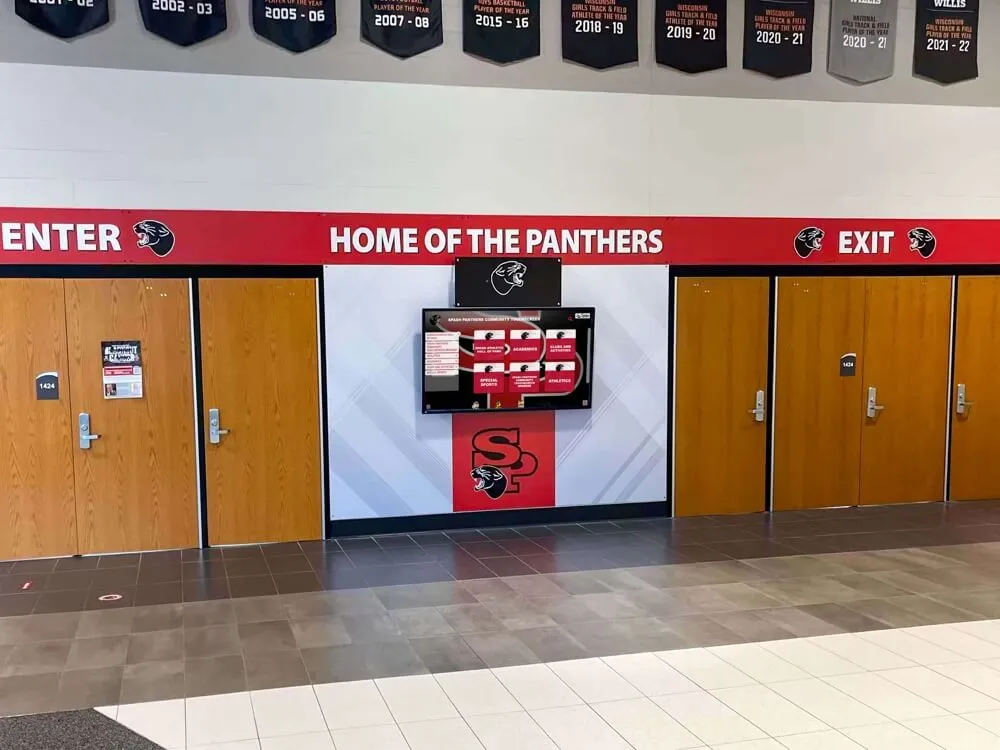
Modern digital displays serve small schools effectively without requiring complex implementations
Understanding the “Overkill” Objection: What Small Schools Actually Mean
When small school administrators express concern about comprehensive platforms being “overkill,” they typically reference several specific worries worth examining directly.
The Depth Versus Required Complexity Confusion
The core misunderstanding treats platform depth as mandated complexity requiring schools to implement every feature immediately or ever. This assumption conflates capability with obligation.
Platform Depth Creates Options, Not Requirements
Comprehensive systems like Rocket Alumni Solutions provide extensive capabilities including donor tracking and recognition management, athletic achievement databases and searchable records, analytics measuring display engagement and content performance, governance tools managing permissions and workflows, multimedia support for photos, videos, and documents, and structured content organization enabling complex presentations.
Small schools reviewing these feature lists sometimes conclude they’ll be forced to use everything, creating implementation burdens their limited staff cannot sustain. However, platforms designed properly separate capability from required usage.
A small school can implement Rocket displaying only team photos, upcoming schedules, and basic announcements while leaving donor tracking, analytics, and advanced features dormant. The presence of those capabilities doesn’t obligate their use—they simply remain available when needs evolve.
Simple Implementations on Deep Platforms
The counterargument to “overkill” concerns: well-designed platforms can deliver lightweight experiences through curated user interfaces showing only relevant content, simplified administrative workflows hiding complexity from day-to-day management, default templates providing professional presentation without design expertise, optional feature activation enabling gradual expansion, and progressive disclosure revealing advanced capabilities only when users specifically seek them.
When administrators manage displays through easy-to-use dashboards uploading photos and updating calendars without encountering donor databases or analytics features they’re not using, platform depth becomes invisible. The experience feels simple despite underlying architecture supporting far more complex implementations.
Many digital signage solutions offer this progressive approach where schools start simple and expand naturally over time.
The Maintenance Burden Reality Small Schools Face
While initial implementation complexity receives substantial attention during evaluation, ongoing maintenance burden typically matters far more to resource-constrained small schools where one administrator manages technology across ten different responsibilities.
The True Cost of “Simple” Solutions
Google Slides loops, basic digital signage tools, and custom slideshow approaches initially appear simpler and less expensive than comprehensive platforms. However, their operational maintenance creates substantial hidden costs:
Manual slide creation and updating requires design skills and substantial time, tracking down coaches and coordinators for content updates creates constant communication overhead, typo corrections demand editing and re-exporting entire presentations, managing playback reliability across devices becomes IT troubleshooting, version control challenges create confusion about which file is current, and physical display management requires someone regularly checking that content plays properly.
In small schools where the person updating displays might be an assistant principal, athletic director, or volunteer parent wearing ten other hats, these recurring tasks accumulate into significant time investments. The twenty minutes weekly updating slides becomes twenty hours annually—time that could address other priorities.
Database-Backed Systems Reduce Ongoing Labor
Structured platforms like Rocket approach content differently through centralized databases storing information once for reuse across multiple contexts, templated layouts automatically formatting content consistently, scheduled updates activating new content at predetermined times, automated rotations cycling through content without manual intervention, search and filter capabilities pulling relevant information dynamically, and cloud management enabling updates from anywhere without display access.
This architecture isn’t “over-engineering for its own sake”—it’s what makes updates faster, more repeatable, and less error-prone. Schools update a schedule in one place rather than editing it across multiple slides. Photos uploaded once appear wherever relevant rather than requiring copy-paste insertion in six locations.
The counterpoint: structure reduces ongoing labor, which represents the scarce resource in small schools often staffed by volunteers or administrators managing multiple roles simultaneously. Systems saving ten minutes on every update accumulate substantial time savings across years while reducing maintenance burden for successors when current administrators move to other positions.
Learn how interactive touchscreen displays streamline content management for schools of all sizes.

Cloud-based management systems enable quick updates from any device without technical expertise
How “Just a Few Photos” Rarely Stays Simple
Small schools frequently underestimate how recognition and communication needs evolve, leading to system limitations that require complete rebuilds within 2-3 years.
The Natural Expansion of Recognition Scope
When schools initially plan digital displays, they typically envision narrow use cases focused on current immediate needs. However, actual implementation patterns reveal consistent expansion trajectories.
Initial Vision: Minimal Content Display
Small schools planning first implementations usually identify limited content goals:
- Current season team photos for primary sports
- Upcoming game schedules and event calendars
- Basic school announcements and updates
- Perhaps championship recognition from recent years
- Maybe featured student achievements
This modest scope seems perfectly suited to simple slideshow approaches requiring no database infrastructure or sophisticated content management.
Reality: Continuous Scope Expansion
Within 6-12 months, schools implementing displays discover numerous additional opportunities for content previously unrecognized during planning:
Adding historical championship teams and athletic achievements beyond just current year, incorporating coaches and staff recognition celebrating program leadership, implementing senior night features highlighting graduating athletes with photos and biographies, adding donor acknowledgment plaques recognizing booster club supporters, including additional sports teams and activities beyond initial set, featuring tournament runs and playoff achievements throughout seasons, displaying graduation yearbook pages and academic honors, rotating sponsor content supporting fundraising relationships, adding multiple displays in additional locations throughout buildings, and implementing hall of fame nomination processes for ongoing recognition.
None of these additions represents mission creep or unnecessary complexity—they’re natural responses to seeing display effectiveness and recognizing additional stakeholders deserving acknowledgment.
The Re-Platform Crisis Point
Schools implementing simple systems for initial narrow use cases eventually face critical decision points when expansion needs exceed original platform capabilities. At this juncture, they confront several unpleasant options:
Abandon expansion plans because current system cannot accommodate growth, attempt workarounds creating increasingly unwieldy manual processes, or rebuild entire systems on new platforms requiring content migration, re-training staff, establishing new workflows, and restarting recognition programs from scratch.
The counterargument: platforms preventing re-platform moments save schools from the day they outgrow initial systems and must rebuild everything. Schools choose between systems requiring future rebuilds or platforms accommodating growth within existing infrastructure. The question isn’t whether expansion will happen—experience shows it consistently does—but whether original systems can accommodate growth or necessitate disruptive migrations.
Explore how schools effectively manage diverse recognition content through structured platforms designed for expansion.
Supporting Multiple Stakeholder Groups Over Time
Small schools serve diverse constituencies whose recognition needs emerge gradually rather than all at once during initial planning.
Athletic Recognition Beyond Current Teams
While current season sports typically dominate initial content plans, athletic programs generate numerous additional recognition opportunities:
- Historical team achievements and championship seasons from past decades
- Individual record holders and standout performers across multiple eras
- Coaching tenure and program leadership spanning years
- Alumni athlete accomplishments at collegiate or professional levels
- Team traditions and program milestones worth preserving
- Statistical achievements and performance records
Academic Achievement Celebration
Schools recognizing the effectiveness of athletic displays often expand to academic content:
- Honor roll and academic excellence recognition each semester
- National Merit Scholars and standardized test achievements
- Academic competition success in debate, quiz bowl, or science olympiad
- Scholarship recipients and college admissions achievements
- Valedictorians and academic program completers across years
- Subject-specific awards and departmental recognition
Learn about comprehensive approaches to academic recognition programs that complement athletic content.
Arts, Activities, and Community Recognition
Complete school recognition extends beyond athletics and academics:
- Performing arts achievements in music, theater, and dance
- Visual arts exhibitions and student artist showcases
- Service learning projects and community contribution
- Student leadership and government representatives
- Club achievements and extracurricular recognition
- Community partnerships and local business support
Each expansion responds to legitimate stakeholder needs rather than artificial complexity. The question becomes whether platforms accommodate this natural growth or require rebuilding when schools inevitably recognize additional groups.
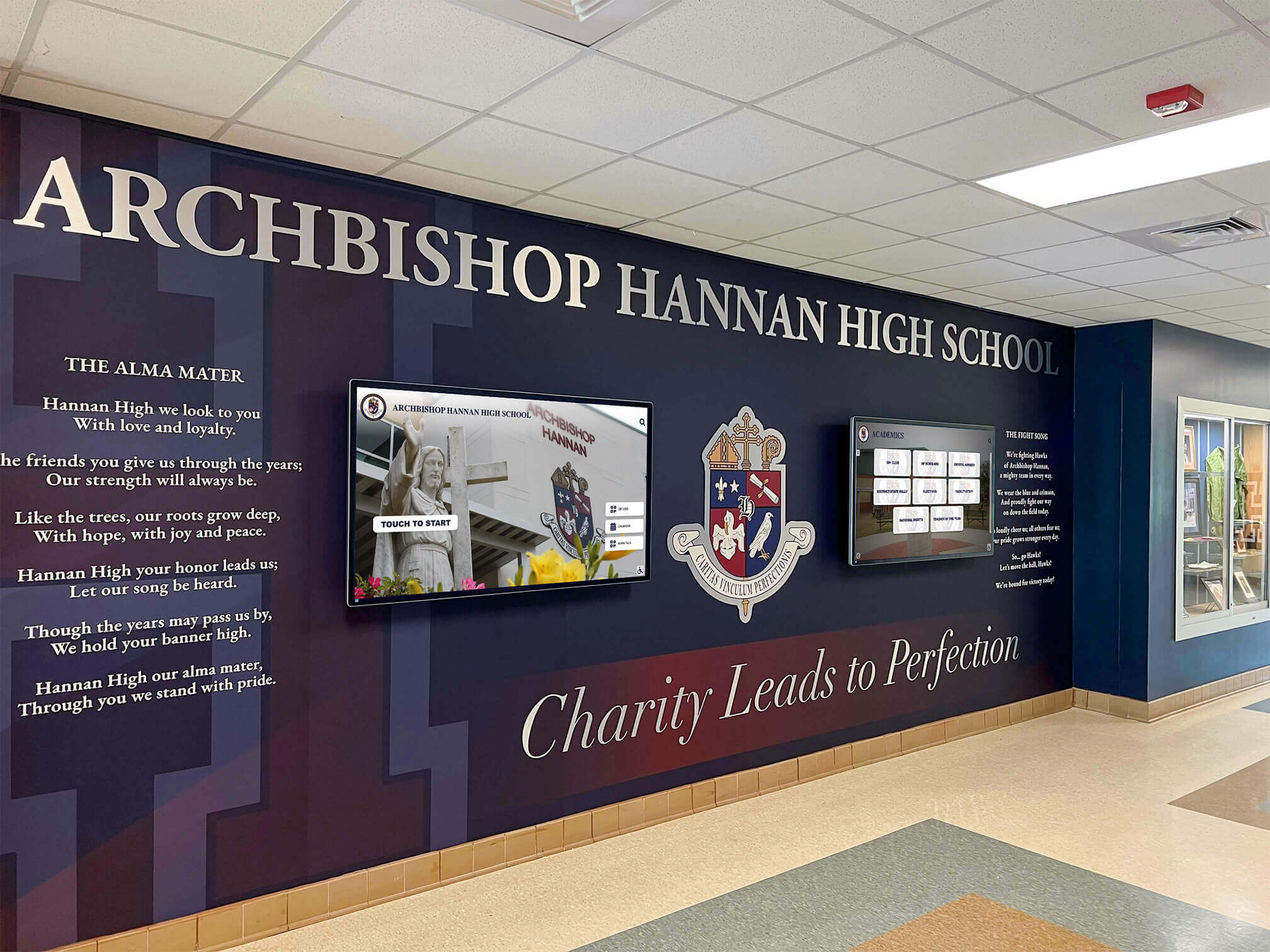
Comprehensive systems integrate diverse content types within cohesive presentations
The Real Cost Comparison: Apples to Oranges Analysis
Initial sticker price comparisons often miss substantial components creating misleading conclusions about actual total costs.
What “90% Cheaper” Comparisons Actually Omit
Budget-conscious small schools understandably compare platform costs, sometimes seeing comprehensive solutions priced substantially higher than basic digital signage tools or slideshow approaches. However, accurate comparisons require including all implementation and operational costs rather than just licensing fees.
Components Often Excluded from Simple Solution Pricing
Basic digital signage tools and slideshow approaches typically omit several cost categories from initial comparisons:
Content Creation and Design Labor - Someone must create attractive, professional presentations from scratch. This requires either internal staff time (valued at $25-50 per hour for typical school administrator) or external design services. Initial content creation for even modest presentations might require 10-20 hours, while ongoing updates demand 2-4 hours monthly—accumulating to $600-2,400 annually in labor costs often invisible to budget discussions because existing staff simply absorb the work.
Ongoing Maintenance and Updates - Simple systems require someone managing numerous tasks including tracking down content from coaches, parents, and staff, editing presentations for accuracy and formatting, managing version control across multiple files, troubleshooting playback issues and technical problems, and physically checking displays to ensure proper operation. This maintenance burden, seemingly minor in isolation, compounds across academic years into substantial time investments.
Template Design and Brand Consistency - Professional presentation design requires either graphic design expertise or purchased templates. Schools either invest time creating templates internally, hire designers developing branded layouts, or accept generic presentation aesthetics that may not reflect institutional quality standards. Comprehensive platforms typically include professional templates as part of base offerings, eliminating this separate cost category.
Governance and Permissions Infrastructure - When multiple people need update capabilities—athletic directors for sports content, development staff for donor recognition, principals for announcements—simple systems often lack granular permissions creating security concerns or bottlenecks. Schools either implement workarounds through shared accounts (security risk) or route everything through single gatekeepers (workflow bottleneck).
Support and Troubleshooting - Basic tools typically provide minimal support beyond documentation. When problems arise—and they consistently do with technology—schools either have internal IT expertise resolving issues or face downtime until solutions emerge through trial-and-error or vendor response if available.
Future Expansion and Migration Costs - Perhaps most significantly, simple systems often necessitate complete replacement when schools outgrow initial capabilities. The cost of migrating to new platforms, re-training staff, rebuilding content, and potentially purchasing new hardware creates substantial expenses deferred rather than avoided by choosing cheaper initial solutions.
The Total Cost Reality
When comparing comprehensive platforms to simple alternatives, accurate analysis includes all components:
For basic digital signage approach: $500 initial software/service, $1,500 annual labor for content creation and updates, $500 annual troubleshooting and maintenance, $300 template and design resources, resulting in approximately $2,800 first year and $2,300 annually ongoing.
For comprehensive platform: $3,500 initial implementation including templates and training, $1,200 annual subscription, $400 annual labor due to streamlined workflows, $0 additional support or design costs included in platform, resulting in approximately $4,700 first year and $1,600 annually ongoing.
By year three, cumulative costs become comparable. By year five, comprehensive platforms typically demonstrate 20-30% cost advantages while providing substantially superior capabilities and avoiding re-platform expenses.
The counterargument: cheaper software often means higher total cost once labor, support, ongoing maintenance, and rework are properly valued rather than treated as free because existing staff absorb work.
The ROI Beyond Direct Costs
Cost comparisons focusing solely on expenses miss value creation difficult to quantify but substantially important to small schools.
Donor Perception and Fundraising Impact
Even small schools with limited budgets install displays in high-visibility locations—main lobbies, gymnasium entrances, athletic facility entryways. These locations receive substantial traffic from families, alumni, visitors, and donors whose perceptions of institutional quality and modernity influence support decisions.
Polished, professional digital recognition creates impressions that generic slideshow presentations cannot match. When prospective donors visit campuses and encounter modern, searchable recognition displays showcasing community support and program achievement, they perceive institutions positioned for future success warranting their investment.
According to nonprofit fundraising research, donor recognition visibility correlates with giving patterns. Schools demonstrating they honor supporters professionally and permanently inspire confidence that contributions will be acknowledged appropriately, reducing psychological barriers to major gift decisions.
For small schools where fundraising capacity significantly impacts program quality, display investments potentially generating even modest improvement in donor retention or gift sizes can provide returns exceeding initial technology costs within one campaign cycle.
Community Engagement and School Pride
Digital recognition displays visible to all school community members—students, families, staff, alumni—strengthen institutional culture and pride in program excellence. When students walk past displays daily seeing their achievements, teammates, and school history celebrated professionally, they internalize messages about institutional values and expectations.
This culture-building function, while difficult to price, materially impacts school climate, student motivation, family engagement, and community connections that collectively determine institutional success beyond any single program or initiative.
Discover how school recognition programs strengthen institutional culture and community engagement.
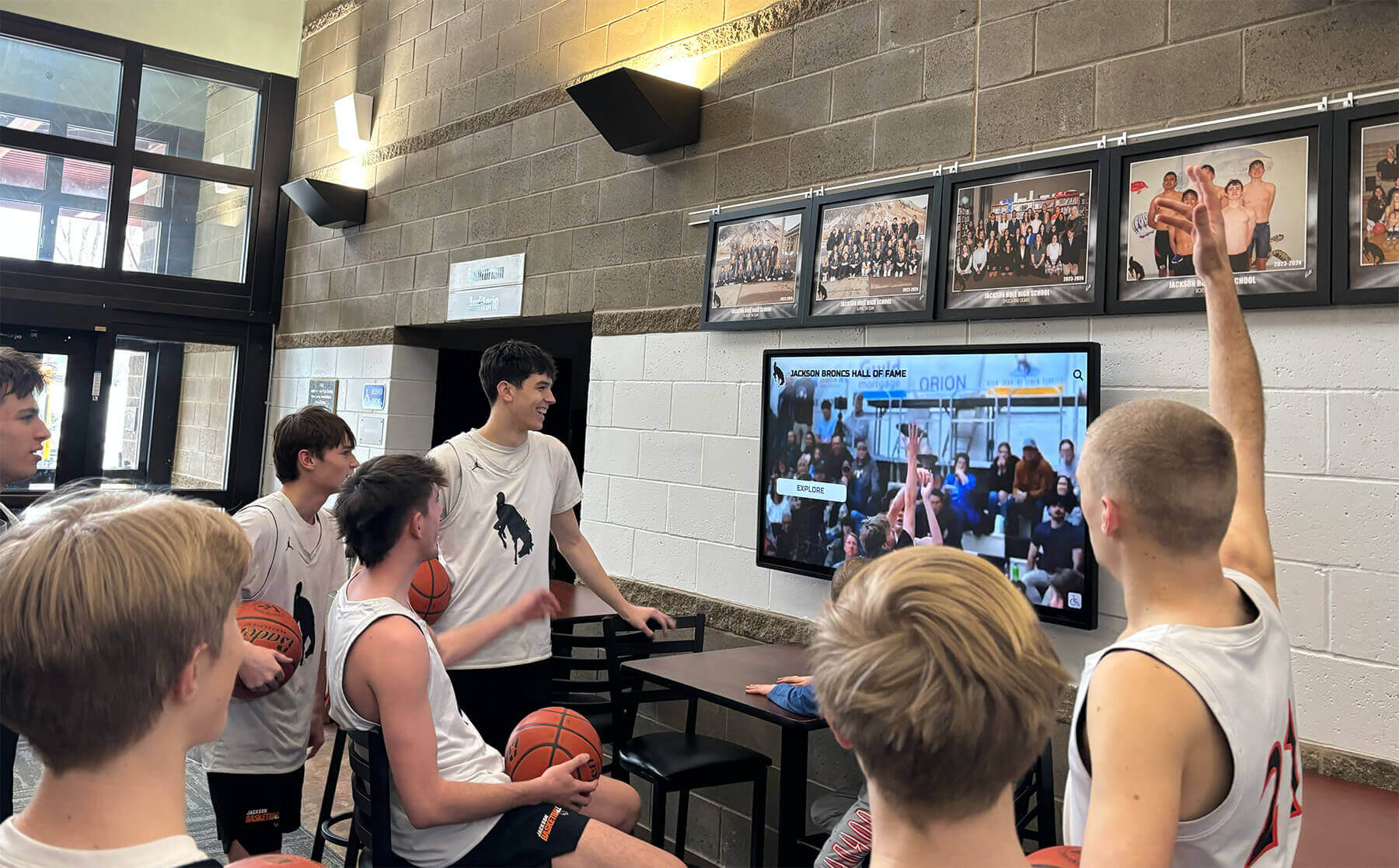
Engaging displays create community gathering points that strengthen school culture
When “No Touch” Doesn’t Invalidate Platform Value
Some small schools plan non-interactive displays questioning whether touchscreen capabilities justify comprehensive platform investments. This concern misunderstands the relationship between interaction models and content management systems.
Touch as Feature, Not Foundation
Touchscreen interactivity represents one interface option rather than the sole reason comprehensive platforms exist. Schools implementing non-touch displays still benefit from platform capabilities having nothing to do with user interaction.
Core Platform Value Independent of Touch
Comprehensive systems like Rocket provide numerous advantages regardless of whether displays enable visitor interaction:
Centralized Content Management - Cloud-based dashboards enable staff updating content from any internet-connected device without physically accessing displays. This remote management proves particularly valuable for multi-building campuses or displays in locked areas with limited access.
Structured Data Organization - Database architectures storing information in reusable formats rather than static presentation files enable content appearing in multiple contexts automatically. Update a team schedule once and see it reflected everywhere relevant rather than editing multiple slides or display zones manually.
Consistent Design Implementation - Template systems ensure professional presentation across all content regardless of who creates updates or when additions occur. New content automatically inherits established design standards rather than requiring manual formatting matching existing slides.
Scheduled Content Activation - Advanced publishing workflows enable preparing content in advance and scheduling automatic activation at future dates. Schools can pre-load next season’s schedules, pre-stage recognition additions, or prepare holiday content weeks early rather than requiring manual updates at exact moment content should go live.
Multi-Display Management - Schools expanding to multiple screens manage all locations through unified platforms rather than treating each display as separate system requiring independent maintenance. Content updates can target specific displays, multiple locations, or entire networks simultaneously.
None of these capabilities require touchscreen interaction—they function identically whether displays operate passively rotating content or enable hands-on exploration. The infrastructure providing these advantages exists independent of interface choices.
Touch as Optional Upgrade Path
Schools implementing comprehensive platforms in non-touch configurations preserve the option of adding interactivity later without system changes. When budgets allow or use cases emerge warranting visitor interaction, upgrading involves only hardware replacement rather than entire platform migrations.
This flexibility enables starting simple while maintaining expansion paths as needs and resources evolve.
Learn about diverse digital display applications across different school environments and budgets.
The Managed Storytelling Display Model
Schools using Rocket in “lean mode” without touch still create compelling storytelling experiences through well-curated content rotations, featured story spotlights, schedule and calendar displays, achievement celebrations, and historical documentation—all managed through intuitive content systems requiring no interactive navigation.
The counterargument: platforms can function as managed storytelling displays even without touch capabilities, with value deriving from content management infrastructure rather than specific interface models. Touch represents enhancement option rather than core platform purpose.
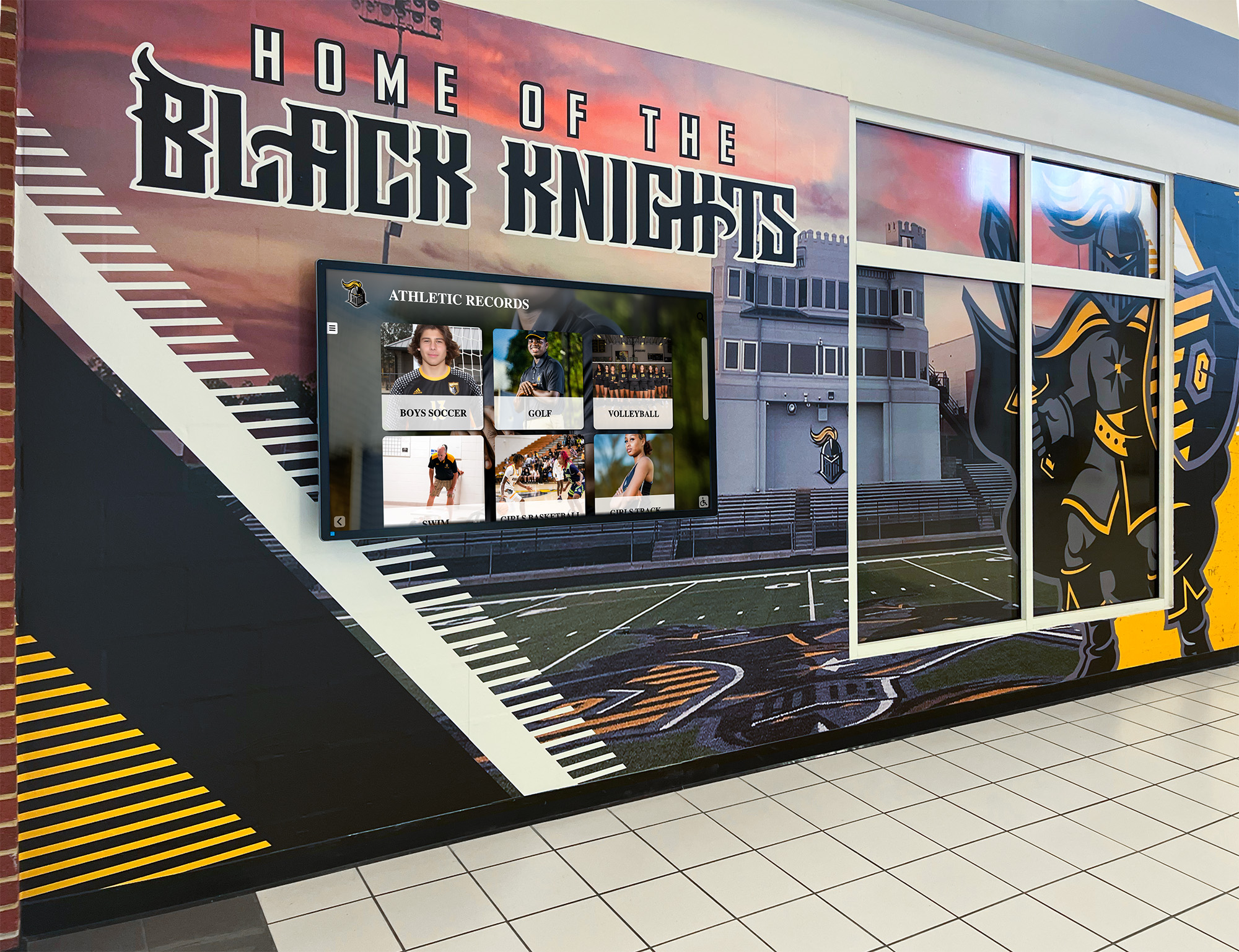
Non-interactive displays provide value through content quality and management ease
When Simpler Alternatives Actually Make Sense
Honest evaluation of platform choices requires acknowledging scenarios where lightweight solutions genuinely represent better fits than comprehensive platforms. Claiming comprehensive systems suit all situations undermines credibility and leads to poor implementation decisions.
The Legitimate Simple Solution Use Cases
Several specific conditions suggest basic digital signage tools or slideshow approaches may serve schools better than sophisticated platforms:
Single Display With No Expansion Plans
Schools definitively knowing they will never expand beyond one display in one location for one specific purpose lack scaling requirements making comprehensive platforms valuable. If current and future needs involve simply cycling through static announcements or basic schedules with zero interest in searchable databases, interactive exploration, or multi-location management, platform depth provides little practical advantage.
One Person Owns Forever and Enjoys Manual Updates
Some individuals genuinely prefer hands-on creative work designing presentations and manually crafting each slide. If the person responsible for displays finds satisfaction in design process and plans to manage displays indefinitely without staff turnover concerns, workflow efficiencies from automated systems may matter less than creative control simple tools provide.
No Need for Structure, Search, or Reusable Templates
Organizations without historical archives to preserve, databases to search, or standardized presentations to maintain may not benefit from structured platforms. If content consists entirely of temporary announcements and promotional materials with no recurring patterns, database architecture provides minimal advantage over file-based approaches.
Display Not Strategic Touchpoint
Some displays serve purely utilitarian purposes—wayfinding, temporary announcements, event schedules—without recognition or community engagement objectives. When displays function as information bulletin boards rather than strategic communication tools, sophisticated platforms may exceed actual needs.
Budget Represents Only Decision Variable
Small schools sometimes face financial constraints so severe that even modest subscription costs prove prohibitive regardless of value provided. When budgets absolutely cannot accommodate platform subscriptions and only free or one-time-purchase solutions remain viable, comprehensive platforms may not represent realistic options regardless of superiority.
If any of these conditions are false—schools eventually want multiple displays, staff turnover creates knowledge transfer needs, historical content preservation matters, displays serve strategic purposes, or total-cost rather than only first-year expense determines decisions—the “overkill” claim weakens quickly.
The Middle Ground: Starting Simple, Expanding Gradually
Schools uncertain whether comprehensive platforms suit their needs can often implement phased approaches proving value before major commitments:
Start with basic content testing community response and utility, implement single display in highest-value location, focus on narrow content scope manageable within current capacity, evaluate actual maintenance burden and expansion interests after 6-12 months, then expand to additional content or locations based on demonstrated value.
Many platform providers offer flexible pricing enabling schools to start small and grow naturally rather than requiring immediate full implementations. This graduated approach reduces risk while maintaining expansion flexibility as needs clarify.
Explore implementation strategies helping schools determine appropriate platform choices and rollout approaches.
The Counter-Argument in One Clear Statement
After examining maintenance realities, expansion patterns, cost components, and genuine alternative scenarios, the core counter-argument to “overkill for small schools” concerns emerges clearly:
Rocket isn’t overkill for small schools because the database and platform depth reduce maintenance burden, prevent future rebuilds, and provide expansion paths from “simple display” to “community engagement hub” without switching systems.
The question isn’t whether small schools need every platform feature immediately—they don’t, and no one suggests they must implement everything at once. Instead, the relevant question asks whether structured platforms that can start simple and grow naturally serve schools better than solutions requiring complete rebuilds when inevitable expansion needs emerge.
For schools where displays will expand beyond initial scope (they consistently do), where staff turnover creates knowledge transfer challenges (common in small schools), where strategic purposes like donor recognition or community engagement matter (they typically do), and where total five-year costs rather than only year-one expenses inform decisions (they should), comprehensive platforms often prove more practical than alternatives appearing simpler but creating higher ongoing burdens.
The depth isn’t over-engineering—it’s what enables lightweight implementations that remain sustainable as schools grow.
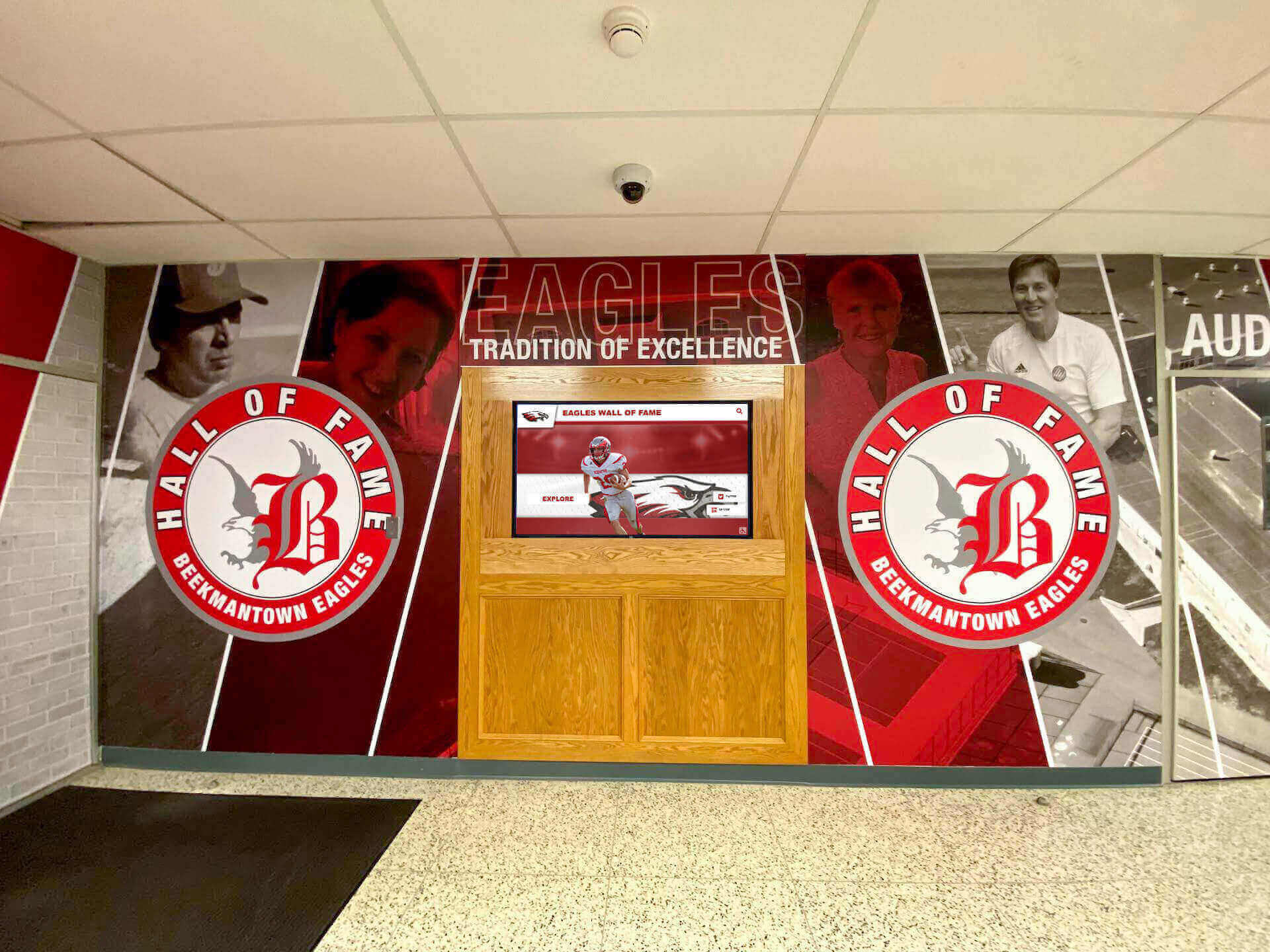
Professional recognition systems scale from simple displays to comprehensive engagement platforms
Practical Implementation Guidance for Small Schools
Small schools considering comprehensive platforms can maximize value while minimizing complexity through thoughtful implementation approaches.
Starting With Minimum Viable Content
Schools new to digital displays should resist pressure to launch with comprehensive content spanning all possible use cases. Instead, identify the single highest-value content area delivering maximum impact with minimum effort:
Current season sports teams and schedules if athletics drive community engagement, upcoming events and school calendar if communication presents primary challenge, recent graduate recognition if alumni relationships need strengthening, or donor acknowledgment if fundraising requires improvement.
Successful single-focus launch builds organizational confidence and stakeholder engagement providing foundation for natural expansion when capacity allows.
Leveraging Professional Implementation Support
Schools lacking internal expertise should engage providers offering comprehensive onboarding assistance including initial content migration and database setup, template customization reflecting institutional branding, staff training ensuring comfortable platform usage, ongoing support reducing troubleshooting burden, and best practice guidance from implementations at similar schools.
Professional implementation support effectively outsources complexity, enabling small schools to access sophisticated platforms without developing internal technical expertise. Solutions like Rocket Alumni Solutions provide full-service approaches particularly valuable for resource-constrained institutions.
Building Sustainable Management Workflows
Long-term success requires establishing maintenance processes surviving staff transitions:
Document clear responsibilities for content updates, create regular review schedules preventing stale content, develop content submission workflows from coaches and staff, establish approval processes maintaining quality, and plan succession for when current administrators move to new roles.
Schools implementing sustainable workflows from the beginning avoid the common pattern where displays launch successfully but gradually deteriorate as initial enthusiasm fades or personnel change.
Planning Expansion Milestones
Rather than treating displays as fixed implementations, schools should envision growth trajectories:
Year one might feature single display with current content only, year two could add historical archives and second location, year three might implement donor recognition and touchscreen capability, and year four could expand to comprehensive recognition across multiple stakeholder groups.
Planned progression enables budgeting and capacity building while ensuring platforms support each expansion phase without requiring system changes.
Learn about proven approaches to school digital recognition systems that grow with institutional needs.
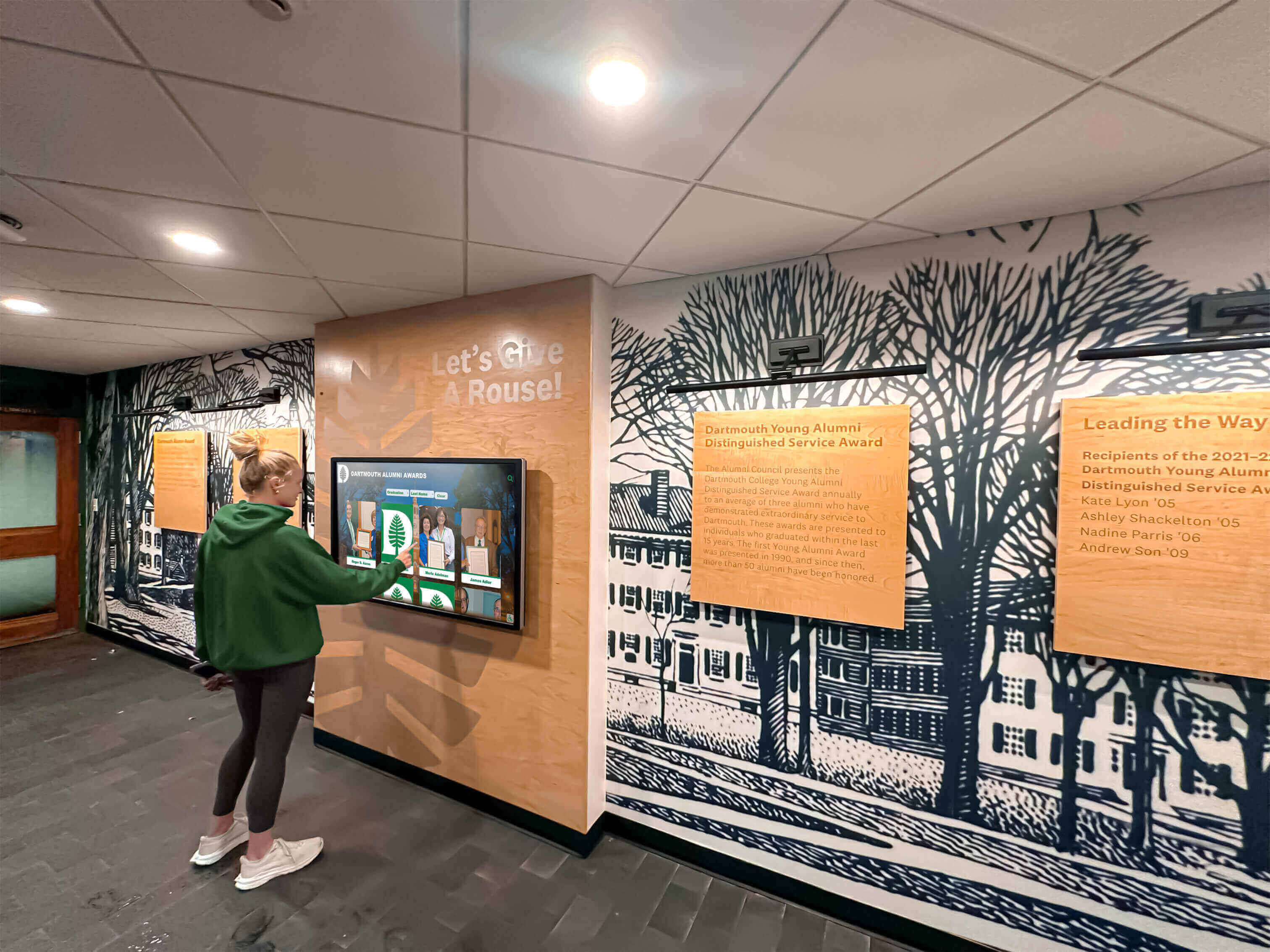
User-friendly interfaces enable students, staff, and visitors to engage displays confidently
Conclusion: Choosing Platforms That Grow With Your School
The “overkill for small schools” concern reflects legitimate anxiety about investing in capabilities exceeding current needs or capacity. However, this focus on day-one requirements misses fundamental differences between platforms accommodating growth and solutions necessitating replacement when inevitable expansion needs emerge.
Small schools shouldn’t choose between “enterprise complexity they don’t need” and “simple tools adequate for current requirements.” Instead, they should seek platforms offering simple starting points with clear expansion paths, easy-to-learn management requiring minimal technical expertise, sustainable maintenance burden fitting limited capacity, and professional support reducing internal implementation complexity.
Comprehensive platforms like Rocket Alumni Solutions provide these characteristics through progressive implementations that start lightweight and grow naturally, cloud-based management enabling remote updates without technical expertise, professional templates and design eliminating need for graphic design skills, full-service onboarding handling complexity during setup, ongoing support reducing troubleshooting burden, and unlimited scaling accommodating expansion without platform changes.
The Real Question for Small Schools
Rather than asking “do we need this much capability,” small schools should consider several more relevant questions:
Will our recognition needs expand beyond current minimal scope? (Experience suggests yes) Do we value reducing ongoing maintenance time? (Resource-constrained schools typically do) Can we afford complete system rebuilds in 2-3 years when outgrowing simple solutions? (Most cannot) Do professional displays matter for donor perception and community engagement? (They typically do) Does total five-year cost rather than only year-one expense inform our decision? (It should)
If answers to these questions suggest growth likelihood, maintenance concerns, budget limitations for future rebuilds, strategic display purposes, or long-term cost focus, then comprehensive platforms often prove more practical than alternatives appearing simpler but creating higher ultimate burdens.
The depth isn’t overkill—it’s what enables starting simple while preserving flexibility to expand naturally as schools recognize additional opportunities for community engagement, stakeholder recognition, and institutional storytelling that strengthen culture and advance missions.
Your school deserves recognition systems that grow with your community rather than systems requiring replacement when you inevitably discover additional recognition opportunities initially overlooked. With thoughtful platform selection and implementation approaches fitting your current capacity, you can create displays that serve immediate needs while supporting expansion whenever you’re ready—without starting over or switching systems mid-journey.
Ready to explore digital recognition platforms designed for schools like yours? See Rocket in action and discover how comprehensive systems can start simple and scale naturally as your community engagement grows.































