
Senior living touchscreen awards provide retirement and assisted living communities with modern recognition systems that celebrate residents, volunteers, committees, staff, and community achievements in engaging, accessible formats. These interactive digital displays transform how senior care facilities acknowledge contributions, build community identity, and create welcoming environments that honor the people who make communities thrive.
Traditional senior living communities rely on static bulletin boards, printed newsletters, and wall plaques to recognize residents and celebrate accomplishments. This conventional approach creates limitations including outdated information on aging bulletin boards, limited space for recognizing diverse contributions, difficulty updating award information as communities evolve, inaccessible small print for residents with vision challenges, and static presentations that fail to engage residents or visiting families.
This comprehensive guide explores how senior living facilities can implement touchscreen award systems that honor internal committees, celebrate neighborhood achievements, recognize volunteers and staff, memorialize departed residents, maintain accessible directories, and create rich community experiences that position facilities as active, person-centered environments where every contribution matters.
Senior living facilities face unique communication and recognition challenges. Residents want to stay informed and engaged with community life. Families evaluating facilities look for evidence of active, thriving communities. Staff need efficient ways to celebrate achievements and share information. Digital touchscreen award systems address these needs while providing unlimited recognition capacity that traditional approaches cannot match.

Interactive touchscreen systems provide intuitive, accessible recognition experiences for senior living residents and families
What Senior Living Facilities Care Most About: Recognition Priorities
Understanding what matters most to senior care communities helps guide effective touchscreen award implementation that serves actual needs rather than creating technology without purpose.
Resident Engagement and Quality of Life
Senior living administrators prioritize resident satisfaction and engagement as core quality indicators affecting occupancy, reputation, and regulatory compliance.
Active Community Participation
Facilities measure success through resident participation in activities, programs, committees, and social events. When residents feel recognized and valued for their contributions, participation increases. According to research from the National Investment Center for Seniors Housing & Care, communities with robust recognition programs report 25-30% higher resident satisfaction scores compared to facilities with minimal acknowledgment systems.
Digital touchscreen awards support this priority by celebrating committee involvement, highlighting volunteer contributions, featuring activity participation, recognizing resident leadership roles, and documenting community achievements that demonstrate active programming.
Cognitive Stimulation and Social Connection
For assisted living and memory care residents, recognition serves cognitive and social functions beyond simple acknowledgment. Visual recognition through photos and stories provides conversation starters, memory prompts supporting cognitive function, social validation building self-esteem, family connection points during visits, and orientation support through familiar faces and names.
Interactive displays with large, clear text and intuitive touch interfaces accommodate age-related vision and dexterity changes while providing engaging content that residents can explore at their own pace.
Family Satisfaction and Transparency
Families making placement decisions and visiting residents evaluate facilities based on community culture, activity levels, and resident engagement.
Visible Evidence of Active Community Life
Digital displays provide families with immediate visual evidence of thriving communities through recent activity photos documenting engagement, committee rosters showing resident involvement, event calendars demonstrating programming variety, volunteer recognition highlighting community support, and achievement celebrations proving quality of life.
According to senior living marketing research, prospective residents and families spend significant time evaluating common areas during facility tours. Touchscreen displays in lobbies and gathering spaces create positive first impressions while demonstrating technology adoption and modern amenities.
Ongoing Communication During Visits
Families visiting residents want updates about community life, upcoming activities, and how their loved ones are spending time. Touchscreen displays provide self-service information access including today’s activity schedule and menu, recent event photos showing community engagement, committee and volunteer opportunities, upcoming celebrations and entertainment, and general facility announcements and updates.
This transparency reduces family anxiety while freeing staff from answering repetitive questions about schedules and programming.

Commercial-grade touchscreen kiosks deliver reliable performance while providing professional appearance in community spaces
Staff Efficiency and Communication
Senior living staff juggle complex care responsibilities alongside communication and programming duties. Efficient systems reduce administrative burden while improving information delivery.
Streamlined Recognition Administration
Traditional recognition approaches require printing photos, updating bulletin boards, typing and distributing newsletters, and manually maintaining award displays. Digital systems eliminate these time-consuming tasks through cloud-based content management enabling updates from any device, scheduled content automation reducing manual work, centralized information eliminating duplicate entry, instant publishing reaching displays immediately, and unlimited capacity accommodating all recognition needs.
Consistent Communication Across Locations
Multi-building campuses and continuing care communities benefit from unified communication systems ensuring consistent messaging across independent living, assisted living, memory care units, and common areas. Cloud-based touchscreen systems enable corporate-wide announcements for multi-facility operators, building-specific content tailored to populations, synchronized updates maintaining consistency, and centralized management reducing administrative overhead.
These efficiency gains allow activity directors and staff to focus on resident interaction rather than manual communication tasks.
Competitive Differentiation and Marketing
Senior living represents a competitive market where facilities must differentiate themselves to attract residents and maintain occupancy.
Modern Amenities and Technology Adoption
Prospective residents and families evaluate facilities partially based on amenities and technology suggesting progressive, resident-focused cultures. Touchscreen award systems demonstrate commitment to modern communication, technology integration enhancing experiences, transparent recognition honoring all contributions, investment in resident engagement, and professional presentation reflecting quality standards.
According to senior living consultants, technology adoption increasingly influences family decision-making, particularly among younger families selecting care for aging parents who expect digital amenities common in other service industries.
Storytelling and Reputation Building
Touchscreen displays enable storytelling that builds facility reputation through resident achievement celebrations, volunteer impact documentation, committee accomplishment highlights, historical community milestones, and family testimonial integration.
This storytelling supports marketing objectives by demonstrating community vibrancy to prospective residents while building current resident pride in their community identity.
Similar recognition approaches benefit various community types, as demonstrated by employee recognition programs in corporate settings that strengthen engagement and culture.
Internal Committee Recognition: Celebrating Resident Governance
Senior living communities often feature resident-led committees that provide governance, plan activities, and address community concerns. Recognizing these contributions builds participation while demonstrating resident empowerment.
Parking Committee and Campus Management
Many retirement communities have resident parking committees managing space allocation, visitor policies, and campus traffic patterns.
Parking Committee Touchscreen Content
Digital displays can showcase current parking committee members with photos and terms, committee accomplishments and policy improvements, important parking updates and reminders, temporary space allocations for events, visitor parking guidance, and historical committee archives documenting evolution.
This recognition validates important but sometimes thankless volunteer work while providing practical information residents need about parking policies and procedures.
Internal Government and Leadership Council
Resident councils, senates, or government bodies represent resident interests, plan programming, and interface with management on community concerns.
Internal Government Recognition Ideas
Touchscreen displays celebrate resident leadership through current council member profiles with photos and roles, meeting schedules and agendas promoting transparency, accomplishments and initiatives completed, town hall announcement and issue tracking, historical leadership archives, and election information and candidate platforms.
Building Democratic Participation
Visual recognition of resident government encourages participation by making roles visible and accessible, demonstrating council effectiveness, providing information about getting involved, celebrating accomplishments attracting candidates, and documenting community decision-making processes.
According to senior housing research, communities with active resident governance report higher satisfaction scores and lower turnover rates, as residents feel genuine ownership over community life rather than being passive recipients of institutional care.
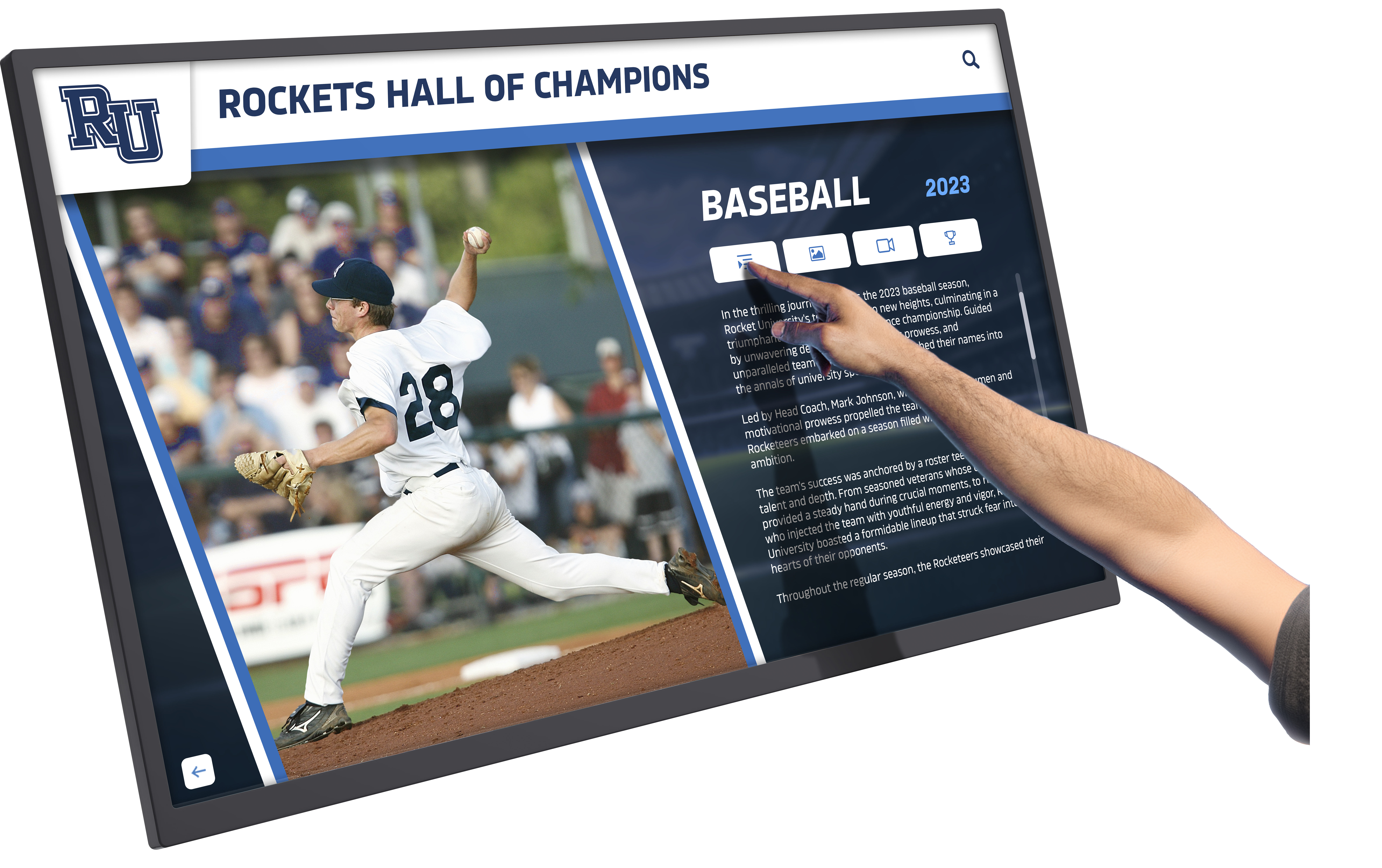
Intuitive touch interfaces enable residents to explore community information easily regardless of technical experience
Activity and Social Committees
Resident committees planning activities, entertainment, outings, and social events drive community engagement and quality of life.
Activity Committee Touchscreen Recognition
Celebrate planning volunteers through committee member profiles and special interests, upcoming events and programs they’ve organized, past event photo galleries showing success, volunteer opportunities for other residents, feedback and suggestion collection, and seasonal programming highlights.
Encouraging Volunteer Participation
Visible recognition encourages more residents to join committees by highlighting the impact volunteers create, providing easy ways to get involved, celebrating diverse contribution types, featuring testimonials from current committee members, and documenting the fun volunteers experience.
Wellness and Fitness Committees
Health-focused communities often have wellness committees promoting fitness activities, healthy dining, preventive care, and active aging.
Wellness Committee Recognition Content
Digital displays can highlight current wellness committee members, fitness class schedules and instructor profiles, wellness challenge leaderboards and participation, health education content and resources, success stories and resident wellness journeys, and upcoming health screenings or programs.
This recognition positions wellness as community priority while celebrating residents taking leadership roles in promoting healthy aging.
Food and Dining Committees
Resident dining committees provide feedback on menus, plan special culinary events, and represent resident preferences to food service teams.
Dining Committee Touchscreen Features
Recognize dining volunteers while providing practical information including committee member profiles and meeting schedules, weekly menus with nutritional information, special event dining announcements, chef profiles and culinary team recognition, resident recipe features and cooking demonstrations, and dietary accommodation information.
The same recognition principles that strengthen senior communities apply across various organizational contexts, including academic recognition programs that celebrate student achievement.
Neighbor Recognition Programs: Building Community Identity
Celebrating individual residents creates personal connection while building inclusive community culture where everyone feels valued.
Neighbor of the Week/Month Programs
Regular resident spotlights build community by helping residents get to know each other while recognizing diverse contributions.
Neighbor Spotlight Content Elements
Featured resident profiles include biographical information and background, arrival date and residence location, hobbies, interests, and talents, committee or volunteer involvement, family information when appropriate, fun facts or unique experiences, photos from activities or personal collection, and video interviews when possible.
Rotating Recognition Ensuring Inclusion
Systematic rotation ensures all residents eventually receive recognition rather than repeatedly honoring the same visible leaders. Rotation criteria might include length of residence, committee participation, volunteer contributions, milestone celebrations like birthdays or anniversaries, newcomer welcomes, or simply alphabetical order ensuring fairness.
This inclusive approach prevents perception that only certain residents receive recognition while others remain invisible.
New Resident Welcomes
Introducing newcomers helps them integrate quickly while signaling to prospective residents that communities warmly welcome new members.
New Resident Welcome Features
Touchscreen displays can provide welcome messages with photos, biographical information residents choose to share, previous hometown or residence location, interests and hobbies connecting them with others, open invitations to coffee or conversation, and committee or activity suggestions based on interests.
Accelerating Social Integration
According to senior living operations research, residents who form social connections within the first 90 days report significantly higher long-term satisfaction and lower risk of relocation. Visible new resident welcomes facilitate these early connections by providing conversation starters, identifying common interests, encouraging social outreach, reducing newcomer anonymity, and demonstrating welcoming community culture.
Volunteer Recognition and Service Hours
Many residents volunteer within communities or in broader civic roles. Recognizing this service honors contributions while encouraging continued engagement.
Volunteer Recognition Content
Digital displays can celebrate community volunteers through individual volunteer profiles with service areas, cumulative volunteer hour tracking, specific project or committee contributions, impact stories showing what volunteers accomplish, appreciation messages from beneficiaries, milestone celebrations at hour thresholds, and opportunities for others to join volunteer efforts.
Quantifying Community Contribution
Tracking and displaying cumulative volunteer hours across the community demonstrates impressive collective impact. For example, displaying “Our residents contributed 2,847 volunteer hours this year supporting community life” provides concrete evidence of active engagement while building community pride.
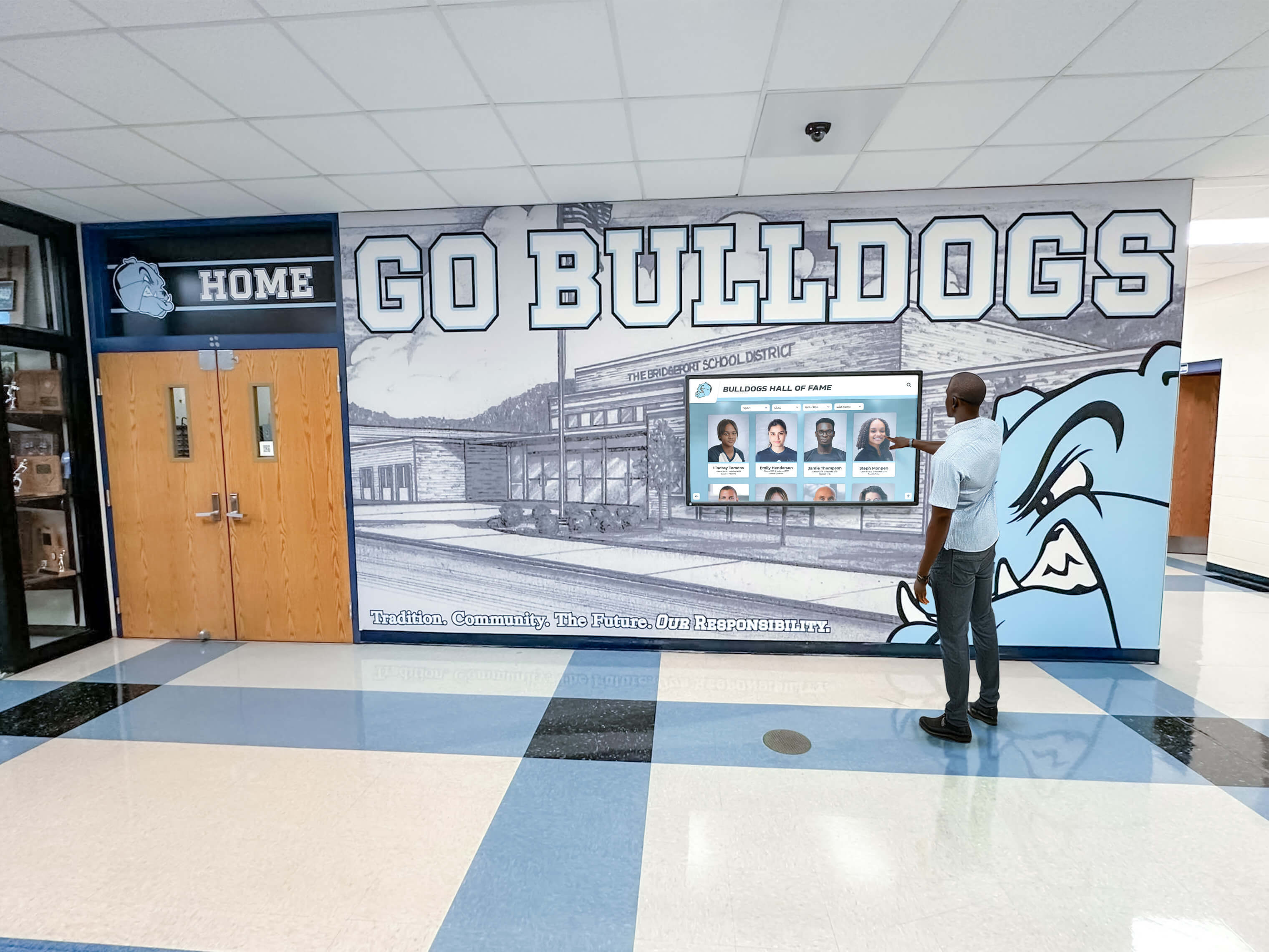
Strategic display placement in high-traffic areas ensures residents regularly encounter community information and recognition
Resident Achievement and Milestone Celebrations
Beyond committees and volunteering, celebrating personal accomplishments and milestones builds individual connection and community celebration culture.
Milestone Recognition Categories
Touchscreen displays can honor birthdays and anniversaries, educational achievements or continuing education, artistic accomplishments and creative works, athletic achievements in community competitions, published works or creative projects, family milestones like new grandchildren, and personal goal completions like travel or skills.
This comprehensive recognition communicates that facilities value residents as whole people with continuing growth and accomplishment rather than viewing them solely through care needs or age.
Birthday and Anniversary Recognition
Simple but meaningful acknowledgment of birthdays and move-in anniversaries creates touchpoints for celebration.
Birthday Recognition Features
Monthly birthday calendars with photos, special birthday week spotlights, cumulative age milestones for centenarians, historical events from birth years, birthday celebration event listings, and greeting collection from other residents.
Move-In Anniversaries
Recognizing residence anniversaries builds loyalty while celebrating sustained community membership through years of residence milestones, reflections on community changes witnessed, friendships formed during residence, accomplishments achieved while living there, and renewed welcome reinforcing belonging.
In Memoriam: Honoring Departed Community Members
Thoughtful memorial recognition helps communities grieve losses while celebrating lives and maintaining continuity between past and present residents.
Memorial Recognition Best Practices
Digital memorial displays require sensitivity balancing remembrance with forward-looking community life.
Memorial Content Elements
Appropriate memorial features include photos from community life, brief biographical information, years of residence, family information when appropriate, contributions to community, and optional family-written tributes.
Display Duration and Archives
Communities typically feature recent losses prominently for 3-6 months before moving to permanent archives accessible through search. This approach allows appropriate grieving and recognition while preventing memorial content from overwhelming forward-looking community messaging.
Memorial Gardens and Physical Integration
Many communities combine digital memorial displays with physical memorial gardens, benches, or trees creating multi-sensory remembrance spaces.
Hybrid Memorial Approaches
Touchscreen displays near memorial gardens can provide historical resident information accessible through search, photo galleries from community events, family tribute messages, connection to named benches or trees, and information about memorial giving options.
This integration creates comprehensive memorial experiences honoring departed residents appropriately.
Annual Remembrance Programming
Scheduled memorial events and recognitions provide structured grieving opportunities while building community continuity.
Memorial Event Touchscreen Content
During remembrance programs, displays can feature all residents lost during the past year, memorial service schedules and information, tribute opportunities for current residents, historical community member archives, and grief support resources.
Similar memorial approaches appear in various contexts, including school memorial programs that honor departed community members with dignity.
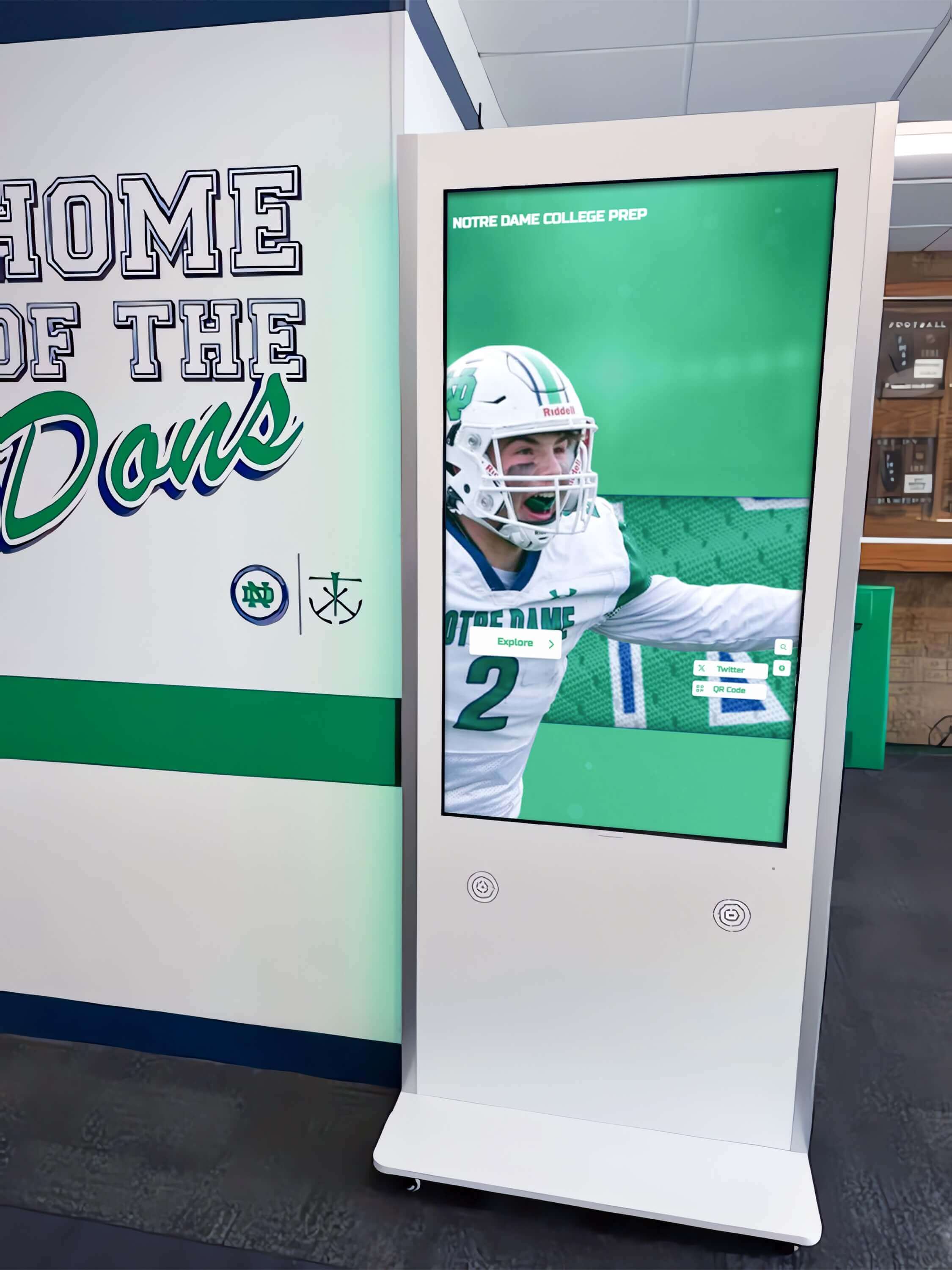
Hallway installations provide convenient information access throughout community buildings and wings
Community Directories: Essential Information Access
Practical directory functionality serves daily resident needs while demonstrating organizational competence and accessibility.
Resident Directory and Contact Information
Searchable resident directories help community members connect with each other while assisting staff and families.
Directory Features
Comprehensive directories include resident names with photos, apartment or room numbers, phone numbers or extensions, email addresses when desired, committee or activity involvement, interests and hobbies for connection, and arrival dates showing tenure.
Privacy and Opt-In Approaches
Resident consent remains essential for directory inclusion. Best practices include opt-in photo and contact information, choice about information detail levels, easy update processes, family access controls when appropriate, and clear privacy policies.
Staff Directory and Department Contacts
Helping residents quickly identify and contact appropriate staff improves communication while reducing frustration.
Staff Directory Content
Useful staff directories feature leadership team profiles with responsibilities, department contacts with phone extensions, activity staff and program coordinators, maintenance and housekeeping contacts, dining services and food service managers, health services and wellness staff, and emergency contact information.
Visual Staff Recognition
Photos alongside staff names help residents with memory challenges identify team members while building personal connection and accountability that strengthens care relationships.
Service and Amenity Information
Directory functionality extends beyond people to include facility information residents regularly need.
Amenity and Service Directories
Practical information includes activity schedules and locations, dining times and reservation procedures, transportation schedules and sign-up processes, fitness center hours and equipment, library hours and new acquisitions, beauty salon and barber scheduling, computer lab access and assistance, mail room hours and package notifications, and visitor accommodation information.
Emergency Procedures and Important Numbers
Easily accessible emergency information provides peace of mind while supporting safety protocols.
Emergency Information Features
Critical safety content includes emergency phone numbers prominently displayed, evacuation procedures and routes, severe weather protocols, medical emergency procedures, after-hours contact numbers, family notification procedures, and safety drill schedules.
Clear, accessible emergency information demonstrates safety preparedness that reassures residents and families while supporting regulatory compliance.
Similar directory approaches benefit various community types, as shown by campus wayfinding systems serving educational institutions.
Award Categories and Recognition Programs
Structured award programs create anticipation and motivation while ensuring systematic recognition across diverse contribution types.
Monthly and Annual Award Programs
Regular award cycles create ongoing recognition opportunities rather than one-time acknowledgments.
Monthly Recognition Awards
Consider monthly categories including outstanding volunteer of the month, activity participation leader, newcomer who integrated quickly, kindness and compassion recognition, creative contribution awards, fitness achievement recognition, and committee member spotlight.
Annual Signature Awards
Year-end recognition can include resident of the year based on contributions, lifetime community achievement for long-term residents, most improved wellness or fitness, outstanding committee leadership, volunteer service cumulative hours, creative achievement in arts or writing, and social connection builder awards.
Activity-Specific Recognition
Celebrating participation in specific programs encourages continued engagement while recognizing diverse interests.
Fitness and Wellness Awards
Fitness achievement recognition includes exercise class attendance milestones, walking club distance achievements, yoga or tai chi dedication, wellness challenge completion, fitness improvement documentation, and group fitness participation.
Arts and Creative Achievement
Creative recognition can honor art show participants and award winners, craft fair vendors and creators, writing group publication contributors, music or choir performance participants, theater production cast and crew, and photography exhibition artists.
Game and Competition Recognition
Social activity awards celebrate card game tournament winners, bingo jackpot achievements, trivia competition champions, board game club participants, chess or checkers tournament results, and billiards league standings.
Service and Leadership Recognition
Recognizing residents who strengthen community through service and leadership reinforces these valuable contributions.
Committee Leadership Awards
Honor committee chairs and board members, residents who mentor newcomers, those who organize informal gatherings, residents advocating for improvements, and volunteers handling recurring tasks.
Community Builder Recognition
Celebrate residents who welcome newcomers warmly, those who include isolated residents, individuals who mediate conflicts, residents who maintain community standards, and those who preserve community history.
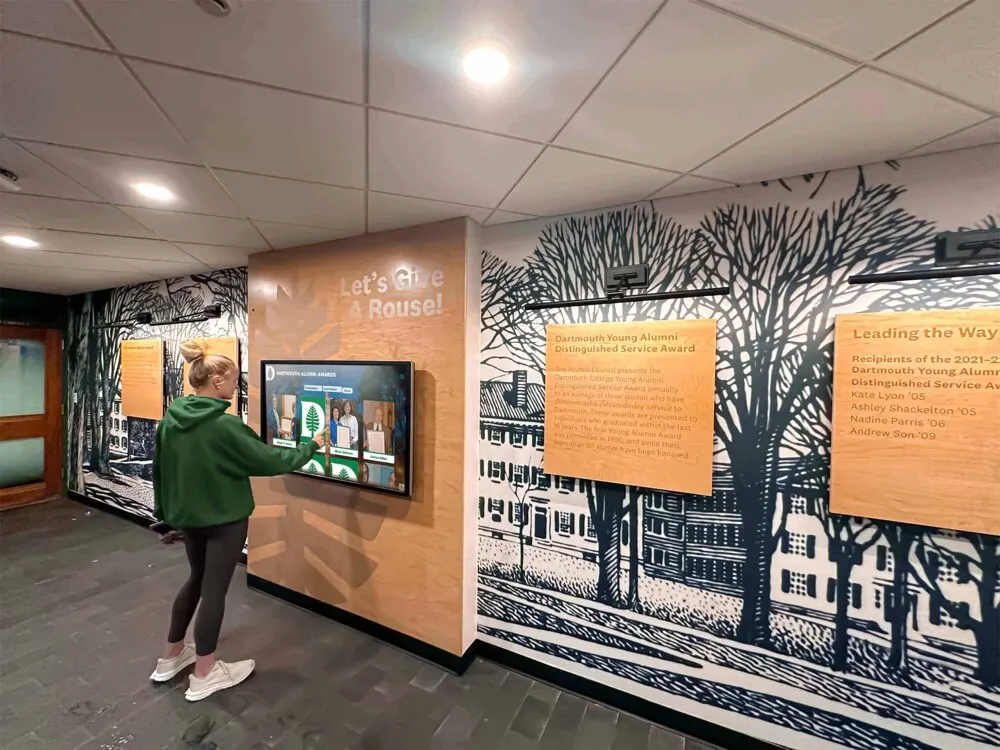
Integrated touchscreen systems blend seamlessly with community design while providing practical functionality
Technical Implementation for Senior Living Communities
Successful touchscreen award systems require appropriate technology, thoughtful placement, accessible design, and sustainable management processes.
Hardware Selection for Senior Populations
Technology choices must accommodate age-related physical and cognitive changes while providing reliable performance.
Display Size and Resolution
Senior living installations benefit from larger displays (32-55 inches minimum) accommodating viewing from greater distances, higher resolution ensuring text clarity, anti-glare screens for varied lighting, and commercial-grade displays rated for continuous operation.
Touchscreen Technology and Accessibility
Touch interfaces should provide responsive touch detection with minimal pressure, large touch targets (minimum 1-inch squares), high-contrast visual design, intuitive gestures avoiding complexity, and option for touch-free interaction when needed.
Mounting Height and Physical Access
ADA-compliant mounting ensures accessibility through appropriate height for seated wheelchair users, reach zones within accessibility standards, stable, secure mounting, comfortable viewing angles, and adequate clearance for mobility devices.
Software and Content Management
Cloud-based platforms enable efficient administration while providing features specific to senior living environments.
Essential Platform Capabilities
Effective systems provide intuitive administrative interfaces requiring minimal technical expertise, templated content creation for common recognition types, scheduled content automation, emergency alert override capabilities, multilingual interface options when needed, and mobile accessibility for remote updates.
Solutions like Rocket Alumni Solutions provide comprehensive touchscreen platforms designed for community recognition applications with proven implementation processes and ongoing support tailored to senior living contexts.
Content Organization Strategies
Logical information architecture helps residents find content easily through clear navigation categories, intuitive search functionality, featured content rotation, accessibility-focused design, and consistent layout patterns.
Placement Strategy Throughout Communities
Strategic display location ensures maximum resident exposure while serving practical information needs.
Priority Installation Locations
High-value placements include main lobby and reception areas, dining room entrances and gathering spaces, activity room common areas, mail room and resident gathering points, elevator banks serving multiple floors, and hallway intersections in residential wings.
Multi-Building Campus Considerations
Continuing care communities benefit from coordinated displays including independent living common areas, assisted living reception and gathering spaces, memory care units with specialized content, skilled nursing facility locations, wellness centers and fitness facilities, and administrative building lobbies.
Accessibility and Universal Design
Senior-focused design ensures usability across varied abilities and technical comfort levels.
Visual Accessibility Features
Essential visual accommodations include large, clear text (minimum 24pt), high-contrast color combinations, sans-serif fonts for readability, generous white space, minimal animation avoiding distraction, and optional text size adjustment.
Interaction Accessibility
Accommodating diverse abilities requires large, well-spaced touch targets, simple single-tap interactions, optional voice guidance, patient interface timing avoiding timeout, clear visual feedback for actions, and staff assistance availability.
Cognitive Accessibility
Supporting varied cognitive abilities includes simple, consistent navigation patterns, clear visual hierarchy, familiar iconography and symbols, brief text using plain language, optional audio content, and forgiving error recovery.
The accessibility principles supporting senior-friendly design apply across contexts, as demonstrated by digital signage content strategies serving diverse populations.
Content Management and Sustainability
Technology implementation represents only the first step. Long-term success requires sustainable content processes and staff workflows.
Establishing Content Workflows
Clear processes prevent content management from becoming overwhelming burden on already-busy staff.
Content Responsibility Assignment
Distribute content duties across appropriate staff including activity directors managing event and program content, resident life coordinators handling recognition and awards, marketing staff maintaining welcome and tour content, administration managing directories and policies, and designated content manager coordinating overall system.
Content Update Schedules
Systematic timing maintains freshness including daily updates for schedules and menus, weekly updates for upcoming events and featured residents, monthly updates for birthday recognition and committee rosters, quarterly updates for seasonal content and major programs, and annual updates for historical archives and directories.
Quality Assurance Processes
Preventing errors requires proof review before publishing, photo and content permission documentation, regular link checking for web content, periodic content audits removing outdated material, and resident feedback collection.
Resident and Family Involvement
Engaging residents in content creation builds ownership while reducing staff burden.
Resident Content Contributors
Consider resident roles including photography volunteers documenting events, writers contributing articles and profiles, committee members providing meeting summaries, historians maintaining community archives, and technology volunteers assisting with updates.
Family Content Submission
Families can contribute memorial tributes for departed residents, biographical information for spotlights, photos from family visits and celebrations, and testimonials about community experiences.
Training and Change Management
Staff adoption determines long-term success or failure of touchscreen implementations.
Staff Training Programs
Comprehensive preparation includes initial training on system operation and content management (2-3 hours), refresher training sessions quarterly, written procedures and quick-reference guides, vendor technical support access, and cross-training ensuring continuity during absences.
Resident Education
Helping residents use systems effectively requires informal orientation during tours and move-in, activity sessions teaching system use, volunteer ambassadors assisting others, clear on-screen instructions, and staff encouragement to explore.
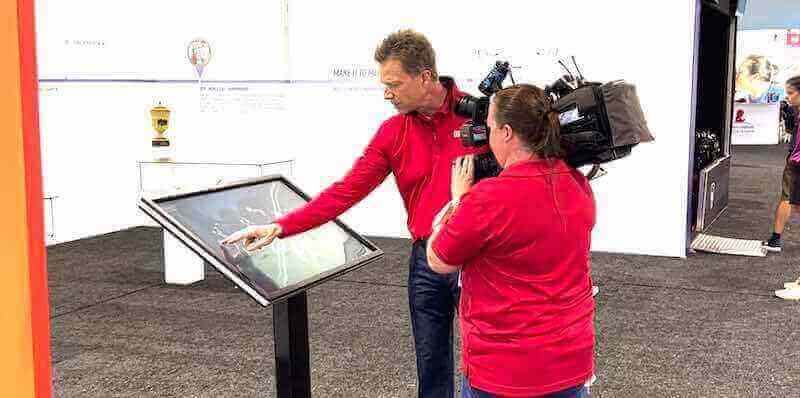
Professional implementation and training ensure communities maximize touchscreen system benefits
Cost Considerations and Return on Investment
Understanding financial requirements and expected returns helps senior living communities make informed technology investment decisions.
Implementation Budget Components
Comprehensive cost planning includes multiple categories beyond initial hardware purchase.
Hardware and Installation Costs
Initial investment includes commercial-grade touchscreen displays ($2,000-$6,000 per display depending on size), mounting hardware and installation ($500-$1,500 per location), media players or computers ($500-$1,500), network infrastructure upgrades if needed ($1,000-$3,000), and cables and accessories ($200-$500).
Software and Platform Expenses
Technology costs include content management platform setup ($1,000-$3,000), design and customization services ($1,500-$4,000), initial content creation and migration ($2,000-$5,000), training and onboarding ($500-$1,500), and ongoing subscription fees ($50-$200 monthly per display).
Total Investment Range
Most senior living communities invest $8,000-$20,000 for single comprehensive display installations, with costs decreasing per unit for multiple installations sharing infrastructure and platform subscriptions.
Operational Cost Sustainability
Annual expenses ensure continued effectiveness while remaining manageable within typical operational budgets.
Ongoing Platform and Support Costs
Annual operational expenses include software subscription fees ($600-$2,400 annually), technical support and warranty extensions ($300-$800 annually), content updates and enhancements (3-5 staff hours weekly), photography and media production (1-2 hours weekly), and periodic hardware maintenance (minimal with commercial-grade equipment).
Cost Comparison to Traditional Approaches
Digital systems compare favorably to traditional recognition including bulletin board printing and materials ($500-$1,000 annually), staff time for manual updates (5-10 hours weekly), newsletter printing and distribution ($2,000-$5,000 annually), limited capacity requiring selective recognition, and frequent replacement of deteriorating materials.
Value and Return Measurement
Touchscreen awards deliver quantifiable benefits justifying investment.
Marketing and Occupancy Impact
Technology investment supports revenue through enhanced facility tour experiences influencing decisions, competitive differentiation in crowded markets, positive online reviews mentioning amenities, improved family satisfaction supporting retention, and visual evidence of vibrant community life.
Operational Efficiency Benefits
Staff efficiency improves through reduced time on manual communication tasks (5-8 hours weekly), decreased printing and material costs, streamlined resident information distribution, improved internal communication, and consolidated information management.
Resident Satisfaction Outcomes
Enhanced resident experience provides intangible but valuable returns including improved satisfaction survey scores, increased activity participation rates, stronger community identity and pride, reduced isolation and social connection, and perceived value supporting pricing.
According to senior living operators, communities implementing comprehensive digital recognition typically achieve effective return on investment within 2-3 years through combined occupancy support, operational efficiency, and satisfaction improvements.
Similar ROI considerations apply across various recognition applications, as explored in donor recognition system implementations serving nonprofit organizations.
Conclusion: Building Vibrant Senior Communities Through Recognition
Senior living touchscreen award systems represent strategic investments in resident engagement, community culture, and competitive positioning within increasingly sophisticated senior care markets. When facilities thoughtfully implement digital recognition—celebrating resident committees and governance, honoring neighbor achievements and contributions, maintaining accessible directories and information, memorializing departed community members appropriately, and recognizing diverse participation across all community aspects—they create environments where residents feel genuinely valued as whole people rather than care recipients defined solely by age or needs.
The strategies explored in this guide provide comprehensive frameworks for touchscreen award implementation serving multiple facility objectives including resident engagement and quality of life enhancement, family satisfaction and transparent communication, staff efficiency and streamlined administration, competitive differentiation and marketing support, and sustainable community recognition honoring all contributions.
Transform Your Senior Living Community Recognition
Discover how touchscreen award systems can help you celebrate residents, build community culture, and create vibrant environments that honor every contribution. Modern digital recognition platforms like Rocket Alumni Solutions provide proven technology designed specifically for senior living applications with intuitive interfaces, comprehensive management, and ongoing support ensuring long-term success.
Explore Recognition SolutionsSuccessful implementation requires systematic planning addressing technology selection appropriate for senior populations, strategic placement throughout community facilities, accessible design accommodating varied abilities, thoughtful content strategy celebrating diverse contributions, sustainable management processes ensuring long-term effectiveness, and staff training supporting adoption and ongoing administration.
Senior living communities implementing touchscreen awards position themselves as progressive organizations understanding that recognition extends far beyond care delivery to encompass the relationships, contributions, and community identity that transform facilities into true homes. When residents see their committee service celebrated, their neighbor achievements recognized, their departed friends memorialized respectfully, and their community contributions valued publicly, they develop stronger attachment to communities and greater satisfaction with their choices.
For families evaluating senior living options, visible recognition systems signal resident-centered cultures prioritizing engagement, transparency, and person-focused care philosophies. Communities offering convenient, accessible information alongside systematic recognition demonstrate operational excellence and genuine commitment to resident quality of life beyond marketing promises.
Your residents have rich lives, ongoing contributions, and continued growth regardless of age. They deserve recognition systems reflecting this reality rather than outdated approaches treating older adults as passive recipients of institutional services. With appropriate technology, thoughtful implementation, and sustained commitment, you can create touchscreen award programs that honor every resident, celebrate every contribution, and build the vibrant community culture that defines excellent senior living.
Whether you operate small assisted living homes, large retirement campuses, continuing care communities, or specialized memory care facilities, touchscreen recognition technology offers accessible solutions delivering meaningful benefits for residents, families, and staff. The conversation about senior living technology has evolved from “Should we invest in recognition systems?” to “How quickly can we implement solutions that our residents, families, and communities deserve?”































