
Intent: Decide which touch screen kiosk software platform best executes your donor recognition messaging while enabling advancement teams to manage content independently.
Touch screen kiosk software represents the technology layer that transforms donor recognition messaging into engaging interactive experiences. While development teams focus on stewardship copy, naming rights frameworks, and gift acknowledgment protocols, the software platform determines whether these carefully crafted messages reach donors through dynamic displays or remain trapped in static formats that fail to inspire continued giving.
Selecting appropriate kiosk software for donor recognition displays differs fundamentally from choosing solutions for retail transactions, wayfinding, or information kiosks. Donor recognition applications prioritize storytelling over transactions, relationship stewardship over quick interactions, and content flexibility enabling advancement teams to refresh recognition messaging as campaigns progress—all while maintaining the dignity and permanence donors expect from recognition experiences.
This guide examines touch screen kiosk software through the lens of donor recognition and stewardship objectives, helping foundations, development offices, and advancement teams select platforms that execute recognition messaging effectively while remaining manageable by non-technical staff who understand donor relationships far better than programming languages.
Advancement professionals tasked with honoring donors face a fundamental choice: Will your touch screen kiosk software empower your team to communicate donor impact stories compellingly, or will technical limitations constrain recognition to basic name lists that fail to inspire prospects while disappointing contributors? This decision shapes whether your digital donor wall becomes a strategic stewardship asset or merely decorative technology consuming budget without advancing fundraising goals.

Effective kiosk software enables donors to explore recognition content intuitively without staff assistance
Understanding Touch Screen Kiosk Software for Donor Recognition
Before evaluating specific platforms, clarifying what distinguishes donor recognition kiosk software from general interactive display solutions reveals why specialized approaches often succeed where adapted alternatives struggle.
What Makes Donor Recognition Kiosk Software Different
Relationship-Focused Content Architecture
Unlike transactional kiosks designed for quick interactions and immediate task completion, donor recognition platforms prioritize relationship storytelling through content structures supporting donor profiles with biographical narratives, gift histories tracking multi-year commitments, campaign affiliations connecting contributions to institutional priorities, impact stories demonstrating how gifts create change, and photo galleries preserving memories of donor engagement events.
This content depth enables recognition that honors donor journeys rather than merely acknowledging transactions—a critical distinction for major gift cultivation where recognition messaging influences future giving decisions.
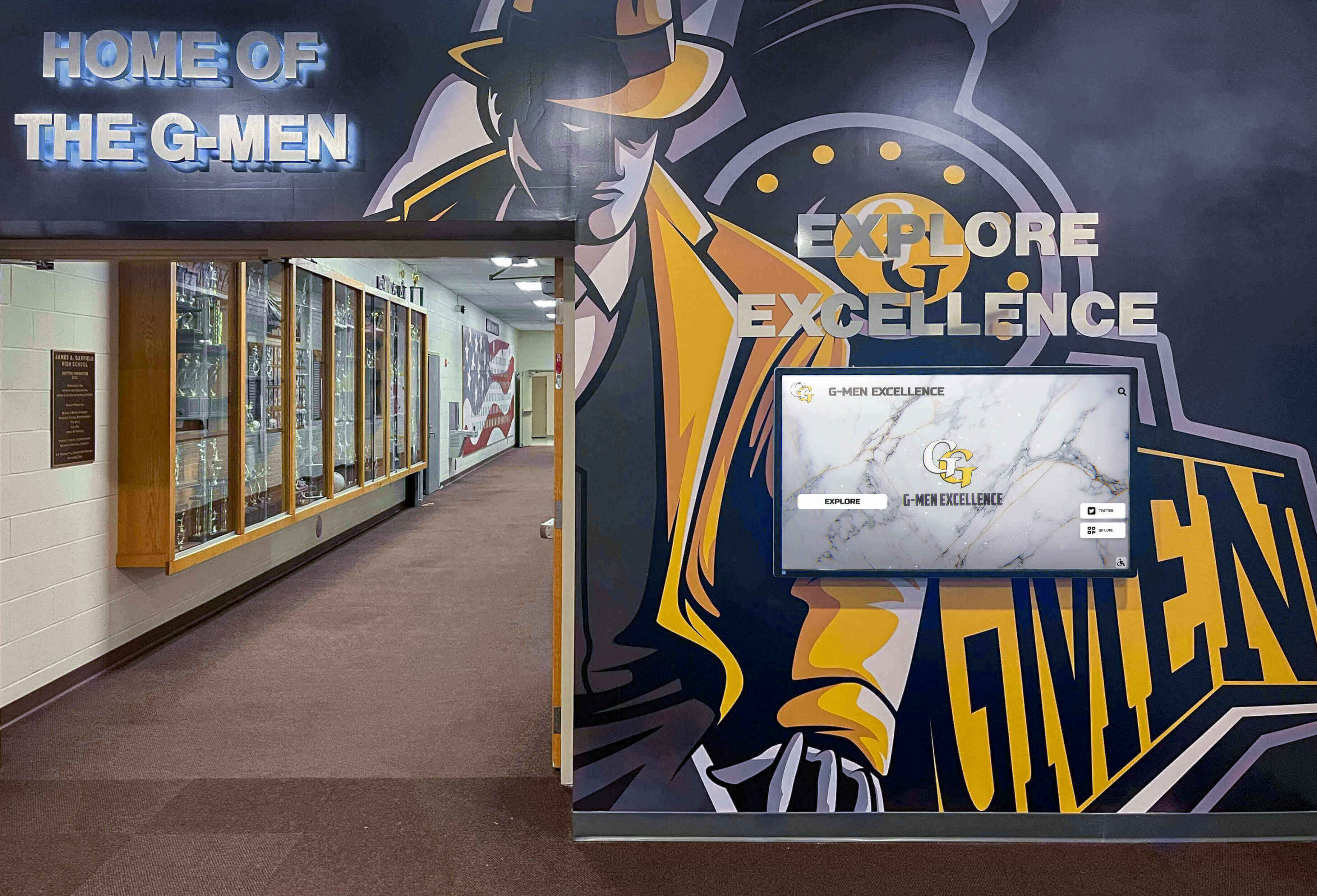
Purpose-built kiosk software supports rich donor storytelling beyond simple name acknowledgment
Organizations implementing donor recognition complete solutions consistently report that platforms designed specifically for recognition applications deliver more appropriate features with less customization than adapted alternatives.
Stewardship-Aligned Administrative Workflows
Touch screen kiosk software for donor recognition must accommodate how advancement teams actually work: frequent updates as campaigns progress and new gifts arrive, collaborative management where multiple staff handle different campaign areas, approval workflows ensuring donor name accuracy before publication, confidentiality controls protecting sensitive donor information, and integration capabilities connecting to fundraising databases and donor management systems.
General kiosk software designed for static content or simple navigation lacks these stewardship-specific workflows, creating friction that either overwhelms advancement staff or results in neglected displays showing increasingly outdated recognition.
Core Components of Kiosk Software Systems
Understanding the technology components comprising complete kiosk software solutions clarifies evaluation criteria and reveals hidden costs in incomplete offerings.
Content Management System (CMS)
The administrative interface where advancement teams create donor profiles, organize recognition by campaign or giving level, upload photos and impact stories, schedule content updates, and configure display presentation represents the system component staff interact with daily. CMS usability determines whether recognition content remains current or becomes outdated.
Comprehensive digital donor wall platforms integrate CMS functionality specifically designed for recognition workflows rather than requiring adaptation of generic content tools.
Display Presentation Layer
The interactive interface donors experience on physical touchscreens includes search functionality enabling visitors to find specific names, filtered browsing by giving level or campaign, profile displays presenting donor stories compellingly, multimedia playback for videos and photo galleries, and attractive mode displays engaging passersby when kiosks sit idle.
Presentation quality affects donor perception of recognition permanence and organizational professionalism—poor interfaces undermine carefully crafted stewardship messaging regardless of content quality.
Kiosk Lockdown and Management
Public interactive displays require security features preventing unauthorized access including kiosk mode preventing users from exiting the recognition application, automatic restart recovering from temporary issues, remote monitoring alerting staff to display problems, scheduled reboots maintaining long-term stability, and content caching ensuring recognition remains accessible during network interruptions.
These operational features separate purpose-built kiosk platforms from general software requiring extensive configuration to function reliably in unattended public environments.
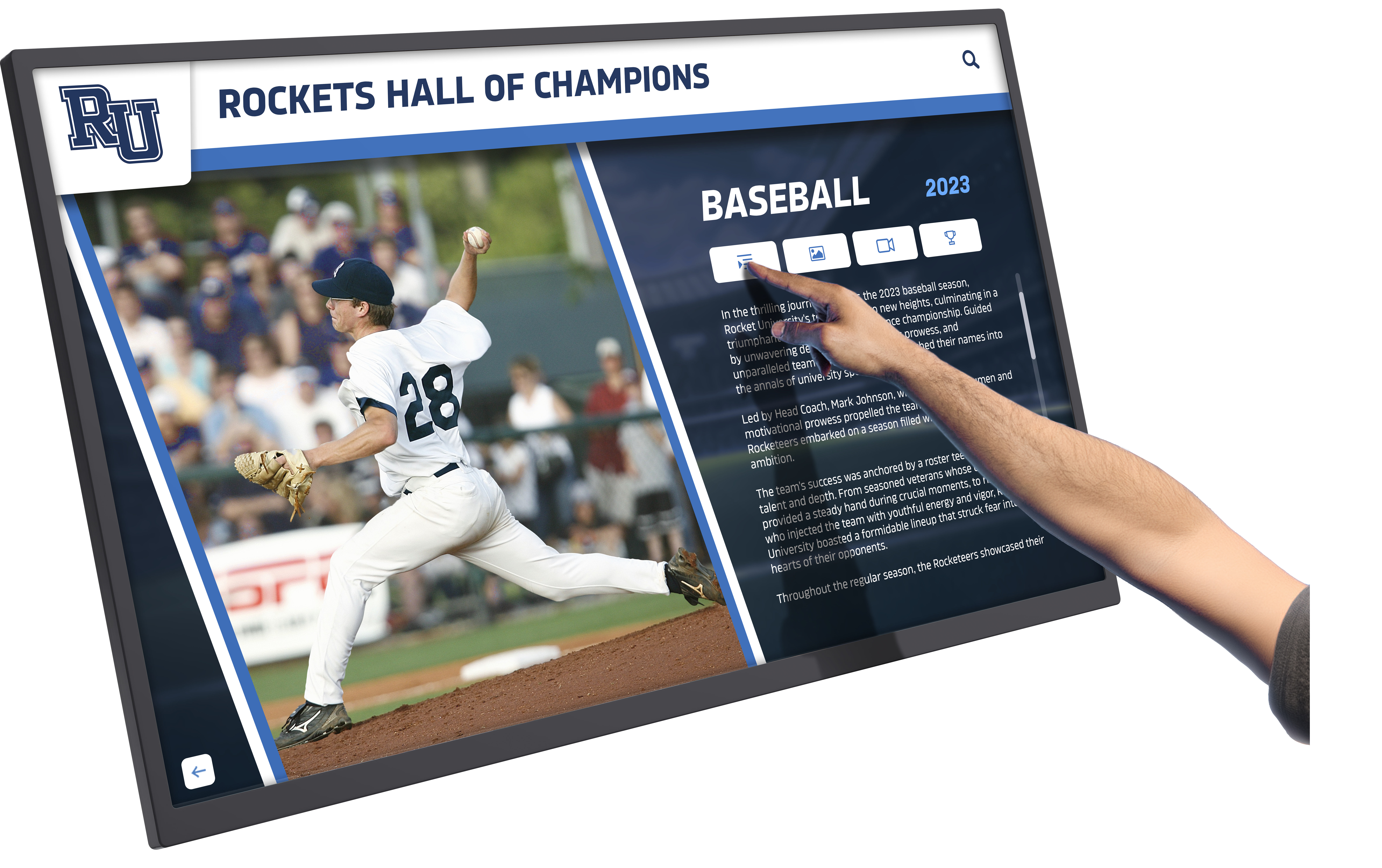
Intuitive touch interfaces enable donors to explore detailed recognition content at their own pace
Hardware Integration and Compatibility
Touch screen kiosk software must work seamlessly with physical hardware including touchscreen displays in various sizes and manufacturers, computing devices from mini PCs to tablets, peripheral devices like printers for donor receipts, and network infrastructure connecting displays to content servers.
Platform hardware compatibility determines whether you can select equipment based on your needs and budget or face vendor lock-in requiring specific proprietary hardware.
Organizations exploring interactive touchscreen software solutions benefit from understanding how software-hardware integration affects both initial costs and long-term flexibility.
Touch Screen Kiosk Software Architecture Options
Different software architecture approaches carry distinct implications for deployment complexity, content management workflows, and long-term operational sustainability.
Cloud-Based Kiosk Platforms
Architecture Overview
Cloud-based touch screen kiosk software hosts all content, processing, and management functions on remote servers accessed via internet connections. Physical displays function as thin clients presenting content managed through web-based administrative dashboards accessible from any internet-connected device.
Advantages for Donor Recognition
Cloud platforms deliver specific benefits for advancement teams including remote content management enabling updates from office computers rather than physical display access, automatic software updates providing new features and security fixes without installation, multi-display synchronization ensuring consistent recognition across campus locations, disaster recovery protecting content through cloud backups, and scalable infrastructure supporting growth from single displays to campus-wide networks.
For development offices managing donor recognition across multiple buildings or campuses, cloud platforms eliminate the coordination burden of updating standalone systems individually.
Network Dependency Considerations
Cloud kiosk software requires reliable internet connectivity at display locations. Most institutional environments provide adequate network infrastructure making connectivity concerns minimal. However, organizations should assess network reliability before committing to cloud-dependent platforms—displays cannot present donor recognition during network outages affecting stewardship perceptions.
Progressive Web App technologies increasingly enable cloud platforms to cache content locally, providing limited offline functionality during temporary network disruptions while maintaining cloud management benefits.
Comprehensive guides to best touchscreen software architectures explore cloud versus local deployment trade-offs in detail.
On-Premise and Standalone Systems
Local Installation Architecture
On-premise kiosk software installs directly on display hardware or local servers, storing all content locally and operating independently of internet connectivity. Content management typically requires physical access to devices or network connections to internal institutional servers.
When Local Systems Make Sense
Standalone touch screen kiosk software proves appropriate when institutional policy prohibits cloud storage of donor information, network connectivity at display locations remains unreliable, organizations require guaranteed offline operation during network disruptions, or data sovereignty concerns require complete control over information storage.
These scenarios occur less frequently as cloud security matures and institutional networks improve, but remain relevant for certain organizations with specific constraints.
Operational Trade-offs
Local systems exchange cloud convenience for deployment complexity including software installation and configuration on each display device, manual update processes requiring coordinated deployment, individual content management per location or central servers requiring IT management, and backup responsibility residing with institutions rather than platform vendors.
Organizations with substantial IT resources may prefer local control despite operational complexity. Smaller advancement teams typically find cloud platforms better match available technical capacity.
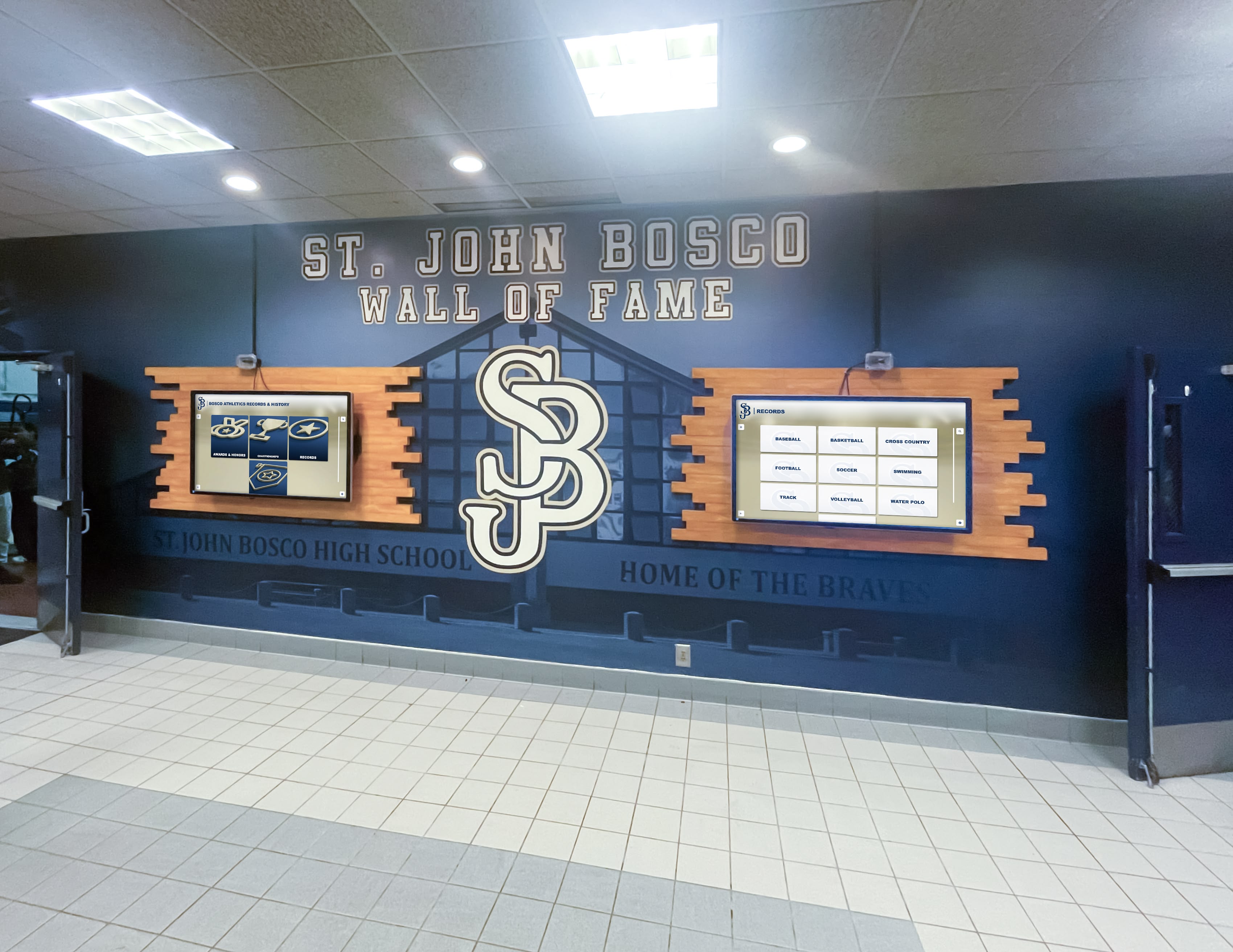
Cloud-based platforms enable centralized management of multiple donor recognition displays across campus
Hybrid Approaches
Combining Cloud and Local Capabilities
Hybrid touch screen kiosk software architectures balance cloud management benefits with local display autonomy through cloud-based content management with local display caching, automatic content synchronization when network connectivity exists, offline presentation capabilities during network interruptions, and remote monitoring with graceful degradation when connections fail.
This approach provides cloud administrative convenience while addressing connectivity concerns through local content buffering ensuring recognition remains accessible regardless of network status.
Organizations implementing digital hall of fame displays often prefer hybrid architectures that combine management simplicity with operational reliability.
Essential Features in Donor Recognition Kiosk Software
Effective touch screen kiosk software for donor recognition requires specific capabilities addressing how advancement teams manage content and how donors experience recognition.
Content Management Capabilities
Donor Profile Management
Purpose-built recognition platforms provide structured donor profile systems including biographical information fields capturing donor stories, gift history tracking supporting multi-year recognition, photo management supporting individual and group images, video integration enabling donor testimonials and impact stories, campaign associations linking gifts to institutional priorities, and customizable recognition levels organizing donors by giving tiers.
These structured approaches enable rich donor storytelling far beyond basic name lists that fail to communicate impact or inspire continued giving.
Bulk Operations and Efficiency Tools
As donor databases grow, administrative efficiency becomes critical. Touch screen kiosk software should support batch imports from fundraising databases, template-based profile creation maintaining consistency, duplicate detection preventing recognition errors, bulk editing for campaign-wide updates, and mass operations for year-end recognition additions.
Without efficient bulk tools, maintaining hundreds or thousands of donor profiles becomes overwhelming for advancement teams with competing priorities.
Content Scheduling and Versioning
Campaign-based recognition requires temporal content management including scheduled publication dates for campaign announcements, temporary content for capital campaigns with defined completion, version control preserving content history, approval workflows preventing premature publication, and draft preview capabilities enabling stakeholder review before public display.
These workflow features ensure recognition messaging launches strategically rather than prematurely or retroactively.
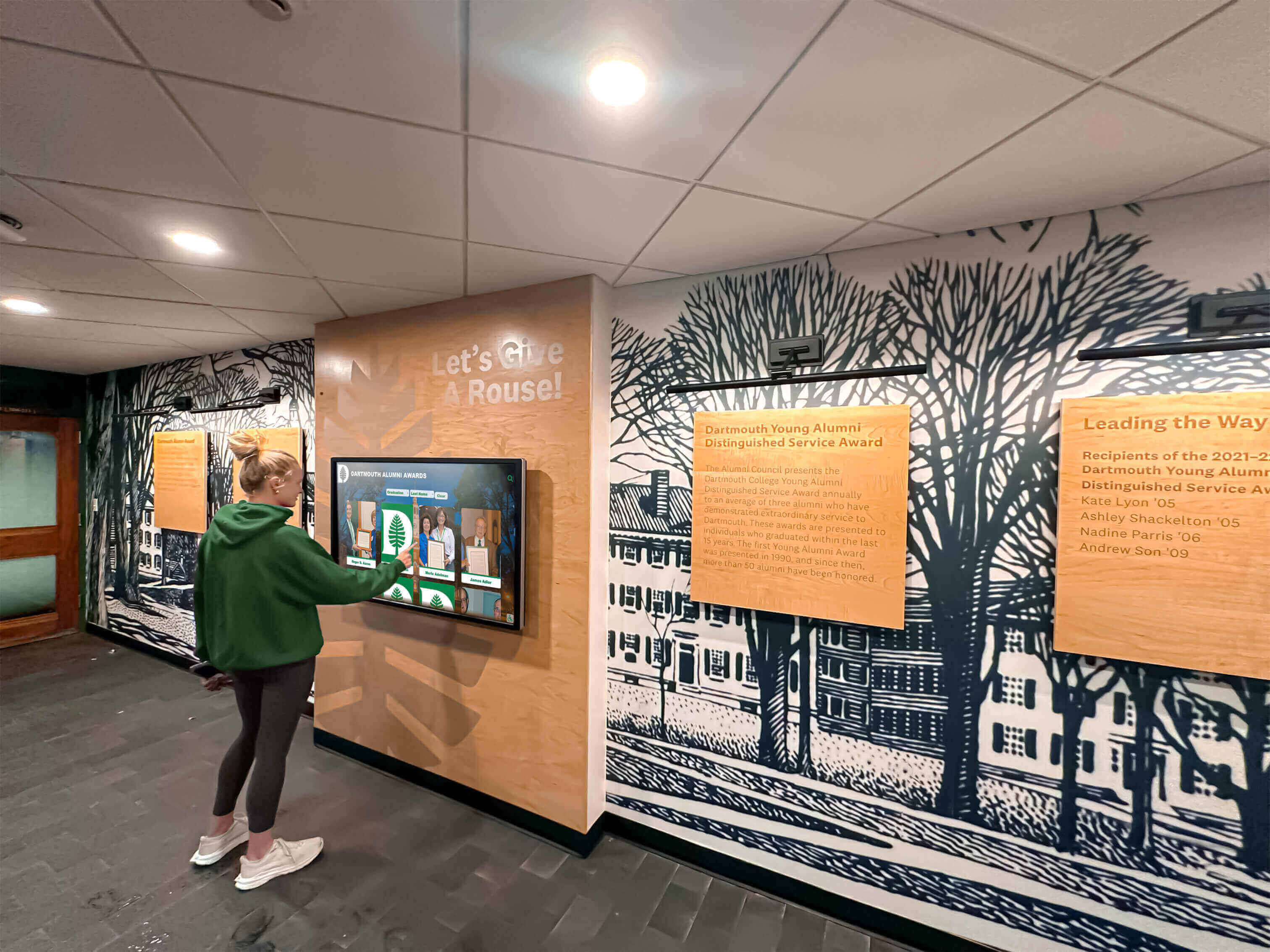
Intuitive content management enables frequent updates keeping recognition displays current and engaging
Organizations managing capital campaign donor recognition particularly benefit from scheduling capabilities aligning display recognition with public campaign phases.
Interactive User Experience Features
Search and Discovery Functions
Donors and visitors exploring recognition displays need intuitive finding mechanisms including full-text search across donor names and content, filtered browsing by giving level or campaign, alphabetical indexes for quick name location, year-based filtering for historical recognition, and category navigation organizing donors by affiliation.
Search quality significantly affects user satisfaction—donors unable to locate their recognition may question whether their gifts were properly acknowledged, undermining stewardship objectives.

Robust search capabilities enable donors to quickly locate their recognition among thousands of profiles
Multimedia Presentation Capabilities
Modern donor recognition extends beyond text and static photos through video playback for impact stories and donor testimonials, photo galleries documenting donor engagement events, audio integration for donor voice recordings, document display for gift announcements and campaign materials, and dynamic content rotations keeping displays visually engaging.
Rich multimedia transforms recognition from digital plaques into compelling storytelling experiences that emotionally connect visitors to institutional missions and inspire their own giving.
Accessibility and Inclusive Design
Touch screen kiosk software must serve diverse audiences including adjustable text sizing for vision-impaired visitors, high-contrast display modes supporting various visual needs, screen reader compatibility for blind visitors, touch target sizing appropriate for motor control challenges, and multilingual support serving international donor communities.
Accessibility represents both ethical obligation and practical necessity—recognition displays failing to serve all donors undermine inclusive stewardship values while potentially excluding major donor populations.
Comprehensive touchscreen software guides examine accessibility features enabling inclusive donor recognition experiences.
Administrative and Security Features
User Management and Permissions
Multiple advancement team members typically manage recognition content across different campaigns and constituencies. Touch screen kiosk software should provide role-based access control limiting permissions appropriately, departmental content ownership for distributed management, audit logging tracking content changes, secure authentication protecting donor information, and session management ensuring authorized-only access.
These administrative controls prevent unauthorized changes while enabling collaborative content management matching organizational structures.
Data Security and Privacy Protection
Donor information requires stringent protection through encrypted data transmission between displays and servers, secure storage protecting information at rest, privacy controls preventing unauthorized data access, compliance frameworks meeting fundraising data regulations, and disaster recovery ensuring content protection and recoverability.
Development offices face significant reputational and legal risks from donor data breaches—kiosk software security represents critical due diligence rather than optional enhancement.
Integration Capabilities
Touch screen kiosk software rarely operates in isolation. Integration features connect recognition displays to broader institutional systems including fundraising database connections for automated content updates, donor management system integration eliminating duplicate data entry, payment processing for touchscreen giving opportunities, CRM integration supporting holistic relationship management, and web platform connections extending recognition beyond physical displays.
API availability enables custom integrations addressing unique institutional workflows and systems.
Organizations implementing church digital donor boards often require integration with faith community management platforms managing both attendance and giving.
Selecting Touch Screen Kiosk Software: Evaluation Framework
Systematic evaluation ensures platform selection aligns with stewardship objectives, technical capabilities, and budgetary constraints rather than responding primarily to vendor sales presentations.
Defining Your Recognition Requirements
Content Scope and Volume
Clarify what you need to recognize including current donor numbers and projected growth, historical donor inclusion spanning decades, campaign diversity requiring distinct recognition approaches, constituency variety from individual supporters to corporate sponsors, and multimedia requirements for video, photos, and documents.
Content volume affects platform selection—systems adequate for hundreds of current donors may struggle with decades of historical recognition spanning thousands of individuals.
When to Use Touch Screen Kiosk Software for Donor Recognition
Before evaluating platforms, confirm interactive kiosk displays appropriately serve your stewardship strategy rather than representing technology for its own sake.
Ideal Donor Recognition Scenarios
Touch screen kiosk software delivers maximum value when capital campaign stewardship requires prominent donor celebration, physical donor walls reach capacity necessitating digital alternatives, donor databases exceed what static displays accommodate, stewardship messaging requires regular updates reflecting campaign progress, storytelling capabilities enhance recognition beyond name lists, or multi-location recognition coordinates acknowledgment across campus.
These scenarios align recognition technology with stewardship goals rather than deploying interactive displays without strategic purpose.
Alternative Approaches When Appropriate
Some situations warrant simpler recognition approaches including modest donor counts fitting traditional wall displays, stable recognition requiring minimal ongoing updates, severely limited budgets preventing adequate platform investment, unreliable network infrastructure undermining cloud platforms, or organizational cultures strongly preferring traditional recognition formats.
Honest assessment prevents overcomplicating stewardship with unnecessary technology when traditional approaches serve objectives adequately.
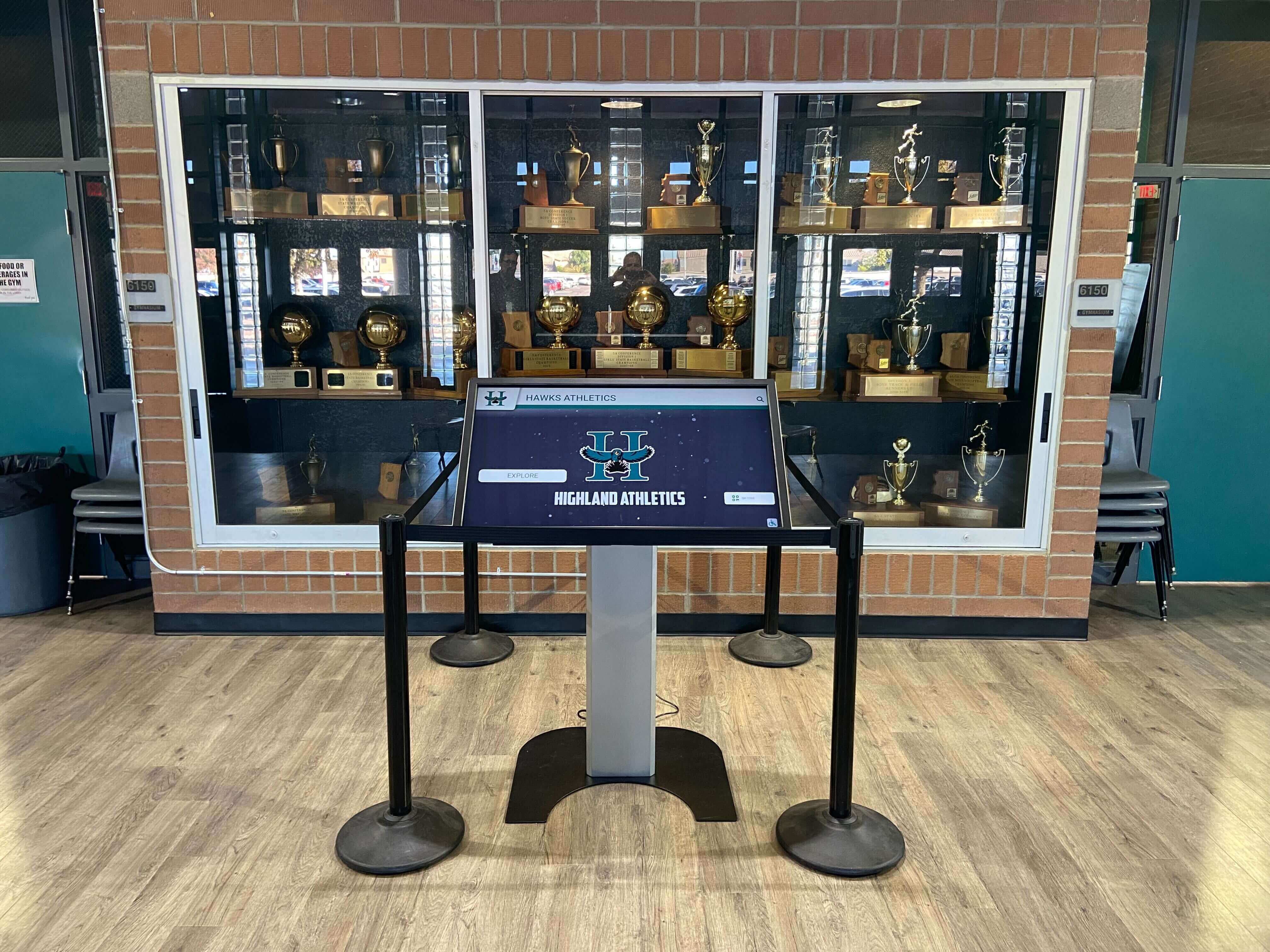
Touch screen kiosks often complement rather than replace traditional recognition elements
Technical and Operational Assessment
Internal Capability Evaluation
Honestly assess your team’s technical capacity including comfort with software administration, available time for content management, IT support availability for troubleshooting, budget for ongoing subscriptions or maintenance, and vendor support expectations for training and assistance.
Platform sophistication must match team capabilities—complex systems offering extensive features prove useless when staff cannot operate them effectively.
Infrastructure and Environment Analysis
Evaluate physical and technical deployment environments including network connectivity reliability at display locations, electrical infrastructure supporting 24/7 operation, physical security preventing hardware theft or vandalism, environmental conditions affecting display longevity, and space constraints influencing kiosk sizing and placement.
Infrastructure limitations discovered after platform selection create expensive modifications or compromised installations undermining recognition effectiveness.
Vendor Evaluation Criteria
Platform Capability Assessment
Evaluate how touch screen kiosk software addresses your requirements including content management workflows matching advancement team processes, donor profile structures supporting stewardship storytelling needs, search and navigation enabling donor self-service, multimedia capabilities presenting compelling impact stories, security measures protecting donor information appropriately, and integration options connecting to fundraising systems.
Request demonstrations using your actual content and workflow scenarios rather than sanitized vendor examples showcasing platforms under ideal conditions.
Vendor Partnership Considerations
Beyond software features, assess vendor characteristics including recognition industry experience demonstrating donor stewardship understanding, customer reference quality from similar organizations, implementation support quality for successful deployment, ongoing technical support responsiveness, training resources helping staff become self-sufficient, and financial stability suggesting long-term viability.
Platform changes remain disruptive and expensive—selecting vendors with demonstrated longevity reduces risks of forced migrations when vendors fail or abandon products.
Total Cost of Ownership Analysis
Develop comprehensive financial models including initial costs for software licensing or subscription, hardware acquisition for displays and computing, installation and configuration services, initial content development, and staff training, plus ongoing costs including annual subscriptions or maintenance fees, content management time allocation, technical support if needed, hardware replacement over time, and platform migration risks.
Focus on 5-7 year total ownership costs rather than initial purchase prices that mask long-term expense patterns.
Organizations exploring comprehensive donor recognition ideas benefit from understanding how software platform choices affect recognition flexibility and sustainability.
Touch Screen Kiosk Software Implementation Best Practices
Selecting appropriate platforms represents only the beginning—successful implementation requires systematic planning addressing content development, staff readiness, and stakeholder communication.
Content Development Strategy
Donor Messaging Framework
Before populating kiosk software, establish consistent recognition messaging including donor acknowledgment language reflecting institutional voice, gift level descriptors communicating recognition tiers, impact storytelling approaches connecting gifts to outcomes, biographical content standards balancing personal and formal tone, and photo guidelines ensuring visual consistency.
This messaging framework informs content creation while ensuring recognition maintains appropriate dignity and consistency regardless of which advancement team members manage updates.
Historical Content Migration
Most donor recognition implementations include historical donor acknowledgment spanning years or decades. Plan systematic migration including identifying existing donor records in fundraising databases, assessing content completeness and quality, digitizing physical donor recognition materials, conducting donor research filling information gaps, and loading content into kiosk software platforms.
Historical migration often exceeds estimated effort—consider phased approaches launching with current campaign recognition while systematically adding historical content over time rather than delaying launches until comprehensive historical databases complete.
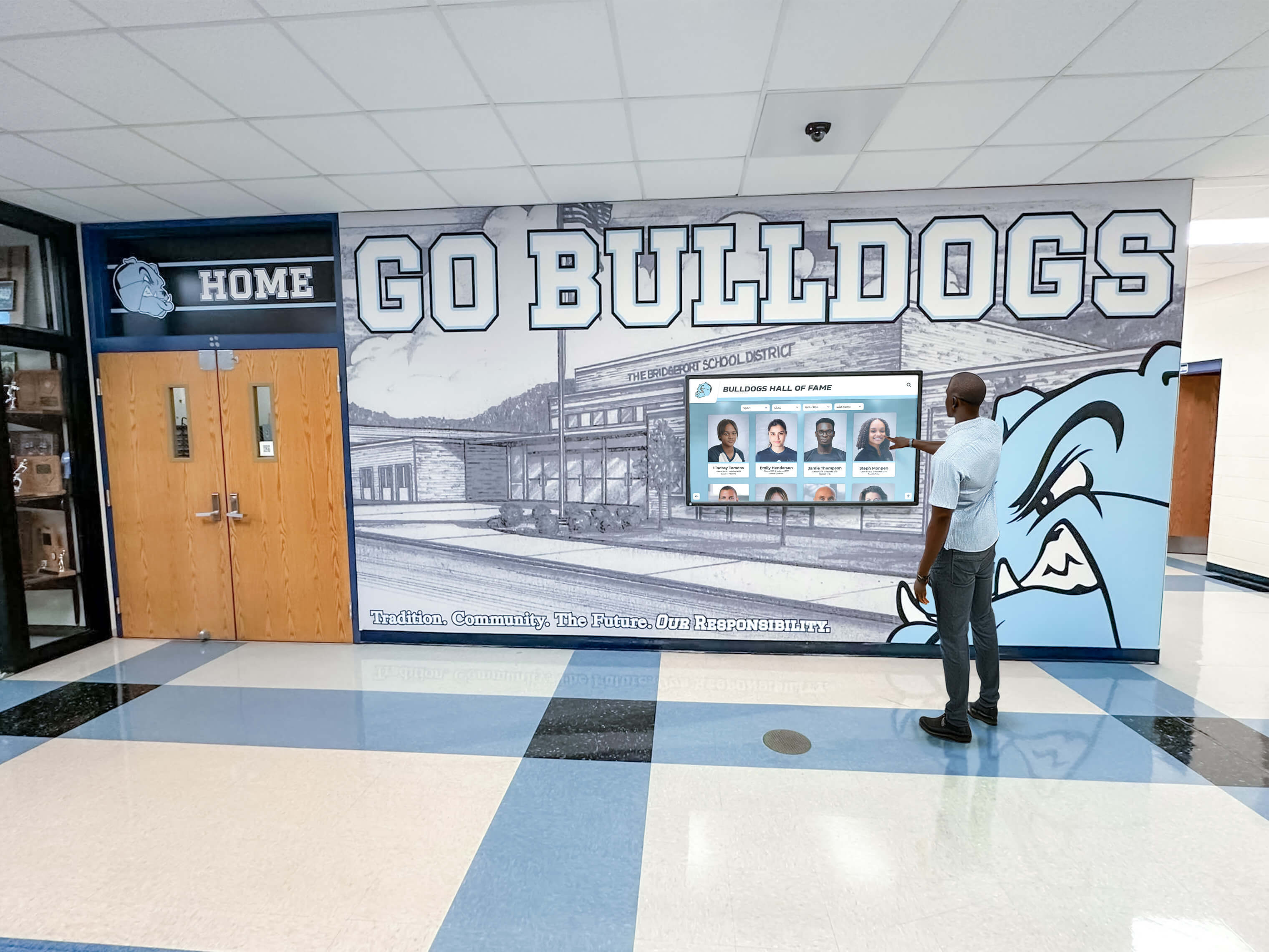
Well-planned content migration enables recognition spanning current campaigns and institutional history
Ongoing Content Workflow
Establish sustainable processes for maintaining current recognition including gift processing triggers initiating recognition profile creation, content creation responsibilities assigned to specific team members, approval workflows ensuring accuracy before publication, update schedules maintaining recognition currency, and quality control reviews preventing errors from reaching public displays.
Without defined workflows, recognition content management becomes haphazard with inconsistent updating creating donor frustration.
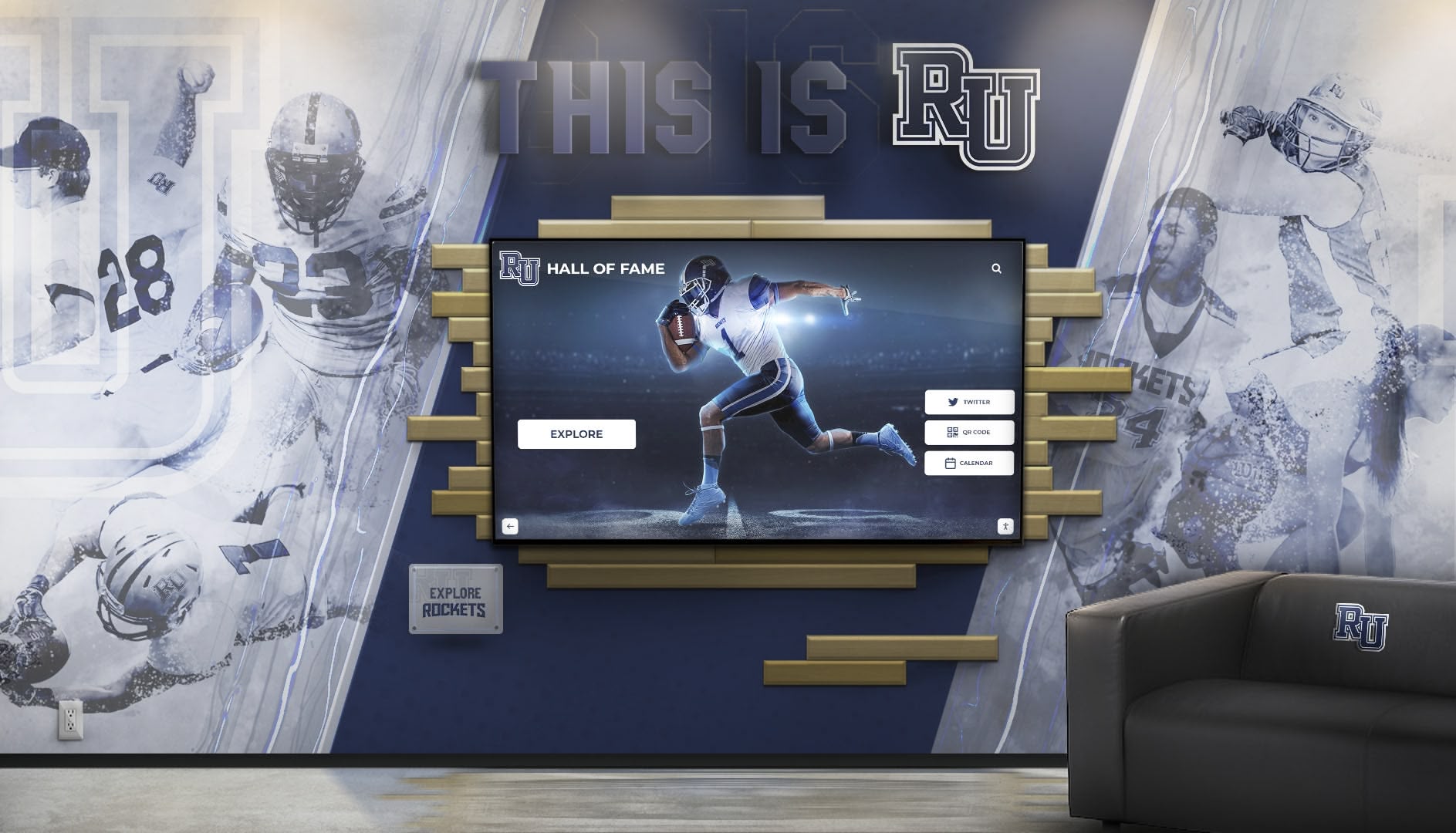
Professional kiosk software integrates seamlessly with institutional branding and physical environments
Organizations managing donor recognition walls benefit from systematic content workflows preventing recognition displays from becoming outdated installations.
Staff Training and Change Management
Technical Proficiency Development
Advancement teams need comprehensive training on touch screen kiosk software administration including content management system navigation, donor profile creation and editing, photo and multimedia management, search and preview functionality, troubleshooting common issues, and help resource locations for self-service problem solving.
Conduct hands-on training sessions rather than passive demonstrations—staff learn software most effectively through actual content management practice under guidance.
Ongoing Support Resources
Beyond initial training, provide continuous learning resources including quick reference guides for common tasks, video tutorials demonstrating specific functions, help desk contacts for technical assistance, regular refresher sessions reinforcing capabilities, and peer support networks connecting users across departments.
Staff confidence with kiosk software determines whether recognition content receives regular updates maintaining currency or stagnates as intimidated users avoid systems they find confusing.
Launch and Stewardship Communication
Soft Launch Testing
Before public recognition announcements, conduct limited testing including staff preview sessions gathering internal feedback, donor advisory board previews with key stakeholders, usability testing with representative visitors, technical reliability validation over multiple days, and content accuracy verification preventing embarrassing errors.
Soft launches enable addressing issues before broad visibility while building stakeholder excitement through preview access.
Donor Communication Strategy
Announce digital donor recognition thoughtfully through personalized donor notifications with specific recognition links, campaign updates highlighting new recognition formats, dedication events celebrating recognition installation, donor guides explaining kiosk navigation for self-discovery, and ongoing stewardship communications referencing interactive displays.
Strategic communication positions touch screen kiosk software as recognition enhancement rather than replacement while guiding donors to find their acknowledgment.
Organizations implementing capital campaign recognition should coordinate digital display launches with campaign milestones maximizing stewardship impact.
Advanced Touch Screen Kiosk Software Capabilities
Beyond core recognition features, advanced capabilities enhance donor engagement and stewardship effectiveness for organizations with sophisticated needs.
Dynamic Campaign Progress Visualization
Real-Time Campaign Tracking
Touch screen kiosk software can integrate campaign thermometers showing progress toward goals, donor count displays celebrating participation levels, visual timelines documenting campaign milestones, leadership board recognition highlighting major gift pace setters, and impact counters demonstrating programmatic outcomes.
Dynamic campaign visualization transforms static donor lists into compelling progress narratives that inspire prospect giving by demonstrating campaign momentum and community participation.
Interactive Giving Opportunities
Touchscreen Donation Integration
Advanced platforms integrate giving functionality enabling kiosk-initiated gifts including QR code generation directing to mobile giving pages, pledge form completion for future gift commitments, payment processing for immediate touchscreen giving, recurring gift setup supporting sustained philanthropy, and matching gift information optimizing donor tax benefits.
Interactive giving capabilities transform recognition displays from retrospective acknowledgment into prospective cultivation tools engaging current visitors in institutional advancement.
This functionality requires secure payment processing integration and careful user experience design ensuring giving processes feel appropriate rather than transactional within recognition contexts.

Advanced kiosks integrate donor recognition with seamless giving opportunities
Social Sharing and Digital Extension
Beyond Physical Displays
Touch screen kiosk software increasingly extends recognition digitally through email-to-self features sending profile links to personal devices, social media sharing enabling donors to celebrate recognition publicly, web platform synchronization creating online recognition complements, mobile apps extending recognition beyond physical locations, and QR codes linking physical and digital recognition experiences.
Digital extension amplifies recognition beyond single physical locations while accommodating how donors increasingly expect to share achievements through personal networks.
Organizations implementing digital donor walls benefit from understanding how physical and digital recognition intersect and reinforce stewardship messaging.
Analytics and Stewardship Intelligence
Understanding Recognition Engagement
Sophisticated touch screen kiosk software provides analytics illuminating how donors interact with recognition including visitor traffic patterns by time and location, search behavior revealing what donors seek, content engagement showing most-viewed profiles, session duration indicating content absorption, and demographic insights from voluntary visitor identification.
These analytics inform content strategy, guide physical display placement, and reveal recognition effectiveness beyond assumption—data demonstrating thousands of annual interactions justifies recognition investments while revealing opportunities for enhancement.
Platform Spotlight: Purpose-Built Recognition Solutions
While numerous touch screen kiosk software options exist, platforms designed specifically for donor recognition and institutional stewardship deliver distinct advantages for advancement teams.
Rocket Alumni Solutions: Donor Recognition Platform
Purpose-Built for Advancement Teams
Rocket Alumni Solutions exemplifies comprehensive cloud-based touch screen kiosk software designed exclusively for recognition across donors, alumni, athletes, and community members. The platform architecture reflects deep understanding of advancement workflows and stewardship objectives.
Recognition-Optimized Content Management
The platform provides donor database structures specifically designed for recognition including comprehensive profile templates supporting biographical storytelling, gift history tracking celebrating multi-year commitments, campaign organization enabling recognition by institutional priorities, giving level management coordinating tiered acknowledgment, multimedia libraries preserving donor event memories, and impact story tools connecting gifts to outcomes.
This purpose-built content architecture eliminates the adaptation required when configuring general kiosk software for recognition applications—common workflows exist as designed features rather than customization projects.
Advancement Team Accessibility
Rocket Alumni Solutions prioritizes usability for non-technical advancement professionals through intuitive web-based administration requiring no specialized training, visual profile builders showing recognition appearance during creation, template systems ensuring consistency without constraining personalization, bulk operations managing campaign-scale recognition efficiently, and collaborative workflows supporting distributed content management.
This accessibility enables development officers and foundation staff to manage recognition independently without constant IT assistance—a critical success factor for institutions with limited technical resources.
Cross-Platform Recognition Ecosystem
Beyond physical touchscreen displays, the platform extends recognition through synchronized web platforms creating online donor honor rolls, mobile applications enabling recognition exploration anywhere, social sharing features amplifying acknowledgment, printed recognition generating complementary materials, and API access enabling custom integration.
This ecosystem approach acknowledges that effective donor stewardship operates across multiple channels rather than confining recognition to single physical locations.
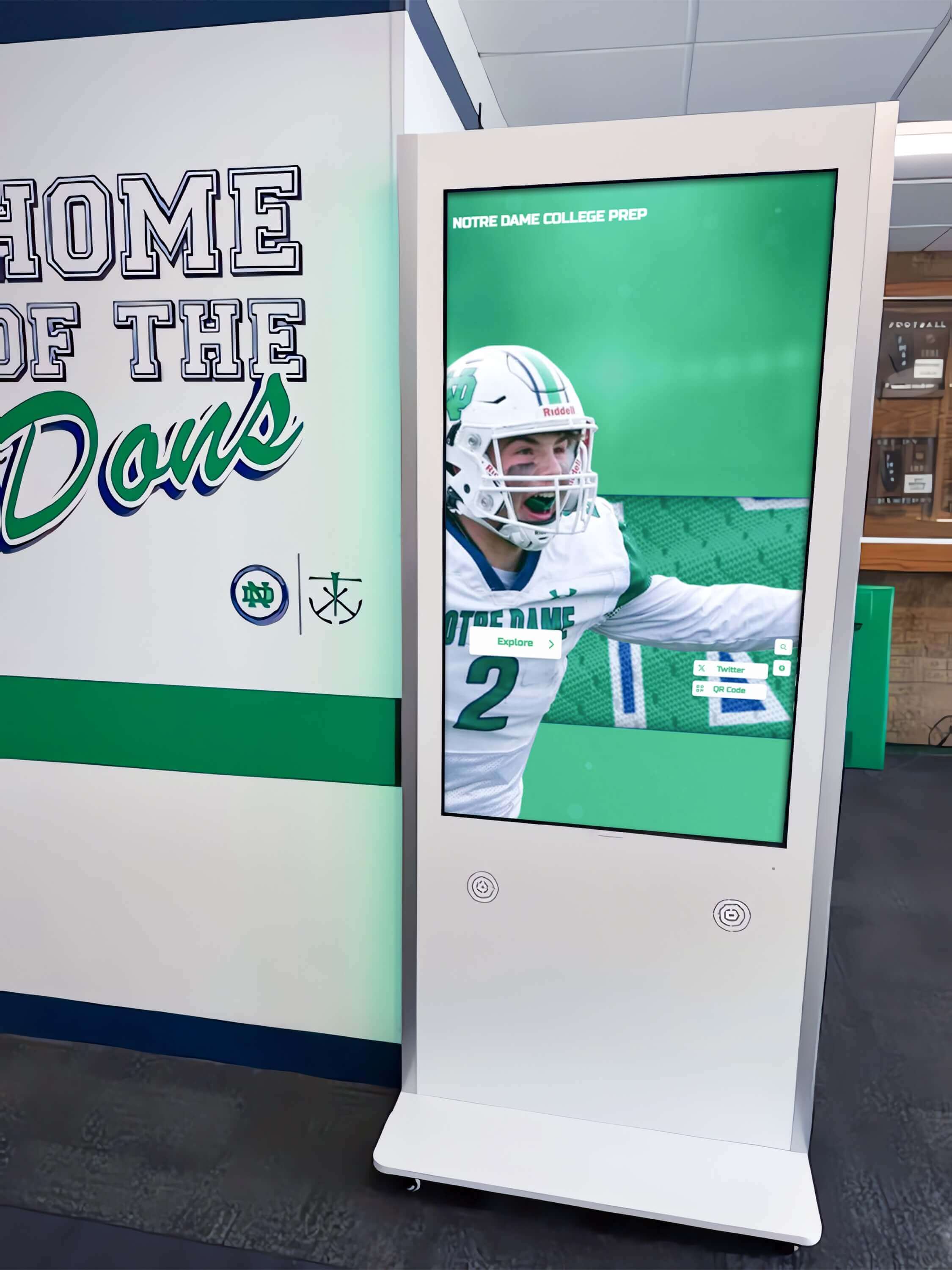
Modern kiosk software supports flexible deployment from wall-mounted displays to freestanding installations
Organizations exploring comprehensive donor recognition solutions benefit from understanding how purpose-built platforms address advancement-specific requirements more completely than adapted alternatives.
When Specialized Platforms Make Strategic Sense
Advancement Team Technical Capacity
Purpose-built donor recognition platforms particularly benefit organizations where development offices operate with minimal IT support, advancement teams need autonomous content management, recognition updates must happen frequently as campaigns progress, staff prefer intuitive interfaces over technical complexity, and vendor support understanding stewardship contexts matters.
These circumstances describe most educational institutions, nonprofit organizations, healthcare foundations, and community development programs implementing donor recognition—specialized platforms align with how these organizations actually function.
Recognition as Core Mission
Institutions where donor stewardship represents strategic priority rather than ancillary function justify investment in purpose-built platforms offering deeper recognition capabilities even if general kiosk software costs less initially. Consider total ownership costs including administrative efficiency, content quality enabled by appropriate tools, and stewardship effectiveness affecting future fundraising.
Donor recognition represents relationship investment—platforms enhancing stewardship messaging quality and management efficiency deliver value beyond basic functionality.
Emerging Trends in Touch Screen Kiosk Software
Understanding developing trends helps organizations select platforms positioned for long-term relevance as technology and donor expectations evolve.
Artificial Intelligence and Personalization
Smart Recognition Experiences
AI-enhanced touch screen kiosk software increasingly provides natural language search enabling conversational donor queries, content recommendations suggesting related donor stories, automated profile generation from database records, image recognition identifying donors in event photos, and sentiment analysis optimizing messaging tone.
While emerging, AI promises more intuitive recognition experiences requiring less navigation expertise while automatically enriching content through intelligent processing.
Voice Interaction and Accessibility
Beyond Touch Interfaces
Voice-enabled kiosk software supports hands-free donor exploration, enables accessibility for vision-impaired visitors, accommodates mobility-limited users, and creates natural conversation-like interaction with recognition content.
Voice represents both accessibility enhancement and interface evolution accommodating broader interaction preferences beyond traditional touch navigation.
Blockchain and Digital Permanence
Recognition Authenticity and Permanence
Emerging platforms explore blockchain-verified donor recognition providing immutable acknowledgment records, distributed recognition preservation, verifiable giving documentation, and permanent digital donor legacy preservation.
While nascent, blockchain addresses donor concerns about recognition permanence in increasingly digital environments by providing cryptographic verification of acknowledgment.
Conclusion: Strategic Touch Screen Kiosk Software Selection for Donor Recognition
Touch screen kiosk software selection fundamentally shapes whether digital donor recognition enhances stewardship effectiveness or creates technical burdens distracting from relationship cultivation. The platforms advancement teams choose determine whether carefully crafted recognition messaging reaches donors through engaging interactive experiences or remains trapped in administrative interfaces too complex for non-technical staff to manage.
Request a DonorsWall Touchscreen Demonstration
Discover how purpose-built touch screen kiosk software designed specifically for donor recognition can help your advancement team execute stewardship messaging effectively while managing content independently without technical complexity.
Schedule Platform WalkthroughFor most donor recognition applications, cloud-based platforms designed specifically for advancement workflows deliver compelling advantages including deployment simplicity enabling rapid campaign recognition, content management interfaces accessible to development professionals, recognition-optimized features addressing stewardship requirements, scalability supporting recognition growth, integration capabilities connecting fundraising systems, and vendor expertise understanding donor relationship dynamics.
Purpose-built recognition platforms like Rocket Alumni Solutions eliminate the adaptation burden required when configuring general kiosk software for donor stewardship applications—common recognition workflows exist as designed features rather than customization projects demanding technical expertise most advancement teams lack.
Organizations with limited IT resources, frequent recognition updates as campaigns progress, multiple staff managing different donor constituencies, integration needs with fundraising databases, or cross-platform recognition extending beyond physical displays particularly benefit from specialized platforms designed specifically for advancement applications.
General touch screen kiosk software remains appropriate for organizations with substantial technical resources capable of extensive customization, unique requirements beyond standard recognition workflows, existing platforms being adapted for donor applications, in-house development teams, or specific architectural requirements precluding cloud platforms.
The most successful donor recognition implementations share common characteristics regardless of platform selection: clear stewardship objectives guiding technology rather than technology driving recognition approaches, realistic assessment of advancement team technical capabilities, appropriate content messaging frameworks developed before platform population, systematic implementation addressing content migration and staff training, ongoing commitment to recognition currency through regular updates, analytics review informing continuous improvement, and donor communication strategies guiding supporters to recognition experiences.
Start your touch screen kiosk software evaluation by clarifying what donor stewardship objectives recognition must advance, honestly assessing your advancement team’s technical capacity and available time for content management, identifying essential versus nice-to-have capabilities, evaluating platforms specifically designed for recognition versus adapted alternatives, requesting demonstrations addressing your actual use cases and content, checking references with similar organizations, and analyzing total ownership costs over expected system lifespans.
The right touch screen kiosk software empowers advancement teams to honor donors compellingly while managing recognition independently—transforming digital displays from technical projects into strategic stewardship assets that celebrate contributors appropriately, inspire continued giving through impact storytelling, and preserve institutional gratitude permanently regardless of how campaigns and leadership evolve over time.
Ready to explore donor recognition kiosk solutions? Learn about creating effective digital donor recognition displays that combine compelling stewardship messaging with accessible technology, discover comprehensive donor recognition platform capabilities that extend beyond basic name displays, or explore interactive touchscreen implementation approaches that balance recognition permanence with content flexibility as your donor community grows.
For additional guidance on implementing touch screen kiosk software within capital campaigns, request a DonorsWall planning consultation to explore how purpose-built platforms can advance your specific stewardship objectives while remaining manageable by your advancement team.































