
Modern buildings face a consistent challenge: helping visitors, tenants, clients, and guests navigate multi-floor facilities efficiently while creating professional first impressions that reflect organizational excellence. Traditional static building directories with fixed tenant lists and outdated paper maps no longer meet the expectations of today’s visitors who expect intuitive, interactive experiences in every environment they encounter.
Touchscreen building directories are interactive digital systems that provide comprehensive tenant information, real-time wayfinding directions, facility details, and building services through engaging touch-enabled interfaces. Unlike traditional static directories requiring expensive physical updates whenever tenants move or building information changes, modern touchscreen systems offer instant content management, unlimited information capacity, multilingual support, and accessibility features that serve all visitors effectively.
This comprehensive guide provides property managers, facility directors, and building administrators with practical frameworks for implementing touchscreen directory systems that improve navigation, enhance visitor satisfaction, reduce operational costs, and demonstrate commitment to exceptional building experiences.
Building wayfinding challenges impact tenant satisfaction, visitor experiences, and property reputation. Research from the International Facility Management Association shows that 64% of first-time building visitors report navigation difficulty in multi-tenant facilities, leading to missed appointments, tenant frustration, and negative impressions of building professionalism. When visitors struggle to locate offices, become lost between floors, or arrive late to important meetings due to directory confusion, properties risk tenant turnover and diminished reputation compared to competitors offering more navigable building experiences.

Interactive touchscreen directories provide intuitive building navigation and tenant information for all visitors
Understanding Touchscreen Building Directory Systems
Before implementing solutions, facility managers need clear understanding of what differentiates modern touchscreen directories from traditional approaches and why the technology represents significant improvements for building operations.
The Evolution from Static to Interactive Building Directories
Building wayfinding has progressed through several generations of technology, each addressing limitations of previous approaches:
Traditional Static Directory Limitations
Wall-mounted static directories served basic tenant-listing functions for decades but suffered from significant constraints. Information becomes outdated quickly when tenants relocate within buildings or new companies occupy vacant spaces. Physical replacement is expensive and time-consuming for every tenant change, requiring specialized fabrication and installation. Limited wall space constrains the amount of information each directory can display, forcing abbreviations and omissions. Static signs provide no ability to offer personalized directions or calculate routes from directory location to specific suites. They offer difficult accommodation for accessibility needs or language diversity. Weather and vandalism cause deterioration requiring ongoing maintenance and periodic replacement.
According to property management industry research, commercial buildings spend an average of $5,000-$15,000 annually maintaining and updating static tenant directories—costs that accumulate over decades while providing diminishing value as information quickly becomes obsolete between scheduled updates.
Printed Floor Plans and Paper Maps
Lobby reception desks often supplement static directories with printed floor plans and building maps. While helpful, paper-based wayfinding introduces challenges including quick obsolescence as tenant configurations change throughout lease cycles, ongoing printing and distribution costs, visitors struggling to orient themselves using two-dimensional paper representations, no ability to provide turn-by-turn directions from current location, accessibility barriers for visitors with visual impairments, and environmental waste from frequent reprinting as building occupancy changes.
First-Generation Digital Signage
Early digital building displays represented advancement over static signs through centralized content management enabling instant updates across multiple screens, dynamic content capabilities showing building announcements and tenant promotions, enhanced visual communication with photos, graphics, and video, and reduced long-term costs compared to physical directory replacement for every tenant change.
However, these passive digital displays remained one-way communication tools—visitors could view tenant lists and building information but couldn’t interact, search for specific companies, or request customized directions based on individual needs and destinations.
Core Capabilities of Modern Touchscreen Directory Systems
Contemporary interactive building directories provide comprehensive capabilities that transform visitor wayfinding experiences:
Intuitive Touch-Based Search and Navigation
Modern systems enable visitors to find specific tenants, companies, or services quickly through alphabetical listings with instant search filtering, category-based organization grouping related businesses and services, keyword search allowing visitors to type company names or industries, voice search options for hands-free interaction, and recently searched or popular destination shortcuts reducing search time for high-traffic tenants.
These search capabilities eliminate the frustration of scanning hundreds of alphabetically organized tenant names on static directories when visitors remember company names but not exact spellings or floor locations.
Interactive Floor Plans and Visual Wayfinding
Comprehensive touchscreen systems display detailed building floor plans with zoom, pan, and rotation capabilities, visual wayfinding showing highlighted routes from directory to destinations, “You Are Here” orientation helping visitors understand their current location, elevator and stairwell locations with accessibility route options, restroom facilities, emergency exits, and building amenities, and photo-realistic 3D building renderings providing visual reference points.
Visual wayfinding dramatically improves visitor confidence and reduces navigation anxiety compared to verbal directions or text-based suite numbers that lack spatial context.
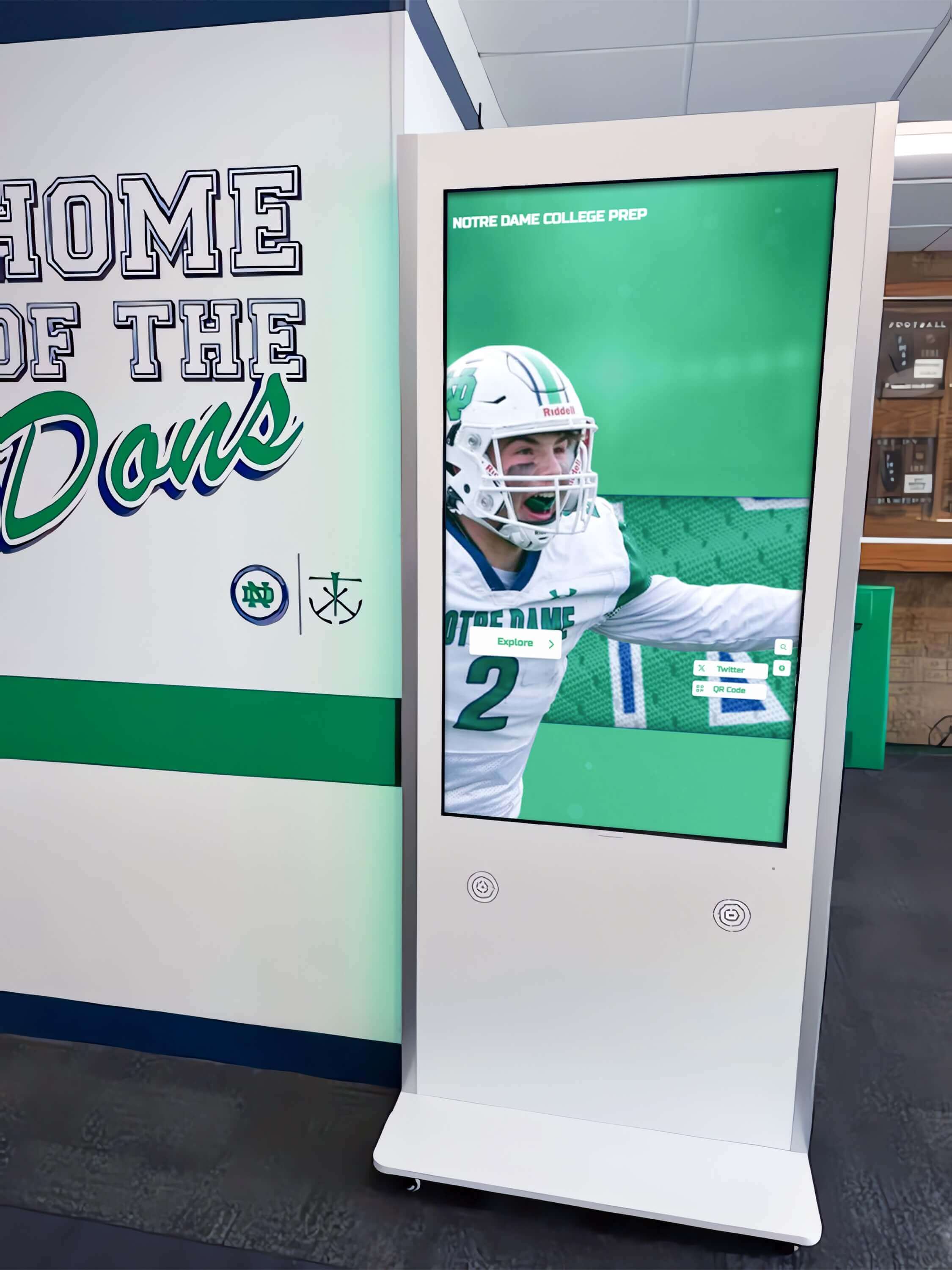
Modern directory kiosks integrate seamlessly into building architecture while providing advanced navigation capabilities
Personalized Route Calculation and Turn-by-Turn Directions
Advanced directory systems calculate optimal routes from kiosk locations to visitor destinations accounting for accessibility requirements like elevator-only routes for wheelchair users, fastest path options considering building layout and traffic patterns, alternative routes when primary pathways are temporarily closed, estimated walking time helping visitors plan arrival schedules, and visual or text-based directions matching visitor preferences.
Personalized routing ensures every visitor receives navigation assistance appropriate to their specific needs and mobility requirements rather than generic directions assuming all visitors can use stairs or navigate complex pathway alternatives.
Accessibility Features and Universal Design
Compliance with ADA requirements and universal design principles ensures directories serve all visitors through text-to-speech functionality reading displayed information aloud for visitors with visual impairments, screen reader compatibility for visitors using personal assistive devices, adjustable text sizes accommodating visual acuity variations, high-contrast display modes improving readability for low-vision users, wheelchair-accessible mounting heights ensuring usability for visitors with mobility devices, and audio jack availability for private listening without disturbing nearby visitors.
These accessibility features transform directories from barriers that exclude visitors with disabilities into inclusive wayfinding tools serving diverse building populations effectively.
Multilingual Support and Translation Capabilities
Buildings serving diverse populations benefit from language flexibility including prominent language selection buttons enabling instant interface translation, content availability in languages reflecting building demographics—commonly English, Spanish, Chinese, French, and additional languages based on tenant and visitor populations, consistent terminology and translation quality across all content areas, and cultural sensitivity ensuring translations convey appropriate tone and meaning.
Multilingual capabilities eliminate language barriers that can make building navigation stressful or impossible for international visitors, clients, and tenants whose primary languages differ from building signage conventions.
Mobile Integration and Digital Wayfinding Extensions
Modern directory systems extend beyond physical kiosks through QR code generation allowing visitors to send directions to smartphones, mobile-responsive web interfaces matching physical directory functionality, SMS or email direction delivery for reference while walking, smartphone app integration providing continuous navigation assistance, and social media sharing capabilities for frequently visited locations.
This mobile integration enables visitors to reference directions continuously rather than memorizing complex turn-by-turn instructions before leaving directory kiosks—particularly valuable in large campus-style buildings or multi-building complexes.
Real-Time Updates and Dynamic Content Management
Cloud-based administration enables instant content changes including immediate tenant updates when companies relocate or new occupants move in, temporary directory changes during construction or renovation projects, building alert notifications about elevator outages or pathway closures, event information for conference centers or multi-purpose facilities, and promotional content highlighting tenant services or building amenities.
Real-time update capability ensures directory information remains accurate continuously rather than becoming outdated between quarterly or annual static directory replacement cycles.
Solutions like Rocket Alumni Solutions provide comprehensive touchscreen platforms designed for institutional buildings including schools, universities, healthcare facilities, and community organizations where interactive kiosk solutions combine wayfinding with recognition and engagement functions.
Strategic Applications Across Building Types
Touchscreen building directories serve diverse facility environments with unique requirements and visitor populations:
Corporate Office Buildings and Commercial Properties
Multi-tenant office buildings represent primary applications for interactive directory systems:
Tenant Services and Professional Image
Commercial properties compete for quality tenants based partly on building amenities and visitor experiences. Modern touchscreen directories contribute to property value through professional first impressions influencing prospective tenant decisions, improved visitor satisfaction benefiting all tenants through better building reputation, reduced reception desk burden as self-service directories handle routine wayfinding inquiries, tenant empowerment managing their own directory listings and promotional content, and competitive differentiation versus properties with outdated static directories.
Property managers implementing digital signage kiosk solutions report measurable improvements in tenant satisfaction scores and property reputation.
Flexible Tenant Management
Commercial real estate experiences constant change as businesses grow, contract, relocate, or leave buildings entirely. Interactive directories accommodate this fluidity through instant tenant updates requiring no physical fabrication or installation, flexible content allocation adjusting to tenant size and prominence appropriately, temporary listings for short-term occupants or hot-desk arrangements, vacant space marketing integrated within directory interfaces, and historical tenant data preservation supporting property management records.
This operational flexibility reduces directory maintenance costs while improving information accuracy compared to static systems that become outdated within weeks of expensive physical updates.
Healthcare Facilities and Medical Campuses
Hospitals, medical office buildings, and healthcare campuses serve stressed visitor populations requiring exceptional wayfinding support:
Patient and Visitor Navigation Challenges
Healthcare facilities present particularly complex wayfinding challenges. Medical campuses often span multiple buildings with confusing internal connections, department names use specialized terminology unfamiliar to patients and families, visitor stress and anxiety during medical appointments impairs navigation ability, mobility limitations affect many healthcare visitors requiring accessible routes, and time-sensitive appointments make navigation delays particularly problematic.
According to healthcare facility research, 30-40% of patients report difficulty locating medical appointments, contributing to missed appointments, delayed care, and reduced patient satisfaction scores that impact hospital reimbursement and reputation.
Department and Provider Directories
Healthcare directory systems must accommodate specialized information including physician and provider directories with specialty and department affiliations, department listings using both medical terminology and patient-friendly descriptions, clinic and service locations across multi-building campuses, visiting hours and department access policies, parking information and wayfinding from parking areas, and emergency department and urgent care facility locations.
Comprehensive healthcare directories reduce patient stress while improving operational efficiency through better on-time arrival rates and reduced staff time providing directions.

Healthcare and institutional facilities use interactive directories to serve diverse visitor populations with varying navigation needs
Educational Institutions and Campus Buildings
Schools, colleges, and universities implement building directories serving students, families, faculty, and community visitors:
Academic Building Navigation
Educational facilities house multiple departments, classrooms, and administrative offices requiring comprehensive wayfinding including classroom and lecture hall locations with room number search, faculty office directories with department affiliations, administrative services including registrar, financial aid, and student affairs, student support resources like tutoring centers and counseling services, specialized facilities including computer labs, study spaces, and collaboration rooms, and accessibility information for students with disabilities requiring specific accommodations.
Educational institutions implementing campus directory touchscreen displays serve prospective student recruitment, new student orientation, and ongoing campus operations simultaneously.
Event and Visitor Management
Campus buildings host diverse events attracting visitors unfamiliar with facilities including prospective student campus tours and admissions events, parent weekends and family programs, donor recognition celebrations and fundraising events, academic conferences and symposia, community programs and public lectures, and athletic event attendees navigating to restrooms and concessions.
Directory systems supporting these varied visitor populations require flexible content management adapting to event schedules and seasonal priorities throughout academic years.
Government Buildings and Public Facilities
Civic centers, courthouses, municipal buildings, and government facilities serve citizen populations requiring accessible, intuitive wayfinding:
Citizen Services and Public Access
Government facilities must provide inclusive navigation serving entire community populations including department directories for permits, licenses, and public services, elected official and staff office locations, public meeting room and hearing space information, court and legal proceeding locations with schedule integration, voting and election administration facilities, and community resource connections and referral information.
Accessible directory systems demonstrate government commitment to inclusive citizen service while reducing staff burden answering repetitive wayfinding questions during peak service periods.
Security Integration and Visitor Management
Government buildings often require security screening and visitor check-in processes. Directory systems can integrate with security operations through pre-screening information collection before directory access, appointment verification and visitor credential issuance, restricted floor access enforcement through directory information control, emergency alert distribution during security incidents, and visitor tracking and analytics supporting security operations.
This integration ensures wayfinding systems support rather than compromise building security requirements.
Key Features to Evaluate When Selecting Building Directory Systems
Systematic evaluation across multiple criteria ensures directory investments align with building needs and deliver long-term value:
Hardware Specifications and Durability Requirements
Physical directory components must withstand continuous use in building environments:
Display Technology and Screen Quality
Commercial-grade touchscreen displays designed for continuous operation rather than consumer displays with limited duty cycles, appropriate screen sizes matching viewing distances and information density—typically 32-55 inches for lobby installations, high-definition resolution ensuring text legibility and professional image quality, touchscreen technology providing responsive, intuitive interaction without calibration drift, anti-glare coatings maintaining visibility under varied lighting conditions, and vandal-resistant protective glazing deterring tampering in unsecured public areas.
Display quality directly impacts visitor impressions and willingness to use directory systems versus defaulting to reception desk assistance.
Enclosure and Mounting Options
Freestanding kiosk enclosures for lobby installations without suitable wall space, wall-mounted displays integrating into architectural finishes, ADA-compliant mounting heights accommodating wheelchair users and visitors of varying heights, cable management and concealment maintaining professional appearance, security mounting preventing theft or unauthorized removal, and finish options matching building aesthetics and interior design.
Environmental and Operational Considerations
Thermal management and ventilation preventing overheating during continuous operation, appropriate operating temperature ranges for installation environments including outdoor or semi-outdoor locations, humidity tolerance for buildings without climate control, dust and particle resistance in high-traffic or industrial environments, and energy efficiency minimizing operating costs over multi-year deployment periods.
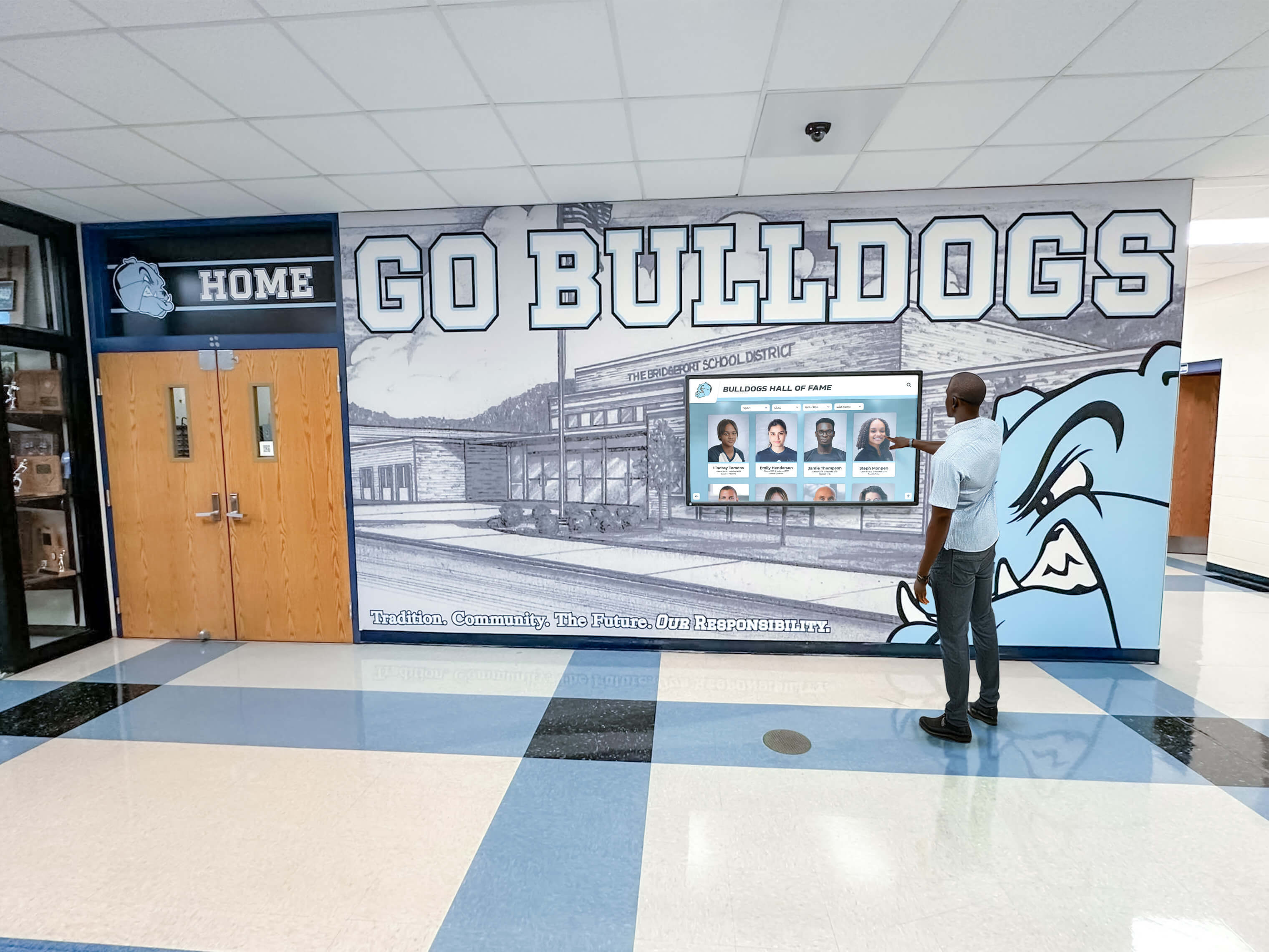
Purpose-built directory hardware provides reliable operation in demanding building environments
Software Platform Capabilities and Content Management
Directory software determines ease of administration and visitor experience quality:
User-Friendly Content Management Systems
Cloud-based administration accessible from anywhere without requiring on-site access, intuitive interfaces enabling non-technical staff to manage content confidently, drag-and-drop editors requiring no coding or design expertise, template libraries providing starting points for common content types, bulk import tools for large tenant databases and building information, scheduled updates for planned tenant moves or building changes, and role-based permissions controlling content access appropriately.
Property managers implementing digital signage content management require systems balancing powerful features with practical usability for facility staff without dedicated IT support.
Tenant and Occupant Database Management
Comprehensive tenant profiles including company names, suite numbers, and floor locations, contact information with phone extensions and email addresses when appropriate, business categories and industry classifications, logo and branding integration for premium tenants or building owners, special hours or access information for tenants with limited public access, and historical records supporting property management and lease administration.
Interactive Floor Plan and Wayfinding Tools
Visual floor plan editing uploading architectural drawings or building maps, zone definition and pathway creation for route calculation, point-of-interest placement for amenities and building features, accessibility route designation ensuring ADA-compliant navigation options, multi-building campus mapping for complex property environments, and 3D visualization capabilities when advanced visual wayfinding serves visitor needs.
Analytics and Reporting Capabilities
Usage statistics tracking visitor interactions and engagement patterns, popular search terms revealing most-sought tenants and services, peak usage times informing facility staffing and maintenance decisions, navigation patterns showing common visitor pathways, and tenant interest metrics demonstrating directory value to building occupants.
Data-driven insights help property managers optimize directory placement, content organization, and ongoing system improvements.
Integration Capabilities and System Connectivity
Modern directory systems should connect with broader building technology ecosystems:
Building Management System Integration
Real-time elevator status showing outages and maintenance schedules, HVAC and environmental system connections displaying energy efficiency initiatives, access control system coordination supporting security requirements, emergency alert and life safety system integration, parking management system connections showing availability and directions, and occupancy sensor data optimizing directory content based on building traffic patterns.
Third-Party Platform Connections
Calendar and scheduling system integration showing conference room availability, visitor management system coordination for appointment verification, tenant portal connections enabling self-service directory updates, mobile app integration extending wayfinding to smartphones, and API availability supporting custom integrations with property-specific systems.
Accessibility Compliance and Inclusive Design
Legal requirements and ethical commitments demand accessible directory systems:
ADA and Accessibility Standards Compliance
Wheelchair-accessible mounting heights per ADA guidelines, screen reader compatibility for visitors with visual impairments, audio output capabilities with headphone jacks for private listening, text-to-speech functionality reading content aloud, high-contrast display modes and adjustable text sizes, tactile buttons or controls for visitors with limited dexterity, and braille labels where physical directory components require tactile identification.
Accessibility features should integrate seamlessly rather than functioning as separate “accessible mode” requiring visitors to identify themselves as needing accommodations.
Language Support and Cultural Sensitivity
Multiple language availability reflecting building demographics and visitor populations, professional translation quality ensuring accuracy and appropriate tone, consistent terminology across all interface languages, right-to-left text support for Arabic, Hebrew, and similar languages, and cultural customization adapting content presentation to diverse expectations.

Accessible directory design serves all visitors regardless of abilities or language backgrounds
Implementation Planning and Deployment Best Practices
Systematic planning processes prevent common implementation problems while ensuring directory systems meet building needs effectively:
Needs Assessment and Stakeholder Engagement
Begin implementation with comprehensive evaluation establishing clear requirements:
Building Wayfinding Audit
Systematic assessment through observational studies identifying where visitors become confused or lost, surveys of tenants, visitors, and building staff about navigation challenges, analysis of reception desk direction requests revealing common wayfinding problems, documentation of current signage and directory effectiveness, and mapping of typical visitor journeys from building entry to common destinations.
These insights reveal specific problems directory systems should solve rather than implementing technology without clear understanding of actual user needs and building challenges.
Tenant and User Input
Engage building occupants and stakeholders through tenant surveys gathering input on directory features and information needs, focus groups with frequent building visitors, reception staff perspectives on common visitor questions and wayfinding issues, accessibility advocates ensuring inclusive design, property management priorities balancing tenant service with operational efficiency, and ownership goals aligning directory investments with property strategy.
Comprehensive stakeholder engagement builds organizational support while ensuring directory systems serve diverse needs effectively.
Technology Requirements Documentation
Define clear specifications including content management system requirements for property staff without technical backgrounds, display hardware specifications appropriate for installation environments and budgets, integration needs with existing building systems and databases, accessibility features ensuring ADA compliance and inclusive design, reporting and analytics requirements measuring effectiveness, and budget parameters establishing realistic financial constraints.
Detailed requirements enable accurate vendor evaluation and solution selection aligned with building needs and available resources.
Vendor Selection and Solution Evaluation
Choosing appropriate systems requires careful assessment across multiple dimensions:
Vendor Experience and Industry Knowledge
Portfolio of comparable building directory installations demonstrating relevant experience, client references from similar properties or facility types, technical support availability and documented responsiveness, training resources and implementation assistance, long-term platform development and technology roadmap showing ongoing innovation, and vendor stability and financial health ensuring long-term support.
Organizations should prioritize vendors demonstrating facility management experience over general-purpose technology providers lacking understanding of building-specific needs and challenges.
Total Cost of Ownership Analysis
Initial hardware and software investment covering equipment, licensing, and deployment, installation and integration professional services including site preparation and configuration, content development and design assistance creating initial tenant directories and building information, training and change management expenses ensuring staff competence, ongoing subscription or maintenance costs for cloud platforms and support services, and future expansion and scalability expenses as building needs evolve.
Comprehensive financial analysis prevents budget surprises while ensuring adequate resources for quality implementations serving visitors appropriately.
Property managers implementing interactive kiosk visitor solutions should conduct similar total cost evaluations across technology investments.
Pilot Program and Proof of Concept
Test selected platforms through trial deployments in limited building areas, staff evaluation of administrative interfaces and content management workflows, visitor feedback on interface usability and information value, technical verification of integration capabilities and system performance, and refinement based on real-world experience before full building deployment.
Pilot programs reduce implementation risk while building organizational confidence and user acceptance.
Strategic Placement and Installation Execution
Physical location determines whether directory systems effectively serve visitors:
High-Priority Installation Locations
Main building entrances serving highest visitor volumes, elevator lobbies on each floor providing floor-specific tenant information, parking structure pedestrian entrances connecting vehicles to building navigation, reception desk areas complementing rather than replacing staff assistance, conference centers and event spaces serving event attendees, and building amenity areas including cafeterias, fitness centers, and common spaces.
Strategic placement ensures directory systems reach visitors at decision points where wayfinding assistance is most valuable.
Site Preparation and Infrastructure
Electrical infrastructure providing appropriate power capacity and backup protection, network connectivity through hardwired ethernet or robust WiFi coverage, mounting surface preparation ensuring secure installation and professional appearance, lighting assessment and adjustment preventing glare or poor visibility, physical space clearance maintaining ADA compliance and traffic flow, and cable management concealing connections professionally.
Proper site preparation prevents installation delays and ensures directory systems integrate seamlessly into building environments.
Content Development and Launch Preparation
Successful deployment requires comprehensive content creation:
Tenant and Building Information Compilation
Complete tenant database with verified company names, suite numbers, and contact details, floor plan accuracy ensuring wayfinding directions match physical reality, amenity and service information including restrooms, parking, and building features, accessibility route documentation and elevator locations, building policies and visitor information when appropriate, and emergency contact and safety information prominently available.
Accurate, comprehensive content determines whether directory systems provide genuine value or create visitor frustration through outdated or incorrect information.
User Testing and Quality Assurance
Usability testing with representative visitors including first-time building guests, staff evaluation of content accuracy and completeness, accessibility testing with users relying on assistive technologies, route verification ensuring turn-by-turn directions match physical pathways, and iterative refinement based on testing insights before public launch.
Thorough testing prevents discovering problems through negative visitor experiences after public deployment.
Measuring Success and Demonstrating Directory Value
Systematic assessment ensures directory investments achieve intended outcomes while building support for ongoing technology investments:
Quantitative Performance Metrics
Track measurable indicators of directory system effectiveness:
Usage and Engagement Statistics
Total interactions and unique sessions measuring overall directory utilization, average session duration indicating content value and engagement depth, search query analysis revealing what information visitors seek most frequently, popular destinations and most-accessed tenants, peak usage times and seasonal patterns, mobile integration adoption rates showing smartphone wayfinding extension, and navigation completion rates indicating successful wayfinding outcomes.
High engagement suggests directory systems provide genuine value while frequent searches for specific content reveal information visitors prioritize most highly.
Operational Efficiency Improvements
Reduced calls to building management or reception desks requesting directions, decreased reception staff time providing wayfinding assistance enabling focus on higher-value service, fewer reports of visitors arriving late to tenant appointments due to navigation confusion, improved on-time arrival rates for building events and meetings, and tenant satisfaction improvements related to building navigation and visitor experiences.
These operational improvements demonstrate tangible value beyond visitor satisfaction through measurable staff time savings and efficiency gains.
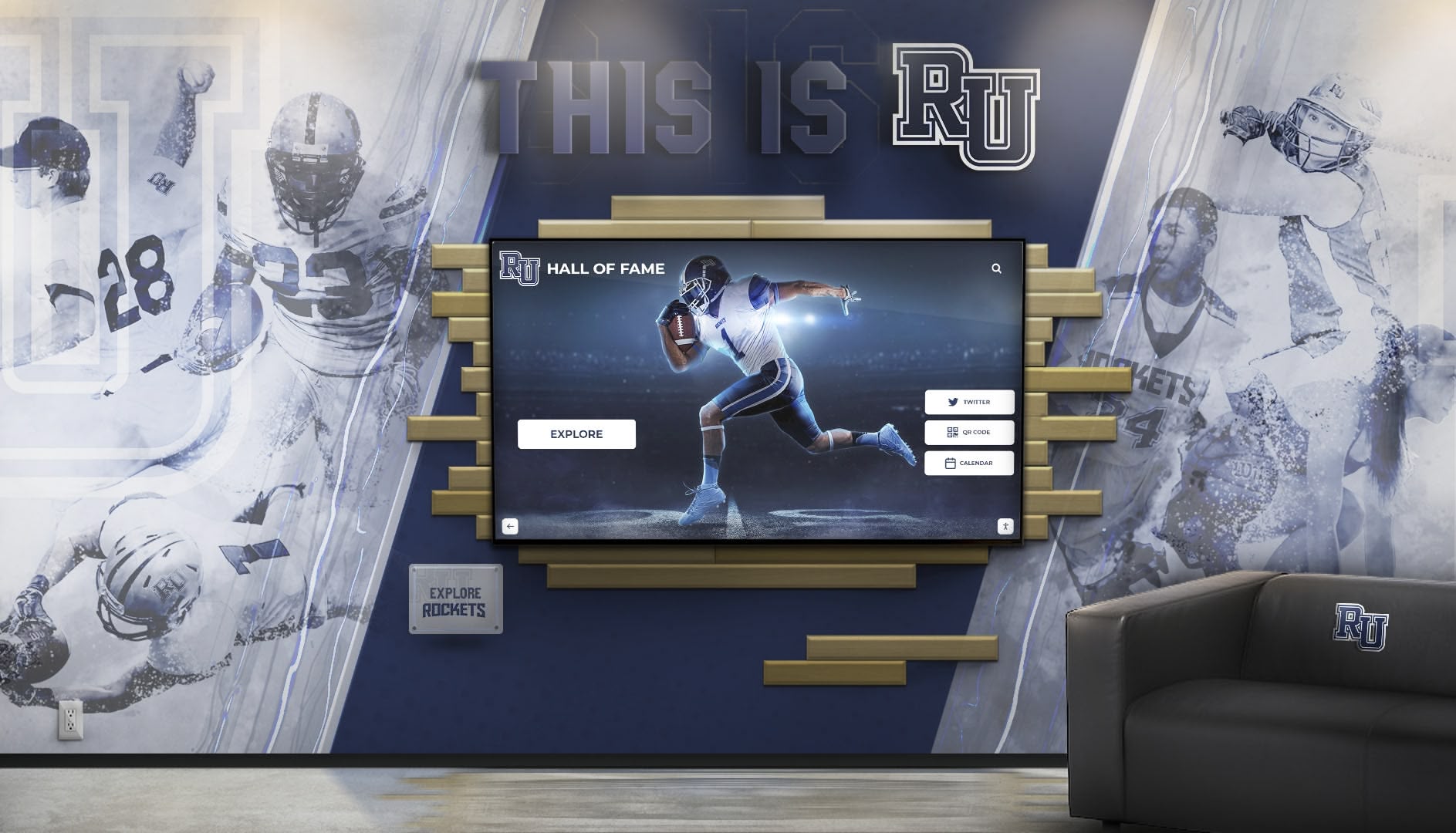
Strategic directory placement in high-traffic areas maximizes visitor access and system utilization
Qualitative Assessment and User Feedback
Complement quantitative metrics with qualitative insights:
Visitor Experience and Satisfaction
Regular surveys of building visitors about wayfinding ease and directory helpfulness, comment collection through directory feedback features or QR codes, observation of visitor interactions noting confusion or success patterns, focus groups with frequent visitors about navigation experiences, and spontaneous feedback shared with reception staff or property management.
Understanding how visitors experience and value directory systems reveals whether implementations achieve intended purposes of improving navigation and creating positive building impressions.
Tenant Feedback and Relationship Impact
Tenant surveys assessing directory impact on visitor experiences and business operations, feedback on directory content accuracy and tenant representation appropriateness, input on promotional content opportunities and tenant branding integration, suggestions for directory improvements and feature additions, and overall tenant satisfaction with building technology and amenities.
Since quality tenants drive commercial property value, their satisfaction with building wayfinding and visitor services directly impacts property success.
Continuous Improvement and System Optimization
Ongoing refinement maintains directory value over time:
Regular Content Audits
Systematic verification of tenant information accuracy and currency, removal of outdated content and departed tenants, addition of new occupants and building changes, seasonal updates adapting emphasis to current priorities, and quality assurance ensuring consistent presentation and professional image.
Content accuracy determines whether directory systems help or frustrate visitors—outdated information creates worse experiences than having no directories at all.
Feature Enhancement and Technology Evolution
New capability additions as platform features expand, user interface refinements based on observed interaction patterns, integration expansions connecting to additional building systems, mobile functionality improvements enhancing smartphone wayfinding, and technology refresh strategies maintaining current functionality as hardware ages.
Continuous improvement ensures directory systems remain valuable building assets rather than becoming outdated infrastructure requiring eventual replacement.
Organizations implementing comprehensive facility technology programs should apply similar continuous improvement approaches across digital recognition displays and building communication systems.
Common Implementation Challenges and Solutions
Learning from typical problems helps organizations avoid pitfalls:
Inaccurate or Outdated Content
The most sophisticated directory technology provides negative value when containing incorrect information:
Prevention Strategies
Establish clear responsibility for directory content maintenance and accuracy, implement regular review schedules ensuring periodic verification regardless of reported changes, integrate directory updates into lease administration and tenant move workflows, create proactive communication channels where tenants report changes directly, require quality assurance approval before publishing updates, and document all information sources and verification methods.
When visitors follow directory directions to vacant suites, relocated companies, or outdated floor configurations, systems create worse experiences than static directories while damaging building reputation and tenant relationships.
Low Visitor Adoption and Underutilization
Directories provide no value if visitors don’t use them:
Adoption Enhancement Approaches
Strategic placement ensuring directories are visible and accessible at natural decision points, prominent signage directing visitors to directory kiosks from building entrances, intuitive interfaces requiring no instructions or training to use effectively, quick response times maintaining visitor patience during searches, and valuable content making directories genuinely helpful rather than redundant with existing signage.
Observation of visitor behavior reveals whether directories serve actual needs or represent underutilized technology investments requiring repositioning or redesign.
Accessibility Compliance Gaps
Inaccessible directories exclude visitors with disabilities while exposing buildings to legal liability:
Accessibility Assurance Methods
ADA compliance review during vendor selection ensuring systems meet legal requirements, accessibility testing with users relying on assistive technologies, wheelchair-accessible mounting height verification, screen reader and text-to-speech functionality testing, multilingual capability confirmation serving diverse language populations, and ongoing accessibility audits as systems evolve and update.
Inclusive design serves all visitors effectively while demonstrating organizational commitment to accessibility and legal compliance.
Technology Integration Difficulties
Directory systems should complement rather than complicate building operations:
Integration Success Factors
Clear integration requirements documentation during planning phases, vendor verification of integration capabilities with specific building systems, technical testing before full deployment, fallback procedures when integrations fail or building systems are offline, IT department engagement ensuring network security and infrastructure support, and phased implementation allowing troubleshooting before building-wide deployment.
Realistic integration expectations prevent disappointment while ensuring directory systems enhance rather than disrupt building operations.
Future Trends in Building Directory Technology
Understanding emerging developments helps organizations plan for evolving capabilities:
Artificial Intelligence and Personalization
AI technologies are beginning to influence building directories:
Predictive Wayfinding
Learning visitor patterns and suggesting destinations based on appointment data, optimizing route recommendations based on real-time building conditions, natural language processing enabling conversational search interfaces, voice-activated directory interaction for hands-free navigation, and predictive maintenance alerting property managers to directory issues before failures occur.
Privacy and Ethical Considerations
Organizations must thoughtfully evaluate privacy implications of visitor tracking and behavior monitoring, appropriate versus intrusive personalization boundaries, data collection and retention policies balancing value with privacy rights, transparency about AI usage and data collection, and human oversight maintaining quality and preventing algorithmic bias.
Mobile-First and Contactless Interaction
Smartphone ubiquity drives directory evolution:
Mobile Integration Expansion
QR code directory access eliminating need to touch shared screens, smartphone-based navigation providing continuous turn-by-turn guidance, pre-visit directory access enabling research before building arrival, digital business cards and contact sharing between visitors and tenants, and appointment integration sending automatic directions to scheduled visitors.
Post-pandemic awareness of shared surface hygiene accelerates contactless interaction preferences even as touchscreen convenience remains valuable for many visitors.
Integration with Smart Building Ecosystems
Connected building technologies create comprehensive digital infrastructure:
Ecosystem Connectivity
IoT sensor integration providing real-time space utilization and availability, energy management system connections demonstrating building sustainability, parking management integration with real-time availability and reservation, occupancy tracking optimizing building operations and visitor experiences, and emergency management system integration for safety and evacuation procedures.
Directory systems become nodes within broader smart building networks rather than standalone technology implementations.
Transform Your Building Wayfinding Experience
Discover how specialized touchscreen directory solutions can improve visitor navigation, reduce operational costs, and create exceptional building experiences. Rocket Alumni Solutions provides comprehensive interactive display platforms designed for institutional facilities including schools, healthcare organizations, and community buildings.
Request a Building Directory ConsultationConclusion: Creating Navigable, Welcoming Building Environments
Touchscreen building directories represent strategic investments in visitor experience, operational efficiency, and property reputation that yield measurable returns through improved tenant satisfaction, enhanced visitor experiences, reduced staff burden answering repetitive wayfinding questions, and demonstrated commitment to accessible, inclusive building environments serving all occupants and guests effectively.
Modern facilities cannot rely on outdated static directories and paper maps when visitors expect intuitive digital experiences in every environment. Buildings implementing thoughtful, user-centered touchscreen directory systems demonstrate commitment to supporting every visitor regardless of familiarity with facilities, physical abilities, or language backgrounds while reducing operational costs and improving property competitiveness.
Key Implementation Success Factors
Successful directory deployments require attention across multiple dimensions including comprehensive needs assessment identifying specific building challenges before technology selection, strategic vendor selection prioritizing facility management experience and proven implementations, user-centered design ensuring directories serve actual visitor needs intuitively, accessible and inclusive features accommodating all building populations, accurate comprehensive content maintained continuously rather than becoming obsolete, strategic placement ensuring directory access at natural visitor decision points, and systematic measurement demonstrating value and guiding continuous improvement.
The Strategic Opportunity
For property managers, facility directors, and building administrators, touchscreen directories represent opportunities to differentiate properties, improve tenant satisfaction, reduce operational costs, and create exceptional visitor experiences that reflect organizational excellence. When directories succeed—when visitors navigate confidently, tenants appreciate building technology, and property teams manage information efficiently—wayfinding systems transcend technology to become building infrastructure strengthening tenant relationships, supporting property value, and building reputation. The right directory solution makes this transformation achievable.
Whether your facility is beginning to explore interactive directory options or ready to upgrade existing wayfinding systems, prioritizing intuitive design, comprehensive accurate content, strategic placement, inclusive accessibility, vendor experience, and systematic management ensures technology investments deliver lasting value supporting building operations and tenant satisfaction.
Ready to explore touchscreen directory solutions for your building? Learn more about interactive campus wayfinding systems or discover how digital signage kiosk technology creates compelling navigation experiences across diverse facility environments.































