
Intent: Define
Schools and universities face a persistent challenge every day: helping thousands of prospective students, families, alumni, donors, and visitors navigate increasingly complex campus facilities while creating positive first impressions that influence enrollment decisions, philanthropic engagement, and institutional reputation. Traditional static signage and paper maps no longer meet visitor expectations in an age where intuitive, interactive experiences are the norm in every public space.
A touchscreen directory is an interactive digital wayfinding system that provides comprehensive building locations, real-time navigation directions, department information, and campus services through engaging touch-enabled interfaces. Unlike outdated static directories requiring costly physical updates whenever information changes, modern touchscreen directory systems offer instant content management, unlimited information capacity, multilingual support, and accessibility features that serve all visitors effectively while creating opportunities to showcase institutional excellence and donor impact.
This guide provides advancement teams, facilities directors, and campus administrators with practical frameworks for implementing touchscreen directory systems that enhance navigation, improve visitor satisfaction, support recruitment and fundraising efforts, and demonstrate institutional commitment to welcoming experiences that honor every campus guest.
Campus wayfinding directly impacts enrollment decisions, donor impressions, and community perception of institutional quality. Research consistently shows that prospective students cite campus visit experiences as highly influential in enrollment choices. When visitors struggle to find admissions offices, become lost between appointments, or miss scheduled donor meetings due to navigation confusion, institutions risk losing qualified applicants and major gift prospects to competitors offering more navigable, professional campus experiences.

Interactive touchscreen directories provide intuitive campus navigation while creating professional first impressions for all visitors
Understanding Touchscreen Directory Systems for Educational Institutions
Before implementing wayfinding solutions, campus leaders need clear understanding of what differentiates modern touchscreen directories from previous approaches and how these systems support multiple institutional priorities simultaneously.
The Evolution from Static Signs to Interactive Navigation
Campus wayfinding has progressed through several generations of technology, each addressing limitations of previous approaches:
Traditional Static Signage Limitations
Physical directories and building signs served basic wayfinding functions for decades but suffer from significant constraints. Information becomes outdated when departments relocate or buildings are renamed, requiring expensive physical replacement for every update. Limited physical space constrains the amount of information each sign can display. There’s no ability to provide personalized directions, calculate routes, or accommodate accessibility needs beyond basic compliance. Weather deterioration demands ongoing maintenance and replacement cycles.
According to facilities management research, schools and universities spend tens of thousands of dollars annually maintaining and updating static campus signage—costs that accumulate over decades while providing diminishing value as information quickly becomes obsolete and visitor expectations evolve beyond what static signs can deliver.
First-Generation Digital Signage
Early digital displays represented advancement over static signs through centralized content management enabling instant updates across multiple screens, dynamic content capabilities showing events and announcements, enhanced visual communication with photos and graphics, and reduced long-term costs compared to physical sign replacement.
However, these passive digital signs remained one-way communication tools. Visitors could view displayed information but couldn’t interact, search for specific locations, request directions based on individual needs, or access the personalized assistance that modern visitors expect from digital systems.
Core Capabilities of Modern Touchscreen Directory Systems
Contemporary interactive touchscreen directories provide comprehensive capabilities that transform campus navigation from passive information consumption into active, personalized wayfinding assistance:
Intuitive Search and Discovery
Touch-based search enabling visitors to find specific buildings, departments, offices, or services quickly through typing, voice input, or category browsing creates familiar experiences consistent with smartphones and other consumer technology visitors use daily.
Interactive Campus Mapping
Visual campus maps with zoom, pan, and building identification capabilities help visitors establish mental models of campus geography while locating specific destinations. Integration with geographic data enables accurate representation of pathways, parking areas, and accessibility routes.
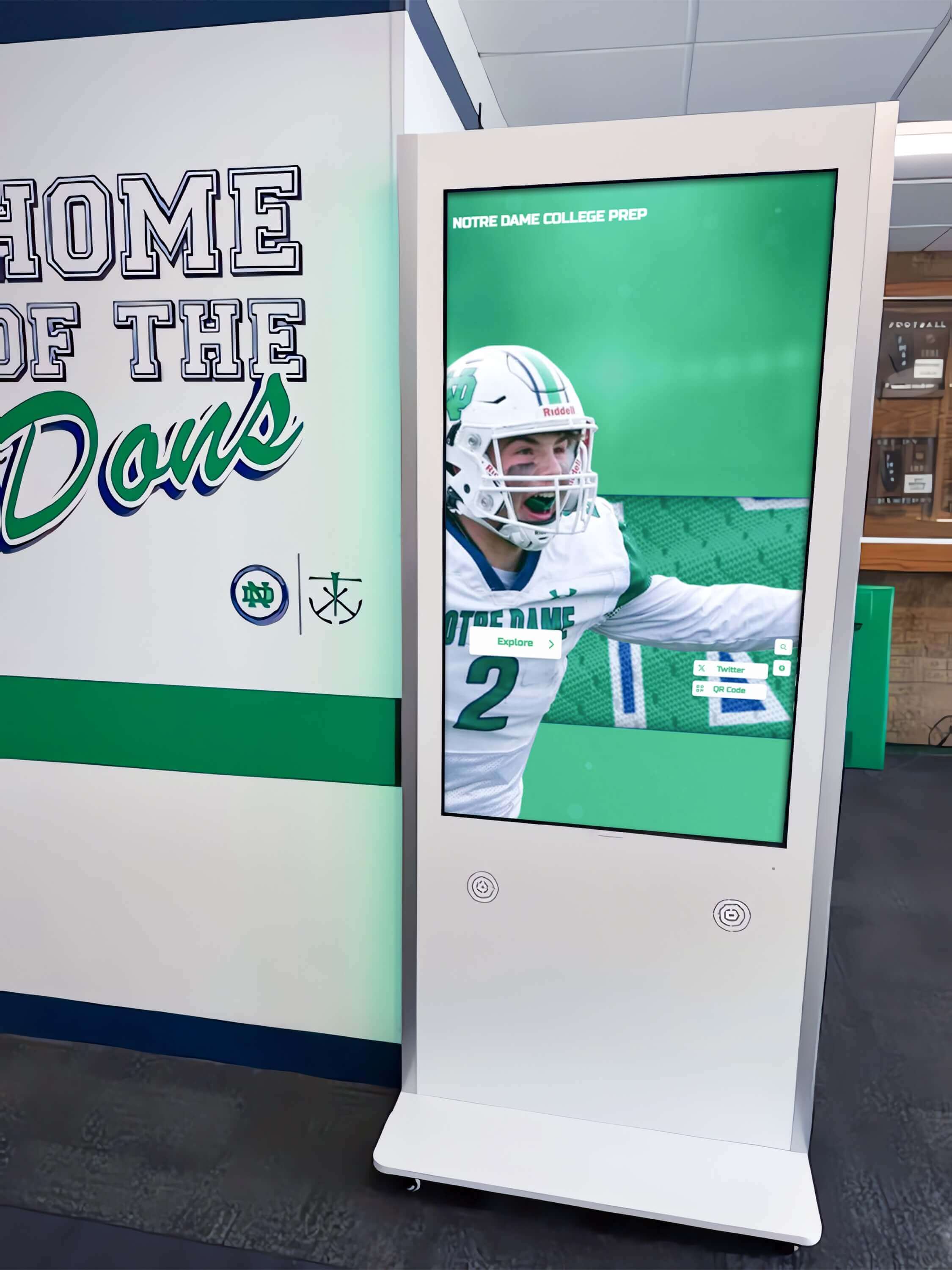
Modern touchscreen directory systems integrate seamlessly into campus architecture while providing advanced navigation capabilities
Personalized Route Calculation
Turn-by-turn directions from the directory kiosk location to desired destinations account for accessibility needs, mobility preferences, and special conditions like construction detours. Visitors receive specific instructions rather than general building locations.
Accessibility and Inclusion Features
Text-to-speech functionality, high-contrast display modes, screen reader compatibility, wheelchair-accessible mounting heights, and multilingual support ensure directory systems serve all visitors effectively regardless of abilities or language backgrounds, demonstrating institutional commitment to inclusive environments.
Mobile Integration Capabilities
The ability to send directions to visitor smartphones enables navigation while walking across campus. QR code scanning or text message delivery bridges the gap between stationary directory kiosks and mobile wayfinding needs.
Dynamic Content Management
Real-time updates reflecting current campus conditions, closures, events, and special information ensure visitors receive accurate, timely guidance rather than outdated information that creates frustration when circumstances have changed since directories were last updated.
Strategic Applications Beyond Basic Wayfinding
Touchscreen directory systems serve multiple institutional purposes that extend far beyond simple navigation assistance:
Prospective Student Recruitment Support
Admissions offices leverage directory systems to welcome visiting families with professional first impressions that signal institutional excellence and attention to detail. Self-guided exploration options provide value when scheduled tours aren’t available. Multimedia content showcasing academic programs, campus facilities, and student life creates engagement beyond basic wayfinding. Analytics reveal which information prospective students explore most frequently, informing recruitment messaging and tour strategies.
Solutions like interactive kiosk systems enable institutions to combine wayfinding functionality with storytelling that influences enrollment decisions and demonstrates campus culture.
Donor Recognition and Stewardship Integration
Forward-thinking institutions integrate donor recognition content directly within wayfinding systems, creating unified platforms that honor supporters while providing practical visitor services. Touchscreen directories can showcase digital donor walls highlighting capital campaign contributors, display building naming recognition, feature donor impact stories, and provide pathways to giving opportunities for inspired visitors.
This integrated approach demonstrates thoughtful stewardship while serving multiple institutional priorities through single technology investments rather than maintaining separate systems for wayfinding and recognition.
New Student Orientation and Campus Life
During orientation periods and throughout the academic year, directory systems help students and families navigate unfamiliar campus environments by providing residential hall locations, dining facility options and operating hours, academic building locations for course schedules, student services locations including registrar and financial aid offices, and campus safety resources.
Reducing navigation stress during critical transition periods improves new student satisfaction and contributes to retention outcomes while demonstrating institutional commitment to supporting student success from day one.
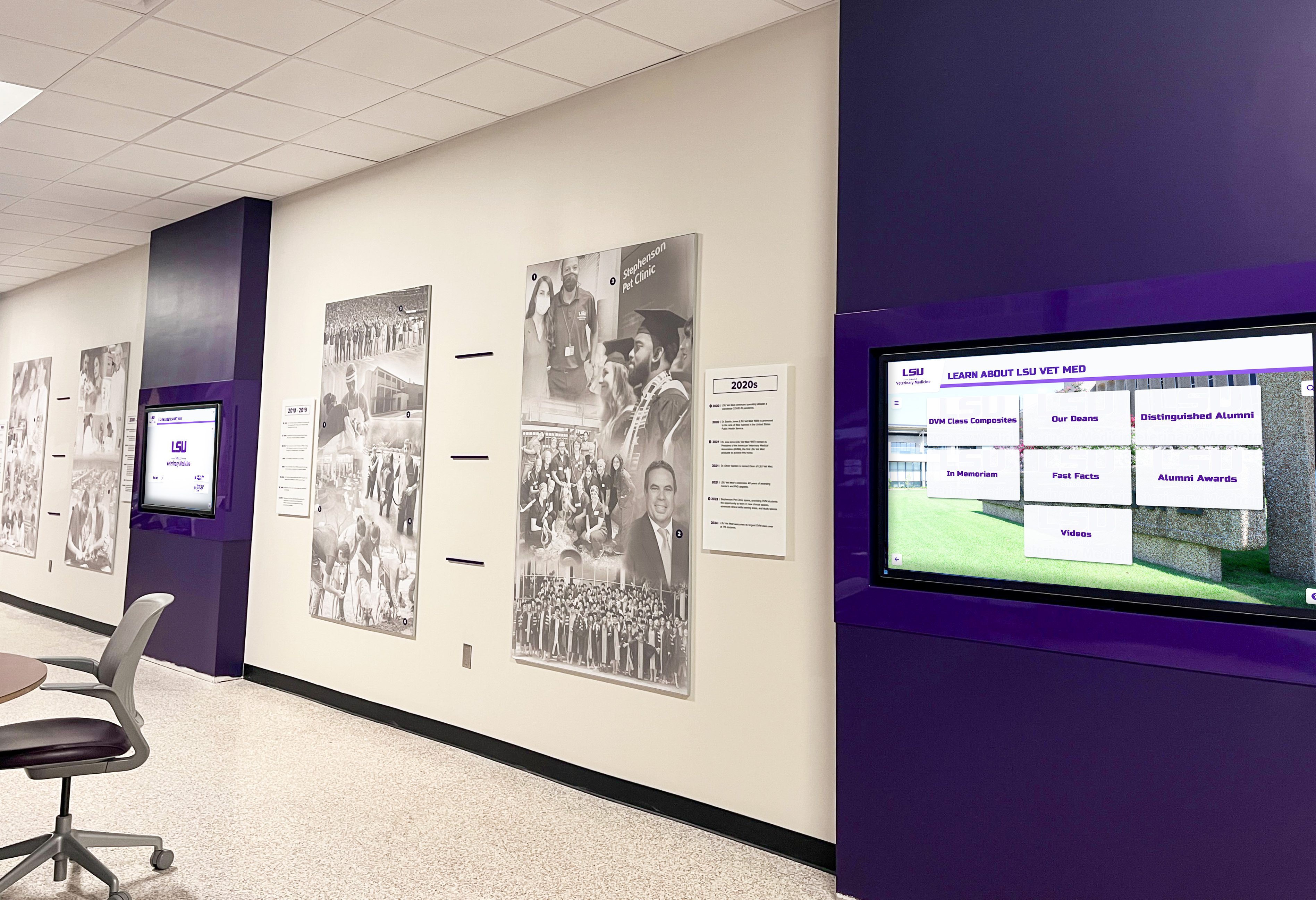
Strategic placement throughout campus extends wayfinding assistance to decision points where visitors need immediate guidance
Alumni and Community Engagement
Campus visitors attending reunions, fundraising events, or community programs benefit from directory systems providing event venue locations and parking information, historical campus information and heritage content, connections to alumni recognition displays and engagement opportunities, and donor wall integration showcasing philanthropic impact across campus history.
When advancement professionals guide alumni donors through campus, integrated wayfinding and recognition systems create comprehensive experiences that reinforce institutional pride while facilitating practical navigation needs during visits that often lead to renewed philanthropic engagement.
When to Implement Touchscreen Directory Systems
Understanding optimal timing and strategic opportunities helps institutions maximize directory system investment value while ensuring implementation aligns with broader campus priorities and initiatives.
Capital Campaign and Facility Opening Alignment
Major fundraising initiatives and facility projects create natural opportunities for touchscreen directory implementation that serves both immediate practical needs and long-term institutional advancement:
New Building Dedication and Opening Celebrations
When institutions construct new academic buildings, student centers, athletic facilities, or donor-funded spaces, integrated directory systems provide immediate navigation assistance while facilities remain unfamiliar to campus communities. Including directory technology in building design and construction budgets ensures proper infrastructure, professional integration, and thoughtful placement rather than retrofitting systems into existing spaces later at significantly higher costs.
Capital Campaign Recognition Integration
Comprehensive touchscreen directory systems can incorporate donor recognition functionality alongside wayfinding, creating unified platforms that honor campaign supporters while providing practical visitor services. This integrated approach demonstrates thoughtful stewardship of donor investments while serving multiple institutional priorities through coordinated technology implementation rather than fragmented standalone systems.
Campus Expansion and Master Plan Implementation
As institutions add buildings, repurpose facilities, or implement major campus redesigns, directory touchscreens help community members adapt to changing environments by providing current information regardless of construction-related changes, highlighting new facilities and services as they become available, explaining temporary pathway modifications during active construction, and maintaining consistent navigation assistance despite evolving campus geography that makes traditional static signage obsolete almost immediately upon installation.
Admissions Season and Recruitment Cycle Timing
Strategic implementation timing maximizes recruitment impact during periods when prospective student impressions most directly influence enrollment outcomes:
Summer Installation Before Fall Admissions Season
Installing directory systems during summer months enables testing, staff training, content refinement, and system optimization before peak prospective student visit seasons begin in early fall. This timing ensures systems function reliably when institutional reputation and enrollment decisions are most influenced by campus visit experiences and first impressions.
Pre-Launch Pilot Programs
Implementing initial directory kiosks at high-traffic locations like admissions buildings, main campus entrances, and visitor parking areas allows institutions to refine content, gather feedback, test functionality, and demonstrate value before broader campus deployment. Successful pilot programs build organizational support and momentum for comprehensive wayfinding network expansion while minimizing risk and enabling iterative improvement based on real-world usage patterns.
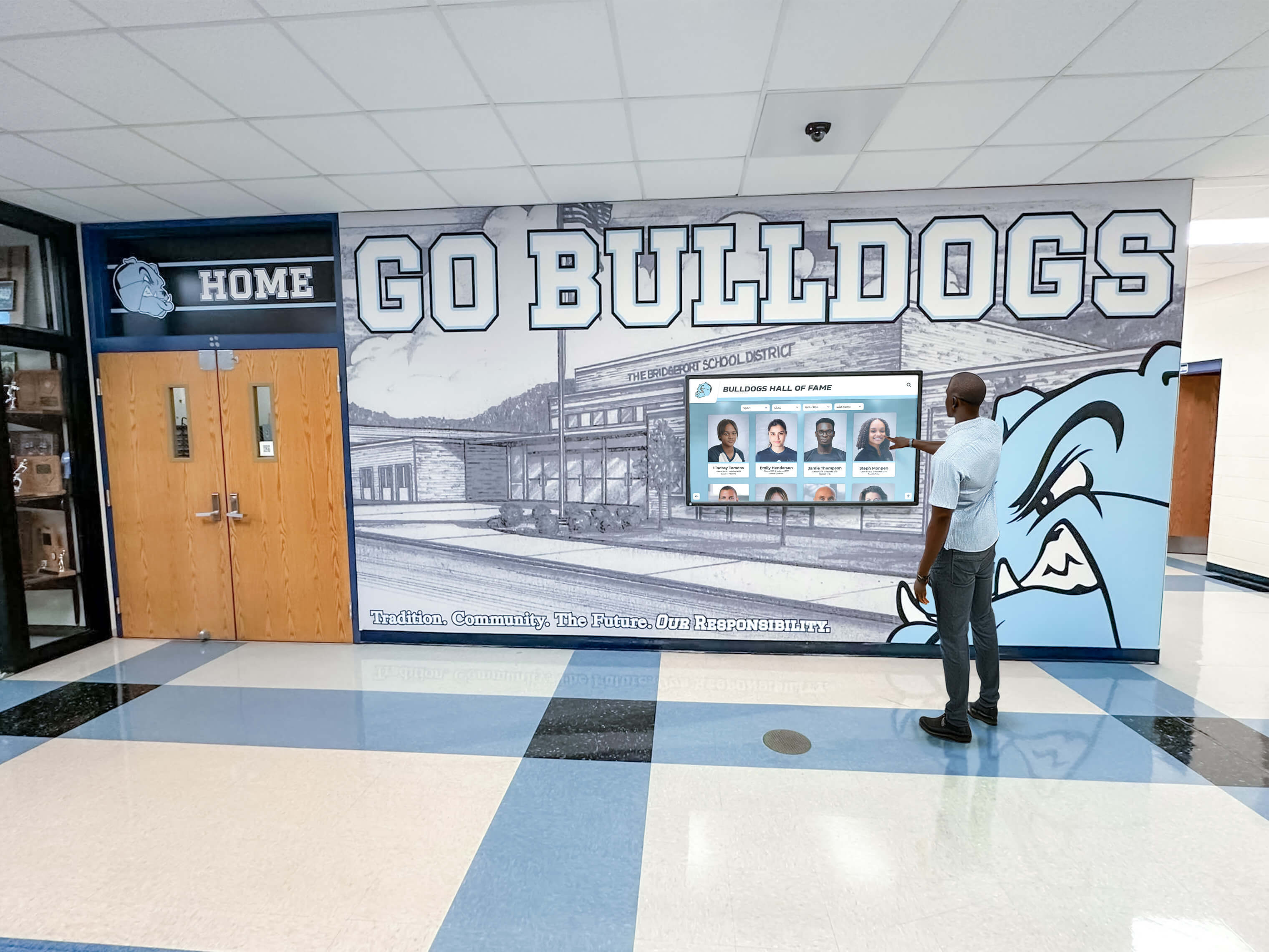
Touchscreen directories help visitors navigate multi-floor academic facilities and locate specific departments or offices efficiently
Accessibility Compliance and Inclusive Campus Initiatives
Institutions prioritizing inclusive environments find touchscreen directories essential for accessibility commitments that serve legal compliance requirements while demonstrating genuine commitment to welcoming all visitors:
ADA Compliance and Universal Design
Federal accessibility regulations and institutional inclusion commitments require wayfinding systems serving visitors with disabilities through visual, auditory, and mobility accommodations. Interactive touchscreen directories designed with comprehensive accessibility features demonstrate compliance while providing superior service to all visitors regardless of abilities.
Multilingual and International Community Support
As schools and universities serve increasingly diverse student populations and international communities, multilingual directory capabilities become essential for equitable campus navigation. Systems offering content in multiple languages eliminate barriers that can make campus visits stressful or unsuccessful for non-English speaking families, demonstrating institutional commitment to inclusive environments that welcome all community members.
Organizations implementing comprehensive digital displays recognize similar accessibility and inclusion benefits across campus technology investments that serve diverse populations effectively.
Essential Content and Messaging for Touchscreen Directory Systems
Strategic content development and thoughtful messaging determine whether directory systems effectively serve diverse visitor needs while supporting institutional priorities and creating positive impressions that influence enrollment and philanthropic engagement.
Building and Location Directory Structure
Comprehensive, well-organized location databases form the foundation of effective directory systems that actually help visitors rather than creating frustration through incomplete or confusing information:
Core Building Information Elements
Every campus location entry should include official building name with commonly used alternatives or historical names visitors might search, physical address for mapping and GPS integration, primary building functions and departments housed within the facility, accessibility entrance locations with specific details about ramps and elevator access, parking proximity and visitor parking authorization requirements, hours of operation when relevant for public access and appointments, and emergency contact information for building-specific issues or after-hours access needs.
This comprehensive information prevents scenarios where visitors reach correct general building areas but become lost finding specific entrances, accessible routes, or operating hour details that determine whether appointments can actually occur as scheduled.
Department and Office Location Granularity
Beyond building-level information, effective touchscreen directories include specific office locations within buildings through floor-by-floor directories showing department placements, room number ranges helping visitors navigate large multi-floor facilities, individual office listings when appropriate for frequently visited locations, and consolidated service categories grouping related functions together—for example, “Student Financial Services includes Financial Aid Office, Student Accounts, and Scholarship Programs.”
This detailed granularity prevents visitors from successfully navigating to correct buildings only to become lost within multi-floor facilities housing dozens of departments, offices, and services across complex floor plans.
Common Destination Shortcuts and Intuitive Categorization
Visitors often search for services without knowing specific building names, department titles, or institutional terminology. Effective touchscreen directories provide intuitive categorization including admissions and enrollment services grouped together for prospective students, student support services consolidated for easy discovery by current students and families, dining and food service options with locations and operating hours, health and wellness resources including counseling and medical services, athletic and recreation facilities organized by function and sport, performing arts venues for campus events and cultural programming, and donor recognition areas and named spaces honoring philanthropic support.
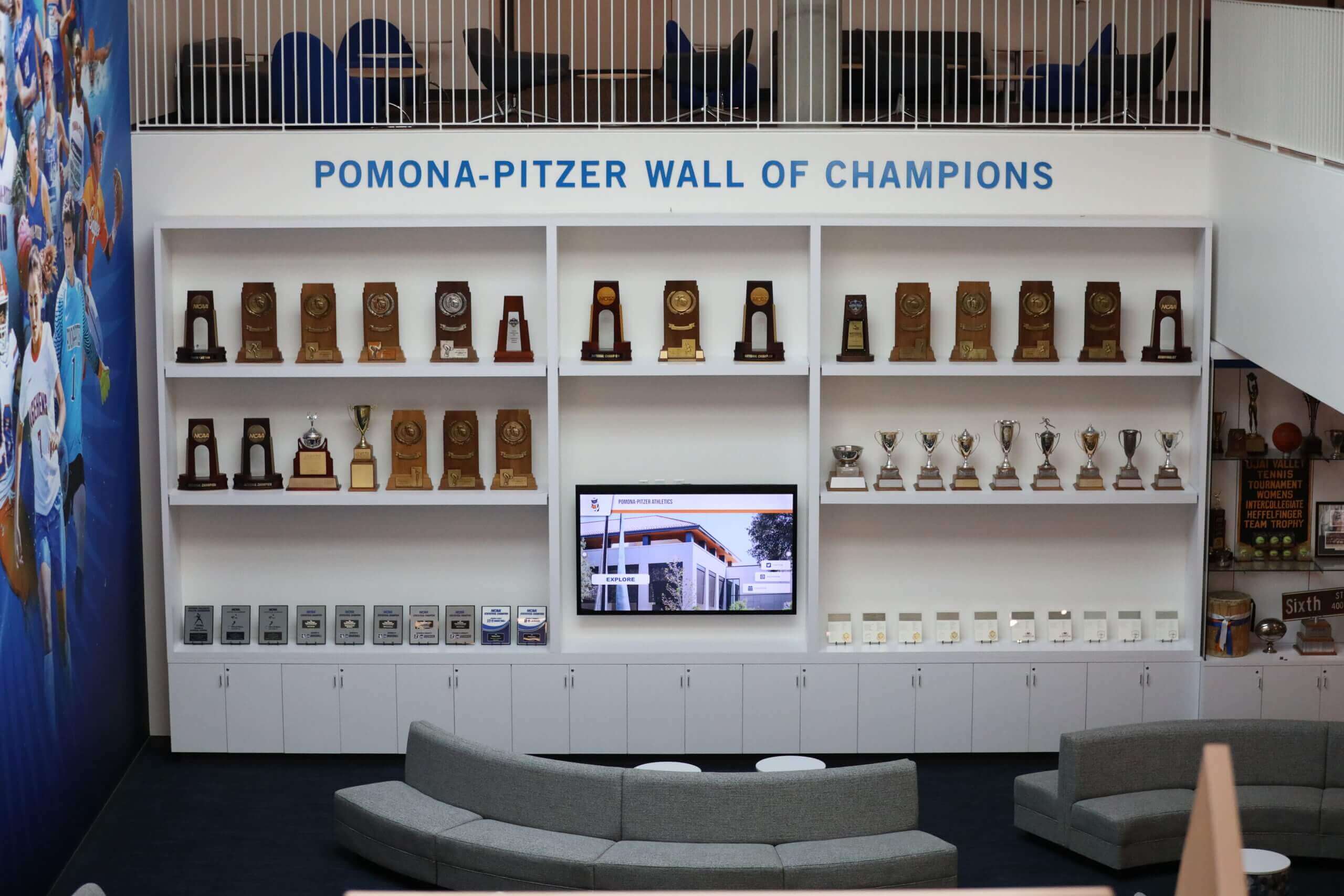
Comprehensive planning creates campus spaces combining wayfinding, recognition, and visitor engagement functions seamlessly
Dynamic Content and Real-Time Information Integration
Static building directories alone don’t fully serve visitor needs in dynamic campus environments where conditions, events, and priorities change constantly. Timely updates and current information significantly enhance directory system value:
Campus Events and Programming
Integration with campus event management systems enables touchscreen directories to display current and upcoming events with locations and times, special programming during prospective student visit days and open houses, athletic competitions and game schedules with venue information, performing arts productions and cultural events with ticket details, academic conferences and guest speakers in various campus locations, and campus tours, information sessions, and scheduled recruitment events.
When visitors discover relevant events through directory systems, institutions create engagement opportunities beyond planned visit purposes—prospective students might attend classes or performances, alumni could participate in lectures or exhibitions, and community members might discover public programs that strengthen town-gown relationships and institutional reputation.
Donor Recognition and Philanthropy Messaging
Touchscreen directories provide opportunities to integrate donor recognition content that demonstrates impact and inspires future giving. Recognition features might include campaign progress visualizations showing capital campaign advancement, named building and facility recognition honoring major donors, donor impact stories showcasing how philanthropy transforms student experiences, giving opportunity pathways for inspired visitors, and recognition of recent major gifts and leadership donations.
This strategic integration serves dual purposes of honoring existing donors appropriately while inspiring prospective donors through visible demonstration of philanthropic impact and institutional gratitude that makes giving meaningful and personally rewarding.
Real-Time Alerts and Operational Updates
Weather-related information affecting campus access, building closures or modified hours, emergency notifications and safety information, construction-related pathway changes and detours, parking availability and temporary restrictions, and special campus conditions requiring visitor awareness should appear prominently on directory home screens ensuring visitors receive critical current information affecting navigation, safety, and appointment success.
Outdated information that directs visitors to closed buildings or inaccessible areas creates worse experiences than having no directories at all while damaging institutional credibility and creating impression of poor organizational competence.
Accessibility and Inclusion Messaging Standards
Content presentation and system design should serve all visitors effectively regardless of abilities, language backgrounds, or familiarity with campus environments:
Language Selection and Multilingual Support
Prominent language selection buttons enabling instant interface translation to languages reflecting institutional demographics—commonly English, Spanish, Chinese, and additional languages based on international student and community populations, consistent high-quality translation across all content areas avoiding awkward machine translation, cultural sensitivity ensuring translations convey appropriate tone and institutional voice, and visual language indicators helping non-English speakers identify language options immediately upon approach.
Visual Design and Readability Standards
High-contrast color schemes meeting WCAG accessibility guidelines for visitors with visual impairments, adjustable text sizes accommodating vision needs across diverse populations, simple clear typography avoiding decorative fonts that reduce legibility, generous white space preventing overwhelming visual density that creates confusion, consistent layout patterns enabling quick visual scanning and intuitive navigation, and prominent calls-to-action guiding visitor interactions without requiring technical expertise or system familiarity.
Institutions implementing accessible touchscreen software apply similar inclusive design principles across campus communication systems ensuring equitable access for all community members.
Assistive Technology Integration
Text-to-speech functionality reading displayed information aloud for visitors with visual impairments, screen reader compatibility for visitors using personal assistive devices, audio jack availability for private listening without disturbing nearby visitors in quiet campus areas, tactile or vibration feedback confirming touch interactions for visitors who may not perceive visual responses, and wheelchair-accessible mounting heights ensuring usability for visitors with mobility devices or different physical statures.
These accessibility features demonstrate genuine institutional commitment to inclusive environments while ensuring legal compliance with ADA and similar accessibility regulations that apply to public campus spaces and educational institutions.

Engaging touchscreen directory experiences create positive institutional impressions while providing practical visitor services
Strategic Placement and Installation Best Practices
Physical location and thoughtful placement determine whether touchscreen directory systems effectively serve visitors or remain underutilized technology investments that fail to deliver value proportionate to implementation costs and ongoing operational expenses.
High-Priority Directory Kiosk Locations
The most critical placements address locations where visitors most frequently need immediate navigation assistance and where first impressions most significantly influence enrollment and philanthropic outcomes:
Campus Gateway and Primary Entrance Points
Main vehicle entrances with visitor parking nearby establish wayfinding orientation for first-time visitors arriving by car. Pedestrian gateways from public transportation stops and parking structures serve visitors without vehicles. Administrative quadrangle or central campus gathering space arrivals help visitors orient themselves after initial campus entry. Historical or ceremonial campus entrance points create opportunities for wayfinding combined with institutional storytelling and heritage messaging.
These gateway placements create immediate positive impressions demonstrating institutional commitment to welcoming experiences while providing practical navigation assistance visitors need most urgently upon arrival at unfamiliar campuses.
Admissions and Visitor Center Locations
Admissions office lobbies and waiting areas serve prospective students during appointment wait times. Visitor center interior spaces and exterior approaches welcome families and guests. Tour assembly and departure points for group campus tours provide information before and after guided experiences. Prospective student interview and meeting areas support high-value recruitment interactions.
Directory systems at these high-priority recruitment locations serve visitors whose campus experiences directly influence enrollment decisions and institutional reputation in competitive higher education markets.
Major Building Lobbies and Common Areas
Large multi-department academic buildings housing numerous classrooms and faculty offices provide navigation assistance once visitors reach destination buildings but need floor-specific directions to individual rooms or offices. Library main entrances and information areas serve students and visitors seeking research resources and study spaces. Student union and campus center gathering areas function as central hubs where many campus journeys begin. Science, engineering, or specialized program buildings hosting tours and demonstrations support recruitment for specific academic programs.
Donor Recognition and Event Spaces
Areas featuring traditional donor walls or recognition displays create natural opportunities for integrated digital recognition systems combining wayfinding with donor stewardship. Event facility lobbies and meeting spaces serve alumni, donors, and community members attending institutional programs. Athletic facility entrances and concourses welcome visitors to competitions and tournaments. Performing arts center lobbies provide navigation assistance to patrons attending cultural events.
These placements demonstrate thoughtful integration of wayfinding with recognition and engagement priorities rather than treating directories as purely functional infrastructure separate from advancement and donor relations strategies.
Supporting Location Considerations
Beyond primary high-traffic placements, strategic secondary locations extend wayfinding coverage across broader campus geography:
Transportation Hub Connections
Campus shuttle and bus stop shelters help visitors transition from public transportation to specific campus destinations. Parking garage pedestrian exits connect parking facilities to campus pathways and buildings. Ride-share and taxi drop-off zones near campus centers serve visitors arriving by commercial transportation. Bicycle parking and bike-share stations support sustainable transportation users navigating to final destinations.
Residence Hall and Student Life Areas
Residence hall community spaces and main entrances support new student families during move-in and orientation. Dining hall locations and student gathering areas serve daily student navigation needs. Campus bookstore and retail service buildings provide commercial amenities requiring visitor directions. Student organization and activity centers support co-curricular engagement and campus life.
Universities implementing comprehensive digital campus systems often integrate wayfinding capabilities within recognition displays, creating unified campus information networks that serve multiple purposes efficiently.
Conference and Community Engagement Facilities
Conference centers hosting academic and community events serve external visitors unfamiliar with campus. Continuing education and professional development buildings welcome non-traditional students. Public lecture halls and auditoriums accommodate community programs and cultural events. Athletic training and wellness facilities increasingly serve community members beyond traditional student populations.
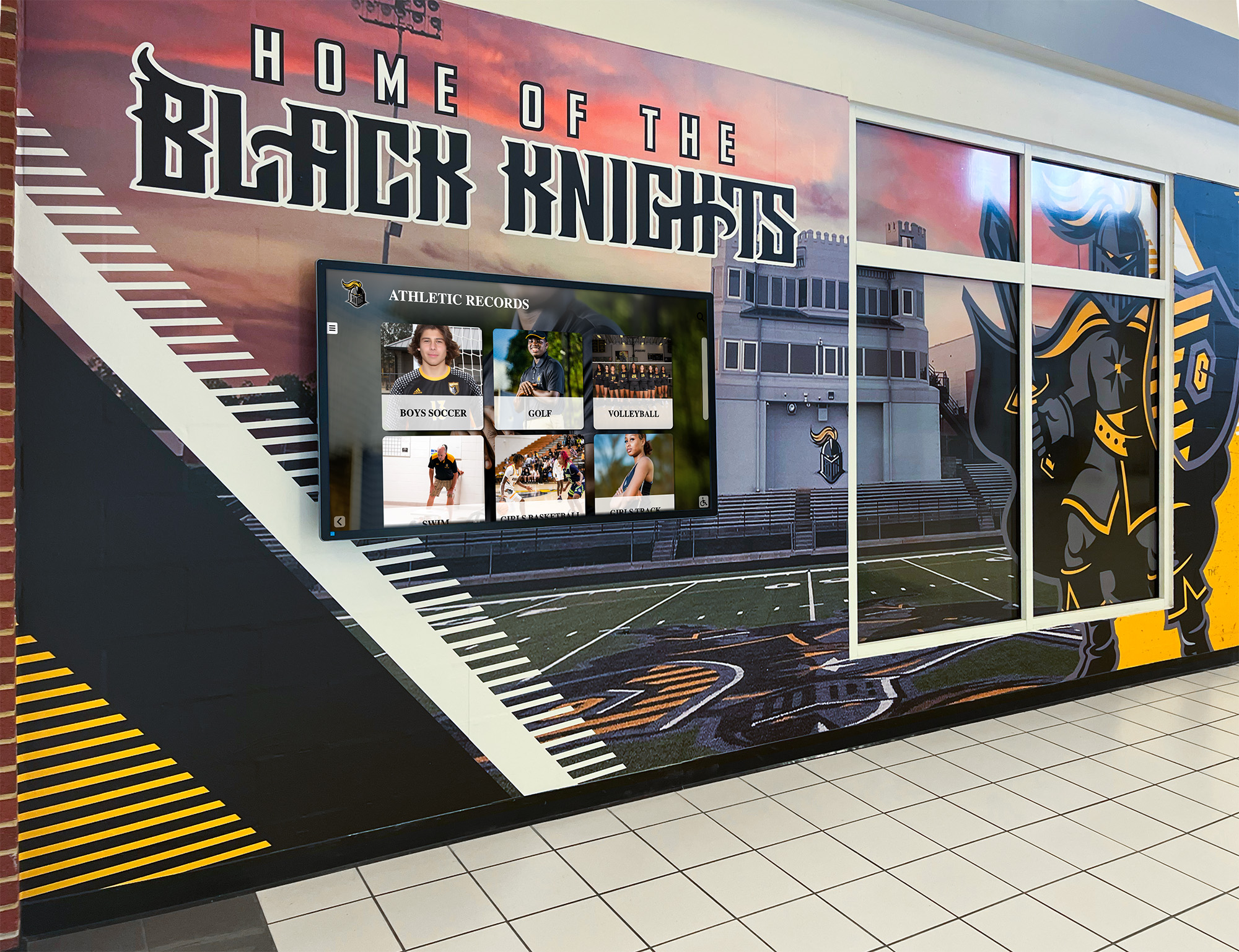
Integrated displays combine institutional branding, recognition content, and wayfinding functionality in cohesive campus installations
Environmental and Technical Installation Requirements
Successful installations require attention to infrastructure, environmental conditions, and technical specifications that determine long-term reliability and performance:
Power and Network Connectivity
Dedicated electrical circuits with appropriate amperage for display requirements prevent power issues and enable reliable continuous operation. Hardwired ethernet connections or robust WiFi coverage ensure network reliability for content updates and interactive features. Uninterruptible power supply (UPS) protection prevents display shutdowns during power fluctuations that could interrupt visitor interactions mid-session. Professional cable management and concealment maintains clean professional appearance consistent with institutional branding standards.
Outdoor and High-Traffic Environment Considerations
Weather-resistant enclosures for outdoor or covered exterior placements protect systems from precipitation, temperature extremes, and environmental exposure. High-brightness displays maintain visibility in ambient sunlight and varying lighting conditions throughout the day. Thermal management and ventilation prevent overheating during summer months or in enclosed spaces. Vandal-resistant mounting and protective glazing deter tampering while withstanding high-traffic environments. Secure installation methods prevent theft or unauthorized removal of valuable equipment.
Accessibility and Viewing Height Standards
Screen mounting heights accommodating wheelchair users and visitors of varying heights ensure universal access consistent with ADA requirements. Clear floor space surrounding kiosks enables wheelchair maneuvering and approach. Optimal viewing angles minimize glare from overhead lighting, windows, or reflective surfaces that reduce screen visibility. Reach ranges ensure all interactive elements are accessible to visitors with limited mobility or reach limitations.
Proper installation following accessibility standards demonstrates institutional commitment to inclusive environments while ensuring legal compliance and effective service to all campus visitors.
Measuring Success and Demonstrating Directory System Value
Systematic assessment ensures touchscreen directory investments achieve intended outcomes while identifying optimization opportunities and providing data demonstrating return on investment to institutional stakeholders and budget decision-makers.
Quantitative Performance Metrics
Track measurable indicators of directory system effectiveness and visitor engagement:
Usage and Engagement Statistics
Total interactions and unique sessions over daily, weekly, and seasonal time periods reveal overall directory utilization. Average session duration indicates content value and engagement depth—very short sessions may suggest usability problems while longer sessions indicate visitors finding valuable information. Search query analysis reveals what information visitors seek most frequently, informing content priorities and campus signage strategies. Popular destinations and most-accessed content demonstrate visitor priorities and information needs.
High sustained engagement suggests directory systems provide genuine value while frequent searches for specific content reveal information visitors prioritize most highly and may indicate gaps in physical signage or campus communication.
Operational Efficiency Improvements
Reduced calls to campus operators and information desks requesting directions demonstrates directory systems successfully providing self-service wayfinding. Decreased admissions staff time providing repetitive navigation assistance allows focus on relationship-building and substantive recruitment conversations. Fewer reports of visitors arriving late to appointments due to navigation confusion indicates improved campus navigability. Improved on-time arrival rates for campus tours and admissions sessions reduces schedule disruption and improves recruitment program efficiency.
These operational improvements demonstrate tangible value beyond visitor satisfaction through measurable staff time savings, efficiency gains, and resource optimization that partially offset directory system investment costs.
Recruitment and Enrollment Impact Indicators
Prospective student satisfaction survey scores related to campus visit experience provide direct feedback on navigation and overall visit quality. Application submission rates among campus tour participants indicate whether positive visit experiences translate to enrollment funnel advancement. Enrollment yield improvements correlating with directory implementation timing suggest wayfinding contributes to conversion outcomes. Qualitative feedback from visiting families about navigation ease and campus accessibility reveals perceptions and impressions influencing enrollment decisions.
Since campus visit experiences significantly influence enrollment decisions in competitive higher education markets, directory systems contributing to positive impressions provide measurable advancement value supporting institutional strategic priorities and revenue outcomes.
Qualitative Assessment and Stakeholder Feedback
Complement quantitative metrics with qualitative insights revealing how visitors experience and value directory systems:
Visitor Experience and Satisfaction
Regular brief surveys of prospective students and families about wayfinding ease administered during or immediately after campus visits. Comment collection through directory feedback features, QR codes linking to online forms, or follow-up email surveys. Observational studies noting visitor interactions, confusion patterns, success indicators, and common challenges. Focus groups with new students about orientation navigation experiences and directory system effectiveness. Spontaneous feedback shared with admissions staff, campus tour guides, and campus operators regarding navigation ease and directory utility.
Understanding how visitors actually experience and value directory systems reveals whether implementations achieve intended purposes of improving navigation and creating welcoming campus environments that influence enrollment and engagement outcomes.
Staff and Administrator Perspectives
Admissions staff assessment of directory impact on visitor experience, recruitment program efficiency, and enrollment effectiveness provides frontline perspective on system value. Facilities personnel evaluation of maintenance requirements, reliability, and operational sustainability informs long-term planning. IT staff feedback on system performance, integration success, and technical support requirements ensures sustainable operations. Accessibility services input on accommodation effectiveness and inclusive design validates compliance and commitment. Campus leadership perspective on strategic value, institutional reputation impact, and investment justification supports continued funding and expansion.
Since various stakeholders manage, depend on, and budget for directory systems, their satisfaction and support directly affects long-term success, proper maintenance, and willingness to expand implementations over time.
Organizations implementing comprehensive recognition programs apply similar continuous improvement approaches across all campus technology investments ensuring sustained value and evolving capabilities meeting changing institutional needs.
Continuous Optimization and Content Refinement
Regular content audits verifying information accuracy and currency prevent outdated data from undermining system value. Seasonal updates adapting content emphasis to current priorities like admissions season, orientation, homecoming, or capital campaigns. New feature additions as capabilities expand and user needs evolve. Expansion planning based on usage patterns, underserved locations, and demonstrated value. Technology refresh strategies maintaining modern functionality and preventing obsolescence.
Systematic ongoing improvement ensures directory systems remain valuable institutional assets continuously serving evolving needs rather than becoming outdated infrastructure requiring eventual costly replacement.
Best Practices for Long-Term Touchscreen Directory Success
Learning from successful implementations across diverse educational institutions helps schools and universities maximize directory value while avoiding common pitfalls that undermine system effectiveness and return on investment.
Maintain Current and Accurate Information Consistently
Even the most sophisticated technology provides negative value when containing outdated or incorrect information that misdirects visitors and damages institutional credibility:
Systematic Update Protocols
Establish clear processes including designated responsibility for content maintenance and accuracy—specific staff members own directory currency rather than diffused responsibility that leads to neglect. Regular review schedules ensure periodic verification regardless of reported changes, catching errors and outdated information proactively. Integration with institutional change management processes ensures directory updates occur automatically when departments move, buildings are renamed, or services relocate. Proactive communication channels where departments report changes directly to directory content managers. Quality assurance checks before publishing updates prevent errors from reaching visitor-facing interfaces.
When visitors follow directory directions to wrong buildings, closed offices, or outdated department locations, systems create worse experiences than having no directories at all while damaging institutional credibility and professionalism perception.
Integrate Directory Systems with Broader Institutional Strategy
Touchscreen directories should connect with comprehensive advancement, recruitment, and recognition priorities rather than functioning as isolated facilities infrastructure:
Advancement and Donor Relations Alignment
Coordinate directory content with donor recognition displays and capital campaign messaging, creating cohesive systems that honor supporters while providing practical visitor services. Showcase campaign progress through integrated visualization systems demonstrating philanthropic impact. Feature named buildings and spaces with donor recognition information. Provide pathways to giving opportunities for inspired visitors exploring campus and learning about institutional priorities.
This strategic integration ensures directory investments support multiple advancement priorities simultaneously while demonstrating thoughtful stewardship of limited technology budgets to donors and institutional stakeholders.
Campus Master Planning and Facility Development
Include directory considerations in new building design and construction budgets rather than retrofitting systems later at higher cost. Plan network infrastructure and power requirements proactively during facility development. Coordinate wayfinding updates with construction and renovation projects ensuring currency despite changing campus geography. Establish expansion roadmaps as campus facilities and geography evolve over time. Budget for regular technology refresh cycles maintaining current functionality and preventing obsolescence.
Forward-thinking planning prevents costly retrofitting while ensuring consistent professional wayfinding experiences across ongoing campus development and facility evolution.
Balance Technology Investment with Human Hospitality
While touchscreen directories provide valuable self-service wayfinding capabilities, they shouldn’t replace human interaction and personal attention entirely:
Complementary Approaches
Directory systems should augment rather than eliminate campus information desks, visitor centers, and personal staff assistance. Information provided through directories should align with verbal directions staff offer, creating consistency rather than conflicting guidance. Systems should support tour guides and admissions counselors rather than replacing personal interaction that builds relationships and influences enrollment. Technology should create opportunities for staff to focus on substantive relationship-building conversations rather than repetitive direction-giving.
The most welcoming campuses combine effective technology enabling efficient self-service with genuine personal attention demonstrating care for every visitor regardless of their immediate importance to enrollment or fundraising outcomes.
Transform Your Campus Wayfinding and Recognition Experience
Discover how Rocket Alumni Solutions creates intuitive touchscreen directory systems specifically designed for schools, universities, and educational institutions. Our cloud-based platforms provide comprehensive navigation, integrate donor recognition seamlessly, and demonstrate institutional commitment to welcoming every campus visitor while honoring philanthropic support that makes excellence possible.
Request a Touchscreen Directory DemonstrationConclusion: Creating Navigable, Welcoming Campus Environments That Honor Excellence
Touchscreen directory systems represent strategic investments in visitor experience, institutional accessibility, and campus reputation that yield measurable returns through improved recruitment outcomes, enhanced donor impressions, reduced operational costs, and demonstrated commitment to inclusive environments serving all visitors effectively regardless of familiarity, abilities, or backgrounds.
As campuses continue growing in complexity and visitors increasingly expect sophisticated interactive experiences consistent with consumer technology they encounter everywhere else, comprehensive wayfinding solutions transition from competitive advantages to baseline expectations. Institutions implementing thoughtful, user-centered touchscreen directory systems demonstrate commitment to supporting every visitor while creating opportunities to integrate donor recognition, showcase institutional excellence, and inspire future philanthropic engagement.
The most successful implementations view touchscreen directories not as isolated technology projects but as integrated components of comprehensive campus experience strategies. These systems connect physical wayfinding with mobile access extending navigation beyond stationary kiosks. They link navigation functionality with institutional storytelling, recognition programs, and advancement priorities. They adapt continuously based on user feedback, usage analytics, and advancing capabilities. They support multiple institutional goals from enrollment management to donor stewardship to community engagement.
Whether your institution is beginning to explore interactive directory options or ready to expand existing wayfinding systems, prioritizing intuitive design, comprehensive accurate content, strategic placement, inclusive accessibility, donor recognition integration, and systematic ongoing management ensures technology investments deliver lasting value supporting institutional mission and strategic priorities.
Your campus community—prospective students discovering your institution for the first time, new students and families finding their way during orientation, visiting alumni attending reunions and events, donors participating in recognition ceremonies and campaign celebrations, community members attending public programs—all deserve navigation support and welcoming experiences reflecting institutional excellence. Interactive touchscreen directory systems make sophisticated, accessible, integrated wayfinding achievable, sustainable, and continuously improvable while creating opportunities to honor the philanthropic support that enables institutional excellence.
Ready to enhance campus navigation and donor recognition at your institution? Start by assessing current wayfinding challenges, engaging stakeholders across departments from advancement to facilities to admissions, and exploring proven interactive solutions designed specifically for educational environments. With thoughtful planning, appropriate technology selection, strategic integration with recognition priorities, and commitment to continuous improvement, your campus can provide exceptional wayfinding experiences that welcome every visitor while demonstrating gratitude to donors whose generosity makes institutional excellence possible.































