




Touchscreen technology has fundamentally transformed how humans interact with computers, phones, and digital displays over the past six decades. From E.A. Johnson’s pioneering capacitive touchscreen at the Royal Radar Establishment in 1965 to the ubiquitous smartphones and interactive kiosks of 2025, touchscreens have evolved from specialized military equipment to everyday technology used by billions worldwide.
Yet most people remain unaware of the remarkable innovation journey that made touch-based interaction possible. Understanding this history reveals not just technological progress, but how persistent inventors overcame skepticism, technical limitations, and market resistance to create interfaces so intuitive that even young children can use them without instruction. The touchscreen revolution didn’t happen overnight—it required decades of parallel development across multiple technologies, each building on previous breakthroughs to eventually converge into the responsive, multi-touch displays we take for granted today.
This comprehensive guide explores the complete history of touchscreen technology, from its earliest conceptual origins through modern applications including interactive recognition displays, examining the key inventors, breakthrough moments, and technological evolution that brought us from experimental prototypes to the sophisticated touch interfaces that now define our digital age.
The story of touchscreen technology encompasses multiple parallel innovation streams that eventually merged to create today’s ubiquitous touch interfaces. Understanding this history provides context for appreciating modern applications like interactive recognition systems that leverage decades of technological advancement to create engaging visitor experiences.

Modern touchscreen displays represent six decades of continuous innovation in human-computer interaction technology
The Dawn of Touch Technology: 1940s-1960s Foundations
Before touchscreens could become practical reality, inventors needed to conceptualize entirely new approaches to human-computer interaction that diverged from keyboards and mechanical input devices.
Early Conceptual Origins
The conceptual foundations for touchscreen technology emerged surprisingly early in computing history, well before the technology existed to implement these visions practically.
1948: Hugh Le Caine’s Electronic Sackbut
Hugh Le Caine, a Canadian physicist and composer, created the Electronic Sackbut, widely considered the first musical synthesizer. This instrument incorporated touch-sensitive controls that responded to finger pressure and position, representing one of the earliest implementations of touch-based interaction in electronic systems. While not a display screen, Le Caine’s work demonstrated that electronic systems could respond to direct touch in sophisticated ways, establishing conceptual groundwork for future developments.
The First Capacitive Touchscreen: E.A. Johnson’s Breakthrough
The history of true touchscreen displays begins with pioneering work at a British military research facility in the mid-1960s.
1965: E.A. Johnson and the Royal Radar Establishment
E.A. Johnson, an engineer at the Royal Radar Establishment in Malvern, United Kingdom, invented what historians consider the first capacitive touchscreen around 1965. Johnson’s innovation solved a practical military problem: how could air traffic controllers more efficiently interact with radar displays showing aircraft positions?
In October 1965, Johnson published a pivotal article titled “Touch Display—A Novel Input/Output Device for Computers” in Electronics Letters, outlining his vision for touch-sensitive displays that could enhance human-computer interaction. Two years later, he expanded on this work with photographs and diagrams in “Touch Displays: A Programmed Man-Machine Interface,” published in Ergonomics in 1967.
How Johnson’s Capacitive Touchscreen Worked
Johnson’s system utilized the capacitive method, meaning the screen sensed changes in electrical charge when touched by a conductive object like a human finger. A transparent conductive layer detected the location of touch, translating that position into a command the computer could process. Unlike later multi-touch displays, Johnson’s screen could detect only one touch point at a time, but this represented remarkable innovation for the era.
Johnson filed for a patent in the UK (GB3352465) in 1965, and the US patent (US3482241A) was granted in 1969. His touch screen technology found practical application controlling air traffic in the United Kingdom, remaining in operational use until approximately 1995—a remarkable three-decade service life demonstrating the technology’s reliability and utility.

Contemporary touchscreen kiosks trace their lineage directly to E.A. Johnson's 1965 capacitive touch innovation
The 1970s: Parallel Development of Multiple Touch Technologies
The 1970s witnessed explosive innovation in touchscreen technology as multiple inventors independently developed different approaches to touch-based interaction, each with unique advantages and applications.
Resistive Touchscreens: Dr. Samuel Hurst’s Innovation
While Johnson pioneered capacitive technology, another inventor took a completely different approach that would prove commercially significant for decades.
1971: The Birth of Resistive Touch Technology
Dr. G. Samuel Hurst developed the first practical resistive touchscreen in 1971 while conducting research at the University of Kentucky. Remarkably, Hurst discovered this design not through deliberate touchscreen research, but while studying atomic physics with a Van de Graaff generator. This serendipitous discovery exemplifies how breakthrough innovations sometimes emerge from unexpected contexts.
Resistive touchscreens utilized two transparent conductive layers separated by microscopic spacer dots. When pressure was applied to the surface—whether by finger, stylus, or any object—these layers would make contact, creating a measurable change in electrical resistance that indicated the touch location.
1974-1977: Commercialization Through Elographics
In 1974, the Accutouch made by Elographics became the first transparent touch screen using 5-wire resistive technology. Dr. Hurst received the first patent for resistive touchscreen technology in 1975, and in 1977 founded Elographics to develop and manufacture resistive touchscreen products commercially. Elographics became the first commercial producer of resistive touchscreens, focusing throughout the late 1970s on improving durability and sensitivity.
Resistive technology offered significant advantages over capacitive approaches for certain applications: it worked with any object applying pressure (including styluses and gloved hands), cost less to manufacture, and proved more resistant to environmental contaminants like water or dust. These characteristics made resistive touchscreens the dominant technology for industrial, medical, and point-of-sale applications for decades.
Educational Computing: PLATO IV’s Infrared Innovation
While capacitive and resistive technologies competed for commercial adoption, educational institutions pioneered yet another approach that would influence future developments.
1972: The University of Illinois PLATO IV Terminal
The PLATO IV system, part of the University of Illinois’ groundbreaking educational computing initiative started in the 1960s, introduced one of the first touchscreens in a working computer application in 1972. The PLATO IV terminal featured a 16-by-16 grid infrared touch panel that allowed students to answer questions by touching anywhere on the screen.
The infrared approach worked differently from both capacitive and resistive technologies. A grid of infrared light beams crossed just in front of the display surface. When a finger or other object touched the screen, it broke specific vertical and horizontal beams, allowing the system to calculate the touch position based on which beams were interrupted.
The PLATO IV terminal also incorporated Donald Bitzer’s orange plasma display invention, which integrated both memory and bitmapped graphics capabilities. The 512x512 bitmap display combined with infrared touch technology created an interactive educational experience remarkably advanced for its era, enabling students to directly manipulate on-screen content in ways that presaged modern touch interfaces.
This educational application demonstrated that touchscreens could make computing more accessible and intuitive, particularly for users without extensive technical training—a insight that would prove prophetic decades later when smartphones brought computing to billions of non-technical users.
CERN’s Transparent Touchscreen Development
Meanwhile, European researchers pursued parallel innovations with different applications in mind.
Early 1970s: Frank Beck and Bent Stumpe at CERN
Engineers Frank Beck and Bent Stumpe at CERN (the European Organization for Nuclear Research) developed a transparent touchscreen based on Stumpe’s earlier work at a television factory in the 1960s. Their research contributed to the growing body of knowledge about how touch-based interfaces could control complex systems, in their case supporting physics research equipment.
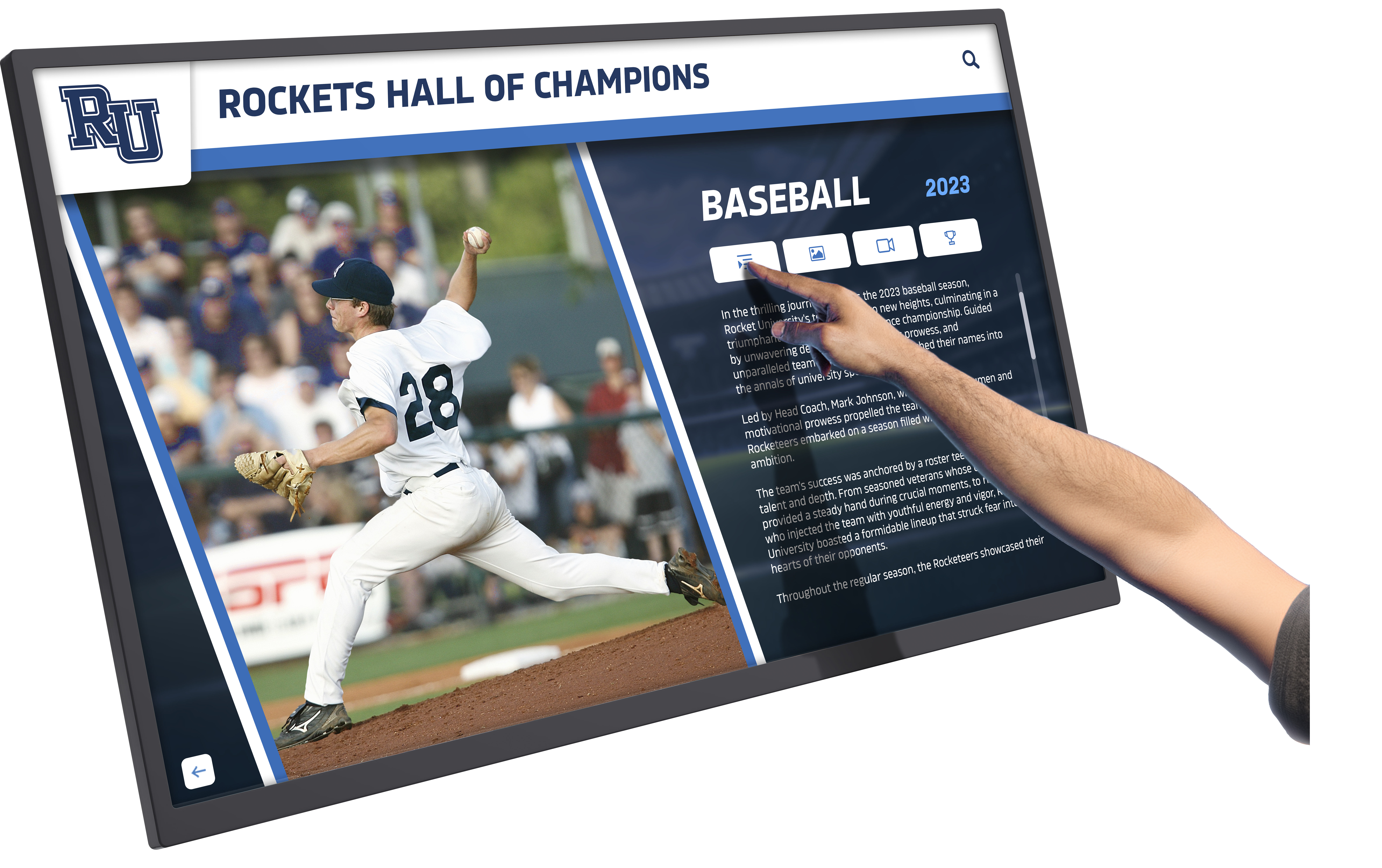
1970s touchscreen innovations established fundamental interaction patterns still used in modern interfaces
Multi-Touch Foundations
Not content with single-point touch detection, researchers began exploring how screens might recognize multiple simultaneous touches—a capability that would later become essential for modern smartphone gestures.
1982: The University of Toronto’s Multi-Touch Breakthrough
The University of Toronto’s Input Research Group developed the first human-input multi-touch system in 1982, using a frosted-glass panel with a camera placed behind the glass. This optical approach could detect multiple fingers simultaneously, enabling gestures impossible with single-touch systems.
While this early multi-touch system was too bulky and expensive for commercial applications, it established proof of concept for multi-touch interaction and inspired continued research that would eventually yield the practical multi-touch displays introduced decades later.
The 1980s-1990s: Commercial Adoption and Market Emergence
As touchscreen technologies matured during the 1980s and 1990s, they began transitioning from research laboratories and specialized military applications to commercial products and public-facing systems.
The HP-150: Consumer Computing Meets Touch
The early 1980s witnessed the first serious attempts to bring touchscreen technology to consumer computer markets.
1983: Hewlett-Packard’s HP-150 Touchscreen Computer
On November 28, 1983, Hewlett-Packard introduced the HP-150 at the Comdex fall trade show in Las Vegas. This compact computer, based on the Intel 8088 CPU running at 8 MHz (faster than the 4.77 MHz IBM PC processors of that period), became one of the world’s earliest commercialized touchscreen computers.
The HP-150 utilized infrared technology similar to the PLATO IV approach but refined for consumer use. The computer’s 9-inch Sony CRT was surrounded by infrared emitters and detectors that detected the position of any non-transparent object touching the screen. A series of vertical and horizontal infrared light beams crossed just in front of the screen; when a finger touched the screen, it broke one vertical and one horizontal beam, positioning the cursor at that location.
The HP-150 caused a sensation upon release, becoming the first Hewlett-Packard product advertised on television. However, despite initial excitement, the system faced practical limitations. The infrared beams required careful calibration, users complained about “gorilla arm” fatigue from holding their arms up to touch a vertical screen for extended periods, and the technology struggled to compete with increasingly sophisticated mouse-based graphical user interfaces.
While the HP-150 didn’t achieve lasting market success, it demonstrated that touchscreen technology could work in consumer products and educated both manufacturers and users about the possibilities and challenges of touch-based interaction.
ATMs, POS Systems, and Public Kiosks
While touchscreen computers struggled in consumer markets during the 1980s, the technology found commercial success in specialized applications where its advantages outweighed limitations.
Automated Teller Machines (ATMs)
Banks rapidly adopted touchscreen interfaces for ATMs throughout the 1980s. Touch interaction eliminated the need for separate keypads for certain operations, simplified user interfaces for customers unfamiliar with computer systems, and reduced mechanical components that could fail or require maintenance. The controlled environment of ATM enclosures protected touchscreen components from extreme weather conditions, making the technology more reliable than it might be in fully exposed applications.
Point-of-Sale (POS) Systems
Retail and restaurant industries embraced touchscreen POS terminals during the late 1980s and 1990s. These systems allowed servers and cashiers to input orders or ring up sales by touching product icons rather than memorizing code numbers or searching through menus. The intuitive interaction reduced training time, decreased order errors, and accelerated transaction processing—advantages that justified the higher costs of touchscreen equipment.
Information Kiosks
Museums, airports, shopping malls, and other public spaces began deploying touchscreen information kiosks during the 1990s. These installations demonstrated that touchscreens could make information accessible to diverse populations without requiring technical expertise. Interactive recognition displays, such as those provided by solutions like Rocket Alumni Solutions, represent modern evolution of these early information kiosks, leveraging decades of touchscreen refinement to create engaging experiences for schools, universities, and organizations.
Learn more about modern applications in digital hall of fame touchscreen displays that build on this foundational technology.
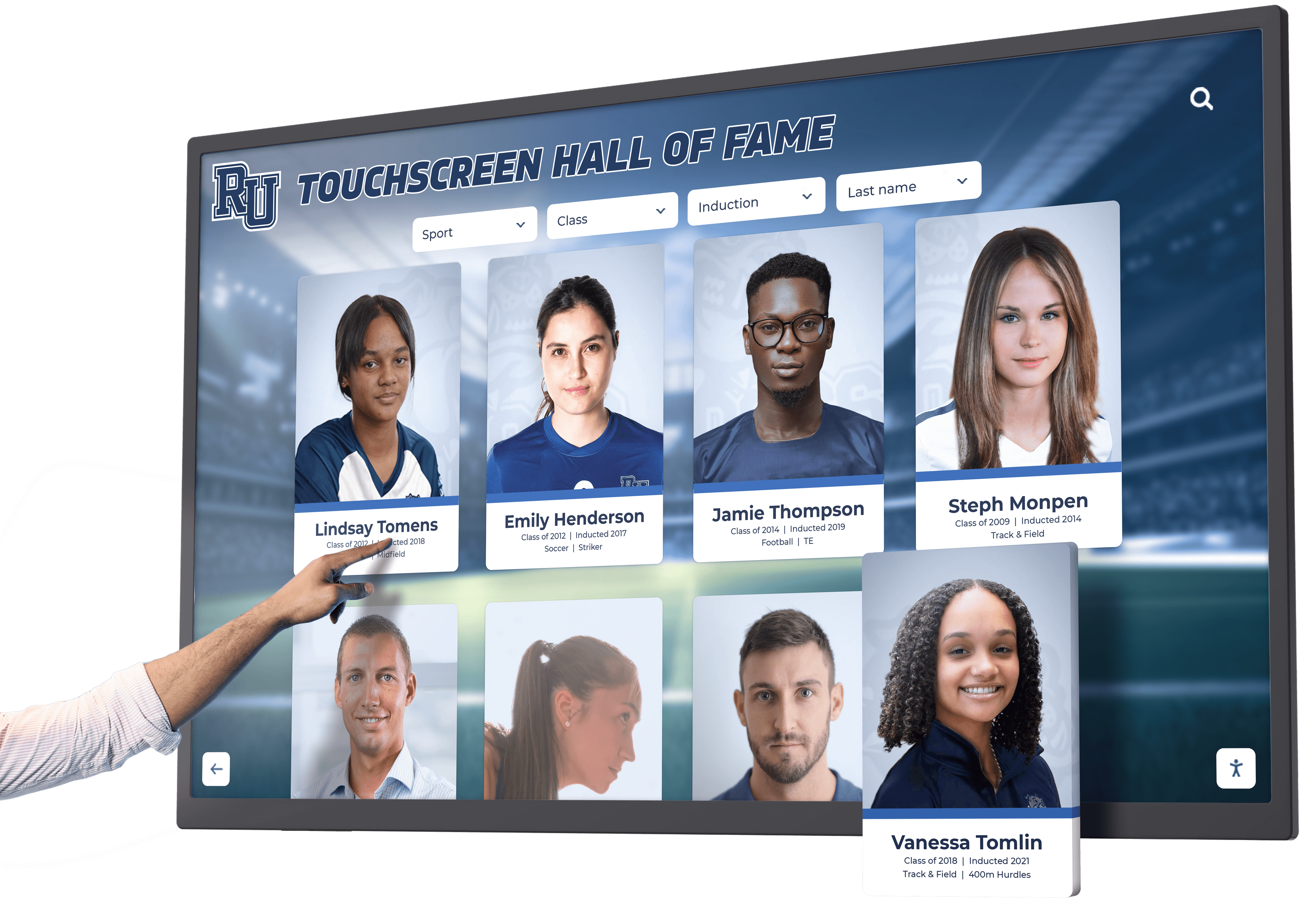
Public information kiosks popularized touchscreen interaction throughout the 1990s and early 2000s
The Personal Digital Assistant Era
The 1990s witnessed ambitious attempts to create pocket-sized touchscreen computing devices that presaged modern smartphones.
1992: IBM Simon Personal Communicator
IBM unveiled the Simon Personal Communicator in 1992, widely regarded as the first touchscreen smartphone. This groundbreaking device combined mobile phone capabilities with PDA functions including email, calendar, address book, and even a touchscreen-based drawing application. Users interacted with Simon through a resistive touchscreen operated with either fingers or a stylus.
While innovative, Simon faced significant market challenges. It was expensive (initially $899 with two-year contract), bulky by modern standards, had limited battery life, and the resistive touchscreen required more deliberate pressure than today’s capacitive screens. Nevertheless, Simon established proof of concept for mobile devices controlled primarily through touch rather than physical keypads.
1998-2005: FingerWorks and Gesture Innovation
FingerWorks, founded by University of Delaware academics, produced gesture-operated keyboards and touchpads that supported multi-touch gestures. Their innovations caught Apple’s attention; the company acquired FingerWorks in 2005, integrating its multi-touch technology and patents into development of the iPhone and iPad. This acquisition proved crucial for enabling the revolutionary multi-touch interface that would define the iPhone.
Capacitive Technology Advancements
While resistive touchscreens dominated commercial applications during the 1980s and early 1990s due to lower costs, capacitive technology continued advancing behind the scenes.
1990s: Mutual Capacitance and Multi-Touch Potential
Capacitive touchscreens gained prominence during the 1990s with the advent of mutual capacitance technology. Unlike earlier self-capacitance approaches that struggled to detect multiple touch points accurately, mutual capacitance allowed devices to detect multiple touches simultaneously with precision. This breakthrough laid the foundation for multi-touch gestures like pinch-to-zoom, rotation, and multi-finger swipes that would become essential for smartphone interfaces.
Mutual capacitance technology worked by creating a grid of capacitive sensors. When a conductive object like a finger approached the screen, it affected the mutual capacitance between specific row and column sensors, allowing the system to calculate precise touch coordinates for multiple fingers independently.
The 2000s: The Smartphone Revolution
All the parallel streams of touchscreen innovation—capacitive sensing, multi-touch detection, compact display technology, and intuitive interface design—converged in the mid-2000s to create a revolution in personal computing.
The iPhone: Bringing Touch to the Mainstream
While touchscreen phones existed before 2007, none achieved the combination of capabilities, user experience, and market timing that made Apple’s iPhone transformative.
January 9, 2007: Steve Jobs Introduces the iPhone
Steve Jobs unveiled the iPhone at Macworld Conference & Expo in San Francisco, introducing a device that would fundamentally reshape not just mobile phones but computing itself. The iPhone broke with prevailing mobile phone designs by eliminating most physical hardware buttons and relying on a finger-friendly touchscreen interface that didn’t require a stylus.
The iPhone’s touchscreen represented a significant technological leap from previous mobile devices. Jobs had decided the device would use a triple-layered capacitive multi-touch touchscreen—very new and advanced technology at the time. The glass display sandwiched a mutual capacitive sensing layer that permitted multi-finger touch sensing with remarkable precision and responsiveness.
Revolutionary Interface Design
Beyond the hardware, Apple’s engineers created a wholly new kind of interface—a tactile one that gave users the illusion of physically manipulating data with their hands. Unlike previous touchscreen devices with interfaces simply adapted from mouse-and-keyboard designs, the iPhone interface was designed from the ground up for finger-based interaction.
Multi-touch gestures became central to the iPhone experience: pinch-to-zoom for adjusting image or map scale, flick scrolling for moving through lists, rotation gestures for changing image orientation, and tap-and-hold for revealing additional options. These gestures felt so intuitive that users discovered them with minimal instruction, demonstrating successful human-computer interaction design.
Market Impact and Industry Transformation
TIME magazine named the iPhone “Invention of the Year” for 2007, recognizing how it redefined phones and computers simultaneously. The iPhone’s success triggered complete restructuring of the mobile phone industry. Within years, physical keyboards disappeared from most phones, touchscreens became standard, and the app ecosystem model pioneered by Apple became the dominant software distribution approach.
The iPhone proved that touchscreens could be the primary interface for general-purpose computers used by billions of people—not just specialized equipment for technical users or public kiosks. This validation opened floodgates for touchscreen adoption across countless device categories.
Explore how modern interactive technology builds on iPhone innovations in touchscreen digital signage software applications.

The iPhone's success validated touchscreens as viable primary interfaces, expanding applications to countless new domains
Android and the Democratization of Touch
Apple’s iPhone success prompted rapid competitive response that would make touchscreen smartphones accessible to global markets.
2008: The Android Platform Emerges
Google launched the Android operating system in 2008, with the HTC Dream (T-Mobile G1) becoming the first Android phone. While initial Android devices included physical keyboards, the platform quickly embraced touchscreen-only designs similar to the iPhone. Android’s open-source nature and licensing to multiple manufacturers created explosive growth in touchscreen smartphone adoption worldwide.
By making touchscreen technology available at various price points through manufacturers like Samsung, LG, Motorola, and dozens of others, Android democratized access to advanced touch interfaces. Smartphones transitioned from premium products affordable only to affluent consumers in developed nations to commodity devices accessible to billions globally.
Tablets and Touch Computing Expansion
The success of touchscreen phones inspired efforts to create larger touch-enabled devices for different use cases.
2010: The iPad Defines Touch Tablets
Apple introduced the iPad in April 2010, creating the modern tablet computer category. The iPad applied iPhone’s multi-touch interface to a larger 9.7-inch display, creating a device positioned between smartphones and laptops. The iPad demonstrated that touchscreens could work effectively at multiple scales and for diverse applications from content consumption to creative work.
Following the iPad’s success, competitors including Samsung, Amazon, Microsoft, and others introduced their own tablets. Today, touchscreen tablets serve countless applications from point-of-sale systems to classroom instruction to interactive recognition displays in schools and institutions.
Beyond Phones and Tablets: Touch Everywhere
As touchscreen technology became more affordable and reliable, it expanded to previously unexpected applications.
Automotive Integration
Touchscreen infotainment systems replaced physical buttons in many vehicles, controlling navigation, audio, climate, and vehicle settings. While some ergonomic concerns emerged about driver distraction, touchscreens offered flexibility for manufacturers to update interfaces through software and accommodate increasingly complex vehicle systems.
Smart Home Controls
Touchscreen thermostats, appliances, and control panels brought touch interfaces into residential settings. Products like the Nest Learning Thermostat demonstrated how touchscreens could make complex home automation accessible to non-technical homeowners.
Retail and Hospitality
Touchscreen ordering kiosks proliferated in quick-service restaurants. Self-service checkouts in retail stores increasingly adopted touch interfaces. Hotels deployed touchscreen concierge systems providing information and services to guests.
Educational Applications
Schools and universities widely adopted touchscreen technology for interactive whiteboards, student tablets, library information systems, and digital recognition displays. Educational institutions discovered that touchscreens could increase student engagement and accommodate diverse learning styles.
Modern interactive recognition displays for schools exemplify how educational institutions leverage touchscreen technology to celebrate student achievement and build school culture.
2010s-2025: Advanced Touch Technologies and Future Innovations
As touchscreen technology matured during the 2010s and into the 2020s, innovation focused on refining responsiveness, expanding capabilities, and exploring new form factors.
Haptic Feedback and Force Sensing
Modern touchscreens increasingly incorporate feedback mechanisms that provide physical sensations to users, bridging the gap between purely visual/touch interaction and the tactile feedback of physical buttons.
Haptic Technology
Advanced haptic systems use precise vibrations to simulate button presses, texture sensations, or confirmation feedback. Apple’s Taptic Engine, introduced with the Apple Watch and later integrated into iPhones, provided sophisticated haptic feedback that enhanced the sense of physical interaction with digital interfaces.
Force Touch and 3D Touch
Apple introduced pressure-sensitive displays that could distinguish between light taps and firm presses, enabling different actions based on pressure. While this technology didn’t achieve lasting adoption in all products, it demonstrated continuing innovation in making touchscreens more responsive to nuanced human input.
Flexible and Foldable Displays
Recent years have witnessed emergence of touchscreen displays that can bend or fold, enabled by advances in OLED technology and flexible substrate materials.
Flexible OLED Touchscreens
Organic Light-Emitting Diode (OLED) displays can be manufactured on flexible plastic substrates rather than rigid glass, enabling curved touchscreens that wrap around device edges or conform to unusual shapes. Samsung, LG, and other manufacturers have demonstrated rollable displays that can expand screen size on demand.
Foldable Smartphones
Devices like Samsung’s Galaxy Fold and Motorola’s updated Razr incorporate foldable touchscreen displays that allow large tablet-sized screens to fold into pocket-sized phones. While early foldable phones faced durability challenges, continuing refinement suggests this form factor may become increasingly common.
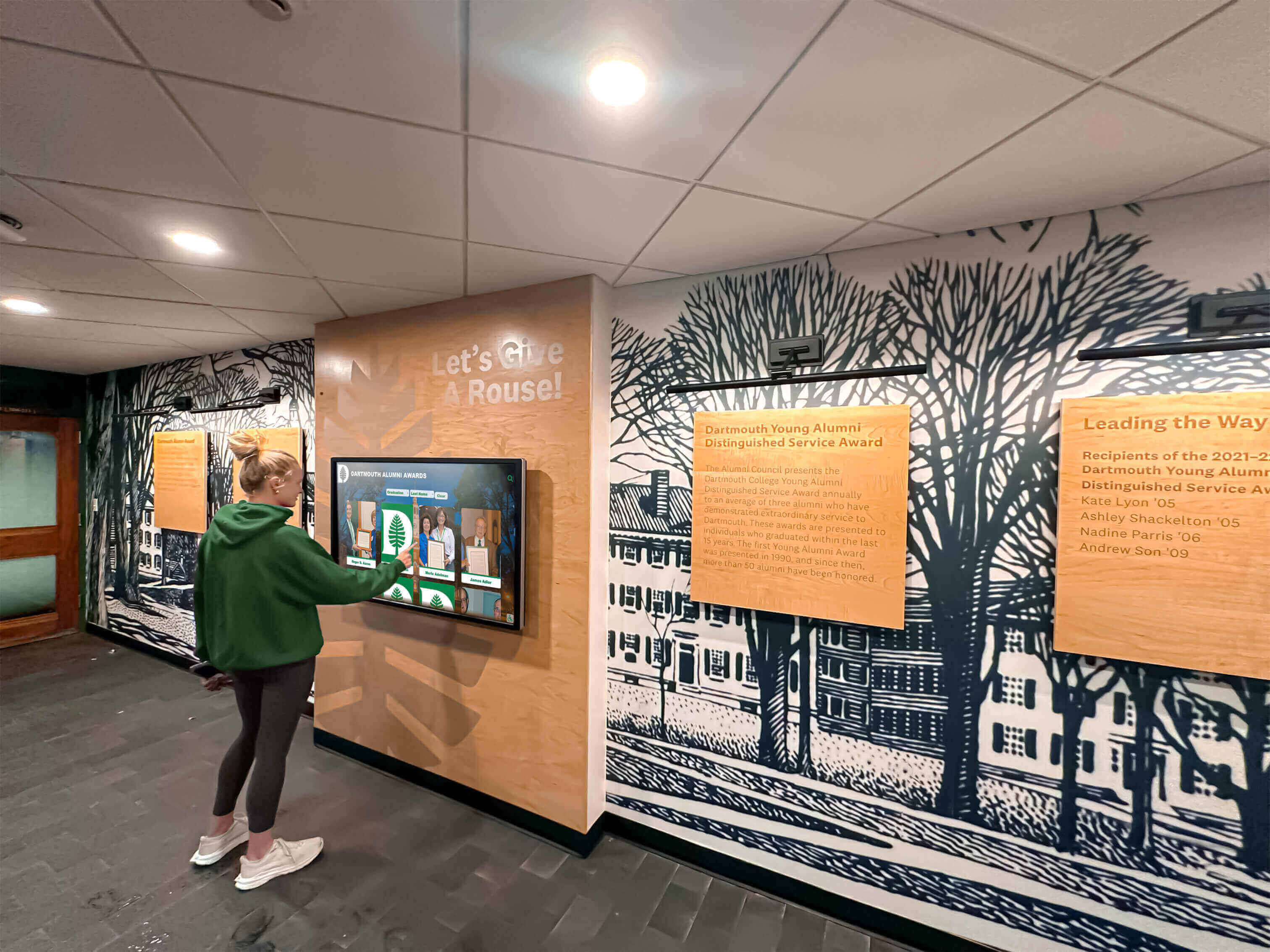
Contemporary touchscreen applications include sophisticated recognition displays that celebrate achievement and build community
Large-Format Interactive Displays
While smartphones dominated touchscreen headlines, parallel innovations occurred in large-format touch displays for collaborative and public applications.
Multi-User Touch Tables and Walls
Commercial solutions emerged for large touchscreens supporting simultaneous interaction by multiple users. Conference room touch tables allowed teams to collaboratively manipulate presentations, designs, or data visualizations. Large-format touch walls in museums, visitor centers, and educational facilities provided immersive interactive experiences.
Recognition Display Applications
Organizations increasingly adopted large touchscreen displays for recognition purposes, honoring achievements and building community. Solutions like Rocket Alumni Solutions provide interactive touchscreen displays that schools, universities, athletic organizations, and businesses use to celebrate accomplishments while engaging visitors through intuitive touch interaction.
These modern recognition systems leverage the entire history of touchscreen innovation—capacitive sensing for responsive interaction, multi-touch for natural gestures, large format displays for group engagement, and decades of interface design refinement for intuitive operation.
Discover future directions in AI and advanced digital recognition that build on touchscreen foundations.
Advanced Touch Technologies
Continuous innovation pushes touchscreen capabilities beyond basic touch detection.
Stylus Integration
While the iPhone famously eschewed styluses, subsequent devices including Apple’s iPad Pro and Samsung’s Galaxy Note series demonstrated that precise stylus input could complement finger touch for professional applications like digital art, note-taking, and detailed editing. Modern active styluses detect pressure, tilt, and other parameters, providing input precision approaching traditional pen-and-paper.
Ultrasonic Touch Sensing
Newer technologies like ultrasonic fingerprint sensors embedded beneath touchscreens demonstrate continuing innovation. These sensors emit ultrasonic pulses that map the 3D surface of fingertips for secure biometric authentication while maintaining seamless touchscreen surfaces.
Gesture Detection Above Screens
Some systems now detect hand gestures performed above screens without physical contact, using cameras or sensors that track hand position and movement. While not strictly “touchscreens,” these interfaces extend the interaction paradigm established by touch technology.
Understanding Different Touchscreen Technologies
To fully appreciate touchscreen history, it’s important to understand how different technologies work and their respective advantages and limitations.
Capacitive Touchscreens
Capacitive technology, pioneered by E.A. Johnson in 1965, detects touch by measuring changes in electrical charge.
How Capacitive Touchscreens Work
Capacitive screens use a transparent conductor (typically indium tin oxide) to create an electrostatic field across the display surface. When a conductive object like a human finger approaches or touches the screen, it distorts this field. Sensors detect these distortions and calculate touch position.
Modern capacitive touchscreens use mutual capacitance, where a grid of row and column electrodes creates multiple independent sensing points. When a finger touches the screen, it affects the mutual capacitance between specific rows and columns, enabling precise multi-touch detection.
Advantages
- High clarity and light transmission for bright, sharp displays
- Responsive to light touch without requiring pressure
- Supports multi-touch detection for gestures
- Durable glass surfaces resistant to scratching
- Works through thin gloves or screen protectors
Limitations
- Doesn’t work with non-conductive objects (standard styluses, gloved hands in most cases)
- More expensive to manufacture than resistive alternatives
- Can be affected by water or extreme humidity
- Generally requires more complex controller electronics
Resistive Touchscreens
Resistive technology, developed by Dr. Samuel Hurst in 1971, detects touch through physical pressure.
How Resistive Touchscreens Work
Resistive screens use two flexible layers coated with conductive material and separated by microscopic insulating spacer dots. When pressure is applied to the top layer, it flexes to make contact with the bottom layer. This contact creates a circuit at the touch point, and the system measures voltage changes to determine position.
Advantages
- Works with any object applying pressure (fingers, styluses, gloved hands)
- Lower manufacturing costs than capacitive alternatives
- More resistant to liquids and contaminants
- Effective in harsh environments
- Can work through screen protectors or plastic overlays
Limitations
- Lower clarity and light transmission (typically 75-85% compared to 90%+ for capacitive)
- Requires physical pressure rather than light touch
- Flexible top layer can be damaged by sharp objects
- Generally cannot support true multi-touch (though some advanced resistive screens support basic two-touch gestures)
- Slightly less durable than glass capacitive screens
Infrared Touchscreens
Infrared technology, used in the 1972 PLATO IV and 1983 HP-150, detects touch by interrupting light beams.
How Infrared Touchscreens Work
An infrared touchscreen uses a frame of LEDs and photodetectors creating a grid of infrared light beams across the screen surface. When an object touches or approaches the screen, it interrupts specific horizontal and vertical beams. The system determines touch position by identifying which beams are blocked.
Advantages
- No overlay required on display surface, maximizing image quality
- Works with any object blocking light (fingers, styluses, gloved hands)
- Durable with no flexible components to wear out
- Can work at very large scales
- Can detect hover (near-touch) in some implementations
Limitations
- Frame around display edges required for emitters and detectors
- Can be triggered by debris, insects, or ambient light issues
- Limited precision compared to capacitive or resistive approaches
- Generally more expensive for smaller displays
- May struggle in bright sunlight or outdoor environments
Surface Acoustic Wave (SAW) Touchscreens
SAW technology represents another approach used in specialized applications.
How SAW Touchscreens Work
SAW touchscreens use ultrasonic waves that propagate across the screen surface. Transducers and reflectors send and receive these waves. When the screen is touched, some wave energy is absorbed at the touch point. The system analyzes the received waves to determine where absorption occurred, calculating the touch position.
Advantages
- Excellent image clarity with no overlay reducing light transmission
- Durable glass surface resistant to scratching
- High touch resolution and accuracy
- Works with fingers, gloved hands, or soft-tipped styluses
Limitations
- Doesn’t work with hard objects like credit cards or pens
- Can be affected by water, dirt, or other contaminants on screen
- More expensive than resistive alternatives
- Requires periodic cleaning for optimal performance
Touchscreen Technology’s Impact on Human-Computer Interaction
The history of touchscreen technology represents more than engineering achievement—it fundamentally transformed how humans interact with digital information.
Making Computing Intuitive
Perhaps touchscreens’ greatest contribution has been making computing accessible to populations who would struggle with traditional keyboard-and-mouse interfaces.
Eliminating Abstract Input Devices
Traditional computer interaction requires understanding abstract relationships: moving a mouse on a desk surface controls a cursor on a vertical screen; pressing keyboard keys generates characters; right-clicking reveals contextual menus. These mappings are learned behaviors that can frustrate or exclude users without technical background.
Touchscreens eliminate this abstraction. You want to select something? Touch it directly. Want to move something? Touch and drag it. Want to enlarge something? Pinch outward. These interactions map to physical-world experiences of directly manipulating objects, making them intuitive even for users who’ve never used computers previously.
This intuitiveness enabled smartphones to achieve global adoption including in populations with limited literacy or prior technology exposure. Touchscreens opened computing to billions who might never have adopted keyboard-based systems.
Enabling New Interaction Paradigms
Touchscreens didn’t just make existing interactions easier—they enabled entirely new interaction patterns impossible with traditional input devices.
Multi-Touch Gestures
The multi-touch capabilities developed in the 1980s-1990s and popularized by the iPhone enabled gesture-based interaction that feels natural and expressive. Pinch-to-zoom, rotation, three-finger swipes, and countless other gestures provide efficient, memorable ways to control complex applications.
Direct Manipulation Interfaces
Touch interaction enables direct manipulation of on-screen objects in ways that feel more natural than mouse-based interaction. Drawing applications, photo editing tools, and music creation software benefit enormously from direct touch, where your finger or stylus becomes the brush, selection tool, or instrument.
Context-Sensitive Interaction
Touchscreens enable interfaces that change based on context, showing only relevant controls for current tasks. This flexibility is particularly valuable in specialized applications like interactive recognition systems, where visitors might explore in many different ways—searching by name, browsing by year, filtering by achievement category, or discovering through featured content.
Modern recognition solutions like those from Rocket Alumni Solutions leverage this context-sensitive capability to create interfaces that accommodate diverse visitor interests and interaction preferences, making recognition exploration engaging for all users.

Touchscreen technology enables engaging experiences across educational, recognition, and public information applications
Designing for Touch: Interface Evolution
The rise of touchscreen technology forced fundamental rethinking of interface design principles.
Touch Target Sizing
Unlike mouse cursors that can precisely select small elements, fingers are relatively large and imprecise pointing devices. Interface designers learned to create larger touch targets (typically minimum 44x44 pixels as specified in early iPhone guidelines) with adequate spacing to prevent accidental activation of adjacent elements.
Gesture Discovery and Affordances
A persistent challenge with touch interfaces has been helping users discover available gestures and interactions. Unlike traditional interfaces where menus and buttons explicitly show all options, touch gestures can be invisible until users discover them. Designers developed various approaches to address this: tutorial screens explaining gestures, visual hints suggesting swipe directions, and progressive disclosure revealing advanced interactions as users gain proficiency.
Feedback and Confirmation
Touch interfaces require clear feedback confirming that interactions registered. Visual changes (highlighting, animation), haptic feedback (vibration), and audio cues all help users understand that their touch was detected and what action resulted.
Effective modern applications including interactive displays for recognition incorporate these design principles to create engaging, intuitive experiences.
Modern Applications: Touchscreens in 2025
Six decades after E.A. Johnson’s first capacitive touchscreen, touch technology has become nearly ubiquitous across countless application domains.
Personal Devices
Touchscreens dominate personal computing in 2025.
Smartphones and Tablets
Touchscreen smartphones are used by over 6 billion people globally, making touch interaction the most common way humans interface with computers. Tablets continue serving niches from education to point-of-sale to entertainment consumption.
Wearables
Smartwatches, fitness trackers, and other wearable devices increasingly incorporate small touchscreen displays, extending touch interaction to body-worn computers.
Laptops and Convertibles
Many laptops now include touchscreen displays, with 2-in-1 convertible devices combining traditional keyboards with touchscreen flexibility for different usage modes.
Public and Commercial Applications
Touchscreen technology powers countless public-facing systems.
Retail and Hospitality
Self-service checkouts, ordering kiosks, wayfinding systems, and hotel concierge displays all rely on touchscreen interfaces to serve customers without requiring staff assistance.
Transportation
Ticketing kiosks, wayfinding systems, and information displays in airports, train stations, and transit systems use touchscreens to help travelers navigate complex transportation networks.
Healthcare
Medical facilities deploy touchscreen kiosks for patient check-in, wayfinding, health information, and appointment scheduling. Specialized medical touchscreens with antimicrobial surfaces and cleanable designs accommodate healthcare hygiene requirements.
Educational and Institutional Recognition
Educational institutions have become major adopters of touchscreen technology for both instruction and recognition purposes.
Interactive Recognition Displays
Schools, universities, athletic facilities, and other institutions increasingly use large-format touchscreen displays to honor achievements and build community. These systems allow visitors to explore recognition content through intuitive touch interaction, discovering individual profiles, filtering by category or time period, and engaging with multimedia content celebrating accomplishments.
Solutions like Rocket Alumni Solutions provide purpose-built interactive touchscreen systems specifically designed for recognition applications. These platforms leverage decades of touchscreen innovation to create engaging experiences that inspire visitors while honoring those being recognized.
Digital Libraries and Archives
Universities and libraries deploy touchscreen kiosks providing access to digital collections, archives, and research materials. Touch interfaces make these resources accessible to researchers, students, and public visitors without requiring specialized search skills.
Explore comprehensive applications in academic and athletic recognition programs utilizing touchscreen technology.
The Future of Touchscreen Technology
As we look beyond 2025, several trends suggest how touchscreen technology may continue evolving.
Advanced Materials and Flexible Displays
Continuing development of flexible OLED displays, electronic paper, and other advanced materials will enable touchscreen implementations in new form factors. Rollable displays, screens integrated into clothing or unconventional surfaces, and conformable touchscreens that work on curved surfaces all represent potential future directions.
Haptic Feedback Refinement
Next-generation haptic systems may provide much more sophisticated feedback, potentially simulating textures, shapes, or resistance. Ultrasonic haptic technology can create sensations in midair above displays, allowing users to “feel” interface elements without touching the screen surface.
AI Integration and Predictive Touch
Artificial intelligence increasingly powers touchscreen interfaces, predicting user intentions, optimizing interfaces based on usage patterns, and enabling more natural interaction. AI might anticipate which interface elements users are likely to need, preloading content or enlarging targets before users reach for them.
Machine learning could enable interfaces that adapt to individual users’ motor capabilities, adjusting touch target sizes, dwell times, or gesture recognition sensitivity to accommodate different abilities or accessibility needs.
Biometric Integration
Touchscreens may increasingly incorporate biometric sensors, reading fingerprints, detecting pulse or blood oxygen through touch contact, or using palm vein patterns for authentication. This integration could enable security, health monitoring, and personalization features seamlessly incorporated into normal touch interaction.
Beyond Visual Touch
Future touchscreen interfaces might incorporate non-visual feedback for accessibility, using spatial audio, advanced haptics, or other sensory channels to provide information to users with visual impairments. This could make touch interfaces truly accessible rather than requiring alternative input methods.
Learn more about emerging capabilities in recognition technology trends and AI applications shaping future developments.
Conclusion: Six Decades of Touch Innovation
The history of touchscreen technology spans six remarkable decades of innovation, from E.A. Johnson’s pioneering capacitive touchscreen controlling air traffic in 1965 to the billions of smartphones, tablets, kiosks, and interactive displays used globally in 2025. This journey wasn’t linear or inevitable—it required persistent inventors pursuing parallel technological approaches, each solving different aspects of the touch interface challenge.
Capacitive technology offered responsiveness and clarity. Resistive approaches provided compatibility with diverse input objects and environmental resistance. Infrared systems enabled large-format displays without surface overlays. Multi-touch capabilities transformed gestures from curiosity to essential interface component. Each innovation built upon previous work, gradually converging into the sophisticated, intuitive touchscreen interfaces we now take for granted.
Impact Beyond Technology
Touchscreen technology’s significance transcends engineering achievement. By making computing intuitive enough for anyone to use without training, touchscreens democratized access to digital information and services. Billions of people worldwide who might never have learned keyboard-based computing now carry powerful touchscreen computers in their pockets, accessing information, communicating globally, conducting business, and participating in digital society.
For organizations, touchscreens enable new ways to engage communities. Interactive recognition displays transform static honor rolls and trophy cases into dynamic, engaging experiences that celebrate achievement while inspiring visitors. Educational institutions, athletic facilities, corporations, and nonprofits leverage touchscreen technology to strengthen connections with their communities, making recognition more inclusive, accessible, and meaningful.
Learning from History
The touchscreen development story offers valuable lessons. Breakthrough innovations often require decades to mature from concept to widespread adoption. Multiple parallel approaches may coexist for long periods before market forces determine which technologies succeed in different niches. User experience considerations ultimately matter more than raw technical capabilities—the iPhone succeeded not because it used novel touch technology, but because Apple created an integrated experience that made that technology delightful and accessible.
Looking Forward
As we look beyond 2025, touchscreen technology will continue evolving. Flexible displays, advanced haptics, AI integration, and novel applications will push capabilities further. Yet the fundamental insight that powered E.A. Johnson’s work in 1965 remains valid: humans interact most naturally with systems that respond directly to touch, mimicking how we manipulate physical objects in the real world.
Whether you’re using a smartphone, interacting with a recognition kiosk, ordering food from a touchscreen menu, or exploring any of countless other touch-enabled systems, you’re participating in a technological revolution decades in the making—one that has fundamentally transformed how humans and computers communicate.
For organizations considering touchscreen technology for recognition, information, or engagement applications, this rich history demonstrates both the maturity and ongoing innovation in the field. Modern solutions like those from Rocket Alumni Solutions build on six decades of refinement to provide reliable, engaging, intuitive touchscreen experiences that honor achievements while inspiring communities.
The touchscreen revolution that began in a British research laboratory in 1965 continues today in every smartphone tap, tablet swipe, and interactive display touch—a testament to the enduring power of making human-computer interaction as natural as reaching out and touching what you want to control.
Ready to explore how touchscreen technology can enhance recognition in your organization? Discover modern applications in digital trophy displays and recognition wall systems that leverage this rich technological heritage.































