
Intent: Decide whether web-based touchscreen software like Rocket Alumni Solutions provides the capabilities your organization needs for donor recognition, alumni engagement, and institutional showcasing without technical complexity.
Organizations implementing interactive touchscreen displays face a critical technology decision that affects everything from deployment speed and maintenance burden to content flexibility and long-term sustainability. While many touchscreen solutions require specialized technical expertise, ongoing IT support, and complex installation processes, modern web-based platforms have revolutionized what’s possible—enabling institutions to create engaging recognition experiences that development teams manage independently without programming knowledge.
Rocket Alumni Solutions represents this next generation of touchscreen software: cloud-hosted platforms specifically designed for educational institutions, nonprofits, and organizations celebrating achievements, honoring donors, and preserving institutional history. Rather than wrestling with native applications requiring installation on each display device, complex content management systems demanding technical skills, or rigid platforms lacking recognition-specific features, organizations can deploy comprehensive interactive displays through simple browser-based technology that works immediately across any hardware.
This guide explores how modern touchscreen software transforms donor recognition and institutional storytelling, examining the specific capabilities organizations need, the advantages web-based architectures provide, and how solutions like Rocket Alumni Solutions deliver sophisticated interactive experiences through platforms designed for advancement professionals rather than IT departments.
Interactive touchscreen displays have become essential tools for institutional advancement, development programs, and community engagement—enabling organizations to celebrate supporters, showcase achievements, and tell compelling stories about institutional impact. Yet behind every successful touchscreen implementation lies software infrastructure that either empowers non-technical staff to create and maintain engaging content or creates ongoing dependency on developers and IT resources.

Modern touchscreen software enables institutions to create professional interactive displays without technical expertise
Understanding Touchscreen Software for Institutional Recognition
Before evaluating specific platforms, understanding what distinguishes purpose-built recognition software from general touchscreen solutions clarifies why architectural and feature differences significantly impact implementation success and long-term value.
The Recognition Software Imperative
Organizations implementing touchscreen displays for donor recognition, alumni celebration, or achievement showcasing face unique requirements that general digital signage or kiosk software rarely addresses effectively.
Recognition-Specific Needs
Institutional recognition applications require specialized capabilities including database structures optimized for people, achievements, and contributions rather than generic content, search and filtering designed for finding individuals by name, year, achievement type, or giving level, profile templates ensuring consistent presentation across thousands of recognized individuals, multimedia integration supporting photos, videos, biographical content, and impact stories, giving level hierarchy displaying donors across multiple recognition tiers appropriately, and memorial and tribute gift handling honoring loved ones sensitively.
Organizations implementing touchscreen kiosk software for recognition quickly discover that platforms not designed specifically for this purpose require extensive customization to accommodate even basic institutional needs.
The Web-Based Architecture Advantage
Modern touchscreen software has evolved from complex native applications requiring installation on each device to cloud-hosted web platforms accessed through browsers. This architectural shift provides transformative benefits including deployment simplicity—configure a browser to display a URL rather than installing software, cross-platform compatibility working identically on Windows, Mac, iPad, Android, or any device, centralized content management updating all displays instantly from anywhere, automatic software updates with no action required from organizations, and unlimited scalability adding displays without additional software costs.
Solutions like Rocket Alumni Solutions leverage web-based architecture specifically for recognition applications, combining the administrative simplicity of cloud platforms with features designed explicitly for celebrating achievements and honoring supporters.
Traditional Touchscreen Software Limitations
Understanding conventional approaches reveals why purpose-built solutions provide substantial advantages for institutional applications.
Native Application Challenges
Traditional touchscreen software often requires platform-specific installation on every device, complex deployment across mixed hardware environments, technical expertise for configuration and troubleshooting, ongoing version management and update coordination, and content updates requiring developer intervention or specialized skills.
Organizations with limited IT resources frequently find native touchscreen applications become abandoned installations displaying increasingly outdated content because maintaining current information demands more technical capacity than available.

Effective touchscreen software enables intuitive exploration without requiring instruction or technical knowledge
Digital Signage Adaptation Problems
Some organizations attempt adapting digital signage platforms for interactive recognition, but these systems typically lack recognition database structures supporting individual profiles, search and filtering for finding specific people, giving level organization and tiered display, biographical content management for detailed profiles, and intuitive administrative interfaces for non-technical staff.
Adapting signage software for recognition often costs more in customization than purpose-built alternatives while delivering inferior functionality and ongoing maintenance challenges.
Organizations exploring interactive touchscreen software benefit from understanding how specialized recognition platforms differ from general-purpose alternatives.
Rocket Alumni Solutions: Purpose-Built Touchscreen Software for Recognition
Examining specific platform capabilities illustrates how modern touchscreen software addresses institutional recognition needs through web-based technology designed for advancement professionals.
Comprehensive Recognition Platform Features
Rocket Alumni Solutions provides complete touchscreen software specifically architected for celebrating achievements, honoring donors, and preserving institutional history across educational and nonprofit environments.
Cloud-Hosted Content Management
The platform operates entirely through web browsers with all content management, data storage, and processing handled in the cloud. Development staff, advancement teams, and authorized administrators access intuitive web dashboards from any internet-connected device to add new donors or inductees, upload photos and biographical information, organize recognition by campaigns, giving levels, or achievement categories, publish updates appearing instantly on all displays, and manage content without any technical expertise.
This cloud architecture eliminates software installation, version management, local server infrastructure, technical support for software issues, and complex deployment across multiple devices—organizations simply configure kiosk-mode browsers to display their unique recognition URL.
Recognition-Optimized Database Structure
Rather than generic content management, Rocket Alumni Solutions provides database architecture specifically designed for institutional recognition including individual profile management tracking people across multiple achievements and giving history, tiered giving level organization automatically displaying donors in appropriate recognition categories, achievement categorization supporting athletics, academics, service, leadership, and custom categories, date and year association enabling “Class of” organization and historical browsing, search optimization finding individuals by name, achievement, year, or category instantly, and relationship mapping connecting donors to funds, campaigns, or specific institutional initiatives.
This purpose-built structure enables comprehensive recognition impossible with platforms not designed specifically for celebrating people and their contributions.
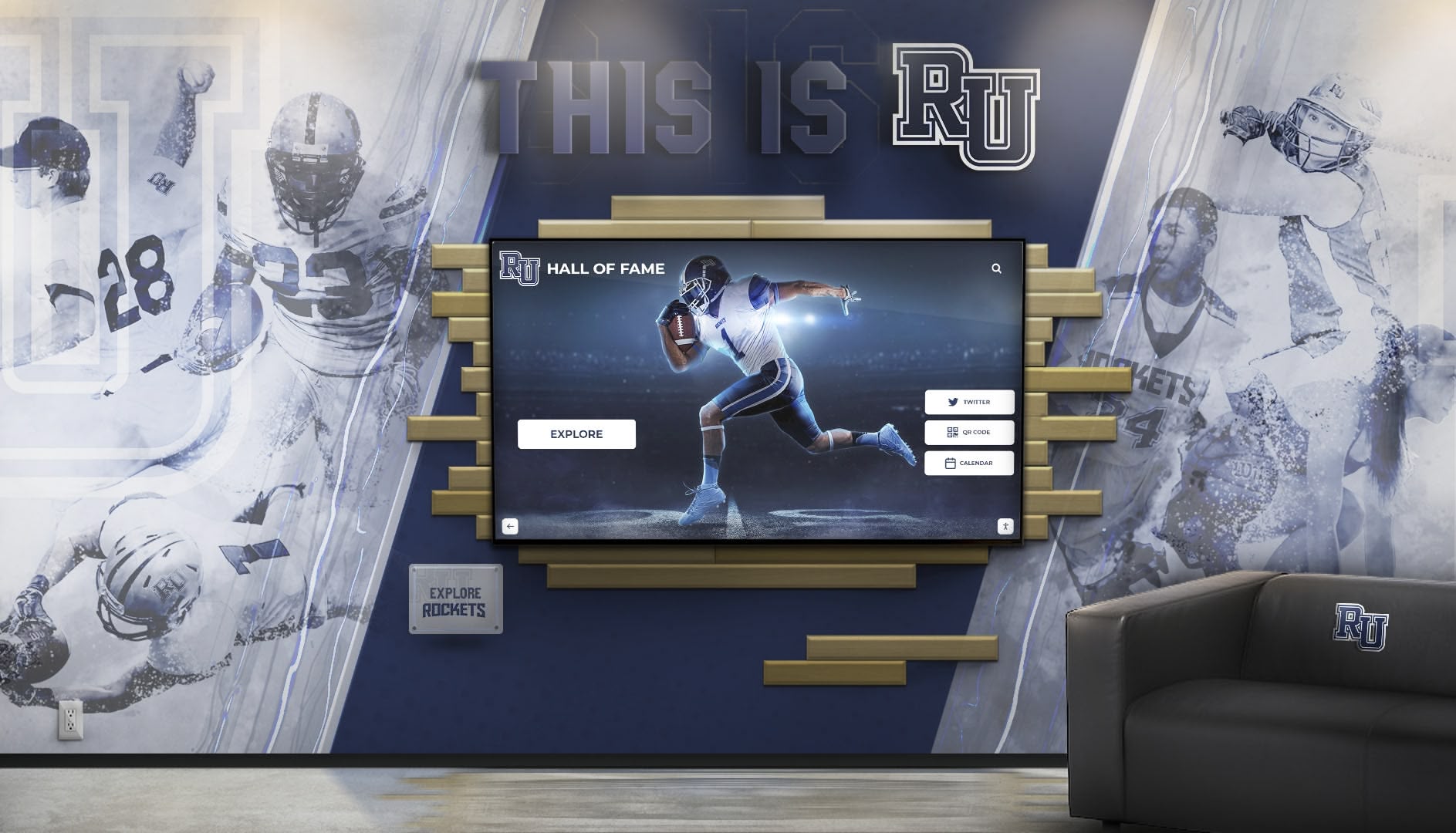
Purpose-built touchscreen software integrates seamlessly with institutional branding and physical environments
Multimedia Storytelling Capabilities
Beyond simple name listings, the platform enables rich content experiences including high-resolution photo galleries with zoom and detail views, video integration showcasing testimonials, achievements, or impact stories, document display for letters, certificates, or historical materials, biographical narratives telling individual stories comprehensively, achievement timelines showing progression over years, impact visualization connecting donor contributions to tangible outcomes, and social media integration extending recognition beyond physical displays.
This multimedia capability transforms recognition from static acknowledgment to compelling storytelling that engages visitors and strengthens donor relationships.
Organizations implementing best touchscreen software recognize that web-based platforms designed specifically for recognition deliver superior results compared to adapted general solutions.
Intuitive Administrative Experience
Touchscreen software succeeds long-term only when non-technical staff can maintain content independently—Rocket Alumni Solutions prioritizes user-friendly administration enabling sustainable operations.
No-Code Content Management
The administrative dashboard requires zero technical skills or programming knowledge through drag-and-drop content organization, pre-built templates for consistent profiles, visual editors showing changes before publication, bulk import tools for historical data migration, intuitive workflows guiding content creation, automated backup protecting information, and preview functionality verifying appearance before launch.
Development directors, advancement staff, and volunteer coordinators manage comprehensive touchscreen recognition independently without IT department involvement or ongoing technical support costs.
Role-Based Access and Permissions
Organizations typically need multiple people managing different recognition areas—the platform supports flexible access control including user accounts with appropriate permissions, content ownership defining who can edit specific areas, approval workflows when multiple stakeholders review content, audit logging tracking changes and updates, and training resources helping new administrators become productive quickly.
Real-Time Updates Across All Displays
Cloud connectivity enables immediate recognition updates including adding new donors within minutes of gift receipt, updating giving levels as contributions increase, correcting errors instantly without physical access to displays, scheduling recognition for campaign milestones or events, and refreshing content maintaining engagement over time.
According to research on digital donor walls, real-time update capability dramatically improves donor satisfaction by ensuring timely recognition acknowledging contributions promptly rather than waiting months for physical updates.
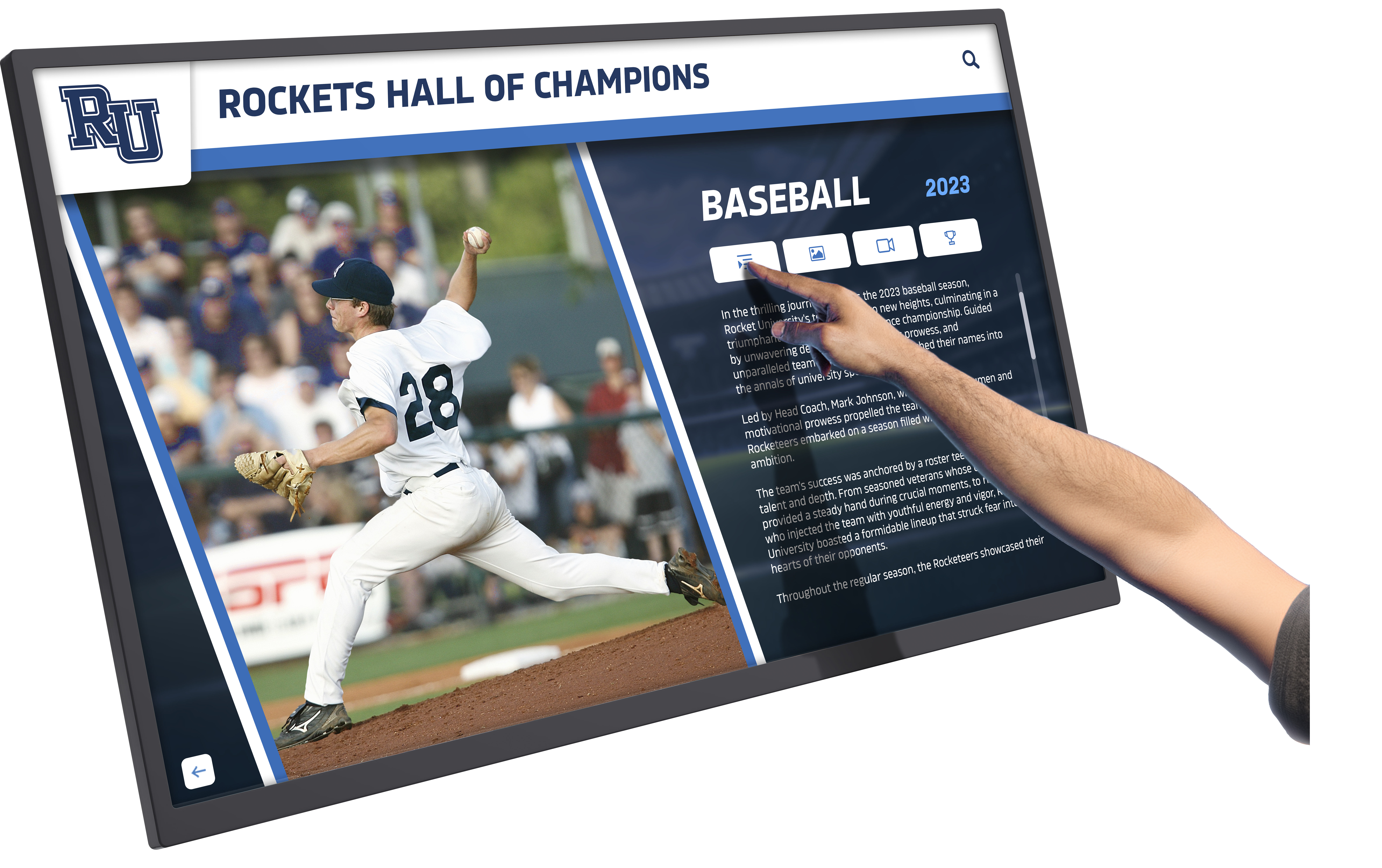
Touch-optimized interfaces enable detailed content exploration through intuitive gestures
Key Capabilities Distinguishing Modern Touchscreen Software
Understanding essential features helps organizations evaluate whether platforms meet institutional needs effectively for long-term recognition success.
Search and Discovery Functionality
Visitors exploring recognition displays need efficient methods for finding specific individuals or browsing achievement categories—effective touchscreen software provides comprehensive discovery tools.
Powerful Search Capabilities
Rocket Alumni Solutions includes robust search through text search with auto-suggest and spelling correction, filtered browsing by year, achievement type, giving level, or category, alphabetical organization enabling traditional directory browsing, visual navigation through photo grids and galleries, featured content highlighting priority recognition, and random showcases ensuring all recognized individuals receive visibility.
Research on interactive displays indicates that search quality significantly impacts user satisfaction—poor search drives users back to staff assistance rather than enabling self-service exploration. Purpose-built platforms optimize search specifically for finding people rather than generic content.
Intuitive Touch Interface Design
Touchscreen software must accommodate users with no prior experience including simple touch gestures familiar from smartphones, appropriate target sizes for accurate selection, clear visual hierarchy guiding attention, consistent navigation patterns reducing learning curves, breadcrumb trails showing location in content hierarchy, prominent home buttons enabling easy reset, and idle timeout returning to attract mode after inactivity.
Organizations implementing touchscreen kiosk app solutions recognize that professional interface design determines whether displays engage visitors or frustrate them.
Web Integration and Extended Reach
Modern recognition extends beyond physical displays to online accessibility amplifying visibility and engagement.
Website-Integrated Recognition
Rocket Alumni Solutions provides web-accessible versions enabling alumni and supporters worldwide to explore recognition from anywhere, mobile-responsive design ensuring smartphone and tablet access, social sharing capabilities allowing donors to celebrate giving with family and friends, searchable online directories complementing physical displays, and SEO optimization helping people find recognition through search engines.
Extended Impact Benefits
Web accessibility amplifies recognition value through reaching donors unable to visit physical locations regularly, enabling family members to find and share recognition, providing 24/7 access versus limited facility hours, creating opportunities for virtual donor events and celebrations, facilitating donor research and prospecting for development teams, and generating website traffic as recognized individuals explore online.
Organizations report that web-integrated recognition increases engagement and donor satisfaction substantially compared to physical-only displays with limited accessibility.
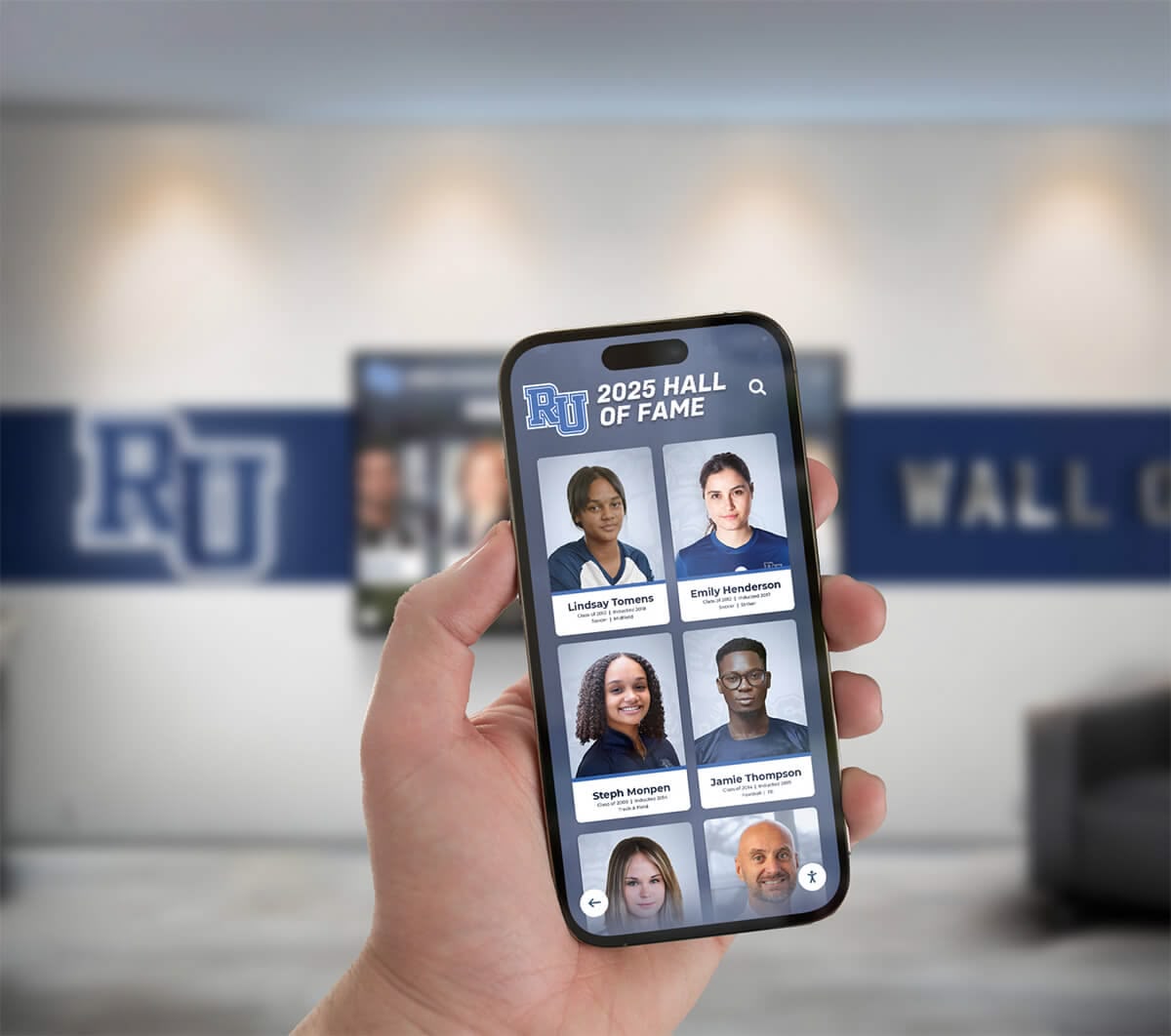
Web integration extends recognition reach beyond physical displays to global accessibility
Flexible Recognition Organization
Institutional needs evolve as campaigns launch, giving societies expand, and achievement categories grow—touchscreen software must accommodate change without requiring platform replacement.
Multi-Campaign and Fund Management
Organizations typically recognize contributions across multiple initiatives including annual giving programs with various recognition tiers, capital campaigns for specific facilities or programs, endowment funds providing permanent support, scholarship funds celebrating educational access, program-specific campaigns supporting particular initiatives, and legacy societies honoring planned giving commitments.
Rocket Alumni Solutions enables unlimited campaigns and funds within single installations, providing flexibility as institutional priorities and recognition needs evolve over time.
Custom Achievement Categories
Beyond donor recognition, institutions celebrate diverse achievements through athletic hall of fame inductees and record holders, academic honor roll and scholarship recipients, service award and community impact leaders, arts and performance achievement recognition, leadership position holders and student government, and custom categories reflecting unique institutional values.
The platform accommodates comprehensive recognition across all achievement types through customizable category structures administrators define based on specific needs.
Organizations implementing digital hall of fame systems benefit from platforms providing recognition flexibility supporting current needs while accommodating future growth.
Implementation: Deploying Web-Based Touchscreen Software
Understanding deployment processes reveals why web-based touchscreen software dramatically simplifies implementation compared to traditional alternatives.
Rapid Deployment Process
Cloud-hosted platforms enable implementation timelines measured in weeks rather than months typical for native applications.
Hardware Selection and Setup
Organizations need appropriate display equipment including commercial touchscreen displays or tablets, media players or mini computers, mounting hardware for wall installation or freestanding kiosks, network connectivity through WiFi or ethernet, and power infrastructure.
The beauty of web-based software lies in hardware flexibility—the same Rocket Alumni Solutions platform works identically on Windows computers, Mac systems, iPads, Android tablets, or Chromebooks. Organizations use existing equipment or select hardware based on budget, aesthetics, and installation requirements rather than software compatibility constraints.
Browser Configuration and Kiosk Mode
With hardware in place, deployment requires only configuring browsers to display the organization’s recognition URL including kiosk mode lockdown preventing unauthorized browsing, automatic startup launching on device boot, URL restrictions limiting navigation, disabled browser update notifications, and automatic refresh recovering from temporary issues.
This configuration takes minutes per device compared to hours required for native application installation, licensing, and configuration. Organizations with multiple displays configure all identically in the time traditional software requires for single installations.
For Mac environments, specialized solutions like touchscreen kiosk browsers optimize web-based display presentation on Apple hardware.
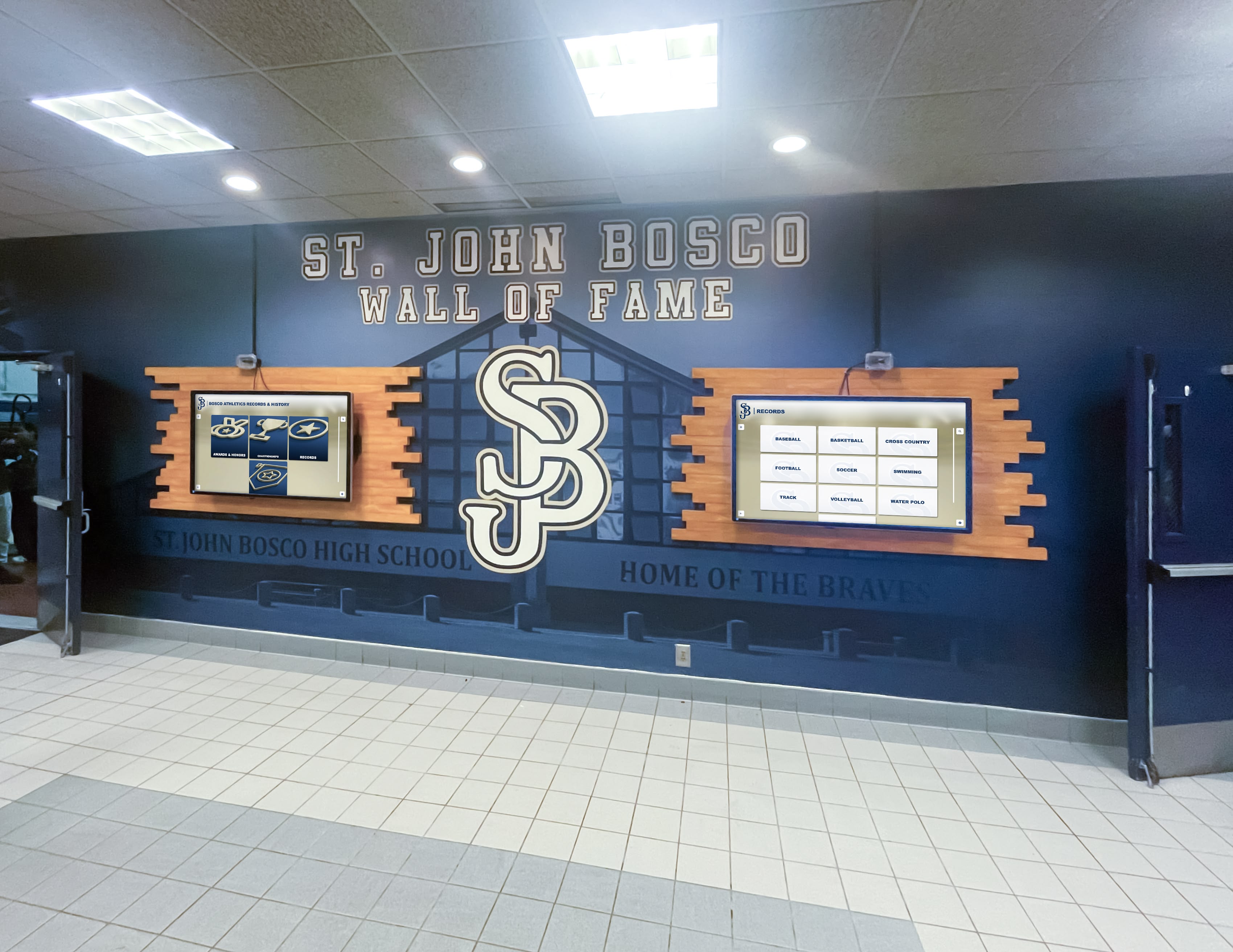
Web-based architecture enables centralized management of content across multiple displays simultaneously
Content Development and Launch
Professional appearance requires thoughtful content preparation ensuring recognition feels polished from day one.
Initial Database Setup
Organizations begin by organizing existing recognition information including donor databases from giving records, alumni achievement information from institutional archives, historical honor roll and award recipient lists, athletic records and hall of fame inductees, and memorial and tribute gift information.
Rocket Alumni Solutions provides import tools enabling bulk data upload from spreadsheets or database exports, accelerating initial content population while maintaining accuracy through data validation and quality checks.
Profile Creation and Enhancement
Beyond basic information, compelling recognition includes collecting and uploading photographs when available, writing biographical narratives for featured inductees, recording video testimonials from donors or honorees, gathering achievement documentation and statistics, and creating impact stories connecting contributions to outcomes.
Organizations typically prioritize recent and major recognition for detailed treatment while creating basic profiles for comprehensive historical coverage—content can be enhanced incrementally over time as resources permit.
Soft Launch and Refinement
Before major announcements, organizations conduct preliminary launches including staff and leadership previews identifying issues, test user feedback on usability and functionality, content accuracy verification catching errors, performance testing ensuring smooth operation, and refinement based on feedback.
This phased approach enables addressing problems before high-visibility promotion while building organizational confidence in new systems.
Organizations exploring touchscreen displays for various applications benefit from systematic implementation approaches ensuring long-term success.
Specialized Recognition Applications
Web-based touchscreen software serves diverse institutional needs across recognition categories and organizational types.
Donor Recognition and Development
Development professionals leverage touchscreen software for comprehensive donor stewardship and engagement.
Digital Donor Wall Capabilities
Rocket Alumni Solutions enables sophisticated donor recognition through unlimited donor capacity regardless of contribution size, tiered giving level display showing recognition societies clearly, campaign-specific recognition for capital, annual, and special initiatives, giving history visualization showing supporter loyalty over time, impact storytelling connecting contributions to tangible outcomes, memorial and tribute gift honoring loved ones, and web-accessible directories extending recognition reach.
According to donor recognition research, digital systems improve retention by ensuring all contributors receive appropriate acknowledgment rather than only major donors fitting on space-limited physical walls.
Capital Campaign Progress Tracking
During active campaigns, touchscreens become dynamic progress displays including real-time campaign totals updated as gifts are received, goal visualization showing progress toward targets, leadership donor recognition celebrating early and major commitments, project renderings visualizing what contributions will create, impact projections showing outcomes when goals are reached, and giving opportunities inviting additional participation.
This transparency creates social proof effects encouraging additional giving while honoring current supporters publicly.
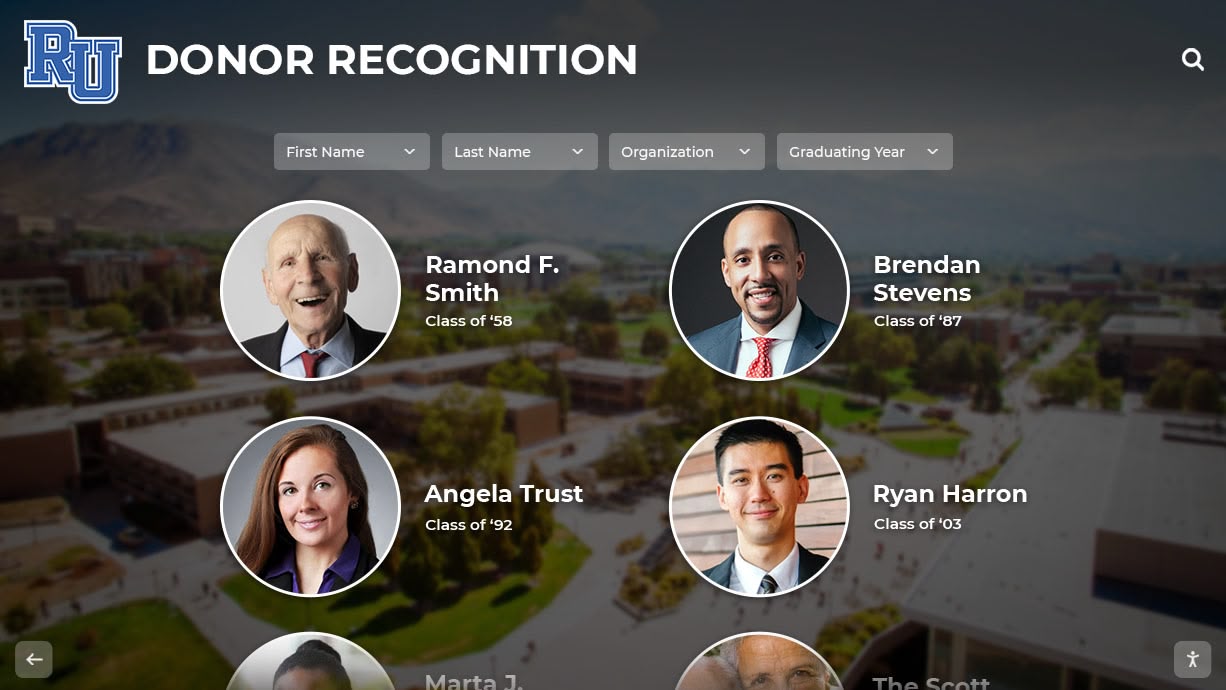
Purpose-built touchscreen software creates donor recognition that strengthens relationships and inspires continued giving
Alumni Engagement and Institutional History
Beyond fundraising, touchscreens preserve institutional legacy and strengthen alumni connections.
Comprehensive Alumni Recognition
Educational institutions celebrate alumni achievements through career accomplishment highlights and notable alumni features, distinguished service and community impact recognition, class composites and reunion information, “where are they now” update showcases, alumni event promotion and engagement opportunities, and historical archives preserving institutional memory.
Organizations implementing alumni spotlight programs find touchscreens provide engaging platforms for celebrating graduate success while strengthening alumni community bonds.
Athletic and Academic Achievement
Schools and universities honor student success through hall of fame inductee profiles and achievement stories, record holder recognition with historical context, team championship celebrations across all sports, individual award winner acknowledgment, scholar athlete and academic excellence recognition, and state, regional, and national qualifier celebration.
Touchscreen software specifically designed for recognition accommodates the complex organizational structures athletic and academic programs require including multiple sport categories, achievement types, historical periods, and recognition levels.
Institutional Showcasing and Campus Information
Beyond recognition, touchscreens serve broader institutional communication needs.
Visitor Information and Wayfinding
Interactive displays provide campus navigation assistance through building directories and location maps, department and service directories, event calendars and campus programming, admissions information for prospective students, visitor welcome messages and institutional history, and campus tour integration guiding self-exploration.
Organizations implementing college tour directory touchscreens create comprehensive visitor experiences combining wayfinding, institutional storytelling, and recognition into unified interactive systems.
Community Engagement and Storytelling
Touchscreens strengthen community connections through student and faculty achievement showcases, program impact documentation and outcome stories, community partnership recognition, seasonal celebrations and cultural events, mission communication and values demonstration, and vision casting for institutional futures.
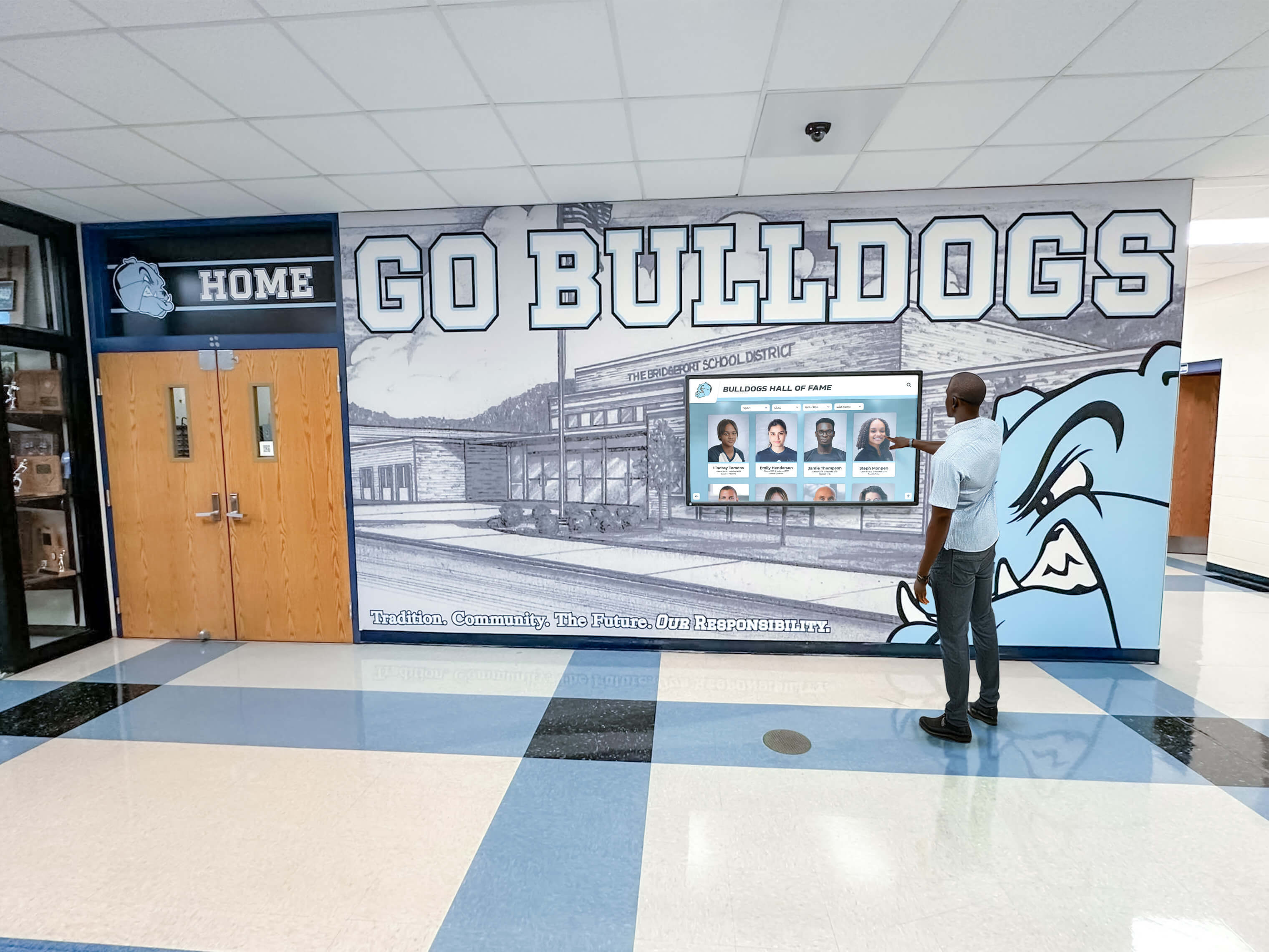
Touchscreen software strengthens institutional connections through accessible storytelling and community celebration
Cost Considerations and Return on Investment
Understanding comprehensive costs enables informed decisions about touchscreen software investments for institutional recognition.
Implementation Investment
Initial deployment costs vary based on scope and complexity but remain predictable with web-based platforms.
Hardware and Installation Expenses
Organizations typically invest in commercial touchscreen displays ranging from $2,000-$8,000 depending on size and specifications, media players or mini computers from $500-$2,000, mounting hardware and installation services from $500-$2,000, freestanding kiosk enclosures (optional) from $3,000-$8,000, and network infrastructure upgrades if needed from $500-$2,000.
Software Platform and Services
Web-based touchscreen software involves content management platform setup and customization from $1,000-$5,000, design services for branding and templates from $2,000-$8,000, initial content creation and data import assistance from $1,500-$5,000, training and onboarding for administrators from $500-$2,000, and integration with existing systems if required from $1,000-$5,000.
Total Initial Investment
Most organizations invest $10,000-$35,000 for comprehensive touchscreen recognition implementations, with costs varying based on display size, number of installations, customization requirements, and professional services needed. This investment typically equals or moderately exceeds traditional donor wall or trophy case costs but provides dramatically enhanced capabilities and long-term advantages.
Ongoing Operational Costs
Annual expenses ensure continued effectiveness and platform improvements over time.
Subscription and Support
Web-based platforms like Rocket Alumni Solutions typically charge annual subscription fees from $600-$3,000 depending on features and number of displays, including software updates and improvements, cloud hosting and data storage, technical support and troubleshooting, security patches and maintenance, and platform feature enhancements.
Content Management and Updates
Organizations invest internal staff time for routine content updates typically 3-6 hours monthly, professional design services for major refreshes occasionally from $500-$2,000 annually, photography and videography for enhanced content from $1,000-$5,000 annually depending on usage, and feature additions or customizations as desired.
Long-Term Cost Advantages
Web-based touchscreen software provides substantial savings compared to traditional recognition including eliminating $500-$2,000 per update required for physical plaque engraving, avoiding native software update deployment across device fleets, reducing IT support burden through cloud-hosted operation, scaling to unlimited displays without per-device licensing, and accommodating unlimited recognition entries without space constraints.
Organizations with active recognition programs typically achieve cost parity with traditional approaches within 3-5 years, after which savings compound significantly while capabilities continue exceeding physical alternatives.
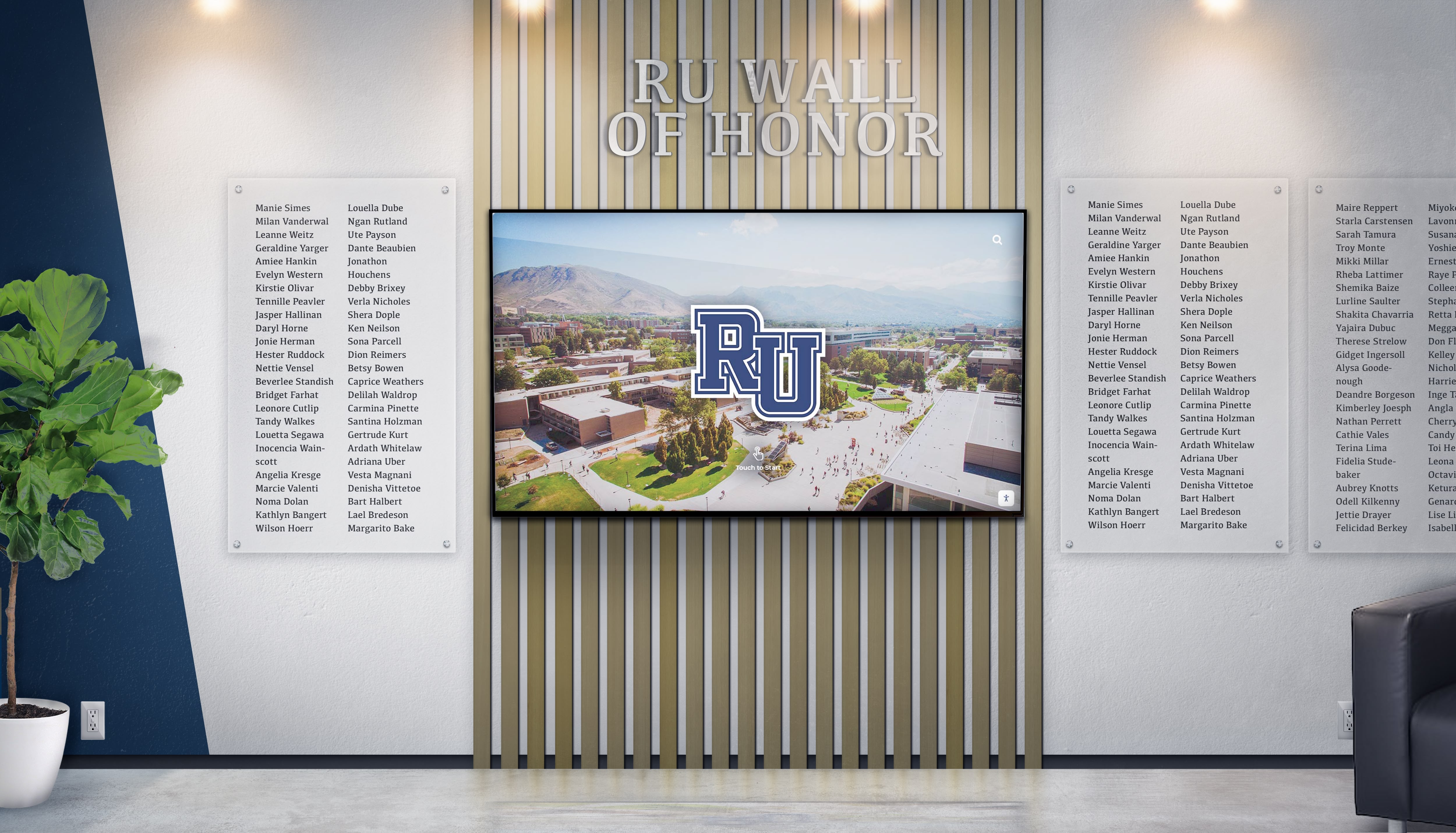
Strategic touchscreen software investments create long-term recognition advantages while complementing traditional approaches
Calculating Recognition Program ROI
Touchscreen software investments deliver measurable value extending beyond direct cost comparisons.
Donor Retention and Giving Impact
Research indicates visible, engaging donor recognition increases giving through social proof effects encouraging contributions, improved retention reducing costly acquisition needs, increased gift sizes from satisfied recognized donors, enhanced planned giving inquiry rates, and strengthened capital campaign success.
Organizations with $500,000 annual fundraising programs report that even 5% giving increases attributable to improved recognition generate $25,000 in additional contributions—exceeding typical touchscreen system costs within the first year while compounding over time as recognition strengthens donor relationships.
Operational Efficiency Gains
Web-based platforms reduce administrative burden through elimination of physical plaque coordination and engraving management, reduced IT support needs compared to native applications, decreased staff time maintaining current recognition, automated content synchronization across multiple displays, and simplified vendor relationship with single platform provider.
Development directors consistently report 85-90% reduction in time spent maintaining donor recognition after implementing digital systems compared to traditional approaches.
Institutional Advancement Benefits
Beyond direct fundraising impact, touchscreen recognition creates broader value including enhanced institutional reputation through professional recognition experiences, strengthened alumni engagement and community building, improved visitor experiences showcasing institutional pride, preservation of institutional history and legacy, and demonstration of innovation and forward-thinking leadership.
These qualitative benefits prove difficult to quantify but significantly affect institutional advancement and community relations over time.
Technical Advantages of Web-Based Touchscreen Architecture
Understanding how cloud-hosted platforms differ from traditional software clarifies why web-based approaches dominate modern touchscreen implementations.
Cross-Platform Compatibility
Web-based software eliminates platform-specific limitations that constrain hardware selection and complicate deployments.
Universal Browser Access
Rocket Alumni Solutions and similar platforms operate through standard web browsers available on every computing device including Windows computers running Chrome, Edge, or Firefox, Mac systems using Safari, Chrome, or other browsers, iPads and iOS devices with Safari, Android tablets and displays with Chrome, and Chromebooks and Chrome OS devices.
This universal compatibility enables organizations to select hardware based on budget, aesthetics, and physical requirements rather than software compatibility constraints—the same recognition content displays identically across any device accessing the platform URL.
Simplified Multi-Location Deployments
Organizations deploying touchscreens across multiple buildings or campuses benefit enormously from web-based architecture through identical configuration across all devices regardless of hardware, centralized content management updating all displays simultaneously, consistent user experience everywhere, simplified troubleshooting with standardized deployments, and easy expansion adding displays without complex software deployment.
A university implementing recognition displays across ten campus locations configures all installations identically in the time traditional software requires for single-device setup—simply point each browser to the recognition platform URL.
Organizations exploring touchscreen solutions for schools find web-based platforms dramatically simplify institution-wide implementations.
Automatic Updates and Maintenance
Cloud-hosted platforms eliminate ongoing technical maintenance burden that makes native applications unsustainable for organizations with limited IT resources.
Platform-Level Updates
Web-based touchscreen software receives continuous improvements without requiring any action from deploying organizations including security patches addressing vulnerabilities immediately, feature enhancements appearing automatically for all users, performance optimizations improving speed and responsiveness, bug fixes resolving issues as discovered, and interface refinements based on user feedback.
Organizations benefit from platform evolution without version management, update testing, deployment coordination, downtime scheduling, or compatibility verification—displays simply present improved platforms as vendors deploy updates.
Content Management Simplification
Cloud hosting enables sophisticated content management through any browser including remote administration from office computers or smartphones, simultaneous multi-user editing by distributed teams, automatic backup protecting information continuously, version history enabling content recovery if needed, preview environments testing changes before publication, and role-based access ensuring appropriate permissions.
This administrative flexibility proves impossible with native applications requiring physical access to devices or complex remote management infrastructure.
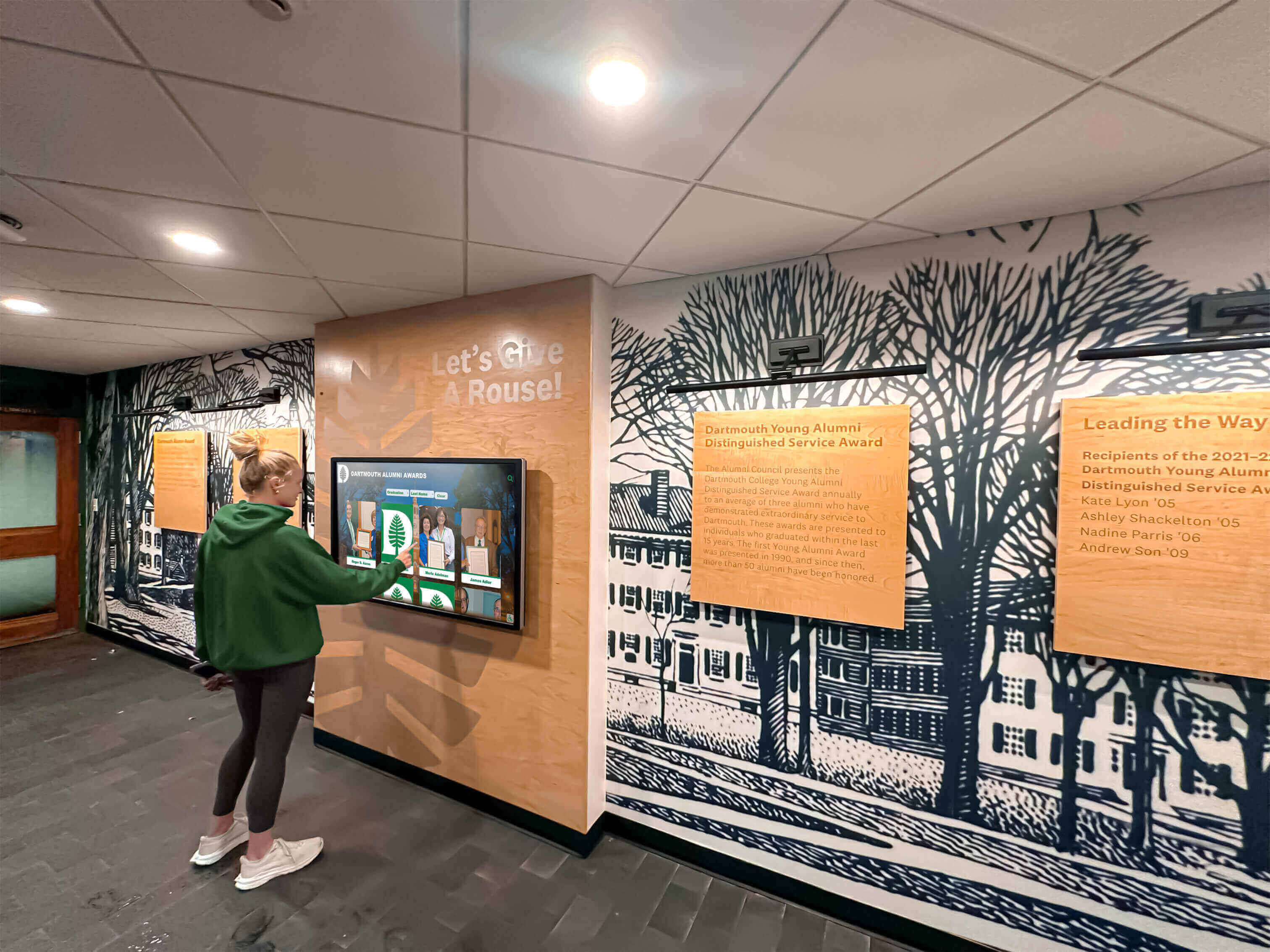
Web-based touchscreen software operates reliably through simple browser technology requiring minimal technical support
Scalability and Flexibility
Cloud architecture enables recognition programs to grow seamlessly as needs expand.
Unlimited Recognition Capacity
Unlike physical walls with finite space or native applications with database limitations, web-based platforms accommodate unlimited recognition entries including thousands of donors across all giving levels, decades of alumni spanning multiple generations, comprehensive athletic records across all sports and years, academic achievement recognition for all students, and memorial and tribute gifts without space constraints.
This unlimited capacity ensures comprehensive recognition honoring all contributors appropriately regardless of available physical space.
Easy Multi-Display Expansion
Organizations adding recognition displays as institutions grow or priorities evolve benefit from web-based simplicity including zero additional software costs for new displays, identical configuration process regardless of display count, instant content availability on new installations, and centralized management across unlimited devices.
A school installing a single display initially can easily add displays in athletic facilities, performing arts centers, administrative buildings, or other locations over time without incremental software licensing or complex deployment projects.
Comparing Touchscreen Software Approaches
Understanding how different architectural and platform approaches compare helps organizations make informed selection decisions.
Web-Based vs. Native Applications
The fundamental architectural choice significantly impacts both implementation and long-term operation.
Web-Based Platform Advantages for Recognition
Cloud-hosted touchscreen software provides compelling benefits including rapid deployment measured in days rather than months, cross-platform compatibility eliminating hardware constraints, centralized content management enabling remote updates, automatic software updates requiring zero organizational effort, unlimited scalability without additional licensing, predictable subscription pricing versus variable development costs, and user-friendly administration designed for non-technical staff.
These advantages prove particularly valuable for educational institutions and nonprofits with limited IT resources, mixed hardware environments, or multiple display locations requiring consistent management.
Native Application Scenarios
Native touchscreen applications remain appropriate primarily for offline-required installations without reliable internet connectivity, unique requirements not addressed by web platforms, organizations with internal development capabilities, or specialized applications requiring extreme performance beyond web capabilities.
Most institutional recognition applications lack these constraints, making web-based platforms optimal for typical use cases.
Research on web-based versus native touchscreen software demonstrates that web architectures deliver superior total cost of ownership for recognition applications.
Purpose-Built vs. Adapted Solutions
Whether platforms are designed specifically for recognition significantly affects functionality and usability.
Purpose-Built Recognition Platform Benefits
Software like Rocket Alumni Solutions designed explicitly for celebrating achievements and honoring donors provides specialized features including database structures optimized for people and contributions, search and filtering designed for finding individuals, recognition tier organization and giving level display, profile templates ensuring consistent presentation, multimedia integration supporting rich storytelling, memorial and tribute gift handling, and administration workflows optimized for advancement staff.
These purpose-built capabilities enable sophisticated recognition impossible with general platforms not designed specifically for institutional needs.
Adapted Platform Limitations
Organizations attempting to use digital signage software, general content management systems, or custom-developed solutions for recognition typically encounter content structure limitations requiring workarounds, insufficient search and filtering capabilities, complex administrative workflows requiring technical skills, lack of recognition-specific features, ongoing customization costs, and maintenance burden exceeding organizational capacity.
While adapted solutions may appear less expensive initially, total cost typically exceeds purpose-built alternatives when accounting for customization, ongoing development, and administrative complexity.
Organizations evaluating touchscreen kiosk software options should prioritize platforms designed specifically for their primary use cases rather than attempting to adapt general solutions.
Best Practices for Touchscreen Software Success
Successful implementations follow proven approaches maximizing recognition effectiveness and long-term sustainability.
Content Strategy and Organization
Thoughtful content planning ensures recognition displays engage visitors and honor contributors appropriately.
Recognition Level Structure
Organizations should establish clear giving or achievement tiers including foundational levels accessible to broad participation, mid-tier recognition for above-average contributions, leadership categories for significant achievements, major donor or hall of fame levels for exceptional impact, legacy or lifetime recognition for sustained support, and special designations for memorial gifts or unique categories.
Clear level structure with consistent naming and visual hierarchy ensures visitors immediately understand recognition significance without confusion.
Compelling Content Development
Beyond basic information, engaging recognition includes high-quality photographs creating visual interest, biographical narratives telling individual stories, achievement context explaining significance, impact demonstration connecting contributions to outcomes, video testimonials when appropriate, and historical connections linking past and present.
Rich content transforms recognition from simple acknowledgment to meaningful celebration inspiring others while honoring contributors comprehensively.
Organizations implementing academic recognition programs benefit from content strategies balancing individual celebration with community impact demonstration.
Sustainable Administration Protocols
Long-term success requires establishing processes ensuring recognition remains current and accurate.
Clear Role Assignment
Define specific responsibilities including primary content administrators with ongoing update authority, approval processes when multiple stakeholders review content, technical liaisons for hardware and connectivity issues, photography and media coordinators gathering visual content, and executive sponsors maintaining organizational commitment.
Distributed responsibility with clear accountability prevents recognition maintenance from falling through organizational cracks.
Regular Update Schedules
Establish routine maintenance including weekly or monthly new donor and inductee additions, quarterly content refreshment updating featured stories, annual comprehensive reviews ensuring accuracy, event-driven updates for campaigns and milestones, and continuous improvement based on usage analytics and feedback.
Consistent update schedules maintain recognition currency demonstrating organizational commitment to honoring contributors appropriately.
Quality Assurance Processes
Maintain recognition accuracy through content review before publication, name and information verification with contributors, photograph permission and rights management, spelling and grammar checking, and stakeholder feedback incorporation.
Quality control prevents embarrassing errors undermining recognition credibility and donor satisfaction.

Sustainable administration protocols ensure recognition remains current and engaging long after initial implementation
Analytics and Continuous Improvement
Data-driven optimization ensures recognition displays deliver maximum engagement and value.
Usage Monitoring
Track key metrics including visitor counts and session duration, popular search terms and browse patterns, most-viewed profiles and achievement categories, time-of-day usage patterns, and return visitor rates.
These insights reveal what content engages visitors and inform improvement decisions.
Content Performance Analysis
Evaluate recognition effectiveness through profile view counts identifying recognition gaps, search success rates showing discovery effectiveness, video play rates indicating multimedia engagement, sharing activity demonstrating social spread, and bounce rates suggesting navigation or interest issues.
Performance data guides content strategy ensuring recognition appeals to intended audiences while achieving institutional goals.
Iterative Refinement
Continuously improve recognition through content updates based on popular interests, interface modifications addressing usability issues, feature additions responding to user needs, design evolution maintaining visual freshness, and technology upgrades leveraging platform improvements.
Organizations treating touchscreen recognition as evolving systems rather than one-time projects maximize long-term value and engagement.
Conclusion: Modern Touchscreen Software Transforming Institutional Recognition
Touchscreen software represents far more than technology infrastructure—it enables fundamental transformation in how organizations celebrate achievements, honor supporters, preserve institutional history, and strengthen community connections. Modern web-based platforms like Rocket Alumni Solutions have revolutionized what’s possible by eliminating technical barriers, simplifying administration, and providing sophisticated recognition capabilities through user-friendly cloud-hosted systems designed specifically for advancement professionals rather than IT departments.
The strategies explored in this guide demonstrate how purpose-built touchscreen software delivers comprehensive recognition solutions that honor all contribution and achievement levels appropriately, tell compelling stories about impact and outcomes, remain flexible as institutional needs evolve, provide web accessibility extending reach beyond physical displays, require minimal technical expertise for sustainable operation, and scale seamlessly as recognition programs grow over time.
Transform Recognition with Purpose-Built Touchscreen Software
Discover how Rocket Alumni Solutions provides comprehensive web-based touchscreen software enabling institutions to create engaging recognition experiences that celebrate supporters, showcase achievements, and strengthen community without technical complexity.
Request Recognition Platform WalkthroughStrategic Selection Pathway
Organizations evaluating touchscreen software should begin by defining recognition objectives and content scope, assessing technical capabilities and administrative resources, prioritizing web-based architectures for simplicity and sustainability, selecting purpose-built platforms designed specifically for recognition, evaluating vendor experience in institutional applications, planning systematic implementation with clear timelines, and committing to ongoing content management and improvement.
This disciplined approach prevents common implementation problems while ensuring touchscreen investments deliver intended recognition goals and long-term institutional value.
The Web-Based Advantage
For institutional recognition applications including donor walls, alumni engagement, achievement showcasing, and community celebration, web-based touchscreen software delivers compelling advantages over traditional alternatives. Cloud-hosted platforms eliminate deployment complexity, ongoing maintenance burden, technical expertise requirements, and scalability constraints that make native applications impractical for most organizations.
Rocket Alumni Solutions exemplifies this modern approach—providing comprehensive recognition capabilities through web-based technology that advancement teams manage independently without IT dependency. When organizations can update donor recognition within minutes of gift receipt, add new inductees without technical assistance, and manage unlimited displays through centralized web dashboards, recognition becomes strategic relationship-building tool rather than administrative burden.
Recognition as Mission Enabler
Your supporters’ generosity and community members’ achievements make institutional missions possible. They deserve recognition that honors their contributions appropriately, demonstrates the impact they’re creating, strengthens their connection to your cause, and inspires continued engagement. With modern touchscreen software designed specifically for recognition—combining sophisticated capabilities with user-friendly operation—you can create comprehensive celebration systems that advancement teams maintain independently while delivering engaging experiences strengthening the relationships essential for institutional success.
Ready to explore web-based touchscreen software for your recognition programs? Learn more about comprehensive digital donor wall solutions or discover how interactive recognition displays transform institutional engagement across diverse applications and environments.































