
Digital donor recognition systems serve diverse communities including visitors with disabilities who rely on accessible design to explore recognition content independently. Yet many organizations implementing touchscreen displays, interactive kiosks, or web-based recognition platforms overlook accessibility requirements, inadvertently excluding supporters, family members, or community visitors who navigate the world differently.
The Web Content Accessibility Guidelines (WCAG) 2.2 at Level AA represent internationally recognized standards ensuring digital content remains accessible to people with visual, auditory, motor, or cognitive disabilities. For organizations investing in digital donor recognition, WCAG 2.2 AA compliance is not merely regulatory box-checking—it reflects fundamental commitment to inclusive celebration honoring all contributors while ensuring recognition displays welcome every campus or facility visitor regardless of ability.
This comprehensive guide examines each WCAG 2.2 success criterion at Level A (minimum baseline) and Level AA (enhanced accessibility), explaining why each standard matters for donor recognition systems and how thoughtful implementation creates recognition experiences serving the broadest possible audiences.

Accessible digital recognition systems ensure all visitors can independently explore donor acknowledgment regardless of ability
Understanding WCAG 2.2 AA Compliance
Before examining specific success criteria, understanding what WCAG represents and why AA compliance matters helps organizations approach accessibility strategically.
What Are WCAG Standards?
The Web Content Accessibility Guidelines, developed by the World Wide Web Consortium (W3C) through the Web Accessibility Initiative (WAI), provide technical specifications making digital content accessible to people with disabilities. WCAG 2.2, released in October 2023, represents the current standard incorporating new success criteria addressing mobile accessibility, cognitive disabilities, and low vision needs beyond earlier WCAG 2.0 and 2.1 versions.
WCAG Conformance Levels
WCAG organizes requirements into three conformance levels representing progressive accessibility:
- Level A: Minimum accessibility requirements that, if not met, make content essentially inaccessible to some users
- Level AA: Enhanced accessibility addressing common barriers; the standard most legislation and institutional policies require
- Level AAA: Highest accessibility achieving specialized accommodations beyond typical requirements
Most organizations target Level AA compliance, balancing comprehensive accessibility with practical implementation requirements. Level AA conformance requires meeting all Level A criteria plus additional Level AA standards.
Why WCAG 2.2 AA Matters for Donor Recognition
Digital recognition systems serve public-facing environments welcoming diverse community members:
Legal and Policy Requirements: Many jurisdictions require public-facing digital systems to meet WCAG 2.2 AA standards under disability rights legislation. Educational institutions receiving federal funding, government entities, and organizations in regulated sectors face explicit compliance mandates. Even absent direct legal requirements, institutional accessibility policies often specify WCAG AA conformance for all public-facing technology.
Inclusive Mission Alignment: Organizations celebrating philanthropic community contributions demonstrate values through how recognition systems serve all community members. Accessible recognition systems embody institutional commitments to inclusion, diversity, and equal access—values most nonprofit missions explicitly champion.
Expanded Audience Reach: According to the Centers for Disease Control and Prevention, 26% of U.S. adults—approximately 61 million people—live with disabilities. Recognition systems excluding visitors with disabilities literally prevent a quarter of potential audiences from accessing donor appreciation content, diminishing recognition impact and potentially offending excluded supporters or their families.
Improved Usability for Everyone: Accessibility features designed for users with disabilities often improve experiences for all visitors. Clear navigation benefits everyone, not just screen reader users. High-contrast displays help visitors in bright lobbies, not just those with low vision. Well-designed accessibility creates better recognition systems universally.
Organizations implementing digital donor walls benefit from understanding how accessibility requirements create inclusive recognition environments. Learn about comprehensive approaches to digital recognition displays that serve diverse audiences through thoughtful design.

Strategic placement and accessible design ensure recognition displays integrate naturally into campus environments
WCAG 2.2 Level A Success Criteria: Foundation Requirements
Level A criteria establish baseline accessibility without which digital content becomes fundamentally inaccessible to users with certain disabilities. Every criterion matters, but we’ll focus on those most relevant to digital recognition systems.
Principle 1: Perceivable — Information Must Be Presentable to All Users
Users must be able to perceive all information presented, regardless of sensory abilities.
1.1.1 Non-text Content (Level A)
What It Requires: All non-text content (images, icons, controls) must have text alternatives describing their purpose.
Why It Matters for Donor Recognition: Digital recognition displays rely heavily on visual content—donor photographs, logos, achievement badges, organizational imagery. Visitors using screen readers miss this content entirely unless text alternatives provide equivalent information. When a donor profile includes a photograph but lacks alternative text, blind visitors receive no indication a photo exists or what it shows.
Implementation: All donor photographs should include descriptive alt text (“Photograph of Margaret Chen, Class of 1995, with family at scholarship ceremony”). Decorative images use empty alt attributes (alt=""). Interactive elements include descriptive labels screen readers announce (“View donor profile details button”). Explore best practices in interactive touchscreen museums and galleries for additional accessibility insights.
1.2.1 Audio-only and Video-only (Prerecorded) (Level A)
What It Requires: Prerecorded audio-only content needs transcripts; video-only content needs audio descriptions or transcripts.
Why It Matters for Donor Recognition: Many recognition displays incorporate donor testimonial videos, campaign impact videos, or historical footage. When videos lack transcripts or captions, deaf or hard-of-hearing visitors cannot access this content. Audio-only content like recorded donor messages excludes visitors who cannot hear.
Implementation: Provide complete text transcripts for all audio content. For video-only content (silent video with visual information), include audio descriptions or detailed text descriptions explaining visual content.
1.2.2 Captions (Prerecorded) (Level A)
What It Requires: All prerecorded video with audio must include synchronized captions.
Why It Matters for Donor Recognition: Donor testimonial videos, impact stories, or campaign updates become inaccessible to deaf and hard-of-hearing visitors without captions. Beyond accessibility, captions benefit visitors in noisy environments or those who prefer reading to audio.
Implementation: Include synchronized captions for all video content. Captions should capture not just spoken words but also relevant non-speech audio like [applause], [music], or [emotional pause] providing context.
1.2.3 Audio Description or Media Alternative (Prerecorded) (Level A)
What It Requires: Prerecorded video content must include audio descriptions or complete text alternatives.
Why It Matters for Donor Recognition: When video content includes visual information not conveyed through audio—facility tours, project before-and-after comparisons, visual data presentations—blind visitors miss essential content. Audio descriptions narrate relevant visual information during pauses in dialogue.
Implementation: Provide either audio description tracks narrating visual content or complete text transcripts describing all visual and auditory information comprehensively.
1.3.1 Info and Relationships (Level A)
What It Requires: Information, structure, and relationships conveyed through presentation must be programmatically determinable or available in text.
Why It Matters for Donor Recognition: Recognition displays often organize donors by giving levels, campaigns, or years. When visual design alone conveys these organizational structures—using font size, color, or spatial grouping—screen reader users cannot perceive these relationships. Similarly, form fields in online recognition platforms need proper labels screen readers can identify.
Implementation: Use semantic HTML (headings, lists, tables) reflecting content structure. Ensure donor level distinctions are conveyed through programmatic structure, not just visual design. All form controls have associated labels. Data tables use proper header markup indicating column/row relationships.
1.3.2 Meaningful Sequence (Level A)
What It Requires: When content sequence affects meaning, the correct reading sequence must be programmatically determinable.
Why It Matters for Donor Recognition: Recognition displays presenting donor information, timelines, or multi-step giving stories need logical sequence. Screen readers navigate content in DOM order; when visual layout differs from programmatic sequence, content becomes confusing or incomprehensible for non-sighted users.
Implementation: Ensure HTML source order matches logical reading sequence. Test with screen readers verifying content flows naturally. When visual layout deviates from source order, use appropriate ARIA or reordering techniques maintaining meaning.
1.3.3 Sensory Characteristics (Level A)
What It Requires: Instructions must not rely solely on sensory characteristics like shape, color, size, visual location, orientation, or sound.
Why It Matters for Donor Recognition: When recognition interfaces use instructions like “Click the blue button to see more donors” or “Tap the icon on the right,” visitors who cannot perceive color or spatial relationships cannot follow directions. Instructions must remain comprehensible without relying on sensory perception.
Implementation: Provide multiple ways to identify elements. Instead of “Click the blue button,” use “Click the ‘View More’ button below.” Complement color-coding with text labels, patterns, or positional indicators that work without color perception.
1.4.1 Use of Color (Level A)
What It Requires: Color must not be the only visual means of conveying information, indicating action, prompting response, or distinguishing visual elements.
Why It Matters for Donor Recognition: Donor recognition often uses color to distinguish giving levels (gold for major donors, silver for mid-level, bronze for foundational). Visitors with color blindness—approximately 8% of men and 0.5% of women—cannot distinguish color-coded categories. When color alone differentiates donor levels, these visitors cannot perceive recognition structure.
Implementation: Combine color with additional visual differentiators—icons, patterns, text labels, size variations. Ensure interactive elements indicate states through multiple cues beyond color alone.

Combining traditional plaques with digital displays provides multiple accessibility pathways for exploring recognition
Principle 2: Operable — Interface Components Must Be Operable
Users must be able to operate all interface components and navigation regardless of input method.
2.1.1 Keyboard (Level A)
What It Requires: All functionality must be operable through keyboard interface without requiring specific timings for individual keystrokes (except where underlying function requires input dependent on path of user movement).
Why It Matters for Donor Recognition: Many visitors cannot use touchscreens or mice due to motor disabilities, relying instead on keyboards or assistive technologies emulating keyboard input. When recognition interfaces require touch or mouse interaction for core functions—browsing donors, filtering by level, opening profiles—keyboard users cannot access content.
Implementation: Ensure all interactive elements (buttons, links, filters, search) are keyboard accessible. Test complete workflows using only keyboard. Provide visible focus indicators showing current keyboard position. Implement logical tab order matching visual layout.
2.1.2 No Keyboard Trap (Level A)
What It Requires: Keyboard focus must never be trapped in any part of content; users must always be able to move away using standard keyboard methods.
Why It Matters for Donor Recognition: When keyboard users enter modal dialogs, video players, or embedded content in recognition interfaces, they must be able to exit using standard keyboard commands. Keyboard traps prevent users from navigating away, potentially making entire systems unusable.
Implementation: Test all interactive components ensuring users can enter and exit using standard keyboard commands. Modal dialogs include clear close buttons reachable via keyboard. Embedded content doesn’t trap focus.
2.1.4 Character Key Shortcuts (Level A, WCAG 2.1 and 2.2)
What It Requires: If single-character keyboard shortcuts exist, users must be able to turn them off, remap them, or they must only be active when specific components have focus.
Why It Matters for Donor Recognition: Single-character shortcuts (pressing “S” for search) can interfere with assistive technologies. Voice input users may accidentally trigger shortcuts when dictating text. Keyboard users might trigger unintended actions.
Implementation: Avoid single-character shortcuts when possible. When used, provide mechanisms to disable, remap, or limit activation scope. Use multi-key combinations (Ctrl+S) instead of single characters.
2.2.1 Timing Adjustable (Level A)
What It Requires: Users must be able to turn off, adjust, or extend time limits unless timing is essential to the activity.
Why It Matters for Donor Recognition: Kiosk displays sometimes implement inactivity timeouts returning to home screens. When timeouts are too short, users who read slowly, use assistive technologies, or process information gradually may be unable to complete activities before automatic resets. This particularly affects users with cognitive disabilities, learning disabilities, or those using screen readers requiring more time to navigate.
Implementation: Implement generous timeout periods (several minutes minimum). Provide clear warnings before timeouts with options to extend time. Allow users to disable timeouts when possible. Ensure essential interactions don’t have arbitrary time limits.
2.2.2 Pause, Stop, Hide (Level A)
What It Requires: For moving, blinking, scrolling, or auto-updating content starting automatically and lasting more than five seconds, users must have mechanisms to pause, stop, or hide the content unless movement is essential.
Why It Matters for Donor Recognition: Recognition displays often feature rotating donor spotlights, scrolling donor names, or auto-advancing slideshows. For users with attention or cognitive disabilities, moving content creates distraction making it difficult or impossible to focus on static content. Users with certain visual disabilities need more time to read content before it changes.
Implementation: Provide clear pause/stop controls for all auto-advancing content. Include options to slow rotation speeds. Ensure paused content remains paused until users explicitly resume. Consider making static display the default with optional animation.
2.3.1 Three Flashes or Below Threshold (Level A)
What It Requires: Content must not flash more than three times per second unless the flashing is below general flash and red flash thresholds.
Why It Matters for Donor Recognition: Flashing or strobing content can trigger seizures in people with photosensitive epilepsy. Even subtle flashing in transition effects, loading indicators, or attention-getting animations poses serious health risks.
Implementation: Avoid flashing content entirely in recognition displays. When transitions or effects are necessary, ensure they don’t exceed flash thresholds. Test all animations and effects for compliance.
2.4.1 Bypass Blocks (Level A)
What It Requires: Mechanisms must exist to bypass blocks of content repeated on multiple pages.
Why It Matters for Donor Recognition: Web-based recognition platforms often include navigation menus, search bars, or filtering controls repeated across pages. Keyboard users must tab through these elements on every page. Without bypass mechanisms, accessing main content requires repetitive navigation through identical controls—particularly burdensome for users relying on keyboards or screen readers.
Implementation: Provide “skip to main content” links at page tops enabling users to bypass repeated navigation. Use proper heading structure allowing screen reader users to jump between sections. Implement ARIA landmarks helping assistive technology users navigate efficiently.
2.4.2 Page Titled (Level A)
What It Requires: Web pages must have titles describing topic or purpose.
Why It Matters for Donor Recognition: Screen readers announce page titles when users navigate to pages, helping them understand where they are. Multiple open tabs become indistinguishable without unique, descriptive titles. Pages in online donor directories need clear titles distinguishing donor profiles, search results, giving level pages, or campaign sections.
Implementation: Every page has unique, descriptive title. Titles follow consistent patterns (e.g., “Donor Name - Recognition Level - Campaign | Organization Name”). Most important information appears first in title.
2.4.3 Focus Order (Level A)
What It Requires: When content can be navigated sequentially, focus order must preserve meaning and operability.
Why It Matters for Donor Recognition: Keyboard users tab through interactive elements in programmatic order. When focus sequence doesn’t match logical flow—jumping erratically between unrelated sections—content becomes confusing and difficult to navigate. This particularly affects users relying on keyboards or assistive technologies.
Implementation: Ensure tab order follows logical reading sequence—generally top to bottom, left to right in Western layouts. Test keyboard navigation verifying focus moves predictably. When visual layout deviates from source order, adjust programmatic order or provide navigation aids.
2.4.4 Link Purpose (In Context) (Level A)
What It Requires: The purpose of each link must be determined from link text alone or from link text together with programmatically determined link context.
Why It Matters for Donor Recognition: Generic links like “Click here” or “Read more” provide no information when encountered out of context. Screen reader users often navigate by pulling up link lists; ambiguous link text makes these lists useless. Donor profiles linked with only “View profile” repeated dozens of times become indistinguishable.
Implementation: Use descriptive link text clearly indicating destination (“View Margaret Chen’s donor profile”). When necessary to use generic text, provide additional context programmatically (e.g., ARIA labels). Ensure link purpose is clear when announced alone.
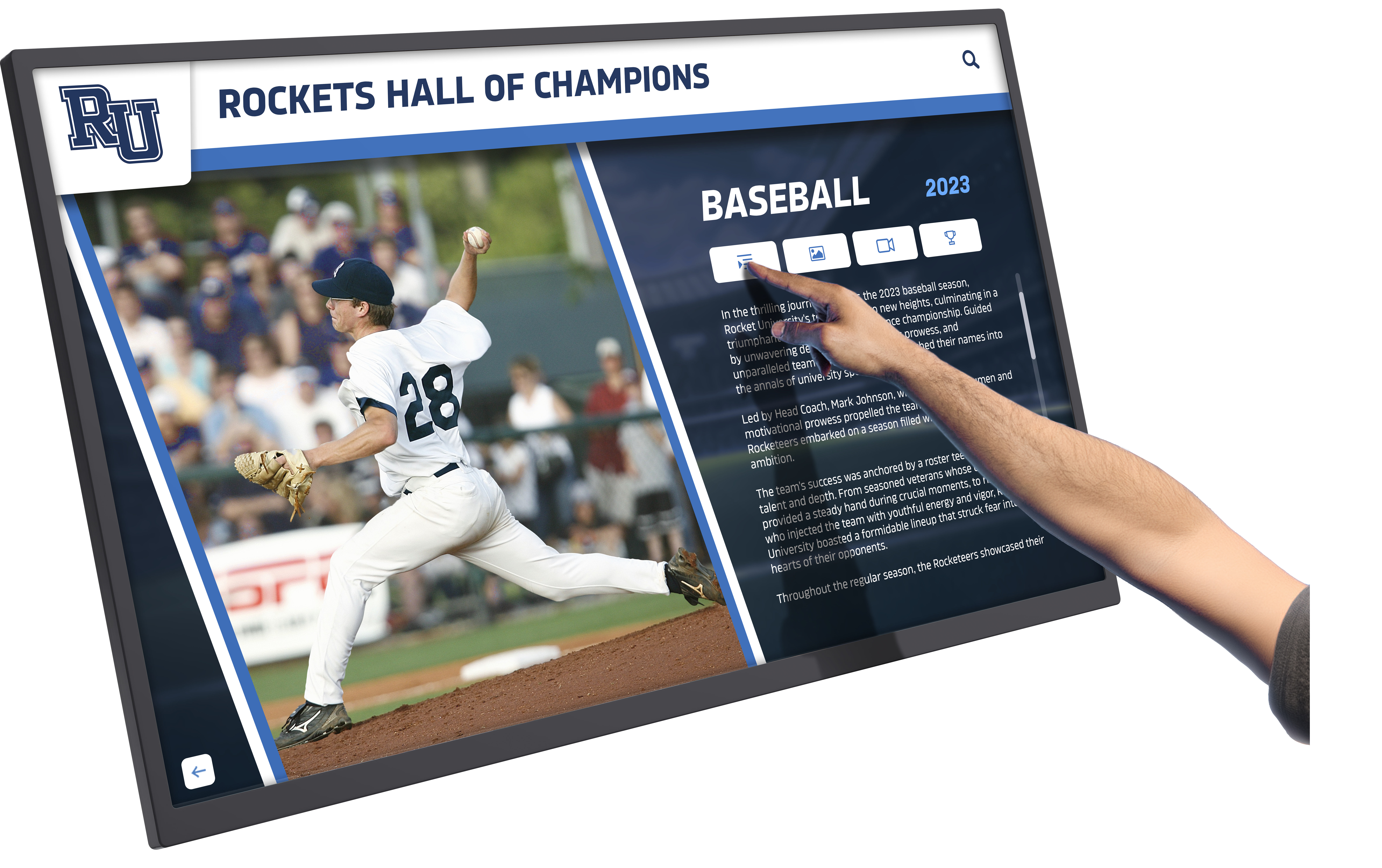
Intuitive interfaces with clear navigation enable visitors to explore donor recognition independently
2.5.1 Pointer Gestures (Level A, WCAG 2.1 and 2.2)
What It Requires: All functionality using multipoint or path-based gestures must also be operable with single-point actions unless multipoint/path-based gestures are essential.
Why It Matters for Donor Recognition: Touchscreen recognition kiosks sometimes implement pinch-to-zoom, multi-finger swipes, or complex gesture controls. Users with limited dexterity, tremors, or prosthetics may be unable to perform these gestures. Requiring complex gestures excludes these users from accessing donor content.
Implementation: Provide alternative single-tap/click methods for all functionality. Include zoom buttons instead of requiring pinch gestures. Ensure swipe actions have button alternatives. Test interfaces using only single-point interactions.
2.5.2 Pointer Cancellation (Level A, WCAG 2.1 and 2.2)
What It Requires: For single-pointer functionality, at least one condition must be true: no down-event activation, abort/undo available, up-event reversal possible, or down-event completion essential.
Why It Matters for Donor Recognition: When touchscreen interactions trigger on touch-down rather than touch-up, users cannot cancel accidental touches. This particularly affects users with tremors, limited fine motor control, or those using assistive technologies. Accidental activations disrupting navigation create frustrating, inaccessible experiences.
Implementation: Trigger actions on touch/click release (up-event) rather than initial contact (down-event). Allow users to cancel by moving pointer away before releasing. When down-event essential (e.g., drawing), provide undo mechanisms.
2.5.3 Label in Name (Level A, WCAG 2.1 and 2.2)
What It Requires: For user interface components with text or images of text labels, the accessible name must contain the visible text label.
Why It Matters for Donor Recognition: Voice control users operate interfaces by saying visible label text (“Click View Profile”). When accessible names don’t match visible labels, voice commands fail. Similarly, screen reader users expect announced names to match visible text.
Implementation: Ensure visible button/link text matches or is contained within accessible name. When “View Profile” appears visually, accessible name should include “View Profile.” Avoid situations where visible and programmatic names differ significantly.
2.5.4 Motion Actuation (Level A, WCAG 2.1 and 2.2)
What It Requires: Functionality triggered by device motion or user motion must also be operable by user interface components and respond to motion can be disabled.
Why It Matters for Donor Recognition: Some kiosks implement shake-to-refresh or tilt-based navigation. Users unable to perform these motions—wheelchair users, those with tremors, or visitors with mounted devices—cannot access this functionality. Motion-triggered actions may activate unintentionally for users with tremors or mobility aids.
Implementation: Provide alternative UI controls for all motion-triggered functionality. Include settings to disable motion activation. Never rely solely on motion for essential functions.
Principle 3: Understandable — Information and Operation Must Be Understandable
Users must be able to understand content and how to operate interfaces.
3.1.1 Language of Page (Level A)
What It Requires: The default human language of each page must be programmatically determinable.
Why It Matters for Donor Recognition: Screen readers rely on language declarations to properly pronounce content. Without language indicators, English screen readers attempt to pronounce Spanish donor names using English phonetics, creating incomprehensible output. Proper language declarations ensure assistive technologies use appropriate pronunciation rules.
Implementation: Set HTML lang attribute on every page. For multilingual content, set lang attribute on elements containing alternate languages. Ensure language codes are valid (en for English, es for Spanish, etc.).
3.2.1 On Focus (Level A)
What It Requires: When components receive focus, they must not initiate context changes.
Why It Matters for Donor Recognition: When keyboard users tab through interfaces, focus landing on elements shouldn’t automatically trigger navigation, open dialogs, or change content. Unexpected changes disorient users, particularly those using screen readers who may miss what happened. Users need to intentionally activate controls rather than accidentally triggering them by navigating.
Implementation: Ensure focus alone doesn’t trigger actions. Users must explicitly activate controls (pressing Enter, clicking) to initiate changes. Avoid form fields that automatically submit when receiving focus.
3.2.2 On Input (Level A)
What It Requires: Changing the setting of user interface components must not automatically cause context changes unless users have been warned before using the component.
Why It Matters for Donor Recognition: When search filters, dropdown menus, or form controls automatically trigger actions upon selection, users may accidentally trigger unintended changes. This particularly affects users who navigate incrementally through options or those using assistive technologies. Unexpected context changes disorient users and can cause loss of information.
Implementation: Require explicit submission actions rather than automatically updating on input. Provide “Apply filters” buttons instead of auto-updating when dropdowns change. When automatic changes are necessary, clearly warn users before the component.
3.2.6 Consistent Help (Level A, WCAG 2.2 only)
What It Requires: Help mechanisms repeated across pages must appear in consistent relative order unless user-initiated change occurs.
Why It Matters for Donor Recognition: When recognition platforms include help features—contact forms, chat support, FAQ links—across multiple pages, consistent positioning helps users find assistance predictably. This particularly benefits users with cognitive disabilities who rely on consistency for successful navigation.
Implementation: Place help mechanisms in same location across all pages. Use consistent labeling and presentation. Ensure help remains accessible through keyboard navigation from consistent positions.
3.3.1 Error Identification (Level A)
What It Requires: When input errors are automatically detected, the error must be identified and described to users in text.
Why It Matters for Donor Recognition: Online donor directories, contact forms, or search interfaces sometimes detect errors—invalid email formats, required field omissions, or search syntax problems. When systems provide only visual indicators (red borders, icons) without text explanations, screen reader users and those who cannot perceive color may not understand what went wrong or how to fix it.
Implementation: Provide clear text descriptions of detected errors. Explain what’s wrong and how to correct it. Ensure error messages are programmatically associated with relevant form fields. Make error messages perceivable to screen readers. When implementing digital displays for schools or donor recognition systems, accessible error handling ensures all visitors can successfully interact with forms.
3.3.2 Labels or Instructions (Level A)
What It Requires: Labels or instructions must be provided when content requires user input.
Why It Matters for Donor Recognition: Forms requesting donor information, search interfaces, or filtering controls need clear labels explaining what each field requires. Without proper labels, users—particularly those with cognitive disabilities or using assistive technologies—cannot understand what information to provide or how to use controls.
Implementation: Provide clear, descriptive labels for all form fields. Include helpful instructions for complex inputs. Use placeholder text as additional guidance, not replacement for labels. Ensure labels are programmatically associated with controls.
3.3.7 Redundant Entry (Level A, WCAG 2.2 only)
What It Requires: Information previously entered or provided must not require re-entry unless necessary for security, the previous information is no longer valid, or re-entry is essential.
Why It Matters for Donor Recognition: Multi-step processes—tribute gift forms, recurring donation updates, or profile edits—sometimes require users to repeatedly enter identical information. This particularly burdens users with cognitive or motor disabilities who find data entry difficult or time-consuming. Requiring redundant entry creates unnecessary barriers.
Implementation: Auto-populate previously entered information across multi-step forms. Provide options to reuse information instead of manual re-entry. Only require repeated entry when genuinely necessary for security or validation.
Principle 4: Robust — Content Must Work With Current and Future Technologies
Content must be technically sound enough that assistive technologies can reliably interpret it.
4.1.2 Name, Role, Value (Level A)
What It Requires: For all user interface components, name and role can be programmatically determined; states, properties, and values can be programmatically set; and notification of changes is available to user agents, including assistive technologies.
Why It Matters for Donor Recognition: Custom interface components—interactive donor cards, filtering controls, expandable sections—must communicate their purpose (name), type (role), and current status (value/state) to assistive technologies. Without proper implementation, screen readers cannot identify what controls are, what they do, or their current state. Custom components become invisible or incomprehensible to assistive technology users.
Implementation: Use semantic HTML elements (buttons, links, form controls) when possible. For custom components, implement ARIA attributes defining roles, states, and properties. Ensure state changes (expanded/collapsed, selected/unselected) are programmatically communicated. Test with multiple assistive technologies verifying proper announcement.
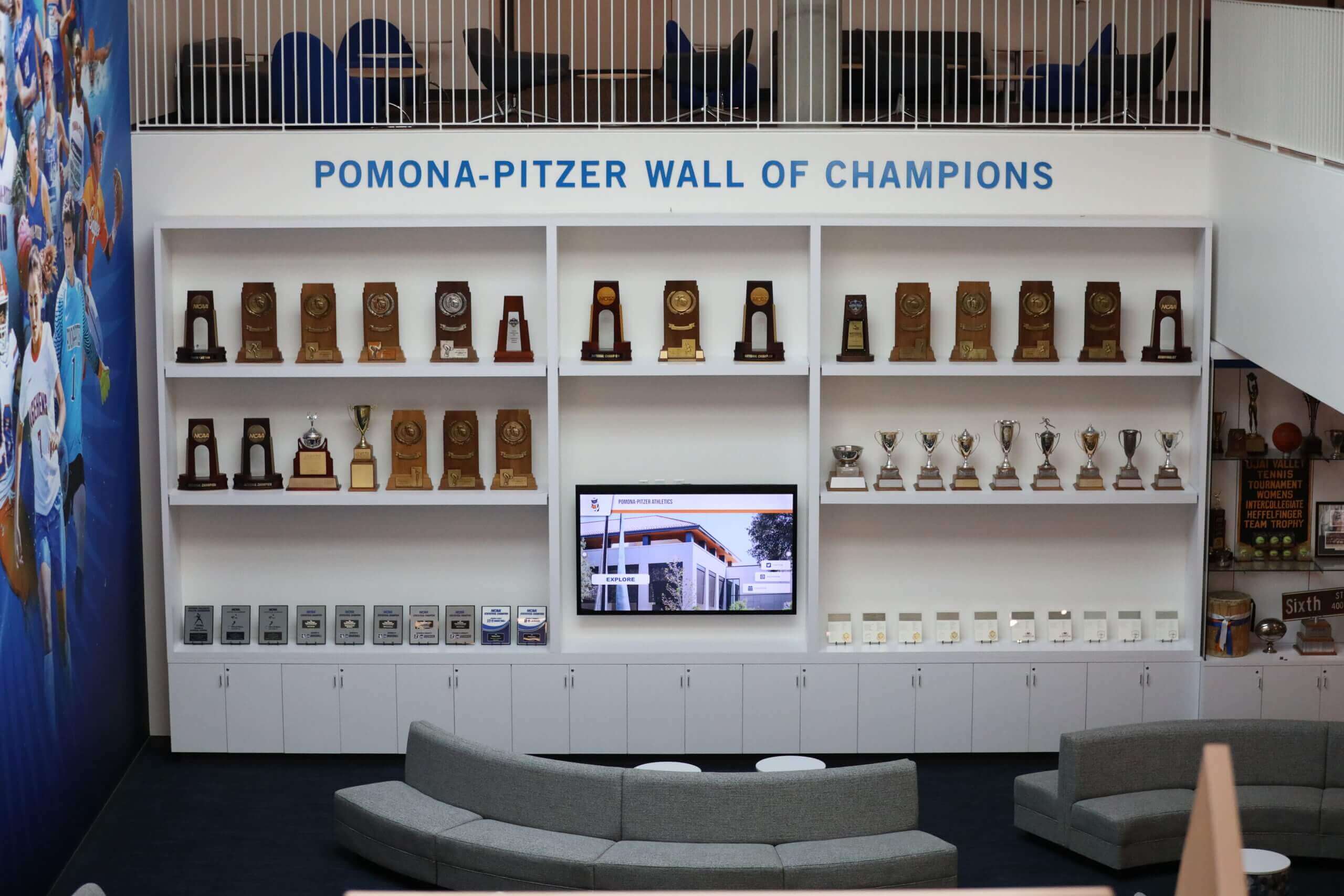
Thoughtfully designed recognition spaces combine digital and traditional elements creating accessible, welcoming environments
WCAG 2.2 Level AA Success Criteria: Improved Accessibility
Level AA criteria build on Level A foundations, addressing additional barriers and providing enhanced accessibility for broader audiences. Organizations targeting WCAG 2.2 AA compliance must meet all Level A criteria plus the following Level AA requirements.
Improved Perceivability Requirements
1.2.4 Captions (Live) (Level AA)
What It Requires: Captions must be provided for all live audio content in synchronized media.
Why It Matters for Donor Recognition: Some recognition events include live-streaming—gala speeches, donor appreciation ceremonies, campaign announcements. Without real-time captions, deaf and hard-of-hearing community members cannot participate in these live experiences, missing important content and feeling excluded from recognition celebrations.
Implementation: Implement live captioning services for all streamed events. Use professional captioning services or trained operators rather than automated systems which often produce inaccurate results for proper names and specialized terminology.
1.2.5 Audio Description (Prerecorded) (Level AA)
What It Requires: Audio description must be provided for all prerecorded video content in synchronized media.
Why It Matters for Donor Recognition: While Level A allows either audio descriptions or text alternatives, Level AA requires actual audio description tracks. This benefits blind users who prefer consuming content through audio rather than reading lengthy text descriptions, maintaining the immersive video experience.
Implementation: Produce audio description tracks narrating relevant visual information during natural pauses in dialogue. For video without dialogue pauses, consider extended audio descriptions that pause video to accommodate descriptive narration.
1.3.4 Orientation (Level AA, WCAG 2.1 and 2.2)
What It Requires: Content must not restrict viewing and operation to single display orientation (portrait or landscape) unless specific orientation is essential.
Why It Matters for Donor Recognition: Users with mounted devices—wheelchair users with tablet mounts, visitors with fixed assistive technology—may be unable to rotate devices to match arbitrary orientation requirements. When recognition platforms or kiosk interfaces require specific orientations, these users cannot access content.
Implementation: Design responsive layouts working in both portrait and landscape orientations. Test interfaces in multiple orientations ensuring all functionality remains accessible. Don’t lock orientation unless truly essential to function.
1.3.5 Identify Input Purpose (Level AA, WCAG 2.1 and 2.2)
What It Requires: The purpose of input fields collecting user information must be programmatically identifiable when the purpose relates to the user.
Why It Matters for Donor Recognition: Forms requesting contact information, tribute messages, or profile updates become easier to complete when browsers can auto-fill known information. This particularly benefits users with cognitive disabilities or motor impairments who find manual data entry challenging. Proper input purpose identification enables browser and assistive technology features helping users complete forms.
Implementation: Use HTML autocomplete attributes on form fields (name, email, address, etc.). Implement appropriate autocomplete values based on field purpose. Test auto-fill functionality across browsers and assistive technologies.
1.4.3 Contrast (Minimum) (Level AA)
What It Requires: Text and images of text must have contrast ratio of at least 4.5:1 (large text 3:1) except for incidental text, pure decoration, logotypes, or inactive components.
Why It Matters for Donor Recognition: Low-contrast text creates reading difficulties for users with low vision, color blindness, or anyone viewing displays in bright ambient lighting (common in lobbies with windows). When donor names, giving levels, or profile information use insufficient contrast against backgrounds, significant portions of your audience cannot read recognition content.
Implementation: Test all text and background color combinations using contrast checkers. Ensure body text meets 4.5:1 minimum. Large text (18pt+ regular or 14pt+ bold) needs minimum 3:1. Provide high-contrast viewing modes when possible. Consider that displays often appear in bright environments reducing perceived contrast.
1.4.4 Resize Text (Level AA)
What It Requires: Text must be resizable up to 200% without loss of content or functionality, except for captions and images of text.
Why It Matters for Donor Recognition: Users with low vision often increase text size to comfortable reading levels. When interfaces break at larger text sizes—causing text overlap, hidden content, or non-functional controls—these users cannot access recognition content. Fixed text sizes force visitors to choose between readable text and functional interfaces.
Implementation: Use relative font sizing (rem, em, %) rather than fixed pixels. Test interfaces at 200% zoom ensuring content remains readable and functional. Ensure layouts reflow appropriately as text enlarges. Avoid horizontal scrolling on standard viewports when zoomed.
1.4.5 Images of Text (Level AA)
What It Requires: Text must be used to convey information rather than images of text, except when the image presentation is essential or text appearance is customizable.
Why It Matters for Donor Recognition: Images of text cannot be resized without pixelation, don’t reflow with responsive layouts, cannot be read by screen readers unless alternative text is provided, and prevent users from adjusting colors or fonts to personal preferences. Donor recognition sometimes uses text in images for stylistic reasons, inadvertently creating accessibility barriers.
Implementation: Use real text with CSS styling instead of text embedded in images. When images of text are unavoidable (historical photographs containing text, logotypes), ensure alternative text captures text content. Provide equivalent text separately when possible.

Clear interfaces with proper contrast and text sizing ensure recognition displays remain readable for all visitors
1.4.10 Reflow (Level AA, WCAG 2.1 and 2.2)
What It Requires: Content must be presentable without scrolling in two dimensions at 320px width (equivalent to 400% zoom) for vertical scrolling content and 256px for horizontal scrolling content, except where two-dimensional layout is essential.
Why It Matters for Donor Recognition: Users with low vision often zoom content significantly. When interfaces require horizontal scrolling at high zoom levels—forcing users to scroll right and left to read each line—content becomes extremely difficult to consume. Two-dimensional scrolling prevents effective navigation and comprehension.
Implementation: Design responsive layouts that reflow to single-column at narrow widths. Test at 320px width ensuring content remains accessible without horizontal scrolling. Use viewport units and flexible layouts. Ensure all content and functionality remains available when reflowed.
1.4.11 Non-text Contrast (Level AA, WCAG 2.1 and 2.2)
What It Requires: Visual presentation of user interface components and graphical objects must have contrast ratio of at least 3:1 against adjacent colors.
Why It Matters for Donor Recognition: While text contrast gets significant attention, interactive controls, icons, data visualizations, and graphical elements also require sufficient contrast. When button borders, focus indicators, chart segments, or interactive card boundaries lack contrast, users with low vision or color blindness cannot perceive these elements or distinguish interface components.
Implementation: Test contrast for all UI components—button borders, form field outlines, focus indicators, chart elements, icons. Ensure 3:1 minimum contrast for graphical objects necessary for understanding. Provide alternative visual indicators beyond color alone.
1.4.12 Text Spacing (Level AA, WCAG 2.1 and 2.2)
What It Requires: Content must be presentable without loss of content or functionality when users adjust spacing to specified minimums (line height 1.5x font size, paragraph spacing 2x font size, letter spacing 0.12x font size, word spacing 0.16x font size).
Why It Matters for Donor Recognition: Users with dyslexia or low vision often adjust text spacing to improve readability. When interfaces break with increased spacing—causing text overlap, hidden content, or clipped information—these users cannot apply necessary accommodations. Fixed layouts prevent users from implementing reading preferences.
Implementation: Test interfaces with adjusted spacing parameters. Use flexible layouts accommodating increased spacing. Avoid fixed-height containers causing clipping. Ensure no content becomes hidden or non-functional when spacing increases.
1.4.13 Content on Hover or Focus (Level AA, WCAG 2.1 and 2.2)
What It Requires: When additional content appears and disappears on hover or focus, the content must be dismissible, hoverable, and persistent unless required for communication or doesn’t obscure content.
Why It Matters for Donor Recognition: Tooltips, preview cards, or expanded information appearing on hover help sighted users but often create problems. Users with low vision using screen magnification may trigger hover states unintentionally and need to move pointers over new content to magnify it. Users with tremors may accidentally trigger then lose hover content. When hover content cannot be dismissed or inspected, it becomes inaccessible or intrusive.
Implementation: Provide escape key dismissal for hover content. Ensure pointer can move over additional content without it disappearing. Keep hover content visible until user deliberately dismisses or moves focus elsewhere. Consider alternatives to hover-only content.
Improved Operability Requirements
2.4.5 Multiple Ways (Level AA)
What It Requires: More than one way must be available to locate pages within a set except where pages are steps in a process.
Why It Matters for Donor Recognition: Visitors explore recognition content differently—some browse chronologically, others search for specific donors, some filter by campaign or level. When platforms provide only single navigation methods, users with cognitive disabilities, those unfamiliar with site structure, or visitors with specific search strategies may struggle to find information.
Implementation: Provide multiple navigation paths—search functionality, browsing by category, alphabetical indexes, timeline views, filtering by multiple criteria. Ensure all content is accessible through at least two different navigation methods.
2.4.6 Headings and Labels (Level AA)
What It Requires: Headings and labels must describe topic or purpose.
Why It Matters for Donor Recognition: Clear, descriptive headings help all users understand content organization but particularly benefit screen reader users who navigate by jumping between headings. Generic headings like “Information” or “Details” provide no orientation. When donor sections lack clear headings or form fields have vague labels, navigation becomes confusing.
Implementation: Write descriptive headings clearly indicating section content. Ensure labels precisely describe associated controls. Avoid ambiguous or overly general headings and labels. Use consistent terminology helping users predict content.
2.4.7 Focus Visible (Level AA)
What It Requires: Keyboard focus indicator must be visible.
Why It Matters for Donor Recognition: Keyboard users must see which element currently has focus to navigate effectively. Many modern designs remove browser default focus indicators for aesthetic reasons, leaving keyboard users unable to track their position. Without visible focus, keyboard navigation becomes guesswork—users cannot tell where they are or predict where tab will move next.
Implementation: Ensure focus indicators are clearly visible on all interactive elements. Use sufficient contrast and size making focus obvious. Avoid removing default focus styles without replacement. Test with actual keyboard navigation verifying focus remains visible throughout interface.
2.4.11 Focus Not Obscured (Minimum) (Level AA, WCAG 2.2 only)
What It Requires: When user interface component receives keyboard focus, the component must not be entirely hidden by author-created content.
Why It Matters for Donor Recognition: Sticky headers, persistent navigation bars, or floating action buttons sometimes cover focused elements, making keyboard navigation confusing or impossible. When users tab to controls hidden beneath sticky elements, they cannot see what has focus or understand where they are in the interface.
Implementation: Ensure focused elements remain visible when sticky or fixed-position content is present. Implement scroll-into-view behavior positioning focused elements in visible viewport areas. Test keyboard navigation verifying focused elements never completely obscured.
2.5.7 Dragging Movements (Level AA, WCAG 2.2 only)
What It Requires: Functionality requiring dragging movement must also be accomplishable through single-pointer actions without requiring dragging, unless dragging is essential or author-provided non-dragging technique available.
Why It Matters for Donor Recognition: Interactive donor timelines, sorting interfaces, or customizable views sometimes implement drag-and-drop functionality. Users with limited dexterity, tremors, or assistive technology may be unable to perform dragging motions. Requiring drag interactions excludes these users from accessing or organizing content.
Implementation: Provide alternative methods for all drag-based operations—buttons for sorting, keyboard shortcuts for reordering, click-based alternatives for repositioning. Ensure all functionality accessible without dragging.
2.5.8 Target Size (Minimum) (Level AA, WCAG 2.2 only)
What It Requires: Clickable target size must be at least 24 by 24 CSS pixels except for inline targets, user-controlled targets, essential targets where alternate larger target exists, or targets whose appearance is not controlled by author.
Why It Matters for Donor Recognition: Small touch targets create difficulties for users with limited dexterity, tremors, or large fingers. Crowded interfaces with tiny buttons or links force precise motor control many users cannot achieve. Touchscreen kiosks particularly need generous target sizes accommodating diverse physical abilities.
Implementation: Ensure interactive elements meet minimum 24px target size. Provide adequate spacing between adjacent targets. Increase target sizes beyond minimum when possible. Test on actual touchscreen devices with various user abilities.
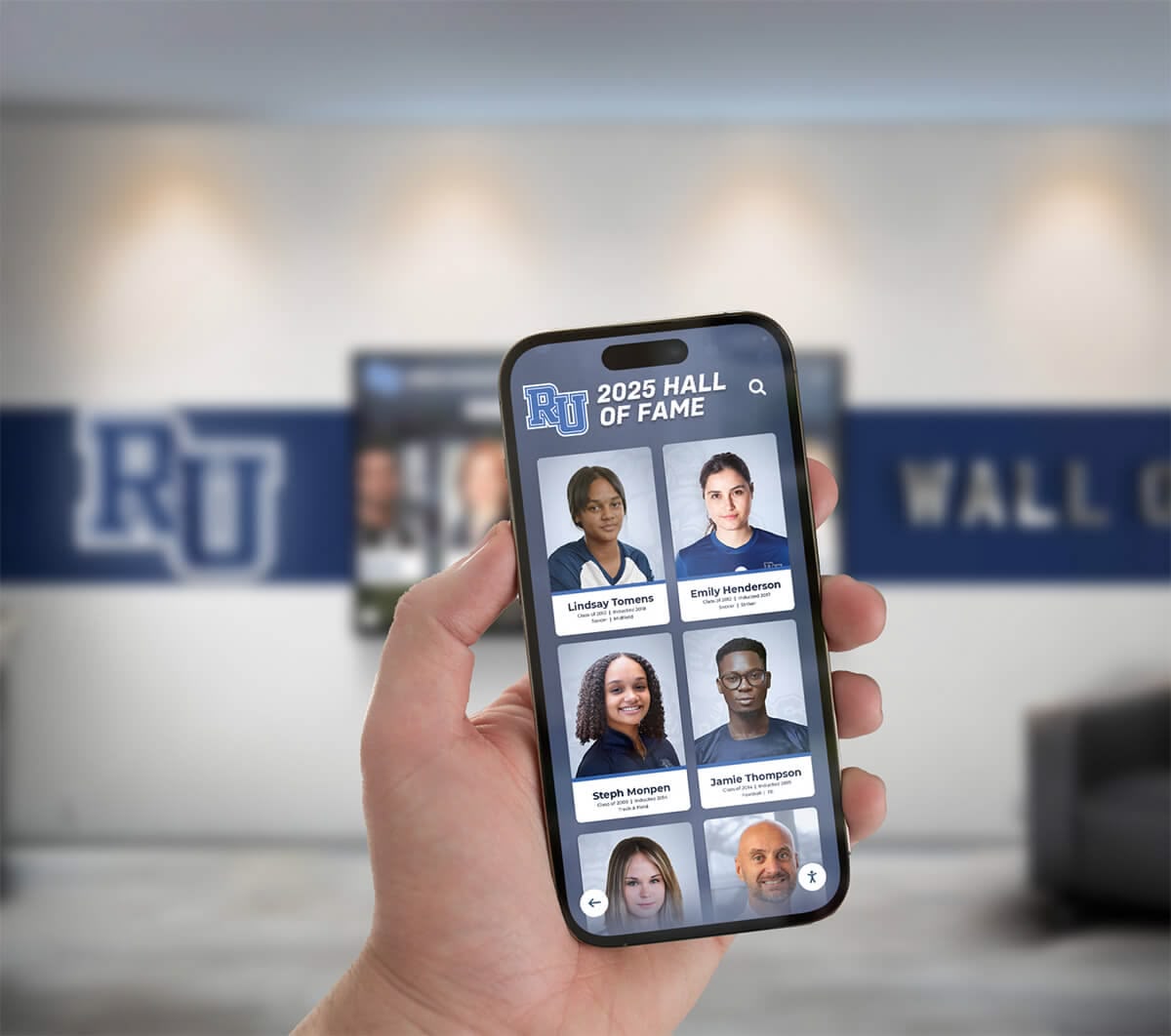
Responsive design ensures recognition displays remain accessible across devices and screen sizes
Improved Understandability Requirements
3.1.2 Language of Parts (Level AA)
What It Requires: The human language of each passage or phrase must be programmatically determinable except for proper names, technical terms, undefined language words, or words that are part of the vernacular of surrounding text.
Why It Matters for Donor Recognition: Donor recognition often includes names, quotes, or content in multiple languages. When passages switch languages without programmatic indication, screen readers continue using primary page language, mispronouncing content and creating incomprehensible output. A Spanish tribute message in primarily English content needs language marking for proper pronunciation.
Implementation: Mark language changes using lang attribute on containing elements. Identify non-English passages even within primarily English pages. Use valid language codes. Don’t mark proper names or universally recognized terms (café, résumé).
3.2.3 Consistent Navigation (Level AA)
What It Requires: Navigation mechanisms repeated on multiple pages must occur in same relative order unless user initiates change.
Why It Matters for Donor Recognition: Consistent navigation placement helps users develop mental models of interface structure. This particularly benefits users with cognitive disabilities who rely on predictability for successful navigation. When search bars, filter controls, or navigation menus move unpredictably between pages, users must relearn interface structure on every page.
Implementation: Maintain consistent navigation order across all pages. Place search functions, main menus, and recurring controls in identical positions. Use consistent labeling and presentation. Only vary order when users explicitly customize layout.
3.2.4 Consistent Identification (Level AA)
What It Requires: Components with same functionality must be identified consistently across pages.
Why It Matters for Donor Recognition: When identical functions use different icons, labels, or presentations across pages, users cannot recognize familiar functions. This particularly confuses users with cognitive disabilities or those using assistive technologies. A “search donors” function labeled “Find Supporters” elsewhere creates unnecessary cognitive burden.
Implementation: Use consistent icons, labels, and presentations for recurring functionality. Establish interface patterns and follow them throughout. Ensure identical functions have identical identification regardless of page context.
3.3.3 Error Suggestion (Level AA)
What It Requires: When input errors are automatically detected and suggestions for correction are known, the suggestions must be provided unless doing so jeopardizes security or purpose.
Why It Matters for Donor Recognition: Beyond simply identifying errors, providing correction suggestions helps users successfully complete tasks. This particularly benefits users with cognitive disabilities, non-native language speakers, or those unfamiliar with expected formats. When tribute forms reject entries without guidance, users may abandon efforts.
Implementation: Provide specific correction suggestions when known. Explain expected formats. Offer examples. When email format is invalid, explain what valid format looks like. When required fields are missing, clearly indicate what’s needed.
3.3.4 Error Prevention (Legal, Financial, Data) (Level AA)
What It Requires: For pages causing legal commitments, financial transactions, user data modification, or test response submission, at least one must be true: submissions are reversible, data is checked and users can correct, or confirmation is available.
Why It Matters for Donor Recognition: Online donation forms, recurring gift updates, or tribute information submissions create legal or financial commitments. When users cannot review and correct information before final submission, mistakes become permanent. This particularly affects users with cognitive disabilities, those using assistive technologies requiring multiple passes to verify information, or users prone to input errors.
Implementation: Provide review pages before final submission. Implement confirmation dialogs for significant actions. Allow users to edit submitted information. Check data for obvious errors before processing. Provide clear “cancel” or “undo” options.
3.3.8 Accessible Authentication (Minimum) (Level AA, WCAG 2.2 only)
What It Requires: Cognitive function tests (like remembering passwords or solving puzzles) must not be required for authentication steps unless alternative authentication method available, mechanism assists in completing test, or test recognizes objects.
Why It Matters for Donor Recognition: Requiring complex passwords, solving CAPTCHAs, or remembering specific information creates barriers for users with cognitive disabilities, memory impairments, or assistive technology users. When administrative access or donor profile management requires cognitive function tests without alternatives, these users cannot access systems.
Implementation: Support authentication methods not requiring cognitive function tests—biometric authentication, email authentication codes, single sign-on services. Provide password managers support. When CAPTCHAs necessary, offer alternatives like audio challenges or simple object recognition.
Improved Robustness Requirements
4.1.3 Status Messages (Level AA, WCAG 2.1 and 2.2)
What It Requires: Status messages must be programmatically determinable through role or properties allowing assistive technologies to present them without receiving focus.
Why It Matters for Donor Recognition: When searches complete, filters update, or content loads, visual status messages inform sighted users. Screen reader users miss these messages unless they’re programmatically available. “3 donors found matching your search” alerts help users understand results, but only if assistive technologies can access and announce them.
Implementation: Use ARIA live regions for status messages. Implement appropriate politeness levels (polite for most updates, assertive for urgent messages). Ensure messages are programmatically accessible without moving focus. Test with screen readers verifying messages are announced appropriately.
Implementation Strategies for WCAG 2.2 AA Compliance
Understanding requirements represents only the beginning—systematic implementation ensures recognition systems achieve meaningful accessibility.
Accessible Design from the Start
Integrated Accessibility: Design accessibility into recognition systems from initial planning rather than retrofitting compliance after completion. Early accessibility consideration costs less, creates better experiences, and ensures comprehensive compliance rather than patchwork fixes.
Inclusive Design Principles: Follow inclusive design practices benefiting all users while meeting accessibility requirements. High contrast helps everyone in bright lobbies. Clear navigation serves all visitors. Keyboard access supports various input devices beyond accommodating disabilities.
User Testing with Diverse Abilities: Include people with disabilities in testing processes. Automated tools catch technical compliance but miss experiential problems. Users with actual disabilities provide invaluable insights about whether systems work practically, not just theoretically.
Technical Implementation Approaches
Semantic HTML Foundation: Build on semantic HTML providing inherent accessibility. Properly structured headings, lists, forms, and semantic elements work with assistive technologies out of the box, requiring less custom implementation.
ARIA Enhancement When Needed: Use ARIA attributes enhancing custom components or providing context native HTML cannot convey. Avoid “ARIA soup” overriding native semantics unnecessarily. ARIA should enhance, not replace, semantic HTML.
Responsive and Flexible Design: Implement responsive layouts working across devices and configurations. Use relative units, flexible grids, and media queries creating adaptable interfaces accommodating diverse viewing needs.
Testing Protocols: Establish comprehensive testing including automated accessibility scanners catching technical violations, manual keyboard navigation verifying operability, screen reader testing ensuring assistive technology compatibility, and user testing with people with disabilities validating real-world accessibility.
Learn about digital recognition implementation approaches that incorporate accessibility from planning through deployment. Organizations can also benefit from understanding donor recognition best practices that prioritize inclusive design.
Content Strategy for Accessibility
Clear, Plain Language: Write recognition content using clear, straightforward language benefiting users with cognitive disabilities, non-native speakers, and everyone seeking quick comprehension. Avoid jargon, complex sentence structures, and unnecessary technical terminology.
Descriptive Alt Text: Write meaningful alternative text for images—donor photographs, achievement badges, charts, or decorative elements. Describe visual content’s meaning and context, not just what’s technically present. “Margaret Chen, Class of 1995, standing with scholarship recipients at 2025 ceremony” provides context beyond “woman with three students.”
Meaningful Link Text: Use descriptive link text indicating destination clearly. Instead of “Click here for donor profile,” write “View Margaret Chen’s donor profile.” Screen reader users navigating link lists need context.
Structured Content Organization: Use proper heading hierarchies, lists, and semantic structures helping assistive technology users understand content organization and navigate efficiently. Don’t skip heading levels. Mark lists as lists. Use tables for tabular data.
Ongoing Compliance Maintenance
Regular Accessibility Audits: Conduct periodic accessibility reviews verifying continued compliance as content updates or platform changes. Accessibility isn’t one-time achievement but ongoing commitment requiring regular verification.
Staff Training: Train content managers, developers, and designers on accessibility requirements and best practices. Compliance requires everyone involved in recognition systems understanding and implementing accessible approaches.
Update Protocols: Establish processes ensuring accessibility consideration in all updates, new features, or content additions. Template updates, feature enhancements, or content migrations should maintain accessibility compliance.
User Feedback Mechanisms: Provide clear channels for visitors to report accessibility barriers. Monitor feedback and address reported issues promptly. Users experiencing problems offer valuable insights automated tools miss.
Accessibility Benefits Beyond Compliance
While WCAG 2.2 AA compliance addresses legal requirements and ethical obligations, accessible recognition systems provide broader benefits justifying implementation efforts.
Improved User Experience for All
Universal Usability Improvements: Features designed for accessibility benefit all users. Clear navigation helps everyone find information efficiently. High contrast improves readability in bright lobbies. Keyboard accessibility serves visitors preferring keyboards over touchscreens. Captions benefit viewers in noisy or quiet environments.
Mobile Optimization: Responsive design required for reflow and touch target size creates better mobile experiences for all visitors. What helps users with low vision at 400% zoom also helps anyone accessing recognition on smartphones.
Cognitive Load Reduction: Clear language, consistent navigation, and predictable interfaces benefit users with cognitive disabilities while reducing mental effort for all visitors. Simplified interfaces improve everyone’s experience.
Organizational Benefits
Risk Mitigation: WCAG compliance reduces legal risk under disability discrimination laws. Many jurisdictions mandate accessibility for public-facing digital systems. Educational institutions, government entities, and organizations in regulated sectors face explicit requirements.
Expanded Audience Reach: Accessible recognition systems serve the approximately 26% of adults living with disabilities—a substantial portion of potential audiences organizations cannot afford to exclude. Additionally, aging populations increasingly experience vision, hearing, motor, or cognitive changes benefiting from accessible design.
Positive Reputation: Demonstrable accessibility commitment enhances organizational reputation. Prospective donors, community members, and visitors notice whether institutions practice the inclusive values they espouse. Accessible recognition systems tangibly demonstrate commitment to serving all community members.
Future-Proofing: Semantic, well-structured accessible systems adapt more readily to evolving technologies. Proper HTML and ARIA implementation ensures compatibility with emerging assistive technologies, new devices, and future platform changes.
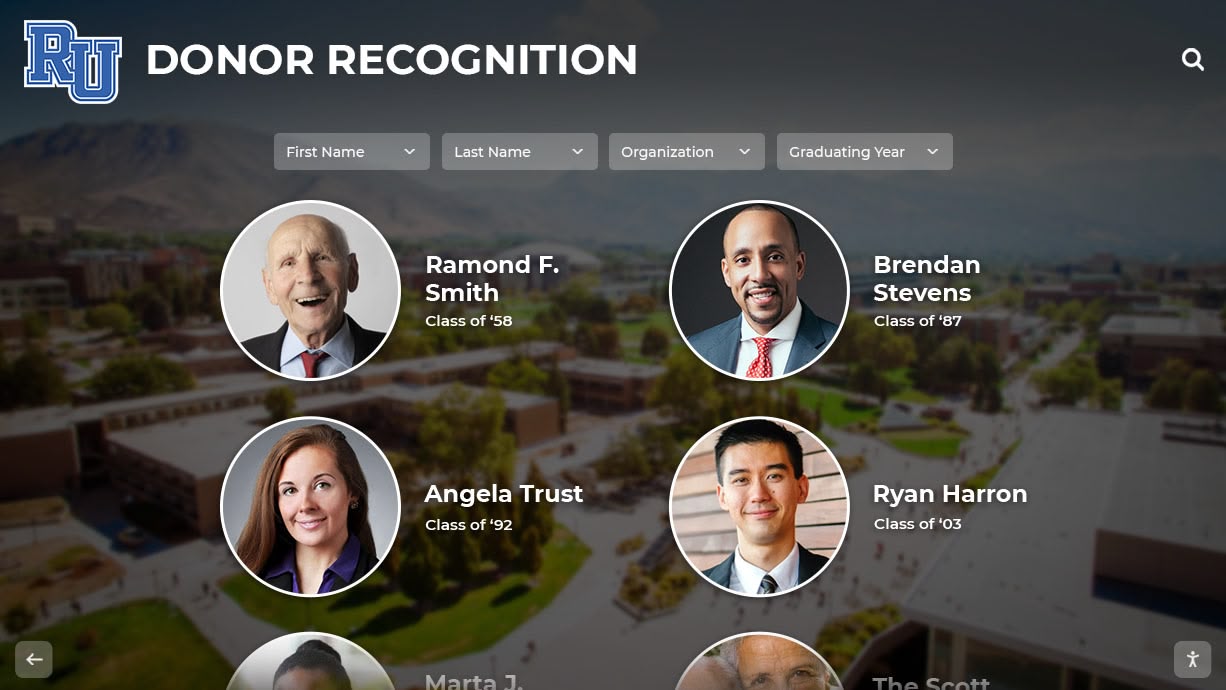
Thoughtfully implemented recognition systems create accessible, inclusive environments celebrating all supporters
Selecting Accessible Recognition Platform Partners
Organizations implementing digital recognition systems benefit from partners understanding and prioritizing accessibility.
Evaluating Vendor Accessibility
WCAG Compliance Documentation: Request detailed accessibility conformance reports (ACRs or VPATs) documenting specific WCAG compliance levels. Avoid vendors making vague “accessibility-friendly” claims without substantiation. Reputable providers offer detailed compliance documentation.
Accessible Design Philosophy: Assess whether vendors integrate accessibility throughout development or treat it as compliance checkbox. Partners viewing accessibility as core requirement produce better results than those adding superficial compliance features.
Testing and Validation: Inquire about vendor testing practices. Comprehensive testing includes automated scanners, manual evaluation, assistive technology testing, and user testing with people with disabilities. Single-method testing misses critical issues.
Content Management Accessibility: Evaluate not just public-facing recognition displays but also administrative interfaces. Content managers using assistive technologies need accessible dashboards. Inaccessible administrative tools prevent organizations from independently managing recognition content.
Ongoing Maintenance Commitment: Verify vendors maintain accessibility through platform updates. Accessibility isn’t one-time achievement but ongoing commitment. Platforms should improve accessibility over time as standards evolve and technologies advance.
Training and Support: Assess training resources helping organizations maintain accessibility when adding content or customizing systems. Documentation, tutorials, and support should address accessibility considerations.
Recognition Platform Features Supporting Accessibility
Effective recognition platforms incorporate features facilitating WCAG compliance:
Semantic Content Structure: Platforms should generate properly structured HTML with semantic elements, heading hierarchies, and ARIA attributes. Content management systems should make creating accessible content easy rather than requiring technical expertise.
Alternative Content Management: Systems should simplify adding alternative text for images, captions for videos, transcripts for audio, and text alternatives for multimedia content. Accessible content management shouldn’t require manual HTML editing.
Responsive Frameworks: Built-in responsive design ensuring recognition interfaces work across devices, orientations, and zoom levels without additional development. Mobile-first approaches ensure flexibility accommodating diverse access needs.
Keyboard Navigation: Complete keyboard accessibility throughout public and administrative interfaces. All interactive elements should be keyboard operable with visible focus indicators.
Customization Options: Features enabling visitors to adjust presentation—text size controls, high-contrast modes, reduced motion options—allow users to configure recognition displays for personal needs.
Testing Tools Integration: Built-in accessibility checking catching common issues before publication. While not replacing comprehensive testing, integrated tools help content managers avoid obvious errors.
Solutions like Rocket Alumni Solutions provide comprehensive recognition platforms designed with accessibility as core requirement, ensuring donor recognition systems welcome all community members regardless of ability.
Common Accessibility Challenges and Solutions
Implementing accessible donor recognition sometimes encounters obstacles organizations can address with strategic approaches.
Challenge: Legacy Content Migration
Problem: Existing donor databases, historical photos, or archived content often lack accessibility features—no alternative text, non-semantic structure, or inaccessible formats.
Solution: Prioritize recent content for immediate accessibility enhancement while planning phased legacy content remediation. Develop processes for systematically adding missing accessibility features to historical content. Consider which legacy content receives highest visibility, focusing accessibility efforts appropriately.
Challenge: Third-Party Content Integration
Problem: Embedded videos, social media feeds, or external content integrated into recognition platforms may not meet accessibility standards, yet organizations cannot control third-party accessibility.
Solution: Evaluate third-party services for accessibility before integration. Provide accessible alternatives when embedding inaccessible content. Advocate for accessibility improvements with content providers. Consider whether third-party features are essential or expendable.
Challenge: Resource Constraints
Problem: Organizations sometimes lack accessibility expertise, development capacity, or budget for comprehensive implementation.
Solution: Partner with recognition providers offering accessible platforms reducing organizational implementation burden. Invest in staff training building long-term internal capacity. Focus initial efforts on high-impact improvements—Level A compliance, most-visited pages, highest-traffic features—before comprehensive implementation. Remember accessibility as investment rather than expense.
Challenge: Balancing Aesthetics and Accessibility
Problem: Designers sometimes perceive accessibility requirements as limiting creative expression or visual appeal.
Solution: Educate design teams that accessibility and aesthetics are not opposed—accessible design can be beautiful. Showcase well-designed accessible sites demonstrating compatibility. Reframe accessibility as design constraint inspiring creativity rather than limitation reducing quality.
Challenge: Keeping Current with Standards
Problem: Accessibility standards evolve—WCAG 2.2 added new success criteria beyond WCAG 2.1 and 2.0. Organizations struggle maintaining currency.
Solution: Partner with platform providers managing standards compliance through platform updates. Subscribe to accessibility newsletters and organizations announcing standards changes. Conduct annual accessibility reviews assessing current compliance against latest standards. Build accessibility maintenance into ongoing platform management rather than treating it as one-time project.
Conclusion: Accessibility as Foundation for Inclusive Recognition
WCAG 2.2 AA compliance represents more than technical specification adherence or regulatory requirement satisfaction—it embodies fundamental commitment to creating donor recognition systems serving every community member regardless of ability. When digital recognition displays, interactive kiosks, or web-based platforms meet comprehensive accessibility standards, they tangibly demonstrate that institutional commitments to inclusion extend beyond rhetoric to actual practice.
The 50+ success criteria comprising WCAG 2.2 Levels A and AA may initially seem overwhelming, but each addresses specific barriers preventing users with disabilities from accessing digital content. When recognition systems lack proper alternative text, screen reader users cannot perceive donor photographs. When color alone distinguishes giving levels, visitors with color blindness cannot understand recognition structure. When keyboard navigation is impossible, visitors with motor disabilities cannot explore donor content. Each criterion matters because each removes real barriers affecting real people.
Organizations implementing accessible donor recognition create systems that:
Honor All Supporters Equitably: Recognition celebrating philanthropic community contributions should itself be accessible to entire community. Donors with disabilities, family members of supporters, or community visitors with disabilities deserve equal access to recognition content. Inaccessible recognition systems inadvertently exclude the very people institutions seek to celebrate.
Demonstrate Institutional Values: When organizations champion diversity, equity, and inclusion while implementing inaccessible recognition systems, they contradict stated values. Accessible recognition provides tangible evidence that institutional commitments extend to actual practice serving all community members.
Serve Broader Audiences Effectively: Accessible design benefits everyone—high contrast helps visitors in bright lobbies, clear navigation serves unfamiliar users, keyboard accessibility supports various input preferences, captions benefit viewers in any environment. Universal design creates better experiences for all visitors while ensuring accessibility for those with disabilities.
Future-Proof Recognition Investments: Well-structured accessible systems adapt readily to emerging technologies, new devices, and evolving user needs. Semantic HTML and proper ARIA implementation ensure recognition platforms remain functional as assistive technologies advance and usage patterns evolve.
Reduce Organizational Risk: WCAG compliance addresses legal requirements under disability discrimination laws, reducing organizational liability while doing what’s ethically right. Proactive accessibility implementation prevents costly retrofitting or legal challenges.
Create Sustainable Recognition Systems: Accessibility integrated from initial design costs less and produces better results than retroactive compliance efforts. Building accessibility into recognition platform selection, content development, and ongoing management creates sustainable approaches serving organizations long-term.
The path toward comprehensive accessibility begins with commitment followed by systematic implementation. Organizations should assess current recognition systems against WCAG 2.2 AA criteria identifying gaps, partner with accessibility-focused recognition platform providers offering compliant solutions, implement accessible content practices for all donor information and recognition materials, establish ongoing testing and maintenance protocols ensuring continued compliance, and train all staff involved in recognition management on accessibility requirements and best practices.
Your donor recognition systems celebrate the generosity making your mission possible. Every contributor deserves recognition they can actually access and experience fully, regardless of ability. With thoughtful planning, appropriate platform partners, and sustained commitment, you can create digital recognition systems that welcome everyone—honoring supporters equitably while serving your entire community comprehensively.
Ready to implement accessible donor recognition systems meeting WCAG 2.2 AA standards? Explore recognition solutions designed with accessibility as foundation, ensuring your recognition displays welcome all visitors while celebrating supporters who make your mission possible.































